Best for horizontal scrolling
Logitech MX Master 3S
4.9 feature score
Highest scored product for this feature based on supporting review evidence.

Highest scored product for this feature based on supporting review evidence.
Balances feature score, supporting reviews, and overall product strength.
Has the broadest review evidence for this feature.
Strongest overall product among items with scored evidence for this feature.
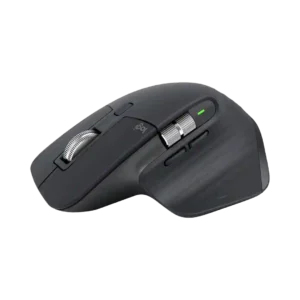
The thumb wheel is one of the most loved productivity features, particularly for spreadsheets, editing timelines, large canvases, and browser or app navigation.
Pros: motion consistency, left and right click quality
Cons: switch durability, onboard memory
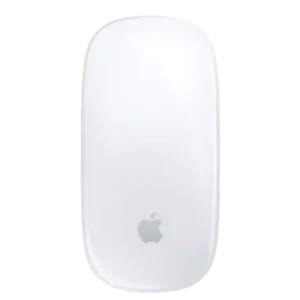
Horizontal scrolling is one of the standout features, letting users pan timelines, pages, and documents fluidly with a finger swipe.
Pros: handedness options, grip texture
Cons: programmable buttons, macro support
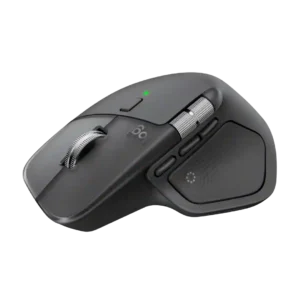
The horizontal thumb wheel is widely appreciated for timelines, spreadsheets, and large canvases. A minority find it slow, imprecise, or hard to work into established habits.
Pros: software usability, software stability
Cons: double-click reliability, warranty
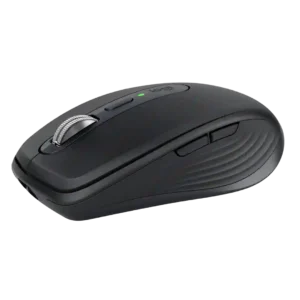
Horizontal scrolling works through a side-button modifier rather than a dedicated thumb wheel. It is useful for spreadsheets and timelines but feels less direct and convenient than the hardware solution...
Pros: motion consistency, programmable buttons
Cons: palm grip comfort, hand support
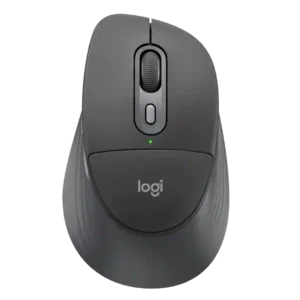
Side scrolling is possible through a button-and-wheel combination, but the workaround is less convenient than a true tilt wheel.
Pros: Accuracy and tracking precision, materials quality
Cons: onboard memory, tilt wheel support