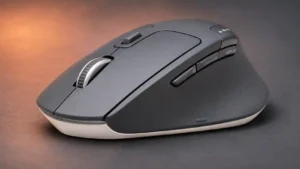
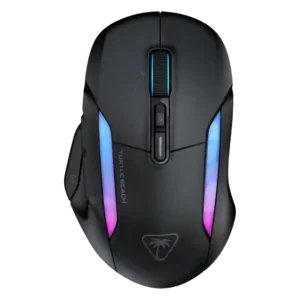
Compare Logitech Signature Comfort Plus M850 L vs Logitech M720 Triathlon

Logitech Signature Comfort Plus M850 L

Logitech Signature Comfort Plus M850 L

Overall score 4.3 / 5

Based on 11 scored reviews

vs
Logitech M720 Triathlon

Logitech M720 Triathlon

Overall score 4.2 / 5

Based on 37 scored reviews

How we score

Scorata scores summarize analyzed review evidence on a 1–5 scale; they are not laboratory measurements or a simple average of customer star ratings. Feature scores summarize the reviews covering that feature. The overall score averages feature scores within each review, then combines review averages. When both expert and customer evidence are available, those two groups receive equal weight. Products can have different review coverage, so small score gaps do not establish a winner.

Recommendations prioritize important features for the category, with a score of at least 3.5, a gap of at least 0.25 points and at least two supporting reviews per product. Features with widely varying scores or broad connectivity contexts are excluded from recommendations. These safeguards do not establish statistical significance.

Quick verdict

What each product is best for

The review evidence points to a tradeoff: click noise and aesthetic design versus 2.4GHz connectivity and portability. Choose according to which strengths matter more to you; the overall score alone does not settle that choice.

Choose Logitech Signature Comfort Plus M850 L for click noise and aesthetic design.

Choose Logitech M720 Triathlon for 2.4GHz connectivity and portability.

Why these recommendations?

Logitech Signature Comfort Plus M850 L

Where It Has the Edge

  • click noise is 4.9 vs 3.0. Quiet clicking is one of the most consistent wins. The main buttons are repeatedly described as barely audible...
  • aesthetic design is 4.7 vs 3.7. The restrained, contemporary styling earns consistent praise, with the Graphite finish in particular described as fantastic and understated.
  • weight is 4.0 vs 3.1. The mouse is on the heavier side, but several reviewers like the substantial feel and find the weight...

Logitech M720 Triathlon

Where It Has the Edge

  • 2.4GHz connectivity is 4.6 vs 2.3. The USB receiver offers a dependable connection, including when Bluetooth is impractical.
  • portability is 4.6 vs 2.3. The body is easier to carry than larger productivity mice but too bulky for some slim bags.
  • switch feel is 5.0 vs 4.0. The light, smooth clicks are comfortable and require little force.
Logitech Signature Comfort Plus M850 L 4.3 overall score
Logitech M720 Triathlon 4.2 overall score

Compare features

Scores are out of 5. Missing scores mean missing review evidence, not a missing feature.

Scored on both products

Battery and charging

Battery life
Logitech Signature Comfort Plus M850 L
4.7

Battery life is a major strength. Reviewers repeatedly praise the long runtime from a single replaceable cell, with short-term testing showing very slow drain.

Logitech M720 Triathlon
4.9

The single AA battery is a major strength, with reports of a year or more between changes and a claimed maximum of two years.

Rechargeable battery
Logitech Signature Comfort Plus M850 L
2.0

The lack of a built-in rechargeable battery disappoints some reviewers, especially those concerned about disposable-cell waste.

Logitech M720 Triathlon
2.9

The AA design trades rechargeable convenience for long runtime; some prefer it and others want a built-in rechargeable cell.

Replaceable battery support
Logitech Signature Comfort Plus M850 L
5.0

The replaceable cell is easy to swap, and one reviewer liked avoiding the long-term wear associated with built-in batteries.

Logitech M720 Triathlon
4.4

An easily replaceable AA keeps downtime low and avoids dependence on an aging internal battery.

Other features

2.4GHz connectivity
Logitech Signature Comfort Plus M850 L
2.3

The standard package draws criticism for leaving out a 2.4GHz receiver, so buyers who want dongle-based wireless may need an extra purchase.

Logitech M720 Triathlon
4.6

The USB receiver offers a dependable connection, including when Bluetooth is impractical.

Portability
Logitech Signature Comfort Plus M850 L
2.3

The high-backed, larger design is better suited to a desk than travel, with reviewers calling it bulky and discouraging it for trips.

Logitech M720 Triathlon
4.6

The body is easier to carry than larger productivity mice but too bulky for some slim bags.

DPI range
Logitech Signature Comfort Plus M850 L
4.5

The 4,000-DPI ceiling is more than sufficient for fast productivity work, even if it is not aimed at serious gaming.

Logitech M720 Triathlon
2.8

The fixed nominal 1000 DPI is adequate for work, but limits sensitivity flexibility for demanding users.

Horizontal scrolling
Logitech Signature Comfort Plus M850 L
2.5

Side scrolling is possible through a button-and-wheel combination, but the workaround is less convenient than a true tilt wheel.

Logitech M720 Triathlon
4.0

Tilting the wheel is handy for wide content, though a dedicated horizontal wheel is preferable for some workflows.

Wireless latency
Logitech Signature Comfort Plus M850 L
5.0

Bluetooth responsiveness was excellent in one test, with no noticeable input lag or latency during productivity use.

Logitech M720 Triathlon
3.7

Receiver latency is low in ordinary use, while Bluetooth lag can be noticeable in games or on some setups.

Switch feel
Logitech Signature Comfort Plus M850 L
4.0

Button feel is generally positive, with distinct side-button feedback, though the softer main-switch actuation can feel unusual at first.

Logitech M720 Triathlon
5.0

The light, smooth clicks are comfortable and require little force.

Weight
Logitech Signature Comfort Plus M850 L
4.0

The mouse is on the heavier side, but several reviewers like the substantial feel and find the weight manageable; lightweight-mouse fans may disagree.

Logitech M720 Triathlon
3.1

The weight feels reassuring on a desk but is less appealing for frequent lifting or fast aiming.

Ecosystem integration
Logitech Signature Comfort Plus M850 L
5.0

Logitech Flow worked smoothly in testing, allowing text to move between two computers without manually changing Bluetooth sources.

Logitech M720 Triathlon
4.4

Compatible Logitech keyboards and Flow can simplify multi-computer work, though software restrictions and separate switching can complicate it.

Scroll wheel precision
Logitech Signature Comfort Plus M850 L
5.0

The wheel was praised as precise and satisfying, even if it does not match Logitech's premium magnetic wheel.

Logitech M720 Triathlon
4.5

Notched scrolling gives precise line-by-line control, but free-spin sensitivity can lead to overshooting.

Polling rate
Logitech Signature Comfort Plus M850 L
2.5

The office-level polling rate is adequate for productivity but can look choppy to sensitive users and is too slow for competitive gaming.

Logitech M720 Triathlon
2.0

The low polling rate is a drawback for fast competitive play.

Gaming suitability
Logitech Signature Comfort Plus M850 L
3.0

The mouse is fine for occasional or casual games, but its office-focused polling and sensor setup are not suited to competitive play.

Logitech M720 Triathlon
2.6

The mouse can handle casual play, but its office-oriented weight, tracking and latency limit competitive gaming suitability.

Connection stability
Logitech Signature Comfort Plus M850 L
4.0

Wireless stability is generally good, including hiccup-free Bluetooth testing, although one reviewer found Bolt more reliable and sensitive to obstructions.

Logitech M720 Triathlon
4.4

Connections are generally reliable, but some users report intermittent Bluetooth problems or lag.

Scroll wheel quality
Logitech Signature Comfort Plus M850 L
4.5

SmartWheel is generally a standout productivity feature for quick, adaptive scrolling, though one reviewer found it less refined than Logitech's premium wheels.

Logitech M720 Triathlon
4.2

The dual-mode wheel is a highlight for office work, although some find it loose, noisy or less refined than premium wheels.

Surface compatibility
Logitech Signature Comfort Plus M850 L
4.2

The mouse works well across many surfaces in most testing, including desks, pads, glass, and rubber mats, though one reviewer found movement rough on both a pad and tabletop.

Logitech M720 Triathlon
3.9

Tracking works on many ordinary surfaces, including fabric in some tests, but clear glass and some glossy surfaces cause problems.

Glide smoothness
Logitech Signature Comfort Plus M850 L
4.1

Most reviewers found the mouse smooth or effortless across surfaces, but one reported noticeably choppy, rougher-than-expected movement.

Logitech M720 Triathlon
4.4

The mouse usually glides well, though one test notes slightly higher initial movement resistance.

Device switching
Logitech Signature Comfort Plus M850 L
4.8

Switching among paired devices is consistently easy and convenient, with reviewers moving between computers without hiccups.

Logitech M720 Triathlon
4.6

The accessible switch makes moving between devices easy, though there can be a brief delay or inconvenience cycling through slots.

Left and right click quality
Logitech Signature Comfort Plus M850 L
4.5

The main clicks feel tactile without requiring much force, giving good feedback while remaining quiet.

Logitech M720 Triathlon
4.6

Main clicks generally feel solid, smooth and easy to press.

Cross-platform compatibility
Logitech Signature Comfort Plus M850 L
4.5

Broad operating-system support makes the mouse a versatile choice for people who switch among Windows, macOS, and other platforms.

Logitech M720 Triathlon
4.5

The mouse works across diverse computer platforms, though software features and older mobile OS support vary.

Free-spin scrolling
Logitech Signature Comfort Plus M850 L
4.8

Adaptive fast scrolling is a productivity highlight, making long spreadsheets, documents, and message lists much faster to navigate without manual mode switching.

Logitech M720 Triathlon
4.8

Free-spin scrolling makes long documents and web pages easy to traverse quickly.

Ownership and support

Tilt wheel support
Logitech Signature Comfort Plus M850 L
2.0

The missing tilt wheel is a clear ergonomic and workflow drawback for users who frequently scroll sideways.

Logitech M720 Triathlon
4.3

Left and right tilt adds flexibility, but full functionality can depend on software.

Hand support
Logitech Signature Comfort Plus M850 L
3.5

The palm cushion is the most divisive feature. Some reviewers loved the softer support and pressure relief, while others barely contacted it or found its support negligible.

Logitech M720 Triathlon
4.7

The raised back and thumb rest give the hand substantial support during work.

Value for money
Logitech Signature Comfort Plus M850 L
3.8

Value opinions vary by price and alternatives: some reviewers call it outstanding budget value, while others find it pricey or hard to justify against better-equipped mice.

Logitech M720 Triathlon
4.6

Multi-device support, comfort and programmable controls make the mouse particularly compelling at midrange or discounted prices.

Performance

Click noise
Logitech Signature Comfort Plus M850 L
4.9

Quiet clicking is one of the most consistent wins. The main buttons are repeatedly described as barely audible or pleasantly subdued for office use.

Logitech M720 Triathlon
3.0

The clicks are conventional rather than silent; some find them reasonably quiet, others prefer silent switches.

Sensor performance
Logitech Signature Comfort Plus M850 L
3.0

The sensor handles normal productivity tasks adequately, but one reviewer considered the underlying hardware basic for the price.

Logitech M720 Triathlon
4.2

The basic optical sensor handles normal office tasks well but is not designed for high-performance gaming or glass.

Productivity performance
Logitech Signature Comfort Plus M850 L
4.7

Productivity is a major strength thanks to comfortable operation, customizable shortcuts, adaptive scrolling, and reliable everyday performance.

Logitech M720 Triathlon
4.8

Programmable controls, rapid scrolling and multi-device operation can reduce repetitive actions during office work.

Controls and connectivity

Bluetooth support
Logitech Signature Comfort Plus M850 L
3.5

Bluetooth is considered perfectly adequate for typical home use, though one comparison found a Bolt connection more dependable.

Logitech M720 Triathlon
4.6

Bluetooth is convenient for modern laptops and tablets, freeing USB ports and enabling device switching.

DPI customization
Logitech Signature Comfort Plus M850 L
3.5

DPI control is inconsistent: one reviewer criticized the lack of sensor-DPI adjustment in Logi Options+, while another liked the two selectable DPI levels.

Logitech M720 Triathlon
2.5

The fixed sensor sensitivity limits the kind of DPI tuning available on gaming mice.

Button placement
Logitech Signature Comfort Plus M850 L
3.5

Most controls are easy to reach and identify, but the Actions Ring button drew criticism for sitting too close to the scroll wheel.

Logitech M720 Triathlon
4.4

The accessible thumb controls and device switch are often praised, although some users prefer a different switch position.

Button customization
Logitech Signature Comfort Plus M850 L
4.8

Logi Options+ gives the mouse extensive shortcut and button remapping flexibility, including app-specific functions and Actions Ring controls that can meaningfully streamline work.

Logitech M720 Triathlon
4.6

Remapping buttons and assigning shortcuts adds considerable flexibility, though not every control can be reassigned.

Side button quality
Logitech Signature Comfort Plus M850 L
4.5

The side buttons have distinct, reassuring tactile feedback and are easy to recognize by feel.

Logitech M720 Triathlon
4.3

Forward and back buttons are handy for navigation; the hidden thumb control is less consistently easy to press.

Software quality
Logitech Signature Comfort Plus M850 L
4.8

Logi Options+ is a major strength, adding flexible shortcuts, Actions Ring features, and productivity tools that reviewers found highly useful.

Logitech M720 Triathlon
4.6

Options software provides useful button, gesture and scroll customization, including app-specific assignments.

Software usability
Logitech Signature Comfort Plus M850 L
4.5

Logi Options+ is praised as clean and intuitive, though some advanced features require a few minutes of setup before they become useful.

Logitech M720 Triathlon
4.4

The companion software makes remapping relatively straightforward, although its many options can feel excessive.

Comfort and build

Aesthetic design
Logitech Signature Comfort Plus M850 L
4.7

The restrained, contemporary styling earns consistent praise, with the Graphite finish in particular described as fantastic and understated.

Logitech M720 Triathlon
3.7

The understated appearance appeals to some, though buyers wanting a more distinctive design or white color may be disappointed.

Materials quality
Logitech Signature Comfort Plus M850 L
5.0

The plastic construction feels notably high quality and contributes to a sturdy, substantial impression.

Logitech M720 Triathlon
4.1

The materials are comfortable and sturdy, but the finish and wheel feel less luxurious than premium alternatives.

Ergonomic design
Logitech Signature Comfort Plus M850 L
4.4

The overall sculpted shape is widely comfortable, especially for long desk work, but reviewers disagree sharply on whether the built-in cushion adds meaningful ergonomic benefit.

Logitech M720 Triathlon
4.9

The raised palm contour and thumb support make this a comfortable conventional right-handed mouse.

Size
Logitech Signature Comfort Plus M850 L
4.0

Sizing is somewhat subjective: one reviewer found it just right and another ideal for small-to-medium hands, while a large-handed reviewer wanted a longer body.

Logitech M720 Triathlon
4.5

The size balances desktop support with portability, though preferences vary.

Build quality
Logitech Signature Comfort Plus M850 L
4.9

Build quality is consistently strong, with reviewers describing the chassis as solid, sturdy, well-built, and free of creaks or flex.

Logitech M720 Triathlon
4.6

The body generally feels solid and well assembled for the price.

Grip comfort
Logitech Signature Comfort Plus M850 L
5.0

Rubberized, textured side grips receive strong praise for keeping the hand secure and the thumb comfortable.

Logitech M720 Triathlon
4.8

The curved sides and thumb area help the mouse sit securely and comfortably in the hand.

Long-session comfort
Logitech Signature Comfort Plus M850 L
4.7

Long-session comfort is generally excellent, with multiple reviewers reporting comfortable all-day or eight-to-ten-hour use; the main dissent centers on whether the cushion itself deserves credit.

Logitech M720 Triathlon
4.8

The supported palm and low-effort controls are comfortable over long workdays for many users.

Hand size compatibility
Logitech Signature Comfort Plus M850 L
4.0

Fit depends on hand size: several reviewers with medium-to-large hands liked it, while another large-handed reviewer found the body too compact.

Logitech M720 Triathlon
4.0

Most testers find the shape comfortable, but reports differ for very large and very small hands.

Tracking and training

Accuracy and tracking precision
Logitech Signature Comfort Plus M850 L
5.0

Tracking stayed stable even on uneven surfaces, with no precision problems noted in that testing.

Logitech M720 Triathlon
4.5

Tracking is generally accurate on ordinary desks and mousepads, with less precision than some premium sensors.

Evidence available for one product

Other features

Ease of use
Logitech Signature Comfort Plus M850 LNo score yet
Logitech M720 Triathlon
4.5

Basic use and switching are relatively easy, although assigning devices and customizing controls takes some adjustment.

Accessory compatibility
Logitech Signature Comfort Plus M850 LNo score yet
Logitech M720 Triathlon
2.5

The older Unifying receiver is not interchangeable with Logi Bolt accessories.

Automatic scroll mode switching
Logitech Signature Comfort Plus M850 LNo score yet
Logitech M720 Triathlon
3.0

The wheel uses a manual mode switch rather than the automatic adaptive scrolling of more expensive models.

Balance and weight distribution
Logitech Signature Comfort Plus M850 LNo score yet
Logitech M720 Triathlon
5.0

The centered balance helps the mouse glide comfortably even with the AA battery installed.

ChromeOS compatibility
Logitech Signature Comfort Plus M850 LNo score yet
Logitech M720 Triathlon
5.0

The main buttons and scroll wheel worked well on a tested Chromebook.

Click consistency
Logitech Signature Comfort Plus M850 LNo score yet
Logitech M720 Triathlon
5.0

The main buttons have a solid, consistent click feel.

Click latency
Logitech Signature Comfort Plus M850 LNo score yet
Logitech M720 Triathlon
2.0

Click latency is too high for latency-sensitive competitive games.

Coating quality
Logitech Signature Comfort Plus M850 LNo score yet
Logitech M720 Triathlon
3.4

The soft-touch coating feels good initially but can become sticky, shiny or disintegrate after years of use.

Color options
Logitech Signature Comfort Plus M850 LNo score yet
Logitech M720 Triathlon
2.5

The lack of a white option disappoints shoppers seeking matching light-colored peripherals.

Cross-computer file and clipboard sharing
Logitech Signature Comfort Plus M850 LNo score yet
Logitech M720 Triathlon
4.6

Logitech Flow can save time by moving text or files between compatible computers, provided the software and network setup permit it.

Device compatibility
Logitech Signature Comfort Plus M850 LNo score yet
Logitech M720 Triathlon
4.7

Support for computers and compatible mobile devices makes the mouse versatile.

Drop resistance
Logitech Signature Comfort Plus M850 LNo score yet
Logitech M720 Triathlon
5.0

One long-term owner reported that the mouse continued working well after two drops.

Feet quality
Logitech Signature Comfort Plus M850 LNo score yet
Logitech M720 Triathlon
4.5

The PTFE feet are a welcome improvement over cheaper plastic feet.

Fingerprint and smudge resistance
Logitech Signature Comfort Plus M850 LNo score yet
Logitech M720 Triathlon
3.0

Grime and fingerprint marks can accumulate around frequently touched controls.

Grip texture
Logitech Signature Comfort Plus M850 LNo score yet
Logitech M720 Triathlon
4.5

The rubberized sides feel secure and pleasant to hold, although they can deteriorate with age.

Handedness options
Logitech Signature Comfort Plus M850 LNo score yet
Logitech M720 Triathlon
1.9

The asymmetric shape strongly favors right-handed use, despite one more favorable report about left-handed grip.

Included accessories
Logitech Signature Comfort Plus M850 LNo score yet
Logitech M720 Triathlon
4.3

An included AA battery is a welcome convenience.

Instruction readability
Logitech Signature Comfort Plus M850 LNo score yet
Logitech M720 Triathlon
2.0

The brief setup guide does not explain the more complex button behavior sufficiently.

Mac integration
Logitech Signature Comfort Plus M850 LNo score yet
Logitech M720 Triathlon
4.5

Battery notifications and configurable Mac controls help the mouse fit into a Mac workflow.

MacOS compatibility
Logitech Signature Comfort Plus M850 LNo score yet
Logitech M720 Triathlon
4.3

The mouse is a useful Mac companion, although one test encountered Bluetooth reconnect issues after sleep.

Motion consistency
Logitech Signature Comfort Plus M850 LNo score yet
Logitech M720 Triathlon
3.5

Slightly higher starting friction may make very slow movements less smooth, though it is a minor concern.

Onboard memory
Logitech Signature Comfort Plus M850 L
1.5

The lack of onboard memory is a meaningful limitation because customizations cannot travel with the mouse without Logitech software installed.

Logitech M720 TriathlonNo score yet
Packaging quality and presentation
Logitech Signature Comfort Plus M850 LNo score yet
Logitech M720 Triathlon
2.3

The basic blister packaging is not especially premium and can be very difficult to open.

Power efficiency
Logitech Signature Comfort Plus M850 LNo score yet
Logitech M720 Triathlon
4.9

Long runtime from just one AA makes the mouse power-efficient.

Premium feel
Logitech Signature Comfort Plus M850 LNo score yet
Logitech M720 Triathlon
3.7

It feels more substantial than many inexpensive mice, but lacks some premium refinements.

Profile management
Logitech Signature Comfort Plus M850 LNo score yet
Logitech M720 Triathlon
5.0

Machine-specific button assignments let users adapt controls to different workflows.

Receiver quality
Logitech Signature Comfort Plus M850 LNo score yet
Logitech M720 Triathlon
3.9

The Unifying receiver remains useful and can share a port with compatible peripherals, but it is an older standard.

Repairability
Logitech Signature Comfort Plus M850 L
5.0

A teardown found the mouse fairly simple to disassemble, making cleaning or basic part replacement approachable.

Logitech M720 TriathlonNo score yet
Scroll wheel resistance
Logitech Signature Comfort Plus M850 LNo score yet
Logitech M720 Triathlon
4.3

The ratchet generally feels solid and tactile, though some users find the wheel loose or slippery.

Sleep mode
Logitech Signature Comfort Plus M850 LNo score yet
Logitech M720 Triathlon
4.5

Power-saving behavior helps extend battery life without frequent interruptions.

Suspend and resume
Logitech Signature Comfort Plus M850 LNo score yet
Logitech M720 Triathlon
2.0

One Mac setup required manual Bluetooth reconnection after waking from sleep.

Sustainability
Logitech Signature Comfort Plus M850 L
4.5

Recycled plastics and paper-based packaging are welcome sustainability touches, although the broader battery design still uses disposable cells.

Logitech M720 TriathlonNo score yet
Switch quality
Logitech Signature Comfort Plus M850 LNo score yet
Logitech M720 Triathlon
2.0

The inexpensive switch specification is a concern for heavy long-term use.

USB-C connectivity
Logitech Signature Comfort Plus M850 LNo score yet
Logitech M720 Triathlon
2.5

The USB-A receiver is inconvenient for USB-C-only computers without an adapter, and the mouse lacks USB-C charging.

USB receiver storage
Logitech Signature Comfort Plus M850 LNo score yet
Logitech M720 Triathlon
4.6

A storage slot in the battery compartment keeps the USB receiver from getting lost during transport.

Windows compatibility
Logitech Signature Comfort Plus M850 LNo score yet
Logitech M720 Triathlon
5.0

Windows users generally have good basic operation and access to the customization software.

Ownership and support

Reliability
Logitech Signature Comfort Plus M850 LNo score yet
Logitech M720 Triathlon
4.6

Most reports describe reliable daily operation, with some long-term material and connection concerns.

Dongle-free setup
Logitech Signature Comfort Plus M850 LNo score yet
Logitech M720 Triathlon
4.6

Bluetooth allows use without occupying a USB port, particularly useful on laptops with limited ports.

Macro support
Logitech Signature Comfort Plus M850 LNo score yet
Logitech M720 Triathlon
5.0

Custom macros can automate repeated actions, such as searching for selected text.

Multi-device support
Logitech Signature Comfort Plus M850 LNo score yet
Logitech M720 Triathlon
4.8

Three stored connections are one of the main reasons to buy this mouse for a multi-computer setup.

Plug-and-play support
Logitech Signature Comfort Plus M850 LNo score yet
Logitech M720 Triathlon
4.9

Basic pointing works without customization software, making initial setup easy.

Replacement parts availability
Logitech Signature Comfort Plus M850 LNo score yet
Logitech M720 Triathlon
4.5

Replacement feet are reportedly easy to find when the originals wear out.

Setup ease
Logitech Signature Comfort Plus M850 LNo score yet
Logitech M720 Triathlon
4.7

Pairing and basic receiver setup are generally straightforward.

Warranty
Logitech Signature Comfort Plus M850 LNo score yet
Logitech M720 Triathlon
3.5

The one-year warranty is described as standard rather than exceptional.

Controls and connectivity

Accidental button activation
Logitech Signature Comfort Plus M850 LNo score yet
Logitech M720 Triathlon
4.5

One hands-on test found the device-switch button well positioned to avoid accidental clicks.

Button count
Logitech Signature Comfort Plus M850 LNo score yet
Logitech M720 Triathlon
4.4

The plentiful buttons provide useful shortcuts without requiring a flagship mouse.

Button quality
Logitech Signature Comfort Plus M850 LNo score yet
Logitech M720 Triathlon
4.2

Most controls are satisfying and functional, with less praise for the mushy thumb button and middle click.

Button responsiveness
Logitech Signature Comfort Plus M850 LNo score yet
Logitech M720 Triathlon
4.5

The buttons generally respond promptly, including after extended use in one hands-on assessment.

Gesture controls
Logitech Signature Comfort Plus M850 LNo score yet
Logitech M720 Triathlon
4.2

The hidden thumb button supports useful gestures, although it can be awkward to press or less useful on unsupported systems.

Programmable buttons
Logitech Signature Comfort Plus M850 LNo score yet
Logitech M720 Triathlon
4.6

There are plenty of programmable controls for shortcuts and repetitive tasks.

Scroll wheel customization
Logitech Signature Comfort Plus M850 LNo score yet
Logitech M720 Triathlon
4.5

Scroll behavior and tilt actions can be customized to make wide documents and other workflows easier to navigate.

Software and driver support
Logitech Signature Comfort Plus M850 LNo score yet
Logitech M720 Triathlon
2.9

The best customization features depend on supported Windows or Mac software, which can be an issue on managed or alternative systems.

Battery and charging

Battery compartment fit
Logitech Signature Comfort Plus M850 LNo score yet
Logitech M720 Triathlon
3.0

One unit had a loose battery when the compartment was open, although its cover held it securely during use.

Battery indicator
Logitech Signature Comfort Plus M850 LNo score yet
Logitech M720 Triathlon
4.5

Software battery status helps users keep track of remaining power.

Charging convenience
Logitech Signature Comfort Plus M850 LNo score yet
Logitech M720 Triathlon
4.6

Replacing the AA avoids charging interruptions; users who prefer integrated rechargeable power may disagree.

Comfort and build

Claw grip comfort
Logitech Signature Comfort Plus M850 LNo score yet
Logitech M720 Triathlon
4.0

Relaxed claw grips can work comfortably, but very large hands may struggle.

Durability over time
Logitech Signature Comfort Plus M850 LNo score yet
Logitech M720 Triathlon
4.2

Several owners report years of functioning controls, but sticky or disintegrating rubber and switch wear remain concerns.

Fingertip grip comfort
Logitech Signature Comfort Plus M850 LNo score yet
Logitech M720 Triathlon
5.0

A fingertip grip can accommodate a wide range of hand sizes.

Palm grip comfort
Logitech Signature Comfort Plus M850 LNo score yet
Logitech M720 Triathlon
4.6

The raised back supports palm grips especially well for small and medium hands.

Shape comfort
Logitech Signature Comfort Plus M850 LNo score yet
Logitech M720 Triathlon
4.6

The sculpted body is widely praised for comfort, although hand size and personal preference matter.

Skate durability
Logitech Signature Comfort Plus M850 LNo score yet
Logitech M720 Triathlon
3.0

The PTFE feet can wear flat after prolonged use.

Switch durability
Logitech Signature Comfort Plus M850 LNo score yet
Logitech M720 Triathlon
2.0

One long-term assessment criticizes the inexpensive switches and their modest rated lifespan.

Performance

Device selection indicator visibility
Logitech Signature Comfort Plus M850 LNo score yet
Logitech M720 Triathlon
3.2

Numbered LEDs identify the active device, but some users find them hard to distinguish in bright light or inconvenient to check.

Scroll wheel noise
Logitech Signature Comfort Plus M850 LNo score yet
Logitech M720 Triathlon
2.9

The mechanical wheel is noticeably audible to some users, especially in quiet rooms.

Wireless performance
Logitech Signature Comfort Plus M850 LNo score yet
Logitech M720 Triathlon
4.4

Wireless operation is dependable for normal work, with both receiver and Bluetooth options; occasional issues are reported.

Other Top Mice to Consider

#1 Logitech MX Anywhere 3S
4.5

Best for travel, quiet shared spaces, precise any-surface tracking, and multi-device productivity. Skip it if you have large hands, want all-day palm support, or need a gaming-focused mouse.

Pros: portability, click noise

Cons: hand size compatibility, dongle-free setup

#2 Corsair Scimitar Elite Wireless SE
4.4

Choose it if you want a premium MMO/productivity mouse with 12 adjustable side buttons, strong battery life, and Stream Deck integration. Skip it if you need an ultralight FPS mouse,...

Pros: button customization, MMO gaming suitability

Cons: FPS gaming suitability

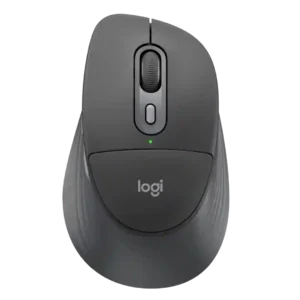
#3 Turtle Beach Kone II
4.3

Choose the Kone II if you want a large, ergonomic mouse with deep customization and strong sensor performance. Skip it if you have small hands, need an ambidextrous mouse, or...

Pros: value for money, button customization

Cons: fingertip grip comfort, portability

#4 Turtle Beach Kone II Air
4.3

Good if you want a large, ergonomic wireless mouse with long battery life and deep customization. Skip it if you have small hands, prioritize ultralight FPS speed, or want the...

Pros: battery life, software usability

Cons: weight, FPS gaming suitability