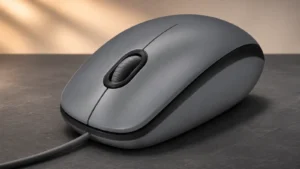
Compare Logitech MX Anywhere 3S vs Logitech M100

Logitech MX Anywhere 3S

Logitech MX Anywhere 3S

Overall score 4.5 / 5

Based on 32 scored reviews

vs
Logitech M100

Logitech M100

Overall score 4.0 / 5

Based on 7 scored reviews

How we score

Scorata scores summarize analyzed review evidence on a 1–5 scale; they are not laboratory measurements or a simple average of customer star ratings. Feature scores summarize the reviews covering that feature. The overall score averages feature scores within each review, then combines review averages. When both expert and customer evidence are available, those two groups receive equal weight. Products can have different review coverage, so small score gaps do not establish a winner.

Recommendations prioritize important features for the category, with a score of at least 3.5, a gap of at least 0.25 points and at least two supporting reviews per product. Features with widely varying scores or broad connectivity contexts are excluded from recommendations. These safeguards do not establish statistical significance.

Quick verdict

What each product is best for

The review evidence points to a tradeoff: reliability and productivity performance versus wired connectivity. Choose according to which strengths matter more to you; the overall score alone does not settle that choice.

Choose Logitech MX Anywhere 3S for reliability and productivity performance.

Choose Logitech M100 for wired connectivity.

Why these recommendations?

Logitech MX Anywhere 3S

Where It Has the Edge

  • reliability is 4.9 vs 4.3. Day-to-day reliability is a consistent strength, covering tracking, connections, controls, and general work use. The mouse is repeatedly...
  • productivity performance is 5.0 vs 2.8. Productivity is where the mouse excels, combining precise tracking, fast scrolling, customizable controls, and multi-device tools in a...
  • claw grip comfort is 5.0 vs 3.7. The compact shell works particularly well for claw grip, where its low shape and easy repositioning feel natural...

Logitech M100

Where It Has the Edge

  • wired connectivity is 4.5 vs 3.0. The USB cord offers simple, dependable operation without wireless pairing, though it occupies a USB port.
Logitech MX Anywhere 3S 4.5 overall score
Logitech M100 4.0 overall score

Compare features

Scores are out of 5. Missing scores mean missing review evidence, not a missing feature.

Scored on both products

Ownership and support

Reliability
Logitech MX Anywhere 3S
4.9

Day-to-day reliability is a consistent strength, covering tracking, connections, controls, and general work use. The mouse is repeatedly described as dependable enough to be a regular travel companion or workhorse.

Logitech M100
4.3

Wired operation can be dependable, although button failures may appear after years of use.

Setup ease
Logitech MX Anywhere 3S
4.4

Initial Bluetooth and receiver setup is usually quick and straightforward. A notable exception is Bolt pairing through Options+, which one user found needlessly cumbersome.

Logitech M100
4.8

Setup is straightforward and requires little effort.

Value for money
Logitech MX Anywhere 3S
4.0

Value depends heavily on how much the travel-focused features matter. Many consider the sensor, MagSpeed wheel, battery life, and software worth the premium, while others think the price is high for such a compact, button-light office mouse.

Logitech M100
4.4

The low price and competent basic operation make this a worthwhile purchase for many users.

Plug-and-play support
Logitech MX Anywhere 3S
5.0

Basic receiver use is genuinely plug-and-play on supported desktop systems, requiring no driver installation before normal pointing and clicking.

Logitech M100
4.8

Plugging into USB is generally enough to begin using the mouse.

Controls and connectivity

Programmable buttons
Logitech MX Anywhere 3S
5.0

The programmable controls add useful shortcuts to a compact body and can be tailored to common productivity tasks.

Logitech M100
1.5

The buttons cannot be programmed, restricting shortcut-heavy workflows.

Button customization
Logitech MX Anywhere 3S
4.7

Logi Options+ makes the available buttons highly flexible, including app-specific assignments and shortcuts. The main limitation is simply that the compact mouse has fewer physical controls than larger productivity models.

Logitech M100
1.5

Button assignments cannot be customized through companion software.

DPI customization
Logitech MX Anywhere 3S
3.8

DPI can be tuned precisely in Logi Options+, but changing it is less convenient than on mice with a dedicated hardware selector. Users who switch sensitivity often can find the software dependence annoying.

Logitech M100
2.0

Fixed sensitivity limits adjustment for users who want more control over their pointer settings.

Button quality
Logitech MX Anywhere 3S
4.8

The available buttons feel solid and tactile, with the primary controls especially well judged for quiet productivity use.

Logitech M100
3.8

Light clicks are enjoyable, although the switches are not particularly premium.

Gesture controls
Logitech MX Anywhere 3S
3.2

Gestures can be recreated through programmable buttons and software, but the experience is less effortless than a dedicated gesture control or touch-sensitive mouse. Setup can also become repetitive across apps.

Logitech M100
2.5

Advanced gesture shortcuts are missing compared with premium office mice.

Button count
Logitech MX Anywhere 3S
3.7

The compact six-button layout is enough for most office workflows, but power users can miss the deeper control set found on larger productivity mice or feature-heavy competitors.

Logitech M100
3.3

A minimal button layout suits users who rely on keyboard shortcuts, but others miss side buttons.

Other features

Surface compatibility
Logitech MX Anywhere 3S
4.9

Any-surface tracking lives up to the product's name: glass, fabric, wood, glossy surfaces, and even improvised workspaces generally pose little trouble. Only extreme reflective surfaces are noted as an edge case.

Logitech M100
2.0

The mouse feet offer disappointing glide across different surfaces.

Feet quality
Logitech MX Anywhere 3S
4.8

The low-friction feet let the mouse move smoothly across varied surfaces and contribute to easy repositioning in tight workspaces.

Logitech M100
2.0

The stock feet have disappointing glide even on different surfaces.

Free-spin scrolling
Logitech MX Anywhere 3S
4.8

Free-spin mode is a standout productivity feature for long pages, documents, and spreadsheets. Automatic switching is usually seamless, though a few users need time to adapt to SmartShift behavior.

Logitech M100
2.0

The wheel lacks a free-spin mode for faster scrolling.

Glide smoothness
Logitech MX Anywhere 3S
4.8

The compact body glides smoothly and is easy to lift or reposition, helped by low-friction feet that suit small desks and travel surfaces.

Logitech M100
2.0

The stock feet do not slide particularly well across tested surfaces.

Click consistency
Logitech MX Anywhere 3S
4.5

The buttons feel consistent through their travel and maintain a dependable, uniform response during regular use.

Logitech M100
2.0

Unwanted double-clicking can become a problem after prolonged ownership.

Polling rate
Logitech MX Anywhere 3S
4.0

The standard report rate is considered fully adequate for office and travel use, but it is not competitive with high-polling gaming mice.

Logitech M100
2.0

The fixed polling rate is a disadvantage compared with more adjustable gaming mice.

Cable quality
Logitech MX Anywhere 3S
5.0

The supplied charging cable is viewed positively as a useful, well-made accessory for the USB-C charging setup.

Logitech M100
3.5

Cable impressions differ: one user finds it robust, while comparative testing describes it as cheap and stiff.

Click latency
Logitech MX Anywhere 3S
2.0

Click latency is a weakness for gaming-oriented use, particularly over Bluetooth, even though it is not a noticeable problem for everyday productivity.

Logitech M100
3.5

Clicks feel immediate in casual use, but comparative testing finds considerably more latency than dedicated gaming mice.

Switch quality
Logitech MX Anywhere 3S
4.5

The switches feel solid and controlled, supporting the mouse's overall impression of dependable construction.

Logitech M100
3.0

The switches do the job, but their quality is regarded as basic.

Wired connectivity
Logitech MX Anywhere 3S
3.0

The USB-C port is fundamentally for charging rather than true wired data use. Being able to keep using the mouse while charging is convenient, but it does not replace a real wired mode.

Logitech M100
4.5

The USB cord offers simple, dependable operation without wireless pairing, though it occupies a USB port.

Scroll wheel quality
Logitech MX Anywhere 3S
4.9

The MagSpeed metal wheel is one of the most consistently praised parts of the mouse. It feels substantial and precise, with effortless switching between controlled ratcheting and rapid free-spin scrolling.

Logitech M100
3.7

Some users enjoy the smooth, pleasant wheel, while others find it clunky or miss advanced scrolling modes.

Horizontal scrolling
Logitech MX Anywhere 3S
3.1

Horizontal scrolling works through a side-button modifier rather than a dedicated thumb wheel. It is useful for spreadsheets and timelines but feels less direct and convenient than the hardware solution on larger MX models.

Logitech M100
2.0

There is no convenient horizontal scrolling function on the wheel.

Switch feel
Logitech MX Anywhere 3S
4.8

The quiet main switches retain crisp, tactile feedback despite the heavily reduced click sound. They avoid the mushy feel that can make some silent switches less satisfying.

Logitech M100
3.8

The light click action is pleasant, although the switches feel more basic than premium alternatives.

Cross-platform compatibility
Logitech MX Anywhere 3S
4.7

Basic mouse operation spans a broad mix of desktop, tablet, and mobile operating systems, which suits multi-device travel use well. Advanced software features remain more limited outside Windows and macOS.

Logitech M100
4.0

Broad operating-system compatibility is an attractive part of the straightforward design.

Gaming suitability
Logitech MX Anywhere 3S
2.1

The 8,000 DPI sensor is fast enough for casual or temporary gaming, but the mouse is not built for competitive play. Bluetooth latency, limited controls, and productivity-focused ergonomics keep it from being a serious gaming choice.

Logitech M100
2.8

The light body and low price suit basic gaming, but unreliable middle clicks and limited performance make it a compromise.

Handedness options
Logitech MX Anywhere 3S
4.0

The symmetrical body can be used with either hand, which broadens its appeal. The left-side thumb buttons are less convenient for left-handed use, so the design is not perfectly ambidextrous in practice.

Logitech M100
4.5

The symmetrical shape is a practical fit for either hand.

MacOS compatibility
Logitech MX Anywhere 3S
5.0

macOS works smoothly with the mouse and Logi Options+, giving Mac users full customization and Flow support alongside strong basic Bluetooth performance.

Logitech M100
4.5

An iMac user found the mouse worked immediately after plugging it in.

Motion consistency
Logitech MX Anywhere 3S
5.0

Tracking stays consistent and artifact-free across ordinary work surfaces, with no meaningful compromise from the mouse's compact body.

Logitech M100
4.5

Pointer movement is described as smooth and free of noticeable delay.

Cursor control
Logitech MX Anywhere 3S
4.9

Cursor movement is smooth, fast, and easy to control, with enough precision for detailed selections and enough speed for large displays or multi-monitor work.

Logitech M100
4.5

Cursor movement is generally described as smooth and precise enough for ordinary tasks.

Left and right click quality
Logitech MX Anywhere 3S
4.7

The primary buttons feel tactile and comfortable while staying exceptionally quiet. Their soft, controlled action is repeatedly described as a quality improvement for shared workspaces.

Logitech M100
4.5

The light main-button clicks feel pleasant and easy to press.

Weight
Logitech MX Anywhere 3S
4.5

The mouse is light enough for travel while retaining enough heft to feel stable and controlled. A few users note that it is heavier than ultra-light gaming mice, but the weight suits productivity use well.

Logitech M100
4.7

The light body is easy to handle and particularly appealing to users who prefer lighter mice.

Responsiveness
Logitech MX Anywhere 3S
4.9

For productivity, the mouse feels quick and responsive across normal surfaces and applications. Its immediacy is strong enough for office and creative work, though gaming-focused latency demands are a different standard.

Logitech M100
5.0

Basic movements and clicks feel fast to several users.

Connection stability
Logitech MX Anywhere 3S
5.0

Bluetooth connectivity is consistently described as stable and dependable, including across multiple paired devices and ordinary work environments.

Logitech M100
5.0

A wired connection can resolve frustrating intermittent wireless connectivity.

Windows compatibility
Logitech MX Anywhere 3S
5.0

Windows support is excellent, with straightforward pairing and full access to Logitech's customization software and productivity features.

Logitech M100
5.0

Windows installation can be completed within seconds.

Performance

Productivity performance
Logitech MX Anywhere 3S
5.0

Productivity is where the mouse excels, combining precise tracking, fast scrolling, customizable controls, and multi-device tools in a travel-size body. It handles browsing, spreadsheets, editing, and general office work particularly well.

Logitech M100
2.8

It handles routine office tasks, but limited ergonomics and advanced controls hold back productivity.

Click noise
Logitech MX Anywhere 3S
4.9

The Quiet Click switches are extremely quiet while preserving useful tactile feedback. They are especially well suited to libraries, shared offices, calls, and other places where normal mouse clicks can be distracting.

Logitech M100
3.0

Click noise divides users: one finds the switches fairly quiet, while another considers them too loud.

Sensor performance
Logitech MX Anywhere 3S
4.9

The Darkfield sensor is one of the mouse's standout strengths, combining fast response with reliable tracking across difficult surfaces. Its 8,000 DPI ceiling is especially useful on high-resolution displays.

Logitech M100
3.5

The optical sensor is adequate for normal pointing, though it does not impress everyone with its precision.

Comfort and build

Long-session comfort
Logitech MX Anywhere 3S
4.3

Small-to-medium hands can use it comfortably for long stretches, and several accounts report no fatigue. Larger hands are more likely to tire during all-day use because the compact body offers limited palm support.

Logitech M100
2.0

Extended gaming and productivity sessions can expose the limitations of the simple shape.

Claw grip comfort
Logitech MX Anywhere 3S
5.0

The compact shell works particularly well for claw grip, where its low shape and easy repositioning feel natural rather than cramped.

Logitech M100
3.7

Claw grip works well for smaller and some medium hands; larger hands can struggle with the short shell.

Palm grip comfort
Logitech MX Anywhere 3S
1.7

Palm-grip comfort is the clearest ergonomic weakness: larger hands do not get enough hand-filling support from the low, compact shell. Finger-led grips suit the shape much better.

Logitech M100
2.8

Palm grip works for smaller hands, but longer fingers can extend past the short body.

Durability over time
Logitech MX Anywhere 3S
4.9

The mouse holds up well to transport and daily handling, with little visible wear or damage reported after repeated bag use and minor drops. The build inspires confidence as a long-term travel tool.

Logitech M100
3.8

Some owners report years of use, although unwanted double-clicking can develop eventually.

Size
Logitech MX Anywhere 3S
4.6

The tiny footprint is excellent for travel, small desks, and laptop bags without making the mouse feel like a bare-bones mini model. That same size is the source of most comfort complaints from larger-handed users.

Logitech M100
3.9

The compact size is welcomed by some users, while people with longer hands may find it too short.

Ergonomic design
Logitech MX Anywhere 3S
4.0

Comfort is good for a travel mouse and often excellent for small-to-medium hands, but the compact shape is not universally ergonomic. Large-handed users and full-day palm grippers may prefer a larger mouse.

Logitech M100
3.4

The shape is easy to hold for quick tasks, but lacks ergonomic support for prolonged work or gaming.

Materials quality
Logitech MX Anywhere 3S
4.3

Materials are mostly praised for their practical grip and durability, but opinion is split on the plastic shell. Some find it premium and soft, while one account strongly dislikes its artificial, cheap-feeling texture.

Logitech M100
4.8

Owners appreciate the sturdy plastic, which can retain its appearance after years of use.

Shape comfort
Logitech MX Anywhere 3S
4.8

The rounded, low-profile shape is comfortable for many users and works especially well as a compact travel design. Its comfort is more dependent on hand size than a full-size mouse.

Logitech M100
4.3

The simple shape feels comfortable to many users, especially with claw or fingertip grips.

Grip comfort
Logitech MX Anywhere 3S
4.8

The textured sides and compact curves make the mouse secure and comfortable for many hands, especially when used as a mobile mouse. Comfort drops as hand size increases.

Logitech M100
4.5

The compact body is easy to grab, and several users find the grip comfortable.

Hand size compatibility
Logitech MX Anywhere 3S
3.2

Fit is the main dividing line: small and medium hands generally suit the compact body very well, while large hands often feel cramped or under-supported. Grip style can partly offset the size issue.

Logitech M100
3.0

Fingertip grip accommodates a wide range of hands, but palm and claw grips are more size-sensitive.

Build quality
Logitech MX Anywhere 3S
4.7

Construction is widely described as solid, durable, and well finished for a compact mouse. The shell resists flex and wear, although not every user feels the plastic itself looks truly premium.

Logitech M100
4.5

The basic plastic construction feels surprisingly sturdy for an inexpensive mouse.

Fingertip grip comfort
Logitech MX Anywhere 3S
4.7

Fingertip grip is a strong match for the small, light body, especially for smaller hands and travel setups where quick repositioning matters.

Logitech M100
4.5

Fingertip users benefit from the compact shape, which accommodates a broad range of hand sizes.

Aesthetic design
Logitech MX Anywhere 3S
4.6

The restrained, modern styling is widely liked, with clean color options and a compact shape that fits professional setups. It looks premium without adopting an aggressive gaming aesthetic.

Logitech M100
4.5

The plain shape appeals to users who prefer a simple look, and the plastic can stay presentable over time.

Tracking and training

Accuracy and tracking precision
Logitech MX Anywhere 3S
4.9

Pointer tracking is consistently praised as smooth and precise, including on glass and other unconventional surfaces. The sensor remains controlled enough for detailed office and creative work.

Logitech M100
3.5

Tracking feels smooth and precise in everyday use to some owners, but one finds the optical sensor less accurate than desired.

Evidence available for one product

Battery and charging

Battery life
Logitech MX Anywhere 3S
4.8

Battery endurance is a major strength, with weeks of use between charges and multiple tests showing only modest drain. The advertised 70-day figure is considered plausible, even if heavy users may recharge sooner.

Logitech M100No score yet
Charging convenience
Logitech MX Anywhere 3S
4.9

Front-mounted USB-C charging is easy to live with because the mouse remains usable while plugged in. That placement avoids the downtime associated with mice that charge from the underside.

Logitech M100No score yet
Charging speed
Logitech MX Anywhere 3S
5.0

Quick charging is excellent: roughly a minute on the cable can provide hours of use. That makes an unexpectedly low battery a minor interruption rather than a work-stopping problem.

Logitech M100No score yet
Rechargeable battery
Logitech MX Anywhere 3S
5.0

The built-in rechargeable battery is convenient for travel and pairs well with the mouse's long endurance and USB-C charging.

Logitech M100No score yet

Other features

Ease of use
Logitech MX Anywhere 3SNo score yet
Logitech M100
4.7

Straightforward operation and an easy-to-grab shape make basic tasks uncomplicated.

2.4GHz connectivity
Logitech MX Anywhere 3S
4.8

Logi Bolt gives a stable, lower-latency alternative to Bluetooth and can share a receiver with compatible Logitech gear. The main drawback is that the receiver is often sold separately.

Logitech M100No score yet
Balance and weight distribution
Logitech MX Anywhere 3S
5.0

Its modest heft is well judged for day-to-day control, adding stability without making the travel-focused mouse feel cumbersome.

Logitech M100No score yet
Cable flexibility
Logitech MX Anywhere 3SNo score yet
Logitech M100
2.0

The cable feels stiff compared with the more flexible cords on gaming mice.

ChromeOS compatibility
Logitech MX Anywhere 3S
4.0

ChromeOS handles the mouse reliably for basic use, but the lack of full Options+ support limits advanced customization compared with Windows or macOS.

Logitech M100No score yet
Coating quality
Logitech MX Anywhere 3S
3.0

The matte coating resists fingerprints and provides decent grip, but it feels more functional than luxurious.

Logitech M100No score yet
Connectivity versatility
Logitech MX Anywhere 3SNo score yet
Logitech M100
2.0

The wired-only design lacks wireless alternatives for flexible setups.

Device compatibility
Logitech MX Anywhere 3SNo score yet
Logitech M100
4.5

The mouse worked immediately with an iMac through its USB connection.

Device switching
Logitech MX Anywhere 3S
4.9

Switching among stored devices is fast and reliable, making multi-computer work far less cumbersome. The only recurring ergonomic complaint is that the selector sits on the underside.

Logitech M100No score yet
DPI range
Logitech MX Anywhere 3S
4.0

The 200–8,000 DPI range gives plenty of speed for large or high-resolution displays, though several users consider the top end excessive for ordinary office work. It is broad enough for casual gaming but not positioned as an esports feature.

Logitech M100No score yet
Ecosystem integration
Logitech MX Anywhere 3S
5.0

Logitech Flow and compatibility with other MX gear make the mouse especially useful in a multi-computer Logitech setup. Cursor movement, clipboard sharing, and coordinated device switching can make separate machines feel like one workspace.

Logitech M100No score yet
Grip texture
Logitech MX Anywhere 3S
4.8

Textured or rubberized side surfaces generally improve hold and comfort, helping the small mouse feel secure during travel and longer work sessions.

Logitech M100No score yet
Lift-off distance
Logitech MX Anywhere 3SNo score yet
Logitech M100
4.0

The relatively low lift-off distance is a welcome advantage over one competing gaming mouse.

Middle click quality
Logitech MX Anywhere 3SNo score yet
Logitech M100
1.0

The middle button can fail to register reliably, making it particularly frustrating during gaming.

Motion latency
Logitech MX Anywhere 3SNo score yet
Logitech M100
5.0

One user notices no delay when moving the pointer.

Mouse cable length
Logitech MX Anywhere 3SNo score yet
Logitech M100
5.0

The generous cable length is appreciated for its reach.

Overall satisfaction
Logitech MX Anywhere 3SNo score yet
Logitech M100
3.9

Overall impressions are positive for the price and easy setup, although more demanding users find the basic design limiting.

Packaging quality and presentation
Logitech MX Anywhere 3SNo score yet
Logitech M100
3.3

Packaging experiences vary from well-protected and easy to unpack to frustrating plastic that must be cut open.

Portability
Logitech MX Anywhere 3S
4.9

Portability is the strongest consensus: the mouse is compact, light, easy to slip into a bag or pocket, and unusually capable on improvised work surfaces. It is repeatedly favored as a travel companion over a full-size desk mouse.

Logitech M100No score yet
Premium feel
Logitech MX Anywhere 3S
4.4

The metal wheel, solid controls, and well-weighted body often make the mouse feel upscale. The premium impression is weakened for users who dislike the plastic shell texture.

Logitech M100No score yet
Profile management
Logitech MX Anywhere 3S
4.9

Per-application profiles are a major productivity benefit, letting the same controls perform different jobs in spreadsheets, browsers, creative apps, and conferencing tools.

Logitech M100No score yet
Receiver quality
Logitech MX Anywhere 3S
3.3

Logi Bolt is valued for a stable, low-latency connection, but the receiver experience is undermined by separate-purchase requirements and incompatibility with older Logitech receiver standards.

Logitech M100No score yet
Scroll wheel precision
Logitech MX Anywhere 3S
4.9

The MagSpeed wheel combines rapid movement with excellent fine control, stopping accurately for line-by-line or even very small adjustments after high-speed scrolling.

Logitech M100No score yet
Scroll wheel resistance
Logitech MX Anywhere 3S
4.5

Adjustable ratchet force lets users tune the wheel from light to satisfyingly firm. Most find a moderate setting comfortable, while stronger resistance can add a pleasing tactile feel.

Logitech M100No score yet
Sustainability
Logitech MX Anywhere 3S
5.0

The use of post-consumer recycled plastic is viewed positively, giving the compact mouse a more eco-conscious design without an obvious sacrifice in feel or usability.

Logitech M100No score yet
USB-C connectivity
Logitech MX Anywhere 3S
5.0

USB-C charging is a welcome modern convenience that fits easily into travel setups and reduces the need for a dedicated legacy cable.

Logitech M100No score yet
USB receiver storage
Logitech MX Anywhere 3S
3.0

Receiver handling is a weak spot because the mouse is commonly used without a bundled Bolt dongle and does not consistently offer convenient onboard storage. This can be frustrating for travelers who prefer a USB receiver.

Logitech M100No score yet
Wireless latency
Logitech MX Anywhere 3S
4.0

Wireless latency is fine for office work, and Logi Bolt can feel effectively immediate in normal use. Competitive gaming exposes the limits of Bluetooth and the productivity-focused wireless implementation.

Logitech M100No score yet

Controls and connectivity

Bluetooth support
Logitech MX Anywhere 3S
4.9

Bluetooth pairing is generally quick, stable, and practical for travel, letting the mouse work without occupying a USB port. It is the preferred connection for many mobile setups.

Logitech M100No score yet
Button placement
Logitech MX Anywhere 3S
2.7

Button placement is a mixed area. The underside device-switch control and rearward side button can require awkward hand movement, and some users would prefer easier top-side access.

Logitech M100No score yet
Button responsiveness
Logitech MX Anywhere 3SNo score yet
Logitech M100
4.0

Main clicks generally respond promptly, but the middle button can require several attempts to register.

Haptic controls
Logitech MX Anywhere 3S
5.0

The adjustable ratchet feel gives the scroll wheel satisfying tactile feedback and lets users tune how pronounced each scrolling step feels.

Logitech M100No score yet
Polling rate customization
Logitech MX Anywhere 3SNo score yet
Logitech M100
2.0

The polling rate cannot be adjusted, limiting tuning for gaming.

Side button quality
Logitech MX Anywhere 3S
3.5

The side buttons are useful and easy to remap, but their feel is less universally praised than the main clicks. Some find them stiff or slightly hollow, while others like their shape and control.

Logitech M100No score yet
Software and driver support
Logitech MX Anywhere 3SNo score yet
Logitech M100
3.5

Basic use requires no proprietary driver installation, but there is no customization software.

Software quality
Logitech MX Anywhere 3S
5.0

Logi Options+ adds substantial value with polished controls, app-specific mappings, Flow, and Smart Actions. It is repeatedly treated as a strength of the overall productivity experience.

Logitech M100No score yet
Software stability
Logitech MX Anywhere 3S
5.0

Logi Options+ earns praise for running reliably without the crashes or headaches often associated with peripheral software.

Logitech M100No score yet
Software usability
Logitech MX Anywhere 3S
4.6

Logi Options+ is generally clean, intuitive, and easy to configure, making advanced features approachable. The main usability caveat is that some key adjustments, such as DPI changes, depend on opening the software.

Logitech M100No score yet

Ownership and support

Customer support
Logitech MX Anywhere 3S
4.5

Logitech's support reputation is viewed positively, adding confidence for buyers considering the MX line as a longer-term purchase.

Logitech M100No score yet
Dongle-free setup
Logitech MX Anywhere 3S
2.4

The missing bundled Logi Bolt receiver is a recurring annoyance, especially at this price and for people who prefer USB connectivity. Bluetooth works well enough that some users may never miss the dongle.

Logitech M100No score yet
Double-click reliability
Logitech MX Anywhere 3SNo score yet
Logitech M100
2.0

After five to six years, one owner encountered unintended double clicks.

Hand support
Logitech MX Anywhere 3S
1.8

The low travel-focused shell provides limited support for the heel and full palm of a large hand. Users seeking a relaxed, fully supported desk grip are better served by a larger ergonomic shape.

Logitech M100No score yet
Macro support
Logitech MX Anywhere 3S
4.8

Smart Actions can turn a single mouse control into a multi-step workflow, making repetitive office tasks much faster. The feature is praised as a meaningful productivity addition rather than a novelty.

Logitech M100No score yet
Multi-device support
Logitech MX Anywhere 3S
5.0

Pairing with up to three devices is one of the mouse's best workflow features. It suits people moving among laptops, desktops, tablets, or multiple operating systems without maintaining separate mice.

Logitech M100No score yet
Tilt wheel support
Logitech MX Anywhere 3SNo score yet
Logitech M100
2.0

The absence of left and right tilt limits scroll-wheel flexibility.

Warranty
Logitech MX Anywhere 3S
4.5

The available limited hardware warranty adds reassurance to a mouse otherwise praised for solid construction and dependable daily use.

Logitech M100No score yet

Comfort and build

Switch durability
Logitech MX Anywhere 3SNo score yet
Logitech M100
2.0

Switches can develop faults after several years of use.

Performance

Wireless performance
Logitech MX Anywhere 3S
5.0

Wireless use is smooth and dependable for ordinary productivity, with Bluetooth and Logi Bolt both providing responsive day-to-day control.

Logitech M100No score yet

Other Top Mice to Consider

#2 Corsair Scimitar Elite Wireless SE
4.4

Choose it if you want a premium MMO/productivity mouse with 12 adjustable side buttons, strong battery life, and Stream Deck integration. Skip it if you need an ultralight FPS mouse,...

Pros: button customization, MMO gaming suitability

Cons: FPS gaming suitability

#3 VXE R1 Pro
4.3

Fast tracking, a very light shell and a grippy coating make this a compelling affordable FPS mouse. The optional 4K receiver costs extra, and Bluetooth is absent.

Pros: Overall satisfaction, gaming suitability

Cons: polling rate, Software and driver support

#4 Turtle Beach Kone II
4.3

Choose the Kone II if you want a large, ergonomic mouse with deep customization and strong sensor performance. Skip it if you have small hands, need an ambidextrous mouse, or...

Pros: value for money, button customization

Cons: fingertip grip comfort, portability

#5 Turtle Beach Kone II Air
4.3

Good if you want a large, ergonomic wireless mouse with long battery life and deep customization. Skip it if you have small hands, prioritize ultralight FPS speed, or want the...

Pros: battery life, software usability

Cons: weight, FPS gaming suitability