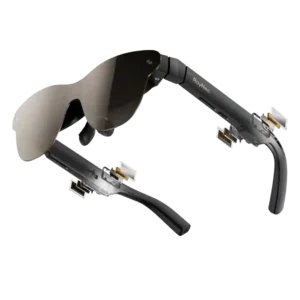
RayNeo Air 3s Pro
Where It Has the Edge
- audio leakage is 3.9 vs 3.3. Whisper mode usually keeps sound impressively private at moderate volume, which works well for travel and shared rooms....

Scorata scores summarize analyzed review evidence on a 1–5 scale; they are not laboratory measurements or a simple average of customer star ratings. Feature scores summarize the reviews covering that feature. The overall score averages feature scores within each review, then combines review averages. When both expert and customer evidence are available, those two groups receive equal weight. Products can have different review coverage, so small score gaps do not establish a winner.
Recommendations prioritize important features for the category, with a score of at least 3.5, a gap of at least 0.25 points and at least two supporting reviews per product. Features with widely varying scores or broad connectivity contexts are excluded from recommendations. These safeguards do not establish statistical significance.
Quick verdict
The review evidence points to a tradeoff: audio leakage versus head tracking and durability. Choose according to which strengths matter more to you; the overall score alone does not settle that choice.
Choose RayNeo Air 3s Pro for audio leakage.
Choose Xreal 1S for head tracking and durability.
Scores are out of 5. Missing scores mean missing review evidence, not a missing feature.
Comfort is highly personal. Many people find the 76-gram frame easy to wear for long sessions, but poor fit can cause nose pressure, eye strain, headaches, or motion sickness.
The glasses are widely praised as comfortable and well balanced for long movies, flights, and gaming sessions. Fit is not universal, though, and some users report eye strain, nose pressure, headaches, or fatigue after extended wear.
The glasses themselves generally feel sturdy enough for regular use, but the overall protection story is weakened by the softer carrying case and non-rugged construction.
Durability feedback is very positive: reviewers report drops, knocks, and regular travel use without meaningful damage. The frame and hinges generally inspire confidence for a portable device.
The adjustable nose pads help many users find a comfortable position, but some still report pressure or marks after long sessions.
The interchangeable nose pads help many users find a workable fit, but nose comfort is a recurring weak point for others. Complaints include pressure, pinching, and stock pads that do not suit every nose shape.
The frame is usually described as solid and sturdy despite its plastic construction. A minority find the plastics cheap-feeling, so the build impresses more for rigidity than premium materials.
Build quality earns strong praise, with reviewers describing the frame, hinges, and materials as premium, sturdy, and well finished. The glasses generally feel more durable than their lightweight appearance suggests.
The look is relatively understated for XR hardware, though the thicker temples and sunglass-like front still make it obvious these are tech glasses.
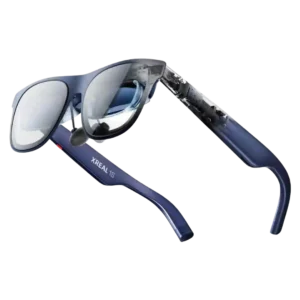
The dark blue, Wayfarer-like design is often viewed as attractive and more refined than earlier tech eyewear. From the side, however, the thicker optical hardware can still look bulky or conspicuously gadget-like.
The frame is relatively sleek for display glasses and more understated than a headset, but the thick temples and obvious tech profile keep it from passing as ordinary eyewear.
The glasses pack a large display into a compact, portable frame that is far easier to carry than a headset or monitor. The birdbath optics and cable still add visible bulk and make the silhouette less like normal eyewear.
The perceived screen can feel impressively theater-like, but the 201-inch claim is highly perspective-dependent. Some users see a giant cinema image while others perceive something closer to a large nearby monitor.
The large virtual screen creates a strong theater effect and is easy to resize for different content. Extreme 500-inch settings are less practical because the field of view forces users to look around instead of seeing the whole image at once.
Fit can make or break the experience. Adjustable temples and nose pads help many users, yet others cannot get every corner visible or comfortably align the display.
Multiple arm positions, nose pads, and prescription inserts give users useful ways to tune fit and viewing angle. Some faces, IPDs, noses, and head sizes still fall outside the sweet spot, so comfort and full-screen visibility can vary.
Most direct-use experiences are dependable once compatibility is sorted, with plug-and-play operation holding up well. A few isolated connection or software issues keep it from being uniformly trouble-free.
Reliability is inconsistent across the review set. Many users report instant recognition and trouble-free daily use, while others describe disconnects, glitches, drifting, software failures, or units that stopped working properly.
Value is one of the strongest points across the set. The display and audio often compete well with pricier glasses while the $249-$299 range keeps the compromises easier to accept.
Many reviewers consider the $449 price strong for the display quality, tracking, and feature set, especially versus earlier models. Others see the glasses as an expensive niche accessory when cheaper display glasses or conventional screens meet their needs.
The Pro's brighter display is the meaningful upgrade and makes it the better buy for newcomers. Existing Air 3s owners may find the improvement too incremental to justify replacing a working pair.
The 1S improves resolution, brightness, field of view, and price versus the original One, making it attractive from older generations. Owners of a recent One or One Pro often see the gains as incremental rather than a necessary upgrade.
Prescription support is workable through custom inserts and partner services, yet the extra cost, ordering delay, and lack of built-in diopter adjustment add friction.
Prescription users can add inserts, but the lack of built-in diopter adjustment is a repeated drawback. People who cannot use the display clearly without correction may need to budget for inserts or wear contacts.
Core setup is one of the strongest usability wins: compatible USB-C devices are usually plug-and-play with little or no configuration.
With a compatible USB-C DisplayPort device, setup is usually as simple as plugging in the cable and wearing the glasses. Unsupported consoles, desktop GPUs, and a few phone combinations can require adapters or troubleshooting.
Display head tracking is the standout missing capability. The screen generally follows head movement instead of staying fixed in the room, which limits spatial use and can trigger motion discomfort.
The built-in 3DoF anchoring is one of the most consistently praised features, keeping the virtual screen convincingly fixed as the user turns their head. Reviewers often cite it as a major advantage over simpler display glasses.
Attempts to stabilize or virtualize the screen through software can introduce drift or shakiness, while the native display itself remains rigidly head-locked.
Anchored and follow modes are generally stable, with many reviewers reporting little or no drift. A minority experienced drifting, motion blur, or occasional position shifts, so stability is not flawless across every unit and use case.
Gaming response is usually quick, but isolated reports of input lag or software-induced motion problems show that latency can vary by setup.
Head tracking and gaming response are usually described as smooth and effectively lag-free. Fast head movement or added processing such as Real 3D can introduce some blur or latency for more sensitive users.
Recent USB-C iPhones with video output work well, but compatibility is model-dependent. Older Lightning iPhones and the iPhone 16e require workarounds or simply lack direct video support.
USB-C iPhones are repeatedly described as straightforward plug-and-play sources for the 1S. Reviewers particularly enjoy the pairing for streaming, social media, and travel entertainment.
Long-session comfort varies sharply by face and sensitivity. Some users wear them for hours without fatigue, while others report eye strain, warmth, or pressure much sooner.
Several users wear the glasses for many hours without major discomfort, helped by balanced weight and adjustable fit. The strongest long-session accounts describe them as comfortable enough for travel days, movies, or all-day use.
Prescription inserts can transform clarity for nearsighted users, but wearing normal glasses underneath is often awkward and can worsen fit.
Prescription inserts generally attach securely and restore a clear viewing experience for users who need correction. Reviewers report good results overall, with only minor fit or folding quirks in some setups.
The included extras are functional, but the felt case and basic cable draw repeated criticism. Several owners prefer the older hard case or wish a light-blocking cover came standard.
The included case, USB-C cable, cleaning cloth, and nose pads make the basic package travel-ready and easy to fit. Case storage and cable organization receive mixed feedback, with some users preferring third-party cases.
Direct USB-C use is usually stable and immediate on compatible hardware, though a few device-specific connection and handshake problems appear.
Many compatible devices connect and remain stable, but there are enough reports of disconnects and recognition problems to make this a mixed area. The experience is highly dependent on the source device and cable or adapter setup.
Host-device battery drain is a real travel concern. Long streaming or gaming sessions often require a charging adapter, power bank, or nearby outlet.
The battery-free glasses stay light by drawing power from the connected device, but that convenience shifts the power cost to the phone, laptop, or handheld. Long sessions may require a splitter, charger, or external battery hub.
Heat is not universal, but it can become noticeable in longer sessions; one source found the face-contact areas especially hot.
Heat is one of the more mixed areas: many users feel little or no uncomfortable warmth on the face, but others find the top of the frame noticeably hot during long sessions. Real 3D use is repeatedly associated with higher temperatures.
Weight balance is generally good and helps reduce nose strain, though comfort still depends heavily on individual fit.
Reviewers consistently praise how evenly the frame spreads its weight across the nose and ears. That balance helps the glasses feel lighter in practice than their raw weight suggests.
Movies, streaming video, and gaming are where the Air 3s Pro is most consistently loved. The large private screen, bright OLED image, and easy connection make it especially strong for travel and couch use.
Movies, TV, YouTube, and other video are the clearest strength of the 1S, with reviewers repeatedly describing a portable cinema-like experience. Flights, beds, couches, and hotel rooms are especially compelling use cases.
The roughly mid-40-degree field of view is a recurring compromise. It feels large enough for movies, but corner clipping and a more constrained view than premium rivals are common complaints.
The 52-degree field of view is usable for a normal virtual screen but is a recurring limitation for ultrawide layouts and very large screen settings. Users often need to turn their head to see edges, and some prefer wider-FOV alternatives.
High-refresh-rate motion is a strength, with smooth gaming and little visible stutter or latency in most testing.
Normal controls and interactions feel quick and immediate, making responsiveness a clear strength in everyday use.
Productivity is highly mixed. Some people successfully use the glasses as a second screen, but edge blur, fixed positioning, and limited workspace make spreadsheets and text-heavy work a poor fit for others.
Ultrawide modes and a large private screen can make travel work, browsing, and light editing much more comfortable. For sustained coding or text-heavy work, limited resolution, field of view, eye strain, and software limitations keep it from replacing a good monitor for many users.
Center clarity is often excellent and can look remarkably crisp, but edge blur and corner visibility are recurring fit-dependent weaknesses, especially for desktop text and HUD elements.
The image is often described as sharp, vivid, and impressively clean in the center. Experiences vary at the edges, where some users report softness, glare, ghosting, or uneven focus that can make the whole picture feel less clear.
The built-in speakers are surprisingly capable for movies and games in quiet rooms, with clear dialogue and decent fullness. Opinions drop in noisy spaces or when compared with good earbuds.
The Bose-tuned open-ear speakers are frequently praised for clear, surprisingly full sound that is good enough for casual movies and gaming. Dedicated earbuds or headphones still sound better and work better in noisy places.
At roughly 76 grams, the glasses are consistently viewed as light for the category and much easier to tolerate than bulky VR headsets.
For display glasses, the 1S is considered light enough for travel and multi-hour sessions, especially compared with VR headsets. It is still heavier and bulkier than ordinary eyewear, and some users feel that extra weight on the nose.
Overall satisfaction is high, especially for media, travel, and handheld gaming. Most negative outcomes come from face fit, motion sensitivity, or expecting advanced AR and productivity features.
Most owners and reviewers are enthusiastic about the portable big-screen experience, especially for travel, movies, and gaming. A smaller but meaningful group returned or downgraded it because of optical, fit, software, or reliability problems.
Maximum volume is the audio system's biggest weakness. It is usually fine in quiet rooms but can be too soft on planes, in cars, or in other noisy environments.
Built-in volume is adequate in quiet rooms but can be too low on trains, planes, or other noisy environments. External earbuds are the common workaround when stronger output is needed.
Subtitles and centered text can look sharp, but small desktop text and content near the edges are much less dependable because of blur and fit limitations.
Text is readable and sometimes impressively crisp for menus, subtitles, browsing, and light work. Smaller text and edge areas are inconsistent, and several reviewers found prolonged reading or coding tiring enough to prefer a normal monitor.
Android can be excellent when the device supports USB-C video, with Samsung DeX getting especially positive comments. The RayNeo app experience on Android is much less polished and may require extra installation steps.
Compatible Android phones with USB-C DisplayPort output can work extremely well, including strong Samsung DeX use. Compatibility is not universal, and unsupported phones or regional app limitations can turn the experience into a frustrating one.
Ambient reflections and light bleed can intrude on the image, especially in bright environments. A shade or darker room improves immersion substantially.
Optical clarity is highly variable by reviewer and fit. Some see a clean, edge-to-edge image, while others are distracted by birdbath reflections, ghosting, glare, or blur that cheaper competitors handle better.
The brighter Pro display handles ambient light better than earlier models, but direct sunlight, glare, and the lack of built-in dimming or a standard blackout cover still limit outdoor use.
Brightness and electrochromic dimming make the display usable in many bright and even outdoor situations. Direct light, reflections, and the optical design can still reduce clarity depending on angle and surroundings.
Brightness and picture controls are flexible, but physical viewing adjustment is much more constrained. Missing IPD, diopter, screen-size, and repositioning controls can make the fit unforgiving.
On-glasses controls for screen size, distance, position, dimming, and follow or anchor modes give the 1S unusually flexible display tuning. Most reviewers find the flexibility valuable, though the deeper settings can take time to learn.
Deep blacks and strong OLED contrast are repeatedly praised and contribute heavily to the cinematic look.
OLED contrast gives movies and games strong depth and dark blacks, but one recurring optical complaint is crushed shadow detail in very dark scenes. Overall contrast is good, though not uniformly excellent for every viewer.
Color is a major strength: vivid, rich output is repeatedly praised, with professional and movie-oriented modes adding useful flexibility without obvious crushing or dullness.
Color is a consistent strength, with reviewers praising vivid yet balanced reproduction for movies, games, and even some photo or video work. The OLED panels are repeatedly described as rich without looking obviously inaccurate.
Whisper mode usually keeps sound impressively private at moderate volume, which works well for travel and shared rooms. Leakage becomes more noticeable as volume rises.
The open-ear speakers preserve awareness of the surroundings, but privacy varies with volume and environment. Some users report little audible leakage, while others say people sitting nearby can clearly hear the content.
These are much stronger as wearable display glasses than as true AR hardware. The lack of screen anchoring and richer spatial interaction repeatedly limits the augmented-reality experience.
The 1S works very well as a spatially tracked wearable display, but reviewers repeatedly caution that it is not full mixed reality or deeply interactive AR. Environmental understanding and richer spatial interaction require accessories or different hardware.
The Micro-OLED image is the product's biggest selling point, with strong praise for sharpness, color, brightness, and cinematic impact across movies and games.
The Micro-OLED display is one of the strongest parts of the product, with vivid color, high brightness, smooth motion, and a convincing large-screen look. A minority of users report blur, reflections, or optical inconsistencies that substantially reduce the experience.
Brightness is one of the clearest strengths. The 1,200-nit ceiling makes the Pro visibly stronger than earlier models and very effective indoors, though sunlight can still overpower it.
The display is broadly considered bright enough for indoor use, travel, and many bright environments, especially with electrochromic dimming. Most users do not need maximum brightness, although ambient light and reflections can still affect visibility.
The tactile on-glasses buttons make quick adjustments feel direct and dependable.
The buttons generally respond quickly for mode changes and adjustments, but shortcut behavior is not perfectly reliable for every user. One reviewer reported repeated problems programming a control without disconnecting.
Dedicated brightness and volume rockers are easy to understand and faster than digging through menus, while the on-glasses menu remains simple.
The physical buttons and rocker provide convenient access to display modes, brightness, dimming, and volume without reaching for an app. Most feedback is positive, although the control scheme takes some learning.
The private visual display is a strong practical benefit for planes, shared rooms, and public work. People nearby generally cannot see the content on the virtual screen.
A private floating screen and adjustable dimming are useful for travel and public work, especially when the host display can be turned off. Privacy is less complete on devices that continue showing the same content on their own screen.
The simple on-screen menu is easy to learn and keeps picture, refresh-rate, and audio adjustments accessible without much friction.
The onboard interface offers substantial control without requiring an app and is generally easy once learned. Some reviewers find menu navigation or adjustment logic confusing, especially when accessing less common settings.
The small number of direct battery-life comments were positive, describing endurance as good or better than expected.
Drawing power from the connected device keeps the glasses light and avoids another battery to charge, but the required cable and adapters can complicate charging while using them.
Real 3D is a major attraction when it works, adding convincing depth to ordinary video and slower games without special software. Opinions split sharply over artifacts, jitter, reduced frame rates, and whether the effect is useful beyond novelty.
Being able to use the glasses without an internet connection is a meaningful plus for users who prefer simple, self-contained hardware.
Firmware support is viewed positively, with updates adding meaningful features and improving Real 3D performance after launch. Reviewers also stress keeping the glasses current for the best stability and feature behavior.
Handheld and console gaming benefits from the large OLED image, smooth motion, and very low perceived latency. The experience is strongest for seated play, while limited field of view, console adapters, and Real 3D frame-rate tradeoffs can matter for some games.
The built-in microphones are described as competent for calls and conferencing, though they are not a standout reason to buy the glasses.
The ability to use the core display without accounts, cloud services, or a required app is a welcome part of the simple plug-and-play experience.
Video looks bright, colorful, and smooth, especially for movies and gaming content. The experience is strongest when ambient light is controlled.
The software ecosystem is a weak point, with limited first-party app depth and little that meaningfully expands the glasses beyond their core display role.
Review contexts may differ, so use caution when interpreting the score gap.
The companion software is one of the least convincing parts of the package. Mirror Studio and other app features are described as limited, unstable, or not worth buying the glasses for.
Built-in Bluetooth is a missed convenience for users who want wireless audio or fewer cable-related workarounds.
Review contexts may differ, so use caution when interpreting the score gap.
The companion app adds some extra functions, but it is much less compelling than the core plug-and-play display experience and is notably limited on iPhone.
Phone support is broad only when the handset can output DisplayPort video over USB-C, so checking the exact device matters before buying.
Basic display use benefits from not needing proprietary software, but users wanting richer desktop or multi-monitor features are much less satisfied. Missing or limited Windows and Android software support is a recurring complaint among productivity-focused owners.
Alternative software can fill some gaps better than RayNeo's own app, particularly for specialized playback or virtual-screen functions.
Review contexts may differ, so use caution when interpreting the score gap.
Bass is surprisingly respectable for tiny open speakers, and several sources noticed warmer or fuller tuning. Others still find the low end light compared with proper headphones.
Eye-protection and low-blue-light features are generally viewed as useful for longer sessions, especially alongside the adjustable brightness and eye-care modes.
The virtual screen stays tied to your gaze instead of remaining anchored in space. That is fine for still viewing, but movement can feel disorienting and makes serious desktop use harder.
1080p per eye looks sharper than the number suggests for media and gaming. Text-heavy desktop work exposes the resolution limits more readily.
Dark rooms are an ideal environment for these glasses, where the OLED image looks vivid and immersive without fighting ambient light.
The open-ear speakers perform better than expected for casual viewing while preserving awareness of the room.
Real 3D became glitchy enough for one user to suspect that the onboard processing could not keep up reliably beyond ordinary 2D viewing.
Support experiences range from fast and helpful to deeply frustrating. Several customers praise responsive assistance, while at least one describes difficult troubleshooting requirements and poor resolution of a hardware problem.
A single basic frame size works for many people but can be restrictive for very large heads or unusual eye spacing.
The plastics keep weight down and can feel solid in use, but some sources explicitly describe the finish as cheap or less premium than higher-priced rivals.
Flexible temples help with fit, but thicker arms, warmth, and the rear cable can create pressure or awkwardness during long sessions or when reclining.
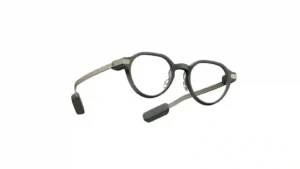
Choose the G2 if you want discreet, prescription-friendly smart glasses with a sharp private display, long battery life, and strong productivity tools. Skip them if you need camera/audio features, polished...
Pros: comfort, display quality
Cons: app quality, value for money
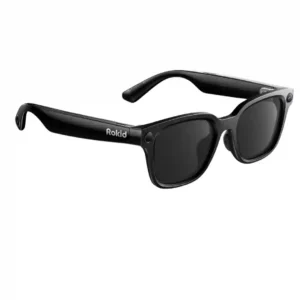
Choose these for flexible POV recording, broad AI and translation tools, and lightweight all-day wear. Skip them if you want premium frames, an included charging case, consistent software, or stronger...
Pros: overall satisfaction, AI features
Cons: charging case, charging method
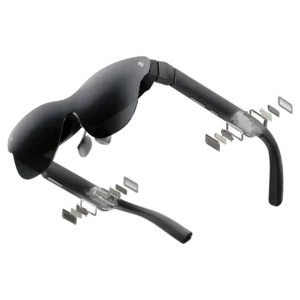
Choose the Air 4 Pro for bright, sharp, plug-and-play movies and gaming at a standout price. Skip it if you need anchored screens, reliable productivity software, loud open-ear audio, or...
Pros: overall satisfaction, media playback
Cons: comfort, field of view
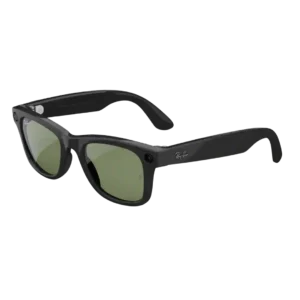
Choose these for stylish hands-free photos, social video, calls, and improved battery life. Skip them if Meta privacy, app clutter, open-ear leakage, or a modest Gen 1 upgrade outweigh the...
Pros: overall satisfaction, video quality
Cons: AI features, fit