If you want better setup ease
Choose Rokid Ai Glasses Style. It scores 4.8 vs 4.3 for setup ease, with a 3.9 overall score.

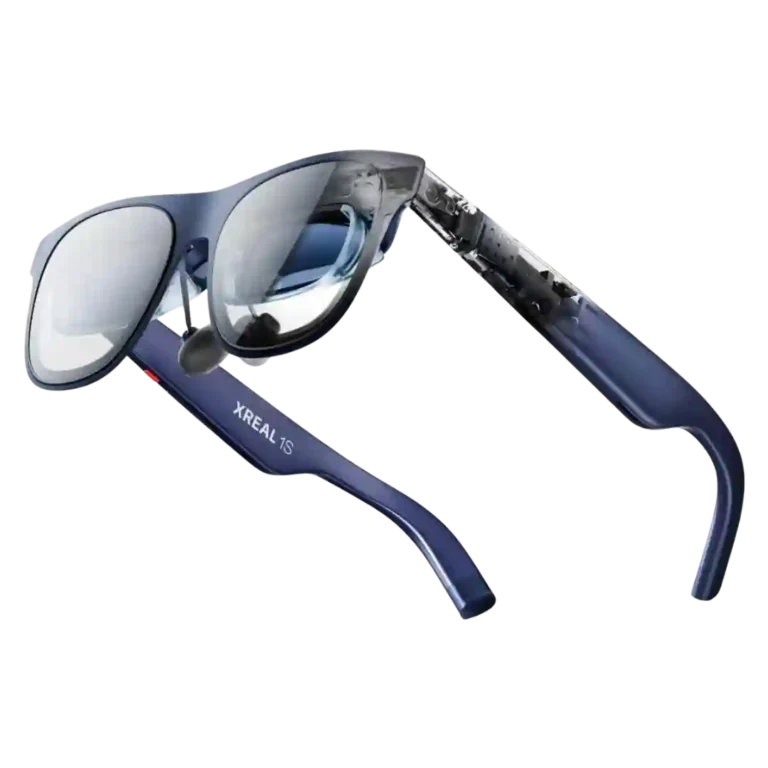
Choose it for a sharp, comfortable big-screen experience for travel, movies, and handheld gaming. Skip it if you need a full-time work monitor, wide field of view, true AR interaction, or glare-free optics.
Frequent travelers, handheld gamers, and movie or TV fans who want a large private screen that packs into a glasses case benefit most from the 1S.
Skip it if you need a full-time monitor replacement, true mixed-reality interaction, uniformly glare-free optics, or guaranteed comfort across every face and prescription.
The Xreal 1S is at its best as a portable personal screen. Reviewers repeatedly praise its bright Micro-OLED image, easy USB-C setup, comfortable balance, and excellent 3DoF anchoring for movies, travel, and handheld gaming. The onboard controls also make screen size, position, and dimming unusually flexible. Its limitations are equally clear: the 52-degree field of view constrains ultrawide and oversized screens, text quality is inconsistent for long work sessions, and birdbath reflections or edge blur bother some users. Real 3D is impressive when it lands, but artifacts, heat, and frame-rate reductions make it divisive. At $449, the 1S can feel like excellent value for frequent travelers and mobile gamers, while recent Xreal owners and productivity-first buyers have less reason to upgrade.
Compared with other Smart Glasses, this product is above average in durability, outdoor visibility, privacy controls, near average in media playback, value for money, below average in nose pad comfort, software support, prescription support.
| Attribute | This product | Category average | Difference |
|---|---|---|---|
| durability | 5.0 | 2.5 | +2.5 |
| outdoor visibility | 4.3 | 2.3 | +2.0 |
| privacy controls | 5.0 | 3.1 | +1.9 |
| included accessories | 4.1 | 2.5 | +1.6 |
| heat management | 3.1 | 1.9 | +1.2 |
| upgrade value | 4.6 | 3.5 | +1.2 |
| build quality | 4.9 | 3.9 | +1.1 |
| weight distribution | 4.7 | 3.3 | +1.3 |
Choose Rokid Ai Glasses Style. It scores 4.8 vs 4.3 for setup ease, with a 3.9 overall score.
Products reviewers directly compared with this model, grouped into quick takeaways.
Yes. Movies, TV, and other video on flights, in hotels, and at home are the most consistently praised uses, with the large OLED image creating a convincing portable-theater feel.
They can work well for browsing, documents, and light travel productivity, but text quality is inconsistent at the edges. Several reviewers found long coding or text-heavy sessions tiring compared with a normal monitor.
Opinions are split. Many reviewers find it surprisingly immersive for movies and slower games, while others dislike artifacts, jitter, heat, and the frame-rate penalty.
Usually, yes: many reviewers wore them for hours and praised the balanced frame. Some users still experienced eye strain, nose pressure, headaches, or fatigue, so fit remains personal.
Compatible USB-C devices with DisplayPort video output are generally plug-and-play, including many phones, laptops, and handheld PCs. Some consoles and unsupported devices need an adapter or hub.
Many do because the 1S lacks built-in diopter adjustment. Prescription inserts are generally praised for fitting securely and restoring clarity, but they add cost and can introduce minor fit quirks.
Frequent travelers and mobile gamers often consider the feature set and display quality worth the price. The value is less compelling for recent Xreal owners, productivity-first buyers, or anyone who would only use them occasionally.
These are a few of the reviews included in our analysis.





Go to GamingNexus.com for news and reviews on video games, consoles, and PCs.
Xreal's latest XR glasses bring a refined display, multiple useful viewing modes and a brand-new Real 3D feature that turns any 2D content...
Living In My GameSpace is all about cool tech upgrades for the games we play, no matter where we play them. Bigger, faster, better. It's what...
Looking for your first pair of AR glasses? Our XReal 1S review breaks down the comfort, the new 2D-to-3D video conversion, and whether the...
Delivering a superb 3D experience at a reasonable price, the Xreal 1S set a new bar for sub-$500 XR glasses.
Best for a sharp, comfortable big-screen experience for travel, movies, and handheld gaming. Skip it if you need a full-time work monitor, wide field of view, true AR interaction, or...
Pros: all-day wearability, durability
Cons: software support, processor performance
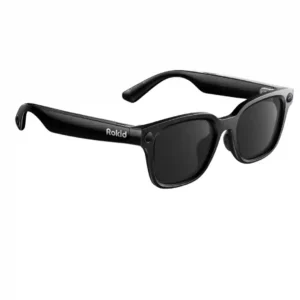
Choose these for flexible POV recording, broad AI and translation tools, and lightweight all-day wear. Skip them if you want premium frames, an included charging case, consistent software, or stronger...
Pros: prescription lens compatibility, temple comfort
Cons: outdoor visibility, camera privacy
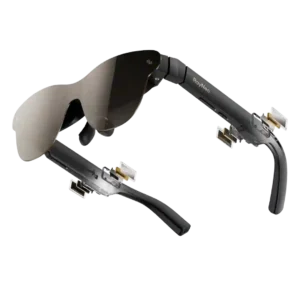
Choose the Air 3s Pro for a bright, sharp, affordable private screen for movies and handheld gaming. Skip it if you need screen anchoring, reliable edge-to-edge visibility for work, or...
Pros: offline functionality, cloud dependency
Cons: tracking stability, power efficiency
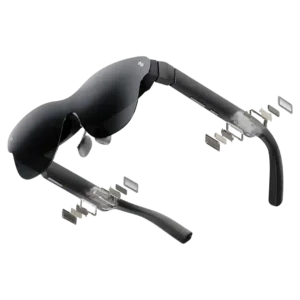
Choose the Air 4 Pro for bright, sharp, plug-and-play movies and gaming at a standout price. Skip it if you need anchored screens, reliable productivity software, loud open-ear audio, or...
Pros: heads-up display, charging method
Cons: low-light visibility, Bluetooth connectivity