If you want better value for money
Choose RayNeo Air 3s Pro. It scores 4.6 vs 4.1 for value for money, with a 3.7 overall score.

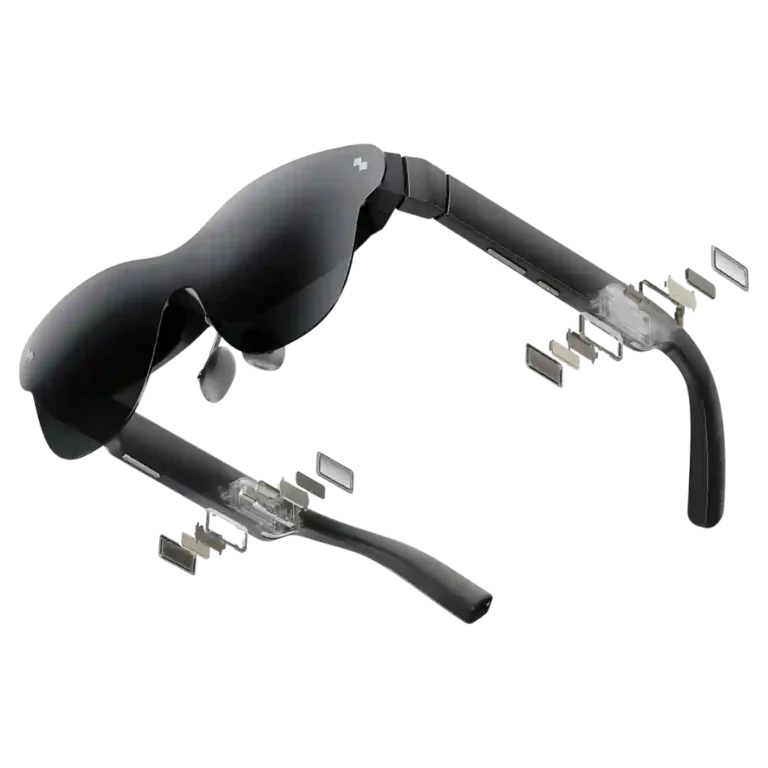
Choose the Air 4 Pro for bright, sharp, plug-and-play movies and gaming at a standout price. Skip it if you need anchored screens, reliable productivity software, loud open-ear audio, or a forgiving fit across wider IPDs.
Travelers, movie watchers, handheld gamers, and first-time wearable-display buyers who want a bright private screen without paying premium XR prices.
Skip it for full-day productivity, true spatial AR, anchored multi-monitor work, or situations where you need universally forgiving fit and loud open-ear audio.
The RayNeo Air 4 Pro succeeds by focusing on the basics: a bright, sharp Micro-OLED picture, smooth 120Hz gaming, simple USB-C setup, and surprisingly capable open-ear audio at a price well below many rivals. Its HDR10 support can improve highlights and contrast, but the real-world gain is often modest, while AI 3D and companion software feel less mature. The bigger tradeoffs are physical and practical: fit varies by face and fixed IPD, edge blur can hurt text work, the screen follows your head instead of anchoring in space, and host-device battery drain is substantial. For travel, movies, and handheld gaming, the value is excellent; as an all-day productivity or true AR device, it is much less convincing.
Compared with other Smart Glasses, this product is above average in charging method, heads-up display, frame size options, near average in contrast, open-ear audio quality, below average in accessibility features, prescription lens compatibility, low-light visibility.
| Attribute | This product | Category average | Difference |
|---|---|---|---|
| charging method | 5.0 | 2.3 | +2.7 |
| accessibility features | 2.0 | 4.6 | -2.6 |
| prescription lens compatibility | 2.0 | 4.4 | -2.4 |
| heads-up display | 5.0 | 2.8 | +2.2 |
| low-light visibility | 1.0 | 2.9 | -1.9 |
| display adjustment | 2.0 | 3.7 | -1.7 |
| prescription support | 2.1 | 3.7 | -1.6 |
| volume level | 1.9 | 3.3 | -1.4 |
Choose RayNeo Air 3s Pro. It scores 4.6 vs 4.1 for value for money, with a 3.7 overall score.
Choose Xreal 1S. It scores 4.9 vs 3.6 for build quality, with a 4.1 overall score.
Choose Even Realities G2. It scores 4.5 vs 2.4 for field of view, with a 4.1 overall score.
Choose Rokid Ai Glasses Style. It scores 4.1 vs 1.9 for volume level, with a 3.9 overall score.
Products reviewers directly compared with this model, grouped into quick takeaways.
The dual Micro-OLED image is consistently praised as bright, vivid, and sharp, with 120Hz support that works especially well for gaming. Edge blur can appear when fit or IPD is less than ideal.
Sometimes, but not consistently. Several tests found only modest gains over SDR or AI-HDR, while others saw clearer highlights and contrast; device and content compatibility also matter.
Many users can wear the 76g frame for a full movie or several hours, but nose shape, fixed IPD, and temple pressure make comfort highly individual.
The B&O-tuned speakers sound clear and balanced for their size, but maximum volume is often too low for cafés, planes, or other noisy environments.
They are easiest with devices that support DisplayPort video over USB-C. USB-C iPhones work well in many tests, while Android compatibility is more variable and some phones or features do not work.
They can handle light productivity and private second-screen use, but the head-locked image, 1080p resolution, edge blur, and immature desktop software make full-day work less convincing.
It can be fun and surprisingly effective on compatible local photos or videos, but results vary and app limitations keep it from being a dependable headline feature.
These are a few of the reviews included in our analysis.

Go to GamingNexus.com for news and reviews on video games, consoles, and PCs.
The Air 4 Pro is a minor refresh of the Air 3s Pro. It keeps everything that made its predecessor great, including the accessible, $300 price.
The RayNeo Air 4 Pro aren't your standard pair of AR glasses: they're the first model ever made with support for HDR10 content.
Hamish is a Senior Staff Writer for TechRadar and you’ll see his name appearing on articles across nearly every topic on the site from smart...
There are several different kinds of VR and AR headsets and glasses on the market today. RayNeo's Air 4 Pro slots squarely into the one-trick...
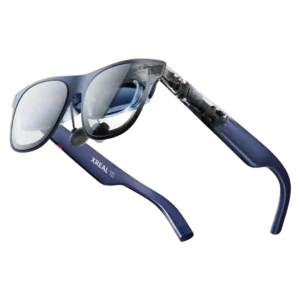
Best for a sharp, comfortable big-screen experience for travel, movies, and handheld gaming. Skip it if you need a full-time work monitor, wide field of view, true AR interaction, or...
Pros: overall satisfaction, AI features
Cons: heat management, field of view
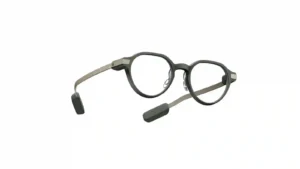
Choose the G2 if you want discreet, prescription-friendly smart glasses with a sharp private display, long battery life, and strong productivity tools. Skip them if you need camera/audio features, polished...
Pros: comfort, display quality
Cons: app quality, value for money
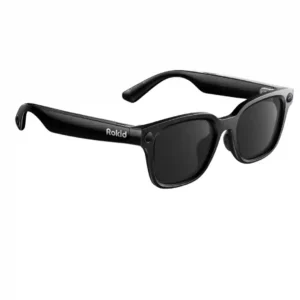
Choose these for flexible POV recording, broad AI and translation tools, and lightweight all-day wear. Skip them if you want premium frames, an included charging case, consistent software, or stronger...
Pros: overall satisfaction, AI features
Cons: charging case, charging method
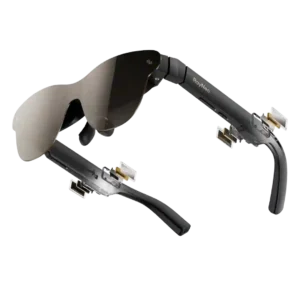
Choose the Air 3s Pro for a bright, sharp, affordable private screen for movies and handheld gaming. Skip it if you need screen anchoring, reliable edge-to-edge visibility for work, or...
Pros: image clarity, display brightness
Cons: comfort, volume level