Compare GL.iNet GL-BE3600 Slate 7 vs TP-Link Archer BE900

GL.iNet GL-BE3600 Slate 7

GL.iNet GL-BE3600 Slate 7

Overall score 4.5 / 5

Based on 27 scored reviews

vs
TP-Link Archer BE900

TP-Link Archer BE900

Overall score 4.1 / 5

Based on 12 scored reviews

How we score

Scorata scores summarize analyzed review evidence on a 1–5 scale; they are not laboratory measurements or a simple average of customer star ratings. Feature scores summarize the reviews covering that feature. The overall score averages feature scores within each review, then combines review averages. When both expert and customer evidence are available, those two groups receive equal weight. Products can have different review coverage, so small score gaps do not establish a winner.

Recommendations prioritize important features for the category, with a score of at least 3.5, a gap of at least 0.25 points and at least two supporting reviews per product. Features with widely varying scores or broad connectivity contexts are excluded from recommendations. These safeguards do not establish statistical significance.

Quick verdict

What each product is best for

The review evidence points to a tradeoff: size and footprint and latency versus 6 GHz performance and range. Choose according to which strengths matter more to you; the overall score alone does not settle that choice.

Choose GL.iNet GL-BE3600 Slate 7 for size and footprint and latency.

Choose TP-Link Archer BE900 for 6 GHz performance and range.

Why these recommendations?

GL.iNet GL-BE3600 Slate 7

Where It Has the Edge

  • size and footprint is 4.7 vs 3.2. Compact dimensions are a major travel strength: it slips into bags easily and, in some accounts, is small...
  • latency is 4.8 vs 4.2. Latency is generally low and benefits from Wi‑Fi 7 efficiency features, making the router suitable for calls and...
  • close-range speed is 5.0 vs 4.7. Close-range performance is excellent, with Wi‑Fi reaching high gigabit-class rates in several tests and wired links exceeding 2Gbps....

TP-Link Archer BE900

Where It Has the Edge

  • 6 GHz performance is 4.5 vs 1.8. 6GHz can deliver multi-gigabit local transfers and impressive nearby speeds, but some floor layouts sharply reduce reception.
  • range is 4.4 vs 3.9. Range is often excellent, with strong reception far from the router, though building layout and band choice can...
  • guest network is 4.8 vs 4.5. Guest networks are easy to share using an on-screen QR code and keep visitors separate from the main...
GL.iNet GL-BE3600 Slate 7 4.5 overall score
TP-Link Archer BE900 4.1 overall score

Compare features

Scores are out of 5. Missing scores mean missing review evidence, not a missing feature.

Scored on both products

Ownership and support

320 MHz support
GL.iNet GL-BE3600 Slate 7
1.4

The router does not support 320MHz channels, one of Wi‑Fi 7’s headline bandwidth features. That materially caps peak wireless potential and contributes to the sense that its Wi‑Fi 7 implementation is partial.

TP-Link Archer BE900
4.5

Ultra-wide 320MHz channels contribute to its high-speed appeal for compatible clients.

Security update support
GL.iNet GL-BE3600 Slate 7
5.0

GL.iNet’s long update history is a positive sign, with older devices cited as still receiving security fixes. That matters for a router designed to sit between personal devices and public networks.

TP-Link Archer BE900
2.0

The V1 revision was reported to have reached the end of firmware support, a concern for ongoing security maintenance.

160 MHz support
GL.iNet GL-BE3600 Slate 7
4.2

160MHz channels can provide a large speed boost, with one test reaching about 1.3Gbps. Dynamic availability and interference conditions mean the gain is environment-dependent.

TP-Link Archer BE900
2.0

Splitting 5GHz into two bands restricts the room available for wide 160MHz channels, particularly when DFS channels are involved.

Channel width support
GL.iNet GL-BE3600 Slate 7
3.5

Channel-width flexibility can improve throughput, especially at 160MHz, but the benefit depends on local interference. The missing 320MHz mode remains the larger limitation.

TP-Link Archer BE900
2.0

The two 5GHz radios divide the available spectrum, making wide channels harder to accommodate.

Value for money
GL.iNet GL-BE3600 Slate 7
4.5

Value is generally strong when the Slate 7 is discounted, especially for buyers who will use its VPN, multi-WAN and dual-2.5GbE features. At full price, some felt older travel routers deliver enough for less.

TP-Link Archer BE900
3.1

The high price is easier to justify for dual 10Gbps connectivity or the interactive screens; cheaper routers and mesh alternatives offer better value for many households.

USB port support
GL.iNet GL-BE3600 Slate 7
4.8

The USB 3.0 port is unusually versatile, supporting tethering, cellular modems, storage and even printer sharing. Its storage throughput is limited, but the port’s range of uses is a major advantage.

TP-Link Archer BE900
4.5

Extra USB connectivity is handy for households with external devices and wired network needs.

Setup guidance
GL.iNet GL-BE3600 Slate 7
4.2

Wizards and network guides make common setup tasks easy to follow. Guidance becomes thinner for advanced VPN, DNS and LuCI-level configuration.

TP-Link Archer BE900
4.5

Step-by-step prompts and QR codes help guide users through the initial setup.

Installation process
GL.iNet GL-BE3600 Slate 7
5.0

Initial installation is quick: power up, join the router, set credentials and choose an internet source. The basic path can be completed in minutes.

TP-Link Archer BE900
4.8

Getting the router running is quick, particularly through Tether's step-by-step setup.

Setup ease
GL.iNet GL-BE3600 Slate 7
4.9

Basic setup is a consistent strength, with guided flows, QR codes and straightforward Wi‑Fi configuration making the router quick to deploy. Even fairly advanced travel setups can be brought online with little friction.

TP-Link Archer BE900
4.6

Initial setup is consistently described as quick and straightforward.

Multi-gig Ethernet support
GL.iNet GL-BE3600 Slate 7
5.0

Multi-gig wired networking is a defining strength, with real transfers above 2Gbps in testing. Few travel routers pair that level of wired performance with such a small chassis.

TP-Link Archer BE900
4.9

A pair of 10Gbps connections alongside four 2.5Gbps ports provides unusually flexible multi-gig networking.

Connection reliability
GL.iNet GL-BE3600 Slate 7
4.8

Reliability is generally excellent, including a three-day stress test with no disconnects and many successful travel deployments. A few firmware/WISP quirks exist, but core connections are usually dependable.

TP-Link Archer BE900
4.8

Stable operation is a strength, including a week with roughly 80 connected devices and no reported drops.

2.5 GbE support
GL.iNet GL-BE3600 Slate 7
5.0

Dual 2.5GbE ports are one of the Slate 7’s clearest hardware advantages, enabling fast wired WAN and LAN links in a travel-sized device. Multiple tests found the ports genuinely useful rather than decorative.

TP-Link Archer BE900
5.0

Four 2.5Gbps ports give fast wired devices more room to connect without an extra switch.

Performance

Mesh performance
GL.iNet GL-BE3600 Slate 7
1.0

Mesh is a notable weakness: the Slate 7 does not mesh with other GL.iNet routers in the tested firmware. That prevents the smooth roaming and extension role some buyers may expect.

TP-Link Archer BE900
4.0

EasyMesh worked with another TP-Link router, while a tested third-party node failed to connect clients.

6 GHz performance
GL.iNet GL-BE3600 Slate 7
1.8

The biggest Wi‑Fi 7 caveat is the complete lack of a 6GHz radio. That omission repeatedly limits the router’s peak-speed and congestion advantages versus fuller Wi‑Fi 7 or Wi‑Fi 6E designs.

TP-Link Archer BE900
4.5

6GHz can deliver multi-gigabit local transfers and impressive nearby speeds, but some floor layouts sharply reduce reception.

Content filtering
GL.iNet GL-BE3600 Slate 7
4.5

AdGuard Home provides basic adult-content filtering at the DNS level across connected devices. It is useful and free, though not a full-featured parental-control platform.

TP-Link Archer BE900
3.5

Basic website filtering is available, but more advanced app filtering requires a paid plan.

5 GHz performance
GL.iNet GL-BE3600 Slate 7
4.7

The 5GHz band is the Slate 7’s wireless sweet spot, with strong real-world throughput and good stability at practical travel distances. Several tests reached gigabit-class speeds or better nearby.

TP-Link Archer BE900
4.1

5GHz throughput is often exceptional, although dividing the spectrum can restrict channel options and distance reduces speeds.

Multi-device performance
GL.iNet GL-BE3600 Slate 7
4.8

The router handles many simultaneous clients well in typical travel use, including family trips and multi-device work setups. Extremely high client loads can expose limits.

TP-Link Archer BE900
4.5

Substantial wireless capacity makes simultaneous household activity a promising strength.

2.4 GHz performance
GL.iNet GL-BE3600 Slate 7
3.5

The 2.4GHz band is serviceable rather than exceptional, with tests showing roughly expected travel-router speeds. It is useful for compatibility and range, while 5GHz is the performance band.

TP-Link Archer BE900
3.8

The 2.4GHz band can provide excellent speeds throughout an apartment, but basement and outdoor results vary considerably.

Download performance
GL.iNet GL-BE3600 Slate 7
4.8

Download throughput is strong on both wired and wireless links, and WireGuard often preserves most practical travel bandwidth. Fast upstream connections can expose the router’s VPN ceiling.

TP-Link Archer BE900
4.5

Downloads are often extremely fast even at distance, though one fiber test found inconsistent wireless download results across devices and test services.

Wireless performance
GL.iNet GL-BE3600 Slate 7
4.5

Wireless performance is strong for a compact travel router, particularly at close and moderate range. It can rival larger home routers in some tests, though distance and missing 6GHz limit the ceiling.

TP-Link Archer BE900
4.8

Wireless throughput is a standout strength, with excellent results in many tests and some variation across devices, distance and building layouts.

Upload performance
GL.iNet GL-BE3600 Slate 7
4.5

Upload speeds are similarly strong in direct tests, including multi-gig internet scenarios. VPN use can reduce the maximum, but remains more than adequate for most remote-work tasks.

TP-Link Archer BE900
4.3

Upload speeds are often fast, although some tests show a greater drop at distance than downloads.

Wired device performance
GL.iNet GL-BE3600 Slate 7
5.0

Wired performance is consistently excellent, with the 2.5GbE ports handling near-line-rate traffic and making the router useful for laptops, docks and small wired setups.

TP-Link Archer BE900
5.0

Wired testing reached full 2Gbps and 5Gbps internet speeds, and Ethernet offers greater gaming stability.

Comfort and build

Power adapter size
GL.iNet GL-BE3600 Slate 7
5.0

The included adapter is compact and travel-friendly while still providing enough power for full performance. Interchangeable regional plugs further improve its usefulness on the road.

TP-Link Archer BE900
2.0

The external power brick can be awkward to position around the router.

Size and footprint
GL.iNet GL-BE3600 Slate 7
4.7

Compact dimensions are a major travel strength: it slips into bags easily and, in some accounts, is small enough to call pocketable. A few comparisons note it is slightly larger than older travel models, but still highly portable.

TP-Link Archer BE900
3.2

Hidden antennas make the tower less sprawling than some rivals, but it is still a large, tall router that needs dedicated space.

Design and appearance
GL.iNet GL-BE3600 Slate 7
4.8

The understated black industrial design is widely liked, with fold-flat antennas and a clean professional look that suits travel. It is functional without drawing much attention.

TP-Link Archer BE900
4.8

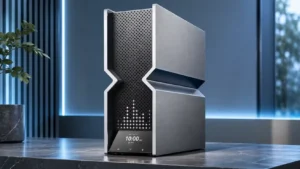
The vertical hourglass housing and hidden antennas look distinctive and modern rather than like a conventional antenna-covered router.

Other features

Power consumption
GL.iNet GL-BE3600 Slate 7
5.0

Power draw is consistently low, typically around single-digit watts in several tests. That makes USB-C power banks and laptop power practical for travel use.

TP-Link Archer BE900
2.5

Power consumption is higher than typical routers, especially during downloads and heavier activity.

IoT device compatibility
GL.iNet GL-BE3600 Slate 7
2.5

Most clients work normally, but some IoT devices had trouble connecting under certain WPA2/802.11W settings. Compatibility may require security-setting adjustments for older smart-home gear.

TP-Link Archer BE900
4.8

A separate IoT network and stable operation with many smart devices make it useful for connected homes.

Mid-range speed
GL.iNet GL-BE3600 Slate 7
2.5

Mid-range performance is adequate but can fall quickly as distance and obstructions build. The router is much stronger at close range than across larger indoor spaces.

TP-Link Archer BE900
4.5

Midrange wireless speeds remain strong in testing, although throughput depends on the device and band.

Security features
GL.iNet GL-BE3600 Slate 7
5.0

Security is a major reason to buy the Slate 7: VPNs, WPA3, firewalling, network isolation and DNS-level protections are all available. The travel use case of creating a private network on public Wi‑Fi is especially compelling.

TP-Link Archer BE900
3.0

VPN support is useful, while advanced HomeShield security tools are behind a subscription.

Long-range speed
GL.iNet GL-BE3600 Slate 7
2.3

Long-range speed is the tradeoff for the compact antennas. Performance can degrade quickly indoors and through obstructions, even though outdoor line-of-sight range can be impressive.

TP-Link Archer BE900
4.0

High-band downloads can remain impressively fast at 80–100 feet, but distant bedrooms and lower floors sometimes see much slower speeds.

Multi-Link Operation
GL.iNet GL-BE3600 Slate 7
4.2

MLO provides some stability and congestion benefits, but gains are not consistently dramatic without 6GHz and full multi-radio operation. It is useful, just not a reason by itself to buy the router.

TP-Link Archer BE900
2.6

MLO results depend on revision and client: some tests found little benefit or failed to connect, while another reported fast, stable operation. Alternating MLO is more limited than simultaneous links.

Wireless backhaul
GL.iNet GL-BE3600 Slate 7
3.5

Repeater/WISP mode is a core travel function and usually works well, including on captive-portal networks. One test did encounter random failures to connect, so it is not flawless across firmware and environments.

TP-Link Archer BE900
2.0

A dedicated wired backhaul is preferable when mesh bandwidth demands are high; the split 5GHz band is not necessarily a strong wireless backhaul solution.

Heat management
GL.iNet GL-BE3600 Slate 7
3.8

Thermals are generally controlled, with some units becoming warm but not concerning and fan controls available in software. Reports differ on whether the fan runs often, but noise is described as minimal.

TP-Link Archer BE900
2.5

The housing can become quite warm under testing, even with active cooling.

Wall penetration
GL.iNet GL-BE3600 Slate 7
2.9

Walls are a clear limit for the compact antenna system: speeds drop noticeably through floors and heavier construction. Keep the router relatively close for the best results.

TP-Link Archer BE900
4.0

Performance through walls can be impressive, but 6GHz and basement coverage vary considerably with construction and layout.

Latency consistency
GL.iNet GL-BE3600 Slate 7
3.0

Latency is usually good, but it rises when connection counts become extremely high. Typical travel loads are far less demanding than that stress condition.

TP-Link Archer BE900
4.0

Jitter is decent for ordinary wireless gaming and communication; Ethernet is preferable for greater stability.

Outdoor coverage
GL.iNet GL-BE3600 Slate 7
5.0

Outdoor line-of-sight coverage can be surprisingly long; one test maintained the link all the way to the end of a roughly 400-foot route. That makes it promising for temporary outdoor streaming setups.

TP-Link Archer BE900
4.0

Some tests maintained excellent speeds outdoors, while a balcony in another layout had weak coverage.

Latency
GL.iNet GL-BE3600 Slate 7
4.8

Latency is generally low and benefits from Wi‑Fi 7 efficiency features, making the router suitable for calls and gaming at practical distances. Very high connection counts can still push latency upward.

TP-Link Archer BE900
4.2

Latency is adequate to very good for ordinary tasks, although measured wireless latency is not exceptional among routers.

Range
GL.iNet GL-BE3600 Slate 7
3.9

Range is good for a travel router and can cover a hotel room, small apartment or even long outdoor line-of-sight distances. Through walls and at longer indoor distances, speed falls more quickly.

TP-Link Archer BE900
4.4

Range is often excellent, with strong reception far from the router, though building layout and band choice can change results considerably.

Device capacity
GL.iNet GL-BE3600 Slate 7
4.2

Claimed client capacity is high and normal family/work loads are handled comfortably. A heavier 16-user synthetic-style test exposed connection issues, so practical capacity depends on workload rather than count alone.

TP-Link Archer BE900
4.7

The router is designed for demanding households, and one test with around 80 connected devices ran without drops.

Floor-to-floor coverage
GL.iNet GL-BE3600 Slate 7
4.5

Through-floor performance can remain respectable in a typical home, including one test that beat an existing full-size router downstairs. Heavy construction will still reduce speed.

TP-Link Archer BE900
4.0

A single unit can serve multiple floors, but reinforced floors and basements may weaken certain bands considerably.

Network monitoring
GL.iNet GL-BE3600 Slate 7
4.5

Monitoring is useful and accessible through dashboards and the touchscreen, including real-time speeds and AdGuard blocking statistics. Some display metrics depend on acceleration settings.

TP-Link Archer BE900
5.0

The touchscreen makes live client counts and CPU and memory usage easy to monitor without opening a separate interface.

Whole-home coverage
GL.iNet GL-BE3600 Slate 7
4.5

The router can cover a small home or apartment surprisingly well, and one downstairs test beat an existing router. It is still designed first for travel, not large-house blanket coverage.

TP-Link Archer BE900
4.0

A single unit can deliver strong speeds throughout a home, but some distant rooms or balconies may still benefit from mesh expansion.

USB storage sharing
GL.iNet GL-BE3600 Slate 7
3.4

USB storage sharing works and can turn the router into a basic mini-NAS, but transfer speeds often plateau around 130–140MB/s. It is handy for travel file sharing, not a substitute for a high-speed NAS.

TP-Link Archer BE900
3.0

USB storage sharing is useful, though configuration requires the browser and transfer speeds should not be expected to rival dedicated fast storage.

Close-range speed
GL.iNet GL-BE3600 Slate 7
5.0

Close-range performance is excellent, with Wi‑Fi reaching high gigabit-class rates in several tests and wired links exceeding 2Gbps. The router is fastest when clients stay nearby.

TP-Link Archer BE900
4.7

Nearby throughput is frequently outstanding, although older client devices may fall well short of a fast internet plan's full speed.

Guest network
GL.iNet GL-BE3600 Slate 7
4.5

Separate guest networks are available and easy to configure, helping keep visitors or temporary devices away from the primary LAN.

TP-Link Archer BE900
4.8

Guest networks are easy to share using an on-screen QR code and keep visitors separate from the main network.

Network segmentation
GL.iNet GL-BE3600 Slate 7
4.8

Separate SSIDs, VLANs and client isolation give the Slate 7 strong segmentation options for travel and IoT use. These controls are useful for keeping personal devices separated from guests or less-trusted clients.

TP-Link Archer BE900
4.5

Guest network separation helps keep visitors away from the main home network.

Remote management
GL.iNet GL-BE3600 Slate 7
4.8

Tailscale and GoodCloud give the Slate 7 useful remote-access and management options. Tailscale is especially praised for securely reaching home resources without complex port forwarding.

TP-Link Archer BE900
4.5

Tether makes remote monitoring and management convenient after account setup.

Settings organization
GL.iNet GL-BE3600 Slate 7
4.3

The standard GL.iNet interface organizes common controls well, while LuCI exposes much deeper options. Some advanced storage and networking tasks still require digging into the less-friendly OpenWRT layer.

TP-Link Archer BE900
4.0

The app's settings are arranged in a relatively clear, intuitive interface.

Status light usefulness
GL.iNet GL-BE3600 Slate 7
4.8

The front touchscreen is more informative than a simple status light, showing connection mode, traffic and other live information. It proved genuinely useful rather than merely decorative.

TP-Link Archer BE900
5.0

The display-based approach avoids the annoyance of conventional blinking status lights.

Network stability
GL.iNet GL-BE3600 Slate 7
4.8

Once configured, the Slate 7 is usually a very stable travel network, with MLO and wired options helping in difficult environments. Stress and family-travel tests were especially positive.

TP-Link Archer BE900
5.0

A busy network with dozens of devices ran without connection drops in one test.

Congestion handling
GL.iNet GL-BE3600 Slate 7
4.4

In crowded Wi‑Fi environments, MLO and newer scheduling features help the Slate 7 hold throughput better than expected. Without 6GHz, it still cannot escape congestion as effectively as a full tri-band design.

TP-Link Archer BE900
4.5

The second 5GHz band is useful for distributing traffic and reducing congestion, although this benefit depends on the network.

Ethernet port count
GL.iNet GL-BE3600 Slate 7
5.0

Having two Ethernet ports, both at 2.5GbE, is unusually generous for a travel router. It lets the Slate 7 maintain a fast wired WAN and a fast local wired device without an extra switch.

TP-Link Archer BE900
5.0

The extensive Ethernet selection accommodates many wired devices and may eliminate the need for a separate switch.

LAN port speed
GL.iNet GL-BE3600 Slate 7
5.0

The 2.5Gbps LAN port is a real performance advantage rather than a paper specification. Short-range testing showed over-2Gbps wired throughput and a clear edge over a rival with slower LAN.

TP-Link Archer BE900
5.0

Fast LAN connections can keep up with multi-gigabit internet service.

WAN port speed
GL.iNet GL-BE3600 Slate 7
5.0

The 2.5GbE WAN port is more than enough for most hotel and travel internet sources and performed better than expected in testing. It also leaves headroom for fast home or office links.

TP-Link Archer BE900
5.0

The 10Gbps WAN option provides headroom for fast broadband connections.

Controls and connectivity

Parental controls
GL.iNet GL-BE3600 Slate 7
4.5

DNS-level parental controls can block adult content across all connected devices, which is useful for family travel. Some acceleration modes can disable certain client-control features, so configuration matters.

TP-Link Archer BE900
3.8

Free parental controls are useful for basic filtering and schedules; more advanced controls require HomeShield.

Wi-Fi 7 support
GL.iNet GL-BE3600 Slate 7
2.8

The Slate 7 includes real Wi‑Fi 7 features such as MLO and newer modulation, but its implementation is incomplete. Missing 6GHz and 320MHz support makes the branding feel ahead of the actual radio capability.

TP-Link Archer BE900
3.3

Wi-Fi 7 delivers excellent speeds with compatible clients; early implementations were less mature and MLO is not always reliable.

Wi-Fi speed
GL.iNet GL-BE3600 Slate 7
5.0

Peak Wi‑Fi speed is a clear strength at close range, with gigabit-class results and top-tier performance in several tests. The absence of 6GHz and long-range drop-off keep it below full-size flagship Wi‑Fi 7 routers.

TP-Link Archer BE900
4.7

Peak and local Wi-Fi speeds are consistently impressive, including multi-gigabit transfers with suitable hardware.

App setup quality
GL.iNet GL-BE3600 Slate 7
4.5

App-assisted setup worked smoothly in a real coffee-shop scenario, helping the router join the public network before all personal devices connected behind it.

TP-Link Archer BE900
4.8

Tether makes initial configuration straightforward, with guided steps and QR-assisted onboarding.

Mobile app quality
GL.iNet GL-BE3600 Slate 7
4.8

The companion app is useful for joining public networks and changing common settings without opening the full browser interface. Its accessible controls make travel setup easier.

TP-Link Archer BE900
4.5

The Tether app is clear, convenient and covers most common adjustments, with deeper settings available elsewhere.

Web interface quality
GL.iNet GL-BE3600 Slate 7
4.5

The web interface is one of the stronger parts of the experience, balancing approachable dashboards with access to deeper OpenWRT settings. Advanced areas can still feel dated or technical.

TP-Link Archer BE900
4.3

The browser interface offers a broad selection of advanced network controls beyond what is accessible in Tether.

Wi-Fi standard support
GL.iNet GL-BE3600 Slate 7
4.5

Backward compatibility is solid, with older Wi‑Fi 5 and Wi‑Fi 6 clients performing well. The standard mix is broad even though the Wi‑Fi 7 implementation lacks 6GHz.

TP-Link Archer BE900
4.5

Support for modern and older wireless standards makes the router versatile for a mix of client devices.

Evidence available for one product

Other features

Ease of use
GL.iNet GL-BE3600 Slate 7No score yet
TP-Link Archer BE900
4.5

Simple device connection options make everyday use approachable.

Activity reports
GL.iNet GL-BE3600 Slate 7
4.5

AdGuard Home provides detailed statistics on blocked queries, giving useful visibility into what the router is filtering. The reporting is more security/privacy focused than a full parental activity log.

TP-Link Archer BE900No score yet
Auto-sensing Ethernet ports
GL.iNet GL-BE3600 Slate 7No score yet
TP-Link Archer BE900
4.5

Automatic detection of the connected Ethernet cable simplifies initial setup.

Automatic configuration
GL.iNet GL-BE3600 Slate 7
5.0

Reusing a familiar SSID lets family devices reconnect automatically, reducing setup work at each new location. That “set it once” behavior is a practical travel advantage.

TP-Link Archer BE900No score yet
Band steering
GL.iNet GL-BE3600 Slate 7No score yet
TP-Link Archer BE900
2.0

Phones sometimes struggle to change bands when moving around the house.

Bandwidth management
GL.iNet GL-BE3600 Slate 7
5.0

Bandwidth management is practical through client-level rate limits and broader multi-WAN controls. It is well suited to rationing constrained travel connections.

TP-Link Archer BE900No score yet
Cellular connectivity
GL.iNet GL-BE3600 Slate 7
2.0

The router can use USB tethering or an external cellular modem, but there is no built-in SIM slot. That keeps it compact while making cellular travel setups less self-contained.

TP-Link Archer BE900No score yet
Channel selection
GL.iNet GL-BE3600 Slate 7No score yet
TP-Link Archer BE900
2.0

The split 5GHz spectrum reduces the number of usable channel choices.

Client steering
GL.iNet GL-BE3600 Slate 7No score yet
TP-Link Archer BE900
2.5

Some phones do not switch bands smoothly as they move between rooms.

Configuration flexibility
GL.iNet GL-BE3600 Slate 7No score yet
TP-Link Archer BE900
4.6

There is considerable flexibility to separate bands and fine-tune settings, with advanced controls available in the browser.

Connected-device management
GL.iNet GL-BE3600 Slate 7
4.7

Connected clients are easy to see and manage, with blocking and rate-limiting available from the main interface. This is unusually capable for a compact travel router.

TP-Link Archer BE900No score yet
Cross-brand mesh compatibility
GL.iNet GL-BE3600 Slate 7No score yet
TP-Link Archer BE900
1.5

A tested D-Link EasyMesh node could be added but failed to serve clients; matching TP-Link equipment worked instead.

Data collection transparency
GL.iNet GL-BE3600 Slate 7
2.0

Privacy transparency is a concern around vendor-tied services such as DDNS and cloud features. GL.iNet’s initial answers about data handling were described as unclear, even after later clarification.

TP-Link Archer BE900No score yet
Dead-zone elimination
GL.iNet GL-BE3600 Slate 7No score yet
TP-Link Archer BE900
4.5

Strong wireless reach helps reduce weak spots, and compatible extenders can fill remaining gaps.

Device compatibility
GL.iNet GL-BE3600 Slate 7No score yet
TP-Link Archer BE900
3.8

Broad device support is useful, but MLO compatibility and wireless speeds on particular phones can vary.

Device identification
GL.iNet GL-BE3600 Slate 7
4.5

The dashboard clearly shows which clients are connected to each network, making device identification and basic management easy. Deeper naming and profiling options are available for organization.

TP-Link Archer BE900No score yet
Expandability
GL.iNet GL-BE3600 Slate 7
4.2

OpenWRT-based customization, LuCI access and plugins give the Slate 7 unusually deep expandability for a travel router. Plugin quality is uneven in some firmware versions, so the breadth is stronger than the polish.

TP-Link Archer BE900No score yet
Firewall quality
GL.iNet GL-BE3600 Slate 7
4.5

Firewall capability is part of a strong security stack, including IPv6 protections and deeper OpenWRT controls. It gives advanced users more flexibility than typical travel-router firmware.

TP-Link Archer BE900No score yet
Firmware stability
GL.iNet GL-BE3600 Slate 7
3.6

Firmware quality is mixed: core routing can be very stable, while some builds show buggy WISP behavior, plugin crashes or beta-like polish. Later updates fixed at least one major touchscreen/security issue.

TP-Link Archer BE900No score yet
Firmware update process
GL.iNet GL-BE3600 Slate 7
4.7

Regular updates are a meaningful strength, and one later firmware release fixed a major touchscreen privacy flaw. Long-term software maintenance adds value beyond the initial hardware.

TP-Link Archer BE900No score yet
Future upgrade readiness
GL.iNet GL-BE3600 Slate 7No score yet
TP-Link Archer BE900
4.0

The fast ports and Wi-Fi 7 capabilities offer headroom for future upgrades, but the early implementation drew criticism for immaturity.

Gaming optimization
GL.iNet GL-BE3600 Slate 7
4.5

Low latency and strong local throughput make the Slate 7 suitable for online gaming on the road. The benefit still depends heavily on the upstream hotel or mobile connection.

TP-Link Archer BE900No score yet
Included accessories
GL.iNet GL-BE3600 Slate 7No score yet
TP-Link Archer BE900
2.5

The included flat Ethernet cable was disliked by one user who preferred to use a different cable.

IoT network
GL.iNet GL-BE3600 Slate 7No score yet
TP-Link Archer BE900
4.5

Dedicated IoT Wi-Fi helps keep smart devices organized and separate from other household traffic.

ISP compatibility
GL.iNet GL-BE3600 Slate 7No score yet
TP-Link Archer BE900
4.5

A tested 2Gbps fiber connection reached its full speed over Ethernet.

Launch quality control
GL.iNet GL-BE3600 Slate 7No score yet
TP-Link Archer BE900
2.0

The original early-release Wi-Fi 7 implementation was criticized as unfinished.

Link aggregation
GL.iNet GL-BE3600 Slate 7No score yet
TP-Link Archer BE900
5.0

Combining two 2.5Gbps links for NAS connectivity helped increase local transfer performance.

Malicious-site blocking
GL.iNet GL-BE3600 Slate 7
5.0

AdGuard Home can block known malicious domains before traffic reaches connected devices. The protection runs at the router, so it covers clients without separate software.

TP-Link Archer BE900No score yet
Packaging quality and presentation
GL.iNet GL-BE3600 Slate 7No score yet
TP-Link Archer BE900
5.0

The substantial packaging makes for a pleasing unboxing experience and presents the router neatly.

Per-device speed limits
GL.iNet GL-BE3600 Slate 7
5.0

Individual clients can be rate-limited directly, helping prevent one device from consuming a constrained uplink. The control is easy to reach in the standard interface.

TP-Link Archer BE900No score yet
Printer sharing
GL.iNet GL-BE3600 Slate 7
4.5

The USB port can be used for printer sharing in addition to tethering and storage. That flexibility adds value for temporary office or travel setups.

TP-Link Archer BE900No score yet
Seamless handoff
GL.iNet GL-BE3600 Slate 7
1.0

Without true mesh support, the Slate 7 cannot deliver the seamless handoff expected when moving between it and another router. Repeater mode is available, but it is not equivalent.

TP-Link Archer BE900No score yet
SFP+ connectivity
GL.iNet GL-BE3600 Slate 7No score yet
TP-Link Archer BE900
4.8

The SFP+ combo port adds flexibility for compatible fiber connections.

Status light control
GL.iNet GL-BE3600 Slate 7No score yet
TP-Link Archer BE900
4.8

Both front screens can be dimmed or disabled, and can be scheduled to turn off overnight.

Subscription requirements
GL.iNet GL-BE3600 Slate 7No score yet
TP-Link Archer BE900
2.3

HomeShield charges extra for more advanced parental controls, scheduling and security functions.

Switch functionality
GL.iNet GL-BE3600 Slate 7
5.0

The programmable hardware button is more useful than it looks, letting frequent travelers toggle VPN or other modes without opening an app or browser. That shortcut can become a major time saver.

TP-Link Archer BE900No score yet
Usage schedules
GL.iNet GL-BE3600 Slate 7No score yet
TP-Link Archer BE900
3.0

Basic scheduling is available for free, but more detailed schedules and usage restrictions require a subscription.

Video conferencing optimization
GL.iNet GL-BE3600 Slate 7
4.5

Real-world wireless throughput at normal working distances is comfortably sufficient for video calls and remote-work productivity. The router is not specifically tuned only for conferencing, but it handles the workload well.

TP-Link Archer BE900No score yet
WAN failover
GL.iNet GL-BE3600 Slate 7
4.9

Multi-WAN failover is one of the most useful travel features, switching among Ethernet, repeater Wi‑Fi and tethered cellular sources. It is repeatedly praised for keeping remote-work connections resilient.

TP-Link Archer BE900No score yet
Weight and handling
GL.iNet GL-BE3600 Slate 7No score yet
TP-Link Archer BE900
3.3

The unit is heavy compared with some alternatives, although one buyer found much of the unboxing weight came from the packaging.

Ownership and support

10 GbE support
GL.iNet GL-BE3600 Slate 7No score yet
TP-Link Archer BE900
5.0

Dual 10Gbps ports are a major selling point, allowing a fast WAN connection without sacrificing a 10Gbps wired LAN.

Customer support
GL.iNet GL-BE3600 Slate 7No score yet
TP-Link Archer BE900
4.5

Free expert setup assistance is a welcome option for buyers who need extra help.

Dual-band support
GL.iNet GL-BE3600 Slate 7
4.5

Despite lacking 6GHz, the 2.4GHz/5GHz dual-band implementation performs very well for travel. It delivers broad compatibility and high 5GHz speed, but cannot match full tri-band Wi‑Fi 7 flexibility.

TP-Link Archer BE900No score yet
Dual-WAN support
GL.iNet GL-BE3600 Slate 7
5.0

Dual-WAN and multi-WAN flexibility is excellent, with wired, repeater and tethered sources available for redundancy or load balancing. This is especially valuable for remote workers.

TP-Link Archer BE900No score yet
Encrypted DNS support
GL.iNet GL-BE3600 Slate 7
5.0

DNS-over-TLS/HTTPS support adds another strong privacy layer for users who want encrypted name resolution. It complements AdGuard Home and VPN features.

TP-Link Archer BE900No score yet
Hardware reliability
GL.iNet GL-BE3600 Slate 7
2.5

Hardware reliability is mostly good, but a nonstandard Nintendo Switch USB-C power supply triggered freezes in one test. With appropriate power, the broader reliability picture is much stronger.

TP-Link Archer BE900No score yet
Product support lifespan
GL.iNet GL-BE3600 Slate 7No score yet
TP-Link Archer BE900
1.5

The original V1 revision's reported end-of-life status is disappointing for early adopters; check the hardware revision before buying.

Quad-band support
GL.iNet GL-BE3600 Slate 7No score yet
TP-Link Archer BE900
3.6

The four-band layout adds capacity, but its split 5GHz design can be less flexible than a second 6GHz band.

Tri-band support
GL.iNet GL-BE3600 Slate 7
1.5

The Slate 7 is not tri-band because it lacks a 6GHz radio. That is one of the main reasons its Wi‑Fi 7 implementation falls short of higher-end models.

TP-Link Archer BE900No score yet
Upgrade value
GL.iNet GL-BE3600 Slate 7No score yet
TP-Link Archer BE900
2.8

A move from an older router can improve throughput, but the extra cost over less expensive Wi-Fi 7 models is difficult to justify for many homes.

VPN client support
GL.iNet GL-BE3600 Slate 7
4.8

VPN client support is a standout strength, especially WireGuard, which commonly lands around 400–540Mbps in the supplied tests. Broad provider support and quick toggles make secure travel use unusually convenient.

TP-Link Archer BE900No score yet
VPN server support
GL.iNet GL-BE3600 Slate 7
4.8

The Slate 7 can also act as a VPN server, extending its usefulness beyond protecting outbound travel traffic. That makes secure remote access to a home network possible without another appliance.

TP-Link Archer BE900No score yet
WPA3 support
GL.iNet GL-BE3600 Slate 7
4.5

WPA3 is included as part of the router’s modern security toolkit. It reinforces the Slate 7’s focus on protecting devices on unfamiliar networks.

TP-Link Archer BE900No score yet

Controls and connectivity

Access controls
GL.iNet GL-BE3600 Slate 7
5.0

Per-client blocking is available directly in the interface, giving users quick control over who stays connected. It pairs well with the broader device-management tools.

TP-Link Archer BE900No score yet
Bandwidth controls
GL.iNet GL-BE3600 Slate 7
5.0

Per-client rate limits are straightforward to apply from the interface. That gives travelers practical control when several devices share a limited hotel or mobile connection.

TP-Link Archer BE900No score yet
DNS customization
GL.iNet GL-BE3600 Slate 7
2.5

Custom DNS is available, but advanced DNS configuration is less beginner-friendly than the basic interface. Manual setup and limited guidance make this more of a power-user feature.

TP-Link Archer BE900No score yet
Interface responsiveness
GL.iNet GL-BE3600 Slate 7
4.6

The main interface is typically quick and responsive, with settings applying without the sluggish delays common to some router UIs. Touchscreen shortcuts also make frequent actions fast to reach.

TP-Link Archer BE900No score yet
On-router display customization
GL.iNet GL-BE3600 Slate 7No score yet
TP-Link Archer BE900
4.2

Custom messages, animations and graphics are fun to personalize, but may not justify the extra cost on their own.

Privacy controls
GL.iNet GL-BE3600 Slate 7
3.3

Privacy tools are extensive, but the touchscreen can expose network details if left unlocked. Firmware-added PIN and display controls substantially improve that weakness, while AdGuard and VPN options strengthen day-to-day privacy.

TP-Link Archer BE900No score yet
Smart home compatibility
GL.iNet GL-BE3600 Slate 7
2.5

Smart-home compatibility is mixed because some cameras and other IoT devices struggled under default security settings. Buyers with older devices may need to tune WPA2/management-frame options.

TP-Link Archer BE900No score yet
Touchscreen responsiveness
GL.iNet GL-BE3600 Slate 7No score yet
TP-Link Archer BE900
4.0

The touchscreen is easy to interact with, but its scrolling is not as fluid as a smartphone's.

Web interface setup
GL.iNet GL-BE3600 Slate 7
5.0

Browser-based onboarding is straightforward and guided, making the web interface a strong primary setup path. Advanced configuration is available later without complicating the first-run flow.

TP-Link Archer BE900No score yet
Wi-Fi 6 support
GL.iNet GL-BE3600 Slate 7
4.5

Wi‑Fi 6 clients still perform well, which matters because many travel devices will not be Wi‑Fi 7 capable. The router remains useful even when its newest radio features go unused.

TP-Link Archer BE900No score yet
Wi-Fi 6E support
GL.iNet GL-BE3600 Slate 7No score yet
TP-Link Archer BE900
4.0

Wi-Fi 6E clients can achieve fast speeds, though results vary across devices and may not match newer Wi-Fi 7 hardware.

Performance

Advertised speed accuracy
GL.iNet GL-BE3600 Slate 7No score yet
TP-Link Archer BE900
2.0

The aggregate bandwidth figure is ambitious; splitting a band can inflate the headline number without a comparable practical benefit.

OFDMA performance
GL.iNet GL-BE3600 Slate 7
4.3

OFDMA helps efficiency and latency, particularly in crowded environments, but it does not eliminate congestion on its own. Its value is supportive rather than transformative.

TP-Link Archer BE900No score yet
On-router display usefulness
GL.iNet GL-BE3600 Slate 7No score yet
TP-Link Archer BE900
4.4

Dual front screens provide useful status information, easy touch controls and guest QR codes, although some buyers view them as expensive extras.

Operating noise
GL.iNet GL-BE3600 Slate 7No score yet
TP-Link Archer BE900
5.0

The active cooling fan was inaudible in use.

Performance under load
GL.iNet GL-BE3600 Slate 7
4.0

The Slate 7 handles typical multi-client and filtering workloads well, including heavy wireless use and direct media streaming. One 16-user stress scenario produced connection issues, showing it is not a miniature enterprise router.

TP-Link Archer BE900No score yet

Battery and charging

Battery portability
GL.iNet GL-BE3600 Slate 7
2.0

The absence of an internal battery is a recurring portability compromise. USB-C makes external power easy, but buyers still need a laptop, charger or power bank to run it.

TP-Link Archer BE900No score yet

Comfort and build

Build quality
GL.iNet GL-BE3600 Slate 7
4.4

Build quality is solid and travel-friendly, with sturdy plastics, strong antenna hinges and a compact chassis. It feels durable enough for bags and regular travel, though it is not ruggedized or weather-rated.

TP-Link Archer BE900No score yet

Other Top Routers to Consider

#1 D-Link Aquila Pro AI R95
4.8

Choose the R95 for a busy home that needs fast Wi-Fi 7, strong range, multi-gig ports, and low-lag gaming. Skip it for a small, lightly connected space or if advanced...

Pros: Wi-Fi 7 support, Wi-Fi speed

#3 GL.iNet Flint 2 (GL-MT6000)
4.4

Exceptional VPN speeds, strong Wi-Fi 6 coverage and extensive OpenWrt controls make the Flint 2 a compelling value. Its advanced setup, missing 6GHz band and firmware-specific caveats matter if you...

Pros: setup ease, configuration flexibility

Cons: Wi-Fi 7 support, USB storage sharing

#4 MSI Roamii BE Pro
4.3

Best for affordable tri-band Wi-Fi 7, abundant 2.5GbE ports, and deep free controls. Skip it if you need consistently strong garden coverage, foolproof app setup, or proven top-tier speeds across...

Pros: value for money, design and appearance

Cons: node pairing ease, outdoor coverage

#5 TP-Link Archer BE550
4.3

Five 2.5GbE ports and excellent close-range Wi-Fi 7 speeds make this a strong value for multi-gigabit homes. Coverage varies with layout, advanced controls cost extra, and buyers should check the...

Pros: value for money, Wi-Fi speed

Cons: subscription requirements, WAN port speed