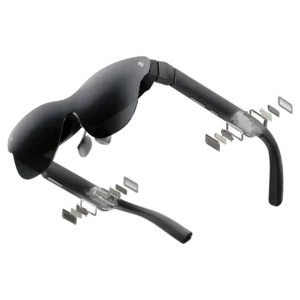
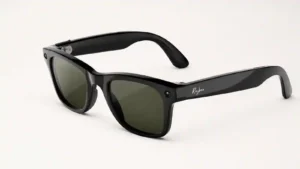
RayNeo Air 4 Pro
Where It Has the Edge
No clear scored advantage over the other product.

Scorata scores summarize analyzed review evidence on a 1–5 scale; they are not laboratory measurements or a simple average of customer star ratings. Feature scores summarize the reviews covering that feature. The overall score averages feature scores within each review, then combines review averages. When both expert and customer evidence are available, those two groups receive equal weight. Products can have different review coverage, so small score gaps do not establish a winner.
Recommendations prioritize important features for the category, with a score of at least 3.5, a gap of at least 0.25 points and at least two supporting reviews per product. Features with widely varying scores or broad connectivity contexts are excluded from recommendations. These safeguards do not establish statistical significance.
Quick verdict
The available evidence supports the recommendation below, but does not establish an overall winner. Check the remaining features against your priorities.
There is not enough comparable review evidence to recommend RayNeo Air 4 Pro over the other product.
Choose Meta Ray-Ban (Gen 3) for background noise reduction.
No clear scored advantage over the other product.
Scores are out of 5. Missing scores mean missing review evidence, not a missing feature.
Most units work as expected, but there are scattered reports of flicker, speaker faults, software failures, and dead-on-arrival hardware. Other owners report stable, trouble-free operation.
Hands-free capture can still be less dependable than pulling out a phone, with one reviewer calling glasses-based shooting slower and less reliable.
Value is the broadest point of agreement. The bright OLED display, 120Hz mode, and good audio compete with much pricier glasses while keeping the entry price around the budget end of the category.
Value is the biggest purchasing concern after privacy. Several reviewers think the $449 starting price is hard to defend when Gen 2 or cheaper Meta glasses offer much of the same experience.
The Air 4 Pro improves audio and adds HDR10, but Air 3s Pro owners often see too little day-to-day difference to justify upgrading. It is a stronger buy for newcomers than for recent RayNeo owners.
Gen 3 is a weak upgrade for most Gen 2 owners because the core experience and camera remain similar. The jump is much easier to justify from Gen 1 or for first-time buyers.
Comfort is one of the most face-dependent traits. Many people can watch a full movie comfortably, while others report nose pressure, ear fatigue, or difficulty holding the optical sweet spot.
Most hands-on impressions are positive, especially around the slimmer design and adjustable tips. A few reviewers still find the frames bulky or question whether comfort is meaningfully better than Gen 2.
Finding the optical sweet spot can be easy for some faces and difficult for others. Nose shape and fixed IPD can determine whether the whole screen stays sharp and visible.
Adjustable temple tips are a clear improvement, giving buyers more flexibility and a secure fit without excessive pressure. Several hands-on reviewers specifically linked the new adjustment options to better comfort.
The frame is lighter and more wearable than its bulky appearance suggests, with adjustable temples helping alignment. It still looks noticeably more tech-like than normal sunglasses.
The slimmer, more glasses-like construction is a major design win. Reviewers especially like the smaller camera treatment and how naturally the technology blends into the frames.
Style opinions split sharply: some find the frame sleek and close to normal sunglasses, while others see it as bulky, dorky, or obviously tech-forward.
Style is a major strength thanks to Aviator, Wayfarer, Zena, and numerous color options. Most reviewers like the look, though the bold Aviator shape will not suit everyone.
The 120Hz mode and low display latency make gaming feel smooth and responsive. Fast-motion play is one of the clearest reasons to use the higher refresh setting.
Muse can feel slow during multi-step tasks, with at least one hands-on demo showing noticeable delays before actions completed.
The small onboard controls can be difficult for users with limited finger dexterity; one owner with arthritic fingers specifically struggled with them.
Hearing Enhancement is one of the standout additions, with hands-on testers finding it genuinely helpful and natural enough to fade into the background during use.
AI-HDR can add punch to SDR content, but the effect is often subtle. The 2D-to-3D conversion is fun on compatible local media yet inconsistent enough to feel more like a novelty than a core reason to buy.
Meta’s AI shows useful potential, but the experience is uneven. Testers saw slow actions, incomplete tasks, and occasional wrong answers that keep it from feeling essential.
At 76g, the glasses can stay comfortable for hours for many users, but long sessions are highly face-dependent. Nose pressure, warmth, and edge alignment can still force breaks.
Longer battery life helps, but wearability still depends on fit and comfort over time. One tester warned about possible strain, while another saw the new endurance-and-recharge routine as practical.
Overall sentiment is strongly positive for media, gaming, and travel at this price, with many owners recommending the glasses. Negative experiences cluster around fit, compatibility, software, or missing spatial features.
The consensus is positive for first-time buyers and Gen 1 owners: the glasses feel polished, stylish, and useful. Existing Gen 2 owners are much less convinced because the changes are mostly incremental.
The four B&O-tuned speakers sound clear and surprisingly full for glasses. Quality is generally praised even when maximum loudness is criticized.
Audio output is strong, remaining clear in noisy settings and earning category-leading praise from one experienced smart-glasses reviewer.
Open-ear audio struggles against coffee-shop, subway, and other loud ambient noise. Sound tubes can help direct sound toward the ear, but they do not turn the glasses into noise-isolating headphones.
The upgraded microphone system performs well in noisy settings. Reviewers found voice pickup effective at a busy reception and expected clearer calls and commands around traffic or crowds.
Bang & Olufsen-tuned open-ear audio is clear, balanced, and better than expected for the form factor. Its main limitation is loud environments, where dedicated earbuds or headphones still win.
Open-ear sound is a standout strength, with one reviewer calling Meta’s audio among the best available on smart glasses.
The software ecosystem is a weak point: Mirror Studio and RayNeo XR unlock extra modes, but platform gaps, sideloading requirements, and community workarounds make it feel less polished than the hardware.
The glasses are viewed as a strong entry point into Meta’s expanding smart-glasses ecosystem, even if that ecosystem is also available on cheaper or older hardware.
Review contexts may differ, so use caution when interpreting the score gap.
The onboard rockers and menu button are simple and generally intuitive. They make brightness, volume, refresh-rate, and picture changes possible without relying on an app.
The customizable action button is one of the most consistently praised additions. Reviewers like having a faster, programmable shortcut instead of relying only on voice and touch gestures.
The jump to nine hours is broadly welcomed, especially by Gen 1 owners, but most reviewers call it a modest improvement over Gen 2 rather than a transformative change.
The redesigned foldable charging case gets enthusiastic praise for being easier to carry than the bulky older case.
With no internal battery, the glasses never need charging and stay lighter. The tradeoff is permanent USB-C tethering to a powered source device.
Android support is uneven. Some Samsung and Pixel setups work well, while certain Pixel features, DeX workflows, and several other Android phones show compatibility gaps or fail outright.
The recording safeguards help, but several reviewers still think bystanders may feel vulnerable or fail to notice when the glasses are capturing. Privacy remains one of the product’s biggest weaknesses.
Opinions depend heavily on the comparison point. One side-by-side test found little visible change from recent Meta glasses, while a Gen 1 owner expected a major leap in image quality.
Landscape capture is a meaningful improvement for first-person shooting, producing a view that better matches what the wearer actually sees.
Basic USB-C display connections are usually immediate, but mode switching and some computers can introduce hiccups or choppy audio. Stability depends somewhat on the host device.
Trust in Meta remains a major concern. Reviewers question cloud privacy, AI data handling, and whether future protections are enough to make personal-data use feel safe.
The 47-degree view is sufficient for movies and games but narrower than premium rivals. Edge cutoff and corner blur can make it hard for some users to see the whole image cleanly.
Firmware management works through RayNeo’s app, but one tester only got the update process working after an initial failure, suggesting room for polish.
Hands-free capture remains one of the glasses’ strongest use cases, with immersive audio and usable creator footage earning praise. The main caveat is that glasses capture can still feel slower and less reliable than a phone or dedicated camera.
Hearing Enhancement is generally well received and can noticeably improve conversational clarity. The added cost tempers enthusiasm for some buyers.
Most heat is mild, but the right temple can warm up during extended use or HDR sessions. A few users found the heat distracting, while others specifically praised it for staying well controlled.
The multi-position temple mechanism is useful for fit, though one test found its adjustment action less smooth than expected.
Center clarity is often excellent, with crisp text and sharp video. The main caveat is edge blur, which can appear when fit, IPD, or screen position is less than ideal.
The case, cable, light blocker, extra nose hardware, and prescription frame cover the basics well. The light blocker is especially useful, though its fit and accessory bundle quality draw occasional complaints.
USB-C iPhones are generally among the easiest hosts, with fast plug-and-play behavior and strong HDR support. A few app or streaming-specific issues still appear.
The clip-on shade effectively improves immersion, but there is no premium electrochromic tint adjustment. That keeps the design simple while sacrificing convenient light control.
Movies, shows, and games are where the Air 4 Pro shines. The large private OLED image, 120Hz option, and strong contrast make travel and reclined viewing especially compelling.
The six-mic system is one of the more convincing hardware upgrades. Hands-on testing shows strong voice pickup, though some reviewers found little difference versus other recent Meta glasses.
Dynamic Photos is a useful addition because it improves the odds of capturing a strong frame when subjects are moving.
The glasses themselves stay light by drawing power from the host, but that can drain a phone quickly. Long flights or movies often require a charging adapter or backup power.
Prescription inserts are workable and compatible with the frame, but normal glasses are impractical underneath. Users who need correction should plan on an insert rather than layering eyewear.
The LED is valued as an important safeguard, but opinions are sharply divided on whether it is obvious enough. Some reviewers call it essential, while others think it is too subtle in real-world conditions.
The glasses can serve as a private second monitor and handle light work, but fixed positioning, edge blur, and software limitations keep them from being an ideal full-day productivity setup.
Text can look crisp in the center and is usable for light work, but edge blur and 1080p resolution make small interface elements and subtitles harder for some users.
Live translation is useful and works solidly in hands-on use, though spoken output can become overwhelming without a more specific prompt.
3K recording is praised as a major improvement by a reviewer coming from older first-generation hardware.
Improved stabilization is expected to make recorded footage look noticeably better than first-generation output.
Hands-free scene description is viewed as a useful accessibility benefit, especially for people who need help understanding their surroundings without pulling out a phone.
Maximum volume is the audio system’s biggest weakness. It is often sufficient indoors but can be too quiet in cafés, transit, or other noisy environments.
At roughly 76g, the glasses are widely considered light for a wearable display. That helps comfort, though it is still much heavier than ordinary eyewear.
Weight balance is generally good and helps the glasses feel lighter than they look. A few users still experience front-heavy nose pressure over longer sessions.
RayNeo’s apps draw repeated criticism for bugs, limited features, and unreliable desktop behavior. Mirror Studio in particular can be blurry or fail to deliver the anchored/multi-screen experience buyers expect.
Bluetooth headphone routing can be frustrating, particularly on iPhone, where the glasses may take over audio output. Some owners could switch sources only with extra fiddling.
Review contexts may differ, so use caution when interpreting the score gap.
The companion software trails the hardware. 3D and desktop features can be interesting, but app bugs, missing functionality, and compatibility failures make the experience inconsistent.
Meta’s newer safeguards are not enough to satisfy most privacy-focused reviewers. Concerns about covert recording, data handling, and platform control remain largely unresolved.
Phone compatibility is broad but not universal. USB-C DisplayPort support is the key requirement, and unsupported phones or console-like devices may need adapters or simply not work.
Software is less mature than the display hardware. Mirror Studio and related tools can add useful capabilities, but bugs and missing features repeatedly limit the experience.
The touchpad remains a weak point. Reviewers report accidental play/pause inputs while adjusting the glasses, with no clear fix for the inherited issue.
The onboard menu is generally straightforward and easy to learn. A few software-driven navigation experiences are less intuitive than the physical menu itself.
The built-in assistant is not universally convincing. One reviewer finds it more effort than simply searching for an answer on a phone.
Voice interaction is generally accurate even when spoken quietly, though occasional completely wrong answers keep it from being fully reliable.
Voice control generally works well, including quiet speech, but a comparative test did not show a clear pickup advantage over other recent Meta glasses.
Voice pickup is strong in noisy environments, although a comparative test found the improvement over other recent Meta glasses less obvious.
Whisper mode and sound-directing accessories can keep audio fairly private at moderate levels, but leakage is not eliminated. In some situations people nearby can still hear what is playing.
These are best understood as a tethered wearable display, not true spatial AR. The lack of world-aware overlays, 3DoF/6DoF anchoring, and standalone computing is a recurring limitation for buyers expecting richer AR.
Bass is respectable for glasses and several users describe fuller, richer sound than expected, but low-end impact remains limited compared with dedicated headphones.
Eye Comfort mode noticeably softens the viewing experience for some users and can reduce strain during longer sessions. The high-frequency PWM implementation also earned positive comments for flicker comfort.
Color is vivid and often impressively accurate, but tuning can run oversaturated. Standard/SDR modes tend to look more natural than aggressive color enhancement for users who prefer accuracy.
The OLED panels deliver deep blacks and strong contrast, especially with the light blocker attached. HDR can improve highlights and shadow detail, although the gain over SDR is not always dramatic.
Screen customization is limited. The inability to resize, reposition, or fine-tune IPD is a recurring complaint and can make edge clarity difficult for some faces.
Brightness is a consistent strength, with the 1,200-nit image staying punchy in many lighting conditions. The included blocker helps preserve that advantage when ambient light is strong.
The virtual screen is fixed to the wearer’s view rather than anchored in space. That is acceptable for relaxed media use but frustrating for productivity, motion-sensitive users, and anyone wanting a stationary virtual monitor.
The Micro-OLED image is the product’s biggest strength: bright, vivid, sharp, and cinematic for movies and games. Even critical reviews usually praise the core picture.
1080p per eye looks surprisingly sharp for entertainment, but it is the clearest ceiling on productivity. Small text and edge detail would benefit from a higher-resolution panel.
As a simple head-mounted display, the glasses can be highly effective for private viewing. They still lack the spatial, world-aware behavior buyers may associate with more advanced HUD or AR systems.
The heavily tinted lenses can become too dark for seeing the surrounding room in lower light, reinforcing that these are stationary display glasses rather than walk-around smart glasses.
The bright display remains usable outdoors, particularly with the blocker attached, but reflections and ambient light can still reduce contrast without it.
The Vision 4000 processor gives the image useful real-time enhancement and drives HDR/3D processing. Its SDR-to-HDR work is more consistently useful than the variable 2D-to-3D effect.
Construction is generally solid for the price, but the plastic frame and case often feel budget-grade. The hardware works well, yet it does not consistently deliver a premium tactile impression.
Durability impressions are mixed: some owners say the glasses feel sturdy rather than fragile, while cheaper plastics make others want to handle them more carefully.
Adjustable arms and nose hardware provide useful fit flexibility, but they cannot fully compensate for every face shape or IPD.
Material feel is the clearest cost-saving area. Some testers call the plastic high quality and solid, while others find it noticeably cheaper than premium competitors.
The adjustable nose pads help many users find a comfortable position, but nose pressure and instability remain the most common comfort complaints during long sessions.
Temple adjustments help with fit, but pressure around the ears can build over multi-hour sessions for some users. Others report little ear strain once the arms are positioned correctly.
The projected screen feels large and immersive for many users, especially in dark rooms or on flights, but the advertised cinema-scale size can feel exaggerated depending on viewing geometry.
One customer reported waiting a week without any response from support, making service responsiveness a concern where help is needed.
Prescription users face extra cost and setup because corrective inserts are usually sourced separately. Once fitted, they can work well, but the out-of-box experience is not as seamless as it is for users without correction.
Plug-and-play setup is one of the most consistent strengths. With a compatible USB-C DisplayPort source, the glasses usually begin mirroring immediately with little configuration.
The lack of meaningful new fitness features is a disappointment, especially as competing wearables expand deeper into health and activity integrations.
There is no native head-tracked anchoring, so the image follows every head movement. That keeps cost down but is one of the most frequently cited missing premium features.
Because the image moves with the wearer’s head, small movements can make the screen feel shaky or disorienting. Users comfortable with head-locked displays are less bothered.
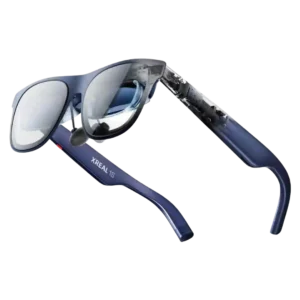
Best for a sharp, comfortable big-screen experience for travel, movies, and handheld gaming. Skip it if you need a full-time work monitor, wide field of view, true AR interaction, or...
Pros: overall satisfaction, AI features
Cons: heat management, field of view
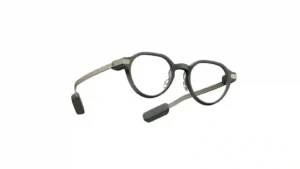
Choose the G2 if you want discreet, prescription-friendly smart glasses with a sharp private display, long battery life, and strong productivity tools. Skip them if you need camera/audio features, polished...
Pros: comfort, display quality
Cons: app quality, value for money
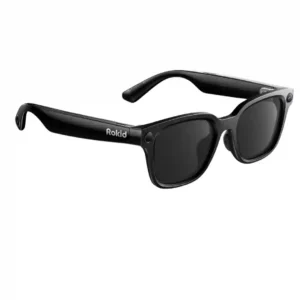
Choose these for flexible POV recording, broad AI and translation tools, and lightweight all-day wear. Skip them if you want premium frames, an included charging case, consistent software, or stronger...
Pros: overall satisfaction, AI features
Cons: charging case, charging method
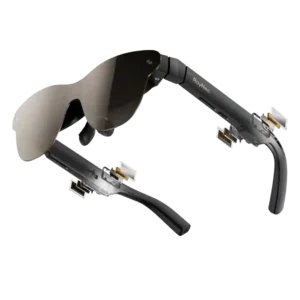
Choose the Air 3s Pro for a bright, sharp, affordable private screen for movies and handheld gaming. Skip it if you need screen anchoring, reliable edge-to-edge visibility for work, or...
Pros: image clarity, display brightness
Cons: comfort, volume level