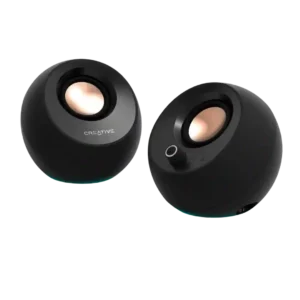
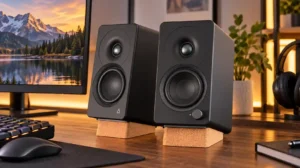
Compare Edifier M90 vs Creative Pebble Pro

Edifier M90

Edifier M90

Overall score 4.3 / 5

Based on 54 scored reviews

vs
Creative Pebble Pro

Creative Pebble Pro

Overall score 3.5 / 5

Based on 260 scored reviews

How we score

Scorata scores summarize analyzed review evidence on a 1–5 scale; they are not laboratory measurements or a simple average of customer star ratings. Feature scores summarize the reviews covering that feature. The overall score averages feature scores within each review, then combines review averages. When both expert and customer evidence are available, those two groups receive equal weight. Products can have different review coverage, so small score gaps do not establish a winner.

Recommendations prioritize important features for the category, with a score of at least 3.5, a gap of at least 0.25 points and at least two supporting reviews per product. Features with widely varying scores or broad connectivity contexts are excluded from recommendations. These safeguards do not establish statistical significance.

Quick verdict

What each product is best for

The available evidence supports the recommendation below, but does not establish an overall winner. Check the remaining features against your priorities.

Choose Edifier M90 for Inter-speaker connectivity and Bluetooth codec support.

There is not enough comparable review evidence to recommend Creative Pebble Pro over the other product.

Why these recommendations?

Edifier M90

Where It Has the Edge

  • Inter-speaker connectivity is 4.8 vs 1.3. The generously long speaker-to-speaker cable allows proper stereo spacing across desks, shelves, and TV stands.
  • Bluetooth codec support is 4.6 vs 2.0. LDAC provides unusually strong wireless quality for this class, while AAC keeps iPhone playback respectable. LDAC is unavailable...
  • Subwoofer performance is 4.3 vs 2.3. The dedicated sub output makes it easy to add deeper extension. Many desktop listeners will be satisfied without...

Creative Pebble Pro

Where It Has the Edge

No clear scored advantage over the other product.

Edifier M90 4.3 overall score
Creative Pebble Pro 3.5 overall score

Compare features

Scores are out of 5. Missing scores mean missing review evidence, not a missing feature.

Scored on both products

Other features

Inter-speaker connectivity
Edifier M90
4.8

The generously long speaker-to-speaker cable allows proper stereo spacing across desks, shelves, and TV stands.

Creative Pebble Pro
1.3

The permanently attached cable between the left and right speakers is a recurring cable-management complaint. It can prevent hidden routing through desks and makes the minimalist presentation harder to achieve.

Home theater integration
Edifier M90
4.7

HDMI eARC, CEC, clear dialogue, and wide stereo imaging make the M90 an excellent bedroom or office TV upgrade. Larger rooms and effects-heavy movies may still need a subwoofer or bigger speakers.

Creative Pebble Pro
2.0

The set is designed for close desktop listening rather than a full home theater. It lacks the scale, deep bass, and surround capability needed for a convincing large-screen system.

Amplifier power requirements
Edifier M90
5.0

The active, bi-amplified design needs no separate receiver, DAC, or power amplifier, simplifying both desktop and TV systems.

Creative Pebble Pro
2.8

A separate 30W USB-C PD adapter unlocks noticeably more volume, bass, and fullness for many users. The speakers work from a computer port, but not including the adapter is one of the most repeated caveats.

Physical control responsiveness
Edifier M90
4.0

The remote buttons respond quickly, have practical sizing, and remain easy to use in a dark room.

Creative Pebble Pro
1.8

The combined volume and power control is a recurring weak point, with complaints about uneven steps, bent or loose caps, awkward long presses, and inconsistent clicking. Keyboard volume control is often easier.

Cabinet construction / bracing
Edifier M90
4.5

The dense MDF-style cabinets feel solid, rigid, and more premium than typical computer speakers. One unit showed average panel fit, but most found the enclosure impressively substantial.

Creative Pebble Pro
2.4

Build impressions are split: many find the speakers solid and well made for the price, while others report cheap plastic, bent knobs, dead USB interfaces, or short service life. Quality control is not fully consistent.

Distortion at high volume
Edifier M90
4.6

Most listeners found the sound clean and controlled even when pushed hard, with little hiss or obvious distortion. At extreme levels, bass can become boomier and a few tracks lose some composure.

Creative Pebble Pro
3.2

At ordinary desk levels the speakers are often clean, but maximum volume can introduce harshness, rattling, breakup, or audible distortion. Several owners still report impressively clean output for the size.

Loudness / maximum volume
Edifier M90
4.8

The M90 gets far louder than most desktop setups require and comfortably fills small to medium rooms. Output remains impressive in larger spaces, though the compact drivers cannot match full-size speakers.

Creative Pebble Pro
3.6

Near a desk, many users find the volume more than adequate, particularly with a 30W USB-C PD adapter. Others say USB-only output is restrained and reaches normal listening levels only near the top of the volume range.

Weight convenience
Edifier M90
4.6

The speakers have reassuring heft but retain a compact, desk-friendly footprint. They are easy to position on shelves or media consoles without feeling flimsy.

Creative Pebble Pro
3.5

The lightweight cabinets are easy to place and move, but they can slide, wobble, or be knocked over. Some owners wish the bases had more mass and grip.

Dialogue clarity
Edifier M90
4.8

TV and movie dialogue comes through crystal clear, nuanced, and naturally centered, even during busy scenes.

Creative Pebble Pro
4.0

Dialogue is one of the clearest strengths, with calls, movies, videos, and tutorials coming through cleanly. This makes the set especially useful for work desks and casual viewing.

Vocal clarity
Edifier M90
4.6

Voices sound clear, forward, and full-bodied across music, podcasts, and TV. They remain intelligible without becoming shouty or thin.

Creative Pebble Pro
3.9

Spoken voices usually sound crisp and intelligible, making the speakers well suited to calls, narration, tutorials, and podcasts. A few listeners still prefer headphones for very fine editing.

Dynamic headroom
Edifier M90
4.8

The bi-amplified design gives the compact speakers strong punch and reserve, keeping music and movie effects lively as volume rises.

Creative Pebble Pro
4.0

Adequate USB-C PD power gives the speakers noticeably more punch, scale, and bass authority. Running only from a low-power computer port can leave them sounding restrained.

Cohesive presentation
Edifier M90
4.5

Drivers blend smoothly into a unified, clean presentation, with vocals and instruments remaining organized across music, games, and video.

Creative Pebble Pro
3.9

The overall presentation is usually smooth, balanced, and immersive enough for desktop use. It remains a compact near-field system rather than a full-range replacement for larger speakers.

Small-room suitability
Edifier M90
4.8

The compact footprint and substantial output are an excellent match for desks, bedrooms, offices, apartments, and small to medium living rooms.

Creative Pebble Pro
4.3

The compact footprint fits crowded desks, offices, dorm rooms, and small apartments especially well. It can fill a modest room for casual listening, but it is most consistent at close range.

Tonal balance
Edifier M90
3.7

The overall tuning is warm-neutral or broadly balanced, with strong bass and clear vocals. Depending on preset and placement, the mid-high range can sound cool, dry, recessed, or slightly rough, making the nine-band EQ especially useful.

Creative Pebble Pro
3.7

Mids, vocals, and general balance are common strengths, while the treble can sound dull and the low end ranges from thin to boomy. Several listeners improve the tuning with software EQ.

Detail retrieval
Edifier M90
4.5

Vocals, instruments, and small textures are generally clear and well separated. The smooth upper treble can occasionally blend fine details on dense recordings.

Creative Pebble Pro
4.5

Clarity and fine detail are standout qualities, with voices, instruments, and small audio cues often sounding cleaner and sharper than expected. A few critical listeners still hear muddiness or limited resolution.

Performance

Audio format support
Edifier M90
4.5

Hi-res wired processing and LDAC playback preserve more detail than basic Bluetooth, with a clearly audible benefit on compatible high-resolution material.

Creative Pebble Pro
1.0

High-resolution codecs, Dolby, and DTS formats are not supported, keeping the feature set basic. The speakers are built for straightforward computer audio rather than advanced home-theater formats.

Wired audio connectivity
Edifier M90
4.9

HDMI eARC, optical, USB-C, AUX, and sub-out cover nearly every desktop, TV, and legacy source. Multiple devices can remain connected and be switched without moving cables.

Creative Pebble Pro
2.7

USB and aux provide useful flexibility, and USB often produces the best sound. However, several Mac and USB users report failed recognition, dropouts, dead interfaces, or the need to reconnect cables.

Subwoofer performance
Edifier M90
4.3

The dedicated sub output makes it easy to add deeper extension. Many desktop listeners will be satisfied without one, while action movies and bass-heavy music benefit clearly from a subwoofer.

Creative Pebble Pro
2.3

There is no included subwoofer or dedicated sub-out, and many users want one for rock, movies, and bass-heavy games. The built-in low end is adequate for casual use but cannot deliver subwoofer impact.

Low-volume performance
Edifier M90
5.0

Detail and clarity remain intact at apartment-friendly listening levels, making the M90 especially effective for quiet desktop use.

Creative Pebble Pro
3.0

Low-level listening is inconsistent: some users hear crisp, distinct notes even very quietly, while others find bass and depth fade away. The result depends heavily on power and tuning.

Stereo imaging accuracy
Edifier M90
4.4

The speakers create a wide, stable stereo image with convincing center vocals and precise placement. A few demanding recordings reveal less pinpoint separation than dedicated hi-fi monitors.

Creative Pebble Pro
3.3

Proper spacing and toe-in can produce clear left-right separation and a convincing desktop soundstage. Positioning matters, and a few users find the effect less consistent away from the sweet spot.

Audio-video synchronization (lip sync)
Edifier M90
4.0

HDMI eARC provides responsive, well-synced TV and gaming audio. One customer encountered noticeable Bluetooth video delay, so wired TV use is the safer choice.

Creative Pebble Pro
3.0

Direct USB can stay properly synchronized with video, while Bluetooth may introduce noticeable lag. The reports are too limited and setup-dependent for a universal conclusion.

Surround sound simulation
Edifier M90
4.0

The wide front stage gives flyovers and directional effects convincing space, but it remains a stereo system rather than true surround sound.

Creative Pebble Pro
3.0

There is no true spatial-audio or surround-processing support. One owner describes an immersive, crisp presentation, but it remains a conventional two-speaker stereo system.

Bass performance
Edifier M90
4.3

Bass is punchy, fast, and unusually authoritative for four-inch drivers, with little muddiness or bloat. Deep sub-bass and large-room impact remain limited, so bass-heavy listeners may want a subwoofer.

Creative Pebble Pro
3.5

Bass is the biggest tradeoff: mid-bass can be surprisingly punchy with proper power and placement, but deep bass is limited and opinions vary widely. Listeners seeking real low-end weight will want a subwoofer or larger speakers.

Ownership and support

Optical input support
Edifier M90
4.0

The optical input is handy for televisions, media players, and older digital sources. It sounds good, though it does not support the same automatic wake behavior as HDMI.

Creative Pebble Pro
1.0

There is no optical connection, so buyers must rely on USB, aux, or Bluetooth. That is acceptable for most computers but limits compatibility with some TVs and audio setups.

Value for money
Edifier M90
4.5

The combination of sound quality, HDMI eARC, broad inputs, app EQ, and compact size makes the M90 strong value as an all-in-one system. One customer preferred a much cheaper alternative, but the wider consensus is highly favorable.

Creative Pebble Pro
3.9

Price-to-performance is the product's clearest strength, with many buyers calling it hard to beat for compact desktop sound. Weak bass, power-adapter costs, or reliability problems reduce the value for some owners.

Setup simplicity
Edifier M90
4.5

Most setups are plug-and-play, with USB-C and HDMI working in minutes. Docking-station arrangements and the app's Bluetooth connection can require extra troubleshooting or clearer instructions.

Creative Pebble Pro
4.2

Most buyers describe a quick plug-and-play installation with several connection choices. Tiny instructions, unclear indicators, and platform-specific connection issues make setup frustrating for a minority.

Controls and connectivity

Bluetooth codec support
Edifier M90
4.6

LDAC provides unusually strong wireless quality for this class, while AAC keeps iPhone playback respectable. LDAC is unavailable on Apple devices and cannot be used simultaneously with multipoint.

Creative Pebble Pro
2.0

Bluetooth codec support is basic, with SBC-only playback specifically criticized and no higher-quality aptX or AAC option confirmed. Buyers prioritizing wireless fidelity may find the format support limiting.

App usability and reliability
Edifier M90
3.8

ConneX is usually fast, clear, and stable, with useful input, firmware, and EQ controls. It can feel basic, sometimes requires Bluetooth for changes, and a few users found reconnection or setup unnecessarily fiddly.

Creative Pebble Pro
1.6

The Creative software is widely viewed as limited, offering little useful EQ or RGB control. Firmware and platform support can also be awkward, especially for Mac-only users.

EQ customization
Edifier M90
4.4

The nine-band EQ and saveable presets make meaningful tonal and room corrections easy, with presets accessible from the remote. Power users may miss full parametric EQ, and some changes require a Bluetooth app connection.

Creative Pebble Pro
2.5

There is little useful onboard or app-based tone control, so correcting dull, boomy, or bass-light tuning often requires third-party software. Several listeners get much better sound after manual EQ adjustments.

Music performance
Edifier M90
4.6

Music sounds lively, clean, and enjoyable across genres, with rich vocals, punchy bass, and useful detail. The tuning favors accessible long-session listening over strict studio-monitor neutrality.

Creative Pebble Pro
3.5

Casual music listening is enjoyable, clear, and spacious for a small desktop set. Bass-heavy genres and critical listening expose the limits more readily than vocals, acoustic music, or background listening.

Bluetooth connection stability
Edifier M90
4.1

Pairing is usually fast and stable at normal room distances. An isolated customer report found repeated disconnections when using Bluetooth with a TV.

Creative Pebble Pro
3.3

Many owners report quick, stable pairing, but a meaningful minority experiences random drops, reconnection loops, choppy audio, or failures after sleep. Platform and power configuration appear to influence results.

On-device controls
Edifier M90
2.5

The only physical knob and power control sit on the rear of the active speaker, making direct adjustments awkward. Most users will rely on the remote, app, or TV remote instead.

Creative Pebble Pro
2.9

The source, lighting, and volume controls are useful and accessible, but long-press functions and indicator logic take practice. Missing play/pause and tone controls also frustrate some owners.

Bluetooth connectivity
Edifier M90
4.5

Bluetooth pairing is quick and straightforward, making casual phone and tablet playback easy.

Creative Pebble Pro
4.1

Bluetooth adds welcome flexibility for phones and computers, and switching is easy for many users. Some systems require extra troubleshooting, manual reconnection, or a separate Bluetooth adapter.

Review contexts may differ, so use caution when interpreting the score gap.

Comfort and build

Design and aesthetics
Edifier M90
4.5

The restrained, boxy design looks modern and purposeful without flashy styling. It blends easily into desks and living rooms, although the busy rear panel is less elegant.

Creative Pebble Pro
3.7

The compact spherical shape and RGB accents look modern to many buyers, but the dark green finish is highly polarizing. Some also find the plastic cheap-looking or the speakers bulkier than the minimalist branding suggests.

Evidence available for one product

Other features

AirPlay compatibility
Edifier M90
1.8

AirPlay 2 is absent, so the M90 cannot join an Apple multi-room setup and must rely on Bluetooth or wired connections.

Creative Pebble ProNo score yet
Auto-off and standby behavior
Edifier M90
2.4

Bluetooth and HDMI wake quickly, but USB-C, optical, and AUX may require the remote or app. The aggressive default sleep behavior can interrupt quiet content, though firmware and app settings can largely fix it.

Creative Pebble ProNo score yet
Backwards compatibility
Edifier M90
4.5

AUX and optical inputs make it easy to use turntables with preamps, older media players, and legacy televisions.

Creative Pebble ProNo score yet
Cable management
Edifier M90
2.5

The crowded rear panel can turn into a visible tangle when several sources are connected at once.

Creative Pebble ProNo score yet
Driver protection
Edifier M90
2.5

The exposed drivers have no grilles, leaving the soft tweeters vulnerable to curious fingers or accidental contact.

Creative Pebble ProNo score yet
Energy efficiency
Edifier M90No score yet
Creative Pebble Pro
2.0

Computer-powered operation is convenient, but the expert review describes it as less power-efficient than using the dedicated higher-power path.

HDMI ARC
Edifier M90
5.0

HDMI eARC is a standout strength, delivering simple TV setup, reliable CEC volume control, and strong audio quality. It makes the M90 a convincing alternative to a compact soundbar.

Creative Pebble ProNo score yet
Included accessories
Edifier M90
2.8

The box includes a generous cable selection, but a few customers received defective USB-C or power cables that required replacement.

Creative Pebble ProNo score yet
Lighting effects
Edifier M90No score yet
Creative Pebble Pro
3.6

The RGB rings are generally praised as subtle, attractive, and easy to turn off. Controls are basic, and a few users report stuck LEDs, failed colors, nighttime glow, or colors that clash with the green shell.

Overall product quality
Edifier M90No score yet
Creative Pebble Pro
3.5

General satisfaction is positive, with many calling the set practical and effective for everyday desktop audio. A few buyers report outright defects or poor overall quality.

Packaging quality
Edifier M90No score yet
Creative Pebble Pro
1.6

Packaging quality is inconsistent: some units arrived in thin or damaged shipping materials, although several speakers survived without damage.

Remote control usability and quality
Edifier M90
4.5

The compact radio remote is highly useful for volume, inputs, playback, and EQ presets, and it works without line of sight. Because the physical controls are on the rear, the remote becomes nearly essential.

Creative Pebble ProNo score yet
Status indicators
Edifier M90No score yet
Creative Pebble Pro
2.0

Voice prompts and status LEDs are more intrusive than helpful for some users, especially when reconnecting or in a dark room. Others appreciate the visible mode feedback once they learn the color meanings.

Sustainability
Edifier M90
4.5

Recycled cardboard-style protective forms reduce packaging waste while still keeping the speakers well protected.

Creative Pebble ProNo score yet
TV connection stability
Edifier M90
4.8

HDMI eARC and CEC connect reliably, wake quickly, and let the TV remote control volume and power without fuss.

Creative Pebble ProNo score yet

Performance

Background noise
Edifier M90No score yet
Creative Pebble Pro
1.4

A small but serious cluster reports static, popping, buzzing, or ringing, sometimes even while no audio is playing. Several of those cases ended in returns.

Gaming performance
Edifier M90
4.8

Directional effects are easy to track, with strong impact and spacious rendering for desktop or couch gaming. HDMI eARC also keeps TV gaming responsive.

Creative Pebble ProNo score yet
Omnidirectional sound
Edifier M90No score yet
Creative Pebble Pro
3.7

These are near-field speakers that sound best aimed toward a listener at the desk. Room-filling performance varies, and both volume and tonal quality can drop with distance or poor positioning.

Overall sound quality
Edifier M90No score yet
Creative Pebble Pro
4.0

Most owners hear a clear, surprisingly full upgrade over laptop or monitor speakers, especially for the price. A smaller group finds the tuning merely average or disappointing.

Soundstage height
Edifier M90
4.8

The M90 produces unusually wide, deep, and tall staging for its size, especially over HDMI or optical and with careful placement.

Creative Pebble ProNo score yet
Treble performance
Edifier M90
4.5

Highs are generally smooth, detailed, and comfortable for long sessions. Some listeners heard recessed, cool, or slightly rough upper frequencies, which the EQ can usually tame.

Creative Pebble ProNo score yet

Battery and charging

Battery life (if portable)
Edifier M90No score yet
Creative Pebble Pro
5.0

One customer reports very long battery life, but no other source evaluates portable battery endurance. This isolated claim is not enough to establish a consistent pattern.

USB-C charging
Edifier M90No score yet
Creative Pebble Pro
4.0

USB-C power and data are convenient, flexible, and easy to integrate with modern computers. The higher-power USB-C PD path is especially useful, although the required adapter is not included.

Controls and connectivity

Bluetooth multipoint connectivity
Edifier M90
4.3

Multipoint makes switching between two devices convenient and generally seamless. Enabling it disables LDAC, so shoppers must choose convenience or the highest Bluetooth quality.

Creative Pebble ProNo score yet
Bluetooth range
Edifier M90No score yet
Creative Pebble Pro
3.0

Range reports are limited and mixed: some users connect reliably around a room, while others experience dropouts at only a few meters. It is safest as a close-range desktop connection.

Wi-Fi streaming reliability
Edifier M90
2.0

There is no Wi-Fi streaming, direct music-service support, or multi-room playback, which is a notable limitation for shoppers wanting a networked speaker.

Creative Pebble ProNo score yet

Ownership and support

Headphone output support and quality
Edifier M90No score yet
Creative Pebble Pro
1.8

The speaker-mounted headphone path draws repeated complaints about hiss and awkward source switching. Users who frequently alternate between speakers and wired earphones should be cautious.

Power reliability
Edifier M90No score yet
Creative Pebble Pro
1.3

A few units fail to wake properly after outages or power changes, forcing users to unplug, reconnect, or move the power source. These quirks can worsen over time.

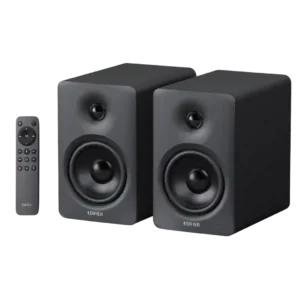
Other Top Computer Speakers to Consider

#2 Creative XF1
4.2

Choose the XF1 for clear desktop audio, flexible connections, and powerful EQ in a compact pair. Skip it if you need deep bass without a subwoofer, consistently polished sound at...

Pros: Placement footprint, speaker size

Cons: HDMI ARC, HDMI ARC support

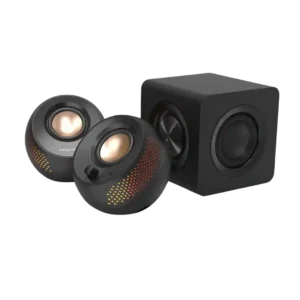
#3 Creative Pebble X Plus Computer Speakers
3.9

Choose the Creative Pebble X Plus if you want compact desktop speakers with RGB, strong volume, and subwoofer-backed bass. Skip it if you need deep sub-bass, clean cable management, advanced...

Pros: Value for money, Subwoofer

Cons: App reliability, EQ customization