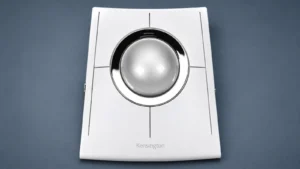
Compare Kensington Orbit Wireless Trackball with Scroll Ring vs Kensington SlimBlade Pro Trackball

Kensington Orbit Wireless Trackball with Scroll Ring

Kensington Orbit Wireless Trackball with Scroll Ring

Overall score 4.1 / 5

Based on 6 scored reviews

vs
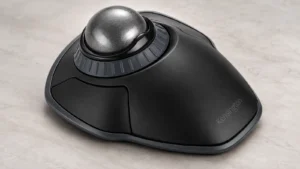
Kensington SlimBlade Pro Trackball

Kensington SlimBlade Pro Trackball

Overall score 4.0 / 5

Based on 10 scored reviews

How we score

Scorata scores summarize analyzed review evidence on a 1–5 scale; they are not laboratory measurements or a simple average of customer star ratings. Feature scores summarize the reviews covering that feature. The overall score averages feature scores within each review, then combines review averages. When both expert and customer evidence are available, those two groups receive equal weight. Products can have different review coverage, so small score gaps do not establish a winner.

Recommendations prioritize important features for the category, with a score of at least 3.5, a gap of at least 0.25 points and at least two supporting reviews per product. Features with widely varying scores or broad connectivity contexts are excluded from recommendations. These safeguards do not establish statistical significance.

Quick verdict

What each product is best for

The review evidence points to a tradeoff: left and right click quality and DPI range versus Trackball size and Accuracy and tracking precision. Choose according to which strengths matter more to you; the overall score alone does not settle that choice.

Choose Kensington Orbit Wireless Trackball with Scroll Ring for left and right click quality and DPI range.

Choose Kensington SlimBlade Pro Trackball for Trackball size and Accuracy and tracking precision.

Why these recommendations?

Kensington Orbit Wireless Trackball with Scroll Ring

Where It Has the Edge

  • left and right click quality is 3.8 vs 2.3. Left and right clicks are functional and accessible, although their hollow feel detracts from tactile quality.
  • DPI range is 4.5 vs 3.3. The adjustable sensitivity presets provide practical speeds for ordinary pointer control and larger displays.
  • Learning curve is 4.0 vs 2.8. Basic clicking and scrolling feel intuitive, but adapting pointer control from a traditional mouse can take about a...

Kensington SlimBlade Pro Trackball

Where It Has the Edge

  • Trackball size is 4.7 vs 3.3. The large 55 mm ball makes broad swipes easier and is especially appealing to users who prefer bigger...
  • Accuracy and tracking precision is 4.5 vs 4.0. The large ball and dual sensors allow precise control once technique and sensitivity are dialed in.
  • Bluetooth support is 4.8 vs 4.5. Bluetooth pairing is straightforward and several users report reliable operation.
Kensington Orbit Wireless Trackball with Scroll Ring 4.1 overall score
Kensington SlimBlade Pro Trackball 4.0 overall score

Compare features

Scores are out of 5. Missing scores mean missing review evidence, not a missing feature.

Scored on both products

Battery and charging

Battery life
Kensington Orbit Wireless Trackball with Scroll Ring
4.5

Reviewers expect relatively infrequent battery changes, though no measured runtime is established here.

Kensington SlimBlade Pro Trackball
4.6

Battery endurance is a standout strength, with users reporting weeks or months between charges. The full four-month claim was not tested by every reviewer.

Replaceable battery support
Kensington Orbit Wireless Trackball with Scroll Ring
4.0

Replaceable AA batteries are convenient for users who already keep spares available.

Kensington SlimBlade Pro Trackball
2.0

The battery is not designed for easy replacement, a concern for long-term ownership and waste.

Other features

Ease of use
Kensington Orbit Wireless Trackball with Scroll Ring
4.8

The simple controls and easy-to-reach scroll ring make basic use intuitive, even before extensive customization.

Kensington SlimBlade Pro Trackball
4.0

The stationary design and large ball can be easy to operate once familiar.

Premium feel
Kensington Orbit Wireless Trackball with Scroll Ring
2.3

Functional construction takes priority over a premium finish. The plastic does not feel as refined as more expensive competitors.

Kensington SlimBlade Pro Trackball
5.0

The device earns praise for its upscale appearance and feel.

Portability
Kensington Orbit Wireless Trackball with Scroll Ring
4.5

Wireless operation makes the device easier to transport than a comparable wired trackball.

Kensington SlimBlade Pro Trackball
2.0

The loose ball makes moving the unit less convenient without a suitable case.

Gaming suitability
Kensington Orbit Wireless Trackball with Scroll Ring
1.7

The controls are designed for everyday work rather than gaming; high click latency and the trackball format are significant drawbacks for fast action.

Kensington SlimBlade Pro Trackball
3.3

Accurate tracking can work for games, but the limited physical buttons may disappoint demanding players.

Left and right click quality
Kensington Orbit Wireless Trackball with Scroll Ring
3.8

Left and right clicks are functional and accessible, although their hollow feel detracts from tactile quality.

Kensington SlimBlade Pro Trackball
2.3

The default thumb-and-pinky click technique and alternative top-button mapping can feel uncomfortable.

DPI range
Kensington Orbit Wireless Trackball with Scroll Ring
4.5

The adjustable sensitivity presets provide practical speeds for ordinary pointer control and larger displays.

Kensington SlimBlade Pro Trackball
3.3

Four sensitivity levels provide useful choice, but the higher settings can feel overly fast or jerky.

Learning curve
Kensington Orbit Wireless Trackball with Scroll Ring
4.0

Basic clicking and scrolling feel intuitive, but adapting pointer control from a traditional mouse can take about a week.

Kensington SlimBlade Pro Trackball
2.8

The layout and twist scrolling take practice even for some existing trackball users. Control generally becomes more natural after days or weeks.

Windows compatibility
Kensington Orbit Wireless Trackball with Scroll Ring
3.8

Initial operation was easy on Windows 10, while a Windows 11 test encountered problems with some companion-app adjustments.

Kensington SlimBlade Pro Trackball
5.0

Windows recognized the device without difficulty across its connection modes.

Wrist and forearm strain relief
Kensington Orbit Wireless Trackball with Scroll Ring
5.0

Small finger movements and a low, relaxed wrist position can help reduce hand fatigue and forearm discomfort during use.

Kensington SlimBlade Pro Trackball
3.9

Many users experience less wrist movement or soreness, but some need added support to avoid holding the wrist bent upward.

Connection stability
Kensington Orbit Wireless Trackball with Scroll Ring
4.0

Bluetooth range was sufficient for ordinary desk use, with one test reporting disconnection only beyond roughly 15–20 feet.

Kensington SlimBlade Pro Trackball
5.0

Hands-on reports describe steady wireless operation with no noticeable interruptions.

Environmental sustainability
Kensington Orbit Wireless Trackball with Scroll Ring
4.5

Minimal plastic in the packaging is a welcome environmental consideration.

Kensington SlimBlade Pro Trackball
3.5

Rechargeability and recyclable packaging are positives, while difficult battery replacement and parts access limit long-term sustainability.

Receiver quality
Kensington Orbit Wireless Trackball with Scroll Ring
3.0

The tiny receiver is unobtrusive when installed but easy to misplace.

Kensington SlimBlade Pro Trackball
4.0

The receiver provides a solid connection, at the expense of occupying a USB port.

Packaging quality and presentation
Kensington Orbit Wireless Trackball with Scroll Ring
5.0

The predominantly cardboard packaging with minimal plastic was well received.

Kensington SlimBlade Pro Trackball
4.5

Simple cardboard packaging with minimal foam is appreciated for recyclability.

Trackball rolling smoothness
Kensington Orbit Wireless Trackball with Scroll Ring
5.0

The ball rolls smoothly with little noticeable friction, a consistent strength even for fine pointer movements.

Kensington SlimBlade Pro Trackball
4.5

The ball can roll exceptionally smoothly after break-in, though initial stickiness and accumulated dust may require cleaning.

Handedness options
Kensington Orbit Wireless Trackball with Scroll Ring
5.0

The centered ball and symmetrical buttons accommodate either hand without requiring a dedicated right-handed or left-handed model.

Kensington SlimBlade Pro Trackball
4.8

The symmetrical layout and remapping make the design useful with either hand.

Dedicated DPI switch
Kensington Orbit Wireless Trackball with Scroll Ring
4.5

A dedicated underside DPI switch makes sensitivity changes possible without relying on the companion application.

Kensington SlimBlade Pro Trackball
4.7

The physical DPI switch makes sensitivity adjustments quick without software.

Thumb strain
Kensington Orbit Wireless Trackball with Scroll Ring
4.5

Finger-operated movement distributes effort rather than relying solely on the thumb, which some find more relaxing and precise.

Kensington SlimBlade Pro Trackball
4.7

Finger operation distributes movement across several digits instead of concentrating the workload on the thumb.

Connectivity versatility
Kensington Orbit Wireless Trackball with Scroll Ring
4.7

Bluetooth and a wireless USB receiver offer flexible connections across desks, laptops and compatible mobile devices.

Kensington SlimBlade Pro Trackball
4.8

Wired USB, Bluetooth and a 2.4 GHz receiver offer welcome flexibility, including a dependable wired fallback.

Included accessories
Kensington Orbit Wireless Trackball with Scroll Ring
3.8

The included detachable wrist rest is a welcome option, though its loose attachment and preferred hand position make it less useful for some owners.

Kensington SlimBlade Pro Trackball
3.7

The USB adapter adds flexibility, but an included wedge or wrist support would improve the package for some users.

Cursor control
Kensington Orbit Wireless Trackball with Scroll Ring
4.1

The ball provides good general cursor control, with sensitivity adjustments helping tailor movement. The smaller ball can reduce stability during fine maneuvers.

Kensington SlimBlade Pro Trackball
4.1

Cursor movement becomes smooth and precise with practice and suitable DPI, although initial overshooting and mode-dependent sensitivity are concerns.

Overall satisfaction
Kensington Orbit Wireless Trackball with Scroll Ring
4.6

Overall impressions are favorable, with comfort and smooth scrolling outweighing limited buttons, software issues and occasional price concerns.

Kensington SlimBlade Pro Trackball
4.6

Most reviewers are enthusiastic about the trackball after adapting to it, with caveats about wrist posture, noise and scrolling.

Stationary pointer operation
Kensington Orbit Wireless Trackball with Scroll Ring
4.9

The stationary design lets users control the pointer with small finger movements instead of sliding the entire device across a desk.

Kensington SlimBlade Pro Trackball
4.9

The fixed base eliminates the clearance required for mouse sweeps and stays put during use.

Device compatibility
Kensington Orbit Wireless Trackball with Scroll Ring
4.5

Bluetooth offers an easy connection to compatible tablets and other mobile devices.

Kensington SlimBlade Pro Trackball
4.5

The included USB adapter makes it handy for a wide range of computers.

Repairability
Kensington Orbit Wireless Trackball with Scroll Ring
3.0

Disassembly is not particularly complicated, but a special screwdriver is required.

Kensington SlimBlade Pro Trackball
3.0

One owner successfully modified the sound hardware, but others criticize difficult disassembly and hidden screws.

Controls and connectivity

Companion software dependence
Kensington Orbit Wireless Trackball with Scroll Ring
4.5

Basic use does not depend on KensingtonWorks. The app is most useful when users want to customize controls.

Kensington SlimBlade Pro Trackball
2.0

Custom settings rely on host-side software rather than onboard storage.

Software usability
Kensington Orbit Wireless Trackball with Scroll Ring
3.5

The app is intuitive and customizable for some, but another user found it worth installing only for button remapping.

Kensington SlimBlade Pro Trackball
1.5

Software removal can be cumbersome despite the useful customization capabilities.

Button placement
Kensington Orbit Wireless Trackball with Scroll Ring
4.8

Large buttons sit on either side of the centered ball where fingers naturally rest, making them accessible and easy to press.

Kensington SlimBlade Pro Trackball
3.4

The large buttons can be easy to reach, but the bottom click layout and rear buttons can feel awkward at first.

Button customization
Kensington Orbit Wireless Trackball with Scroll Ring
3.7

The buttons can be remapped, including a combined press, but the two-button layout restricts the number of available shortcuts.

Kensington SlimBlade Pro Trackball
4.8

Button remapping and combinations support a wide range of shortcuts; third-party utilities can provide further flexibility.

Software quality
Kensington Orbit Wireless Trackball with Scroll Ring
3.5

KensingtonWorks earns praise for useful customization from some users, but another found most pointer and scrolling settings ineffective on Windows 11.

Kensington SlimBlade Pro Trackball
2.8

Customization options are extensive, but a Mac user strongly criticized conflicts and difficult uninstallation.

Programmable buttons
Kensington Orbit Wireless Trackball with Scroll Ring
3.7

Programmable clicks can handle media, editing or navigation shortcuts. Only two physical buttons and one combined action limit flexibility.

Kensington SlimBlade Pro Trackball
4.4

Four physical buttons can provide eight programmable inputs through combinations, though users needing numerous dedicated buttons may find them limiting.

Button responsiveness
Kensington Orbit Wireless Trackball with Scroll Ring
4.3

Button response is pleasant and sufficient for normal desktop work.

Kensington SlimBlade Pro Trackball
3.7

Click response is praised across the button surface by one user, while others find presses nearer the ball register more reliably.

Bluetooth support
Kensington Orbit Wireless Trackball with Scroll Ring
4.5

Bluetooth is valued for dongle-free operation and convenient mobile connections; the older protocol still provides adequate desk-range connectivity.

Kensington SlimBlade Pro Trackball
4.8

Bluetooth pairing is straightforward and several users report reliable operation.

Button count
Kensington Orbit Wireless Trackball with Scroll Ring
3.0

Some appreciate the uncomplicated two-button layout, while others miss dedicated middle-click and browser navigation controls.

Kensington SlimBlade Pro Trackball
3.3

Four physical buttons keep the layout simple; combination inputs expand functionality, but demanding users may want more separate buttons.

Button quality
Kensington Orbit Wireless Trackball with Scroll Ring
3.8

The oversized buttons work reliably enough for desktop tasks, but their hollow feel is less satisfying than higher-end controls.

Kensington SlimBlade Pro Trackball
3.5

The large buttons are easy to operate for some, but others report cheap feel or inconsistent response near the edges.

DPI customization
Kensington Orbit Wireless Trackball with Scroll Ring
4.1

Hardware sensitivity presets help tailor pointer speed, especially across multiple monitors. Companion-app DPI adjustments did not work in one Windows 11 test.

Kensington SlimBlade Pro Trackball
4.3

Adjustable sensitivity helps users find a comfortable balance of speed and precision.

Simultaneous button input
Kensington Orbit Wireless Trackball with Scroll Ring
4.3

Pressing both buttons together can add a useful shortcut such as media playback, but it supplies only one extra action.

Kensington SlimBlade Pro Trackball
4.5

Simultaneous button presses expand the four physical controls into useful extra shortcuts.

Comfort and build

Aesthetic design
Kensington Orbit Wireless Trackball with Scroll Ring
3.0

The functional design is appreciated, though its appearance is somewhat uninspiring.

Kensington SlimBlade Pro Trackball
5.0

The sleek, metallic-looking body and prominent red ball earn praise for their distinctive appearance.

Hand size compatibility
Kensington Orbit Wireless Trackball with Scroll Ring
4.0

The medium-size ball was adequate even for a reviewer with large hands and long fingers.

Kensington SlimBlade Pro Trackball
2.5

The large body can be unwieldy for smaller hands, while larger hands may find it easier to operate.

Trackball size
Kensington Orbit Wireless Trackball with Scroll Ring
3.3

The medium ball is adequate for everyday work but provides less space for three fingers than a larger trackball, making fine control less stable.

Kensington SlimBlade Pro Trackball
4.7

The large 55 mm ball makes broad swipes easier and is especially appealing to users who prefer bigger trackballs.

Size
Kensington Orbit Wireless Trackball with Scroll Ring
4.0

The body is compact relative to larger trackballs, and its stationary operation saves space despite being larger than many ordinary mice.

Kensington SlimBlade Pro Trackball
2.8

The device is physically large, although it needs no extra room to slide around.

Ergonomic design
Kensington Orbit Wireless Trackball with Scroll Ring
4.9

Minimal hand movement and a symmetrical, low-profile shape make this a comfortable alternative to a conventional mouse. The detachable rest is not essential for everyone.

Kensington SlimBlade Pro Trackball
4.2

The stationary, low-profile design can reduce arm movement and allow different grips. Some users need a wrist rest or tilt to avoid wrist extension.

Shape comfort
Kensington Orbit Wireless Trackball with Scroll Ring
4.7

The low-profile shape lets the hand rest naturally over the controls. Several users actually prefer the feel without the wrist rest.

Kensington SlimBlade Pro Trackball
4.0

The flat, flexible shape accommodates different grips, but its wrist angle can be awkward until the setup is adjusted.

Chassis height comfort
Kensington Orbit Wireless Trackball with Scroll Ring
4.5

The low chassis and gently sloping wrist support can reduce awkward wrist positioning.

Kensington SlimBlade Pro Trackball
3.9

The low body is comfortable for several users, but others find it creates upward wrist extension without a rest.

Build quality
Kensington Orbit Wireless Trackball with Scroll Ring
3.8

The body feels reasonably sturdy for its price, although its plastic construction lacks the refinement of pricier trackballs.

Kensington SlimBlade Pro Trackball
4.0

The housing generally feels solid with little flex, although the buttons can feel cheap and the ball can scratch.

Tracking and training

Accuracy and tracking precision
Kensington Orbit Wireless Trackball with Scroll Ring
4.0

Ordinary pointer tracking and text selection are satisfactory, but fine movements can feel less stable than on a larger trackball.

Kensington SlimBlade Pro Trackball
4.5

The large ball and dual sensors allow precise control once technique and sensitivity are dialed in.

Performance

Productivity performance
Kensington Orbit Wireless Trackball with Scroll Ring
4.5

Everyday desktop work is comfortable and straightforward, and customized buttons can accelerate document editing. The modest input count limits advanced workflows.

Kensington SlimBlade Pro Trackball
4.0

Customizable buttons can accelerate routine work, although the unusual controls take practice.

Wireless performance
Kensington Orbit Wireless Trackball with Scroll Ring
4.5

Wireless operation is welcomed primarily for reducing clutter and offering more convenient placement.

Kensington SlimBlade Pro Trackball
5.0

Wireless operation is smooth, without noticeable jitter or stutter in hands-on testing.

Ownership and support

Upgrade value
Kensington Orbit Wireless Trackball with Scroll Ring
4.5

The wireless update removes the cable while retaining the familiar wired design, a worthwhile improvement for those wanting a tidier desk.

Kensington SlimBlade Pro Trackball
5.0

Wireless modes and adjustable DPI are meaningful improvements over the original wired version.

Hand support
Kensington Orbit Wireless Trackball with Scroll Ring
3.4

The wrist rest provides extra support, but several users prefer operating the trackball without it. Its tendency to shift can undermine the benefit.

Kensington SlimBlade Pro Trackball
3.0

Finding a comfortable resting position can require experimenting with hand placement and a wrist rest.

Value for money
Kensington Orbit Wireless Trackball with Scroll Ring
4.1

Most find the comfortable trackball and scroll ring good value, although one buyer considered it expensive in their local market.

Kensington SlimBlade Pro Trackball
3.8

The price is reasonable for enthusiasts who value the feature set, but high for beginners or buyers who only need wired use.

Plug-and-play support
Kensington Orbit Wireless Trackball with Scroll Ring
4.8

The trackball is usable with default settings and can be functional within minutes of connecting the receiver.

Kensington SlimBlade Pro Trackball
5.0

Basic operation is plug-and-play without requiring companion software.

Setup ease
Kensington Orbit Wireless Trackball with Scroll Ring
5.0

Initial setup is quick, with the trackball becoming functional within minutes of connecting the receiver.

Kensington SlimBlade Pro Trackball
5.0

Getting started is straightforward, including Bluetooth pairing and dongle setup.

Evidence available for one product

Other features

2.4GHz connectivity
Kensington Orbit Wireless Trackball with Scroll RingNo score yet
Kensington SlimBlade Pro Trackball
5.0

The 2.4 GHz receiver offers a dependable connection with no reported stutter in hands-on use.

Acceleration control
Kensington Orbit Wireless Trackball with Scroll Ring
2.0

One Windows 11 test found the companion application's acceleration setting ineffective, requiring the operating system's own controls.

Kensington SlimBlade Pro TrackballNo score yet
Accessory compatibility
Kensington Orbit Wireless Trackball with Scroll RingNo score yet
Kensington SlimBlade Pro Trackball
4.0

Some Expert cases fit the device, and a replacement ball can offer a preferred feel.

Cable quality
Kensington Orbit Wireless Trackball with Scroll RingNo score yet
Kensington SlimBlade Pro Trackball
5.0

The included nylon-braided USB cable feels well made.

ChromeOS compatibility
Kensington Orbit Wireless Trackball with Scroll RingNo score yet
Kensington SlimBlade Pro Trackball
2.5

ChromeOS supports basic functions, but lacks KensingtonWorks customization.

Click-and-drag usability
Kensington Orbit Wireless Trackball with Scroll RingNo score yet
Kensington SlimBlade Pro Trackball
3.0

Text selection while holding a click can be tricky. A previously reported Photoshop scrolling-and-dragging issue was later resolved.

Click latency
Kensington Orbit Wireless Trackball with Scroll Ring
1.5

Click latency is too high for gaming, even though it improves on some older trackball alternatives.

Kensington SlimBlade Pro TrackballNo score yet
Cloud settings backup
Kensington Orbit Wireless Trackball with Scroll RingNo score yet
Kensington SlimBlade Pro Trackball
4.5

Cloud storage allows customized settings to be reused in multiple locations.

Cross-platform compatibility
Kensington Orbit Wireless Trackball with Scroll RingNo score yet
Kensington SlimBlade Pro Trackball
4.5

PC and Mac compatibility contributes to the trackball’s flexibility.

Device security
Kensington Orbit Wireless Trackball with Scroll RingNo score yet
Kensington SlimBlade Pro Trackball
4.7

Encrypted wireless communication is a valued privacy and security feature.

Device switching
Kensington Orbit Wireless Trackball with Scroll RingNo score yet
Kensington SlimBlade Pro Trackball
4.0

A physical mode switch allows rapid changes between separately connected devices.

Fingerprint and smudge resistance
Kensington Orbit Wireless Trackball with Scroll RingNo score yet
Kensington SlimBlade Pro Trackball
2.3

The glossy finish collects fingerprints and grease; they wipe off, but regular cleaning is needed.

Horizontal scrolling
Kensington Orbit Wireless Trackball with Scroll Ring
1.8

There is no horizontal scrolling function, a notable limitation for wide documents and editing timelines.

Kensington SlimBlade Pro TrackballNo score yet
MacOS compatibility
Kensington Orbit Wireless Trackball with Scroll RingNo score yet
Kensington SlimBlade Pro Trackball
3.0

Mac operation is supported, though one user found sensitivity differed by connection mode.

Maintenance frequency
Kensington Orbit Wireless Trackball with Scroll RingNo score yet
Kensington SlimBlade Pro Trackball
3.5

Periodic cleaning keeps the bearings smooth; some users recommend weekly cleaning, while others notice grit after several weeks.

Middle click quality
Kensington Orbit Wireless Trackball with Scroll Ring
2.0

The lack of a dedicated middle-click button is frustrating for users accustomed to conventional mouse wheels.

Kensington SlimBlade Pro TrackballNo score yet
Motion consistency
Kensington Orbit Wireless Trackball with Scroll RingNo score yet
Kensington SlimBlade Pro Trackball
5.0

Wireless motion is consistent without observable jitter or stuttering.

Mouse sensitivity matching
Kensington Orbit Wireless Trackball with Scroll RingNo score yet
Kensington SlimBlade Pro Trackball
2.0

One Mac user found cursor travel at a given DPI setting differed markedly between wired and wireless modes.

Onboard memory
Kensington Orbit Wireless Trackball with Scroll RingNo score yet
Kensington SlimBlade Pro Trackball
2.0

Settings are not stored onboard, limiting portability between computers without software.

Polling rate
Kensington Orbit Wireless Trackball with Scroll RingNo score yet
Kensington SlimBlade Pro Trackball
2.0

Retesting found a regression from 500 Hz wired operation to 125 Hz across connection types.

Profile management
Kensington Orbit Wireless Trackball with Scroll RingNo score yet
Kensington SlimBlade Pro Trackball
4.5

Application-specific settings allow different shortcuts for different workflows.

Responsiveness
Kensington Orbit Wireless Trackball with Scroll Ring
3.3

Responsiveness is adequate for ordinary desktop work and better than some trackballs, but gaming mice are snappier.

Kensington SlimBlade Pro TrackballNo score yet
Scratch resistance
Kensington Orbit Wireless Trackball with Scroll RingNo score yet
Kensington SlimBlade Pro Trackball
2.0

The ball can scratch relatively easily, including from a short drop onto a desk.

Scroll wheel precision
Kensington Orbit Wireless Trackball with Scroll Ring
5.0

The scroll ring offers precise control over vertical movement and is easy to operate.

Kensington SlimBlade Pro TrackballNo score yet
Scroll wheel quality
Kensington Orbit Wireless Trackball with Scroll Ring
4.9

The ring surrounding the ball provides exceptionally smooth, effortless vertical scrolling. It cannot scroll horizontally.

Kensington SlimBlade Pro TrackballNo score yet
Scroll wheel resistance
Kensington Orbit Wireless Trackball with Scroll Ring
4.3

The ring is generally smooth and easy to turn. One tester noticed slight plastic friction, and others may prefer tactile notches.

Kensington SlimBlade Pro TrackballNo score yet
Shoulder and arm strain relief
Kensington Orbit Wireless Trackball with Scroll RingNo score yet
Kensington SlimBlade Pro Trackball
4.8

Stationary fingertip operation reduces arm and shoulder movement compared with sweeping a regular mouse.

Single-axis pointer lock
Kensington Orbit Wireless Trackball with Scroll RingNo score yet
Kensington SlimBlade Pro Trackball
5.0

The software can lock movement to one axis, useful for drawing straight horizontal or vertical lines.

Trackball break-in period
Kensington Orbit Wireless Trackball with Scroll RingNo score yet
Kensington SlimBlade Pro Trackball
3.0

The ball can feel sticky at first but becomes much smoother after days or weeks of use.

Trackball retention
Kensington Orbit Wireless Trackball with Scroll RingNo score yet
Kensington SlimBlade Pro Trackball
2.0

The ball is held by gravity and can fall out if the unit is tilted or carried upside down.

Twist scrolling
Kensington Orbit Wireless Trackball with Scroll RingNo score yet
Kensington SlimBlade Pro Trackball
4.1

Twisting the ball to scroll is clever and becomes intuitive for many users, but occasional missed scrolls and unintended movement remain drawbacks.

USB-C connectivity
Kensington Orbit Wireless Trackball with Scroll RingNo score yet
Kensington SlimBlade Pro Trackball
4.8

USB-C and the included adapter provide useful wired and charging flexibility.

Weight
Kensington Orbit Wireless Trackball with Scroll RingNo score yet
Kensington SlimBlade Pro Trackball
4.5

The weight helps the base stay in place, and the rechargeable version adds little weight over its predecessor.

Wired connectivity
Kensington Orbit Wireless Trackball with Scroll RingNo score yet
Kensington SlimBlade Pro Trackball
4.6

USB operation offers a straightforward and dependable fallback while charging.

Wrist rest attachment stability
Kensington Orbit Wireless Trackball with Scroll Ring
2.3

The detachable rest can move around or come away too easily. Its unusual mounting method is a recurring ergonomic caveat.

Kensington SlimBlade Pro TrackballNo score yet

Controls and connectivity

App uninstall controls
Kensington Orbit Wireless Trackball with Scroll RingNo score yet
Kensington SlimBlade Pro Trackball
1.0

One Mac user found uninstalling KensingtonWorks unusually difficult, requiring restarts and command-line work.

Scroll wheel customization
Kensington Orbit Wireless Trackball with Scroll Ring
3.8

Scroll speed and direction can be customized through the app, although these settings did not take effect in one test.

Kensington SlimBlade Pro TrackballNo score yet
Software and driver support
Kensington Orbit Wireless Trackball with Scroll Ring
3.5

Companion software can enable valuable shortcuts, but one Windows 11 experience required native mouse settings because several controls did not work.

Kensington SlimBlade Pro TrackballNo score yet
Software stability
Kensington Orbit Wireless Trackball with Scroll RingNo score yet
Kensington SlimBlade Pro Trackball
1.5

KensingtonWorks can conflict with other mouse software.

Battery and charging

Battery indicator
Kensington Orbit Wireless Trackball with Scroll RingNo score yet
Kensington SlimBlade Pro Trackball
2.5

Remaining battery visibility depends on the connection and software; Bluetooth on Mac offers a reading, but dongle use may require the app.

Charging convenience
Kensington Orbit Wireless Trackball with Scroll RingNo score yet
Kensington SlimBlade Pro Trackball
4.5

Long battery endurance makes charging an infrequent chore.

Rechargeable battery
Kensington Orbit Wireless Trackball with Scroll RingNo score yet
Kensington SlimBlade Pro Trackball
4.8

The rechargeable battery integrates neatly into the low-profile body and avoids regular disposable battery purchases.

Comfort and build

Claw grip comfort
Kensington Orbit Wireless Trackball with Scroll Ring
4.5

The symmetrical shape is especially well suited to a claw-style grip.

Kensington SlimBlade Pro TrackballNo score yet
Durability over time
Kensington Orbit Wireless Trackball with Scroll RingNo score yet
Kensington SlimBlade Pro Trackball
3.5

The body seems durable, but the ball itself can be more fragile.

Grip comfort
Kensington Orbit Wireless Trackball with Scroll RingNo score yet
Kensington SlimBlade Pro Trackball
4.5

The low-profile shape gives users flexibility in how they grip the trackball.

Long-session comfort
Kensington Orbit Wireless Trackball with Scroll RingNo score yet
Kensington SlimBlade Pro Trackball
4.5

Several users report comfortable all-day work, although wrist angle and finger technique matter during extended sessions.

Materials quality
Kensington Orbit Wireless Trackball with Scroll Ring
2.3

The plastic body feels inexpensive compared with higher-end models. Its material finish is a compromise rather than a luxury feature.

Kensington SlimBlade Pro TrackballNo score yet

Performance

Cleaning ease
Kensington Orbit Wireless Trackball with Scroll RingNo score yet
Kensington SlimBlade Pro Trackball
4.6

The ball lifts out easily so the bearings and housing can be wiped clean.

Click noise
Kensington Orbit Wireless Trackball with Scroll RingNo score yet
Kensington SlimBlade Pro Trackball
2.0

Button clicks can be loud enough to annoy users and coworkers.

Operating noise
Kensington Orbit Wireless Trackball with Scroll RingNo score yet
Kensington SlimBlade Pro Trackball
2.7

Noise varies from subtle feedback to irritating clicks and initial squeaks or honks. Some break-in noise subsides over time.

Sensor performance
Kensington Orbit Wireless Trackball with Scroll RingNo score yet
Kensington SlimBlade Pro Trackball
4.8

Dual sensors support accurate tracking and distinguish pointing from scrolling.

Twist scrolling sound
Kensington Orbit Wireless Trackball with Scroll RingNo score yet
Kensington SlimBlade Pro Trackball
3.2

The simulated scrolling clicks are useful feedback to some but an irritating buzzer to others.

Ownership and support

Dongle-free setup
Kensington Orbit Wireless Trackball with Scroll Ring
4.5

Bluetooth is a useful alternative when a USB receiver is inconvenient or easy to lose.

Kensington SlimBlade Pro TrackballNo score yet
Multi-device support
Kensington Orbit Wireless Trackball with Scroll RingNo score yet
Kensington SlimBlade Pro Trackball
4.0

Separate wired and wireless modes can support multiple computers, although only one connection is active at a time.

Replacement parts availability
Kensington Orbit Wireless Trackball with Scroll RingNo score yet
Kensington SlimBlade Pro Trackball
2.0

Easier ordering of replacement parts would improve serviceability.

Wrist rest and tilt support
Kensington Orbit Wireless Trackball with Scroll RingNo score yet
Kensington SlimBlade Pro Trackball
3.8

A wrist rest or slight tilt can make the flat design much more comfortable; some users would prefer an included wedge.

Other Top Mice to Consider

#1 Logitech MX Anywhere 3S
4.5

Best for travel, quiet shared spaces, precise any-surface tracking, and multi-device productivity. Skip it if you have large hands, want all-day palm support, or need a gaming-focused mouse.

Pros: portability, click noise

Cons: hand size compatibility, dongle-free setup

#2 Corsair Scimitar Elite Wireless SE
4.4

Choose it if you want a premium MMO/productivity mouse with 12 adjustable side buttons, strong battery life, and Stream Deck integration. Skip it if you need an ultralight FPS mouse,...

Pros: button customization, MMO gaming suitability

Cons: FPS gaming suitability

#3 VXE R1 Pro
4.3

Fast tracking, a very light shell and a grippy coating make this a compelling affordable FPS mouse. The optional 4K receiver costs extra, and Bluetooth is absent.

Pros: Overall satisfaction, gaming suitability

Cons: polling rate, Software and driver support

#4 Turtle Beach Kone II
4.3

Choose the Kone II if you want a large, ergonomic mouse with deep customization and strong sensor performance. Skip it if you have small hands, need an ambidextrous mouse, or...

Pros: value for money, button customization

Cons: fingertip grip comfort, portability