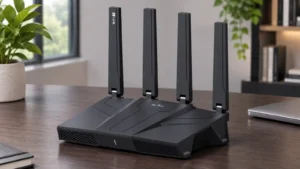
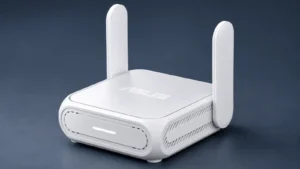
Ownership and support
10 GbE support
GL.iNet Flint 3 (GL-BE9300)
2.5
There is no individual 10GbE port, a significant limitation for users with 10-gigabit equipment or faster internet service.
ASUS RT-BE58 GoNo score yet
Dynamic DNS support
GL.iNet Flint 3 (GL-BE9300)
3.5
Built-in dynamic DNS is convenient and free, but the default interface limits users to GL.iNet's own service.
ASUS RT-BE58 GoNo score yet
Encrypted DNS support
GL.iNet Flint 3 (GL-BE9300)
4.5
Encrypted DNS is part of the extensive built-in networking and privacy toolset.
ASUS RT-BE58 GoNo score yet
MIMO support
GL.iNet Flint 3 (GL-BE9300)
3.3
The 2×2 radios limit peak performance compared with 4×4 designs, although typical home clients may not benefit much from the extra streams.
ASUS RT-BE58 GoNo score yet
Security update support
GL.iNet Flint 3 (GL-BE9300)
4.0
The vendor backports security fixes despite using an older Linux kernel.
ASUS RT-BE58 GoNo score yet
Setup guidance
GL.iNet Flint 3 (GL-BE9300)
4.5
The setup wizard, QR codes and helpful guides simplify getting online; some advanced screens offer much less assistance.
ASUS RT-BE58 GoNo score yet
Tri-band support
GL.iNet Flint 3 (GL-BE9300)
4.8
The three-band wireless configuration offers useful flexibility and strong wireless performance for home or office networks.
ASUS RT-BE58 GoNo score yet
VPN server support
GL.iNet Flint 3 (GL-BE9300)
4.9
Built-in VPN server capabilities are highly useful for secure remote access and are generally easy to configure.
ASUS RT-BE58 GoNo score yet
Controls and connectivity
Access controls
GL.iNet Flint 3 (GL-BE9300)
4.5
The interface provides convenient control over administrative access, including the ability to disable SSH.
ASUS RT-BE58 GoNo score yet
DNS customization
GL.iNet Flint 3 (GL-BE9300)
4.0
The DNS configuration includes a useful selection of popular providers and customizable settings.
ASUS RT-BE58 GoNo score yet
Web interface setup
GL.iNet Flint 3 (GL-BE9300)
4.8
Browser setup gives users a straightforward starting point and easy access to more granular controls.
ASUS RT-BE58 GoNo score yet
Wi-Fi 6 support
GL.iNet Flint 3 (GL-BE9300)
5.0
One test achieved a substantial speed improvement even with a Wi-Fi 6 client.
ASUS RT-BE58 GoNo score yet
Other features
AstroWarp connectivity
GL.iNet Flint 3 (GL-BE9300)
5.0
AstroWarp provides a convenient way to link remote routers through a home gateway, with one demonstration maintaining the home IP address across several locations.
ASUS RT-BE58 GoNo score yet
Automatic channel optimization
GL.iNet Flint 3 (GL-BE9300)
2.0
Automatic channel optimization was criticized for not reliably identifying the best available channel or network configuration.
ASUS RT-BE58 GoNo score yet
Band steering
GL.iNet Flint 3 (GL-BE9300)No score yet
ASUS RT-BE58 Go
4.0
Keeping both bands under one network name is convenient when automatic band steering is preferred.
Charger compatibility
GL.iNet Flint 3 (GL-BE9300)No score yet
ASUS RT-BE58 Go
4.8
USB-C Power Delivery makes it convenient to reuse a compatible charger or portable power source.
Connected-device management
GL.iNet Flint 3 (GL-BE9300)
3.0
Client management offers useful statistics and device controls, but setting a static IP directly from the client list would improve it.
ASUS RT-BE58 GoNo score yet
Delivery handling and condition
GL.iNet Flint 3 (GL-BE9300)
2.5
One unit arrived with a somewhat battered outer box, attributed to delivery handling.
ASUS RT-BE58 GoNo score yet
Device capacity
GL.iNet Flint 3 (GL-BE9300)
4.0
The memory and device capacity are appealing for busy networks with many connected devices, although the advertised maximum is not a universal guarantee.
ASUS RT-BE58 GoNo score yet
Device compatibility
GL.iNet Flint 3 (GL-BE9300)No score yet
ASUS RT-BE58 Go
5.0
A preconfigured streaming stick connected successfully through the router on vacation.
Expandability
GL.iNet Flint 3 (GL-BE9300)
2.7
Early firmware made mesh expansion difficult, although a later account reports support for compatible mesh nodes through an update.
ASUS RT-BE58 GoNo score yet
External power dependence
GL.iNet Flint 3 (GL-BE9300)No score yet
ASUS RT-BE58 Go
2.0
The router is not cordless: it requires an external USB-C power supply or compatible power bank.
Firewall quality
GL.iNet Flint 3 (GL-BE9300)No score yet
ASUS RT-BE58 Go
4.0
The built-in firewall adds a welcome protective layer on public networks.
Firmware stability
GL.iNet Flint 3 (GL-BE9300)
3.3
Firmware experiences are mixed: some found the system stable, while others encountered MLO instability and early connectivity bugs.
ASUS RT-BE58 GoNo score yet
Firmware update process
GL.iNet Flint 3 (GL-BE9300)
5.0
The guided firmware upgrade is easy to initiate during setup and returns users to the setup flow afterward.
ASUS RT-BE58 GoNo score yet
Floor-to-floor coverage
GL.iNet Flint 3 (GL-BE9300)
4.9
Several real-world home tests found strong connections across floors, including installations with thick walls.
ASUS RT-BE58 GoNo score yet
Guest network
GL.iNet Flint 3 (GL-BE9300)
4.0
Guest networks provide useful isolation options, although an early firmware test found their configuration limited compared with full VLAN support.
ASUS RT-BE58 GoNo score yet
Hardware acceleration
GL.iNet Flint 3 (GL-BE9300)
2.3
One test found MLO more reliable with hardware acceleration disabled, and some parental-control features also require it to be turned off.
ASUS RT-BE58 GoNo score yet
Included accessories
GL.iNet Flint 3 (GL-BE9300)
4.5
The included cable, power adapter, plug plates and getting-started materials cover the essentials.
ASUS RT-BE58 GoNo score yet
Internet source flexibility
GL.iNet Flint 3 (GL-BE9300)No score yet
ASUS RT-BE58 Go
4.8
Ethernet, public Wi-Fi, and USB tethering make it adaptable to changing internet sources.
IoT device compatibility
GL.iNet Flint 3 (GL-BE9300)
4.5
The dedicated 2.4GHz network is useful for connecting older smart-home equipment.
ASUS RT-BE58 GoNo score yet
IoT network
GL.iNet Flint 3 (GL-BE9300)No score yet
ASUS RT-BE58 Go
4.0
A dedicated IoT network can improve compatibility with older wireless devices.
ISP compatibility
GL.iNet Flint 3 (GL-BE9300)
5.0
A test on a 2.5Gbps PPPoE fiber service succeeded at full line speed after an unrelated ISP equipment issue was resolved.
ASUS RT-BE58 GoNo score yet
Latency
GL.iNet Flint 3 (GL-BE9300)
4.2
Latency is adequate for everyday use, and some gaming tests showed excellent responsiveness. A wired connection remains preferable for the lowest possible delay.
ASUS RT-BE58 GoNo score yet
Latency consistency
GL.iNet Flint 3 (GL-BE9300)
4.0
Moving to 6GHz substantially improved gaming ping consistency in one home upgrade, but a wired connection still performed more consistently.
ASUS RT-BE58 GoNo score yet
Link aggregation
GL.iNet Flint 3 (GL-BE9300)
3.8
Combining multiple 2.5GbE ports offers useful aggregate capacity when compatible equipment is used, but individual connections remain limited by their own interfaces.
ASUS RT-BE58 GoNo score yet
Local hostname resolution
GL.iNet Flint 3 (GL-BE9300)
2.5
One reviewer wanted custom DNS records to be configurable directly alongside DHCP reservations.
ASUS RT-BE58 GoNo score yet
Mac integration
GL.iNet Flint 3 (GL-BE9300)
2.0
USB file sharing was unreliable on macOS in one test, with errors and corrupted or unreadable files.
ASUS RT-BE58 GoNo score yet
Network-wide ad blocking
GL.iNet Flint 3 (GL-BE9300)
4.6
Built-in AdGuard Home makes network-wide ad and tracker blocking convenient without a separate appliance, although some sites may need allowlisting.
ASUS RT-BE58 GoNo score yet
Network migration ease
GL.iNet Flint 3 (GL-BE9300)No score yet
ASUS RT-BE58 Go
5.0
Existing ASUS router settings can be restored to make upgrading or duplicating a home network easier.
OpenWrt compatibility
GL.iNet Flint 3 (GL-BE9300)
3.4
The vendor's OpenWrt fork is flexible and approachable, but Qualcomm's older kernel and less mature upstream support disappoint users who want vanilla OpenWrt.
ASUS RT-BE58 GoNo score yet
Packaging quality and presentation
GL.iNet Flint 3 (GL-BE9300)
4.8
Packaging is tidy, organized and attractively presented, with a straightforward unboxing experience.
ASUS RT-BE58 GoNo score yet
Phone USB tethering
GL.iNet Flint 3 (GL-BE9300)No score yet
ASUS RT-BE58 Go
4.8
USB phone tethering works reliably with compatible devices and offers a useful travel or backup connection.
Plugin extensibility
GL.iNet Flint 3 (GL-BE9300)
4.8
The OpenWrt package manager opens up a wide range of additional applications and networking tools without needing another appliance for every function.
ASUS RT-BE58 GoNo score yet
Port forwarding
GL.iNet Flint 3 (GL-BE9300)
4.8
Port forwarding is straightforward, supports VPN interfaces, and includes helpful visual diagrams of rules.
ASUS RT-BE58 GoNo score yet
Power-on readiness
GL.iNet Flint 3 (GL-BE9300)No score yet
ASUS RT-BE58 Go
2.0
Starting up takes longer than ideal, although other travel routers can be similarly slow.
Power consumption
GL.iNet Flint 3 (GL-BE9300)
3.0
The powerful radios and multi-gigabit ports draw a noticeable amount of electricity, though typical power consumption remains below peak figures.
ASUS RT-BE58 GoNo score yet
Preconfigured network credentials
GL.iNet Flint 3 (GL-BE9300)No score yet
ASUS RT-BE58 Go
5.0
Pre-paired devices can automatically reconnect to the router when it joins a new upstream network, avoiding repeated passwords.
Quality of service
GL.iNet Flint 3 (GL-BE9300)No score yet
ASUS RT-BE58 Go
4.0
Quick access to QoS settings makes adjusting traffic priorities convenient.
Reboot frequency
GL.iNet Flint 3 (GL-BE9300)No score yet
ASUS RT-BE58 Go
1.7
Repeated reboots and resets can interrupt setup and switching between public networks.
Remote management
GL.iNet Flint 3 (GL-BE9300)
4.5
GoodCloud and integrated remote networking services provide convenient remote administration; more demanding users may find the controls less extensive than enterprise-style platforms.
ASUS RT-BE58 GoNo score yet
Repairability
GL.iNet Flint 3 (GL-BE9300)
2.0
Accessing the internal fan involves enough disassembly to make servicing awkward.
ASUS RT-BE58 GoNo score yet
Seamless handoff
GL.iNet Flint 3 (GL-BE9300)No score yet
ASUS RT-BE58 Go
4.0
AiMesh can move devices between compatible nodes without requiring manual network changes.
Status light control
GL.iNet Flint 3 (GL-BE9300)
4.8
The status light can be disabled or scheduled, an appreciated option for dark rooms.
ASUS RT-BE58 GoNo score yet
Status light usefulness
GL.iNet Flint 3 (GL-BE9300)
4.5
The front status light is discreet and provides a useful indication of operating state.
ASUS RT-BE58 GoNo score yet
Storage capacity
GL.iNet Flint 3 (GL-BE9300)
5.0
The generous 8GB of built-in storage provides space for additional OpenWrt packages.
ASUS RT-BE58 GoNo score yet
Subscription requirements
GL.iNet Flint 3 (GL-BE9300)
4.3
Many advanced features are included without a subscription, although the supplied accounts disagree about which Bark parental-control functions require payment.
ASUS RT-BE58 GoNo score yet
Switch functionality
GL.iNet Flint 3 (GL-BE9300)
5.0
The configurable five-port layout can double as a useful multi-gigabit switch, especially in repeater mode.
ASUS RT-BE58 GoNo score yet
Threat protection
GL.iNet Flint 3 (GL-BE9300)No score yet
ASUS RT-BE58 Go
4.0
AiProtection adds useful protection against malware, phishing, and unauthorized access.
Wall penetration
GL.iNet Flint 3 (GL-BE9300)
3.3
Wall penetration varies considerably. Some installations improved on previous routers, while 6GHz tends to lose reach through building materials.
ASUS RT-BE58 GoNo score yet
Wireless repeater mode
GL.iNet Flint 3 (GL-BE9300)
5.0
Repeater mode is straightforward to configure and offers a useful way to reuse the router's fast Ethernet ports or extend an existing network.
ASUS RT-BE58 GoNo score yet
WISP mode usability
GL.iNet Flint 3 (GL-BE9300)No score yet
ASUS RT-BE58 Go
4.6
Public Wi-Fi can be turned into a familiar private network for all your devices. Connecting at a new location can require a slow reboot.
Battery and charging
Battery portability
GL.iNet Flint 3 (GL-BE9300)No score yet
ASUS RT-BE58 Go
3.8
A compatible USB-C power bank makes portable operation practical, but it adds equipment and must supply sufficient power.
Comfort and build
Build quality
GL.iNet Flint 3 (GL-BE9300)
4.7
Construction feels solid and the external antennas are particularly sturdy.
ASUS RT-BE58 GoNo score yet
Performance
Operating noise
GL.iNet Flint 3 (GL-BE9300)No score yet
ASUS RT-BE58 Go
5.0
Fanless operation is effectively silent.
Roaming performance
GL.iNet Flint 3 (GL-BE9300)
3.0
Extender mode and fast roaming offer some flexibility, but reproducing smooth multi-node operation with early firmware requires technical expertise.
ASUS RT-BE58 GoNo score yet
Wireless performance
GL.iNet Flint 3 (GL-BE9300)No score yet
ASUS RT-BE58 Go
4.0
Wireless throughput is impressive for a travel router, especially nearby, but performance falls with distance.