Ownership and support
160 MHz support
ASUS ZenWiFi BT10No score yet
TP-Link Archer BE400
4.5
Using 160 MHz channels can noticeably improve 5 GHz throughput with suitable clients.
Channel width support
ASUS ZenWiFi BT10No score yet
TP-Link Archer BE400
4.5
Wider 160 MHz channels help achieve faster 5 GHz speeds.
Connection reliability
ASUS ZenWiFi BT10
3.0
Reliable operation is possible after updates and configuration, but intermittent disconnections remain a significant risk.
TP-Link Archer BE400No score yet
Customer support
ASUS ZenWiFi BT10
2.0
Getting a response from ASUS about technical implementation questions can be difficult.
TP-Link Archer BE400No score yet
Dual-band support
ASUS ZenWiFi BT10No score yet
TP-Link Archer BE400
3.5
Dual-band operation provides useful performance at a lower price than many tri-band models, but it is a compromise for buyers seeking 6 GHz.
Dual-WAN support
ASUS ZenWiFi BT10
5.0
Dual-WAN load balancing makes it possible to make productive use of two internet connections.
TP-Link Archer BE400No score yet
Installation process
ASUS ZenWiFi BT10
3.8
Installation can be completed in minutes, though difficult configurations and persistent node failures complicate the experience for some.
TP-Link Archer BE400No score yet
MIMO support
ASUS ZenWiFi BT10No score yet
TP-Link Archer BE400
4.3
Extra spatial streams can improve beamforming and performance when many clients are connected, rather than necessarily accelerating one typical client.
Setup guidance
ASUS ZenWiFi BT10
5.0
The setup wizard offers clear, easy-to-follow instructions for creating the network.
TP-Link Archer BE400No score yet
VPN server support
ASUS ZenWiFi BT10
4.7
The built-in VPN tools are unusually extensive, making secure remote access to the home network attractive.
TP-Link Archer BE400No score yet
Wired backhaul support
ASUS ZenWiFi BT10
4.3
10 Gbps wired backhaul is a major strength for homes with Ethernet, though one tester still experienced satellite outages.
TP-Link Archer BE400No score yet
Performance
Advertised speed accuracy
ASUS ZenWiFi BT10No score yet
TP-Link Archer BE400
2.5
The theoretical radio capacity is higher than the practical speed of a single client; the 2.5 Gbps Ethernet ceiling limits gains.
Backhaul performance
ASUS ZenWiFi BT10
4.1
MLO and 10 Gbps Ethernet provide fast backhaul options, although wireless stability varies with firmware and placement.
TP-Link Archer BE400No score yet
Long-term performance
ASUS ZenWiFi BT10
4.0
Some owners remain very happy after a year, although dependable long-term operation can depend on configuration and updates.
TP-Link Archer BE400No score yet
Node-to-node performance
ASUS ZenWiFi BT10
4.7
Inter-node throughput can reach several gigabits per second in favorable conditions.
TP-Link Archer BE400No score yet
Operating noise
ASUS ZenWiFi BT10
5.0
Fanless operation is quiet even when the system is working hard.
TP-Link Archer BE400No score yet
Processor performance
ASUS ZenWiFi BT10No score yet
TP-Link Archer BE400
4.5
The faster quad-core processor and memory are seen as useful for supporting more connected devices.
Roaming performance
ASUS ZenWiFi BT10
3.8
Roaming can be smooth, but occasional phone disconnections during node transitions have been reported.
TP-Link Archer BE400No score yet
Satellite performance
ASUS ZenWiFi BT10
3.0
Satellite speeds can be excellent once connected, yet unreliable nodes are one of the biggest reported frustrations.
TP-Link Archer BE400No score yet
VPN performance
ASUS ZenWiFi BT10
4.0
WireGuard performance is described as solid for typical broadband, but specialist routers can offer higher VPN throughput.
TP-Link Archer BE400No score yet
Other features
Antenna adjustability
ASUS ZenWiFi BT10No score yet
TP-Link Archer BE400
4.5
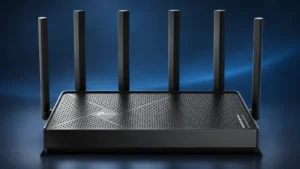
Adjustable antennas help position the router for better coverage, particularly when it is wall-mounted.
Automated Frequency Coordination (AFC)
ASUS ZenWiFi BT10
2.0
The lack of AFC limits 6 GHz range and leaves uncertainty about future higher-power operation.
TP-Link Archer BE400No score yet
Automatic configuration
ASUS ZenWiFi BT10
5.0
Automatic detection and pre-pairing reduce the work needed to bring a second node online.
TP-Link Archer BE400No score yet
Automatic firmware updates
ASUS ZenWiFi BT10No score yet
TP-Link Archer BE400
1.5
Automatic firmware checking missed a newer release during one initial setup.
Bandwidth management
ASUS ZenWiFi BT10No score yet
TP-Link Archer BE400
5.0
Individual device speed limits make bandwidth management practical.
Beamforming effectiveness
ASUS ZenWiFi BT10No score yet
TP-Link Archer BE400
5.0
The extra spatial streams help beamforming deliver stronger, more stable signals at longer distances.
Client steering
ASUS ZenWiFi BT10
4.5
Binding clients to a specific node is a useful option when automatic selection causes trouble.
TP-Link Archer BE400No score yet
Cloud settings backup
ASUS ZenWiFi BT10
4.0
Being able to restore settings from existing ASUS routers simplifies migration.
TP-Link Archer BE400No score yet
Congestion handling
ASUS ZenWiFi BT10No score yet
TP-Link Archer BE400
3.3
Extra spatial capacity may help busy networks, although the lack of 6 GHz removes a potential route around congestion.
Cross-brand mesh compatibility
ASUS ZenWiFi BT10No score yet
TP-Link Archer BE400
3.8
EasyMesh allows compatible equipment from other brands, though the router cannot join a Deco mesh.
Daily internet time limits
ASUS ZenWiFi BT10No score yet
TP-Link Archer BE400
2.5
Daily internet time limits require a paid HomeShield tier rather than being included free.
Dead-zone elimination
ASUS ZenWiFi BT10
4.5
Adding mesh nodes can substantially improve weak-signal areas and recover otherwise slow connections.
TP-Link Archer BE400No score yet
Dedicated backhaul band
ASUS ZenWiFi BT10
3.0
Reserving 6 GHz for backhaul is possible, but automatic selection delivered better results in testing.
TP-Link Archer BE400No score yet
Device security scanning
ASUS ZenWiFi BT10No score yet
TP-Link Archer BE400
3.0
A standard security scanner is included, with more advanced protection available at extra cost.
Firewall quality
ASUS ZenWiFi BT10No score yet
TP-Link Archer BE400
3.0
The firewall provides ordinary basic protection rather than a standout advanced feature set.
Future upgrade readiness
ASUS ZenWiFi BT10
5.0
Wi-Fi 7 and multi-gigabit Ethernet give the system useful headroom for future devices and faster internet plans.
TP-Link Archer BE400No score yet
Gaming optimization
ASUS ZenWiFi BT10
5.0
Gaming-oriented settings help optimize network performance and make wireless play feel close to wired in favorable conditions.
TP-Link Archer BE400No score yet
Internet speed consistency
ASUS ZenWiFi BT10No score yet
TP-Link Archer BE400
5.0
5 GHz throughput was fast and stable in testing.
Intrusion prevention
ASUS ZenWiFi BT10No score yet
TP-Link Archer BE400
2.5
Intrusion prevention requires the paid Security+ tier.
IoT network
ASUS ZenWiFi BT10
4.0
A separate IoT network is useful for compatibility and isolation, but one unstable installation experienced repeated outages even on that network.
TP-Link Archer BE400No score yet
Latency consistency
ASUS ZenWiFi BT10
3.7
Ping times can remain steady under load, although MLO backhaul has caused jitter during game streaming in some setups.
TP-Link Archer BE400No score yet
Launch quality control
ASUS ZenWiFi BT10
1.0
Early firmware caused serious instability, including wireless satellite and MLO problems, before subsequent updates improved performance.
TP-Link Archer BE400No score yet
Learning curve
ASUS ZenWiFi BT10
2.5
The large number of settings can feel overwhelming initially, particularly for people accustomed to simpler router apps.
TP-Link Archer BE400No score yet
Local management
ASUS ZenWiFi BT10No score yet
TP-Link Archer BE400
4.0
A local web interface gives users an alternative to the optional account-linked mobile app.
Mesh scalability
ASUS ZenWiFi BT10
4.0
AiMesh makes adding nodes practical, but mixing models is safest with wired backhaul.
TP-Link Archer BE400No score yet
Model naming clarity
ASUS ZenWiFi BT10No score yet
TP-Link Archer BE400
2.0
The BE400 and BE6500 retail naming variants can be confusing, particularly alongside similarly named Archer models.
Network-wide ad blocking
ASUS ZenWiFi BT10
4.0
AdGuard integration is a welcome option for filtering advertising on children's networks.
TP-Link Archer BE400No score yet
Network migration ease
ASUS ZenWiFi BT10
5.0
Existing ASUS users can migrate settings from compatible backup files, simplifying an upgrade.
TP-Link Archer BE400No score yet
Network segmentation
ASUS ZenWiFi BT10
5.0
Smart Home Master simplifies separating IoT, guest and children's devices into distinct networks.
TP-Link Archer BE400No score yet
Node placement guidance
ASUS ZenWiFi BT10
3.0
Initial setup requires nodes to be close together before moving them to their final positions, which adds a small inconvenience.
TP-Link Archer BE400No score yet
Power consumption
ASUS ZenWiFi BT10No score yet
TP-Link Archer BE400
3.0
Eco mode saves power but sacrifices some wireless performance.
Power efficiency
ASUS ZenWiFi BT10No score yet
TP-Link Archer BE400
3.0
Power-saving mode offers an efficiency tradeoff rather than maintaining full wireless performance.
Quality of service
ASUS ZenWiFi BT10
5.0
Adaptive QoS makes it easy to prioritize important activities such as work, gaming and streaming.
TP-Link Archer BE400No score yet
Reboot frequency
ASUS ZenWiFi BT10
1.7
Some problematic installations require frequent restarts or factory resets to keep nodes connected.
TP-Link Archer BE400No score yet
Seamless handoff
ASUS ZenWiFi BT10
3.8
Handoffs between nodes can be quick, although some devices briefly lose connectivity.
TP-Link Archer BE400No score yet
Signal consistency between nodes
ASUS ZenWiFi BT10
2.0
Wireless links between nodes are not consistently reliable in every home; some experience repeated dropouts.
TP-Link Archer BE400No score yet
Specification clarity
ASUS ZenWiFi BT10No score yet
TP-Link Archer BE400
2.0
Conflicting published dimensions make it difficult to establish the exact space required without checking the physical unit.
Traffic prioritization
ASUS ZenWiFi BT10
5.0
Traffic prioritization can help protect important calls and other latency-sensitive activities from competing downloads.
TP-Link Archer BE400No score yet
Video conferencing optimization
ASUS ZenWiFi BT10
5.0
Adaptive QoS makes prioritizing video meetings straightforward when other household traffic competes for bandwidth.
TP-Link Archer BE400No score yet
WAN failover
ASUS ZenWiFi BT10
5.0
Cellular tethering and a second internet connection provide welcome backup options when the primary connection fails.
TP-Link Archer BE400No score yet
Wireless backhaul
ASUS ZenWiFi BT10
4.0
Wireless backhaul can be exceptionally fast, but some users encounter unstable links or benefit from switching to Ethernet.
TP-Link Archer BE400No score yet
Wireless signal strength
ASUS ZenWiFi BT10No score yet
TP-Link Archer BE400
4.3
5 GHz signal strength holds up well at distance and through walls.
Controls and connectivity
Bandwidth controls
ASUS ZenWiFi BT10No score yet
TP-Link Archer BE400
5.0
The ability to cap individual clients is a helpful way to manage bandwidth use.
Physical controls
ASUS ZenWiFi BT10
5.0
The recessed reset button is convenient because it can be pressed without a pin or special tool.
TP-Link Archer BE400No score yet
Software privacy
ASUS ZenWiFi BT10No score yet
TP-Link Archer BE400
3.0
Managing through a vendor-linked online account raises privacy considerations compared with local management.
Web interface quality
ASUS ZenWiFi BT10
4.6
The web interface offers deep, responsive configuration tools that appeal especially to experienced administrators.
TP-Link Archer BE400No score yet
Comfort and build
Power adapter size
ASUS ZenWiFi BT10
2.0
The power adapter's upside-down plug orientation can be annoying.
TP-Link Archer BE400No score yet