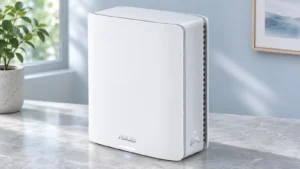
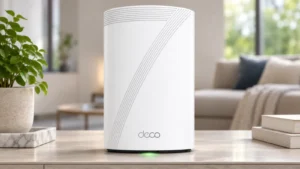
Compare ASUS ZenWiFi BT10 vs TP-Link Deco 7 Pro BE67

ASUS ZenWiFi BT10

ASUS ZenWiFi BT10

Overall score 4.0 / 5

Based on 16 scored reviews

vs
TP-Link Deco 7 Pro BE67

TP-Link Deco 7 Pro BE67

Overall score 4.1 / 5

Based on 19 scored reviews

How we score

Scorata scores summarize analyzed review evidence on a 1–5 scale; they are not laboratory measurements or a simple average of customer star ratings. Feature scores summarize the reviews covering that feature. The overall score averages feature scores within each review, then combines review averages. When both expert and customer evidence are available, those two groups receive equal weight. Products can have different review coverage, so small score gaps do not establish a winner.

Recommendations prioritize important features for the category, with a score of at least 3.5, a gap of at least 0.25 points and at least two supporting reviews per product. Features with widely varying scores or broad connectivity contexts are excluded from recommendations. These safeguards do not establish statistical significance.

Quick verdict

What each product is best for

The review evidence points to a tradeoff: subscription requirements and web interface quality versus long-range speed and network monitoring. Choose according to which strengths matter more to you; the overall score alone does not settle that choice.

Choose ASUS ZenWiFi BT10 for subscription requirements and web interface quality.

Choose TP-Link Deco 7 Pro BE67 for long-range speed and network monitoring.

Why these recommendations?

ASUS ZenWiFi BT10

Where It Has the Edge

  • subscription requirements is 5.0 vs 2.3. Full security and parental controls without a recurring fee are among the clearest advantages over competing premium mesh...
  • web interface quality is 4.6 vs 2.0. The web interface offers deep, responsive configuration tools that appeal especially to experienced administrators.
  • security features is 4.9 vs 2.8. AiProtection and other built-in security tools are comprehensive and widely appreciated, especially because they do not require a...

TP-Link Deco 7 Pro BE67

Where It Has the Edge

  • long-range speed is 4.4 vs 3.3. Remote rooms can retain useful or even full broadband speeds, but throughput falls with distance and obstacles, especially...
  • network monitoring is 5.0 vs 4.0. The app provides a useful overview of network topology, activity, device connections and node signal status.
  • settings organization is 5.0 vs 4.0. Settings are logically arranged, making common controls easy to find.
ASUS ZenWiFi BT10 4.0 overall score
TP-Link Deco 7 Pro BE67 4.1 overall score

Compare features

Scores are out of 5. Missing scores mean missing review evidence, not a missing feature.

Scored on both products

Other features

Ease of use
ASUS ZenWiFi BT10
3.2

Everyday setup can be intuitive, but the wealth of options and occasional troubleshooting make the system less hands-off than simpler rivals.

TP-Link Deco 7 Pro BE67
5.0

The system is approachable for nontechnical users, with clear app controls and straightforward everyday operation.

Band steering
ASUS ZenWiFi BT10
2.0

Automatic band selection can be frustrating when a phone drops a usable Wi-Fi connection instead of switching bands.

TP-Link Deco 7 Pro BE67
5.0

Per-device band preferences are handy for equipment that struggles when switching frequencies.

Node synchronization
ASUS ZenWiFi BT10
2.3

Pre-paired nodes simplify synchronization, but configuration changes or firmware problems can break the link.

TP-Link Deco 7 Pro BE67
5.0

Pre-synced units make forming a mesh particularly convenient.

Subscription requirements
ASUS ZenWiFi BT10
5.0

Full security and parental controls without a recurring fee are among the clearest advantages over competing premium mesh systems.

TP-Link Deco 7 Pro BE67
2.3

Advanced parental controls and security subscriptions are a recurring frustration, although basic tools may be sufficient for some homes.

Usage schedules
ASUS ZenWiFi BT10
4.3

Bedtime rules and access schedules are convenient tools for managing children's internet use.

TP-Link Deco 7 Pro BE67
2.0

Free scheduling is limited, including a lack of separate weekend schedules in one account.

Security features
ASUS ZenWiFi BT10
4.9

AiProtection and other built-in security tools are comprehensive and widely appreciated, especially because they do not require a subscription.

TP-Link Deco 7 Pro BE67
2.8

Security tools are useful, but advanced protections behind a paywall reduce their appeal.

Node placement guidance
ASUS ZenWiFi BT10
3.0

Initial setup requires nodes to be close together before moving them to their final positions, which adds a small inconvenience.

TP-Link Deco 7 Pro BE67
5.0

The app's placement guide makes finding suitable locations for satellite nodes easier.

Status light usefulness
ASUS ZenWiFi BT10
2.0

The status LED can misleadingly indicate a weak connection even when wired speeds are good.

TP-Link Deco 7 Pro BE67
4.0

The status lights are neatly implemented and fit the clean hardware design.

Activity reports
ASUS ZenWiFi BT10
3.5

Online activity information is useful for management, but website history logging raises privacy concerns.

TP-Link Deco 7 Pro BE67
2.0

Basic reporting offers limited insight into detailed network activity.

USB storage sharing
ASUS ZenWiFi BT10
2.5

USB storage sharing is convenient, although measured transfer speeds range from decent to notably slow for Wi-Fi 7 hardware.

TP-Link Deco 7 Pro BE67
4.0

USB storage sharing is capable enough for basic file sharing and media streaming, although it is not the fastest solution.

Floor-to-floor coverage
ASUS ZenWiFi BT10
3.8

Coverage across floors can be impressive, but distant upstairs rooms and wireless links between floors may be problematic.

TP-Link Deco 7 Pro BE67
5.0

Strategically placed nodes extend signal across multiple floors, including basements and lofts.

Seamless handoff
ASUS ZenWiFi BT10
3.8

Handoffs between nodes can be quick, although some devices briefly lose connectivity.

TP-Link Deco 7 Pro BE67
5.0

Video streams and calls can continue while moving between nodes without noticeable interruptions.

Long-range speed
ASUS ZenWiFi BT10
3.3

Distant rooms can still receive useful throughput, but some rival mesh systems maintain higher speeds farther away.

TP-Link Deco 7 Pro BE67
4.4

Remote rooms can retain useful or even full broadband speeds, but throughput falls with distance and obstacles, especially at 6 GHz.

Network stability
ASUS ZenWiFi BT10
3.3

Recent firmware improved stability for many testers, but some systems still experience serious connection drops and node outages.

TP-Link Deco 7 Pro BE67
4.5

Stress tests and weeks of household use generally went smoothly, though one owner experienced persistent Wi-Fi stutters.

Device capacity
ASUS ZenWiFi BT10
4.0

The system handles a busy collection of devices well, but fewer radios and streams limit simultaneous peak throughput compared with premium alternatives.

TP-Link Deco 7 Pro BE67
5.0

The system has ample capacity for a large household with numerous simultaneous connections.

Device compatibility
ASUS ZenWiFi BT10
4.0

New and old devices can see faster speeds, although some older clients need a separate IoT network.

TP-Link Deco 7 Pro BE67
3.0

Most equipment connects easily, although particular clients such as a Mac Mini or Tesla charger can encounter problems.

Network monitoring
ASUS ZenWiFi BT10
4.0

Traffic and device monitoring provide useful visibility into connection quality and network activity.

TP-Link Deco 7 Pro BE67
5.0

The app provides a useful overview of network topology, activity, device connections and node signal status.

Outdoor coverage
ASUS ZenWiFi BT10
4.0

Useful speeds can extend outside the home, including into a back garden.

TP-Link Deco 7 Pro BE67
5.0

Usable signal extends into yards, decks and garden offices, with tested coverage reaching well beyond the house.

Quality of service
ASUS ZenWiFi BT10
5.0

Adaptive QoS makes it easy to prioritize important activities such as work, gaming and streaming.

TP-Link Deco 7 Pro BE67
4.0

App-based QoS makes prioritizing latency-sensitive devices straightforward.

Settings organization
ASUS ZenWiFi BT10
4.0

The app is logically arranged, but splitting certain settings between the app and web interface can be inconvenient.

TP-Link Deco 7 Pro BE67
5.0

Settings are logically arranged, making common controls easy to find.

Mesh scalability
ASUS ZenWiFi BT10
4.0

AiMesh makes adding nodes practical, but mixing models is safest with wired backhaul.

TP-Link Deco 7 Pro BE67
4.8

Adding more Deco nodes is straightforward, allowing coverage to grow with the property's needs.

IoT device compatibility
ASUS ZenWiFi BT10
3.3

Some smart devices work smoothly, although disappearing speakers and compatibility trouble have also been reported.

TP-Link Deco 7 Pro BE67
4.0

Most existing smart devices reconnect smoothly, although a Tesla charging connector proved troublesome in one installation.

IoT network
ASUS ZenWiFi BT10
4.0

A separate IoT network is useful for compatibility and isolation, but one unstable installation experienced repeated outages even on that network.

TP-Link Deco 7 Pro BE67
4.8

A separate IoT network is easy to create and helps keep smart devices apart from other equipment.

Expandability
ASUS ZenWiFi BT10
4.3

AiMesh expansion offers a useful way to extend coverage without replacing the whole system; mixed hardware works best with care.

TP-Link Deco 7 Pro BE67
5.0

Compatibility with other Deco models provides flexible expansion without replacing the entire network.

Ethernet port count
ASUS ZenWiFi BT10
2.5

Only three Ethernet ports per unit can feel restrictive at this price, particularly for households with numerous wired devices.

TP-Link Deco 7 Pro BE67
3.1

Three ports per node are sufficient for modest wired setups, but can feel restrictive in a home office or media room.

Client steering
ASUS ZenWiFi BT10
4.5

Binding clients to a specific node is a useful option when automatic selection causes trouble.

TP-Link Deco 7 Pro BE67
5.0

Automatic node selection and manual client preferences help keep devices connected to suitable access points.

Connected-device management
ASUS ZenWiFi BT10
5.0

Device controls make it easy to assign clients to family members, block them or bind them to a preferred access point.

TP-Link Deco 7 Pro BE67
4.5

Device management is useful for assigning clients to specific nodes and checking connected equipment.

Mesh coverage
ASUS ZenWiFi BT10
4.5

The mesh can cover large homes and improve weak areas significantly, though placement and backhaul method matter.

TP-Link Deco 7 Pro BE67
5.0

Adding satellites improves coverage and can recover much of the speed lost in distant rooms.

Wall penetration
ASUS ZenWiFi BT10
4.0

Thick walls are handled well in some homes, while closed doors and other obstructions cause speed dips in others.

TP-Link Deco 7 Pro BE67
3.5

Thick walls can sharply reduce high-frequency throughput, though the lower-frequency band can remain useful through brick walls.

Whole-home coverage
ASUS ZenWiFi BT10
4.5

A two-node system can blanket a substantial home, though some layouts require extra nodes or Ethernet backhaul.

TP-Link Deco 7 Pro BE67
5.0

Multiple units provide strong coverage throughout homes, including distant rooms that previously had weak connections.

Future upgrade readiness
ASUS ZenWiFi BT10
5.0

Wi-Fi 7 and multi-gigabit Ethernet give the system useful headroom for future devices and faster internet plans.

TP-Link Deco 7 Pro BE67
4.6

Multi-gigabit ports and the 6 GHz band offer useful headroom for future equipment upgrades.

Latency
ASUS ZenWiFi BT10
4.0

Latency is generally low, but wireless gaming does not always feel as consistent as a wired connection.

TP-Link Deco 7 Pro BE67
4.4

Latency is generally low enough for everyday gaming and streaming, with a wireless satellite adding some delay.

Configuration flexibility
ASUS ZenWiFi BT10
4.9

Extensive configuration options include multiple SSIDs, traffic prioritization, VPNs and deep browser-based management.

TP-Link Deco 7 Pro BE67
4.6

The app balances simple everyday management with deeper controls, although some band and desktop configuration options are restricted.

Heat management
ASUS ZenWiFi BT10
4.8

Passive cooling generally keeps the units cool or only slightly warm without fan noise.

TP-Link Deco 7 Pro BE67
4.5

The hardware runs only mildly warm or within normal operating temperatures during sustained use.

Network migration ease
ASUS ZenWiFi BT10
5.0

Existing ASUS users can migrate settings from compatible backup files, simplifying an upgrade.

TP-Link Deco 7 Pro BE67
4.8

Reusing existing network credentials and guided upgrade options makes migration relatively painless, apart from occasional satellite pairing problems.

Multi-Link Operation
ASUS ZenWiFi BT10
3.8

MLO can greatly improve wireless throughput and backhaul, though some devices see little benefit or experience jitter and instability.

TP-Link Deco 7 Pro BE67
3.6

MLO can improve throughput and latency, but its implementation has limitations and some users experience stuttering or device-specific connection trouble.

Close-range speed
ASUS ZenWiFi BT10
4.7

Close-range tests repeatedly produce impressive speeds, including over 2.6 Gbps on 6 GHz.

TP-Link Deco 7 Pro BE67
4.5

Close-range 6 GHz transfers can exceed 3 Gbps, although some competing routers are faster in particular tests.

Latency consistency
ASUS ZenWiFi BT10
3.7

Ping times can remain steady under load, although MLO backhaul has caused jitter during game streaming in some setups.

TP-Link Deco 7 Pro BE67
3.5

Latency can be consistent with compatible clients and MLO, but satellite connections may introduce jitter.

Firmware stability
ASUS ZenWiFi BT10
3.1

Firmware updates resolved many early bugs, but stability and update experiences remain uneven.

TP-Link Deco 7 Pro BE67
3.0

A newer firmware update improved some MLO-related stuttering, but did not fully resolve every complaint.

Overall satisfaction
ASUS ZenWiFi BT10
4.3

Overall impressions are largely positive for speed and flexibility, but a severely unstable installation received a strong negative verdict.

TP-Link Deco 7 Pro BE67
4.4

Overall satisfaction is high thanks to speed and coverage, although one long-term user found intermittent stuttering disappointing.

Range
ASUS ZenWiFi BT10
3.8

Range is generally strong, including through some challenging walls, but distant rooms and closed doors can weaken the signal.

TP-Link Deco 7 Pro BE67
3.8

Range is strong across a multi-node installation, but some competing mesh systems reach farther and node placement matters.

Automatic configuration
ASUS ZenWiFi BT10
5.0

Automatic detection and pre-pairing reduce the work needed to bring a second node online.

TP-Link Deco 7 Pro BE67
5.0

Additional units can be detected automatically as soon as they are plugged in.

Mid-range speed
ASUS ZenWiFi BT10
4.0

Speeds remain impressive at moderate distances, though they decline from the close-range peak.

TP-Link Deco 7 Pro BE67
4.0

At around 25 feet, throughput remains competitive, though the fastest rivals can pull ahead.

Network segmentation
ASUS ZenWiFi BT10
5.0

Smart Home Master simplifies separating IoT, guest and children's devices into distinct networks.

TP-Link Deco 7 Pro BE67
5.0

Device isolation is handy for allowing internet access without exposing the rest of the local network.

Per-device speed limits
ASUS ZenWiFi BT10
4.0

Flexible traffic controls let users prioritize important network activities and manage competing bandwidth demands.

TP-Link Deco 7 Pro BE67
4.0

Per-device speed limits offer useful control over individual clients.

Wireless backhaul
ASUS ZenWiFi BT10
4.0

Wireless backhaul can be exceptionally fast, but some users encounter unstable links or benefit from switching to Ethernet.

TP-Link Deco 7 Pro BE67
4.0

Wireless backhaul can cover difficult locations at useful speeds, but satellite links can lose throughput or add latency.

Controls and connectivity

Web interface quality
ASUS ZenWiFi BT10
4.6

The web interface offers deep, responsive configuration tools that appeal especially to experienced administrators.

TP-Link Deco 7 Pro BE67
2.0

Browser administration is limited compared with the mobile app, frustrating users who prefer desktop configuration.

Parental controls
ASUS ZenWiFi BT10
4.8

Built-in parental controls are a standout, with profiles, schedules and filtering without an additional subscription.

TP-Link Deco 7 Pro BE67
2.6

Basic parental controls are useful, but advanced filtering and scheduling require payment and frustrate some buyers.

Wi-Fi speed
ASUS ZenWiFi BT10
4.7

Multi-gigabit peak Wi-Fi speeds and fast transfers are a major attraction; actual speeds fall with distance and obstacles.

TP-Link Deco 7 Pro BE67
4.9

Peak speeds are a standout, with multi-gigabit wireless throughput in favorable conditions and full broadband speeds in previously slow rooms.

Privacy controls
ASUS ZenWiFi BT10
2.7

Third-party security data sharing and website history logging raise privacy concerns, despite the flexibility of owning and administering the network.

TP-Link Deco 7 Pro BE67
2.5

Vendor account dependence and optional third-party identification raise privacy concerns for some users.

Mobile app quality
ASUS ZenWiFi BT10
4.7

The app offers extensive controls and an approachable layout, though the sheer number of options can initially intimidate.

TP-Link Deco 7 Pro BE67
4.6

The Deco app is polished, approachable and offers useful network controls, though it is required for most administration.

App setup quality
ASUS ZenWiFi BT10
4.6

The mobile app usually makes onboarding simple, with guided network creation and automatic detection.

TP-Link Deco 7 Pro BE67
4.7

The guided app setup is clear and approachable, including when upgrading from an older Deco system.

Node pairing ease
ASUS ZenWiFi BT10
3.8

Pre-paired nodes often connect automatically, but some require resets or multiple setup attempts.

TP-Link Deco 7 Pro BE67
3.9

Satellite pairing is often automatic, but some users needed to reset or restart nodes before they would connect.

Wi-Fi 7 support
ASUS ZenWiFi BT10
5.0

Wi-Fi 7 provides impressive throughput and useful headroom for newer devices, while older clients can benefit too.

TP-Link Deco 7 Pro BE67
5.0

Wi-Fi 7 delivers impressive speed throughout a mesh installation when paired with capable clients.

Performance

2.4 GHz performance
ASUS ZenWiFi BT10
2.8

Results on 2.4 GHz are inconsistent, with impressive comparative speeds in one test and weak performance or disconnections in others.

TP-Link Deco 7 Pro BE67
4.3

The 2.4 GHz band holds up well at distance and through obstacles, and remains competitive under load.

Roaming performance
ASUS ZenWiFi BT10
3.8

Roaming can be smooth, but occasional phone disconnections during node transitions have been reported.

TP-Link Deco 7 Pro BE67
5.0

Roaming between units is generally smooth, with devices automatically switching to a stronger node.

Long-term performance
ASUS ZenWiFi BT10
4.0

Some owners remain very happy after a year, although dependable long-term operation can depend on configuration and updates.

TP-Link Deco 7 Pro BE67
5.0

A month of demanding household use produced consistent speeds and reliable coverage.

Mesh performance
ASUS ZenWiFi BT10
4.0

Mesh performance is often excellent, with substantial speed gains from adding nodes, but some installations suffer persistent satellite failures.

TP-Link Deco 7 Pro BE67
5.0

The mesh delivers excellent overall speed and coverage without demanding elaborate networking knowledge.

Multi-device performance
ASUS ZenWiFi BT10
4.3

Multiple devices can run smoothly together, although the tri-band design has less aggregate capacity than quad-band flagships.

TP-Link Deco 7 Pro BE67
5.0

Dozens of connected devices can browse, stream and game concurrently without a noticeable loss of performance.

Node-to-node performance
ASUS ZenWiFi BT10
4.7

Inter-node throughput can reach several gigabits per second in favorable conditions.

TP-Link Deco 7 Pro BE67
4.0

A well-positioned wireless inter-node link can sustain impressive multi-gigabit throughput.

Content filtering
ASUS ZenWiFi BT10
4.5

Age-based web filtering makes it practical to tailor internet access to different family members.

TP-Link Deco 7 Pro BE67
4.0

Basic content filtering is sufficient for some parents without a subscription.

Satellite performance
ASUS ZenWiFi BT10
3.0

Satellite speeds can be excellent once connected, yet unreliable nodes are one of the biggest reported frustrations.

TP-Link Deco 7 Pro BE67
3.5

Satellite nodes retain useful throughput, but wireless connections introduce some speed loss and latency compared with the main router.

6 GHz performance
ASUS ZenWiFi BT10
4.1

The 6 GHz band delivers excellent close-range throughput, but range drops off sharply in some installations and AFC is a concern.

TP-Link Deco 7 Pro BE67
4.6

6 GHz is a major strength, with exceptional nearby throughput and less interference; walls and distance reduce its advantage.

Backhaul performance
ASUS ZenWiFi BT10
4.1

MLO and 10 Gbps Ethernet provide fast backhaul options, although wireless stability varies with firmware and placement.

TP-Link Deco 7 Pro BE67
4.5

Backhaul performance is strong, with wireless links capable of high throughput and only modest losses in some installations.

Wired device performance
ASUS ZenWiFi BT10
5.0

Wired connections can deliver excellent throughput, approaching 9.4 Gbps in testing.

TP-Link Deco 7 Pro BE67
4.7

Wired devices can deliver excellent throughput and avoid the occasional stutters experienced over Wi-Fi.

5 GHz performance
ASUS ZenWiFi BT10
4.5

The 5 GHz band performs well at moderate distances and can deliver high speeds through interior walls.

TP-Link Deco 7 Pro BE67
4.3

5 GHz throughput is solid and frequently exceeds gigabit speeds nearby, although it drops with distance.

Download performance
ASUS ZenWiFi BT10
5.0

Downloads are impressively quick, with some tests approaching the full capacity of the internet connection.

TP-Link Deco 7 Pro BE67
4.8

Downloads are markedly faster in hard-to-reach rooms, with a 600 Mbps connection reaching its full speed throughout one tested home.

Wireless performance
ASUS ZenWiFi BT10
4.9

Wireless throughput is very strong, especially near the router, although some installations suffer from intermittent connectivity.

TP-Link Deco 7 Pro BE67
4.8

Wireless throughput is excellent for a mesh system, particularly with compatible Wi-Fi 7 clients; some users still encounter intermittent stuttering.

Operating noise
ASUS ZenWiFi BT10
5.0

Fanless operation is quiet even when the system is working hard.

TP-Link Deco 7 Pro BE67
5.0

The nodes run silently or nearly silently, making them unobtrusive in living areas.

Performance under load
ASUS ZenWiFi BT10
5.0

The system has substantial headroom for simultaneous streams and other demanding traffic.

TP-Link Deco 7 Pro BE67
5.0

Multiple 4K streams and other simultaneous activity rarely cause major slowdowns, and congested benchmarks are competitive.

Upload performance
ASUS ZenWiFi BT10
5.0

Upload speeds can approach gigabit fiber limits and exceed them on faster local connections with compatible clients.

TP-Link Deco 7 Pro BE67
5.0

Upload speeds improved substantially in distant rooms and outdoor work areas; gigabit service can approach its practical ceiling.

Ownership and support

Connection reliability
ASUS ZenWiFi BT10
3.0

Reliable operation is possible after updates and configuration, but intermittent disconnections remain a significant risk.

TP-Link Deco 7 Pro BE67
4.3

Most installations deliver dependable connections, with occasional phone reconnection issues and more serious stuttering on certain devices in one setup.

Installation process
ASUS ZenWiFi BT10
3.8

Installation can be completed in minutes, though difficult configurations and persistent node failures complicate the experience for some.

TP-Link Deco 7 Pro BE67
5.0

Installation can take only minutes, with the app guiding the process from unboxing to a working mesh.

Customer support
ASUS ZenWiFi BT10
2.0

Getting a response from ASUS about technical implementation questions can be difficult.

TP-Link Deco 7 Pro BE67
1.0

One reviewer reported an unsatisfactory response when seeking help for persistent Wi-Fi stuttering.

10 GbE support
ASUS ZenWiFi BT10
5.0

Two 10 Gbps ports per node are a distinctive strength, supporting very fast broadband and wired mesh links.

TP-Link Deco 7 Pro BE67
4.1

A 10 Gbps socket on every node is valuable for fast internet and local equipment, but only one per node limits simultaneous 10 Gbps links.

Wired backhaul support
ASUS ZenWiFi BT10
4.3

10 Gbps wired backhaul is a major strength for homes with Ethernet, though one tester still experienced satellite outages.

TP-Link Deco 7 Pro BE67
3.6

Ethernet backhaul is valuable for stable, fast connections, but the single 10 Gbps socket constrains fully wired multi-gigabit layouts.

Setup ease
ASUS ZenWiFi BT10
3.9

Initial setup is usually straightforward with pre-paired nodes, but a few testers encountered repeated attempts and resets.

TP-Link Deco 7 Pro BE67
4.6

Setup is usually quick and intuitive, though a few installations required resetting or rebooting additional nodes.

Value for money
ASUS ZenWiFi BT10
3.4

The rich controls and subscription savings justify the premium for some buyers, but the high upfront price is a common objection.

TP-Link Deco 7 Pro BE67
4.0

Performance is competitive with significantly more expensive systems, but households with modest needs may find cheaper models equally effective.

VPN client support
ASUS ZenWiFi BT10
4.7

VPN options are flexible, including routing selected devices through different VPN profiles.

TP-Link Deco 7 Pro BE67
5.0

VPN client setup is straightforward and can route selected devices or the whole network through a VPN.

Upgrade value
ASUS ZenWiFi BT10
3.5

It is a compelling upgrade for existing ASUS configurations, but owners of capable Wi-Fi 6 or 6E systems may not need to replace them yet.

TP-Link Deco 7 Pro BE67
3.8

The upgrade is worthwhile for faster wired equipment, newer clients or greater capacity, but often incremental for ordinary broadband use.

VPN server support
ASUS ZenWiFi BT10
4.7

The built-in VPN tools are unusually extensive, making secure remote access to the home network attractive.

TP-Link Deco 7 Pro BE67
4.5

The built-in VPN server offers a convenient way to access home devices remotely.

Setup guidance
ASUS ZenWiFi BT10
5.0

The setup wizard offers clear, easy-to-follow instructions for creating the network.

TP-Link Deco 7 Pro BE67
5.0

Clear app instructions make installation and network configuration easier.

USB port support
ASUS ZenWiFi BT10
4.0

USB features are versatile, especially for backup internet, but storage transfer performance can disappoint.

TP-Link Deco 7 Pro BE67
4.0

The USB port is useful for basic shared storage and media streaming.

Comfort and build

Design and appearance
ASUS ZenWiFi BT10
4.4

The book-like design looks elegant and blends with home decor, though some find it chunky or bland.

TP-Link Deco 7 Pro BE67
4.0

The understated white cylinders look cleaner than many gaming routers, though some find them bulky or visually plain.

Size and footprint
ASUS ZenWiFi BT10
4.0

The units are smaller than some premium competitors, but still occupy a noticeable amount of shelf space.

TP-Link Deco 7 Pro BE67
4.2

The units are relatively compact for high-end mesh hardware, although they still occupy noticeable shelf space.

Evidence available for one product

Ownership and support

2.5 GbE support
ASUS ZenWiFi BT10
2.0

The absence of a 2.5 Gbps port is a missed opportunity alongside the two 10 Gbps ports.

TP-Link Deco 7 Pro BE67No score yet
320 MHz support
ASUS ZenWiFi BT10No score yet
TP-Link Deco 7 Pro BE67
4.5

Wide 320 MHz channels provide additional bandwidth for compatible devices and busy networks.

Dual-WAN support
ASUS ZenWiFi BT10
5.0

Dual-WAN load balancing makes it possible to make productive use of two internet connections.

TP-Link Deco 7 Pro BE67No score yet
Multi-gig Ethernet support
ASUS ZenWiFi BT10
4.5

Dual 10 Gbps ports provide excellent multi-gigabit connectivity and useful headroom for fast wired equipment.

TP-Link Deco 7 Pro BE67No score yet
Product support lifespan
ASUS ZenWiFi BT10
5.0

ASUS's history of multi-year firmware support is reassuring for buyers planning to keep their equipment.

TP-Link Deco 7 Pro BE67No score yet
Security update support
ASUS ZenWiFi BT10
5.0

ASUS's record of providing security and stability updates for years is a reassuring ownership benefit.

TP-Link Deco 7 Pro BE67No score yet
Tri-band support
ASUS ZenWiFi BT10No score yet
TP-Link Deco 7 Pro BE67
5.0

The three-band design provides useful additional capacity and speed headroom, especially for newer devices.

Wall-mounting support
ASUS ZenWiFi BT10
2.0

The lack of native wall mounting limits placement flexibility.

TP-Link Deco 7 Pro BE67No score yet
WireGuard support
ASUS ZenWiFi BT10
4.0

WireGuard throughput is considered adequate for typical internet plans, though dedicated VPN routers can be faster.

TP-Link Deco 7 Pro BE67No score yet

Controls and connectivity

Access controls
ASUS ZenWiFi BT10
5.0

Blocking and assigning devices is straightforward, making family access management practical.

TP-Link Deco 7 Pro BE67No score yet
Companion software dependence
ASUS ZenWiFi BT10No score yet
TP-Link Deco 7 Pro BE67
2.0

Dependence on the Deco mobile app and online account is a drawback for users who prefer local desktop administration.

In-app promotional interruptions
ASUS ZenWiFi BT10No score yet
TP-Link Deco 7 Pro BE67
3.0

App promotions range from occasional unobtrusive ads to intrusive subscription prompts and warnings.

Interface responsiveness
ASUS ZenWiFi BT10
5.0

Both the mobile and browser interfaces are responsive during management.

TP-Link Deco 7 Pro BE67No score yet
Physical controls
ASUS ZenWiFi BT10
5.0

The recessed reset button is convenient because it can be pressed without a pin or special tool.

TP-Link Deco 7 Pro BE67No score yet
Smart home compatibility
ASUS ZenWiFi BT10No score yet
TP-Link Deco 7 Pro BE67
5.0

Smart-home integration works well in tested setups, including Apple Home and controls for compatible TP-Link devices.

Web interface setup
ASUS ZenWiFi BT10
4.0

Browser-based setup provides clear steps for creating network credentials.

TP-Link Deco 7 Pro BE67No score yet

Performance

Advertised speed accuracy
ASUS ZenWiFi BT10No score yet
TP-Link Deco 7 Pro BE67
3.0

The advertised aggregate link rate is not a realistic single-device download speed; achievable throughput depends on equipment and placement.

VPN performance
ASUS ZenWiFi BT10
4.0

WireGuard performance is described as solid for typical broadband, but specialist routers can offer higher VPN throughput.

TP-Link Deco 7 Pro BE67No score yet

Other features

Auto-sensing Ethernet ports
ASUS ZenWiFi BT10No score yet
TP-Link Deco 7 Pro BE67
4.7

Flexible WAN/LAN port selection and interchangeable nodes make installation easier.

Automated Frequency Coordination (AFC)
ASUS ZenWiFi BT10
2.0

The lack of AFC limits 6 GHz range and leaves uncertainty about future higher-power operation.

TP-Link Deco 7 Pro BE67No score yet
Automatic channel optimization
ASUS ZenWiFi BT10No score yet
TP-Link Deco 7 Pro BE67
3.7

Automatic channel optimization is convenient in congested areas, although one user noticed no clear speed improvement.

Channel selection
ASUS ZenWiFi BT10No score yet
TP-Link Deco 7 Pro BE67
5.0

Manual channel selection helps manage interference and gives demanding users more control.

Cloud settings backup
ASUS ZenWiFi BT10
4.0

Being able to restore settings from existing ASUS routers simplifies migration.

TP-Link Deco 7 Pro BE67No score yet
Color options
ASUS ZenWiFi BT10No score yet
TP-Link Deco 7 Pro BE67
3.0

The white-only finish limits options for matching different interiors.

Congestion handling
ASUS ZenWiFi BT10No score yet
TP-Link Deco 7 Pro BE67
5.0

Throughput remains impressive under competing traffic, including particularly strong congested 6 GHz and 2.4 GHz results.

Dead-zone elimination
ASUS ZenWiFi BT10
4.5

Adding mesh nodes can substantially improve weak-signal areas and recover otherwise slow connections.

TP-Link Deco 7 Pro BE67No score yet
Dedicated backhaul band
ASUS ZenWiFi BT10
3.0

Reserving 6 GHz for backhaul is possible, but automatic selection delivered better results in testing.

TP-Link Deco 7 Pro BE67No score yet
Device identification
ASUS ZenWiFi BT10No score yet
TP-Link Deco 7 Pro BE67
4.0

Optional client identification makes connected devices easier to recognize, with a third-party data-sharing tradeoff.

Firmware update process
ASUS ZenWiFi BT10
2.0

Firmware updates can improve connectivity, but recommendations to factory-reset and restore settings create extra work.

TP-Link Deco 7 Pro BE67No score yet
Gaming optimization
ASUS ZenWiFi BT10
5.0

Gaming-oriented settings help optimize network performance and make wireless play feel close to wired in favorable conditions.

TP-Link Deco 7 Pro BE67No score yet
Included accessories
ASUS ZenWiFi BT10
4.0

The included accessories are sufficient to get the system up and running.

TP-Link Deco 7 Pro BE67No score yet
Instruction readability
ASUS ZenWiFi BT10No score yet
TP-Link Deco 7 Pro BE67
4.0

The quick-start documentation provides useful information for getting started.

LAN port speed
ASUS ZenWiFi BT10
2.0

The presence of a 1 Gbps LAN port rather than another multi-gigabit port is disappointing in a premium mesh kit.

TP-Link Deco 7 Pro BE67No score yet
Launch quality control
ASUS ZenWiFi BT10
1.0

Early firmware caused serious instability, including wireless satellite and MLO problems, before subsequent updates improved performance.

TP-Link Deco 7 Pro BE67No score yet
Learning curve
ASUS ZenWiFi BT10
2.5

The large number of settings can feel overwhelming initially, particularly for people accustomed to simpler router apps.

TP-Link Deco 7 Pro BE67No score yet
Mac integration
ASUS ZenWiFi BT10No score yet
TP-Link Deco 7 Pro BE67
3.0

Mac users can benefit from storage features, but one Mac Mini experienced Wi-Fi stuttering and worked better wired.

Network-wide ad blocking
ASUS ZenWiFi BT10
4.0

AdGuard integration is a welcome option for filtering advertising on children's networks.

TP-Link Deco 7 Pro BE67No score yet
Packaging quality and presentation
ASUS ZenWiFi BT10
4.0

The distinctive packaging is attractive and informative.

TP-Link Deco 7 Pro BE67No score yet
Reboot frequency
ASUS ZenWiFi BT10
1.7

Some problematic installations require frequent restarts or factory resets to keep nodes connected.

TP-Link Deco 7 Pro BE67No score yet
Retail availability
ASUS ZenWiFi BT10No score yet
TP-Link Deco 7 Pro BE67
2.0

Availability varies by market, and one account found the model difficult to obtain outside the US.

Signal consistency between nodes
ASUS ZenWiFi BT10
2.0

Wireless links between nodes are not consistently reliable in every home; some experience repeated dropouts.

TP-Link Deco 7 Pro BE67No score yet
Status light control
ASUS ZenWiFi BT10No score yet
TP-Link Deco 7 Pro BE67
5.0

Individually adjustable LED settings keep bedroom units from disturbing users at night.

Threat protection
ASUS ZenWiFi BT10
5.0

The included Trend Micro protection offers a comprehensive threat-defense toolkit without recurring security fees.

TP-Link Deco 7 Pro BE67No score yet
Traffic prioritization
ASUS ZenWiFi BT10
5.0

Traffic prioritization can help protect important calls and other latency-sensitive activities from competing downloads.

TP-Link Deco 7 Pro BE67No score yet
Video conferencing optimization
ASUS ZenWiFi BT10
5.0

Adaptive QoS makes prioritizing video meetings straightforward when other household traffic competes for bandwidth.

TP-Link Deco 7 Pro BE67No score yet
VPN policy routing
ASUS ZenWiFi BT10
5.0

VPN Fusion makes selective routing through different VPN profiles convenient.

TP-Link Deco 7 Pro BE67No score yet
WAN failover
ASUS ZenWiFi BT10
5.0

Cellular tethering and a second internet connection provide welcome backup options when the primary connection fails.

TP-Link Deco 7 Pro BE67No score yet
WAN port speed
ASUS ZenWiFi BT10
5.0

The main router can deliver speeds close to the full capacity of a gigabit-class internet plan.

TP-Link Deco 7 Pro BE67No score yet

Comfort and build

Build quality
ASUS ZenWiFi BT10
5.0

The white plastic enclosures feel sturdy and well made.

TP-Link Deco 7 Pro BE67No score yet
Power adapter size
ASUS ZenWiFi BT10
2.0

The power adapter's upside-down plug orientation can be annoying.

TP-Link Deco 7 Pro BE67No score yet

Reviews Comparing These Products

These are a few of the reviews included in our analysis.

Other Top Routers to Consider

#1 D-Link Aquila Pro AI R95
4.8

Choose the R95 for a busy home that needs fast Wi-Fi 7, strong range, multi-gig ports, and low-lag gaming. Skip it for a small, lightly connected space or if advanced...

Pros: Wi-Fi 7 support, Wi-Fi speed

#2 GL.iNet GL-BE3600 Slate 7
4.5

Best for frequent travel, fast VPNs, dual 2.5GbE and resilient multi-WAN. Skip it if you need full 6GHz/320MHz Wi‑Fi 7, mesh, or desktop-class USB storage and long-range indoor coverage.

Pros: VPN client support, value for money

Cons: 6 GHz performance, USB storage sharing

#3 GL.iNet Flint 2 (GL-MT6000)
4.4

Exceptional VPN speeds, strong Wi-Fi 6 coverage and extensive OpenWrt controls make the Flint 2 a compelling value. Its advanced setup, missing 6GHz band and firmware-specific caveats matter if you...

Pros: setup ease, configuration flexibility

Cons: Wi-Fi 7 support, USB storage sharing

#4 GL.iNet Beryl AX (GL-MT3000)
4.4

The Beryl AX packs exceptionally flexible VPN and networking tools into a pocket-sized router. It is a great travel companion, but hotel login issues, limited whole-home range and a single...

Pros: Overall satisfaction, size and footprint

Cons: Captive portal handling, Ethernet port count