Ownership and support
2.5 GbE support
eero 6No score yet
ASUS ROG Strix GS-BE18000
5.0
The abundance of 2.5GbE ports is especially useful for wired gaming PCs, storage and access points.
10 GbE support
eero 6No score yet
ASUS ROG Strix GS-BE18000
1.7
The absence of 10GbE is a recurring complaint, especially at this price and for ultra-fast internet or local networks.
Channel width support
eero 6
2.0
Channel width cannot be manually adjusted, limiting control over throughput and interference.
ASUS ROG Strix GS-BE18000No score yet
Dual-band support
eero 6
2.5
The dual-band design is adequate for slower broadband, but shares capacity between devices and mesh traffic.
ASUS ROG Strix GS-BE18000No score yet
Dual-WAN support
eero 6No score yet
ASUS ROG Strix GS-BE18000
5.0
Flexible dual-WAN options allow a LAN or USB connection to serve as an additional internet source.
Installation process
eero 6No score yet
ASUS ROG Strix GS-BE18000
5.0
Initial installation can be completed in about five minutes, including optimization and rebooting.
Multi-gig Ethernet support
eero 6No score yet
ASUS ROG Strix GS-BE18000
4.8
All eight Ethernet connections are multi-gigabit, allowing multiple fast wired devices without a separate switch.
Product support lifespan
eero 6No score yet
ASUS ROG Strix GS-BE18000
5.0
Lifetime product support is a welcome advantage alongside the three-year warranty.
Quad-band support
eero 6No score yet
ASUS ROG Strix GS-BE18000
2.0
A fourth band would be useful for mesh backhaul without sacrificing the fast 6GHz client band.
Security update support
eero 6No score yet
ASUS ROG Strix GS-BE18000
5.0
Continual firmware and security updates are a welcome part of the package.
Tri-band support
eero 6No score yet
ASUS ROG Strix GS-BE18000
4.3
The third band adds fast 6GHz connectivity and offers flexibility with compatible mesh equipment.
USB port support
eero 6No score yet
ASUS ROG Strix GS-BE18000
5.0
The USB port supports a particularly versatile range of storage, printer and backup-connectivity functions.
Warranty
eero 6No score yet
ASUS ROG Strix GS-BE18000
5.0
The three-year warranty stands out positively among competing routers.
WPA3 support
eero 6
4.0
WPA3 support is welcome for stronger encryption, though its early beta status drew criticism.
ASUS ROG Strix GS-BE18000No score yet
Performance
5 GHz performance
eero 6No score yet
ASUS ROG Strix GS-BE18000
4.3
5GHz performance is generally strong, outperforming some pricier ASUS hardware in testing.
6 GHz performance
eero 6No score yet
ASUS ROG Strix GS-BE18000
4.6
The 6GHz band delivers excellent nearby speeds and much greater usable reach with AFC, although some competitors reach higher peaks.
Long-term performance
eero 6No score yet
ASUS ROG Strix GS-BE18000
5.0
Extended testing over several months yielded positive reliability results, particularly with updated firmware.
MU-MIMO performance
eero 6
2.0
Two-stream MU-MIMO helps serve multiple clients, but more capable competitors can offer greater capacity.
ASUS ROG Strix GS-BE18000No score yet
Operating noise
eero 6No score yet
ASUS ROG Strix GS-BE18000
5.0
The passively cooled router runs silently in use.
Satellite performance
eero 6
2.6
Satellite throughput ranges from close to gateway speeds to less than half of them, depending on the layout and backhaul connection.
ASUS ROG Strix GS-BE18000No score yet
Wireless performance
eero 6No score yet
ASUS ROG Strix GS-BE18000
4.8
Wireless performance is generally fast and capable under load, although some competing routers reach higher peak speeds.
Other features
Activity reports
eero 6
4.0
Usage reports help identify devices consuming a disproportionate amount of network bandwidth.
ASUS ROG Strix GS-BE18000No score yet
Airtime efficiency
eero 6
4.0
Dynamic routing helps conserve airtime and distribute traffic across available paths.
ASUS ROG Strix GS-BE18000No score yet
Alexa integration
eero 6
4.8
Alexa integration adds convenient controls for compatible smart-home equipment and network access.
ASUS ROG Strix GS-BE18000No score yet
Antenna adjustability
eero 6No score yet
ASUS ROG Strix GS-BE18000
2.0
The internal antennas keep the exterior clean but cannot be manually aimed to compensate for poor placement.
Automated Frequency Coordination (AFC)
eero 6No score yet
ASUS ROG Strix GS-BE18000
3.9
Automated Frequency Coordination can dramatically extend usable 6GHz download speeds, but requires regional approval, location reporting and suitable firmware; upload gains are not guaranteed.
Automatic channel optimization
eero 6
4.0
Automatic channel selection can avoid interference without requiring users to tune radio settings manually.
ASUS ROG Strix GS-BE18000No score yet
Automatic firmware updates
eero 6
4.5
Automatic software updates reduce the need for hands-on maintenance and help keep the network current.
ASUS ROG Strix GS-BE18000No score yet
Automatic route optimization
eero 6
4.0
Automatic route optimization is convenient and can improve performance over time, though some tests found poor choices about which node to use.
ASUS ROG Strix GS-BE18000No score yet
Band steering
eero 6
2.3
Automatic band selection is convenient when it works, but some tests found devices stubbornly stuck on 2.4 GHz with severely reduced speeds.
ASUS ROG Strix GS-BE18000No score yet
Bandwidth management
eero 6
5.0
The system is good at sharing limited available bandwidth without dropping connections.
ASUS ROG Strix GS-BE18000No score yet
Built-in RGB lighting
eero 6No score yet
ASUS ROG Strix GS-BE18000
4.6
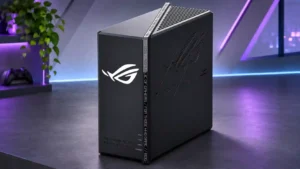
The customizable ROG logo provides plenty of lighting effects, although its brightness and styling are not to everyone's taste.
Channel selection
eero 6
2.0
Manual control over radio channels is lacking, which is frustrating if you want to tune the network yourself.
ASUS ROG Strix GS-BE18000No score yet
Congestion handling
eero 6No score yet
ASUS ROG Strix GS-BE18000
5.0
Congested traffic produced minimal throughput degradation in testing.
Data collection transparency
eero 6
2.0
Users cannot readily see what data the platform has collected, a concern for people who want transparency about network telemetry.
ASUS ROG Strix GS-BE18000No score yet
Dedicated backhaul band
eero 6
2.0
Without a dedicated backhaul band, wireless mesh traffic competes for the same capacity as connected devices.
ASUS ROG Strix GS-BE18000No score yet
Device capacity
eero 6No score yet
ASUS ROG Strix GS-BE18000
5.0
One household reported reliable operation with roughly 33 to 60 connected devices.
Future upgrade readiness
eero 6No score yet
ASUS ROG Strix GS-BE18000
4.3
Wi-Fi 7 offers substantial room for future client upgrades, but the absence of 10GbE reduces wired upgrade headroom.
Gaming optimization
eero 6No score yet
ASUS ROG Strix GS-BE18000
4.3
Gaming modes, dedicated ports and Open NAT offer useful tools, although some premium acceleration features are absent and wireless latency gains vary.
Heat management
eero 6No score yet
ASUS ROG Strix GS-BE18000
4.7
Passive cooling keeps the device quiet and reasonably cool during use and sustained workloads.
Included accessories
eero 6No score yet
ASUS ROG Strix GS-BE18000
4.0
The supplied braided Ethernet cable is a welcome inclusion.
Internet pause
eero 6
4.7
Pausing internet access for a device or group is simple and can be done through the app or supported voice commands.
ASUS ROG Strix GS-BE18000No score yet
IoT device compatibility
eero 6No score yet
ASUS ROG Strix GS-BE18000
3.0
Distant 2.4GHz IoT clients can struggle, and early connectivity issues improved after firmware updates.
IoT network
eero 6No score yet
ASUS ROG Strix GS-BE18000
5.0
A dedicated compatibility or IoT network makes it easier to retain older devices during an upgrade.
ISP compatibility
eero 6No score yet
ASUS ROG Strix GS-BE18000
2.0
One tester encountered difficulty connecting to an Australian ISP whose authentication requirements did not match the default setup.
LAN port speed
eero 6No score yet
ASUS ROG Strix GS-BE18000
3.3
The 2.5Gbps LAN connections are useful for many devices but limit individual high-speed wired transfers.
Link aggregation
eero 6No score yet
ASUS ROG Strix GS-BE18000
2.5
The lack of link aggregation limits wired scalability, although not every household will need bonded ports.
Malicious-site blocking
eero 6No score yet
ASUS ROG Strix GS-BE18000
4.0
AiProtection shows blocked malicious websites and identifies the affected devices.
Multi-Link Operation
eero 6No score yet
ASUS ROG Strix GS-BE18000
3.4
MLO adds flexibility for compatible hardware, but alternating operation, limited practical gains and reported compatibility issues temper its appeal.
Network segmentation
eero 6No score yet
ASUS ROG Strix GS-BE18000
4.7
Separate SSIDs for gaming, guests, children, IoT and VPN use offer extensive flexibility.
Node placement guidance
eero 6
5.0
The setup app gives practical advice on where to put nodes for a strong mesh connection.
ASUS ROG Strix GS-BE18000No score yet
Power consumption
eero 6No score yet
ASUS ROG Strix GS-BE18000
4.0
Power consumption compared favorably with a more power-hungry competitor in one test.
Remote management
eero 6
5.0
Remote monitoring and rebooting are particularly convenient when managing a network for someone else.
ASUS ROG Strix GS-BE18000No score yet
Retail availability
eero 6No score yet
ASUS ROG Strix GS-BE18000
2.0
Singapore availability was delayed pending local certification at the time of testing.
Self-healing network
eero 6
5.0
The mesh can route around disruptions automatically rather than requiring the user to intervene.
ASUS ROG Strix GS-BE18000No score yet
Settings organization
eero 6No score yet
ASUS ROG Strix GS-BE18000
4.5
Settings are generally well organized and the interface makes configuration accessible.
Status light control
eero 6No score yet
ASUS ROG Strix GS-BE18000
4.6
The bright logo can be customized, dimmed with night mode or switched off entirely.
Status light usefulness
eero 6
3.0
The multicolor indicator communicates network status clearly once you learn what the different colors mean.
ASUS ROG Strix GS-BE18000No score yet
Traffic prioritization
eero 6No score yet
ASUS ROG Strix GS-BE18000
4.7
Traffic controls and dedicated gaming ports help prioritize latency-sensitive tasks when the network is busy.
USB storage sharing
eero 6No score yet
ASUS ROG Strix GS-BE18000
3.3
USB storage sharing is convenient, but speed assessments range from modest to fast enough for casual NAS-style use.
WAN port speed
eero 6No score yet
ASUS ROG Strix GS-BE18000
2.5
The 2.5Gbps WAN port is ample for many plans but cannot fully exploit faster single-link broadband services.
Weight and handling
eero 6No score yet
ASUS ROG Strix GS-BE18000
4.5
Despite its substantial networking capabilities, the chassis is surprisingly light and easy to handle.
Zigbee hub usefulness
eero 6
4.7
The integrated Zigbee hub lets compatible smart-home accessories connect without another separate hub, making an Alexa-based setup simpler.
ASUS ROG Strix GS-BE18000No score yet
Controls and connectivity
Apple Home compatibility
eero 6
5.0
HomeKit integration was praised for adding useful control and security options for compatible Apple accessories.
ASUS ROG Strix GS-BE18000No score yet
App setup quality
eero 6No score yet
ASUS ROG Strix GS-BE18000
4.8
The mobile app guides users through a quick QR-code-based setup process.
Companion software dependence
eero 6
2.0
Reliance on the phone app can be restrictive if you prefer managing your network directly from a computer.
ASUS ROG Strix GS-BE18000No score yet
Interface responsiveness
eero 6No score yet
ASUS ROG Strix GS-BE18000
5.0
The app feels responsive when navigating its numerous controls.
Notifications
eero 6
5.0
New-device alerts help owners notice unfamiliar clients joining their network.
ASUS ROG Strix GS-BE18000No score yet
Smart home compatibility
eero 6
4.6
The built-in Zigbee hub makes compatible smart-home devices easier to connect without a separate hub.
ASUS ROG Strix GS-BE18000No score yet
Software update frequency
eero 6No score yet
ASUS ROG Strix GS-BE18000
5.0
Frequent firmware releases improve functionality and security.
Web interface setup
eero 6No score yet
ASUS ROG Strix GS-BE18000
4.0
A desktop browser provides a useful alternative to mobile-app setup and maintenance.
Wi-Fi 6 support
eero 6
4.3
Wi-Fi 6 brings better efficiency and throughput than older eero hardware, but the basic dual-band radios do not exploit its full potential.
ASUS ROG Strix GS-BE18000No score yet
Wi-Fi 7 support
eero 6No score yet
ASUS ROG Strix GS-BE18000
4.9
Wi-Fi 7 offers substantial gains for compatible clients and a useful upgrade path as more devices adopt the standard.