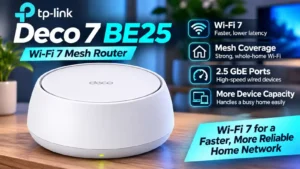
Compare TP-Link Archer BE230 vs TP-Link Deco 7 BE25

TP-Link Archer BE230

TP-Link Archer BE230

Overall score 4.1 / 5

Based on 28 scored reviews

vs
TP-Link Deco 7 BE25

TP-Link Deco 7 BE25

Overall score 4.0 / 5

Based on 17 scored reviews

How we score

Scorata scores summarize analyzed review evidence on a 1–5 scale; they are not laboratory measurements or a simple average of customer star ratings. Feature scores summarize the reviews covering that feature. The overall score averages feature scores within each review, then combines review averages. When both expert and customer evidence are available, those two groups receive equal weight. Products can have different review coverage, so small score gaps do not establish a winner.

Recommendations prioritize important features for the category, with a score of at least 3.5, a gap of at least 0.25 points and at least two supporting reviews per product. Features with widely varying scores or broad connectivity contexts are excluded from recommendations. These safeguards do not establish statistical significance.

Quick verdict

What each product is best for

The review evidence points to a tradeoff: web interface setup and USB port support versus mesh performance and security features. Choose according to which strengths matter more to you; the overall score alone does not settle that choice.

Choose TP-Link Archer BE230 for web interface setup and USB port support.

Choose TP-Link Deco 7 BE25 for mesh performance and security features.

Why these recommendations?

TP-Link Archer BE230

Where It Has the Edge

  • web interface setup is 4.8 vs 2.0. Browser-based setup is quick and straightforward, offering an alternative to the phone app.
  • USB port support is 4.3 vs 1.8. USB 3.0 is a useful inclusion for sharing a storage drive on the home network, especially at this...
  • web interface quality is 4.4 vs 2.0. The web interface is clean, familiar and well organized, with a useful selection of advanced settings.

TP-Link Deco 7 BE25

Where It Has the Edge

  • mesh performance is 4.8 vs 3.0. Mesh performance is strong for an affordable system, especially when nodes are wired or positioned within good signal...
  • security features is 4.3 vs 3.5. Basic security and device isolation are useful, with camera-specific controls adding protection. More advanced tools cost extra.
  • wired backhaul support is 4.8 vs 4.0. Two multi-gig ports on each unit make wired backhaul a standout, enabling fast links without a separate switch...
TP-Link Archer BE230 4.1 overall score
TP-Link Deco 7 BE25 4.0 overall score

Compare features

Scores are out of 5. Missing scores mean missing review evidence, not a missing feature.

Scored on both products

Other features

Ease of use
TP-Link Archer BE230
5.0

Everyday controls are clear enough for people who do not want to learn complex networking menus.

TP-Link Deco 7 BE25
4.8

Simple setup and an approachable app make routine operation easy, even for people unfamiliar with networking.

Congestion handling
TP-Link Archer BE230
4.1

Strong close-range throughput under congestion is encouraging, and DFS offers additional channel options. Crowded networks and longer distances can still challenge a dual-band design.

TP-Link Deco 7 BE25
2.1

Congested tests show meaningful speed losses, especially at a distance or over wireless satellite links.

Band steering
TP-Link Archer BE230
3.9

Smart Connect makes a single network name convenient, but automatic selection of the slower band can reduce throughput.

TP-Link Deco 7 BE25
2.0

Automatic band selection simplifies operation but offers less control than power users may want.

Ethernet port count
TP-Link Archer BE230
4.5

Five Ethernet ports are generous for typical home equipment, although only one of the LAN ports is multi-gigabit.

TP-Link Deco 7 BE25
2.8

Two Ethernet ports per unit are useful but can feel restrictive when one is occupied by internet or backhaul connections.

Wireless backhaul
TP-Link Archer BE230
2.0

Wireless backhaul shares available radio bandwidth, potentially cutting speed substantially as traffic passes between nodes.

TP-Link Deco 7 BE25
3.4

Wireless backhaul can serve moderate broadband plans well, but some tests show major satellite speed losses compared with wiring.

Automatic channel optimization
TP-Link Archer BE230
5.0

The app's optimization scanner is a welcome tool for improving wireless throughput.

TP-Link Deco 7 BE25
4.0

The network optimization function can help reduce interference from competing nearby Wi-Fi.

Latency
TP-Link Archer BE230
4.5

Delay is generally low enough for responsive browsing and gaming, including during simultaneous streams.

TP-Link Deco 7 BE25
3.5

Lag is generally low enough for ordinary activity and some game streaming, but demanding traffic and wireless satellite links can introduce delays.

Model naming clarity
TP-Link Archer BE230
3.0

The BE230 and BE3600 names can create confusion even though they refer to the same router in the reviewed listings.

TP-Link Deco 7 BE25
2.0

Similar retailer-specific models and inconsistent names make the Deco range unnecessarily confusing to navigate.

Packaging quality and presentation
TP-Link Archer BE230
3.0

Packaging protects the hardware and is neatly organized, but tightly wrapped antennas make unboxing unnecessarily fiddly.

TP-Link Deco 7 BE25
4.0

The neatly presented packaging makes a favorable first impression during unboxing.

Usage schedules
TP-Link Archer BE230
3.0

Basic scheduling is available, but multiple schedules and finer control can be restricted or require an upgrade.

TP-Link Deco 7 BE25
4.0

Free internet schedules help families manage when devices can go online.

Floor-to-floor coverage
TP-Link Archer BE230
4.0

Upstairs and downstairs connections remained usable in several homes, though some downstairs locations trailed competing routers.

TP-Link Deco 7 BE25
3.1

A node on another floor improves coverage, although wireless-only links may run slower than the main router.

Guest network
TP-Link Archer BE230
3.6

Guest networking is convenient to set up, but the guest SSID may not extend to EasyMesh satellites.

TP-Link Deco 7 BE25
4.5

Separate guest networking is a useful way to keep visitors apart from the main network.

Security features
TP-Link Archer BE230
3.5

Basic security tools add useful protection at no extra cost, but advanced threat protection requires a subscription.

TP-Link Deco 7 BE25
4.3

Basic security and device isolation are useful, with camera-specific controls adding protection. More advanced tools cost extra.

Configuration flexibility
TP-Link Archer BE230
3.9

There is a generous set of everyday network settings for the price, but advanced VLAN, QoS and optimization controls have limitations.

TP-Link Deco 7 BE25
3.3

The app offers useful everyday options but less advanced flexibility than more configurable systems, especially for band separation.

Alexa integration
TP-Link Archer BE230
4.5

Alexa integration provides convenient hands-free control over basic router settings.

TP-Link Deco 7 BE25
4.0

Alexa voice commands offer a convenient way to enable the guest network.

Device identification
TP-Link Archer BE230
4.0

Connected devices are displayed by name with useful signal and connection information.

TP-Link Deco 7 BE25
4.5

Client labels and clear node grouping help identify connected devices and spot unfamiliar ones.

Google Assistant integration
TP-Link Archer BE230
4.5

Google Assistant voice control can make routine network tasks more convenient, though smart home platform integration is not equally extensive.

TP-Link Deco 7 BE25
4.0

Google Home voice integration allows convenient hands-free network commands.

Latency consistency
TP-Link Archer BE230
4.5

Several tests found little lag under load, although latency and jitter are otherwise typical of dual-band routers.

TP-Link Deco 7 BE25
4.0

Jitter is reasonably low for casual use; MLO may improve consistency for compatible Wi-Fi 7 clients.

Network migration ease
TP-Link Archer BE230
4.0

Moving to the router is usually straightforward, although reusing the same SSID alongside existing equipment can complicate initial configuration.

TP-Link Deco 7 BE25
3.5

Moving from an older router can be easy using familiar credentials, although removing or reconfiguring existing nodes can be troublesome.

Wall penetration
TP-Link Archer BE230
3.7

Thick walls are an unpredictable obstacle: some tests found excellent penetration, while others showed substantial signal loss.

TP-Link Deco 7 BE25
3.3

Adding nodes can overcome difficult walls, but dense plaster and other obstacles can substantially reduce a single unit's reach.

IoT network
TP-Link Archer BE230
4.1

A separate IoT network is useful for organizing smart devices. Its SSID may be limited to the main router in a mesh configuration.

TP-Link Deco 7 BE25
3.7

A separate IoT network is useful for smart devices, although using it to separate frequency bands can be awkward.

Future upgrade readiness
TP-Link Archer BE230
4.4

Wi-Fi 7 features, 2.5 GbE and mesh expansion offer useful upgrade headroom. The missing 6 GHz band limits future peak speeds.

TP-Link Deco 7 BE25
3.9

Fast Ethernet and compatible node expansion provide useful future headroom, though missing 6 GHz limits wireless upgrade potential.

Network stability
TP-Link Archer BE230
4.3

Typical household traffic can run smoothly without interruptions, but occasional firmware-related dropouts and reboots have been reported.

TP-Link Deco 7 BE25
4.7

The system can run reliably through extended stress tests and everyday use without connection drops.

Multi-Link Operation
TP-Link Archer BE230
3.5

MLO can improve handoff consistency or distant throughput, but speed gains are uneven. Alternating operation and the absence of 6 GHz limit its benefits.

TP-Link Deco 7 BE25
3.9

MLO can improve throughput or latency for compatible clients, but gains vary: some tests showed little or no improvement.

Network monitoring
TP-Link Archer BE230
4.1

Useful traffic, connection and device statistics are available, though the network map could show more details at a glance.

TP-Link Deco 7 BE25
4.5

The app's network map and node-by-node client visibility make it easy to see what is connected.

Whole-home coverage
TP-Link Archer BE230
4.3

A single centrally placed router can cover a modest home well. Larger properties and difficult layouts may need additional nodes.

TP-Link Deco 7 BE25
4.7

Multiple nodes can provide strong whole-home coverage, including previously troublesome rooms. Larger or densely built homes benefit from wiring.

Close-range speed
TP-Link Archer BE230
4.4

Most close-range tests were excellent for the price, with 5 GHz frequently reaching gigabit-class speeds. Automatic band selection and stricter Wi-Fi 7 comparisons expose some limitations.

TP-Link Deco 7 BE25
4.7

Close-range tests often reach or exceed gigabit speeds, making the main router a capable performer for its price.

Firmware stability
TP-Link Archer BE230
2.3

Firmware has some rough edges, including reported MLO inconsistencies and radio failures after updates.

TP-Link Deco 7 BE25
2.0

A reported firmware issue in wired access point mode cut throughput, so software updates matter if that configuration misbehaves.

Heat management
TP-Link Archer BE230
4.8

Passive cooling keeps temperatures comfortably controlled, even during substantial traffic.

TP-Link Deco 7 BE25
5.0

Nodes remain only warm to the touch during testing rather than becoming excessively hot.

LAN port speed
TP-Link Archer BE230
4.8

One 2.5 GbE LAN port delivers useful headroom for a fast wired computer, NAS or switch. Other LAN ports are limited to gigabit speeds.

TP-Link Deco 7 BE25
5.0

2.5 Gbps wired connections are a notable advantage over gigabit-only budget mesh systems.

Device compatibility
TP-Link Archer BE230
4.8

Older Wi-Fi devices can connect normally and may gain speed, making mixed-generation networks practical.

TP-Link Deco 7 BE25
4.6

Older Wi-Fi clients and compatible Deco units work alongside newer hardware, although they cannot exploit every Wi-Fi 7 benefit.

Long-range speed
TP-Link Archer BE230
3.6

Long-range results depend heavily on the surroundings and number of active clients. Some tests beat expensive routers, while other tests found pronounced speed loss.

TP-Link Deco 7 BE25
3.4

Farther-away speeds remain usable in some homes, but the decline can be substantial and premium models reach farther.

WAN port speed
TP-Link Archer BE230
4.8

The 2.5 GbE internet port is a welcome way to avoid a gigabit bottleneck when upgrading broadband.

TP-Link Deco 7 BE25
5.0

The faster WAN connection can make use of broadband speeds beyond gigabit, with testing reaching about 2.2 Gbps.

Status light usefulness
TP-Link Archer BE230
4.3

Visible indicators provide useful at-a-glance information about network and connection status.

TP-Link Deco 7 BE25
4.5

The colored indicator makes it convenient to check whether a node is healthy or having problems.

Subscription requirements
TP-Link Archer BE230
2.7

The router works without subscriptions, but advanced parental controls and security add recurring costs that some buyers resent.

TP-Link Deco 7 BE25
2.5

Advanced HomeShield security and parental controls are paywalled, though the free essentials and low hardware price soften the drawback for some buyers.

Dead-zone elimination
TP-Link Archer BE230
4.8

EasyMesh expansion can extend service into previously weak areas; one condo upgrade also eliminated the need for a second router.

TP-Link Deco 7 BE25
4.7

Extra nodes can restore service to previously weak rooms, garages and other dead spots.

Automatic configuration
TP-Link Archer BE230
5.0

Automatic configuration can get the router online on the first attempt with minimal intervention.

TP-Link Deco 7 BE25
4.9

Automatic node onboarding eliminates much of the manual configuration associated with older mesh systems.

Connected-device management
TP-Link Archer BE230
4.5

Renaming, prioritizing, pausing and blocking individual devices is straightforward.

TP-Link Deco 7 BE25
4.4

Managing connected clients is convenient, with useful controls for identifying and isolating individual devices.

Range
TP-Link Archer BE230
3.8

Range is good for many apartments and medium homes, but tests disagree on how well it holds up over longer distances or through obstacles.

TP-Link Deco 7 BE25
3.9

Coverage is good for smaller homes, but individual units have limited reach and their effectiveness depends on distance and construction.

Mesh coverage
TP-Link Archer BE230
4.8

Compatible extenders can fill weak spots and create a unified network across the home.

TP-Link Deco 7 BE25
4.7

Additional nodes spread coverage effectively through ordinary homes, though realistic usable area depends on walls and placement.

Status light control
TP-Link Archer BE230
4.7

Physical and software controls make it easy to turn off distracting status lights.

TP-Link Deco 7 BE25
4.8

The LED can be turned off or scheduled, which is useful in bedrooms and other distraction-sensitive spaces.

Network segmentation
TP-Link Archer BE230
3.9

Separate guest and IoT networks offer useful isolation, but custom LAN VLANs and deeper segmentation options are limited.

TP-Link Deco 7 BE25
3.9

Device and network isolation add useful security, but separating the two wireless bands can require an inconvenient workaround.

Dedicated backhaul band
TP-Link Archer BE230
2.0

There is no separate radio dedicated to mesh backhaul, which makes wireless expansion a compromise.

TP-Link Deco 7 BE25
2.0

Without a separate backhaul radio, clients and satellites compete for airtime on the same band.

Device capacity
TP-Link Archer BE230
3.0

A typical household is comfortably within its capabilities, but many bandwidth-hungry devices or a dense smart home can overwhelm it.

TP-Link Deco 7 BE25
3.0

Typical family device counts are manageable, but many active cameras or dozens of demanding IoT devices can exhaust available airtime.

Expandability
TP-Link Archer BE230
4.6

EasyMesh compatibility allows coverage to grow as needs change rather than requiring a complete replacement.

TP-Link Deco 7 BE25
4.6

Adding nodes or mixing compatible Deco models makes the system a flexible starting point for future expansion.

Power consumption
TP-Link Archer BE230
5.0

Low power draw makes it economical to leave the router running continuously.

TP-Link Deco 7 BE25
5.0

Low power consumption makes the system economical to leave running continuously.

Power efficiency
TP-Link Archer BE230
5.0

Low power consumption is a strength, particularly compared with higher-performance routers that need more energy.

TP-Link Deco 7 BE25
5.0

Modest electricity consumption is an advantage for mesh nodes that remain powered all day.

Subscription pricing transparency
TP-Link Archer BE230
2.0

Subscription pricing can be difficult to discover before beginning a free trial.

TP-Link Deco 7 BE25
2.0

The division between free and paid HomeShield capabilities is not always apparent in the app.

Controls and connectivity

Web interface setup
TP-Link Archer BE230
4.8

Browser-based setup is quick and straightforward, offering an alternative to the phone app.

TP-Link Deco 7 BE25
2.0

Browser-based setup is not a practical alternative to the mandatory phone app.

Web interface quality
TP-Link Archer BE230
4.4

The web interface is clean, familiar and well organized, with a useful selection of advanced settings.

TP-Link Deco 7 BE25
2.0

The web interface is largely limited to status and firmware maintenance rather than comprehensive network management.

Node pairing ease
TP-Link Archer BE230
5.0

EasyMesh pairing can be as simple as pressing a button on each compatible device.

TP-Link Deco 7 BE25
3.7

Included nodes typically pair automatically, although adding or removing nodes later can sometimes be frustrating.

Privacy controls
TP-Link Archer BE230
2.3

The cloud-linked app raises privacy concerns for buyers who prefer fully local network administration.

TP-Link Deco 7 BE25
3.5

Router-level VPN support helps protect traffic, but the mandatory vendor-linked account raises a separate privacy concern.

Wi-Fi 7 support
TP-Link Archer BE230
3.6

The router offers useful Wi-Fi 7 capabilities at a low price, but it lacks 6 GHz and the widest channels. It is not equivalent to a full-featured tri-band model.

TP-Link Deco 7 BE25
2.7

Wi-Fi 7 brings useful newer features, but the absence of 6 GHz means it cannot deliver the standard's full speed potential.

Access controls
TP-Link Archer BE230
4.3

Device blocking and per-device access controls are useful for managing who can use the network.

TP-Link Deco 7 BE25
4.0

Built-in client controls help manage or block devices and are useful for families.

Companion software dependence
TP-Link Archer BE230
2.5

Some configuration and premium features require switching between Tether and the browser interface, making administration less unified.

TP-Link Deco 7 BE25
2.3

The mandatory Deco app and vendor account simplify setup but limit management choices and may frustrate privacy-conscious owners.

Parental controls
TP-Link Archer BE230
3.5

Basic parental controls are useful and approachable, with profiles and blocking options. Advanced filtering, scheduling or reports may require payment.

TP-Link Deco 7 BE25
3.8

Basic parental tools are useful for most families, while advanced filtering and time limits require a subscription.

App setup quality
TP-Link Archer BE230
4.7

The Tether app provides a guided, approachable setup process. Some unusual network configurations and the online login requirement introduce friction.

TP-Link Deco 7 BE25
4.8

The guided mobile app makes initial configuration straightforward, including setting up the primary node and adding satellites.

Mobile app quality
TP-Link Archer BE230
4.2

Tether is polished, approachable and convenient for everyday management. An online account, promotional prompts and settings available only through a browser are drawbacks.

TP-Link Deco 7 BE25
4.1

The app is clean and accessible for beginners, with useful network controls, but experienced users may find it oversimplified.

Wi-Fi speed
TP-Link Archer BE230
4.2

Gigabit-class wireless speeds are achievable in favorable conditions, and upgrades from older routers can be substantial. Throughput falls off with distance and lacks the highest-end Wi-Fi 7 speeds.

TP-Link Deco 7 BE25
4.3

Expect fast everyday Wi-Fi, particularly near the main node. Speed can fall markedly at remote satellites.

In-app promotional interruptions
TP-Link Archer BE230
2.0

A full-screen HomeShield upsell can interrupt the otherwise quick app setup.

TP-Link Deco 7 BE25
2.0

Promotional messages in the Deco app are an unwelcome distraction during routine network management.

Ownership and support

Wall-mounting support
TP-Link Archer BE230
4.7

Built-in mounting slots make wall placement straightforward without a separate bracket.

TP-Link Deco 7 BE25
2.0

A built-in wall mount would make placement in kitchens, garages and other tight spots easier.

USB port support
TP-Link Archer BE230
4.3

USB 3.0 is a useful inclusion for sharing a storage drive on the home network, especially at this price.

TP-Link Deco 7 BE25
1.8

USB connectivity is absent, ruling out the convenience of directly attaching shared storage to a router node.

160 MHz support
TP-Link Archer BE230
2.5

The range of available 5 GHz channels at 160 MHz is restrictive, making interference harder to avoid.

TP-Link Deco 7 BE25
4.5

MLO showed a notable throughput improvement using 160 MHz channels in testing.

Channel width support
TP-Link Archer BE230
2.5

Channel bandwidth tops out at 160 MHz rather than the wider 320 MHz available on full-featured Wi-Fi 7 routers.

TP-Link Deco 7 BE25
4.0

240 MHz support offers extra bandwidth on compatible devices, though the real benefit can be limited. Adjusting channel width is straightforward.

Wired backhaul support
TP-Link Archer BE230
4.0

Ethernet links between mesh units are strongly preferred for maintaining speed and making the most of a low-cost system.

TP-Link Deco 7 BE25
4.8

Two multi-gig ports on each unit make wired backhaul a standout, enabling fast links without a separate switch in simple layouts.

Dual-band support
TP-Link Archer BE230
3.2

Two bands are often sufficient for everyday homes and help keep the price down. They limit peak capacity and leave less room for congested networks.

TP-Link Deco 7 BE25
2.6

The inexpensive dual-band design is adequate for basic networking, but sharing radios with backhaul creates a performance compromise.

Connection reliability
TP-Link Archer BE230
4.4

Many households enjoyed stable connections even with several active devices. Isolated reports of daily dropouts and reduced reliability at extreme distances temper that praise.

TP-Link Deco 7 BE25
5.0

Reliable connectivity is a recurring strength, with users enjoying fewer interruptions throughout their homes.

320 MHz support
TP-Link Archer BE230
2.0

Missing 320 MHz channels limit maximum wireless throughput for compatible Wi-Fi 7 clients.

TP-Link Deco 7 BE25
2.5

The missing 320 MHz channel width limits peak throughput for modern Wi-Fi 7 clients.

Upgrade value
TP-Link Archer BE230
4.7

Upgrading from older routers or an ISP gateway can produce a major improvement for little money. Owners of a good Wi-Fi 6 router may see less benefit.

TP-Link Deco 7 BE25
4.4

It is a substantial upgrade from an older single router, but replacing a working tri-band mesh can sacrifice wireless backhaul performance.

Setup guidance
TP-Link Archer BE230
4.2

Clear setup instructions help novices get online, though technical ISP questions could use better explanations.

TP-Link Deco 7 BE25
4.5

The app and quick-start guide provide clear instructions for getting the network running.

VPN client support
TP-Link Archer BE230
4.8

The VPN client is a standout at this price, with support for modern protocols and network-wide routing.

TP-Link Deco 7 BE25
5.0

A network-level VPN is a welcome convenience for protecting traffic and sharing VPN access across devices.

Installation process
TP-Link Archer BE230
5.0

Installation is generally close to plug-and-play, with clear guidance and quick connection to the modem.

TP-Link Deco 7 BE25
4.8

Installation generally takes only minutes using the Deco app, with little manual work required.

Setup ease
TP-Link Archer BE230
4.8

Setup is consistently described as quick and straightforward, often taking only five or six minutes. A few ISP-specific settings can confuse beginners.

TP-Link Deco 7 BE25
4.7

Setup is usually painless, with guided onboarding and automatically joining satellites. Occasional connection retries are possible.

2.5 GbE support
TP-Link Archer BE230
4.7

A pair of 2.5 GbE ports provides excellent value and useful wired headroom, with measured speeds near the connection's practical ceiling.

TP-Link Deco 7 BE25
4.8

Two 2.5 GbE ports per node deliver unusually good wired flexibility for an entry-level mesh.

Multi-gig Ethernet support
TP-Link Archer BE230
4.8

Multi-gigabit Ethernet is an unusually strong selling point at this price. The router can connect faster broadband and one fast wired device without a gigabit bottleneck.

TP-Link Deco 7 BE25
4.8

Multi-gig Ethernet on every node is one of the strongest reasons to choose this affordable system.

Value for money
TP-Link Archer BE230
4.8

The combination of a low price, good everyday wireless performance and two 2.5 GbE ports is widely praised. Limited radio capacity and paid extras are the primary trade-offs.

TP-Link Deco 7 BE25
4.8

Affordable pricing and multi-gig ports make the system compelling, although more expensive mesh kits offer stronger wireless performance.

Performance

Performance under load
TP-Link Archer BE230
4.5

The router handles simultaneous streaming and ordinary traffic surprisingly well, particularly at close range.

TP-Link Deco 7 BE25
2.7

Stress-test reliability can be excellent, but throughput and latency suffer when many demanding clients share the network.

Mesh performance
TP-Link Archer BE230
3.0

EasyMesh is a useful expansion route, but wireless mesh links share the router's limited spectrum and are better wired where possible.

TP-Link Deco 7 BE25
4.8

Mesh performance is strong for an affordable system, especially when nodes are wired or positioned within good signal range.

Multi-device performance
TP-Link Archer BE230
4.1

Several simultaneous streams and everyday devices generally run smoothly. Heavier loads with numerous clients can expose the limited radio capacity.

TP-Link Deco 7 BE25
3.2

Simultaneous streaming and gaming work well in ordinary households; heavier concurrent traffic can overwhelm the dual-band radios.

2.4 GHz performance
TP-Link Archer BE230
3.7

Close-range 2.4 GHz throughput is frequently excellent for the price, and some tests found good wall penetration. Longer-distance results and isolated radio failures were less encouraging.

TP-Link Deco 7 BE25
3.1

2.4 GHz is adequate for many smart devices, but throughput can be modest and falls under demanding traffic or at distance.

Download performance
TP-Link Archer BE230
4.3

Downloads can be impressively quick on compatible devices, with useful performance at distance in some homes.

TP-Link Deco 7 BE25
4.7

Downloads are quick near the router and can exceed gigabit with appropriate equipment. Wireless satellites may not sustain the same rates.

6 GHz performance
TP-Link Archer BE230
2.3

There is no 6 GHz radio, so the newest clients cannot exploit its extra capacity or maximum speeds. For ordinary devices and modest internet plans, this is less consequential.

TP-Link Deco 7 BE25
2.5

There is no 6 GHz radio, a significant drawback for buyers seeking the fastest Wi-Fi 7 connections, but less important with older clients.

Wired device performance
TP-Link Archer BE230
4.5

Wired performance is often very good, approaching the 2.5 GbE ceiling in some tests, though some alternatives delivered faster measured transfers.

TP-Link Deco 7 BE25
4.6

Wired connections provide useful high-speed links for desktops, consoles and other equipment around the home.

Content filtering
TP-Link Archer BE230
3.8

Basic website blocking is useful, but more extensive filtering can be subscription-dependent.

TP-Link Deco 7 BE25
3.6

Basic website filtering is useful, but more sophisticated content controls are paid extras.

Wireless performance
TP-Link Archer BE230
4.3

Wireless performance is strong for a low-cost router, especially with nearby devices. Peak speeds and performance at greater distances can trail more capable models.

TP-Link Deco 7 BE25
4.4

Wireless throughput is strong near the main unit for the price, but more demanding tests expose the limits of its dual-band design.

Upload performance
TP-Link Archer BE230
4.7

Upload speeds improved markedly over older equipment in some tests, and remained steady during simultaneous streaming in another.

TP-Link Deco 7 BE25
4.6

Upload speeds can be excellent near the main unit, although the connection quality depends on placement and the internet plan.

5 GHz performance
TP-Link Archer BE230
3.9

The 5 GHz band can deliver gigabit-class speeds close by, but speed losses over distance vary considerably.

TP-Link Deco 7 BE25
3.9

5 GHz speeds range from impressive with compatible clients to ordinary against premium systems; shared wireless backhaul can constrain results.

Operating noise
TP-Link Archer BE230
5.0

Fanless operation is completely silent, even during heavy use.

TP-Link Deco 7 BE25
5.0

Fanless hardware runs silently, making it suitable for living spaces without adding operating noise.

Comfort and build

Design and appearance
TP-Link Archer BE230
3.9

The simple matte-black design divides opinion: some find it clean and practical, while others dislike the conspicuous antennas and basic finish.

TP-Link Deco 7 BE25
4.3

The understated white puck-shaped units generally blend into rooms well, though the smoke-detector-like styling is not universally appealing.

Size and footprint
TP-Link Archer BE230
4.2

The low-profile, lightweight body is easy to place in many homes, although the protruding antennas can make it look bulkier.

TP-Link Deco 7 BE25
4.6

Compact, low-profile nodes are easy to hide or place on furniture without the bulk of many premium routers.

Evidence available for one product

Ownership and support

5 GbE support
TP-Link Archer BE230No score yet
TP-Link Deco 7 BE25
2.5

The cheaper design gives up the 5 Gbps Ethernet ports available on higher-tier models.

10 GbE support
TP-Link Archer BE230
2.0

The lack of 10 GbE rules out exploiting the fastest wired internet plans.

TP-Link Deco 7 BE25No score yet
Customer support
TP-Link Archer BE230
3.5

The availability of lifetime support and online resources is encouraging, but owners who encountered faults have reported frustrating assistance.

TP-Link Deco 7 BE25No score yet
Dual-WAN support
TP-Link Archer BE230
2.0

Advanced routing needs such as dual-WAN are not well served by the consumer-oriented firmware.

TP-Link Deco 7 BE25No score yet
Dynamic DNS support
TP-Link Archer BE230
4.5

Dynamic DNS is useful alongside the VPN server for reaching home devices remotely.

TP-Link Deco 7 BE25No score yet
Hardware reliability
TP-Link Archer BE230
2.0

Reports of the 2.4 GHz radio disappearing on a unit and its replacement raise durability concerns.

TP-Link Deco 7 BE25No score yet
Matter support
TP-Link Archer BE230No score yet
TP-Link Deco 7 BE25
4.0

Matter compatibility is a welcome inclusion for buyers interested in a common smart-home standard.

MIMO support
TP-Link Archer BE230
2.3

The 2×2 radio design limits overall capacity compared with higher-stream routers, particularly when many devices compete for bandwidth.

TP-Link Deco 7 BE25No score yet
VPN server support
TP-Link Archer BE230
4.6

Built-in VPN server capabilities offer a useful way to access the home network from elsewhere.

TP-Link Deco 7 BE25No score yet
Warranty
TP-Link Archer BE230
5.0

The two-year warranty is competitive and longer than many similarly priced alternatives.

TP-Link Deco 7 BE25No score yet
WireGuard support
TP-Link Archer BE230
4.8

WireGuard is easy to configure and delivers respectable VPN throughput for a budget router.

TP-Link Deco 7 BE25No score yet
WPA3 support
TP-Link Archer BE230
4.5

WPA3 is a welcome modern security upgrade over older routers limited to WPA2.

TP-Link Deco 7 BE25No score yet

Other features

Activity reports
TP-Link Archer BE230
2.5

Detailed reporting is limited without a paid HomeShield plan.

TP-Link Deco 7 BE25No score yet
Airtime efficiency
TP-Link Archer BE230
2.0

The absence of familiar airtime fairness settings limits fine-grained optimization.

TP-Link Deco 7 BE25No score yet
Antenna adjustability
TP-Link Archer BE230
4.2

Adjustable external antennas make positioning and wall mounting flexible, although they are not easily replaceable.

TP-Link Deco 7 BE25No score yet
Auto-sensing Ethernet ports
TP-Link Archer BE230No score yet
TP-Link Deco 7 BE25
5.0

Auto-sensing Ethernet ports remove the need to work out which connector must be used for internet access.

Automatic firmware updates
TP-Link Archer BE230
5.0

Automatic firmware updates are convenient, and the setup process can apply new software without intervention.

TP-Link Deco 7 BE25No score yet
Automatic route optimization
TP-Link Archer BE230No score yet
TP-Link Deco 7 BE25
4.0

Intelligent mesh management helps steer connectivity toward better coverage and reduce weak spots.

Beamforming effectiveness
TP-Link Archer BE230
4.3

Beamforming helps direct signals toward devices and can improve coverage in hard-to-reach rooms.

TP-Link Deco 7 BE25No score yet
Channel selection
TP-Link Archer BE230
3.8

DFS and adjustable channel options help deal with interference, although radar activity can interrupt service.

TP-Link Deco 7 BE25No score yet
Cross-brand mesh compatibility
TP-Link Archer BE230
4.8

EasyMesh allows compatible hardware from other brands to participate in an expandable network, though specific compatibility must be checked.

TP-Link Deco 7 BE25No score yet
Daily internet time limits
TP-Link Archer BE230No score yet
TP-Link Deco 7 BE25
2.0

Daily internet time limits are reserved for the paid parental-control tier rather than the free plan.

Device prioritization
TP-Link Archer BE230
4.5

Per-device priority controls make it easy to give important traffic more bandwidth.

TP-Link Deco 7 BE25No score yet
Device security
TP-Link Archer BE230No score yet
TP-Link Deco 7 BE25
4.5

Network and device isolation offer useful safeguards for smart-home gadgets and cameras.

Firmware update process
TP-Link Archer BE230
4.0

Firmware updates are usually easy to apply, sometimes automatically during setup. Reports of post-update radio problems and lack of rollback are concerning.

TP-Link Deco 7 BE25No score yet
Gaming optimization
TP-Link Archer BE230
2.0

There are no specialized gaming features for minimizing lag on selected connections.

TP-Link Deco 7 BE25No score yet
Included accessories
TP-Link Archer BE230
4.2

The supplied cable, power adapter and documentation cover the essentials, without unnecessary extras.

TP-Link Deco 7 BE25No score yet
Instruction readability
TP-Link Archer BE230
5.0

The setup guide clearly explains the basic installation steps and indicator meanings.

TP-Link Deco 7 BE25No score yet
Internet pause
TP-Link Archer BE230
4.3

Pausing internet access for a device is simple through the management interface.

TP-Link Deco 7 BE25No score yet
IoT device compatibility
TP-Link Archer BE230No score yet
TP-Link Deco 7 BE25
5.0

Smart-home cameras can become much quicker to access when the mesh improves their connectivity.

IPv6 configuration ease
TP-Link Archer BE230No score yet
TP-Link Deco 7 BE25
5.0

IPv6 is simple to enable from the app rather than requiring extensive manual configuration.

ISP compatibility
TP-Link Archer BE230
2.0

The German-language test warns that internet connections requiring DS-Lite with an AFTR gateway are not supported.

TP-Link Deco 7 BE25No score yet
Link aggregation
TP-Link Archer BE230
2.5

Missing link aggregation is a drawback for buyers who need to combine wired connections.

TP-Link Deco 7 BE25No score yet
Local hostname resolution
TP-Link Archer BE230
2.0

Local hostname lookups can fail for non-Windows devices, requiring inconvenient workarounds such as reserved addresses.

TP-Link Deco 7 BE25No score yet
Maintenance frequency
TP-Link Archer BE230No score yet
TP-Link Deco 7 BE25
4.5

The mesh is designed to work with little ongoing configuration or maintenance after setup.

Mesh scalability
TP-Link Archer BE230No score yet
TP-Link Deco 7 BE25
4.6

Additional Deco units can extend coverage, and mixing compatible models gives owners room to expand later.

Mid-range speed
TP-Link Archer BE230
3.6

Performance at intermediate distances varies: several tests remained fast, while others saw a sharp drop by 25–30 feet.

TP-Link Deco 7 BE25No score yet
Node synchronization
TP-Link Archer BE230No score yet
TP-Link Deco 7 BE25
4.7

The included satellites usually synchronize automatically after the main node is configured.

Outdoor coverage
TP-Link Archer BE230No score yet
TP-Link Deco 7 BE25
4.5

Backyard and driveway connectivity can be substantially better, with usable outdoor speeds even when throughput declines.

Overall satisfaction
TP-Link Archer BE230No score yet
TP-Link Deco 7 BE25
4.6

Overall satisfaction is high for an affordable, simple mesh system, with the strongest reservations centered on missing premium wireless features.

Quality of service
TP-Link Archer BE230
4.5

QoS controls are useful and easy to adjust, with granular settings for individual clients.

TP-Link Deco 7 BE25No score yet
Reboot frequency
TP-Link Archer BE230
3.0

Occasional reboots may be needed when speeds unexpectedly deteriorate.

TP-Link Deco 7 BE25No score yet
Remote management
TP-Link Archer BE230No score yet
TP-Link Deco 7 BE25
4.0

The Deco app allows convenient administration away from home as well as on the local network.

Repairability
TP-Link Archer BE230No score yet
TP-Link Deco 7 BE25
4.5

The enclosure opens without glue or deliberate barriers, making possible future repairs less intimidating.

Seamless handoff
TP-Link Archer BE230
4.8

Handoffs between compatible mesh devices can be seamless, keeping phones connected as users move around.

TP-Link Deco 7 BE25No score yet
Settings organization
TP-Link Archer BE230
4.8

Major settings are easy to navigate, with heavier options grouped under Advanced.

TP-Link Deco 7 BE25No score yet
Signal consistency between nodes
TP-Link Archer BE230No score yet
TP-Link Deco 7 BE25
2.7

Remote nodes can deliver similar speeds on slower plans, but faster plans expose significant differences between nodes.

Specification clarity
TP-Link Archer BE230No score yet
TP-Link Deco 7 BE25
2.0

The Wi-Fi 7 label can give an overly optimistic impression of capabilities because important features of the standard are missing.

Traffic prioritization
TP-Link Archer BE230
3.5

Traffic can be prioritized according to activities such as streaming or gaming.

TP-Link Deco 7 BE25No score yet
Troubleshooting assistance
TP-Link Archer BE230
4.8

Built-in diagnostics and the app's Wi-Fi tools make it easier to identify and resolve common network problems.

TP-Link Deco 7 BE25No score yet
USB storage sharing
TP-Link Archer BE230
4.2

A shared USB drive can serve as a basic network storage or backup solution. Wired transfers are generally more satisfying than wireless access, and configuration can require the browser interface.

TP-Link Deco 7 BE25No score yet
Weight and handling
TP-Link Archer BE230
5.0

The thin, lightweight chassis is easy to handle and move into position.

TP-Link Deco 7 BE25No score yet
Wireless signal strength
TP-Link Archer BE230No score yet
TP-Link Deco 7 BE25
3.9

Signal strength can be excellent around the house with properly placed nodes, but individual units lose strength with distance or difficult walls.

Performance

Advertised coverage accuracy
TP-Link Archer BE230No score yet
TP-Link Deco 7 BE25
2.3

Published square-footage ratings can overstate practical coverage, especially through dense walls or when a strong data rate is required.

Advertised speed accuracy
TP-Link Archer BE230
4.5

Measured sustained throughput was consistent with the modest hardware specifications.

TP-Link Deco 7 BE25No score yet
Backhaul performance
TP-Link Archer BE230No score yet
TP-Link Deco 7 BE25
3.9

Backhaul is the key tradeoff: Ethernet performs well, while wireless links range from excellent to significantly slower under load.

Cleaning ease
TP-Link Archer BE230No score yet
TP-Link Deco 7 BE25
4.5

Straightforward disassembly without glue makes future internal cleaning more practical.

Long-term performance
TP-Link Archer BE230
5.0

Months of steady everyday use suggest the router can provide dependable long-term performance.

TP-Link Deco 7 BE25No score yet
Node-to-node performance
TP-Link Archer BE230No score yet
TP-Link Deco 7 BE25
3.5

Node-to-node speeds vary widely with distance and testing conditions; wiring provides a more predictable link.

Roaming performance
TP-Link Archer BE230
4.8

Compatible mesh equipment can provide smooth transitions between coverage zones, though not every network name extends to satellite units.

TP-Link Deco 7 BE25No score yet
Satellite performance
TP-Link Archer BE230No score yet
TP-Link Deco 7 BE25
3.4

Satellite performance varies from impressively fast to much slower than the main unit, particularly with wireless backhaul.

VPN performance
TP-Link Archer BE230
4.8

VPN throughput is impressive for the price, with WireGuard results around 600–800 Mbps or higher in different tests.

TP-Link Deco 7 BE25No score yet

Comfort and build

Build quality
TP-Link Archer BE230
3.9

The light plastic enclosure generally feels sturdy enough for home use, but the visible antenna wiring and less robust construction reveal cost-cutting.

TP-Link Deco 7 BE25No score yet
Ethernet port design
TP-Link Archer BE230No score yet
TP-Link Deco 7 BE25
5.0

Auto-sensing port design allows either Ethernet connector to be used for the main internet link.

Power adapter size
TP-Link Archer BE230No score yet
TP-Link Deco 7 BE25
4.3

The sideways power adapters leave nearby sockets accessible, although one owner found them rather bulky.

Controls and connectivity

Camera isolation controls
TP-Link Archer BE230No score yet
TP-Link Deco 7 BE25
4.3

Camera-specific controls can keep cameras on the local network or restrict internet access, adding a useful layer of privacy.

Interface responsiveness
TP-Link Archer BE230
5.0

The app feels quick and responsive during setup and everyday management.

TP-Link Deco 7 BE25No score yet
Notifications
TP-Link Archer BE230
2.5

The lack of a new-device alert is an inconvenience for owners monitoring network access.

TP-Link Deco 7 BE25No score yet
Physical controls
TP-Link Archer BE230
4.5

Clearly labeled ports and dedicated buttons make basic operation and installation convenient.

TP-Link Deco 7 BE25No score yet
Software and driver support
TP-Link Archer BE230
3.0

Firmware-conscious users may prefer more mature alternatives with greater software flexibility.

TP-Link Deco 7 BE25No score yet
Software privacy
TP-Link Archer BE230No score yet
TP-Link Deco 7 BE25
2.0

The required vendor account creates a potential privacy concern for users who prefer fully local router administration.

Voice assistant compatibility
TP-Link Archer BE230
4.5

Voice commands make routine tasks such as guest network and LED control more convenient.

TP-Link Deco 7 BE25No score yet

Other Top Routers to Consider

#1 D-Link Aquila Pro AI R95
4.8

Choose the R95 for a busy home that needs fast Wi-Fi 7, strong range, multi-gig ports, and low-lag gaming. Skip it for a small, lightly connected space or if advanced...

Pros: Wi-Fi 7 support, Wi-Fi speed

#2 GL.iNet GL-BE3600 Slate 7
4.5

Best for frequent travel, fast VPNs, dual 2.5GbE and resilient multi-WAN. Skip it if you need full 6GHz/320MHz Wi‑Fi 7, mesh, or desktop-class USB storage and long-range indoor coverage.

Pros: VPN client support, value for money

Cons: 6 GHz performance, USB storage sharing

#3 GL.iNet Flint 2 (GL-MT6000)
4.4

Exceptional VPN speeds, strong Wi-Fi 6 coverage and extensive OpenWrt controls make the Flint 2 a compelling value. Its advanced setup, missing 6GHz band and firmware-specific caveats matter if you...

Pros: setup ease, configuration flexibility

Cons: Wi-Fi 7 support, USB storage sharing

#4 GL.iNet Beryl AX (GL-MT3000)
4.4

The Beryl AX packs exceptionally flexible VPN and networking tools into a pocket-sized router. It is a great travel companion, but hotel login issues, limited whole-home range and a single...

Pros: Overall satisfaction, size and footprint

Cons: Captive portal handling, Ethernet port count