Compare TP-Link Archer AX55 vs TP-Link Archer BE400

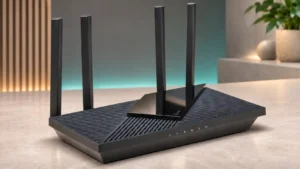
TP-Link Archer AX55

TP-Link Archer AX55

Overall score 4.0 / 5

Based on 20 scored reviews

vs
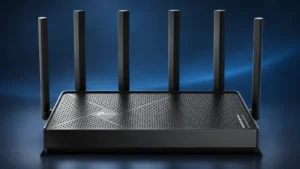
TP-Link Archer BE400

TP-Link Archer BE400

Overall score 3.6 / 5

Based on 8 scored reviews

How we score

Scorata scores summarize analyzed review evidence on a 1–5 scale; they are not laboratory measurements or a simple average of customer star ratings. Feature scores summarize the reviews covering that feature. The overall score averages feature scores within each review, then combines review averages. When both expert and customer evidence are available, those two groups receive equal weight. Products can have different review coverage, so small score gaps do not establish a winner.

Recommendations prioritize important features for the category, with a score of at least 3.5, a gap of at least 0.25 points and at least two supporting reviews per product. Features with widely varying scores or broad connectivity contexts are excluded from recommendations. These safeguards do not establish statistical significance.

Quick verdict

What each product is best for

The review evidence points to a tradeoff: content filtering and USB storage sharing versus 2.5 GbE support and multi-gig Ethernet support. Choose according to which strengths matter more to you; the overall score alone does not settle that choice.

Choose TP-Link Archer AX55 for content filtering and USB storage sharing.

Choose TP-Link Archer BE400 for 2.5 GbE support and multi-gig Ethernet support.

Why these recommendations?

TP-Link Archer AX55

Where It Has the Edge

  • content filtering is 4.6 vs 3.7. Content filtering offers flexible website categories and customizable blocking rules.
  • USB storage sharing is 4.5 vs 3.8. USB file sharing is surprisingly capable for an affordable router, though it is not a dedicated NAS replacement.
  • value for money is 4.5 vs 3.9. Strong everyday speed, useful controls and inexpensive hardware make this a compelling value, provided premium subscriptions or higher-speed...

TP-Link Archer BE400

Where It Has the Edge

  • 2.5 GbE support is 4.1 vs 2.1. The pair of 2.5 GbE ports is a useful upgrade over gigabit-only routers, although several fast wired clients...
  • multi-gig Ethernet support is 3.9 vs 2.1. Two 2.5-gigabit ports provide welcome multi-gig connectivity, but only one is normally available for a fast LAN client...
  • Wi-Fi 7 support is 3.9 vs 2.3. Wi-Fi 7 brings strong 5 GHz performance, even benefiting some Wi-Fi 6 clients, but the missing 6 GHz...
TP-Link Archer AX55 4.0 overall score
TP-Link Archer BE400 3.6 overall score

Compare features

Scores are out of 5. Missing scores mean missing review evidence, not a missing feature.

Scored on both products

Other features

Ease of use
TP-Link Archer AX55
4.5

Straightforward setup and generally intuitive controls make the router accessible to ordinary users.

TP-Link Archer BE400
5.0

Tether makes configuration and routine management easy.

Per-device speed limits
TP-Link Archer AX55
2.0

QoS does not replace dedicated per-device bandwidth limits for users who need fine-grained speed control.

TP-Link Archer BE400
5.0

Per-device speed limits are convenient for controlling individual clients' bandwidth.

Firmware stability
TP-Link Archer AX55
4.5

The firmware is described as stable and user-friendly.

TP-Link Archer BE400
2.5

Initial firmware caused issues in one test and needed a manual update to improve performance.

Power consumption
TP-Link Archer AX55
5.0

Measured power consumption is low, making continuous operation inexpensive in the cited test.

TP-Link Archer BE400
3.0

Eco mode saves power but sacrifices some wireless performance.

Power efficiency
TP-Link Archer AX55
5.0

Low measured power draw helps keep running costs modest.

TP-Link Archer BE400
3.0

Power-saving mode offers an efficiency tradeoff rather than maintaining full wireless performance.

Congestion handling
TP-Link Archer AX55
5.0

Loaded-network testing showed a major advantage over older Wi-Fi 5 equipment.

TP-Link Archer BE400
3.3

Extra spatial capacity may help busy networks, although the lack of 6 GHz removes a potential route around congestion.

Threat protection
TP-Link Archer AX55
4.3

HomeShield offers useful malware and network threat defenses, with the full toolset dependent on the plan.

TP-Link Archer BE400
2.5

Advanced web and IoT protection require a paid security subscription.

Device security scanning
TP-Link Archer AX55
4.5

Routine security scans provide helpful visibility into potential network issues.

TP-Link Archer BE400
3.0

A standard security scanner is included, with more advanced protection available at extra cost.

WAN port speed
TP-Link Archer AX55
2.9

The gigabit WAN port is adequate for typical broadband but becomes a bottleneck for faster plans.

TP-Link Archer BE400
4.3

The 2.5 Gbps WAN port can handle a 2 Gbps plan in full but caps faster service.

Packaging quality and presentation
TP-Link Archer AX55
3.3

Packaging protects the router adequately, but antenna wrapping can be frustrating to remove and the presentation is basic.

TP-Link Archer BE400
2.0

Removing the plastic wrapping around the antennas was notably frustrating during unboxing.

LAN port speed
TP-Link Archer AX55
5.0

Gigabit wired connections achieved excellent speeds in testing, close to the maximum broadband speed.

TP-Link Archer BE400
3.8

One 2.5 Gbps LAN port offers fast local connectivity, while the remaining three LAN ports are limited to gigabit.

Firmware update process
TP-Link Archer AX55
3.0

Firmware updates need to match the exact regional hardware revision, making version checks important.

TP-Link Archer BE400
2.0

One setup required a manual firmware update to correct problems and improve wireless speed.

Included accessories
TP-Link Archer AX55
4.0

The included cable, manual and power adapter provide the essentials for installation.

TP-Link Archer BE400
5.0

The included flat Cat 6A Ethernet cable is a welcome addition.

Mid-range speed
TP-Link Archer AX55
3.8

Mid-distance results vary considerably: some tests found excellent 35-foot performance, while others found a pronounced slowdown farther away.

TP-Link Archer BE400
4.7

Speeds remain strong at intermediate distances, even when clients are separated by walls.

Latency
TP-Link Archer AX55
4.4

Responsiveness is generally good for calls and gaming, with some tests finding exceptionally low ping.

TP-Link Archer BE400
3.5

Wireless latency is reasonable for its class, but the lack of 6 GHz removes an opportunity for lower latency.

Usage schedules
TP-Link Archer AX55
4.0

Scheduling and time limits are useful, but some expanded scheduling options sit behind paid plans.

TP-Link Archer BE400
3.2

Basic bedtime or access schedules are useful; granular scheduling and more customizable limits are a weakness.

Floor-to-floor coverage
TP-Link Archer AX55
3.7

Some homes maintain strong speeds across floors, while others experience pronounced downstairs slowdowns.

TP-Link Archer BE400
4.5

Good overall reach and strong intermediate-distance speeds support use in multilevel homes.

Expandability
TP-Link Archer AX55
4.3

Adding compatible access points allows the network to grow without replacing the main router.

TP-Link Archer BE400
5.0

EasyMesh offers flexible expansion, including compatible equipment from other brands.

USB storage sharing
TP-Link Archer AX55
4.5

USB file sharing is surprisingly capable for an affordable router, though it is not a dedicated NAS replacement.

TP-Link Archer BE400
3.8

USB storage sharing is a handy inexpensive option, but file transfers are slower than on some other Archer models.

Ethernet port count
TP-Link Archer AX55
4.3

Four gigabit LAN ports provide useful room for wired devices without an external switch.

TP-Link Archer BE400
5.0

Five Ethernet ports provide a useful set of wired connections.

Network monitoring
TP-Link Archer AX55
4.4

Network maps and connected-device overviews make it easy to see what is happening on the network.

TP-Link Archer BE400
3.8

Per-device traffic tracking is helpful, but access to website history and some detailed analytics requires payment.

Long-range speed
TP-Link Archer AX55
3.5

Speeds fall with distance, sometimes sharply in far bedrooms; other tests found usable throughput even at substantial distances.

TP-Link Archer BE400
4.1

Long-distance 5 GHz performance is strong for the class, with usable speeds surviving walls and outdoor distance; 2.4 GHz results are less consistent.

Whole-home coverage
TP-Link Archer AX55
4.2

A single unit can cover many typical homes, although very large houses may retain dead spots.

TP-Link Archer BE400
4.8

Good coverage supports high-bandwidth activity in larger homes, and one test covered a 2,000-square-foot studio from an off-center location.

Beamforming effectiveness
TP-Link Archer AX55
4.5

Beamforming and external antennas are credited with reaching areas that older equipment missed.

TP-Link Archer BE400
5.0

The extra spatial streams help beamforming deliver stronger, more stable signals at longer distances.

Close-range speed
TP-Link Archer AX55
4.5

Same-room throughput can approach gigabit speeds, though close-range 2.4 GHz results are less impressive in some tests.

TP-Link Archer BE400
5.0

Nearby clients get particularly fast throughput, with tested 5 GHz speeds rivaling more expensive routers.

Security features
TP-Link Archer AX55
3.5

Security tools are useful, but basic protection is less comprehensive than some rivals and advanced features can cost extra.

TP-Link Archer BE400
3.0

Basic firewall and scanning features are ordinary; advanced web and IoT protection require a subscription.

Range
TP-Link Archer AX55
4.2

Range is impressive for an inexpensive standalone router, but distant rooms and challenging layouts can expose its limits.

TP-Link Archer BE400
4.5

Range is generally good for the price, particularly on 5 GHz; 2.4 GHz reach is less consistent in some environments.

Subscription requirements
TP-Link Archer AX55
3.0

Basic tools are available without payment, but advanced security and parental features can significantly increase ownership costs.

TP-Link Archer BE400
2.6

Advanced HomeShield security and parental controls are sold separately, and the paywall for some analytics is particularly frustrating.

Outdoor coverage
TP-Link Archer AX55
4.2

Outdoor reach can be surprisingly good, although garden speeds may drop and results depend on obstacles.

TP-Link Archer BE400
4.5

One range test maintained usable outdoor speeds even across the street from the router.

Settings organization
TP-Link Archer AX55
4.2

Settings are generally organized logically, although some mobile options are buried in deeper menus.

TP-Link Archer BE400
4.5

A clean app interface makes settings easy to navigate.

Connected-device management
TP-Link Archer AX55
4.5

Managing and blocking clients is straightforward, with useful app controls.

TP-Link Archer BE400
4.3

The app makes connected clients visible and offers useful individual device controls.

Activity reports
TP-Link Archer AX55
3.3

Detailed activity reports are valuable for parents, although access to advanced reporting can depend on the subscription.

TP-Link Archer BE400
3.5

Daily and weekly traffic reports are useful, but some advanced activity analytics sit behind a subscription.

Model naming clarity
TP-Link Archer AX55
2.2

The same model name covers multiple hardware revisions with different features and support details, making exact version identification important.

TP-Link Archer BE400
2.0

The BE400 and BE6500 retail naming variants can be confusing, particularly alongside similarly named Archer models.

Wall penetration
TP-Link Archer AX55
4.1

Through-wall performance is often quite good, but thick walls and longer paths can significantly reduce throughput.

TP-Link Archer BE400
4.3

The router retained useful throughput or signal strength through several walls in real-world tests.

Configuration flexibility
TP-Link Archer AX55
4.1

Advanced browser options and app controls provide good configurability, though some rivals offer deeper settings and certain features are app-only.

TP-Link Archer BE400
4.0

There is a decent range of adjustable network settings for users who want to customize their connection.

Network stability
TP-Link Archer AX55
4.6

Stable performance over weeks of use and demanding traffic is a recurring strength.

TP-Link Archer BE400
4.5

Fast and stable 5 GHz performance is a strength in testing.

Antenna adjustability
TP-Link Archer AX55
4.5

Adjustable antennas offer useful flexibility for directing coverage toward the rooms where Wi-Fi is needed.

TP-Link Archer BE400
4.5

Adjustable antennas help position the router for better coverage, particularly when it is wall-mounted.

Band steering
TP-Link Archer AX55
2.0

Smart Connect may leave capable devices on the slower 2.4 GHz band; separating the bands can help.

TP-Link Archer BE400
2.0

Band steering can interfere with initial setup of older 2.4 GHz devices; temporarily splitting the bands may resolve it.

Device capacity
TP-Link Archer AX55
4.5

Dozens of devices can connect successfully, making capacity a useful strength for ordinary households.

TP-Link Archer BE400
4.5

The upgraded processor and memory should help accommodate more connected devices.

Heat management
TP-Link Archer AX55
4.8

Ventilation and heatsinks generally keep the router cool even under sustained traffic, though some users report warmth at peak usage.

TP-Link Archer BE400
4.8

The ventilated enclosure stayed lukewarm during sustained stress testing, despite modest internal cooling hardware.

Mesh coverage
TP-Link Archer AX55
5.0

Adding a compatible extender can dramatically improve speeds in a formerly weak bedroom.

TP-Link Archer BE400
5.0

Adding EasyMesh-compatible nodes can extend coverage and improve signal strength around the home.

Controls and connectivity

Bandwidth controls
TP-Link Archer AX55
1.5

The lack of separate bandwidth controls disappoints users who want more than device prioritization.

TP-Link Archer BE400
5.0

The ability to cap individual clients is a helpful way to manage bandwidth use.

Wi-Fi 7 support
TP-Link Archer AX55
2.3

Wi-Fi 7 clients miss newer capabilities, although ordinary Wi-Fi 6 networking remains useful.

TP-Link Archer BE400
3.9

Wi-Fi 7 brings strong 5 GHz performance, even benefiting some Wi-Fi 6 clients, but the missing 6 GHz band and limited MLO reduce its full potential.

Web interface setup
TP-Link Archer AX55
4.3

Browser setup offers a useful, guided alternative to installing the mobile app.

TP-Link Archer BE400
5.0

The browser interface provides an easy way to configure EasyMesh.

Interface responsiveness
TP-Link Archer AX55
4.5

The interface is described as responsive and free of distracting bugs.

TP-Link Archer BE400
5.0

The Tether app feels responsive rather than sluggish.

Mobile app quality
TP-Link Archer AX55
4.6

Tether is widely liked for its clean, useful interface, though some settings require deeper navigation.

TP-Link Archer BE400
5.0

Tether is praised for a clean, responsive interface and easy configuration.

Parental controls
TP-Link Archer AX55
4.0

Basic parental controls are useful and easy to navigate, while advanced profiles, limits and reports may require payment.

TP-Link Archer BE400
3.8

Basic profiles, blocking and bedtime tools are useful, but advanced filtering, detailed scheduling and other controls require payment.

Wi-Fi speed
TP-Link Archer AX55
4.4

Fast local transfers and strong nearby Wi-Fi are recurring strengths, especially considering the router’s low price.

TP-Link Archer BE400
4.2

5 GHz wireless speeds are generally impressive for the price, although firmware and MLO can affect results and the Ethernet ports set a ceiling.

Access controls
TP-Link Archer AX55
4.3

Blocking unwanted or restricted clients is straightforward.

TP-Link Archer BE400
4.5

Free device blocking and profile-based access controls are a practical benefit.

App setup quality
TP-Link Archer AX55
4.9

Tether makes initial discovery and configuration particularly straightforward.

TP-Link Archer BE400
5.0

The Tether app makes configuring settings and adding mesh nodes straightforward.

Ownership and support

2.5 GbE support
TP-Link Archer AX55
2.1

The standard AX55 lacks 2.5 GbE, limiting its usefulness with faster wired networks and internet plans.

TP-Link Archer BE400
4.1

The pair of 2.5 GbE ports is a useful upgrade over gigabit-only routers, although several fast wired clients would need a switch.

USB port support
TP-Link Archer AX55
4.4

USB 3.0 adds useful storage and media-sharing options uncommon on some similarly priced routers.

TP-Link Archer BE400
2.5

USB storage connectivity is available, but the side-facing port can be awkward when a cable is attached.

Multi-gig Ethernet support
TP-Link Archer AX55
2.1

The absence of multi-gigabit Ethernet is a clear limitation for faster internet and local wired networking.

TP-Link Archer BE400
3.9

Two 2.5-gigabit ports provide welcome multi-gig connectivity, but only one is normally available for a fast LAN client when the other serves the WAN.

WireGuard support
TP-Link Archer AX55
3.0

WireGuard availability depends on hardware revision, so confirm the exact version if this is a requirement.

TP-Link Archer BE400
4.5

WireGuard support is a welcome addition alongside native VPN service integration.

Setup ease
TP-Link Archer AX55
4.7

Setup is consistently praised for being quick and approachable, even when small connection or button mishaps occur.

TP-Link Archer BE400
3.7

Tether and EasyMesh configuration are straightforward, but one lab encountered a firmware issue requiring manual intervention at setup.

Channel width support
TP-Link Archer AX55
3.5

Wider channels can raise local speeds substantially, but client support and channel availability affect results.

TP-Link Archer BE400
4.5

Wider 160 MHz channels help achieve faster 5 GHz speeds.

VPN client support
TP-Link Archer AX55
4.0

VPN client functionality is available, but the exact capabilities trail more specialized alternatives.

TP-Link Archer BE400
5.0

Enhanced VPN client capabilities stand out, including native support for popular services and selective routing.

MIMO support
TP-Link Archer AX55
3.5

Multiple-stream technology helps manage traffic, but the two-stream 5 GHz radio offers limited headroom for higher-end clients.

TP-Link Archer BE400
4.3

Extra spatial streams can improve beamforming and performance when many clients are connected, rather than necessarily accelerating one typical client.

Product support lifespan
TP-Link Archer AX55
3.3

Support and firmware information depend on hardware revision; verify the specific unit rather than relying on the model name alone.

TP-Link Archer BE400
4.0

Its newer model status is seen as a reason to expect a longer remaining support lifespan, not a guarantee.

Upgrade value
TP-Link Archer AX55
4.7

Upgrading from older equipment can improve stability, cooling and performance under simultaneous traffic.

TP-Link Archer BE400
4.0

The 5 GHz improvements over older Wi-Fi 6 models can justify upgrading, but the premium over the BE230 is harder to justify for a few clients.

Value for money
TP-Link Archer AX55
4.5

Strong everyday speed, useful controls and inexpensive hardware make this a compelling value, provided premium subscriptions or higher-speed ports are unnecessary.

TP-Link Archer BE400
3.9

The speeds make it a good value for many households, though the less expensive BE230 may be a better deal when extra radio capacity is unnecessary.

Wall-mounting support
TP-Link Archer AX55
4.3

Built-in mounting slots make wall placement convenient.

TP-Link Archer BE400
4.8

Wall mounting is a useful option, and adjustable antennas help optimize coverage in that position.

160 MHz support
TP-Link Archer AX55
4.3

160 MHz channels are a useful speed advantage when compatible clients and available channels allow them.

TP-Link Archer BE400
4.5

Using 160 MHz channels can noticeably improve 5 GHz throughput with suitable clients.

Comfort and build

Size and footprint
TP-Link Archer AX55
3.9

The compact chassis is easy to place at home, though considerably bulkier than a dedicated travel router.

TP-Link Archer BE400
2.0

A cable attached to the side USB port can increase the space needed and complicate placement.

Build quality
TP-Link Archer AX55
4.5

The chassis feels sturdy, with good internal heatspreader construction and little flex.

TP-Link Archer BE400
5.0

High-quality matte plastic and solid construction earn strong praise.

Design and appearance
TP-Link Archer AX55
4.0

The black design is compact and functional; some like its finish, while others find it visually uninspiring.

TP-Link Archer BE400
4.2

The understated styling and ventilated mesh are appealing; a side-mounted USB cable can make placement awkward.

Performance

2.4 GHz performance
TP-Link Archer AX55
4.0

The 2.4 GHz band excelled in one comparison, though another found it could use more speed.

TP-Link Archer BE400
3.0

2.4 GHz results vary substantially: one test found impressive nearby speeds, while another found unusually weak long-distance performance in a high-interference environment.

Content filtering
TP-Link Archer AX55
4.6

Content filtering offers flexible website categories and customizable blocking rules.

TP-Link Archer BE400
3.7

Basic website blocking is useful and included, but more advanced filtering is restricted to paid tiers.

5 GHz performance
TP-Link Archer AX55
4.1

The 5 GHz band generally delivers fast, dependable throughput, particularly when clients connect directly to it.

TP-Link Archer BE400
4.4

5 GHz is its standout band, with excellent speeds even against some pricier models; the port ceiling limits maximum practical gains.

Performance under load
TP-Link Archer AX55
4.7

Concurrent streaming and large transfers generally run smoothly even under substantial network load.

TP-Link Archer BE400
5.0

Sustained stress testing did not prevent the router from handling a heavy load.

Download performance
TP-Link Archer AX55
4.5

Downloads remain strong across typical rooms, and some installations can make full use of their broadband connection.

TP-Link Archer BE400
4.8

Downloads are fast, with wired tests approaching the practical throughput of 2.5-gigabit Ethernet.

Mesh performance
TP-Link Archer AX55
4.3

Compatible mesh devices can form a unified network, making expansion practical when a single router is insufficient.

TP-Link Archer BE400
4.5

EasyMesh can create a unified network with broader coverage and stronger signals.

Wired device performance
TP-Link Archer AX55
5.0

Wired testing showed speeds close to the full gigabit internet plan.

TP-Link Archer BE400
4.8

Wired tests delivered close to the practical 2.5 GbE limit, making the router a strong choice for a fast Ethernet client.

Multi-device performance
TP-Link Archer AX55
4.7

The router handles numerous connected devices and simultaneous streaming or work tasks well for its class.

TP-Link Archer BE400
4.5

Extra radio capacity can help when multiple clients are active, even if a single typical phone sees little benefit over the BE230.

Advertised speed accuracy
TP-Link Archer AX55
2.7

The AX3000 figure is an aggregate theoretical radio rating, not a promised single-device internet speed.

TP-Link Archer BE400
2.5

The theoretical radio capacity is higher than the practical speed of a single client; the 2.5 Gbps Ethernet ceiling limits gains.

Upload performance
TP-Link Archer AX55
4.3

Local uploads are fast, with results depending on the client and internet plan.

TP-Link Archer BE400
4.5

Wired upload testing reached expected 2.5 GbE throughput without issues.

6 GHz performance
TP-Link Archer AX55
2.0

The lack of a 6 GHz band limits the appeal for owners of newer devices seeking extra throughput.

TP-Link Archer BE400
1.9

There is no 6 GHz radio, so devices cannot use that band for additional speed or congestion relief.

Wireless performance
TP-Link Archer AX55
4.5

Wireless performance is solid for everyday home networking and competitive at this price, although premium models can be faster.

TP-Link Archer BE400
4.4

Overall wireless performance is strong for a dual-band router, especially on 5 GHz, but premium tri-band models can go faster.

Evidence available for one product

Ownership and support

10 GbE support
TP-Link Archer AX55No score yet
TP-Link Archer BE400
2.0

The lack of 10-gigabit ports prevents the faster radio from realizing its maximum theoretical throughput through a wired connection.

Connection reliability
TP-Link Archer AX55
4.7

Connections generally stay reliable across simultaneous streams and ordinary household devices.

TP-Link Archer BE400No score yet
Customer support
TP-Link Archer AX55
5.0

Online tutorials, a thorough manual and live or email assistance offer useful support options.

TP-Link Archer BE400No score yet
Dual-band support
TP-Link Archer AX55No score yet
TP-Link Archer BE400
3.5

Dual-band operation provides useful performance at a lower price than many tri-band models, but it is a compromise for buyers seeking 6 GHz.

Installation process
TP-Link Archer AX55
4.7

Installation typically takes only minutes, with guided setup keeping the process manageable.

TP-Link Archer BE400No score yet
Security update support
TP-Link Archer AX55No score yet
TP-Link Archer BE400
4.0

The newer hardware is expected to receive security updates longer than older models, although actual long-term support was not established.

Setup guidance
TP-Link Archer AX55
4.9

Step-by-step instructions and clear visuals make getting connected easy.

TP-Link Archer BE400No score yet
VPN server support
TP-Link Archer AX55
4.0

VPN server support is useful, although a dedicated travel rival offers more flexibility.

TP-Link Archer BE400No score yet
Warranty
TP-Link Archer AX55
4.8

The two-year warranty compares favorably with some competitors’ shorter coverage.

TP-Link Archer BE400No score yet
WPA3 support
TP-Link Archer AX55
4.5

WPA3 is valued for stronger password protection on compatible devices.

TP-Link Archer BE400No score yet

Other features

Automatic firmware updates
TP-Link Archer AX55No score yet
TP-Link Archer BE400
1.5

Automatic firmware checking missed a newer release during one initial setup.

Bandwidth management
TP-Link Archer AX55No score yet
TP-Link Archer BE400
5.0

Individual device speed limits make bandwidth management practical.

Channel selection
TP-Link Archer AX55
3.5

Channel recommendations are useful, but selecting or forcing a desired wide channel may be difficult.

TP-Link Archer BE400No score yet
Cross-brand mesh compatibility
TP-Link Archer AX55No score yet
TP-Link Archer BE400
3.8

EasyMesh allows compatible equipment from other brands, though the router cannot join a Deco mesh.

Daily internet time limits
TP-Link Archer AX55No score yet
TP-Link Archer BE400
2.5

Daily internet time limits require a paid HomeShield tier rather than being included free.

Dead-zone elimination
TP-Link Archer AX55
4.2

The router can eliminate weak spots left by older equipment, and compatible extenders can help where a single unit falls short.

TP-Link Archer BE400No score yet
Device compatibility
TP-Link Archer AX55No score yet
TP-Link Archer BE400
2.5

Older 2.4 GHz clients may require a configuration workaround before joining the network.

Device identification
TP-Link Archer AX55
4.5

The device-identification tool helps users spot unwanted connections.

TP-Link Archer BE400No score yet
Device prioritization
TP-Link Archer AX55
4.6

Device priority settings help protect work traffic and other important connections.

TP-Link Archer BE400No score yet
Device security
TP-Link Archer AX55
4.3

HomeShield provides useful device protection, especially against malicious sites, although full protection may require a paid plan.

TP-Link Archer BE400No score yet
Firewall quality
TP-Link Archer AX55No score yet
TP-Link Archer BE400
3.0

The firewall provides ordinary basic protection rather than a standout advanced feature set.

Guest network
TP-Link Archer AX55
4.3

A guest network is useful for providing internet access without sharing the main household password.

TP-Link Archer BE400No score yet
Instruction readability
TP-Link Archer AX55
4.3

The included guide is straightforward and works well alongside the app’s visual instructions.

TP-Link Archer BE400No score yet
Internet speed consistency
TP-Link Archer AX55No score yet
TP-Link Archer BE400
5.0

5 GHz throughput was fast and stable in testing.

Intrusion prevention
TP-Link Archer AX55No score yet
TP-Link Archer BE400
2.5

Intrusion prevention requires the paid Security+ tier.

IoT device compatibility
TP-Link Archer AX55No score yet
TP-Link Archer BE400
2.5

Older smart devices may require manual band separation, and weak distant 2.4 GHz throughput could affect cameras.

ISP compatibility
TP-Link Archer AX55
4.5

The router was described as compatible with several Malaysian fiber providers; requirements depend on the actual ISP.

TP-Link Archer BE400No score yet
Latency consistency
TP-Link Archer AX55
4.3

Jitter is adequate for ordinary use and exceptionally low in one open-space range test.

TP-Link Archer BE400No score yet
Link aggregation
TP-Link Archer AX55
2.3

Users cannot aggregate Ethernet ports for higher link speeds.

TP-Link Archer BE400No score yet
Local management
TP-Link Archer AX55No score yet
TP-Link Archer BE400
4.0

A local web interface gives users an alternative to the optional account-linked mobile app.

Mac integration
TP-Link Archer AX55
4.5

Time Machine compatibility makes network backups convenient for Mac users.

TP-Link Archer BE400No score yet
Malicious-site blocking
TP-Link Archer AX55
4.5

Blocking malicious sites is a useful part of the upgraded HomeShield service.

TP-Link Archer BE400No score yet
Mesh scalability
TP-Link Archer AX55
3.9

Expansion is affordable and practical, though compatibility varies by hardware revision and some rivals offer stronger scalability.

TP-Link Archer BE400No score yet
Multi-Link Operation
TP-Link Archer AX55No score yet
TP-Link Archer BE400
2.1

Alternating MLO provides little speed gain in testing and caused poor performance on one Intel client; the regular network is often preferable.

Node synchronization
TP-Link Archer AX55No score yet
TP-Link Archer BE400
5.0

Mesh nodes centralize network settings and firmware updates on the main router, simplifying management.

Overall satisfaction
TP-Link Archer AX55No score yet
TP-Link Archer BE400
4.5

Hands-on impressions are positive overall, especially for the speed and value of its 5 GHz network.

Printer sharing
TP-Link Archer AX55
1.0

USB printer control is unavailable, a frustrating limitation for buyers hoping to share a printer.

TP-Link Archer BE400No score yet
Quality of service
TP-Link Archer AX55
4.1

QoS is useful for prioritizing devices, but app-only configuration frustrates some users and accounts differ on paid access.

TP-Link Archer BE400No score yet
Reboot frequency
TP-Link Archer AX55
3.0

An embedded customer account describes an unexpected restart, although the main reviewer did not encounter it.

TP-Link Archer BE400No score yet
Remote management
TP-Link Archer AX55
4.5

Remote app access lets owners manage settings even when away from their home network.

TP-Link Archer BE400No score yet
Seamless handoff
TP-Link Archer AX55
4.5

Mesh expansion is attractive for maintaining connectivity while moving between the router and extender.

TP-Link Archer BE400No score yet
Specification clarity
TP-Link Archer AX55No score yet
TP-Link Archer BE400
2.0

Conflicting published dimensions make it difficult to establish the exact space required without checking the physical unit.

Status light control
TP-Link Archer AX55
4.5

LED scheduling is useful for turning off distracting status lights at night.

TP-Link Archer BE400No score yet
Status light usefulness
TP-Link Archer AX55No score yet
TP-Link Archer BE400
4.5

The white status LEDs are visually appealing.

Traffic prioritization
TP-Link Archer AX55
4.6

Prioritizing important traffic helps protect simultaneous work, streaming and other demanding connections.

TP-Link Archer BE400No score yet
Troubleshooting assistance
TP-Link Archer AX55
4.5

The troubleshooting guide and in-app help can resolve common setup difficulties.

TP-Link Archer BE400No score yet
VPN policy routing
TP-Link Archer AX55No score yet
TP-Link Archer BE400
5.0

VPN connections can be applied selectively to individual devices instead of routing the whole network through a VPN.

Wireless signal strength
TP-Link Archer AX55No score yet
TP-Link Archer BE400
4.3

5 GHz signal strength holds up well at distance and through walls.

Controls and connectivity

Node pairing ease
TP-Link Archer AX55No score yet
TP-Link Archer BE400
5.0

Adding EasyMesh nodes is quick and straightforward, taking only a few minutes in one setup.

Physical controls
TP-Link Archer AX55
3.9

The power button and clear labels are useful, though the WPS and reset buttons can be confused during setup.

TP-Link Archer BE400No score yet
Privacy controls
TP-Link Archer AX55No score yet
TP-Link Archer BE400
3.0

Local web management is available, but the optional vendor-linked account introduces privacy tradeoffs.

Software privacy
TP-Link Archer AX55No score yet
TP-Link Archer BE400
3.0

Managing through a vendor-linked online account raises privacy considerations compared with local management.

Web interface quality
TP-Link Archer AX55
4.1

The browser interface offers extensive adjustments and is easy to navigate, but some HomeShield functions require the app.

TP-Link Archer BE400No score yet
Wi-Fi 6 support
TP-Link Archer AX55
4.5

Wi-Fi 6 delivers useful speeds and better handling of concurrent devices at a modest price.

TP-Link Archer BE400No score yet
Wi-Fi 6E support
TP-Link Archer AX55
2.0

Newer Wi-Fi 6E devices cannot use their additional band with this router.

TP-Link Archer BE400No score yet

Performance

OFDMA performance
TP-Link Archer AX55
3.8

OFDMA improves concurrent traffic handling, although access-point defaults may require adjustment.

TP-Link Archer BE400No score yet
Operating noise
TP-Link Archer AX55
4.5

Quiet operation makes it unobtrusive in ordinary living spaces.

TP-Link Archer BE400No score yet
Processor performance
TP-Link Archer AX55No score yet
TP-Link Archer BE400
4.5

The faster quad-core processor and memory are seen as useful for supporting more connected devices.

Roaming performance
TP-Link Archer AX55
4.5

Compatible mesh devices can share a network name and allow smooth movement between coverage areas.

TP-Link Archer BE400No score yet

Other Top Routers to Consider

#1 D-Link Aquila Pro AI R95
4.8

Choose the R95 for a busy home that needs fast Wi-Fi 7, strong range, multi-gig ports, and low-lag gaming. Skip it for a small, lightly connected space or if advanced...

Pros: Wi-Fi 7 support, Wi-Fi speed

#2 GL.iNet GL-BE3600 Slate 7
4.5

Best for frequent travel, fast VPNs, dual 2.5GbE and resilient multi-WAN. Skip it if you need full 6GHz/320MHz Wi‑Fi 7, mesh, or desktop-class USB storage and long-range indoor coverage.

Pros: VPN client support, value for money

Cons: 6 GHz performance, USB storage sharing

#3 GL.iNet Flint 2 (GL-MT6000)
4.4

Exceptional VPN speeds, strong Wi-Fi 6 coverage and extensive OpenWrt controls make the Flint 2 a compelling value. Its advanced setup, missing 6GHz band and firmware-specific caveats matter if you...

Pros: setup ease, configuration flexibility

Cons: Wi-Fi 7 support, USB storage sharing

#4 GL.iNet Beryl AX (GL-MT3000)
4.4

The Beryl AX packs exceptionally flexible VPN and networking tools into a pocket-sized router. It is a great travel companion, but hotel login issues, limited whole-home range and a single...

Pros: Overall satisfaction, size and footprint

Cons: Captive portal handling, Ethernet port count