Ownership and support
5 GbE support
TP-Link Archer BE550
3.0
Lack of 5 GbE is not a major concern for owners whose internet and wired equipment are slower.
TP-Link Archer BE900No score yet
160 MHz support
TP-Link Archer BE550No score yet
TP-Link Archer BE900
2.0
Splitting 5GHz into two bands restricts the room available for wide 160MHz channels, particularly when DFS channels are involved.
Channel width support
TP-Link Archer BE550No score yet
TP-Link Archer BE900
2.0
The two 5GHz radios divide the available spectrum, making wide channels harder to accommodate.
Encrypted DNS support
TP-Link Archer BE550
1.5
An early owner criticized the absence of DNS-over-HTTPS support.
TP-Link Archer BE900No score yet
Hardware reliability
TP-Link Archer BE550
2.0
One early access-point installation experienced recurrent reboots, although the cause was not established.
TP-Link Archer BE900No score yet
Quad-band support
TP-Link Archer BE550No score yet
TP-Link Archer BE900
3.6
The four-band layout adds capacity, but its split 5GHz design can be less flexible than a second 6GHz band.
Security update support
TP-Link Archer BE550No score yet
TP-Link Archer BE900
2.0
The V1 revision was reported to have reached the end of firmware support, a concern for ongoing security maintenance.
Tri-band support
TP-Link Archer BE550
4.9
Three bands provide more capacity and access to 6 GHz than cheaper dual-band alternatives.
TP-Link Archer BE900No score yet
VPN client support
TP-Link Archer BE550
4.7
The VPN client is useful for routing individual devices through a selected VPN, and one test found respectable throughput.
TP-Link Archer BE900No score yet
VPN server support
TP-Link Archer BE550
4.0
Built-in VPN server functionality is convenient for remote access; WireGuard availability differs across reports and firmware versions.
TP-Link Archer BE900No score yet
Wall-mounting support
TP-Link Archer BE550
2.0
The enclosure lacks a convenient wall-mounting provision.
TP-Link Archer BE900No score yet
Wired backhaul support
TP-Link Archer BE550
3.5
Wired backhaul experiences and reports vary with model and firmware, so compatibility should be checked before purchase.
TP-Link Archer BE900No score yet
WireGuard support
TP-Link Archer BE550
4.1
Some firmware versions offer well-regarded WireGuard support, while early reports noted its absence. Verify support for the exact revision.
TP-Link Archer BE900No score yet
Other features
Activity reports
TP-Link Archer BE550
4.1
Traffic and usage reports are useful for tracking devices and family activity, although detailed parental histories may be paid features.
TP-Link Archer BE900No score yet
Auto-sensing Ethernet ports
TP-Link Archer BE550No score yet
TP-Link Archer BE900
4.5
Automatic detection of the connected Ethernet cable simplifies initial setup.
Automatic channel optimization
TP-Link Archer BE550
5.0
The app's network optimization scan is useful for finding a less congested channel.
TP-Link Archer BE900No score yet
Automatic configuration
TP-Link Archer BE550
4.3
Automatic router detection helps streamline setup.
TP-Link Archer BE900No score yet
Beamforming effectiveness
TP-Link Archer BE550
5.0
Internal beamforming antennas are praised for helping devices maintain strong connections.
TP-Link Archer BE900No score yet
Channel selection
TP-Link Archer BE550No score yet
TP-Link Archer BE900
2.0
The split 5GHz spectrum reduces the number of usable channel choices.
Client steering
TP-Link Archer BE550No score yet
TP-Link Archer BE900
2.5
Some phones do not switch bands smoothly as they move between rooms.
Connected-device management
TP-Link Archer BE550
5.0
The app makes it easy to inspect, limit and manage individual clients.
TP-Link Archer BE900No score yet
Cross-brand mesh compatibility
TP-Link Archer BE550No score yet
TP-Link Archer BE900
1.5
A tested D-Link EasyMesh node could be added but failed to serve clients; matching TP-Link equipment worked instead.
Device identification
TP-Link Archer BE550
5.0
Connected devices are easy to identify by their active wireless band.
TP-Link Archer BE900No score yet
Device prioritization
TP-Link Archer BE550
4.8
Device prioritization is useful for work, streaming and gaming when bandwidth is shared.
TP-Link Archer BE900No score yet
Device security scanning
TP-Link Archer BE550
4.0
The basic scan helps highlight potentially insecure router settings.
TP-Link Archer BE900No score yet
Expandability
TP-Link Archer BE550
4.3
EasyMesh compatibility lets owners extend coverage with compatible routers or extenders, though model and firmware support vary.
TP-Link Archer BE900No score yet
Firmware stability
TP-Link Archer BE550
3.5
Some tests find polished, stable firmware; other experiences reveal QoS bugs and recurring instability.
TP-Link Archer BE900No score yet
Future upgrade readiness
TP-Link Archer BE550No score yet
TP-Link Archer BE900
4.0
The fast ports and Wi-Fi 7 capabilities offer headroom for future upgrades, but the early implementation drew criticism for immaturity.
Instruction readability
TP-Link Archer BE550
5.0
The printed guide complements the app's step-by-step instructions.
TP-Link Archer BE900No score yet
ISP compatibility
TP-Link Archer BE550No score yet
TP-Link Archer BE900
4.5
A tested 2Gbps fiber connection reached its full speed over Ethernet.
Launch quality control
TP-Link Archer BE550No score yet
TP-Link Archer BE900
2.0
The original early-release Wi-Fi 7 implementation was criticized as unfinished.
Link aggregation
TP-Link Archer BE550No score yet
TP-Link Archer BE900
5.0
Combining two 2.5Gbps links for NAS connectivity helped increase local transfer performance.
Malicious-site blocking
TP-Link Archer BE550
4.5
HomeShield's ability to block harmful websites is appreciated.
TP-Link Archer BE900No score yet
Mesh coverage
TP-Link Archer BE550
4.5
Adding compatible units can extend coverage effectively; a two-router test was especially positive.
TP-Link Archer BE900No score yet
Model naming clarity
TP-Link Archer BE550
2.3
BE9300 branding and regional variants can obscure actual port speeds and supported Wi-Fi standards.
TP-Link Archer BE900No score yet
Modem compatibility
TP-Link Archer BE550
3.3
Initial modem connection can require a reset or diagnostic assistance, but setup can ultimately succeed.
TP-Link Archer BE900No score yet
Network migration ease
TP-Link Archer BE550
5.0
Existing TP-Link network names and passwords can carry over, simplifying upgrades.
TP-Link Archer BE900No score yet
Per-device speed limits
TP-Link Archer BE550
5.0
Per-device speed limits are easy to access and useful when sharing a slower connection.
TP-Link Archer BE900No score yet
Power consumption
TP-Link Archer BE550No score yet
TP-Link Archer BE900
2.5
Power consumption is higher than typical routers, especially during downloads and heavier activity.
Preconfigured network credentials
TP-Link Archer BE550
5.0
The included default network credentials make it convenient for beginners to connect without configuring everything first.
TP-Link Archer BE900No score yet
Quality of service
TP-Link Archer BE550
4.0
QoS is useful in everyday settings, but an owner reported that enabling it with a VLAN configuration broke internet access.
TP-Link Archer BE900No score yet
Reboot frequency
TP-Link Archer BE550
1.5
A few owners report frequent unexpected reboots or repeated resets to restore normal functionality.
TP-Link Archer BE900No score yet
Retail availability
TP-Link Archer BE550
2.5
Remaining V1 stock warrants clearance-price and condition checks rather than assuming normal current-model availability.
TP-Link Archer BE900No score yet
Seamless handoff
TP-Link Archer BE550
3.0
Handoffs are less sophisticated than those on a purpose-built mesh platform.
TP-Link Archer BE900No score yet
SFP+ connectivity
TP-Link Archer BE550No score yet
TP-Link Archer BE900
4.8
The SFP+ combo port adds flexibility for compatible fiber connections.
Traffic prioritization
TP-Link Archer BE550
3.5
Priority settings can reserve bandwidth for important devices, although one reported QoS bug disrupted connectivity.
TP-Link Archer BE900No score yet
Troubleshooting assistance
TP-Link Archer BE550
4.0
Built-in diagnostics can resolve initial connection problems, though support-led reboot suggestions did not solve every bug.
TP-Link Archer BE900No score yet
Wireless backhaul
TP-Link Archer BE550No score yet
TP-Link Archer BE900
2.0
A dedicated wired backhaul is preferable when mesh bandwidth demands are high; the split 5GHz band is not necessarily a strong wireless backhaul solution.
Performance
Backhaul performance
TP-Link Archer BE550
3.0
Dedicated mesh systems provide more advanced backhaul management than this router's EasyMesh implementation.
TP-Link Archer BE900No score yet
Cleaning ease
TP-Link Archer BE550
4.5
Internal antennas make the enclosure easier to wipe down.
TP-Link Archer BE900No score yet
On-router display usefulness
TP-Link Archer BE550No score yet
TP-Link Archer BE900
4.4
Dual front screens provide useful status information, easy touch controls and guest QR codes, although some buyers view them as expensive extras.
Performance under load
TP-Link Archer BE550
4.7
It generally handles simultaneous streaming, browsing and downloads well, with little slowdown in tested busy networks.
TP-Link Archer BE900No score yet
Roaming performance
TP-Link Archer BE550
3.0
Roaming is functional but less polished than dedicated Deco mesh systems.
TP-Link Archer BE900No score yet
Controls and connectivity
Bandwidth controls
TP-Link Archer BE550
5.0
Individual bandwidth controls help prevent particular devices from consuming too much capacity.
TP-Link Archer BE900No score yet
Interface responsiveness
TP-Link Archer BE550
5.0
The web interface responds quickly during management and configuration.
TP-Link Archer BE900No score yet
Node pairing ease
TP-Link Archer BE550
5.0
Pairing compatible EasyMesh nodes is straightforward through the app or WPS.
TP-Link Archer BE900No score yet
On-router display customization
TP-Link Archer BE550No score yet
TP-Link Archer BE900
4.2
Custom messages, animations and graphics are fun to personalize, but may not justify the extra cost on their own.
Physical controls
TP-Link Archer BE550
4.5
Physical controls make pairing and switching wireless or LED functions convenient.
TP-Link Archer BE900No score yet
Privacy controls
TP-Link Archer BE550
3.8
Device isolation helps protect local privacy, though the optional cloud-linked app introduces a separate privacy tradeoff.
TP-Link Archer BE900No score yet
Smart home compatibility
TP-Link Archer BE550
5.0
The router can serve busy smart homes with many devices and offers separate IoT networking.
TP-Link Archer BE900No score yet
Software and driver support
TP-Link Archer BE550
2.5
Third-party firmware is unsupported, limiting options for more demanding software customization.
TP-Link Archer BE900No score yet
Software privacy
TP-Link Archer BE550
2.5
Cloud-linked app access carries potential privacy tradeoffs compared with local-only administration.
TP-Link Archer BE900No score yet
Touchscreen responsiveness
TP-Link Archer BE550No score yet
TP-Link Archer BE900
4.0
The touchscreen is easy to interact with, but its scrolling is not as fluid as a smartphone's.
Wi-Fi 6 support
TP-Link Archer BE550
3.3
Older Wi-Fi 6 clients can work smoothly, though some tests found slower speeds and shorter range than older routers.
TP-Link Archer BE900No score yet
Wi-Fi 6E support
TP-Link Archer BE550No score yet
TP-Link Archer BE900
4.0
Wi-Fi 6E clients can achieve fast speeds, though results vary across devices and may not match newer Wi-Fi 7 hardware.
Wi-Fi standard support
TP-Link Archer BE550No score yet
TP-Link Archer BE900
4.5
Support for modern and older wireless standards makes the router versatile for a mix of client devices.
Comfort and build
Build quality
TP-Link Archer BE550
4.4
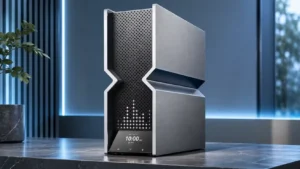
The housing feels robust and its upright design sits securely on a surface.
TP-Link Archer BE900No score yet