
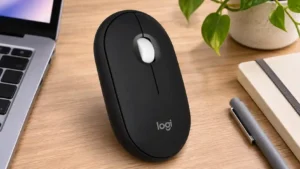
Logitech Pebble Mouse 2 M350s Feature Scores
Overall Scorata score: 4.0/5
Based on 32 analyzed reviews · View source samples
Explore all 57 feature scores for Logitech Pebble Mouse 2 M350s, organized into pros and cons.
Scores by Feature
Summary
57 reviewed features-
Very positive 4.5-5.030 (53%)
-
Positive 3.5-4.47 (12%)
-
Neutral 2.5-3.46 (11%)
-
Negative 1.5-2.413 (23%)
-
Very negative below 1.51 (2%)
Pros
Sort
-
Slim dimensions, low weight and a pocketable form make this a standout companion for working away from a fixed desk.
-
Three remembered Bluetooth devices give a compact, affordable mouse versatility for laptop, desktop and tablet owners.
-
Quiet clicks are among its most consistent strengths, even if one reviewer finds them slightly hollow.
-
Easy-Switch makes changing between paired computers or tablets convenient, though the button is on the base.
-
Long expected AA-battery endurance means little day-to-day attention, although the two-year figure is largely a manufacturer rating.
-
For a relatively inexpensive mouse, quiet clicks and three-device pairing make a compelling package, provided ergonomics suit your needs.
-
Minimal curves and playful color variants frequently attract praise, particularly in matching desk setups.
-
Simple Bluetooth discovery and optional receiver support make initial setup quick.
-
The wheel click can be remapped for apps and shortcuts, bringing useful flexibility despite limited physical controls.
-
Bluetooth pairing is usually quick and dependable, removing the need for a receiver in everyday setups.
-
A magnetic top cover gives easy access to the replaceable AA cell, reducing dependence on charging equipment.
-
Recycled plastic and reduced packaging earn appreciation, especially for a modestly priced mouse.
-
Options+ is useful and mostly intuitive, though its richer controls can conflict and only one physical button is configurable.
-
Feedback is generally satisfying and the newer wheel is quieter, although results vary with software and device.
-
Its symmetrical shape can accommodate both hands, and button functions can be swapped in software.
-
Low weight suits travel, but some users prefer a heavier, more substantial feel.
-
Tracking is praised on desks and ordinary household surfaces, with less confidence on glass and glossy pads.
-
Logi Options+ allows sensitivity adjustment, and the fine increments earn praise for restricted work areas.
-
The softened buttons retain tactile feedback and feel satisfying despite their low noise.
-
An ordinary AA cell eliminates routine charging cables, although some would prefer a built-in rechargeable battery.
-
Wireless connection and pointer movement are described as reliable in normal use.
-
It works with different operating systems and can be used across mixed-device workstations.
-
Minimal, carefully presented packaging is appreciated, with some reviewers welcoming its sustainable materials.
-
Options+ Smart Actions expand the lone programmable button, but advanced control remains limited by the hardware.
-
The upgraded sensor is capable for everyday navigation, without the tracking refinements of premium models.
-
The muted buttons still respond promptly and retain a satisfying click.
-
Logitech Flow is a notable addition, supporting movement and file transfer between connected computers.
-
One hands-on assessment finds the small shell comfortable to grip during ordinary use.
-
A mouse-and-keyboard combo user found the mouse worked easily with standard Mac drivers.
-
Its upgraded sensor feels prompt for ordinary office work.
-
The compartment under the magnetic cover is useful for holding an optional receiver during transport.
-
A reviewer reports stable performance on Windows, notably better than their iPad experience.
-
Reliable wireless operation and smooth switching keep everyday work interruption-free.
-
Some find the soft clicks and finish refined, while others say the all-plastic shell feels inexpensive.
-
Sensitivity is adequate for ordinary office movement rather than high-end, precision-intensive applications.
-
Impressions range from surprisingly solid construction to fragile-feeling plastic, reflecting its budget build.
-
It can handle different devices, but one user reports poorer mouse behavior on iPad than Windows.
Cons
Sort
-
The low, nearly flat body prioritizes pocketability over palm support, dividing opinion on short-term comfort and drawing criticism for long sessions.
-
There is little arch for the palm to rest on, making the mouse less comfortable than sculpted alternatives.
-
Three-button simplicity suits basic navigation, but missing thumb controls are a recurring frustration.
-
Extended desk work exposes the biggest compromise: limited palm support can cause aching or cramped posture.
-
Reviewers repeatedly warn that this mouse suits smaller hands better, with bigger hands often left unsupported.
-
Some adapt and find the pebble shape acceptable; others dislike how flat it is and how little their palm can rest.
-
The standalone package generally does not include a Logi Bolt receiver, a drawback for computers needing one.
-
The sparse wheel and button layout does not satisfy shoppers accustomed to dedicated horizontal scrolling.
-
The replaceable AA is convenient, but more than one reviewer wishes it could recharge internally.
-
The multi-device selector works, but placing it underneath requires lifting the mouse to reach it.
-
A cautionary assessment raises the possibility of surface shine and visible wear after heavy use.
-
A hands-on test reports modest pointer polling and warns of potential lag in games.
-
A reviewer finds the wheel a little stiff at times.
-
Conflicting per-app and Smart Action assignments can make the middle-button behavior unpredictable.
-
Logi Bolt adds an alternative to Bluetooth, but the receiver is generally extra when the mouse is bought alone. Combo packages can include it, so check which version is being sold.
-
Plastic construction keeps weight down, but creates conflicting impressions, from acceptably sturdy to cheap and flimsy.
-
Its tiny footprint is excellent for pockets, but reviewers with larger hands find the dimensions restrictive.
-
Scrolling is improved over the older Pebble, but occasional jumps remain on iPad.
-
It moves adequately on ordinary pads, though some feel a little more drag than on higher-end mice.
-
The sensor is responsive enough for general use, although precision work and quick gaming movements reveal its limitations.
Use Cases
Best for
Sort
-
Portability is its clearest strength: the flat, lightweight shape travels well and avoids added charging cables.
-
Basic browsing, documents and email suit it well; reviewers are less enthusiastic about making it a primary full-day workstation mouse.
-
Clicking stays discreet in communal rooms, classrooms and libraries, where traditional mouse noise can annoy neighbors.
-
SilentTouch clicks keep repetitive input from drawing attention, fitting work around other people.
-
The shallow body leaves plenty of room on a small desk, especially alongside a laptop.
-
It slips into a travel bag and is ready when shifting between laptops, tablets and temporary desks.
-
Low-cost access to quiet clicking, portable design and three-device pairing makes this appealing to buyers watching their spending.
-
A compact mouse with subdued clicks and modest cost can complement a student laptop or small study surface.
-
Easy multi-device pairing and quiet input help with hybrid or work-from-home setups, though not all-day hand support.
-
For short laptop sessions, the mouse offers a useful alternative to the built-in trackpad without taking much bag space.
-
Reviewers see the compact shape as a more natural fit for smaller hands, especially in quiet workspaces.
-
Simple point-and-click games are possible, but the mouse feels less suited to gaming than dedicated hardware.
-
Experiences are mixed: one tester found laptop-and-iPad switching seamless, while another encountered uneven scrolling and weaker performance on iPad.
-
A report describes good operation on cloth pads, although it provides limited testing detail.
-
Slower, pointer-led games remain playable even though the device is not designed for competitive gaming.
-
Simple, quiet pointing and a modest price make it a plausible basic mouse for younger users.
Conditional or not ideal for
Sort
-
PC gamingRoutine controls are serviceable, but the shape, accuracy and limited gaming features fall behind purpose-built mice.
-
Large-handed usersThe shallow, narrow shell often leaves larger hands cramped or unsupported, making sustained use particularly uncomfortable.
-
3D modelingThe basic sensor and limited controls are not considered a strong fit for demanding CAD or modeling tasks.
-
FPS gamingIts flat grip, low responsiveness and sparse buttons make fast first-person shooters a poor fit.
-
Glass mousepadsGlossy or glass surfaces may cause inconsistent tracking; a conventional desk surface is a safer option.
-
Long-session writingThe flat mouse and lightweight combo are less convincing for sustained editing or a full day of text-heavy work.