If you want better warranty
Choose Insta360 Link 2. It scores 4.0 vs 1.0 for warranty, with a 4.4 overall score.

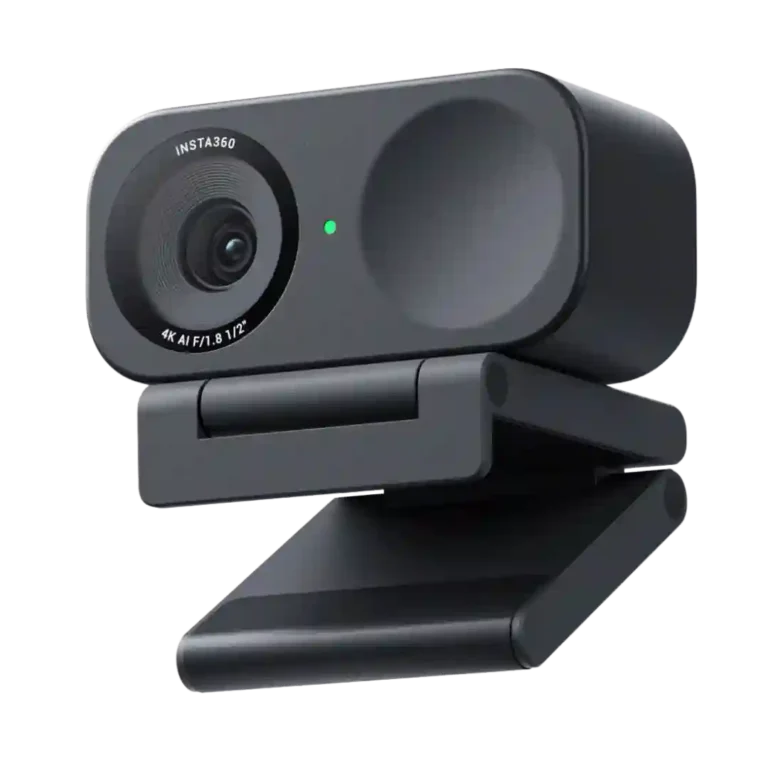
Choose it for sharp 4K video, quick autofocus, strong low-light results, and easy daily use. Skip it if you need flawless software effects, consistently excellent built-in audio, or a mounting system that works perfectly in every setup.
Remote workers, educators, streamers, and creators who want a compact webcam with sharp 4K video, fast focus, strong auto framing, and deep picture controls.
Users who need flawless virtual-background effects, consistently studio-grade built-in audio, guaranteed dock or monitor pass-through behavior, or 4K at 60 fps.
The Insta360 Link 2C earns its strongest marks for image quality. Its 4K picture is usually crisp and detailed, autofocus is quick, auto framing works well, and low-light performance often beats built-in laptop cameras and older webcams. The compact body, physical privacy shutter, easy setup, and strong Mac support also make it practical for daily calls, teaching, and streaming. The tradeoff is that the software-heavy extras are less dependable than the core camera. Bokeh, virtual-camera effects, and gestures can introduce lag, stutter, false triggers, or extra hardware demands, while microphone quality ranges from surprisingly good to echo-prone or thin. At sale prices it is especially compelling; at full price, buyers with demanding audio or effect-heavy workflows should weigh those caveats.
Choose Insta360 Link 2. It scores 4.0 vs 1.0 for warranty, with a 4.4 overall score.
Products reviewers directly compared with this model, grouped into quick takeaways.
Reviewers usually describe it as sharp, detailed, and a major upgrade over built-in laptop cameras. The tradeoff is that 4K tops out at 30 fps.
Generally yes. Reviewers repeatedly praise quick face-to-object focusing and fast recovery when the subject changes.
Low-light results are often strong for a webcam, though they vary by setup. HDR, brightness, and manual controls can improve difficult lighting.
Opinions are mixed. Many users find it clear and convenient, while others report thin sound, echo, clipping, or voice-processing artifacts.
Mac compatibility is especially well regarded, and mainstream Windows calling apps generally work well. Some users report dock, hub, or monitor pass-through issues that require a direct USB connection.
Not for basic webcam use. The software becomes useful for HDR, detailed picture adjustments, presets, virtual-camera functions, and other advanced effects.
Auto framing and tracking are usually strong, but gestures, bokeh, and virtual backgrounds are less consistent. Reports include false triggers, edge artifacts, lag, stutter, and higher system-resource use.
These are a few of the reviews included in our analysis.

Insta360 Link 2C review: the only motorized gimbal webcam in our guide with 3D AI tracking, 4K video, Desk View, and gesture control. Ranked...
The latest Review,,,reviews, breaking news, comment, reviews and features from the experts at PC Gamer
I reviewed the Insta360 Link 2C 4K webcam and it’s given my PC setup the facelift I didn’t know it needed.
Amazon links in this article are affiliate links. As an Amazon associate, I earn from qualifying purchases.
The Insta360 Link 2C strikes an impressive balance between performance and affordability, making it an excellent choice for content creators...
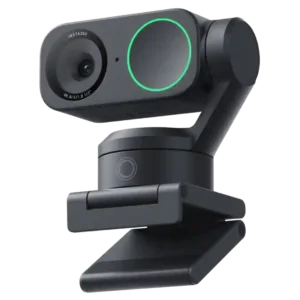
Choose it if you want sharp 4K video, smooth motorized tracking, and strong call audio for presentations or frequent meetings. Skip it if you need flawless software, 4K60, a physical...
Pros: motion blur, autofocus accuracy
Cons: lip-sync accuracy, security features
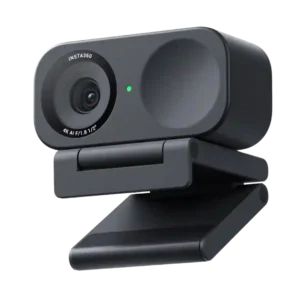
Best for sharp 4K video, quick autofocus, strong low-light results, and easy daily use. Skip it if you need flawless software effects, consistently excellent built-in audio, or a mounting system...
Pros: adjustable field of view, rotation flexibility
Cons: echo reduction, security features