
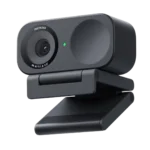
Insta360 Link 2C Feature Scores
Explore all 107 feature scores for Insta360 Link 2C, organized into pros and cons.
Scores by Feature
Summary
107 reviewed features-
Very positive 4.5-5.027 (25%)
-
Positive 3.5-4.452 (49%)
-
Neutral 2.5-3.418 (17%)
-
Negative 1.5-2.44 (4%)
-
Very negative below 1.56 (6%)
Pros
Sort
-
Video quality is the Link 2C’s clearest strength: images are often described as crisp, detailed, professional-looking, and a major upgrade over built-in laptop webcams. A smaller group found the image soft, noisy, or underwhelming for the price.
-
Mac compatibility is a standout strength. Multiple M-series Mac users report simple setup, stable operation, and much better video than their built-in cameras.
-
Basic setup is exceptionally easy: many users simply plug it in and begin calling without needing a capture card or complicated configuration.
-
Sharpness is consistently strong, with fine facial detail and text coming through clearly without looking overly artificial in better setups.
-
Auto framing is one of the most consistently praised smart features, keeping seated or moving users centered with little effort.
-
The 2C’s compact size is a major advantage for laptops, travel, and uncluttered monitor setups.
-
Overall satisfaction is high, driven by image quality, autofocus, easy setup, and strong value. Negative experiences cluster around software stability, microphone problems, mounting, and advanced-effect performance.
-
Build quality is consistently strong, with a compact body, solid feel, and sturdy metal-and-plastic mounting hardware.
-
The design is widely liked for its compact, modern, premium look, with the physical shutter and magnetic mount adding practical appeal.
-
Setup is usually quick and straightforward, though unclear instructions or unusual mounting and connection arrangements can create friction.
-
The physical privacy shutter is a standout design feature: it is easy to operate and provides clear visual assurance that the lens is blocked.
-
Autofocus is a major strength: it reliably shifts between faces and nearby objects and is especially useful for demos, teaching, and product shots.
-
Digital subject tracking works well for normal movement and usually keeps people centered, though some users dislike frequent micro-adjustments.
-
Low-light results are often better than built-in webcams and older Logitech models, with faces staying usable in dim rooms. Some setups still show noise and benefit noticeably from HDR or manual tuning.
-
For Zoom, Teams, Meet, classes, and remote work, the camera usually delivers a clear, professional image. A few software and audio problems can still undermine longer or more demanding calls.
-
Day-to-day use is generally simple, with strong plug-and-play behavior and controls that remain approachable even for nontechnical users.
-
4K footage is usually sharp and impressive, but it tops out at 30 fps and a few owners found the real-world result less convincing than the specification suggests.
-
Value is usually strong at sale prices and still competitive near list price, especially for 4K quality and software features. Some owners feel $150 is too much when advanced effects, mounts, or computer performance become limiting.
-
Zoom use is generally reliable and easy, although virtual-camera routing can require extra attention when using advanced effects.
-
Controls are flexible and useful for focus, framing, lighting, zoom, and effects, giving users much more tuning range than a basic webcam.
-
Settings and presets generally persist well, including across calls and, in some cases, different computers.
-
The camera can work without extra software for basic use, and one Windows user specifically credited its own driver with avoiding default-driver glitches.
-
Focus transitions are usually quick and responsive, though a few users found them merely decent or occasionally slow to settle.
-
Bright windows and mixed lighting are handled well, with useful retention of both facial detail and background highlights.
-
1080p remains a strong option when smoother 60 fps motion or software effects matter more than maximum resolution.
-
AI-assisted framing is effective and useful for calls, streaming, and teaching, especially when movement would otherwise push the subject off-center.
-
Motion is generally smooth and cleaner than older webcams, with fast movement showing fewer distracting artifacts.
-
Physical privacy controls are easy to understand and give users more confidence than software-only camera disabling.
-
Streaming output is strong when the camera is configured correctly, with crisp image quality suitable for live content.
-
Windows use is generally smooth, with strong results in mainstream conferencing apps and relief from default camera-driver glitches in one setup.
-
Mount stability is one of the more divided areas. Many users find the magnet strong and steady, while others report slipping, detachment, or cable weight pulling the camera out of position.
-
Teams works well in the reported setups, with straightforward calling and strong image quality.
-
The built-in microphone is divisive. Many users find it surprisingly clear and convenient for calls, while others report thin sound, echo, clipping, or quality well below a dedicated mic.
-
Google Meet integration is smooth in the reported Mac and Windows workflows.
-
Digital zoom is useful and flexible, but gesture-based zoom can be inconsistent or limited depending on how tightly the shot is already framed.
-
Exposure is generally well controlled, especially once settings are dialed in, though factory brightness can run too high in some setups.
-
Tripod support adds useful placement flexibility and works well for desk, overhead, and alternate-angle setups.
-
Whiteboard mode is a useful teaching and presentation tool, keeping board content framed and readable when properly set up.
-
The Link Controller is powerful and highly configurable, but software is also the product’s biggest recurring frustration. Virtual-camera failures, resource use, UI bugs, and effect-related lag appear alongside strong praise for its controls.
-
DeskView is useful for teaching, demonstrations, and switching between face and workspace, though it can require manual positioning on the fixed 2C.
-
The monitor mount generally sits firmly and is easy to position on common displays.
-
Motion handling is a strength, with less blur and edge smearing than several older webcam setups.
-
Resolution is a strong point, especially for users moving up from older HD webcams who want more visible detail.
-
The companion app offers deep control and is often easy to use, though reliability and occasional glitches keep it from being universally polished.
-
Basic operation is often dependable, but intermittent camera failures and virtual-output problems mean reliability can vary with software and connection setup.
-
Noise cancellation is effective at reducing fans, typing, and room ambience, making the built-in mic more useful in everyday calls.
-
Angle adjustment is easy in normal monitor setups, but steep downward views can expose limitations in the bracket design.
-
The package generally includes what is needed to get started, though a white-camera buyer disliked receiving a black USB cable.
-
Colors are frequently praised as natural and lively, yet there are notable complaints about reddish tint, washed-out color, or inferior skin rendering versus an iPhone.
-
Materials feel good for a compact webcam, though the body uses a fair amount of plastic and one owner described the product as delicate.
-
The available framing and zoom controls make it easy to narrow the shot without the exaggerated facial distortion common to some wide webcams.
-
Raising brightness in the controller can make a visible improvement in dim conditions.
-
The included USB-C cable is described as high quality and substantial.
-
Linux performance was notably strong in the available test, with the camera working cleanly where some webcams struggle.
-
Pickup range is strong enough to capture a speaker from across the room in at least one demanding setup.
-
The microphone can pick up speech from surprisingly far away, including across a room.
-
OBS can receive the configured camera settings cleanly and provides a useful path for streaming or reducing some virtual-camera lag.
-
The camera can be flipped or rotated for alternate orientations, which is useful for social and live-video workflows.
-
Natural lens blur looks good, but software bokeh is much more mixed because it can require stronger hardware, disable other modes, or introduce stutter and lag.
-
The large sensor usually helps with detail and lighting, but one owner reported heavy sensor noise that undermined 4K clarity.
-
Automatic lighting adjustment is effective in changing conditions and can make dim offices look more evenly lit without a ring light.
-
Focus locking is generally dependable, with objects and faces snapping into clear focus without repeated hunting.
-
Framing is smooth and practical, keeping faces well positioned without requiring constant manual adjustment.
-
The camera works well on many monitors and desk arrangements, but overhead and steep-angle setups can be awkward because the mount does not lock.
-
HDR can improve highlights and dim-room exposure, but its impact is sometimes subtle and a few users found it did little for difficult lighting.
-
Skin tones can look natural and flattering, though comparisons with Continuity Camera show that color rendering is not universally preferred.
-
Contrast can be tuned easily to create a softer or more cinematic personal look.
-
Firmware updates can materially improve performance; one long-term test specifically found the image and behavior better after updating.
-
The lens produces crisp footage and works well with the relatively large sensor for a webcam.
-
Manual exposure settings provide useful control when automatic lighting does not produce the desired look.
-
Manual focus control is useful for specialized shots where automatic focus is not the preferred behavior.
-
Digital panning through auto framing works smoothly enough to follow left-right movement inside the camera’s fixed field of view.
-
The small fixed-body design is easy to carry and suits a travel or go-bag setup better than a gimbal webcam.
-
Saved presets make it easier to jump between different lighting or framing setups without rebuilding settings each time.
-
Saturation controls provide useful picture tuning and become particularly helpful when HDR is enabled.
-
Tilt control is useful for positioning the view, particularly when adapting the webcam to nonstandard monitor placement.
-
USB-C connectivity is straightforward and supports a clean detachable-cable setup.
-
White-balance controls are straightforward and give users a practical way to correct lighting color manually.
-
Audio/video synchronization is usually fine in straightforward conferencing, but bokeh or virtual-camera lag can cause noticeable drift in some setups.
Cons
Sort
-
Echo is a recurring weak point for the users who encountered it, with several reporting persistent feedback during conferencing.
-
Latency is one of the more important caveats. Several users report lag, stutter, or audio/video delay with bokeh, virtual-camera, or 4K workflows, while updated firmware can improve it.
-
LINE video on Windows 11 failed in one owner’s setup even though the microphone worked.
-
The Switch 2 detected the microphone but not the camera in one direct test, making it unsuitable for that use.
-
One business-oriented user raised concerns about software permissions, firewall changes, and data handling, making security a meaningful caveat for managed computers.
-
Warranty support drew a serious complaint from an owner who felt troubleshooting stopped without a useful hardware-service path.
-
The webcam lacks the infrared capability needed for Windows Hello face login, which is a deal-breaker for users who specifically need that feature.
-
Direct USB connections work, but some dock, monitor pass-through, and hub setups have caused failures that require connecting straight to the computer.
-
Speech can be clear enough for ordinary calls, but aggressive processing and some mic modes can make voices sound distorted or less crisp.
-
Virtual backgrounds and bokeh-style effects are much less consistent than the core camera image, with edge artifacts, hardware requirements, lag, and outright failures reported.
-
Software blur and bokeh effects can consume substantial memory and may be demanding on less powerful computers.
-
The indicator design is mixed: it can be clean and discreet, but one owner strongly disliked a green light remaining on while plugged in.
-
Cable length is setup-dependent: it reaches comfortably in some desktop arrangements, while others need a longer replacement cable.
-
Durability is uncertain: the camera can survive accidental drops, but heat concerns and a report of later reliability problems temper confidence.
-
Frame-rate flexibility is a tradeoff: 1080p60 can look smoother, but 4K is limited to 30 fps and some software modes complicate access to 60 fps.
-
The lens width is polarizing: some like the natural, distortion-controlled framing, while others find it too wide and revealing for video calls.
-
Recorded image quality is generally good, but certain 4K or software-effect configurations can introduce lag or weaker results.
-
Software separation is usable but not flawless, with edge artifacts around hair or the subject appearing in some background effects.
-
Contrast can look natural and improved over older webcams, but at least one comparison favored Continuity Camera’s automatic rendering.
-
Portrait use is possible, but the single-sided magnetic design makes vertical mounting less convenient than on some rivals.
-
Streaming-software behavior is mixed: settings can transfer cleanly, but virtual-camera failures can make advanced workflows unreliable.
-
Face tracking works within the fixed lens range, but the lack of a gimbal limits how far the 2C can follow movement.
-
Gesture controls are genuinely useful when they work, but they are one of the most inconsistent smart features, with missed inputs, accidental triggers, and awkward zoom behavior.
-
Noise processing can dramatically quiet fans and room noise, but aggressive filtering can also damage voice quality.
-
Automatic white balance is often effective, but some users still saw unwanted tint or preferred manual correction.
-
Support experiences are split sharply: several owners praise fast, above-and-beyond help, while others describe unhelpful responses and denied troubleshooting.
-
Most direct connections are stable, but dock and pass-through setups have produced intermittent or complete connection failures for some owners.
-
The magnetic mounting system is convenient and often praised, but a minority of owners report weak grip, awkward angles, or constant readjustment.