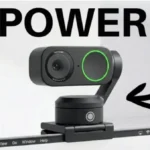
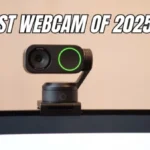
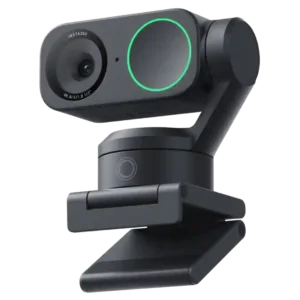
Insta360 Link 2

Insta360 Link 2 Webcam Review

Brand: Insta360
Released: September 24, 2024
Updated: 3 weeks ago
4.4
Overall review score Expert score: 4.5 Customer score: 4.3
816
Review insights
98
Scored features
134
Total reviews
26 expert / 108 customer

Bottom Line

Choose it if you want sharp 4K video, smooth motorized tracking, and strong call audio for presentations or frequent meetings. Skip it if you need flawless software, 4K60, a physical shutter, or dedicated-mic audio.

Best for

Frequent remote workers, educators, presenters, and creators who benefit from automatic framing, gimbal movement, sharp video, and useful noise cancellation. It is especially compelling when you move around or regularly show a desk or whiteboard.

Not for

Occasional callers who only need a basic fixed webcam may not benefit enough to justify the price. It is also a weaker fit for buyers who require 4K60, a physical privacy shutter, flawless ARM64 support, or dedicated-mic audio quality.

Verdict

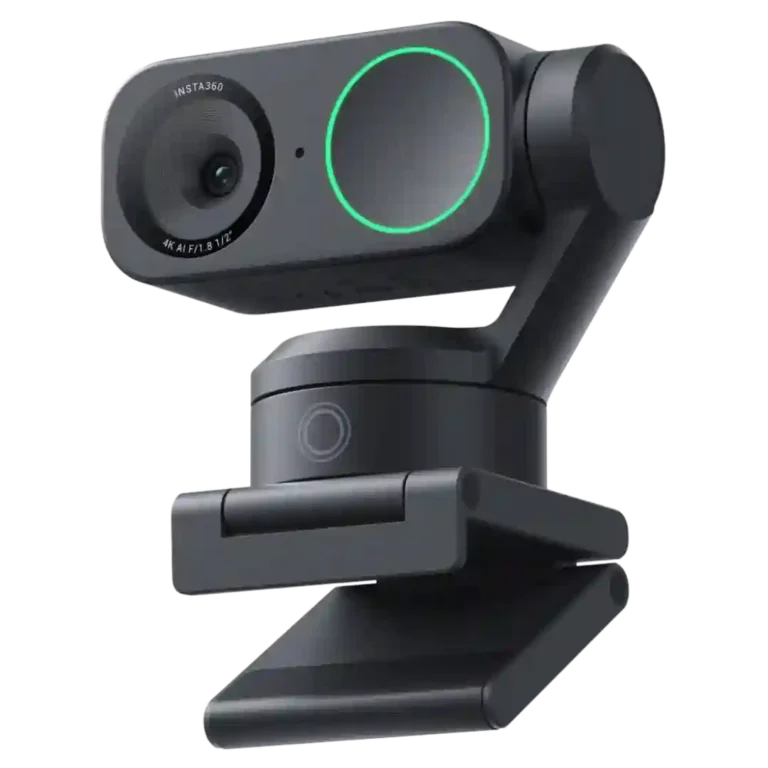
The Insta360 Link 2 earns its premium position with consistently strong video quality, quick autofocus, and a motorized gimbal that can keep presenters framed without constant adjustment. Its noise cancellation is unusually effective for a webcam, and the magnetic mount, presets, whiteboard-oriented controls, and broad meeting-app support make it especially useful for work, teaching, and streaming. The tradeoff is polish: several owners and some experts encountered software bugs, erratic tracking or background effects, firmware problems, and occasional compatibility quirks. 4K is also capped at 30fps, and the built-in microphone, while good for calls, still trails a dedicated mic for serious content creation. For frequent video users, the feature set usually justifies the price.

Feature Scorecards

Summary

98 reviewed features
  • Very positive 4.5-5.0
    51 (52%)
  • Positive 3.5-4.4
    34 (35%)
  • Neutral 2.5-3.4
    9 (9%)
  • Negative 1.5-2.4
    4 (4%)

Pros

  • 4.7
    66 reviews strong consensus
    video quality: 4.7, 66 reviews, strong consensus
    Video quality is the product’s biggest consensus strength, with most users praising a sharp, professional image that clearly beats built-in webcams; a few tests criticize noise or softness.
  • 4.9
    19 reviews strong consensus
    noise reduction: 4.9, 19 reviews, strong consensus
    AI noise reduction is one of the microphone’s strongest features, consistently suppressing distracting background sound while preserving speech.
  • 4.8
    21 reviews strong consensus
    setup ease: 4.8, 21 reviews, strong consensus
    Physical setup is one of the Link 2’s most consistent strengths, with the magnetic mount and fast recognition making installation painless for most users.
  • 4.8
    17 reviews strong consensus
    autofocus performance: 4.8, 17 reviews, strong consensus
    Autofocus is a consistent strength, handling faces, movement, and product demonstrations with little manual intervention.
  • 4.7
    20 reviews moderate consensus
    image sharpness: 4.7, 20 reviews, moderate consensus
    Sharpness is a major strength for most users, producing crisp facial detail and clear presentation footage; PCMag is a notable exception, finding the 4K image soft.
  • 4.4
    64 reviews low consensus
    subject tracking: 4.4, 64 reviews, low consensus
    Motorized tracking is the headline strength, usually following movement smoothly and keeping subjects in view; some users still report wandering targets, reacquisition problems, or gesture-triggered mistakes.

Cons

  • 1.8
    2 reviews limited evidence
    lip-sync accuracy: 1.8, 2 reviews, limited evidence
    Lip-sync is a real weak spot in the small number of reports that mention it, with audio and video sometimes drifting noticeably apart.
  • 2.0
    2 reviews limited evidence
    security features: 2.0, 2 reviews, limited evidence
    Security extras are limited: there is no Windows Hello IR hardware, so buyers needing facial sign-in should choose another webcam.
  • 2.4
    4 reviews strong consensus
    frame rate: 2.4, 4 reviews, strong consensus
    The biggest frame-rate compromise is 4K being limited to 30fps, and a few users also ran into missing or inaccessible 60fps modes.
  • 2.3
    2 reviews limited evidence
    privacy shutter: 2.3, 2 reviews, limited evidence
    There is no physical shutter, and some users would prefer a manual lens cover even though the camera turns downward when inactive.
  • 2.5
    3 reviews low consensus
    durability: 2.5, 3 reviews, low consensus
    Long-term durability is mixed: one owner reports repeated drops without damage, while another unit died after six months and another felt fragile.
  • 2.5
    2 reviews limited evidence
    skin tone accuracy: 2.5, 2 reviews, limited evidence
    Skin rendering is inconsistent across users: automatic exposure can preserve natural complexion, but one darker-skinned owner reported a pale, unnatural result.

Compared in Reviews

Products reviewers directly compared with this model, grouped into quick takeaways.

Obsbot Tiny 2

  • Worse: overall experience This owner preferred the Link 2 overall after considering the Tiny 2.
  • Similar: tracking and enhancements The Tiny 2 is described as offering many of the same tracking and enhancement features.
  • Alternative: video quality PCMag sees it as a cheaper 4K alternative, but only if its video noise is acceptable.

Insta360 Link 2C

  • Alternative: camera quality The 2C is presented as a close alternative with the same core camera quality.

iPhone Continuity Cam

  • Worse: overall content-creation use This owner says the Link 2 is much better than relying on iPhone Continuity Cam.

FAQ

Is the 4K video quality good?

Usually yes. Most users describe it as sharp and professional-looking, though some tests found visible grain or softness and 4K is limited to 30fps.

How reliable is the AI tracking?

It is usually smooth and keeps presenters framed well, but some users report missed reacquisition, wandering targets, or accidental gesture-triggered changes.

Is the built-in microphone good enough for calls?

Yes for most meetings. Voice clarity and noise cancellation are strong, but dedicated microphones still sound fuller for serious recording or streaming.

Does it work with Zoom, Teams, Google Meet, and OBS?

Generally yes, and compatibility is widely praised. A small number of users encountered Teams, Zoom, ARM64, or software-specific setup problems.

Is it worth the premium price?

For frequent calls, presentations, teaching, or streaming, most owners think the 4K image, tracking, and controls justify the cost. Basic webcam users may find it overkill.

Does it have a privacy shutter?

No physical shutter is built in. Instead, the camera normally points downward when inactive, which most users like, although some still prefer a manual lens cover.

Sample Expert Reviews We Analyzed

These are a few of the reviews included in our analysis.

Video Reviews

Article Reviews

techradar.com

4K clarity, auto tracking features and built-in AI make this a valuable streaming tool, but at a hefty price

Review score
4.6

Top Webcams to Consider

#1 This product Insta360 Link 2
Insta360 Link 2
4.4

Choose it if you want sharp 4K video, smooth motorized tracking, and strong call audio for presentations or frequent meetings. Skip it if you need flawless software, 4K60, a physical...

Pros: motion blur, autofocus accuracy

Cons: lip-sync accuracy, security features

#2 Insta360 Link 2C
4.0

Best for sharp 4K video, quick autofocus, strong low-light results, and easy daily use. Skip it if you need flawless software effects, consistently excellent built-in audio, or a mounting system...

Pros: adjustable field of view, rotation flexibility

Cons: echo reduction, security features