
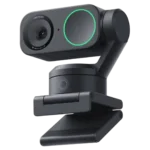
Insta360 Link 2 Feature Scores
Explore all 98 feature scores for Insta360 Link 2, organized into pros and cons.
Scores by Feature
Summary
98 reviewed features-
Very positive 4.5-5.051 (52%)
-
Positive 3.5-4.434 (35%)
-
Neutral 2.5-3.49 (9%)
-
Negative 1.5-2.44 (4%)
Pros
Sort
-
Video quality is the product’s biggest consensus strength, with most users praising a sharp, professional image that clearly beats built-in webcams; a few tests criticize noise or softness.
-
AI noise reduction is one of the microphone’s strongest features, consistently suppressing distracting background sound while preserving speech.
-
Physical setup is one of the Link 2’s most consistent strengths, with the magnetic mount and fast recognition making installation painless for most users.
-
Autofocus is a consistent strength, handling faces, movement, and product demonstrations with little manual intervention.
-
Sharpness is a major strength for most users, producing crisp facial detail and clear presentation footage; PCMag is a notable exception, finding the 4K image soft.
-
Motorized tracking is the headline strength, usually following movement smoothly and keeping subjects in view; some users still report wandering targets, reacquisition problems, or gesture-triggered mistakes.
-
Framing is exceptionally strong, keeping faces and bodies centered and composing whiteboards or presentations with very little effort.
-
4K output is usually praised for sharp, professional-looking detail, but several tests note grain, noise, or the 30fps ceiling under demanding conditions.
-
Speech is usually clean and easy to understand, helped by strong noise suppression even in busy rooms.
-
The $200-class price is high for a basic webcam, but most buyers and experts consider the tracking, 4K image, and software features worth the premium.
-
Despite its depth of features, day-to-day operation is usually intuitive; the main learning curve comes from dialing in advanced settings and controls.
-
4K gives the camera a visibly sharper, more professional look in most setups, while 1080p can be cleaner or smoother when higher frame rates matter.
-
Noise cancellation is highly effective at suppressing traffic, people, fans, and other room noise while keeping speech prominent.
-
Color is usually natural, vibrant, and well balanced, with strong praise from users who care about visual fidelity.
-
macOS support is usually excellent across MacBook, Mac mini, and Mac Studio systems, with a few feature-permission or app-specific exceptions.
-
The built-in mic is better than many webcam or laptop microphones and often perfectly adequate for calls, but dedicated microphones still sound fuller and more professional.
-
Low-light performance is generally very good for a webcam, keeping faces clear and usable in dim rooms, though grain and tracking limitations can appear as light falls.
-
Mounting is a standout strength: the magnetic base is quick, flexible, and secure on monitors, laptops, and compatible supports.
-
Basic operation is genuinely plug-and-play on supported systems, with fast recognition and little setup required before a call.
-
The camera usually feels premium, solid, and well assembled, although one dissatisfied owner found it lighter and less sturdy than expected.
-
The compact gimbal design stands out as unusually stylish and polished for a webcam, with a premium look that owners consistently like.
-
Dynamic range is a notable strength, preserving more usable detail in mixed lighting and outperforming typical built-in webcams.
-
Google Meet generally works smoothly, with easy recognition and seamless use reported across both Mac and Windows setups.
-
Saved positions and presets are especially useful for repeatable framing, letting users jump quickly between a face, desk, or presentation target.
-
OBS support is broadly dependable and easy to activate, making the camera useful for streaming and recording workflows.
-
The Link 2 remains compact and easy to move despite its gimbal hardware, making it practical for travel or changing workspaces.
-
Zoom generally works reliably and preserves chosen camera settings, although isolated setup and software problems can require reboots or troubleshooting.
-
General owner sentiment is strongly positive, with many calling the camera outstanding or a meaningful upgrade; a small minority found it too basic or disappointing.
-
The automatic downward-facing sleep position gives clear visual reassurance that the lens is not aimed at you, though software failures can occasionally interfere with it.
-
Autofocus repeatedly earns praise for locking onto the intended subject precisely and keeping faces or objects crisp.
-
Materials and fit are repeatedly described as premium and substantial, giving the small camera a more high-end feel than typical webcams.
-
Streaming generally looks polished and professional, with strong tracking and high image quality, though at least one OBS workflow produced lower quality than normal webcam use.
-
Digital zoom is useful for presentations and reframing, and 4K capture helps preserve more detail when cropping in.
-
Teams works well for most setups, but a small number of users encountered software conflicts or needed troubleshooting before calls behaved normally.
-
Automatic framing is one of the strongest features, keeping people centered with little need for manual camera adjustment.
-
Manual white-balance and color-temperature controls are useful for matching room lighting and creating a more deliberate look.
-
USB-C setup is simple and flexible, and the included cabling or adapters suit a range of modern computers and capture setups.
-
The magnetic mount is usually impressively secure, although very thick monitors can make the camera easier to knock out of position.
-
Motorized tilt is responsive and smooth for following movement or shifting between face, desk, and presentation views.
-
The software is powerful and often intuitive, but it is also the source of some of the harshest criticism due to crashes, update loops, compatibility gaps, and inconsistent advanced features.
-
The standard tripod mount adds useful positioning flexibility and makes the camera easy to integrate into more elaborate creator setups.
-
Vertical shooting is useful for social content, but the two-axis design can require physically rotating or remounting the camera.
-
HDR is a strong point, helping balance bright and dark areas while preserving a more natural-looking image in challenging lighting.
-
Manual exposure control is unusually deep for a webcam, with useful access to exposure, ISO, shutter speed, and related image tuning.
-
Discord, OBS, and other streaming or communication tools generally recognize the camera cleanly and work without major issues.
-
Focus is typically fast and responsive, though one strongly negative experience found movement pickup unusually slow and abrupt.
-
The gimbal and app make angle changes easy for presentations and alternate views, though one owner disliked having to realign the camera after resets.
-
Support is often praised for late-night help, replacements, and proactive outreach, though one owner reported getting no useful response.
-
The camera is compact enough for a desk or monitor without feeling toy-like, balancing a small footprint with the mechanics of a gimbal.
-
Most owners report dependable daily operation, but a meaningful minority encountered crashes, gimbal failures, update loops, or other bugs that undermine confidence.
-
The magnetic mount and fold-flat design make it easy to position the camera on a monitor, desk, or nearby surface.
-
Bokeh can look convincingly camera-like when it works, but blur quality is inconsistent across systems and can clip hair, headphones, or foreground edges.
-
The roughly five-foot cable is praised for desk flexibility, but one desktop user still found the supplied lead too short for the setup.
-
For meetings, the Link 2 delivers a noticeably more professional picture and useful hands-free framing, though app-specific software problems can occasionally disrupt that experience.
-
Windows support is usually smooth and instantly recognized, though Windows ARM64 compatibility caused serious problems for at least one owner.
-
Controls are powerful and flexible through gestures, apps, shortcuts, and remote options, but gesture recognition can misfire or become awkward during live meetings.
-
Once connected, the camera is typically recognized quickly and stays dependable during normal use.
-
Motorized panning is smooth and responsive, making it easy to follow movement or redirect the shot during presentations.
-
Automatic exposure is generally effective at keeping faces visible and preserving color as room brightness changes.
-
Recorded video is usually crisp and strong enough for content creation, but one owner encountered serious audio/video lag during music recording.
-
Face tracking can follow seated movement smoothly and keep the user centered, though a few owners saw it wander to other objects or lose the face.
-
The gimbal provides broad pan-and-tilt range, but losing the original model’s third axis makes vertical orientation more manual.
-
AI-assisted composition keeps subjects centered and can feel like having a camera operator handling the shot automatically.
-
Saved views make it easy to return to preferred angles and framing without rebuilding the setup each time.
-
The Link Controller app is generally easy to understand and gives convenient access to the camera’s advanced functions.
-
Manual focus options provide extra control when automatic behavior or a specific presentation shot needs adjustment.
-
Gimbal movement is often smooth and natural, but software or tracking failures can create jerky shifts, shaking, or abrupt corrections.
-
The bright f/1.8 optics help the camera maintain strong image quality and useful low-light performance.
-
Voice pickup remains clear from normal desk distances, including a report of clean capture from roughly two feet away.
-
The monitor clip holds firmly and resists movement once positioned.
-
One direct report found moving footage free of noticeable blur or lag.
-
The green status ring provides an easy, reassuring visual confirmation that the camera is active.
-
The supplied USB connection is straightforward and convenient, with the long cable making placement easier.
-
The view is comfortably wide for normal webcam use while still allowing useful cropping and reframing.
-
1080p is a practical sweet spot when 60fps or cleaner output matters, though one software issue left a user unable to access the advertised 1080p60 mode.
-
Echo handling varies by setup: some tests find minimal reverberation, while external-speaker or room acoustics can still create noticeable echo.
-
Brightness controls are useful for quickly tuning the picture when the room or subject needs extra correction.
-
The image avoids an overly flat look, giving subjects useful depth without requiring heavy correction.
-
Manual contrast controls provide useful fine-tuning for users who want to shape the image to match their lighting.
-
Saturation can be tuned alongside other image controls for users who want a more customized color profile.
-
Basic webcam use can work without special drivers, but many advanced features depend on installing the Link Controller software.
-
Useful cabling and mounting pieces help with setup, but the package is not especially generous and lacks extras such as a protective travel case.
-
The half-inch sensor is large for a webcam and usually produces strong detail, though one test found it too noise-prone to fully justify 4K.
-
Cropping and zoom controls make it easier to tame an overly wide view without the severe softness some webcams introduce.
-
The standard one-year warranty provides basic coverage, with optional replacement protection available for users who want more reassurance.
Cons
Sort
-
Lip-sync is a real weak spot in the small number of reports that mention it, with audio and video sometimes drifting noticeably apart.
-
Security extras are limited: there is no Windows Hello IR hardware, so buyers needing facial sign-in should choose another webcam.
-
The biggest frame-rate compromise is 4K being limited to 30fps, and a few users also ran into missing or inaccessible 60fps modes.
-
There is no physical shutter, and some users would prefer a manual lens cover even though the camera turns downward when inactive.
-
Long-term durability is mixed: one owner reports repeated drops without damage, while another unit died after six months and another felt fragile.
-
Skin rendering is inconsistent across users: automatic exposure can preserve natural complexion, but one darker-skinned owner reported a pale, unnatural result.
-
One owner found the supplied cable unusually thick and short, making desktop routing less convenient.
-
Latency is usually manageable, but some setups show stutter, delayed gimbal return, or noticeable audio/video lag, especially with heavier software features.
-
Background effects can create convincing separation, but edge detection is not foolproof and may wobble or cut into the foreground.
-
The mic captures speech well but can also pick up keyboard and street noise when cancellation is not enough.
-
Exposure can look excellent when stable, but automatic adjustments can occasionally swing too far and produce blown highlights or crushed shadows.
-
White balance can look natural and accurate, but automatic color temperature has occasionally swung too far in difficult lighting.
-
Firmware can improve tracking and is often easy to install, but several owners experienced update loops, glitches, or unresolved behavior after updating.