Ownership and support
Reliability
Sony Bravia 9 II
2.0
A handful of software and connection problems—including HDMI handshakes, eARC and Dolby Vision issues—raise some reliability concerns despite updates resolving at least one problem.
Samsung S95H OLEDNo score yet
4K at 120 Hz support
Sony Bravia 9 II
5.0
4K/120Hz works well for current-generation console gaming, especially alongside VRR and ALLM.
Samsung S95H OLEDNo score yet
4K at 144 Hz support
Sony Bravia 9 II
2.0
The 120Hz ceiling is a limitation for high-end PC gaming, with rivals already offering 144Hz or 165Hz at 4K.
Samsung S95H OLEDNo score yet
AirPlay support
Sony Bravia 9 II
5.0
AirPlay is a welcome convenience and was specifically called out as a useful addition.
Samsung S95H OLEDNo score yet
Art Store subscription value
Sony Bravia 9 IINo score yet
Samsung S95H OLED
2.1
A limited free art selection is handy, but a monthly fee is needed for the much larger premium gallery.
Casting support
Sony Bravia 9 II
5.0
Built-in casting is a useful part of the Google TV experience and helps make everyday streaming straightforward.
Samsung S95H OLEDNo score yet
Chromecast support
Sony Bravia 9 II
5.0
Chromecast adds convenient local streaming and contributes to the TV’s easy everyday smart-TV experience.
Samsung S95H OLEDNo score yet
Cloud gaming support
Sony Bravia 9 IINo score yet
Samsung S95H OLED
5.0
Built-in cloud gaming options make playing possible without connecting a conventional console.
Dolby Atmos support
Sony Bravia 9 II
4.0
The up-firing beam tweeters give Dolby Atmos playback more height and immersion than most built-in TV systems manage.
Samsung S95H OLEDNo score yet
EARC support
Sony Bravia 9 II
2.0
eARC functionality is weakened by a reported bug that prevented correct sound output to compatible devices during testing.
Samsung S95H OLEDNo score yet
FreeSync support
Sony Bravia 9 IINo score yet
Samsung S95H OLED
5.0
FreeSync integration makes supported PCs and consoles smoother, with less tearing and fewer distractions.
HDMI 2.1 support
Sony Bravia 9 II
5.0
HDMI 2.1 features materially improve gaming, enabling the high-bandwidth modes expected from a modern flagship console setup.
Samsung S95H OLEDNo score yet
Tuner support
Sony Bravia 9 II
5.0
The ATSC 3.0 tuner is useful for high-quality over-the-air event TV and sports without relying on a paid streaming service.
Samsung S95H OLEDNo score yet
Wall-mount installation reliability
Sony Bravia 9 IINo score yet
Samsung S95H OLED
2.0
Wall installation suits the design, but buyers should check whether the appropriate bracket is included locally or sold separately.
Other features
Account requirements
Sony Bravia 9 IINo score yet
Samsung S95H OLED
2.0
Signing in for basic applications adds friction to an otherwise modern smart-TV experience.
AI scene optimization
Sony Bravia 9 IINo score yet
Samsung S95H OLED
5.0
Some automated picture settings rescue dark content, but others look artificial or overly processed.
AI Soccer Mode
Sony Bravia 9 IINo score yet
Samsung S95H OLED
4.3
Soccer mode can add ball detail, clearer commentary, and crowd spaciousness, though effects can be less natural than standard picture modes.
Artwork library selection
Sony Bravia 9 IINo score yet
Samsung S95H OLED
5.0
The Art Store offers a substantial collection, though most of it requires a paid subscription.
Auto HDR Remastering
Sony Bravia 9 IINo score yet
Samsung S95H OLED
2.0
Automatic HDR remastering makes standard content brighter, but it can introduce an artificial look.
Backlight strobing
Sony Bravia 9 IINo score yet
Samsung S95H OLED
2.0
Black-frame insertion has a narrow 60Hz operating range and leaves some residual blur, limiting its appeal.
Black uniformity
Sony Bravia 9 IINo score yet
Samsung S95H OLED
1.0
Near-black vertical banding is a notable concern on the tested sample, despite otherwise pristine OLED blacks.
Burn-in resistance
Sony Bravia 9 IINo score yet
Samsung S95H OLED
3.3
Mixed-content viewing should be relatively manageable, but prolonged static interfaces carry meaningful permanent burn-in risk.
Color Booster Pro
Sony Bravia 9 IINo score yet
Samsung S95H OLED
5.0
The color boost tool adds punch for viewers who enjoy a more saturated presentation.
Color crosstalk
Sony Bravia 9 II
3.5
Color crosstalk can appear in synthetic patterns or isolated UI elements, but it is usually subtle in real content and some testing found it essentially a non-issue.
Samsung S95H OLEDNo score yet
Content recommendations
Sony Bravia 9 II
2.0
Google TV’s recommendation rails can feel poorly matched, with at least one suggested-content row showing little connection to the title it referenced.
Samsung S95H OLEDNo score yet
Free streaming channels
Sony Bravia 9 IINo score yet
Samsung S95H OLED
4.3
Samsung TV Plus supplies a broad range of free channels, though unwanted autoplay can interrupt menu use.
G-SYNC compatibility
Sony Bravia 9 IINo score yet
Samsung S95H OLED
5.0
G-SYNC compatibility improves motion consistency with supported Nvidia graphics sources.
Game Mode interpolation
Sony Bravia 9 IINo score yet
Samsung S95H OLED
4.0
Added interpolation can smooth lower-frame-rate play, but it introduces a responsiveness tradeoff.
Game Motion Plus
Sony Bravia 9 IINo score yet
Samsung S95H OLED
3.0
Frame smoothing may help slower games, but extra latency makes the option less appealing to sensitive players.
HDMI port accessibility
Sony Bravia 9 IINo score yet
Samsung S95H OLED
2.0
Side-facing connectors stay hidden when mounted, but their recessed position can make swapping cables awkward.
HDMI port count
Sony Bravia 9 II
5.0
Four total HDMI inputs are convenient for mixed setups with consoles, audio gear and other sources.
Samsung S95H OLEDNo score yet
HDR highlight detail
Sony Bravia 9 IINo score yet
Samsung S95H OLED
4.7
Bright reflections and other specular details are preserved with impressive intensity; tone mapping can keep subtle highlights visible alongside dark scenes.
Image realism and naturalness
Sony Bravia 9 IINo score yet
Samsung S95H OLED
5.0
Skin tones, sunsets, and fine HDR textures can look exceptionally lifelike without needing exaggerated processing.
Included accessories
Sony Bravia 9 IINo score yet
Samsung S95H OLED
2.0
The basic feet are supplied, but a flush-mount bracket may require another purchase depending on the package.
Large-screen immersion
Sony Bravia 9 IINo score yet
Samsung S95H OLED
5.0
On a 77-inch display, rich contrast and fine textures help create a compelling, theater-like picture.
Motion artifacts
Sony Bravia 9 IINo score yet
Samsung S95H OLED
4.0
Fast motion shows very little ghosting or transition smearing, though the occasional busy scene can expose minor artifacts.
PC text clarity
Sony Bravia 9 IINo score yet
Samsung S95H OLED
2.5
Text may show faint color fringing or softness because of the QD-OLED subpixel structure and matte finish, especially up close.
Refresh rate
Sony Bravia 9 II
2.0
The native refresh rate tops out at 120Hz, which is sufficient for consoles but trails newer 144Hz and 165Hz competitors.
Samsung S95H OLEDNo score yet
Remote control usability
Sony Bravia 9 IINo score yet
Samsung S95H OLED
4.5
Simple controls suit everyday viewing; missing backlighting or dedicated buttons can make late-night operation harder.
Screen coating clarity
Sony Bravia 9 IINo score yet
Samsung S95H OLED
3.1
The matte finish removes sharp reflections but can spread ambient light, elevate blacks, and look a little grainy to close or critical viewers.
Search quality
Sony Bravia 9 IINo score yet
Samsung S95H OLED
3.7
Content search is convenient for some viewers, while another test found disappointing cross-app search results.
Speaker quality
Sony Bravia 9 IINo score yet
Samsung S95H OLED
5.0
Integrated speakers perform well for a thin OLED, with good clarity and reasonable volume.
Stand assembly
Sony Bravia 9 IINo score yet
Samsung S95H OLED
5.0
The feet attach easily, and simpler built-in inputs remove one part of the installation process.
Stand width
Sony Bravia 9 IINo score yet
Samsung S95H OLED
2.0
Wide-set feet may require a larger media console, making wall installation the more natural fit.
Vision AI companion usefulness
Sony Bravia 9 IINo score yet
Samsung S95H OLED
2.8
AI features can answer questions and suggest content, but their everyday utility divides opinion and may feel gimmicky.
VRR range
Sony Bravia 9 IINo score yet
Samsung S95H OLED
5.0
Variable refresh works reliably over the refresh range and keeps low-frame-rate content from tearing badly.
Wall flushness
Sony Bravia 9 IINo score yet
Samsung S95H OLED
5.0
The flat rear and mounting-oriented design can make the screen look like floating wall art.
Wireless One Connect compatibility
Sony Bravia 9 IINo score yet
Samsung S95H OLED
4.5
The optional wireless box can simplify cabling and double the HDMI input count, though it costs extra and may add lag on those connections.
Wireless speaker expansion
Sony Bravia 9 II
4.7
Direct wireless subwoofer and surround-speaker expansion is a useful differentiator, adding much deeper bass and true surround without requiring a soundbar.
Samsung S95H OLEDNo score yet
Performance
AI audio processing
Sony Bravia 9 IINo score yet
Samsung S95H OLED
4.3
Adaptive audio settings can clarify dialogue or broaden the sound, but some settings make dynamics seem compressed.
Art display mode
Sony Bravia 9 IINo score yet
Samsung S95H OLED
4.6
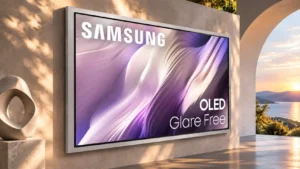
Art Mode makes the OLED serve as an artwork display when unused, aided by a matte coating that reduces the television look.
Audio/video sync
Sony Bravia 9 II
1.0
One setup developed a noticeable audio-sync problem with PlayStation and an external Samsung sound system, requiring a Toslink workaround.
Samsung S95H OLEDNo score yet
Automatic brightness adjustment
Sony Bravia 9 IINo score yet
Samsung S95H OLED
2.0
Eco and adaptive brightness settings can alter the picture differently between presets, so owners may need to adjust each mode separately.
Display technology
Sony Bravia 9 II
4.4
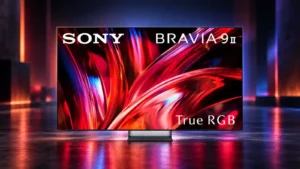
Sony’s True RGB implementation is widely praised as one of the most convincing RGB-backlit LCD designs yet. The technology still carries LCD limits such as blooming and imperfect blacks.
Samsung S95H OLEDNo score yet
Local dimming performance
Sony Bravia 9 II
4.2
Local dimming is highly effective and a major reason blacks and contrast look so strong for an LCD. Rare flares and off-axis blooming remain the main caveats.
Samsung S95H OLEDNo score yet
Overall image accuracy
Sony Bravia 9 II
4.4
Image accuracy is one of the TV’s signature strengths, especially in Professional mode, with natural color and reference-like tonal balance. A few mode-specific quirks keep it from perfection.
Samsung S95H OLEDNo score yet
Picture detail
Sony Bravia 9 IINo score yet
Samsung S95H OLED
4.8
Textures and fine details look crisp and convincing, particularly with high-quality 4K sources.
Picture mode tuning
Sony Bravia 9 IINo score yet
Samsung S95H OLED
4.4
Filmmaker and Movie modes offer strong starting points, while motion and game settings may require personal adjustment.
Q-Symphony soundbar integration
Sony Bravia 9 IINo score yet
Samsung S95H OLED
4.7
Compatible Samsung soundbars can work alongside TV speakers for a larger presentation, at extra cost.
SDR picture performance
Sony Bravia 9 IINo score yet
Samsung S95H OLED
4.5
Standard dynamic range content looks polished and detailed, helped by good processing, although brightness varies with picture preset.
Spatial audio quality
Sony Bravia 9 IINo score yet
Samsung S95H OLED
5.0
Object placement and height effects are effective in some scenes, but a full speaker system offers more convincing immersion.
Controls and connectivity
App performance
Sony Bravia 9 IINo score yet
Samsung S95H OLED
1.0
Apps usually launch quickly, but at least one extended test exposed occasional OS freezes.
Frame customization
Sony Bravia 9 IINo score yet
Samsung S95H OLED
2.0
The bold metallic border is fixed rather than a freely interchangeable frame, limiting how much the appearance can be personalized.
HDR tone mapping accuracy
Sony Bravia 9 IINo score yet
Samsung S95H OLED
4.7
Accurate modes track creative brightness intent closely and preserve fine detail. Some processing options increase impact at the expense of accuracy.
Smart TV platform
Sony Bravia 9 II
4.7
Google TV is capable, stable and easy to use, even if it is not always as slick or personalized as the best rival platforms.
Samsung S95H OLEDNo score yet
Smart TV platform
Sony Bravia 9 IINo score yet
Samsung S95H OLED
4.5
The refreshed Tizen interface is generally quick and capable, but ads, autoplay content, and occasional app issues detract from the experience.
Streaming app support
Sony Bravia 9 II
5.0
Streaming-app support is comprehensive, with the major services present and a broad downloadable library through Google TV.
Samsung S95H OLEDNo score yet
Tone mapping
Sony Bravia 9 II
5.0
Sony’s dynamic tone mapping is well judged, preserving highlight detail while making strong use of the panel’s enormous HDR headroom.
Samsung S95H OLEDNo score yet
Voice control accuracy
Sony Bravia 9 II
1.0
Voice control was unreliable on one test unit, with voice search failing even though the remote appeared paired.
Samsung S95H OLEDNo score yet
Comfort and build
Inconsistent panel and coating by size
Sony Bravia 9 IINo score yet
Samsung S95H OLED
2.0
Panel technology and regional model versions are not uniform, so the name alone is not enough to predict the exact display or presentation.
Power cord design
Sony Bravia 9 II
1.0
The attached power cord on at least one size was specifically disliked and reduces flexibility compared with a detachable cable.
Samsung S95H OLEDNo score yet
Screen bezel design
Sony Bravia 9 IINo score yet
Samsung S95H OLED
2.7
The substantial silver frame gives the TV an art-gallery look, but some find it distracting or prefer a near-invisible bezel.
Size options
Sony Bravia 9 II
2.0
The size range has an odd gap: the absence of a 98-inch version was specifically criticized on a flagship offered in very large sizes.
Samsung S95H OLEDNo score yet
Battery and charging
Solar remote charging
Sony Bravia 9 IINo score yet
Samsung S95H OLED
5.0
Solar and USB-C charging spare frequent disposable battery changes and make daily operation convenient.