Other features
Ease of use
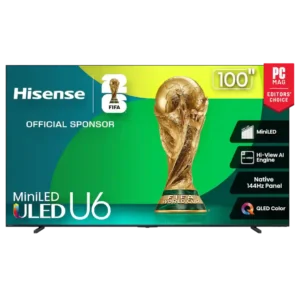
Hisense U65QFNo score yet
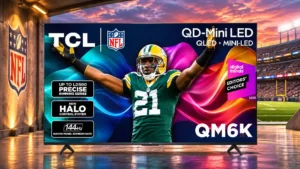
TCL QM6K
4.5
The interface and basic picture controls are accessible even with many optional settings.
Ambient Experience
Hisense U65QF
4.3
Ambient Experience is viewed as a fun, distinctive extra that can turn the idle screen into art, widgets, or generated backgrounds. It is liked, but not considered essential to the buying decision.
TCL QM6KNo score yet
Backlight strobing
Hisense U65QFNo score yet
TCL QM6K
2.5
Backlight strobing is a notable compromise, with weaknesses more apparent in demanding material or setups.
Banding control
Hisense U65QF
5.0
One detailed source reports streaming images without visible banding or artifacts, suggesting clean gradient reproduction in normal content.
TCL QM6KNo score yet
Black uniformity
Hisense U65QFNo score yet
TCL QM6K
3.5
Black fields are generally even and convincingly dark, though highlights can expose localized halos when dimming is active.
Burn-in resistance
Hisense U65QFNo score yet
TCL QM6K
5.0
An LCD panel avoids the permanent burn-in risk associated with static images on OLED.
Cable management
Hisense U65QF
2.0
Cable management is weak. Side-facing connections can leave cables visibly sticking out, which works against a clean, minimal installation.
TCL QM6KNo score yet
Calibration options
Hisense U65QF
4.6
Calibration and picture adjustment options are strong, with granular controls, multiple presets, motion tuning, local-dimming adjustment, and tone-mapping flexibility available to enthusiasts.
TCL QM6KNo score yet
Distortion control
Hisense U65QF
3.5
Distortion control is mixed: one source hears only slight musical harshness and another reports clean output as volume rises, while Tom's Guide finds obvious bass distortion at high stress.
TCL QM6KNo score yet
Energy efficiency
Hisense U65QF
4.0
One source describes brightness and SDR output as balancing performance with energy efficiency, giving the TV a positive but limited efficiency assessment.
TCL QM6KNo score yet
Filmmaker Mode availability
Hisense U65QFNo score yet
TCL QM6K
4.7
The accurate Filmmaker Mode preset receives widespread praise for rich, natural images without excessive smoothing.
Flicker control
Hisense U65QFNo score yet
TCL QM6K
5.0
Its high-frequency backlight PWM is effectively invisible in normal viewing.
HDMI port accessibility
Hisense U65QFNo score yet
TCL QM6K
4.5
Side-facing connections and clear labels are welcome when the set is mounted close to a wall.
HDR highlight detail
Hisense U65QFNo score yet
TCL QM6K
2.0
Bright HDR details can seem muted next to the step-up QM7K, even while the QM6K retains a natural overall image.
HGiG game HDR calibration
Hisense U65QFNo score yet
TCL QM6K
4.5
HGiG game HDR calibration is generally a clear strength, adding to the QM6K’s appealing balance of picture performance and practical features.
Large-screen immersion
Hisense U65QFNo score yet
TCL QM6K
4.5
The larger panels magnify the QM6K’s strong contrast and provide substantial immersion without OLED-level pricing.
Local dimming zone transitions
Hisense U65QFNo score yet
TCL QM6K
2.5
The zones generally control contrast acceptably, but leading edges of moving bright objects can darken and show a visible halo.
Motion artifacts
Hisense U65QFNo score yet
TCL QM6K
2.0
Some scenes show unwanted color fringes or blur trails, especially at demanding refresh rates or with processing turned up.
Near-black uniformity
Hisense U65QFNo score yet
TCL QM6K
5.0
Near-black scenes are especially even, with little visible banding and only slight edge brightness on the tested panel.
Packaging and unboxing
Hisense U65QFNo score yet
TCL QM6K
3.1
Unboxing reports range from thick screen protection to a flimsy outer carton and awkward initial handling.
PC text clarity
Hisense U65QFNo score yet
TCL QM6K
2.5
The BGR subpixel order can slightly soften small desktop text compared with standard RGB monitors.
Refresh rate
Hisense U65QF
5.0
The high native refresh rate is praised for producing visibly smoother animation and gaming. At this price, 144Hz capability is repeatedly treated as a premium-level feature.
TCL QM6KNo score yet
Remote control usability
Hisense U65QFNo score yet
TCL QM6K
4.6
Remote control usability is generally a clear strength, adding to the QM6K’s appealing balance of picture performance and practical features.
Resolution
Hisense U65QF
5.0
Native 4K presentation is described as consistently crisp, with fine detail holding up well across normal viewing distances.
TCL QM6KNo score yet
Screen coating clarity
Hisense U65QFNo score yet
TCL QM6K
2.8
Screen coating clarity earns qualified assessments: adequate in typical situations, with some noticeable limits under harder conditions.
Screen mirroring
Hisense U65QF
4.5
Screen mirroring works smoothly for casual photos, presentations, and video in the source that evaluates it directly, though it is not intended for low-latency gaming.
TCL QM6KNo score yet
SDR-to-HDR conversion
Hisense U65QFNo score yet
TCL QM6K
4.0
The optional conversion can add a little apparent depth to SDR scenes. Its effect is subtle enough that some viewers may barely notice it.
Stand assembly
Hisense U65QFNo score yet
TCL QM6K
2.5
Assembly is easy on some units, but at least one installer found the feet hard to seat before screwing them in.
Treble clarity
Hisense U65QFNo score yet
TCL QM6K
2.7
Higher frequencies sound crisp to some listeners, but one evaluator sharply criticizes thin, unclear upper-range reproduction.
Weight and handling
Hisense U65QFNo score yet
TCL QM6K
4.8
Relatively light construction can make the panel easier to move and position than similarly sized premium sets.
Ownership and support
4K at 120 Hz support
Hisense U65QF
4.3
Most gaming-focused sources present 4K/120 as ready for modern consoles and more than adequately supported. One conflicting article claims native 120Hz is absent, so this attribute is not unanimous.
TCL QM6KNo score yet
4K gaming support
Hisense U65QF
4.6
4K gaming is generally praised for crisp detail, smooth response, and strong console compatibility. One source is more cautious about the highest-end gaming features, but still finds casual 4K play satisfying.
TCL QM6KNo score yet
1080p at 288 Hz gaming support
Hisense U65QFNo score yet
TCL QM6K
4.5
The 288Hz option works on eligible larger sizes and feels very smooth, but requires dropping to 1080p and suitable PC hardware.
Casting support
Hisense U65QF
2.0
Casting support is a notable weakness for Android/Chrome users because several sources criticize the loss of Google Cast. Other mirroring methods remain available, but they do not erase that complaint.
TCL QM6KNo score yet
Dolby Atmos support
Hisense U65QF
4.3
Dolby Atmos is a useful addition and can enhance the perceived height or spaciousness of sound, but built-in speakers do not replace a true Atmos speaker layout.
TCL QM6KNo score yet
FreeSync support
Hisense U65QF
5.0
FreeSync support is consistently treated as a strong gaming benefit, contributing to smooth and responsive variable-refresh play.
TCL QM6KNo score yet
HDR10+ support
Hisense U65QF
5.0
HDR10+ support contributes to the TV's unusually broad HDR compatibility, a feature set praised as excellent for the price.
TCL QM6KNo score yet
Large-screen value
Hisense U65QFNo score yet
TCL QM6K
4.8
Upsizing a QM6K can deliver more immersive pictures for the budget than choosing a smaller premium model.
Controls and connectivity
App performance
Hisense U65QF
5.0
App switching is described as nearly lag-free in the source that measures platform performance directly.
TCL QM6KNo score yet
HDR tone mapping accuracy
Hisense U65QFNo score yet
TCL QM6K
4.2
The QM6K generally preserves highlight detail and follows HDR brightness intent respectably, with small deviations across the range.
Picture settings menu flexibility
Hisense U65QFNo score yet
TCL QM6K
4.8
The many gamma, local-contrast and tone-mapping controls make it easy to tailor the picture; some options are restricted in gaming modes.
Privacy controls
Hisense U65QFNo score yet
TCL QM6K
2.8
Microphone muting is available, but setup prompts warrant attention to account and data-sharing terms.
Smart home integration
Hisense U65QF
4.6
Alexa-based smart-home integration is consistently praised, especially for users already invested in Amazon devices. Reviewers like being able to control connected devices or access camera-related functions from the TV.
TCL QM6KNo score yet
Smart TV platform
Hisense U65QF
3.1
The smart-TV platform is the most divisive part of the product. Several reviewers call Fire TV cluttered, ad-heavy, or a step down from Google TV, while others find it clean, familiar, smooth, and easy for non-technical users.
TCL QM6KNo score yet
Smart TV platform
Hisense U65QFNo score yet
TCL QM6K
4.6
Google TV is largely praised for straightforward navigation, plentiful major apps and helpful integrations.
Software updates
Hisense U65QF
4.0
Software updates are described as routine and useful for app stability and system maintenance, though the cadence is said to be less aggressive than some rival platforms.
TCL QM6KNo score yet
Streaming app support
Hisense U65QF
4.6
Streaming-service coverage is broad and includes the major services most buyers expect, so an external streamer is not required for app availability alone.
TCL QM6KNo score yet
Tone mapping
Hisense U65QF
3.2
Tone mapping is one of the more mixed areas. Some sources praise flexible controls and balanced highlight handling, while others report clipping or an aggressive approach that can lose texture and shadow detail.
TCL QM6KNo score yet
Voice assistant support
Hisense U65QF
3.0
Alexa is useful for voice search and smart-home control, but several sources dislike the lack of an onboard far-field microphone. Voice support is therefore functional but less hands-free than some competing TVs.
TCL QM6KNo score yet
Wi-Fi performance
Hisense U65QF
5.0
One detailed account reports stable Wi-Fi streaming of high-bitrate 4K HDR without noticeable buffering or quality loss.
TCL QM6KNo score yet
Performance
Audio passthrough
Hisense U65QFNo score yet
TCL QM6K
3.8
eARC enables advanced surround formats with compatible sound equipment, though sources handling some DTS formats may need direct receiver connections.
Automatic brightness adjustment
Hisense U65QFNo score yet
TCL QM6K
5.0
Automatic brightness adjustment is generally a clear strength, adding to the QM6K’s appealing balance of picture performance and practical features.
Display technology
Hisense U65QF
4.8
Mini-LED backlighting is widely treated as a major reason this budget set punches above its class, especially for contrast and local light control. One source credits it directly for the TV's strong value-oriented picture.
TCL QM6KNo score yet
Dolby Vision picture quality
Hisense U65QFNo score yet
TCL QM6K
4.0
Dolby Vision picture quality earns qualified assessments: adequate in typical situations, with some noticeable limits under harder conditions.
Picture mode tuning
Hisense U65QFNo score yet
TCL QM6K
4.6
Filmmaker Mode is a strong accuracy starting point, while Standard, Movie and other presets let owners prioritize brightness or punch.
SDR brightness
Hisense U65QFNo score yet
TCL QM6K
3.8
Regular television can look satisfyingly bright with appropriate settings. The default filmmaker presentation sometimes needs a boost for daytime use.
SDR picture performance
Hisense U65QFNo score yet
TCL QM6K
4.5
Day-to-day SDR images remain clear and pleasantly colorful; tweaking gamma and peak luminance can help in brighter rooms.
Soundbar clearance
Hisense U65QFNo score yet
TCL QM6K
4.5
Raised feet leave room for many soundbars without blocking the image.
White balance accuracy
Hisense U65QFNo score yet
TCL QM6K
4.1
Many tests commend the near-target color temperature, especially in HDR, while one technical evaluation finds SDR grayscale balance less convincing before calibration.
Comfort and build
Bezel size
Hisense U65QF
4.7
Bezels are consistently praised as thin or nearly edge-free, helping the picture dominate the front of the TV.
TCL QM6KNo score yet