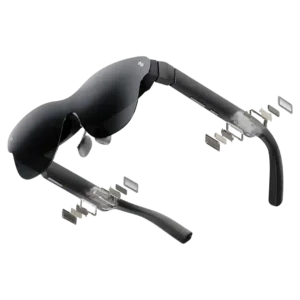
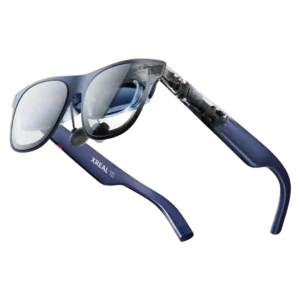
RayNeo Air 4 Pro
Where It Has the Edge
No clear scored advantage over the other product.

Scorata scores summarize analyzed review evidence on a 1–5 scale; they are not laboratory measurements or a simple average of customer star ratings. Feature scores summarize the reviews covering that feature. The overall score averages feature scores within each review, then combines review averages. When both expert and customer evidence are available, those two groups receive equal weight. Products can have different review coverage, so small score gaps do not establish a winner.
Recommendations prioritize important features for the category, with a score of at least 3.5, a gap of at least 0.25 points and at least two supporting reviews per product. Features with widely varying scores or broad connectivity contexts are excluded from recommendations. These safeguards do not establish statistical significance.
Quick verdict
The available evidence supports the recommendation below, but does not establish an overall winner. Check the remaining features against your priorities.
There is not enough comparable review evidence to recommend RayNeo Air 4 Pro over the other product.
Choose Xreal 1S for head tracking and prescription lens compatibility.
No clear scored advantage over the other product.
Scores are out of 5. Missing scores mean missing review evidence, not a missing feature.
Most units work as expected, but there are scattered reports of flicker, speaker faults, software failures, and dead-on-arrival hardware. Other owners report stable, trouble-free operation.
Reliability is inconsistent across the review set. Many users report instant recognition and trouble-free daily use, while others describe disconnects, glitches, drifting, software failures, or units that stopped working properly.
One customer reported waiting a week without any response from support, making service responsiveness a concern where help is needed.
Support experiences range from fast and helpful to deeply frustrating. Several customers praise responsive assistance, while at least one describes difficult troubleshooting requirements and poor resolution of a hardware problem.
The Air 4 Pro improves audio and adds HDR10, but Air 3s Pro owners often see too little day-to-day difference to justify upgrading. It is a stronger buy for newcomers than for recent RayNeo owners.
The 1S improves resolution, brightness, field of view, and price versus the original One, making it attractive from older generations. Owners of a recent One or One Pro often see the gains as incremental rather than a necessary upgrade.
Prescription users face extra cost and setup because corrective inserts are usually sourced separately. Once fitted, they can work well, but the out-of-box experience is not as seamless as it is for users without correction.
Prescription users can add inserts, but the lack of built-in diopter adjustment is a repeated drawback. People who cannot use the display clearly without correction may need to budget for inserts or wear contacts.
Value is the broadest point of agreement. The bright OLED display, 120Hz mode, and good audio compete with much pricier glasses while keeping the entry price around the budget end of the category.
Many reviewers consider the $449 price strong for the display quality, tracking, and feature set, especially versus earlier models. Others see the glasses as an expensive niche accessory when cheaper display glasses or conventional screens meet their needs.
Plug-and-play setup is one of the most consistent strengths. With a compatible USB-C DisplayPort source, the glasses usually begin mirroring immediately with little configuration.
With a compatible USB-C DisplayPort device, setup is usually as simple as plugging in the cable and wearing the glasses. Unsupported consoles, desktop GPUs, and a few phone combinations can require adapters or troubleshooting.
Comfort is one of the most face-dependent traits. Many people can watch a full movie comfortably, while others report nose pressure, ear fatigue, or difficulty holding the optical sweet spot.
The glasses are widely praised as comfortable and well balanced for long movies, flights, and gaming sessions. Fit is not universal, though, and some users report eye strain, nose pressure, headaches, or fatigue after extended wear.
Durability impressions are mixed: some owners say the glasses feel sturdy rather than fragile, while cheaper plastics make others want to handle them more carefully.
Durability feedback is very positive: reviewers report drops, knocks, and regular travel use without meaningful damage. The frame and hinges generally inspire confidence for a portable device.
Construction is generally solid for the price, but the plastic frame and case often feel budget-grade. The hardware works well, yet it does not consistently deliver a premium tactile impression.
Build quality earns strong praise, with reviewers describing the frame, hinges, and materials as premium, sturdy, and well finished. The glasses generally feel more durable than their lightweight appearance suggests.
Finding the optical sweet spot can be easy for some faces and difficult for others. Nose shape and fixed IPD can determine whether the whole screen stays sharp and visible.
Multiple arm positions, nose pads, and prescription inserts give users useful ways to tune fit and viewing angle. Some faces, IPDs, noses, and head sizes still fall outside the sweet spot, so comfort and full-screen visibility can vary.
The frame is lighter and more wearable than its bulky appearance suggests, with adjustable temples helping alignment. It still looks noticeably more tech-like than normal sunglasses.
The glasses pack a large display into a compact, portable frame that is far easier to carry than a headset or monitor. The birdbath optics and cable still add visible bulk and make the silhouette less like normal eyewear.
Style opinions split sharply: some find the frame sleek and close to normal sunglasses, while others see it as bulky, dorky, or obviously tech-forward.
The dark blue, Wayfarer-like design is often viewed as attractive and more refined than earlier tech eyewear. From the side, however, the thicker optical hardware can still look bulky or conspicuously gadget-like.
The adjustable nose pads help many users find a comfortable position, but nose pressure and instability remain the most common comfort complaints during long sessions.
The interchangeable nose pads help many users find a workable fit, but nose comfort is a recurring weak point for others. Complaints include pressure, pinching, and stock pads that do not suit every nose shape.
The projected screen feels large and immersive for many users, especially in dark rooms or on flights, but the advertised cinema-scale size can feel exaggerated depending on viewing geometry.
The large virtual screen creates a strong theater effect and is easy to resize for different content. Extreme 500-inch settings are less practical because the field of view forces users to look around instead of seeing the whole image at once.
There is no native head-tracked anchoring, so the image follows every head movement. That keeps cost down but is one of the most frequently cited missing premium features.
The built-in 3DoF anchoring is one of the most consistently praised features, keeping the virtual screen convincingly fixed as the user turns their head. Reviewers often cite it as a major advantage over simpler display glasses.
Because the image moves with the wearer’s head, small movements can make the screen feel shaky or disorienting. Users comfortable with head-locked displays are less bothered.
Anchored and follow modes are generally stable, with many reviewers reporting little or no drift. A minority experienced drifting, motion blur, or occasional position shifts, so stability is not flawless across every unit and use case.
Prescription inserts are workable and compatible with the frame, but normal glasses are impractical underneath. Users who need correction should plan on an insert rather than layering eyewear.
Prescription inserts generally attach securely and restore a clear viewing experience for users who need correction. Reviewers report good results overall, with only minor fit or folding quirks in some setups.
Firmware management works through RayNeo’s app, but one tester only got the update process working after an initial failure, suggesting room for polish.
Firmware support is viewed positively, with updates adding meaningful features and improving Real 3D performance after launch. Reviewers also stress keeping the glasses current for the best stability and feature behavior.
The case, cable, light blocker, extra nose hardware, and prescription frame cover the basics well. The light blocker is especially useful, though its fit and accessory bundle quality draw occasional complaints.
The included case, USB-C cable, cleaning cloth, and nose pads make the basic package travel-ready and easy to fit. Case storage and cable organization receive mixed feedback, with some users preferring third-party cases.
The 47-degree view is sufficient for movies and games but narrower than premium rivals. Edge cutoff and corner blur can make it hard for some users to see the whole image cleanly.
The 52-degree field of view is usable for a normal virtual screen but is a recurring limitation for ultrawide layouts and very large screen settings. Users often need to turn their head to see edges, and some prefer wider-FOV alternatives.
Basic USB-C display connections are usually immediate, but mode switching and some computers can introduce hiccups or choppy audio. Stability depends somewhat on the host device.
Many compatible devices connect and remain stable, but there are enough reports of disconnects and recognition problems to make this a mixed area. The experience is highly dependent on the source device and cable or adapter setup.
At 76g, the glasses can stay comfortable for hours for many users, but long sessions are highly face-dependent. Nose pressure, warmth, and edge alignment can still force breaks.
Several users wear the glasses for many hours without major discomfort, helped by balanced weight and adjustable fit. The strongest long-session accounts describe them as comfortable enough for travel days, movies, or all-day use.
The glasses themselves stay light by drawing power from the host, but that can drain a phone quickly. Long flights or movies often require a charging adapter or backup power.
The battery-free glasses stay light by drawing power from the connected device, but that convenience shifts the power cost to the phone, laptop, or handheld. Long sessions may require a splitter, charger, or external battery hub.
USB-C iPhones are generally among the easiest hosts, with fast plug-and-play behavior and strong HDR support. A few app or streaming-specific issues still appear.
USB-C iPhones are repeatedly described as straightforward plug-and-play sources for the 1S. Reviewers particularly enjoy the pairing for streaming, social media, and travel entertainment.
Android support is uneven. Some Samsung and Pixel setups work well, while certain Pixel features, DeX workflows, and several other Android phones show compatibility gaps or fail outright.
Compatible Android phones with USB-C DisplayPort output can work extremely well, including strong Samsung DeX use. Compatibility is not universal, and unsupported phones or regional app limitations can turn the experience into a frustrating one.
Maximum volume is the audio system’s biggest weakness. It is often sufficient indoors but can be too quiet in cafés, transit, or other noisy environments.
Built-in volume is adequate in quiet rooms but can be too low on trains, planes, or other noisy environments. External earbuds are the common workaround when stronger output is needed.
Overall sentiment is strongly positive for media, gaming, and travel at this price, with many owners recommending the glasses. Negative experiences cluster around fit, compatibility, software, or missing spatial features.
Most owners and reviewers are enthusiastic about the portable big-screen experience, especially for travel, movies, and gaming. A smaller but meaningful group returned or downgraded it because of optical, fit, software, or reliability problems.
Center clarity is often excellent, with crisp text and sharp video. The main caveat is edge blur, which can appear when fit, IPD, or screen position is less than ideal.
The image is often described as sharp, vivid, and impressively clean in the center. Experiences vary at the edges, where some users report softness, glare, ghosting, or uneven focus that can make the whole picture feel less clear.
AI-HDR can add punch to SDR content, but the effect is often subtle. The 2D-to-3D conversion is fun on compatible local media yet inconsistent enough to feel more like a novelty than a core reason to buy.
Real 3D is a major attraction when it works, adding convincing depth to ordinary video and slower games without special software. Opinions split sharply over artifacts, jitter, reduced frame rates, and whether the effect is useful beyond novelty.
Most heat is mild, but the right temple can warm up during extended use or HDR sessions. A few users found the heat distracting, while others specifically praised it for staying well controlled.
Heat is one of the more mixed areas: many users feel little or no uncomfortable warmth on the face, but others find the top of the frame noticeably hot during long sessions. Real 3D use is repeatedly associated with higher temperatures.
Text can look crisp in the center and is usable for light work, but edge blur and 1080p resolution make small interface elements and subtitles harder for some users.
Text is readable and sometimes impressively crisp for menus, subtitles, browsing, and light work. Smaller text and edge areas are inconsistent, and several reviewers found prolonged reading or coding tiring enough to prefer a normal monitor.
At roughly 76g, the glasses are widely considered light for a wearable display. That helps comfort, though it is still much heavier than ordinary eyewear.
For display glasses, the 1S is considered light enough for travel and multi-hour sessions, especially compared with VR headsets. It is still heavier and bulkier than ordinary eyewear, and some users feel that extra weight on the nose.
Movies, shows, and games are where the Air 4 Pro shines. The large private OLED image, 120Hz option, and strong contrast make travel and reclined viewing especially compelling.
Movies, TV, YouTube, and other video are the clearest strength of the 1S, with reviewers repeatedly describing a portable cinema-like experience. Flights, beds, couches, and hotel rooms are especially compelling use cases.
Weight balance is generally good and helps the glasses feel lighter than they look. A few users still experience front-heavy nose pressure over longer sessions.
Reviewers consistently praise how evenly the frame spreads its weight across the nose and ears. That balance helps the glasses feel lighter in practice than their raw weight suggests.
The glasses can serve as a private second monitor and handle light work, but fixed positioning, edge blur, and software limitations keep them from being an ideal full-day productivity setup.
Ultrawide modes and a large private screen can make travel work, browsing, and light editing much more comfortable. For sustained coding or text-heavy work, limited resolution, field of view, eye strain, and software limitations keep it from replacing a good monitor for many users.
The four B&O-tuned speakers sound clear and surprisingly full for glasses. Quality is generally praised even when maximum loudness is criticized.
The Bose-tuned open-ear speakers are frequently praised for clear, surprisingly full sound that is good enough for casual movies and gaming. Dedicated earbuds or headphones still sound better and work better in noisy places.
The 120Hz mode and low display latency make gaming feel smooth and responsive. Fast-motion play is one of the clearest reasons to use the higher refresh setting.
Normal controls and interactions feel quick and immediate, making responsiveness a clear strength in everyday use.
Screen customization is limited. The inability to resize, reposition, or fine-tune IPD is a recurring complaint and can make edge clarity difficult for some faces.
On-glasses controls for screen size, distance, position, dimming, and follow or anchor modes give the 1S unusually flexible display tuning. Most reviewers find the flexibility valuable, though the deeper settings can take time to learn.
The Vision 4000 processor gives the image useful real-time enhancement and drives HDR/3D processing. Its SDR-to-HDR work is more consistently useful than the variable 2D-to-3D effect.
Real 3D became glitchy enough for one user to suspect that the onboard processing could not keep up reliably beyond ordinary 2D viewing.
The bright display remains usable outdoors, particularly with the blocker attached, but reflections and ambient light can still reduce contrast without it.
Brightness and electrochromic dimming make the display usable in many bright and even outdoor situations. Direct light, reflections, and the optical design can still reduce clarity depending on angle and surroundings.
The OLED panels deliver deep blacks and strong contrast, especially with the light blocker attached. HDR can improve highlights and shadow detail, although the gain over SDR is not always dramatic.
OLED contrast gives movies and games strong depth and dark blacks, but one recurring optical complaint is crushed shadow detail in very dark scenes. Overall contrast is good, though not uniformly excellent for every viewer.
These are best understood as a tethered wearable display, not true spatial AR. The lack of world-aware overlays, 3DoF/6DoF anchoring, and standalone computing is a recurring limitation for buyers expecting richer AR.
The 1S works very well as a spatially tracked wearable display, but reviewers repeatedly caution that it is not full mixed reality or deeply interactive AR. Environmental understanding and richer spatial interaction require accessories or different hardware.
Color is vivid and often impressively accurate, but tuning can run oversaturated. Standard/SDR modes tend to look more natural than aggressive color enhancement for users who prefer accuracy.
Color is a consistent strength, with reviewers praising vivid yet balanced reproduction for movies, games, and even some photo or video work. The OLED panels are repeatedly described as rich without looking obviously inaccurate.
Brightness is a consistent strength, with the 1,200-nit image staying punchy in many lighting conditions. The included blocker helps preserve that advantage when ambient light is strong.
The display is broadly considered bright enough for indoor use, travel, and many bright environments, especially with electrochromic dimming. Most users do not need maximum brightness, although ambient light and reflections can still affect visibility.
Whisper mode and sound-directing accessories can keep audio fairly private at moderate levels, but leakage is not eliminated. In some situations people nearby can still hear what is playing.
The open-ear speakers preserve awareness of the surroundings, but privacy varies with volume and environment. Some users report little audible leakage, while others say people sitting nearby can clearly hear the content.
The Micro-OLED image is the product’s biggest strength: bright, vivid, sharp, and cinematic for movies and games. Even critical reviews usually praise the core picture.
The Micro-OLED display is one of the strongest parts of the product, with vivid color, high brightness, smooth motion, and a convincing large-screen look. A minority of users report blur, reflections, or optical inconsistencies that substantially reduce the experience.
Software is less mature than the display hardware. Mirror Studio and related tools can add useful capabilities, but bugs and missing features repeatedly limit the experience.
Basic display use benefits from not needing proprietary software, but users wanting richer desktop or multi-monitor features are much less satisfied. Missing or limited Windows and Android software support is a recurring complaint among productivity-focused owners.
The onboard menu is generally straightforward and easy to learn. A few software-driven navigation experiences are less intuitive than the physical menu itself.
The onboard interface offers substantial control without requiring an app and is generally easy once learned. Some reviewers find menu navigation or adjustment logic confusing, especially when accessing less common settings.
The onboard rockers and menu button are simple and generally intuitive. They make brightness, volume, refresh-rate, and picture changes possible without relying on an app.
The physical buttons and rocker provide convenient access to display modes, brightness, dimming, and volume without reaching for an app. Most feedback is positive, although the control scheme takes some learning.
The small onboard controls can be difficult for users with limited finger dexterity; one owner with arthritic fingers specifically struggled with them.
Handheld and console gaming benefits from the large OLED image, smooth motion, and very low perceived latency. The experience is strongest for seated play, while limited field of view, console adapters, and Real 3D frame-rate tradeoffs can matter for some games.
The multi-position temple mechanism is useful for fit, though one test found its adjustment action less smooth than expected.
Optical clarity is highly variable by reviewer and fit. Some see a clean, edge-to-edge image, while others are distracted by birdbath reflections, ghosting, glare, or blur that cheaper competitors handle better.
The clip-on shade effectively improves immersion, but there is no premium electrochromic tint adjustment. That keeps the design simple while sacrificing convenient light control.
The built-in microphones are described as competent for calls and conferencing, though they are not a standout reason to buy the glasses.
The software ecosystem is a weak point: Mirror Studio and RayNeo XR unlock extra modes, but platform gaps, sideloading requirements, and community workarounds make it feel less polished than the hardware.
Review contexts may differ, so use caution when interpreting the score gap.
RayNeo’s apps draw repeated criticism for bugs, limited features, and unreliable desktop behavior. Mirror Studio in particular can be blurry or fail to deliver the anchored/multi-screen experience buyers expect.
Bluetooth headphone routing can be frustrating, particularly on iPhone, where the glasses may take over audio output. Some owners could switch sources only with extra fiddling.
Review contexts may differ, so use caution when interpreting the score gap.
The buttons generally respond quickly for mode changes and adjustments, but shortcut behavior is not perfectly reliable for every user. One reviewer reported repeated problems programming a control without disconnecting.
The companion software trails the hardware. 3D and desktop features can be interesting, but app bugs, missing functionality, and compatibility failures make the experience inconsistent.
A private floating screen and adjustable dimming are useful for travel and public work, especially when the host display can be turned off. Privacy is less complete on devices that continue showing the same content on their own screen.
Phone compatibility is broad but not universal. USB-C DisplayPort support is the key requirement, and unsupported phones or console-like devices may need adapters or simply not work.
Open-ear audio struggles against coffee-shop, subway, and other loud ambient noise. Sound tubes can help direct sound toward the ear, but they do not turn the glasses into noise-isolating headphones.
Bass is respectable for glasses and several users describe fuller, richer sound than expected, but low-end impact remains limited compared with dedicated headphones.
Eye Comfort mode noticeably softens the viewing experience for some users and can reduce strain during longer sessions. The high-frequency PWM implementation also earned positive comments for flicker comfort.
The virtual screen is fixed to the wearer’s view rather than anchored in space. That is acceptable for relaxed media use but frustrating for productivity, motion-sensitive users, and anyone wanting a stationary virtual monitor.
1080p per eye looks surprisingly sharp for entertainment, but it is the clearest ceiling on productivity. Small text and edge detail would benefit from a higher-resolution panel.
As a simple head-mounted display, the glasses can be highly effective for private viewing. They still lack the spatial, world-aware behavior buyers may associate with more advanced HUD or AR systems.
The heavily tinted lenses can become too dark for seeing the surrounding room in lower light, reinforcing that these are stationary display glasses rather than walk-around smart glasses.
Bang & Olufsen-tuned open-ear audio is clear, balanced, and better than expected for the form factor. Its main limitation is loud environments, where dedicated earbuds or headphones still win.
With no internal battery, the glasses never need charging and stay lighter. The tradeoff is permanent USB-C tethering to a powered source device.
Adjustable arms and nose hardware provide useful fit flexibility, but they cannot fully compensate for every face shape or IPD.
Material feel is the clearest cost-saving area. Some testers call the plastic high quality and solid, while others find it noticeably cheaper than premium competitors.
Temple adjustments help with fit, but pressure around the ears can build over multi-hour sessions for some users. Others report little ear strain once the arms are positioned correctly.
Head tracking and gaming response are usually described as smooth and effectively lag-free. Fast head movement or added processing such as Real 3D can introduce some blur or latency for more sensitive users.
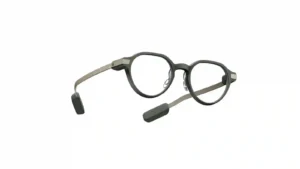
Choose the G2 if you want discreet, prescription-friendly smart glasses with a sharp private display, long battery life, and strong productivity tools. Skip them if you need camera/audio features, polished...
Pros: comfort, display quality
Cons: app quality, value for money
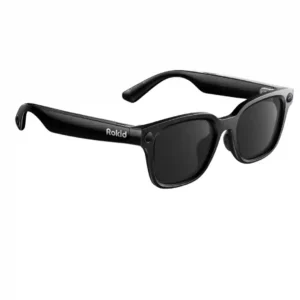
Choose these for flexible POV recording, broad AI and translation tools, and lightweight all-day wear. Skip them if you want premium frames, an included charging case, consistent software, or stronger...
Pros: overall satisfaction, AI features
Cons: charging case, charging method
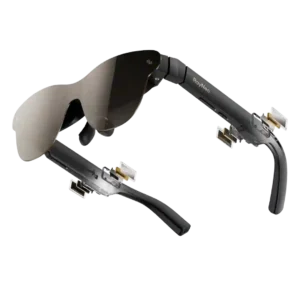
Choose the Air 3s Pro for a bright, sharp, affordable private screen for movies and handheld gaming. Skip it if you need screen anchoring, reliable edge-to-edge visibility for work, or...
Pros: image clarity, display brightness
Cons: comfort, volume level
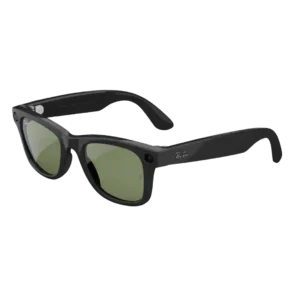
Choose these for stylish hands-free photos, social video, calls, and improved battery life. Skip them if Meta privacy, app clutter, open-ear leakage, or a modest Gen 1 upgrade outweigh the...
Pros: overall satisfaction, video quality
Cons: AI features, fit