Other features
Ease of use
Logitech G512 XNo score yet
Corsair SKIFF 100
4.3
Setup is straightforward and configuration interfaces are intuitive, particularly for existing Corsair software users.
Compatibility
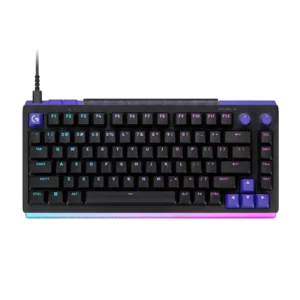
Logitech G512 X
3.0
Windows use is straightforward. Mac users can remap the Windows and Alt keys successfully, but the missing Command and Option legends make the out-of-box experience less polished.
Corsair SKIFF 100No score yet
Desk grip
Logitech G512 XNo score yet
Corsair SKIFF 100
4.3
Rubber feet help keep the board in place, but its light weight means it may shift when pushed.
Desk space efficiency
Logitech G512 X
4.4
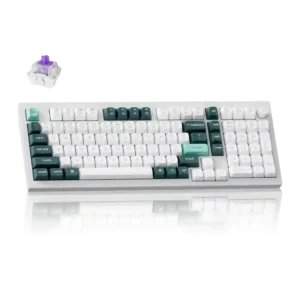
Both layouts use space well, especially the 75% model for wide mouse movement and the 96/98% model for retaining a numpad without full-size width.
Corsair SKIFF 100No score yet
Function layer usability
Logitech G512 XNo score yet
Corsair SKIFF 100
2.0
Some media actions require Fn combinations instead of dedicated buttons, adding unnecessary effort.
Included accessories
Logitech G512 XNo score yet
Corsair SKIFF 100
4.8
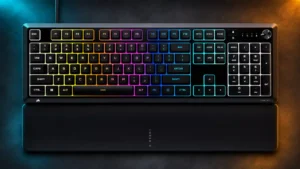
A detachable palm rest is a generous and useful inclusion at this price.
Key rollover
Logitech G512 XNo score yet
Corsair SKIFF 100
4.5
12-key rollover handles simultaneous presses without causing problems in gameplay.
Key spacing
Logitech G512 X
3.5
The 75% layout keeps spacing comfortable, while the compressed 98% layout may briefly challenge full-size muscle memory, particularly around the numpad.
Corsair SKIFF 100No score yet
Key stability
Logitech G512 X
2.5
Internal damping is good, but some reviewers noticed key wobble. Stability is acceptable for gaming use rather than exemplary.
Corsair SKIFF 100No score yet
Latency
Logitech G512 X
4.6
The wired 8,000Hz mode and very low quoted response time deliver exceptionally direct input. Most ordinary players may not consciously perceive the full advantage.
Corsair SKIFF 100No score yet
Layout options
Logitech G512 X
4.3
The choice between compact 75% and near-full-size 96/98% layouts covers both mouse-space priorities and numpad needs.
Corsair SKIFF 100No score yet
Onboard memory
Logitech G512 X
4.0
Three onboard profile layers are useful, but one reviewer found that advanced functions still depend heavily on G Hub running, limiting true hardware independence.
Corsair SKIFF 100No score yet
Packaging quality and presentation
Logitech G512 XNo score yet
Corsair SKIFF 100
4.8
Packaging is clear, thoughtful and protective rather than elaborate.
Profile management
Logitech G512 X
3.5
Game-specific profiles are the practical way to separate hair-trigger gaming settings from normal typing. G Hub makes profiles approachable, though software dependence and reset limitations reduce independence.
Corsair SKIFF 100No score yet
Spill resistance
Logitech G512 XNo score yet
Corsair SKIFF 100
4.3
IP53 splash resistance offers reassurance around drinks, but the keyboard is not waterproof.
Stabilizer quality
Logitech G512 X
3.8
Several reviewers heard no rattle or ping from larger keys, but one detailed teardown found stabilizer rattle across much of the board. Quality may vary by unit.
Corsair SKIFF 100No score yet
Switch options
Logitech G512 X
4.6
The ability to combine standard three- or five-pin mechanical switches with TMR analog switches is the product’s defining advantage. It offers rare flexibility without forcing users to abandon familiar mechanical feel.
Corsair SKIFF 100No score yet
Unboxing experience
Logitech G512 XNo score yet
Corsair SKIFF 100
4.3
Paper wrapping and straightforward packaging make unboxing tidy and uncomplicated.
Weight and handling
Logitech G512 XNo score yet
Corsair SKIFF 100
4.0
Low weight makes handling easy, but it can also make the board easier to shift accidentally.
Ownership and support
Analog input support
Logitech G512 X
3.7
Dual-stage presses can map walking and sprinting or other paired actions, and several reviewers found the idea memorable and useful. Others disliked the SAPP ring feel or noted that the keys cannot deliver true progressive controller-style input.
Corsair SKIFF 100No score yet
Ease of switch replacement
Logitech G512 X
4.2
Swapping switches is generally quick and approachable, helped by onboard pullers, storage, and a scan button. Repeated game-by-game changes can still become tedious, and fragile pins require care.
Corsair SKIFF 100No score yet
Rapid trigger support
Logitech G512 X
4.6
Rapid Trigger is consistently praised for faster resets, counter-strafing, and repeated movement inputs. It is one of the hybrid system’s strongest practical gaming benefits.
Corsair SKIFF 100No score yet
Performance
Cleaning ease
Logitech G512 XNo score yet
Corsair SKIFF 100
2.0
The soft-touch palm-rest coating collects dust and debris readily and needs frequent cleaning.
Legend visibility
Logitech G512 X
3.1
Primary legends are generally readable with lighting on, but some characters are not illuminated evenly and the keys can be hard to identify in darker rooms when RGB is off.
Corsair SKIFF 100No score yet
Controls and connectivity
Hot-swappable switches
Logitech G512 X
3.8
Every mechanical socket is easy to replace, while 39 positions also accept TMR switches. Reviewers liked the rare hybrid flexibility but often criticized the limited analog coverage and the inclusion of only nine magnetic switches.
Corsair SKIFF 100No score yet
Performance customization
Logitech G512 XNo score yet
Corsair SKIFF 100
2.5
The keyboard has few performance tuning options beyond basic settings, a compromise at its price.
Software and driver support
Logitech G512 XNo score yet
Corsair SKIFF 100
4.3
Both browser-based configuration and iCUE are useful, with iCUE offering broader remapping options.