

TCL QM8L
Where It Has the Edge
No clear scored advantage over the other product.

Scorata scores summarize analyzed review evidence on a 1–5 scale; they are not laboratory measurements or a simple average of customer star ratings. Feature scores summarize the reviews covering that feature. The overall score averages feature scores within each review, then combines review averages. When both expert and customer evidence are available, those two groups receive equal weight. Products can have different review coverage, so small score gaps do not establish a winner.
Recommendations prioritize important features for the category, with a score of at least 3.5, a gap of at least 0.25 points and at least two supporting reviews per product. Features with widely varying scores or broad connectivity contexts are excluded from recommendations. These safeguards do not establish statistical significance.
Quick verdict
There is not enough consistent, comparable evidence for a clear recommendation. Use the feature details and supporting reviews to weigh the tradeoffs.
There is not enough comparable review evidence to recommend TCL QM8L over the other product.
There is not enough comparable review evidence to recommend TCL 32R84 over the other product.
No clear scored advantage over the other product.
No clear scored advantage over the other product.
Scores are out of 5. Missing scores mean missing review evidence, not a missing feature.
The QM8L produces a sharp, vibrant, high-impact picture that repeatedly drew flagship and OLED-adjacent comparisons. Fine detail, bright highlights, and deep dark areas give movies, sports, and games strong depth.
This is an unusually bright monitor, delivering spectacular HDR peaks and strong SDR output. Some settings can be uncomfortably intense at close range.
Deep native VA contrast and well-controlled Mini LED zones produce striking depth, although OLED still owns the darkest pixel-level scenes.
FreeSync and G-SYNC-compatible operation can reduce tearing, but dark-scene flicker makes results less consistent than the feature list suggests.
The TV can pass audio to a receiver or soundbar while letting the television remote manage power and volume, simplifying daily use.
Unlike some OLED alternatives, very bright scenes can remain luminous without strong automatic dimming.
Rear woofers add useful mid-bass and more weight than most televisions. They cannot reproduce true subwoofer depth, so cinematic low-end still requires an add-on.
Shadow controls are useful for recovering crushed detail in SDR and HDR, but the dedicated dark-boost effect is weaker than some rivals.
Accuracy varies noticeably by mode and unit. Movie or Filmmaker settings can look natural and calibrate beautifully, while Standard and some HDR settings may run overly bright, cool, or saturated.
Factory color is not universally neutral: the SDR default can look blue and HDR can be warm. Careful calibration produces much better results.
Powerful light output and precise dimming create striking contrast, giving HDR scenes strong depth and punch without routinely washing out surrounding shadows.
Deep blacks and strong local dimming make nighttime viewing impressive, though OLED still offers cleaner precision in the hardest near-black scenes.
This TV excels in bright rooms, maintaining color, contrast, and visibility even with blinds open. Sports and daytime HDR are standout use cases.
DisplayPort 1.4 handles 4K at the full 165Hz refresh rate, making it a practical option for high-refresh PCs.
TCL’s SQD Mini-LED system meaningfully improves color richness and overall picture quality, bringing premium panel performance to a less expensive tier.
The QM8L offers vivid HDR, low lag, multiple full-bandwidth ports, and high refresh rates for an excellent mainstream gaming experience. Competitive players may be bothered by its slower motion response.
HDR highlights reach extraordinary levels, producing brilliant sparks, sunlight, reflections, and explosions. The panel has enough headroom to make premium HDR content look genuinely dramatic.
HDR is spectacularly punchy, combining intense highlights, deep blacks, rich color, and strong detail. Dolby Vision material is particularly impressive when the appropriate picture mode is selected.
Exceptionally bright highlights and effective Mini LED dimming are its signature strengths. OLED retains the edge for absolute pixel-level black.
The built-in KVM makes sharing a keyboard and mouse between a desktop and laptop convenient without swapping peripherals.
The dense local-dimming system controls bright and dark zones with impressive precision. Its backlight management is among the strongest available outside much costlier flagship models.
The 1,400-zone backlight brings excellent black depth and bright highlights. A moderate setting can avoid unwanted desktop darkening.
Compression cleanup works well on older or lower-quality sources, reducing noise while preserving a natural film-like texture.
A responsive five-way joystick and organized menus make adjustments straightforward, with some limits on shortcuts and settings memory.
Movie mode can deliver a bright, accurate image straight from the factory, making the TV easy to enjoy without extensive adjustment.
Vibrant colors, sharp 4K detail and brilliant HDR earn high marks; viewing-angle washout and matte grain are its clearest visual compromises.
Extreme brightness is the QM8L’s defining strength, with measured peaks among the highest in its class. Highlights pop intensely and the screen remains commanding in bright rooms.
Side-by-side input viewing helps make the monitor practical when two computers are attached.
Built-in audio is fuller and more capable than typical flat-panel sound, with clear mids and enough presence for everyday viewing. Movie enthusiasts will still gain scale and impact from an external system.
Virtual spatial processing adds a noticeable sense of height and width. It is effective for casual immersion but does not replace a real surround setup.
The TV can hold very high brightness for real viewing rather than only producing brief test-pattern spikes. Performance may settle below its initial peak, but remains exceptionally strong.
Grayscale and bright whites are serviceable but not flawless out of the box, with the brightest tones showing the most visible deviation.
Motion is the most divisive area. Many found sports, movies, and casual gaming smooth, while stricter testing exposed blur and weaker performance with fast-moving content.
Input lag is consistently very low, typically around one frame or less. Controls feel immediate on consoles and PCs.
Measured control-to-display latency is exceptionally low at both 120Hz and 165Hz, keeping the screen responsive.
Clearly labeled ports and well-organized controls simplify setup, although optimal HDR and game modes may require individual adjustment.
Conversational voice control can make content, settings, and general information easier to reach for users who benefit from hands-free interaction.
Google TV’s recommendation rows are present but generally feel relevant and unobtrusive rather than overwhelming the home screen.
Connected local stations are easy to access and organize through the dedicated antenna interface.
The standard 16:9 shape fills modern console games without the side bars common on ultrawide screens.
Demanding dark and color-rich scenes showed little obvious banding, helping gradients remain smooth and natural.
Black levels are unusually deep for an LCD TV, often approaching OLED-like darkness in normal scenes. Dark backgrounds stay convincing while preserving bright highlights.
The VA panel produces convincingly deep blacks; default shadow crushing and occasional blooming keep it short of OLED precision.
Blooming is usually subtle or nearly invisible in ordinary viewing, including around subtitles and bright objects. Torture tests and a few difficult dark scenes can still expose faint halos.
The 1,400-zone backlight largely suppresses halos when viewed straight on, though small bright objects against black can still glow.
The vivid rear glow adds character and can illuminate a wall, but it may need dimming or switching off for quieter setups.
Integrated stereo sound is useful for calls, videos and temporary gaming audio, even if it cannot replace a dedicated setup.
LCD Mini LED avoids the OLED-style burn-in concern associated with stationary taskbars, documents and long desktop sessions.
Built-in channels and removable covers hide wiring neatly through the stand and rear panel.
USB-C docking and KVM functionality help keep the desk neat, but an external power brick adds clutter.
White-balance controls and picture adjustments allow the QM8L to reach excellent measured accuracy after calibration.
Wide-gamut coverage approaches premium RGB LED and OLED competitors, with especially strong P3 performance. Claims of complete BT.2020 coverage were not consistently matched in measurements.
Quantum-dot color makes games and video notably vivid while offering broad coverage suitable for many creative tasks.
SQD color is a major attraction, delivering exceptionally rich, bright hues without usually looking cartoonish. The expanded color remains vivid even as luminance climbs.
Smooth 165Hz motion and low input lag work well for shooters, but 240–320Hz competitors offer greater speed for dedicated esports play.
PS5, Switch 2 and Xbox use cases work well, with 4K 120Hz and VRR available where supported by the console and game.
Google TV surfaces relevant titles effectively and keeps recommendations useful rather than burying apps behind clutter.
The compact pedestal saves some desktop space despite the large 32-inch panel.
Dialogue remains clear, weighted, and easy to follow, avoiding the thin presentation common to many TV speakers.
Dirty-screen effect was minimal in sports and test patterns, with only small variations that should not distract in normal viewing.
Dialogue and midrange stayed clean without obvious distortion, even when the built-in speakers were asked to sound full.
Unlike certain competitors, this display cannot switch to a lower-resolution 320Hz esports mode, limiting flexibility for speed-focused players.
Low-power settings can reduce electricity use without making startup noticeably bothersome, and eco controls are available within normal picture modes.
There is no G-SYNC support, a clear limitation for PC gamers invested in Nvidia’s ecosystem.
The Game Bar provides useful live information and quick controls for refresh rate, VRR, shadow enhancement, and other game-specific settings.
The core gaming performance is strong, but specialized extras such as advanced dark boosting and motion-reduction options are sparse.
A range of SDR and HDR profiles offers useful flexibility, but certain presets overcook contrast or highlights and benefit from manual tuning.
Game mode preserves much of the TV’s punchy picture while reducing latency, so speed does not require a severe loss in image quality.
VA smearing is substantially better controlled than on older panels, although dark transitions and some motion-test trails remain visible.
Bright output makes the picture easy to see in daylight, yet coating performance varies by comparison. Rooms with windows directly opposite the screen may still need curtains.
The monitor has abundant high-refresh 4K headroom, but getting modern games near 165fps requires a powerful graphics card.
Color transitions remain smooth in difficult scenes, avoiding the stepped or blocky look that often appears on lesser displays.
Default settings can crush near-black gradations, requiring shadow adjustments to bring back subtle dark detail.
Having four full-bandwidth HDMI 2.1 inputs removes the usual need to choose which devices receive premium gaming features.
The expanded four-port layout is especially useful for households with several consoles, a PC, and an external audio system.
Strong backlight headroom helps clouds, flames and sunlit areas retain structure instead of merging into featureless white.
The headphone socket sounds surprisingly clear and gets loud enough for demanding headphones, though bass is limited.
High-refresh play looks smooth and responsive, giving modern consoles and gaming PCs room to run at their supported frame rates.
Detail enhancement is subtle and effective rather than harsh. The processor adds texture and clarity while generally avoiding an overly processed appearance.
An option to disable display-stream compression gives enthusiasts flexibility for specialized custom-resolution workflows, at the cost of lower refresh limits.
Useful video, USB and power cables come in the box, reducing the extras needed for a first-time setup.
An external power brick adds an extra item and cable to hide behind the desk.
Low-frame-rate movies can look choppy until the judder controls are adjusted. Moderate settings help, but aggressive smoothing may introduce skipped frames or unnatural motion.
Even 720p material can look surprisingly good, with useful cleanup and detail enhancement that makes older content more watchable on a large 4K screen.
Slow pixel transitions can create obvious blur around fast-moving game objects, making tracking targets harder for demanding players.
Fast pixel transitions and 165Hz refresh keep gameplay fluid, though the very darkest trails are not as clean as the best OLEDs.
Low interpolation settings can smooth motion without immediately creating a soap-opera effect. Pushing the controls higher introduces more artificial-looking movement and artifacts.
The overall experience is strongly positive for combined gaming and office use, tempered by matte-coating, VRR-flicker and pricing concerns.
The fast overdrive setting produces excellent response without obvious errors, but the highest setting creates unacceptable artifacts.
One unboxing found unusually plain packaging, while another praised the extra protective foam around the screen.
Fast VA combines better native blacks than typical IPS with unusually quick response, while retaining the narrow viewing angles of VA.
The 4K, 165Hz panel and modern inputs work well across demanding and older PC games, although maximum frame rates depend on GPU power.
Broad color coverage and fine detail suit photo editing, but accurate professional results may require further calibration.
Multiple HDMI 2.1, DisplayPort, USB-C and USB ports make it well equipped for a mixed gaming and productivity desk.
The design offers appealing details, but plastic-heavy materials can fall short of the luxurious finish expected at this price.
The large 4K screen, KVM and USB-C docking allow it to move comfortably from office work to PC gaming.
The glossy screen visibly reflects windows and direct lights. Extreme brightness helps overcome ambient light, but it cannot erase mirror-like reflections in dark scenes.
The matte surface reduces everyday glare, but direct sunlight can still distract and the anti-glare grain bothers some users.
The native high refresh rate makes fast gameplay feel smooth and responsive, particularly with compatible consoles and PCs.
A 165Hz ceiling looks notably smoother than 60Hz for games and ordinary desktop tasks, but is slower than esports-focused rivals.
The backlit silver remote is comfortable, substantial, and unusually useful. Dedicated controls make it one of the most consistently praised accessories.
Side-mounted brightness and picture-mode controls save repeated menu trips, while dedicated input and shortcut buttons remain easy to find.
Native 4K presentation keeps compatible games crisp and detailed, especially when paired with the TV’s strong HDR contrast.
Four-kilopixel detail across 32 inches keeps text exceptionally crisp and game worlds finely detailed.
Pixel response is relatively slow for a premium gaming display, producing more blur than OLEDs and stronger gaming-focused competitors.
This fast VA panel approaches IPS-like response behavior and handles moving games well, though it does not quite match the best OLEDs.
In the Japanese market discussed, availability was narrow enough that waiting for an Amazon promotion was recommended.
The matte anti-glare treatment controls reflections but divides opinion over its visible grain or pearly sheen, especially up close.
Phone and tablet mirroring is easy to start, with broad Apple and Google casting support built into the television.
The center of the screen is generally smooth and consistent. Mild edge vignetting can appear, but broad dark areas usually remain uniform.
Very even luminance is an impressive strength, with subtle changes near the edges difficult to notice during normal content.
Switching modes generally works, but some user settings can unexpectedly carry from SDR into HDR.
Conversational search handles follow-up questions well and makes finding content easier than traditional title-by-title browsing.
Dark-scene detail is generally strong, with textures and contours remaining visible near black. A few sources found patchiness, flicker, or lost detail in especially difficult scenes.
High pixel density keeps interface text, photos and game details crisp at normal viewing distance.
Deep dark scenes, spectacular HDR highlights and vivid color make story-driven and visually rich games especially compelling.
Speaker sound earns mixed reactions: sufficient for casual content, with some clear mids, but modest bass and limited volume.
Height, swivel, tilt and pivot adjustments are broad and generally smooth, letting the screen fit many desk positions.
The centered stand is practical and secure, but its plastic construction and deep footprint drew criticism at this price.
The central pedestal holds large panels securely and feels more balanced than many wide-foot designs.
The stand holds its chosen position well, with smooth movement and only a slightly stiff initial height adjustment.
A centered pedestal allows the television to fit on furniture much narrower than the screen and leaves flexible room for soundbar placement.
The newer processing reduces stutter even with motion smoothing disabled, making ordinary playback feel more natural than on the previous generation.
Older HD and cable sources look cleaner, sharper, and more detailed than expected without excessive artificial sharpening. TCL’s processing now approaches the better upscalers in the category.
USB-C charging is a major productivity perk, with 90W measured in one test; one account instead cites 65W, so power-sensitive buyers should check their regional unit.
USB-A and upstream connectivity make everyday peripherals easier to share between connected computers.
VRR generally keeps gameplay fluid, but isolated flicker was observed in at least one demanding title. Most compatible games should still benefit.
Standard 100 × 100mm mounting and manageable panel weight make using an ordinary monitor arm straightforward.
The lack of near-24Hz input modes limits convenience with certain legacy video sources.
Off-axis performance is better than many VA-panel TVs and remains solid across a typical sofa. Color and contrast still fade at sharper angles, so centered seating remains best.
VA off-axis fade is a persistent drawback: image contrast and color noticeably weaken as you move away from center.
Console and PC adaptive-refresh connections are supported, but using VRR in dark, variable-frame-rate games can reveal flicker.
Dark scenes can show distracting brightness flutter when frame rates vary, sometimes prompting a choice between VRR and a stable image.
Side-facing connections remain accessible after mounting, making wall installations less frustrating.
Most long-term and first-impression testing was smooth and bug-free. One extended test found occasional brief wireless-audio dropouts, so accessory stability is not flawless.
Current consoles can run compatible games at 4K/120Hz smoothly, with low latency and strong HDR presentation.
All four premium inputs can handle 4K/144Hz, making the TV unusually flexible for multiple consoles and PCs. One source wished the ceiling reached 165Hz.
Games retain crisp native 4K detail while benefiting from the panel’s bright HDR and strong contrast.
AirPlay 2 makes sending content from iPhones, iPads, and Macs quick and uncomplicated.
Casting from phones and tablets is straightforward across both Google and Apple devices.
Built-in Chromecast provides easy local streaming from Android devices and compatible apps.
Atmos compatibility is present, but the lack of built-in up-firing speakers was viewed as a step backward for buyers hoping for convincing overhead effects without accessories.
Dolby Vision looks excellent, and the Light mode was repeatedly favored for balancing brightness, color, and facial detail.
The dedicated eARC connection was strongly welcomed for straightforward soundbar or receiver integration.
FreeSync Premium Pro adds a strong adaptive-sync option for compatible PCs and consoles.
Full HDMI 2.1 capability supports modern high-bandwidth gaming features without restricting them to a single premium input.
Full-bandwidth HDMI 2.1 enables high-refresh 4K signals and VRR, including useful 120Hz console modes.
Broad HDR compatibility helps the QM8L display richly graded content across major formats rather than forcing buyers into a single ecosystem.
Physical assembly is generally simple and the stand goes together easily. Google TV setup was smooth for most, although one tester encountered repeated account and network-transfer failures.
Tool-free stand assembly, simple connections and clear labeling make getting started remarkably fast.
The ATSC 3.0 tuner and separate antenna guide make local channels convenient to browse alongside streaming content.
Performance often approaches much more expensive flagships, making the QM8L a compelling premium value. Its launch price is still steep, and discounted previous-generation TCL models can be the smarter purchase until prices fall.
Its combination of 4K Mini LED HDR and desk-friendly features looks particularly good on sale, though full price draws more scrutiny.
The stated three-year warranty is reassuring, but one source describes only one year of LCD panel coverage and uncertain dead-pixel handling.
Popular apps launch quickly and reach playback without lengthy waits.
Major streaming services are well covered, giving the built-in platform nearly everything most households need.
Fine RGB, shadow and HDR controls make it possible to correct a cold SDR default and warm HDR presets without much difficulty.
HDR reproduction is impressive overall, but preset tone curves differ substantially and some options exaggerate highlights or wash out the image.
Quick settings make common adjustments easy without leaving the program. A few deeper settings add extra steps, but general navigation is responsive.
Menus, scrolling, and app launches are consistently quick, with little lag or hesitation during normal use.
Google TV can collect substantial account and usage data unless settings are adjusted. Location, advertising identifiers, app permissions, and the microphone deserve a privacy review during setup.
Google Home and Apple HomeKit support broaden the TV’s role as a household hub, including access to compatible cameras and devices.
Google TV is attractive, familiar, and effective at bringing apps and content together. It runs smoothly enough that most owners will not need a separate streamer.
The available streaming lineup is broad and easy to access, supporting everyday viewing without extra hardware.
Tone mapping can deviate substantially from reference targets, with midtones and highlights sometimes rendered too bright. Lower peak-brightness settings improve tracking but sacrifice some impact.
Gemini is unusually capable for a TV assistant, handling conversational follow-ups, general questions, smart-home tasks, and content discovery.
Voice interaction feels natural and responsive, but answers and streaming destinations are not always reliable. It is useful, though not dependable enough to replace manual search.
Wi-Fi 6 is a welcome upgrade intended to keep streaming and interface behavior responsive on a capable home network.
The almost frame-free edges make the picture feel expansive and close to floating in the room.
The television generally looks and feels premium, though plastic elements—especially the stand on some sizes—keep it from matching the heft of costlier flagships.
The construction is practical but distinctly plastic-heavy, making the hardware feel less luxurious than its specifications.
The white styling and illuminated back are attractive to some, while others find the plastic construction underwhelming for a premium monitor.
The nearly borderless face and restrained metallic finish create a clean premium look. The thicker rear profile is less elegant than ultra-slim flagships but unobtrusive from the front.
A low minimum brightness and very high-frequency backlight modulation support more comfortable viewing at night, despite separate VRR flicker concerns.
The 32-inch diagonal is a pleasing match for 4K gaming and work, offering scale without taking over a typical desk.
Large-screen buyers have strong choices up to 98 inches, but the lack of smaller North American sizes limits the line for compact rooms.
Standard HDR presets perform relatively well, while the DCI-P3 preset and some alternate HDR modes stray from accurate gamma or tone response.

Choose the S90H for bright-room OLED viewing, deep blacks and top-tier gaming without flagship pricing. Skip it if you want Dolby Vision, a glossy screen or the simplest smart-TV software.
Pros: glare resistance, black levels
Cons: Dolby Vision support, color gamut
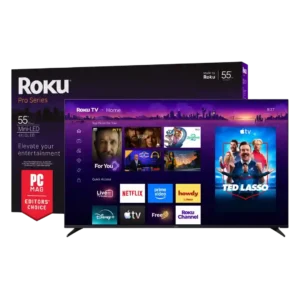
Best for bright Mini-LED picture, excellent built-in audio, easy Roku navigation, and responsive 4K/120 gaming. Skip it if you want ad-free menus, premium motion consistency, or stronger confidence in long-term...
Pros: overall satisfaction, picture quality
Cons: reliability, portability and versatility

Choose the G6 for class-leading bright-room OLED picture, rich color, deep blacks and elite gaming. Skip it if you want strong built-in audio, polished launch firmware, no account sign-in, or...
Pros: picture quality, peak brightness
Cons: value for money, sound quality
Best for exceptional bright-room HDR, accurate color, strong processing and unusually capable built-in sound. Skip it if you prioritize OLED-perfect blacks, four HDMI 2.1 ports, high-refresh PC gaming or maximum...
Pros: overall satisfaction, overall image accuracy
Cons: value for money, bass performance