Scorata scores summarize analyzed review evidence on a 1–5 scale; they are not laboratory measurements or a simple average of customer star ratings. Feature scores summarize the reviews covering that feature. The overall score averages feature scores within each review, then combines review averages. When both expert and customer evidence are available, those two groups receive equal weight. Products can have different review coverage, so small score gaps do not establish a winner.
Recommendations prioritize important features for the category, with a score of at least 3.5, a gap of at least 0.25 points and at least two supporting reviews per product. Features with widely varying scores or broad connectivity contexts are excluded from recommendations. These safeguards do not establish statistical significance.
Quick verdict
What each product is best for
The available evidence supports the recommendation below, but does not establish an overall winner. Check the remaining features against your priorities.
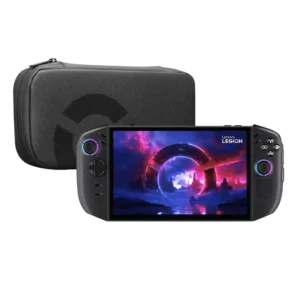
Choose Lenovo Legion Go 2 for game library quality and display quality.
There is not enough comparable review evidence to recommend Lenovo Legion Go S over the other product.
Why these recommendations?
Lenovo Legion Go 2
Where It Has the Edge
game library quality is 5.0 vs 3.0. Full Windows access opens a huge library across Steam, GOG, Xbox, and other PC platforms. That breadth is...
display quality is 4.9 vs 4.5. The 8.8-inch OLED is the clear standout, with rich color, deep blacks, sharp detail, and smooth VRR motion....
cooling efficiency is 5.0 vs 4.7. Cooling is generally effective, with low GPU temperatures and comfortable grip areas even under load. Better tuning can...
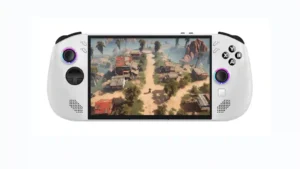
Lenovo Legion Go S
Where It Has the Edge
No clear scored advantage over the other product.
Lenovo Legion Go 23.6 overall score
Lenovo Legion Go S3.9 overall score
Compare features
Scores are out of 5. Missing scores mean missing review evidence, not a missing feature.
Scored on both products
Ownership and support
Reliability
Lenovo Legion Go 2
1.5
Several reviewers encountered sleep, wake, controller-recognition, freezing, or reboot problems. These issues appear software-sensitive, but they undermine the console-like experience.
Lenovo Legion Go S
4.2
SteamOS is repeatedly credited with fewer crashes, smoother resume behavior, and better day-to-day dependability than Windows. The harshest reliability criticism comes from the Windows-focused review.
Ease of setup
Lenovo Legion Go 2
2.0
Initial setup can take substantial time because of Windows updates, launcher sign-ins, tweaks, and game downloads before the device feels ready.
Lenovo Legion Go S
4.3
SteamOS is repeatedly praised for quick sign-in, simple game installation, and controller-first setup. Windows-based units are the opposite, often requiring substantial tweaking and desktop-style navigation.
Value for money
Lenovo Legion Go 2
1.9
The screen, versatility, and high-end performance are compelling, but the price is the most consistent complaint. Cheaper handhelds and gaming laptops often deliver better performance-per-dollar.
Lenovo Legion Go S
4.0
Value depends heavily on configuration and price. SteamOS models, discounts, and used units often earn strong praise, while full-price Windows or high-end configurations face tougher comparisons with rival handhelds.
Cloud gaming support
Lenovo Legion Go 2
5.0
Cloud gaming worked smoothly in the cited test, with positive control feel and no obvious problems.
Lenovo Legion Go S
5.0
Cloud and streamed gaming are viewed very positively where tested. GeForce Now can feel close to local play on a strong connection, and general game streaming is described as working well.
Performance
Performance
Lenovo Legion Go 2
4.0
The Z2 Extreme configuration handles modern AAA games impressively for a handheld, especially with sensible settings and upscaling. Gains over well-tuned last-generation competitors are real but often modest.
Lenovo Legion Go S
4.0
Performance varies sharply by configuration and operating system. SteamOS and Z1 Extreme combinations earn strong praise, while Z2 Go and Windows reviews are more likely to report inconsistent or insufficient results.
Graphical performance
Lenovo Legion Go 2
5.0
Games can look notably sharper and more detailed than on lower-powered handhelds, particularly when the hardware is paired with the vivid OLED panel.
Lenovo Legion Go S
3.5
The Go S can make modern games look good, especially on Z1 Extreme, but demanding titles often need medium or low settings, upscaling, or reduced resolution. Visual compromises are much more noticeable on weaker configurations.
Noise level
Lenovo Legion Go 2
3.0
Fan behavior varies widely by mode and software tuning: balanced profiles can be quiet, while performance modes may become clearly audible or overpower the speakers.
Lenovo Legion Go S
1.9
Fan noise is one of the most repeated complaints. Several reviewers describe it as loud even during light tasks, though quieter profiles and at least one test kept it unobtrusive.
Display quality
Lenovo Legion Go 2
4.9
The 8.8-inch OLED is the clear standout, with rich color, deep blacks, sharp detail, and smooth VRR motion. Its glossy surface can reflect light, but reviewers still rank it among the best handheld displays.
Lenovo Legion Go S
4.5
The 8-inch 120Hz display is widely praised for size, sharpness, color, and smoothness. Its IPS panel still trails the Steam Deck OLED in contrast, brightness, and reflectivity for reviewers comparing them directly.
Frame rate performance
Lenovo Legion Go 2
4.1
Frame rates are strong at 800p and often smooth at 1200p with tuned settings, while VRR hides smaller dips well. Demanding games may still need upscaling, lower presets, or frame generation.
Lenovo Legion Go S
3.9
Frame-rate results depend heavily on chip, game, resolution, and power mode. Z1 Extreme models can be very fast, while Z2 Go units often target 30-60fps and can struggle at native resolution in demanding titles.
Audio quality
Lenovo Legion Go 2
3.6
The speakers are generally loud and clearer than the first generation, but opinions vary on bass, directionality, and how well they compete with fan noise. Headphones remain preferable for demanding games.
Lenovo Legion Go S
3.8
Speaker impressions are mostly positive: several reviewers praise clear, full sound, while one calls the front speakers muffled and another finds them merely adequate. Headphones are often suggested when fan noise rises.
Other features
Storage expandability
Lenovo Legion Go 2
2.0
Storage can be expanded, but reviewers note that practical upgrade options are less convenient than they should be.
Lenovo Legion Go S
5.0
microSD expansion is consistently treated as a useful and easy way to offset limited internal storage.
Game library quality
Lenovo Legion Go 2
5.0
Full Windows access opens a huge library across Steam, GOG, Xbox, and other PC platforms. That breadth is a major advantage for buyers who already own many PC games.
Lenovo Legion Go S
3.0
Steam provides a broad library, but compatibility is not universal. Game Pass, anti-cheat titles, and some newer games can require workarounds or fail to run, which keeps the library experience mixed.
Storage capacity
Lenovo Legion Go 2
2.0
One terabyte fills quickly with modern AAA games and feels stingy at this price, making the larger storage configurations more attractive.
Lenovo Legion Go S
3.0
Higher-capacity configurations are considered well equipped, while the 512GB base model can fill quickly with a handful of large modern games.
Power efficiency
Lenovo Legion Go 2
3.3
Gaming endurance typically falls around two to four hours depending on settings, with much longer runtimes in lighter workloads. Results vary sharply by power mode, brightness, operating system, and game.
Lenovo Legion Go S
3.8
SteamOS generally helps efficiency, sleep behavior is excellent, and matched-power testing can deliver more performance for similar endurance. Some profiles still draw unnecessary power unless manually tuned.
Controller features
Lenovo Legion Go 2
3.7
Detachable controllers, deep remapping, a touchpad, rear buttons, and FPS mouse mode make the system unusually versatile. The mouse mode is divisive and controller removal can be fiddly.
Lenovo Legion Go S
3.4
Hall Effect sticks, adjustable triggers, rear paddles, and Steam-focused buttons are well liked, but the tiny trackpad draws repeated criticism and some reviewers miss detachable controls or dual pads.
Cooling efficiency
Lenovo Legion Go 2
5.0
Cooling is generally effective, with low GPU temperatures and comfortable grip areas even under load. Better tuning can also reduce unnecessary fan speed.
Lenovo Legion Go S
4.7
The cooling system is effective at keeping the chassis comfortable even at higher power, and ventilation is considered solid. Its main tradeoff is the fan noise required to achieve that.
Controller quality
Lenovo Legion Go 2
4.4
Hall-effect sticks, responsive buttons, and the revised D-pad generally feel durable and precise. A few reviewers wanted firmer stick tension or more tactile buttons.
Lenovo Legion Go S
4.6
Controls are generally sturdy, precise, responsive, and resistant to stick drift. D-pad feel is more mixed, but the joysticks, triggers, and main buttons receive consistent praise.
Backward compatibility
Lenovo Legion Go 2
5.0
Original Legion Go controllers and compatible accessories continue to work with the second-generation hardware, easing upgrades for existing owners.
Lenovo Legion Go S
5.0
The Go S is praised as a strong emulation machine, with one reviewer saying older systems through later console eras run very well.
Heat management
Lenovo Legion Go 2
5.0
Hot exhaust is directed away from the controls, keeping the areas held by the player comfortable during demanding sessions.
Lenovo Legion Go S
5.0
Reviewers consistently say the handheld stays comfortable in the hands and avoids problematic surface heat, even during extended or high-power play.
Load times
Lenovo Legion Go 2
5.0
Startup is quick, with the system launching in only a few seconds.
Lenovo Legion Go S
5.0
One Z1 Extreme review reports little-to-no load time in recent games, pairing fast loading with smooth, stutter-free play.
Network stability
Lenovo Legion Go 2
5.0
Wi-Fi, Ethernet, Bluetooth, and connected accessories worked reliably in the tested setups, with no meaningful drops or connection issues reported.
Lenovo Legion Go S
5.0
Long-term testing reports fast Wi-Fi 6E performance that comfortably supports online gaming.
Comfort and build
Size and portability
Lenovo Legion Go 2
2.3
The large display and flexible kickstand are useful, but the two-pound body is among the heaviest handhelds available. Extended handheld play can tire hands and wrists.
Lenovo Legion Go S
3.9
The Go S is easier to hold than the original Legion Go and remains practical for travel, but several reviewers still find it heavier or chunkier than the Steam Deck and other rivals.
Build quality
Lenovo Legion Go 2
5.0
The sturdy kickstand, secure controller rails, and refined chassis feel premium and thoughtfully constructed. Internal service access is less polished than the exterior.
Lenovo Legion Go S
3.8
Most reviewers describe the Go S as sturdy, solid, or premium, but not everyone agrees: one Windows-model review calls it plasticky and another dislikes the increasingly abrasive grip texture.
Design and aesthetics
Lenovo Legion Go 2
4.0
The dark, vented design has a bold gaming look that feels distinctive and purposeful, though its bulky form is visually imposing.
Lenovo Legion Go S
4.9
The darker SteamOS colorway and rounded redesign are widely praised, with several reviewers calling the Go S attractive or Lenovo's best handheld design yet.
Controller ergonomics
Lenovo Legion Go 2
3.9
Rounded grips are more comfortable than the original, but the wide, heavy chassis still favors larger hands. Smaller-handed users and long-session players may need the kickstand and detached controls.
Lenovo Legion Go S
4.7
Ergonomics are a major strength: rounded grips and a controller-like shape make long sessions comfortable for many reviewers. A few note extra weight, hand repositioning, or joystick-layout preferences.
Controls and connectivity
User interface
Lenovo Legion Go 2
3.3
Legion Space and its quick settings panel are much improved, responsive, and useful for tuning performance and controls. Windows 11 still introduces setup friction, pop-ups, small touch targets, and inconsistent handheld behavior.
Lenovo Legion Go S
4.5
SteamOS is the product's biggest usability win, delivering a fast, console-like, controller-first experience. Windows reviews describe the opposite: clunky layouts, poor touch behavior, and too much desktop friction.
Evidence available for one product
Battery and charging
Battery life
Lenovo Legion Go 2No score yet
Lenovo Legion Go S
2.3
Gaming endurance is the clearest recurring weakness, commonly landing around 1.5-2.5 hours under demanding use. Lower-power settings can stretch runtime, but reviewers repeatedly recommend keeping a charger nearby.
Other features
Accessibility features
Lenovo Legion Go 2
5.0
The unusually large screen makes small text and dense PC game interfaces easier to read, which can reduce squinting and improve usability.
Lenovo Legion Go SNo score yet
Availability
Lenovo Legion Go 2No score yet
Lenovo Legion Go S
2.0
One reviewer had difficulty finding the premium model in stock locally or on Amazon, suggesting availability could be spotty at the time of testing.
Collectibility and presentation
Lenovo Legion Go 2No score yet
Lenovo Legion Go S
4.0
Packaging is described as minimal but premium, with the included charger and foldable stand covering the essentials even though a carrying case is not standard.
Digital storefront experience
Lenovo Legion Go 2No score yet
Lenovo Legion Go S
4.0
Steam access is simple and the library is huge, but non-Steam launchers and stores require extra effort. Steam-first users benefit most from the streamlined storefront experience.
Fingerprint reader
Lenovo Legion Go 2
2.0
The fingerprint reader can speed up Windows login, but its placement and sensitivity occasionally make unlocking or putting the device to sleep frustrating.
Lenovo Legion Go SNo score yet
Multiplayer experience
Lenovo Legion Go 2
5.0
Fast multiplayer matches can run smoothly at high frame rates, with strong performance after software updates.
Lenovo Legion Go SNo score yet
Remote play quality
Lenovo Legion Go 2
3.0
PS5 streaming is possible, but using the built-in controls may require a third-party app; otherwise a DualSense controller is needed.
Lenovo Legion Go SNo score yet
Repairability
Lenovo Legion Go 2
1.8
The SSD is replaceable, yet reaching it may require removing the battery, fan, adhesive, or recessed screws. Most users will find upgrades harder than on competing handhelds.
Lenovo Legion Go SNo score yet
Controls and connectivity
Media app support
Lenovo Legion Go 2
5.0
The kickstand and large screen make the device useful for streaming shows and other entertainment when it is not being used for games.
Choose it if you own N64 cartridges and want the most polished, low-lag way to play them on a 4K TV. Skip it if you want cheap emulation, broad flash-cart/controller...
Best for easy, controller-free family play that gets kids moving. Skip it if you want deep games, cutting-edge graphics, or dislike paying for Play Pass.
Pros: game library quality, value for money
Cons: subscription service value, graphical performance
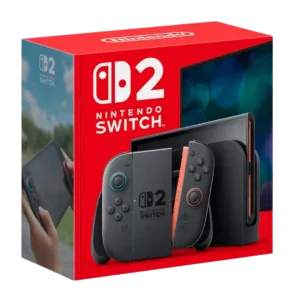
Choose Switch 2 for a sharper, faster, more social Switch with stronger Joy-Cons and broad backward compatibility. Skip it if short battery life, expensive storage, thin launch exclusives, or the...
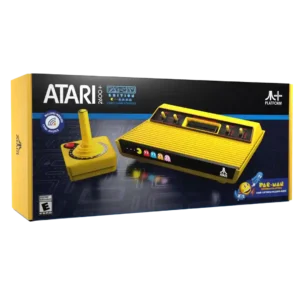
Choose it if you want a display-worthy Pac-Man collectible that plays original Atari cartridges on modern TVs. Skip it if stiff controls, controller reliability, or the $169-ish price matter more...
Pros: performance, collectibility and presentation