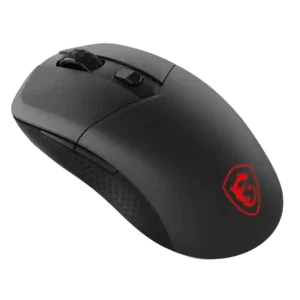
Compare SteelSeries Rival 3 Gen 2 Wireless vs Apple Magic Mouse

SteelSeries Rival 3 Gen 2 Wireless

SteelSeries Rival 3 Gen 2 Wireless

Overall score 3.9 / 5

Based on 19 scored reviews

vs
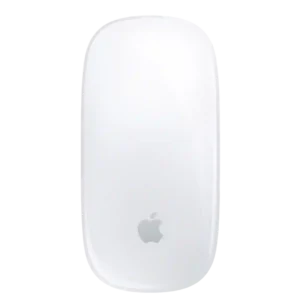
Apple Magic Mouse

Apple Magic Mouse

Overall score 3.4 / 5

Based on 20 scored reviews

How we score

Scorata scores summarize analyzed review evidence on a 1–5 scale; they are not laboratory measurements or a simple average of customer star ratings. Feature scores summarize the reviews covering that feature. The overall score averages feature scores within each review, then combines review averages. When both expert and customer evidence are available, those two groups receive equal weight. Products can have different review coverage, so small score gaps do not establish a winner.

Recommendations prioritize important features for the category, with a score of at least 3.5, a gap of at least 0.25 points and at least two supporting reviews per product. Features with widely varying scores or broad connectivity contexts are excluded from recommendations. These safeguards do not establish statistical significance.

Quick verdict

What each product is best for

The review evidence points to a tradeoff: long-session comfort and programmable buttons versus battery life and handedness options. Choose according to which strengths matter more to you; the overall score alone does not settle that choice.

Choose SteelSeries Rival 3 Gen 2 Wireless for long-session comfort and programmable buttons.

Choose Apple Magic Mouse for battery life and handedness options.

Why these recommendations?

SteelSeries Rival 3 Gen 2 Wireless

Where It Has the Edge

  • long-session comfort is 4.5 vs 1.4. Several reviewers reported comfort across long workdays, gaming sessions, or extended use without hand or wrist fatigue.
  • programmable buttons is 4.1 vs 1.0. Reviewers valued the remappable side buttons and macro-capable controls, especially for a budget mouse.
  • shape comfort is 4.3 vs 1.4. The shell was broadly praised as comfortable, simple, and effective, especially for smaller hands or non-palm grips.

Apple Magic Mouse

Where It Has the Edge

  • battery life is 4.8 vs 4.5. Battery life is a major strength, commonly lasting weeks to roughly a month and making charging an infrequent...
  • handedness options is 5.0 vs 2.2. The symmetrical shape works equally well for left- and right-handed users, and macOS lets you swap the secondary-click...
  • weight is 4.6 vs 2.9. Its light, compact weight makes the Magic Mouse easy to move and especially convenient to carry in a...
SteelSeries Rival 3 Gen 2 Wireless 3.9 overall score
Apple Magic Mouse 3.4 overall score

Compare features

Scores are out of 5. Missing scores mean missing review evidence, not a missing feature.

Scored on both products

Battery and charging

Battery life
SteelSeries Rival 3 Gen 2 Wireless
4.5

Battery life drew some of the strongest praise, with reviewers highlighting hundreds of hours of use, rechargeable AAA compatibility, and strong endurance despite a few cost caveats.

Apple Magic Mouse
4.8

Battery life is a major strength, commonly lasting weeks to roughly a month and making charging an infrequent task.

Charging convenience
SteelSeries Rival 3 Gen 2 Wireless
3.0

Opinions were mixed: reviewers liked avoiding charging cables and using rechargeable AAAs, but disliked being dependent on replacement batteries when they die.

Apple Magic Mouse
1.8

The underside charging port is the most repeated complaint because the mouse cannot normally be used while plugged in, even though some reviewers consider the issue overblown.

Other features

Onboard memory
SteelSeries Rival 3 Gen 2 Wireless
4.4

Reviewers liked that settings or DPI profiles could be saved to the mouse and carried between devices.

Apple Magic Mouse
1.0

There is no onboard profile memory, so users looking for stored device-side configurations will find the mouse very limited.

Handedness options
SteelSeries Rival 3 Gen 2 Wireless
2.2

Reviewers criticized the lack of a true left-handed version, despite the mostly symmetrical shell.

Apple Magic Mouse
5.0

The symmetrical shape works equally well for left- and right-handed users, and macOS lets you swap the secondary-click side.

Cross-platform compatibility
SteelSeries Rival 3 Gen 2 Wireless
4.4

Reviewers valued quick switching across PC, consoles, tablets, phones, and other devices, especially when using Bluetooth alongside the dongle.

Apple Magic Mouse
1.8

The experience falls off sharply outside Apple platforms, with Windows use losing much of the gesture-driven functionality that makes the mouse special.

2.4GHz connectivity
SteelSeries Rival 3 Gen 2 Wireless
4.4

Reviewers generally found the 2.4GHz mode reliable, low-latency, and best for gaming, with occasional notes that dongle placement or switches could affect ease.

Apple Magic Mouse
2.0

There is no 2.4GHz wireless mode, which limits its appeal for buyers who want lower-latency receiver-based performance.

Polling rate
SteelSeries Rival 3 Gen 2 Wireless
3.8

The 1,000Hz cap was considered perfectly fine for most casual players, though below the 4,000Hz or 8,000Hz modes found in pricier mice.

Apple Magic Mouse
1.8

The low polling rate is a weak point for users sensitive to cursor feel, especially on high-refresh displays or when faster response is desired.

Weight
SteelSeries Rival 3 Gen 2 Wireless
2.9

Weight was the most common complaint: some found it manageable or even comfortable, but many called it heavy for modern wireless gaming.

Apple Magic Mouse
4.6

Its light, compact weight makes the Magic Mouse easy to move and especially convenient to carry in a bag.

Motion consistency
SteelSeries Rival 3 Gen 2 Wireless
3.6

Tracking consistency was mostly good in ordinary use, but a few reviewers noted jitter or tracking deviation at higher expectations.

Apple Magic Mouse
2.0

Movement can become inconsistent on unsuitable surfaces, with reports of jumping and lost precision.

Balance and weight distribution
SteelSeries Rival 3 Gen 2 Wireless
2.6

Several reviewers criticized the rear-biased battery weight, saying it created drag or made fine adjustments require extra effort.

Apple Magic Mouse
4.0

The low center of gravity keeps movement stable on the desk, even though the flat body gives little to grip during rapid repositioning.

Connection stability
SteelSeries Rival 3 Gen 2 Wireless
3.6

Most reviewers had stable wireless connections, but several noted wake-up delays, Bluetooth setup trouble, or interference/dropout issues in some setups.

Apple Magic Mouse
5.0

Once paired, the Magic Mouse connects very reliably and can wake a Mac without connection drama.

Ecosystem integration
SteelSeries Rival 3 Gen 2 Wireless
4.0

One reviewer called it a strong option for users already invested in SteelSeries gear and software.

Apple Magic Mouse
4.9

Apple ecosystem integration is exceptional, with effortless Mac pairing, native gestures, and familiar system-level controls.

DPI range
SteelSeries Rival 3 Gen 2 Wireless
4.1

The 18,000 DPI range was considered more than enough for most users, with several reviewers noting that very high DPI numbers matter less outside pro-level play.

Apple Magic Mouse
3.3

The modest, unpublished DPI ceiling is adequate for casual cursor work, but it lacks the high-resolution range enthusiasts expect from modern gaming mice.

Premium feel
SteelSeries Rival 3 Gen 2 Wireless
4.0

Many reviewers said the mouse felt better or more premium than its price, though side buttons and other cheaper-feeling parts tempered that praise.

Apple Magic Mouse
4.8

The solid construction, glass top, clean finish, and polished Apple design give the Magic Mouse a distinctly premium feel.

Glide smoothness
SteelSeries Rival 3 Gen 2 Wireless
4.3

The PTFE feet were widely praised for smooth, effortless glide across mousepads, desks, and other surfaces.

Apple Magic Mouse
4.9

The Magic Mouse glides exceptionally smoothly across desks and mouse pads, reinforcing its fluid scrolling and navigation feel.

Portability
SteelSeries Rival 3 Gen 2 Wireless
4.2

Reviewers liked the travel potential from the compact body, dongle storage, Bluetooth, and the ability to avoid carrying a charging cable.

Apple Magic Mouse
4.9

Portability is outstanding: the slim, lightweight body takes little room in a backpack and suits travel or occasional mobile use.

Grip texture
SteelSeries Rival 3 Gen 2 Wireless
4.4

Reviewers liked the matte, textured plastic for grip, comfort, and avoiding slippery or sweaty feel.

Apple Magic Mouse
5.0

The smooth glass surface feels excellent under the fingers and complements the gesture-first design.

Wireless latency
SteelSeries Rival 3 Gen 2 Wireless
4.5

Wireless latency was generally described as negligible, low-latency, or effectively indistinguishable from wired use in normal play.

Apple Magic Mouse
4.3

Wireless lag is generally imperceptible in normal productivity work, though the mouse is not aimed at latency-sensitive gaming.

Acceleration control
SteelSeries Rival 3 Gen 2 Wireless
4.2

SteelSeries GG was praised for offering unusually broad tuning, including acceleration and deceleration controls, especially for a budget mouse.

Apple Magic Mouse
4.0

macOS sensitivity and acceleration adjustments can make the pointer feel more usable for people who dislike the default motion behavior.

Surface compatibility
SteelSeries Rival 3 Gen 2 Wireless
3.6

Surface performance was generally solid across common materials, but reviewers noted missing glass support and one failure on faux leather.

Apple Magic Mouse
3.7

Surface performance is mixed: some found it worked on wood, glass, pads, and tables, while another saw inconsistent tracking without a proper smooth surface.

Left and right click quality
SteelSeries Rival 3 Gen 2 Wireless
4.4

Primary clicks were usually praised as snappy, responsive, tactile, bouncy, or satisfying for the price.

Apple Magic Mouse
4.5

Left and right clicks feel reliable and satisfying, with good force and solid feedback.

Ownership and support

Macro support
SteelSeries Rival 3 Gen 2 Wireless
4.3

Macro setup was generally praised as simple, useful, and available through SteelSeries GG or Engine.

Apple Magic Mouse
1.0

Macro support is essentially absent compared with productivity mice that offer dedicated automation tools.

Value for money
SteelSeries Rival 3 Gen 2 Wireless
4.4

Reviewers strongly agreed the mouse offers good budget value, especially on sale, while some argued similar money can buy lighter or higher-performance alternatives.

Apple Magic Mouse
3.4

Value is highly use-case dependent: Mac gesture fans can justify the price, while buyers prioritizing ergonomics, buttons, or broader flexibility often see stronger alternatives.

Comfort and build

Long-session comfort
SteelSeries Rival 3 Gen 2 Wireless
4.5

Several reviewers reported comfort across long workdays, gaming sessions, or extended use without hand or wrist fatigue.

Apple Magic Mouse
1.4

Long-session comfort is poor for many users, with repeated reports of wrist, palm, hand, or arm fatigue after sustained mouse-heavy work.

Ergonomic design
SteelSeries Rival 3 Gen 2 Wireless
4.5

One reviewer praised the shape for fitting naturally without forcing the hand into an awkward twist.

Apple Magic Mouse
1.4

Ergonomics are the dominant weakness: the very flat body repeatedly causes wrist, hand, or arm discomfort during extended use.

Shape comfort
SteelSeries Rival 3 Gen 2 Wireless
4.3

The shell was broadly praised as comfortable, simple, and effective, especially for smaller hands or non-palm grips.

Apple Magic Mouse
1.4

The ultra-flat shape is the mouse’s biggest comfort problem, often leaving the hand unsupported and causing strain during sustained use.

Palm grip comfort
SteelSeries Rival 3 Gen 2 Wireless
3.0

Palm grip comfort was weaker than claw or fingertip comfort, with multiple reviewers calling the mouse too low, short, narrow, or awkward for full palm support.

Apple Magic Mouse
1.5

Palm grip is a poor fit because the low shell does not fill or support the hand over longer sessions.

Materials quality
SteelSeries Rival 3 Gen 2 Wireless
4.4

Reviewers praised the plastic and polymer materials as high-quality, durable, and pleasant for the price.

Apple Magic Mouse
5.0

The glass, aluminum, plastics, and even smaller hardware details feel unusually refined for a mouse.

Durability over time
SteelSeries Rival 3 Gen 2 Wireless
4.2

One review linked the redesigned click mechanism to better longevity, but long-term durability evidence was otherwise limited.

Apple Magic Mouse
3.7

Functional durability appears solid, although the glossy shell and underside can accumulate cosmetic scratches and wear.

Skate durability
SteelSeries Rival 3 Gen 2 Wireless
4.0

Evidence was limited but positive, with reviewers noting durable PTFE feet and removable skates that could be handled without damage.

Apple Magic Mouse
3.5

The underside pads can pick up scratches over time, but the wear described did not impair normal function.

Build quality
SteelSeries Rival 3 Gen 2 Wireless
4.6

Build quality was consistently praised as sturdy, solid, and better than the budget price suggests, with little flex or creaking reported.

Apple Magic Mouse
5.0

Build quality is consistently excellent, with a solid shell, tight construction, and the premium finish expected from Apple.

Fingertip grip comfort
SteelSeries Rival 3 Gen 2 Wireless
4.3

Fingertip grip users generally had positive experiences, including no fatigue during extended use.

Apple Magic Mouse
4.0

Fingertip users are among the best fit for the low-profile shape, which works more naturally without full palm contact.

Claw grip comfort
SteelSeries Rival 3 Gen 2 Wireless
4.2

The low, symmetrical shape was consistently described as comfortable or well-suited for claw grip users.

Apple Magic Mouse
4.0

Claw grip works better than palm grip because the low shell naturally suits a more arched finger position.

Controls and connectivity

Programmable buttons
SteelSeries Rival 3 Gen 2 Wireless
4.1

Reviewers valued the remappable side buttons and macro-capable controls, especially for a budget mouse.

Apple Magic Mouse
1.0

There are no dedicated programmable buttons, a major limitation for shortcuts, app commands, and power-user workflows.

Button customization
SteelSeries Rival 3 Gen 2 Wireless
4.3

Reviewers liked the ability to remap buttons and adjust controls in SteelSeries GG, although Bluetooth mode and profile switching added some limitations.

Apple Magic Mouse
2.6

Customization is limited out of the box, though third-party Mac utilities can greatly expand gesture behavior.

Bluetooth support
SteelSeries Rival 3 Gen 2 Wireless
4.2

Bluetooth was widely valued for device switching, travel, and battery savings, but one reviewer had pairing problems and others treated it as less suitable for serious gaming.

Apple Magic Mouse
5.0

Bluetooth works very well with Macs and delivers smooth, dependable wireless operation without a receiver.

Button responsiveness
SteelSeries Rival 3 Gen 2 Wireless
4.2

Main inputs were generally described as responsive and satisfying, with little complaint about missed inputs or delay in normal use.

Apple Magic Mouse
4.8

Clicks respond quickly and cleanly, with responsive actuation called out as a positive even by reviewers who dislike the ergonomics.

Software usability
SteelSeries Rival 3 Gen 2 Wireless
4.1

SteelSeries GG was often considered useful and straightforward for mouse settings, though some reviewers found it cluttered, dated, or less intuitive than rivals.

Apple Magic Mouse
3.9

macOS setup is simple and intuitive, but the native controls are shallow compared with dedicated mouse software.

Performance

Click noise
SteelSeries Rival 3 Gen 2 Wireless
4.0

Click sound was mixed, ranging from barely audible or satisfying to loud, echoey, and cheap when pressed hard.

Apple Magic Mouse
2.6

Click noise divides opinion, but most recent comments find it louder and more noticeable than quieter productivity mice.

Sensor performance
SteelSeries Rival 3 Gen 2 Wireless
3.9

The sensor was usually judged good enough and responsive for casual gaming, but several reviewers called it older, average, or behind higher-end sensors.

Apple Magic Mouse
4.5

The sensor is capable and accurate for normal Mac work, though its strengths are geared toward productivity rather than high-performance gaming.

Wireless performance
SteelSeries Rival 3 Gen 2 Wireless
4.3

Overall wireless performance was widely seen as reliable and strong for the price, though not ideal for every competitive or battery-sensitive user.

Apple Magic Mouse
4.5

Bluetooth performance is smooth and dependable on Macs, with strong wake behavior and easy everyday connectivity.

Tracking and training

Accuracy and tracking precision
SteelSeries Rival 3 Gen 2 Wireless
4.2

Most reviewers said aiming and tracking felt precise enough for casual gaming and daily use, though some noted limits for high-level competitive play.

Apple Magic Mouse
3.8

Tracking is generally accurate for everyday productivity, but a few users found precision inconsistent on certain desks or less convincing than a gaming mouse.

Evidence available for one product

Ownership and support

Reliability
SteelSeries Rival 3 Gen 2 WirelessNo score yet
Apple Magic Mouse
5.0

Day-to-day reliability is very strong in the Apple ecosystem, with reviewers describing the connection and basic operation as flawless.

Hand support
SteelSeries Rival 3 Gen 2 WirelessNo score yet
Apple Magic Mouse
1.4

Hand support is minimal: there is almost no palm contour or thumb rest, which contributes to fatigue in longer sessions.

Multi-device support
SteelSeries Rival 3 Gen 2 WirelessNo score yet
Apple Magic Mouse
1.5

Multi-device support is one of the weakest areas because the mouse is generally limited to a single paired device rather than quick multi-device cycling.

Plug-and-play support
SteelSeries Rival 3 Gen 2 WirelessNo score yet
Apple Magic Mouse
5.0

On a Mac, the mouse is essentially plug-and-play with no receiver, driver package, or setup wizard required.

Setup ease
SteelSeries Rival 3 Gen 2 WirelessNo score yet
Apple Magic Mouse
5.0

Setup is consistently effortless on a Mac, often requiring only a quick cable connection or Bluetooth pairing before the mouse is ready.

Comfort and build

Aesthetic design
SteelSeries Rival 3 Gen 2 WirelessNo score yet
Apple Magic Mouse
4.9

The sleek, minimalist Apple styling is one of the Magic Mouse’s clearest strengths, with repeated praise for its clean glass-topped look on a Mac desk.

Grip comfort
SteelSeries Rival 3 Gen 2 WirelessNo score yet
Apple Magic Mouse
2.0

Grip comfort is weak for many users because the very flat body provides little to hold or rest the hand against.

Hand size compatibility
SteelSeries Rival 3 Gen 2 WirelessNo score yet
Apple Magic Mouse
1.8

The compact body is a poor fit for many larger hands, while even some small-handed users still find the flat shape uncomfortable.

Size
SteelSeries Rival 3 Gen 2 WirelessNo score yet
Apple Magic Mouse
3.4

Its compact size is excellent for travel but polarizing at a desk, where larger-handed users often find it too small and shallow.

Switch durability
SteelSeries Rival 3 Gen 2 Wireless
3.8

Switch durability was mostly praised through 60-million-click ratings, but one reviewer reported a switch issue during disassembly testing.

Apple Magic MouseNo score yet

Battery and charging

Battery indicator
SteelSeries Rival 3 Gen 2 WirelessNo score yet
Apple Magic Mouse
2.5

Battery status is inconsistent as a user experience: macOS can show charge information, but the mouse itself lacks a dedicated indicator or charging light.

Charging speed
SteelSeries Rival 3 Gen 2 WirelessNo score yet
Apple Magic Mouse
4.9

Quick charging is excellent: a few minutes can provide hours or even a workday of use, which softens the downside of the underside port.

Rechargeable battery
SteelSeries Rival 3 Gen 2 WirelessNo score yet
Apple Magic Mouse
5.0

The built-in rechargeable battery is a clear convenience improvement over disposable AA or AAA cells.

Controls and connectivity

Button count
SteelSeries Rival 3 Gen 2 WirelessNo score yet
Apple Magic Mouse
1.8

The sparse two-click design keeps the mouse clean but leaves power users without side buttons or extra physical controls.

Button placement
SteelSeries Rival 3 Gen 2 WirelessNo score yet
Apple Magic Mouse
5.0

The virtual left- and right-click zones align naturally with the fingers, making the minimalist top surface easy to click.

Button quality
SteelSeries Rival 3 Gen 2 WirelessNo score yet
Apple Magic Mouse
3.0

Click quality is functional and dependable, though the soft touch-surface mechanism lacks the crisp feel of conventional mechanical switches.

DPI customization
SteelSeries Rival 3 Gen 2 WirelessNo score yet
Apple Magic Mouse
1.3

There are no true DPI stages or adjustable sensor-resolution controls, limiting tuning for enthusiasts and gaming-oriented users.

Gesture controls
SteelSeries Rival 3 Gen 2 WirelessNo score yet
Apple Magic Mouse
4.8

Multi-Touch gestures are the Magic Mouse’s signature strength, offering fluid scrolling, desktop switching, page navigation, and other Mac actions directly on the top surface.

Haptic controls
SteelSeries Rival 3 Gen 2 WirelessNo score yet
Apple Magic Mouse
1.7

The absence of Force Touch or haptic feedback is a recurring missed opportunity for a device built around touch interaction.

Polling rate customization
SteelSeries Rival 3 Gen 2 WirelessNo score yet
Apple Magic Mouse
1.0

Polling rate cannot be customized, another sign that the Magic Mouse is designed for simplicity rather than performance tuning.

Side button quality
SteelSeries Rival 3 Gen 2 Wireless
2.8

Side buttons were the most repeated control complaint, often described as thin, finicky, hard to hit, or easy to mis-click, though one reviewer found them improved.

Apple Magic MouseNo score yet
Software quality
SteelSeries Rival 3 Gen 2 WirelessNo score yet
Apple Magic Mouse
3.0

Apple’s software approach is clean and reliable for basic settings, but far less capable than full-featured mouse utilities.

Other features

Cable flexibility
SteelSeries Rival 3 Gen 2 WirelessNo score yet
Apple Magic Mouse
4.5

The woven USB-C cable resists tangling well and is easier to handle than a basic rubber charging cable.

Cable quality
SteelSeries Rival 3 Gen 2 WirelessNo score yet
Apple Magic Mouse
5.0

The included woven USB-C cable feels durable, resists tangling, and is a clear upgrade over a basic rubber cable.

Click consistency
SteelSeries Rival 3 Gen 2 WirelessNo score yet
Apple Magic Mouse
4.5

Primary clicks are reliable and consistent in everyday productivity use.

Click latency
SteelSeries Rival 3 Gen 2 Wireless
4.2

Click latency was generally seen as low enough not to be noticeable and suitable for casual or even some competitive play.

Apple Magic MouseNo score yet
Coating quality
SteelSeries Rival 3 Gen 2 WirelessNo score yet
Apple Magic Mouse
2.5

The glossy finish looks polished but readily shows fingerprints, smudges, dirt, and surface scratches.

Cursor control
SteelSeries Rival 3 Gen 2 WirelessNo score yet
Apple Magic Mouse
2.0

Cursor control can feel less precise than a gaming mouse, and one reviewer needed sensitivity and acceleration changes to make it comfortable.

Device switching
SteelSeries Rival 3 Gen 2 WirelessNo score yet
Apple Magic Mouse
1.4

Switching between Macs or an iPad is cumbersome compared with mice that offer dedicated multi-device buttons or Easy-Switch-style controls.

Feet quality
SteelSeries Rival 3 Gen 2 WirelessNo score yet
Apple Magic Mouse
4.8

The feet are well finished and help the mouse glide smoothly without rough edges or catching.

FPS gaming suitability
SteelSeries Rival 3 Gen 2 Wireless
3.8

The mouse handled casual FPS and general shooters well, but reviewers repeatedly warned that weight and sensor limits make it less ideal for competitive esports.

Apple Magic MouseNo score yet
Free-spin scrolling
SteelSeries Rival 3 Gen 2 WirelessNo score yet
Apple Magic Mouse
1.0

There is no free-spin wheel, removing a familiar productivity option for users who prefer a physical scrolling mechanism.

Gaming suitability
SteelSeries Rival 3 Gen 2 WirelessNo score yet
Apple Magic Mouse
1.3

Gaming suitability is poor: low ergonomics, Bluetooth-only wireless, sparse buttons, and the touch-style click mechanism all work against serious play.

Horizontal scrolling
SteelSeries Rival 3 Gen 2 WirelessNo score yet
Apple Magic Mouse
4.9

Horizontal scrolling is one of the standout features, letting users pan timelines, pages, and documents fluidly with a finger swipe.

Lift-off distance
SteelSeries Rival 3 Gen 2 Wireless
2.5

Reviewers considered the fixed lift-off distance a drawback compared with newer sensors that allow finer adjustment.

Apple Magic MouseNo score yet
MacOS compatibility
SteelSeries Rival 3 Gen 2 WirelessNo score yet
Apple Magic Mouse
4.5

macOS compatibility is excellent on current versions, though older systems can lose gesture and advanced-setting support.

MMO gaming suitability
SteelSeries Rival 3 Gen 2 Wireless
2.8

The beginner-focused review found the mouse usable for many games but too basic for serious MMO players who need more buttons and customization.

Apple Magic MouseNo score yet
MOBA gaming suitability
SteelSeries Rival 3 Gen 2 Wireless
2.8

The beginner-focused review treated it as serviceable for MOBAs, but said serious players would likely want more buttons and customization.

Apple Magic MouseNo score yet
Motion latency
SteelSeries Rival 3 Gen 2 WirelessNo score yet
Apple Magic Mouse
3.8

Motion latency is fine for productivity and often goes unnoticed, but low polling and Bluetooth-only operation can feel less immediate to demanding users.

Power efficiency
SteelSeries Rival 3 Gen 2 WirelessNo score yet
Apple Magic Mouse
5.0

Power efficiency is excellent, helping the mouse stretch a charge for weeks despite its always-wireless design.

Profile management
SteelSeries Rival 3 Gen 2 WirelessNo score yet
Apple Magic Mouse
3.0

Profile support is mixed: native macOS controls lack per-app profiles, while third-party or workflow-specific setups can extend the mouse further.

Profile switching
SteelSeries Rival 3 Gen 2 Wireless
3.0

Profile handling was seen as limited because switching configurations depends on software or requires remapping a button.

Apple Magic MouseNo score yet
Responsiveness
SteelSeries Rival 3 Gen 2 WirelessNo score yet
Apple Magic Mouse
3.3

Responsiveness is good in ordinary Mac use, though accidental gestures and lower-precision behavior can interrupt more demanding workflows.

RGB features
SteelSeries Rival 3 Gen 2 Wireless
2.5

Reviewers mostly saw the wireless RGB as limited or absent, with only indicator lighting, though some accepted the tradeoff for longer battery life.

Apple Magic MouseNo score yet
Scroll wheel precision
SteelSeries Rival 3 Gen 2 WirelessNo score yet
Apple Magic Mouse
2.8

The touch-based scrolling is smooth but less precise than a dedicated physical wheel for fine timeline or step-by-step adjustments.

Scroll wheel quality
SteelSeries Rival 3 Gen 2 Wireless
3.4

Scroll wheel feedback was split: some found it responsive or nicely notched, while others reported looseness, mushiness, cheap feel, or squeaking.

Apple Magic MouseNo score yet
Sleep mode
SteelSeries Rival 3 Gen 2 WirelessNo score yet
Apple Magic Mouse
5.0

Wake-from-sleep behavior is excellent, with the mouse reconnecting immediately when the Mac wakes.

Switch feel
SteelSeries Rival 3 Gen 2 Wireless
4.1

Switch feel was generally crisp, clicky, and satisfying, though a few reviewers wanted a crisper or less dampened response.

Apple Magic MouseNo score yet
USB-C connectivity
SteelSeries Rival 3 Gen 2 WirelessNo score yet
Apple Magic Mouse
4.7

The move to USB-C is widely welcomed for cable compatibility and convenience, even though the port remains awkwardly positioned underneath.

Weight tuning
SteelSeries Rival 3 Gen 2 Wireless
4.1

Reviewers liked the ability to use one or two AAA batteries to trade weight against battery life.

Apple Magic MouseNo score yet
Windows compatibility
SteelSeries Rival 3 Gen 2 WirelessNo score yet
Apple Magic Mouse
2.2

Windows use is possible in some form, but the mouse loses much of its defining gesture experience and is a poor choice for Windows-first users.

Wired connectivity
SteelSeries Rival 3 Gen 2 WirelessNo score yet
Apple Magic Mouse
5.0

One source describes the USB-C connection as usable while charging, making wired operation practical in that account.

Performance

Productivity performance
SteelSeries Rival 3 Gen 2 WirelessNo score yet
Apple Magic Mouse
3.7

The Magic Mouse excels at browsing, scrolling, and gesture-heavy Mac workflows, but limited ergonomics and physical controls reduce its appeal for all-day power use.

Other Top Gaming Mice to Consider

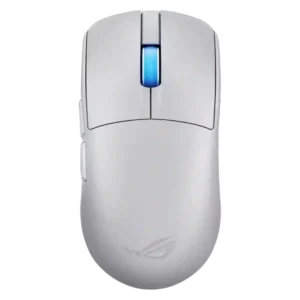
#1 ASUS ROG Harpe II Ace
4.6

Choose the ROG Harpe II Ace for ultralight FPS play, precise tracking, smooth glide, and web-based tuning. Skip it if you need palm-grip support, MMO buttons, onboard profiles, or long...

Pros: glide smoothness, weight

Cons: handedness options

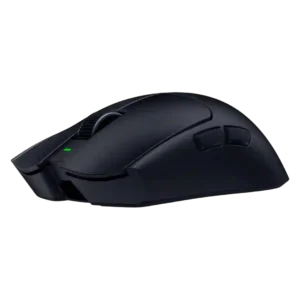
#2 Razer Viper V4 Pro
4.4

Best for ultra-light, competition-focused speed, precise tracking, stable wireless, and long battery life. Skip it if you need quieter clicks, left-handed support, Bluetooth, more buttons, or better value for casual...

Pros: value for money, weight

Cons: click noise, RGB features

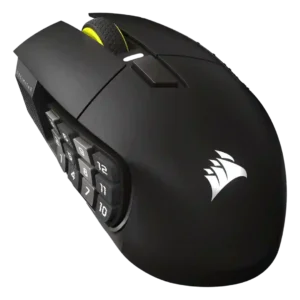
#3 Corsair Scimitar Elite Wireless SE
4.4

Choose it if you want a premium MMO/productivity mouse with 12 adjustable side buttons, strong battery life, and Stream Deck integration. Skip it if you need an ultralight FPS mouse,...

Pros: button customization, MMO gaming suitability

Cons: FPS gaming suitability

#4 MSI Versa 300 Wireless 8K
4.4

Best for precise wireless tracking, smooth glide, strong battery life, and unusually good 8K value. Skip it if you need polished software, quiet snappy clicks, true left-handed controls, or gentle...

Pros: software usability, sensor performance

Cons: RGB features, scroll wheel quality