Compare TP-Link Archer AX10 vs ARRIS SURFboard G20

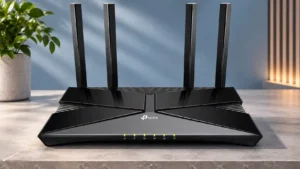
TP-Link Archer AX10

TP-Link Archer AX10

Overall score 3.7 / 5

Based on 15 scored reviews

vs
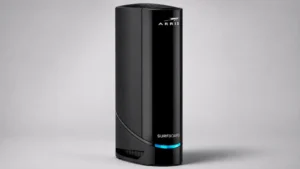
ARRIS SURFboard G20

ARRIS SURFboard G20

Overall score 3.0 / 5

Based on 95 scored reviews

How we score

Scorata scores summarize analyzed review evidence on a 1–5 scale; they are not laboratory measurements or a simple average of customer star ratings. Feature scores summarize the reviews covering that feature. The overall score averages feature scores within each review, then combines review averages. When both expert and customer evidence are available, those two groups receive equal weight. Products can have different review coverage, so small score gaps do not establish a winner.

Recommendations prioritize important features for the category, with a score of at least 3.5, a gap of at least 0.25 points and at least two supporting reviews per product. Features with widely varying scores or broad connectivity contexts are excluded from recommendations. These safeguards do not establish statistical significance.

Quick verdict

What each product is best for

The review evidence points to a tradeoff: web interface quality and Ethernet port count versus parental controls and Wi-Fi 6 support. Choose according to which strengths matter more to you; the overall score alone does not settle that choice.

Choose TP-Link Archer AX10 for web interface quality and Ethernet port count.

Choose ARRIS SURFboard G20 for parental controls and Wi-Fi 6 support.

Why these recommendations?

TP-Link Archer AX10

Where It Has the Edge

  • web interface quality is 4.8 vs 1.5. The web interface is clear, intuitive and rich in standard network controls.
  • Ethernet port count is 4.5 vs 2.0. Four gigabit LAN ports provide useful wired flexibility, with convenient spacing.
  • size and footprint is 4.8 vs 4.5. The slim, compact case fits easily into tight household spaces.

ARRIS SURFboard G20

Where It Has the Edge

  • parental controls is 4.7 vs 2.9. Parental controls are a strong point, with schedules, website and device blocking, and simple family profiles.
  • Wi-Fi 6 support is 5.0 vs 4.3. Wi-Fi 6 provides a noticeable speed improvement over older equipment in favorable conditions.
  • usage schedules is 4.0 vs 3.6. Parents can schedule internet access and manage when family devices are allowed online.
TP-Link Archer AX10 3.7 overall score
ARRIS SURFboard G20 3.0 overall score

Compare features

Scores are out of 5. Missing scores mean missing review evidence, not a missing feature.

Scored on both products

Other features

Ease of use
TP-Link Archer AX10
4.9

The straightforward interfaces and simple setup make everyday management approachable.

ARRIS SURFboard G20
1.9

The controls can be intuitive after setup, but many buyers find installation and basic configuration frustrating.

Subscription requirements
TP-Link Archer AX10
4.5

Basic website and app filtering can be used without a paid subscription.

ARRIS SURFboard G20
1.0

A perceived support paywall frustrated an owner who needed help completing setup.

Dead-zone elimination
TP-Link Archer AX10
4.0

Beamforming helps reduce dead spots, although it cannot overcome every obstruction.

ARRIS SURFboard G20
1.0

Some rooms remain beyond reliable coverage, particularly in a larger single-level home.

LAN port speed
TP-Link Archer AX10
4.7

Gigabit Ethernet performs well and is suitable for broadband connections within its speed ceiling.

ARRIS SURFboard G20
2.0

Gigabit-limited Ethernet restricts wired performance compared with faster multi-gigabit alternatives.

Security features
TP-Link Archer AX10
2.4

Security is a notable compromise: basic protection is available, but advanced malware safeguards and WPA3 support vary.

ARRIS SURFboard G20
5.0

The administration panel offers a useful selection of security controls.

Ethernet port count
TP-Link Archer AX10
4.5

Four gigabit LAN ports provide useful wired flexibility, with convenient spacing.

ARRIS SURFboard G20
2.0

Two gigabit Ethernet connections are restrictive for households needing several wired devices or faster networking.

Long-range speed
TP-Link Archer AX10
2.6

Long-distance results vary substantially: some tests retained respectable throughput, while others found distant-room performance very poor.

ARRIS SURFboard G20
5.0

Long-distance wireless performance compares favorably with a more powerful gateway in expert testing.

ISP compatibility
TP-Link Archer AX10
4.5

An IPv6 broadband connection worked well in one test.

ARRIS SURFboard G20
2.3

Experiences with cable providers vary considerably: successful connections and good speeds coexist with failed activations and intermittent service.

Configuration flexibility
TP-Link Archer AX10
4.3

Standard wireless, DNS and network settings are flexible and accessible, while more specialized controls remain limited.

ARRIS SURFboard G20
2.3

Basic network customization is possible, but settings that will not save and limited advanced controls frustrate some owners.

Overall satisfaction
TP-Link Archer AX10
4.3

Overall, this is a well-liked budget Wi-Fi 6 router for modest homes, with clear compromises in reach and advanced features.

ARRIS SURFboard G20
2.3

Satisfaction is sharply divided: some owners love the simple, fast gateway, while many return it after setup failures or recurring outages.

Future upgrade readiness
TP-Link Archer AX10
4.5

Wi-Fi 6 is a useful step up from older hardware, though the router lacks some newer premium capabilities.

ARRIS SURFboard G20
2.7

Wi-Fi 6 and DOCSIS 3.1 are useful upgrades, but lack of newer bands and the need to replace the entire combo limit future flexibility.

Firmware stability
TP-Link Archer AX10
2.8

Occasional firmware hiccups and changes to MU-MIMO settings have caused frustration.

ARRIS SURFboard G20
1.0

One owner experienced cycling firmware and an unusable network despite successful activation.

IoT device compatibility
TP-Link Archer AX10
4.5

Typical smart-home devices and hubs are handled reliably, although dense setups may need stronger hardware.

ARRIS SURFboard G20
3.0

Smart-home device connectivity varies: wireless cameras can work well, while Alexa may suffer from unstable signals.

Whole-home coverage
TP-Link Archer AX10
3.8

Central placement can cover a modest house effectively; larger layouts and adjacent rooms may require an extender.

ARRIS SURFboard G20
2.4

Some owners reach rooms their old gateway could not, while others still have bedrooms and bathrooms without adequate coverage.

Latency
TP-Link Archer AX10
3.6

Latency is adequate for ordinary browsing and gaming in many setups, but demanding concurrent wireless VR can become unusable.

ARRIS SURFboard G20
2.5

Wireless latency is competitive with several alternatives but not exceptional; some owners report substantial lag.

Range
TP-Link Archer AX10
3.6

Range is generally adequate for modest homes, but reports vary from good coverage to very poor long-distance reception.

ARRIS SURFboard G20
2.5

Coverage is impressive in some single-story homes, yet other households struggle to get a usable signal even in small areas.

Firewall quality
TP-Link Archer AX10
2.0

The firewall is basic and lacks detailed configuration.

ARRIS SURFboard G20
1.0

The firewall blocked some websites without enough fine-tuning options to resolve the problem.

Status light usefulness
TP-Link Archer AX10
2.8

The front LEDs communicate status, but cryptic icons, inexpensive styling and a shared Ethernet indicator reduce their usefulness.

ARRIS SURFboard G20
2.0

A normal-looking status light can be misleading when the gateway is unable to pass traffic or connect to the internet.

Network stability
TP-Link Archer AX10
4.3

The router passed a three-day stress test without problems, and ordinary household connections are often stable.

ARRIS SURFboard G20
5.0

Wi-Fi and Ethernet can both be dependable when the gateway is working properly.

Connected-device management
TP-Link Archer AX10
4.5

Connected devices can be monitored easily through Tether.

ARRIS SURFboard G20
4.0

Family profiles simplify device management, although unnamed devices can be tedious to identify manually.

Network monitoring
TP-Link Archer AX10
4.5

The app provides a convenient way to view network status and connected clients.

ARRIS SURFboard G20
5.0

The companion app makes viewing and monitoring the network convenient when it works.

Usage schedules
TP-Link Archer AX10
3.6

Scheduling is useful for basic access restrictions, though the depth of daily time limits differs across accounts.

ARRIS SURFboard G20
4.0

Parents can schedule internet access and manage when family devices are allowed online.

Expandability
TP-Link Archer AX10
3.7

Compatible extenders can expand coverage, but firmware availability, proprietary mesh support and missing repeater mode limit flexibility.

ARRIS SURFboard G20
3.5

Native mesh expansion is absent, but an owner successfully connected external extenders and wireless cameras.

Device compatibility
TP-Link Archer AX10
3.7

Older Wi-Fi clients can still connect and perform well, while newer features require compatible devices.

ARRIS SURFboard G20
3.5

Some external routers connect seamlessly, but individual computers may fail to join the network even when phones connect.

Performance

5 GHz performance
TP-Link Archer AX10
4.4

The 5 GHz band is a standout, achieving strong near-router speeds and often competing with pricier models.

ARRIS SURFboard G20
1.0

One problematic unit could not establish its 5 GHz network at all.

Wireless performance
TP-Link Archer AX10
4.3

Good 5 GHz throughput makes this a capable budget wireless router, although the slower 2.4 GHz band and distance-related drop-offs limit its versatility.

ARRIS SURFboard G20
1.6

Wireless performance is strong in expert comparisons, but some households encounter unusable Wi-Fi or sluggish devices even when Ethernet works.

2.4 GHz performance
TP-Link Archer AX10
2.6

The 2.4 GHz band is a recurring weak point, with mediocre throughput compared with faster alternatives.

ARRIS SURFboard G20
1.0

One buyer experienced repeated 2.4 GHz signal drops and very slow downloads.

Wired device performance
TP-Link Archer AX10
4.9

Wired connections are a strength, delivering full plan speeds and dependable Ethernet performance.

ARRIS SURFboard G20
3.6

Ethernet can be more reliable than Wi-Fi, although one unit struggled to negotiate a link and repeatedly disconnected.

Download performance
TP-Link Archer AX10
4.0

The wired connection delivered the full 600 Mbps download speed in one test, but premium routers offer more wireless read throughput.

ARRIS SURFboard G20
3.0

Download speeds can match a subscribed plan, but a problematic unit delivered only 37 Mbps on an 800 Mbps service.

Advertised speed accuracy
TP-Link Archer AX10
3.0

The AX1500 label describes combined theoretical bandwidth rather than guaranteed device or internet speed; real-world results can be substantially lower.

ARRIS SURFboard G20
2.3

Some owners get their subscribed speeds exactly, while others report throughput far below the service they pay for.

Multi-device performance
TP-Link Archer AX10
4.2

Multiple everyday clients usually work well, although two simultaneous VR headsets caused severe problems in one account.

ARRIS SURFboard G20
3.7

Simultaneous 4K streams can run smoothly, although some households experience device connection failures.

Upload performance
TP-Link Archer AX10
5.0

A wired test delivered the full 300 Mbps upload speed of the broadband connection.

ARRIS SURFboard G20
4.7

Upload optimization is a strength, with one owner matching a 150 Mbps upload plan and an expert praising faster transfers.

Content filtering
TP-Link Archer AX10
2.9

Website and keyword blocking provide elementary filtering; sophisticated age-based categories are not consistently available.

ARRIS SURFboard G20
3.0

Website blocking is useful, but the lack of preset filtering categories makes it less convenient.

Controls and connectivity

Web interface quality
TP-Link Archer AX10
4.8

The web interface is clear, intuitive and rich in standard network controls.

ARRIS SURFboard G20
1.5

The web interface can expose more settings than the app, but login failures and changes that will not save limit its usefulness.

App setup quality
TP-Link Archer AX10
4.5

Tether simplifies setup, although reconnecting after changing network credentials can be briefly awkward.

ARRIS SURFboard G20
1.9

The app-guided setup is easy for some buyers, but failed Wi-Fi detection, cloud problems and account issues derail it for others.

Mobile app quality
TP-Link Archer AX10
4.4

Tether makes everyday monitoring and configuration easy, but the web interface offers more advanced settings.

ARRIS SURFboard G20
2.0

The app offers convenient family controls and network management, but many owners find it buggy, outdated or difficult to use.

Parental controls
TP-Link Archer AX10
2.9

Basic profiles, schedules and website blocking are useful, but advanced parental controls are limited.

ARRIS SURFboard G20
4.7

Parental controls are a strong point, with schedules, website and device blocking, and simple family profiles.

Software and driver support
TP-Link Archer AX10
2.0

Lack of OpenWRT and DD-WRT compatibility limits more advanced software-based network management.

ARRIS SURFboard G20
1.0

The app’s perceived lack of updates leaves some owners unable to configure basic settings.

Wi-Fi 6 support
TP-Link Archer AX10
4.3

Wi-Fi 6 is an affordable upgrade with strong 5 GHz speeds, although compatible clients are needed and some optional features are missing.

ARRIS SURFboard G20
5.0

Wi-Fi 6 provides a noticeable speed improvement over older equipment in favorable conditions.

Wi-Fi speed
TP-Link Archer AX10
4.3

Several tests produced impressive speeds near the router, with much more variable results farther away.

ARRIS SURFboard G20
4.0

Peak Wi-Fi speeds can be excellent, and several owners see faster connections than with older gateways. Others report slower-than-expected performance.

Access controls
TP-Link Archer AX10
4.0

Basic traffic and access restrictions can be configured without unnecessary complexity.

ARRIS SURFboard G20
4.0

The gateway offers useful controls for blocking websites, apps and devices.

Ownership and support

Hardware reliability
TP-Link Archer AX10
4.0

The chassis is described as sturdy enough for typical home use.

ARRIS SURFboard G20
1.0

Unexpected failures, defective units and repeated reboots undermine confidence in the hardware, despite some trouble-free ownership.

Connection reliability
TP-Link Archer AX10
4.2

Several experiences point to dependable everyday connections, although some devices may need to be closer to connect initially.

ARRIS SURFboard G20
1.6

Some connections remain rock solid, but frequent disconnects, buffering and interruptions are a major source of frustration.

Setup ease
TP-Link Archer AX10
4.7

Setup is consistently straightforward, whether performed through the Tether app or a browser.

ARRIS SURFboard G20
2.2

Installation can be quick and painless, but failed activation, app freezes and lengthy troubleshooting are common complaints.

Value for money
TP-Link Archer AX10
4.8

Affordability is a major strength, with solid everyday performance for considerably less than many better-equipped routers.

ARRIS SURFboard G20
2.5

Avoiding modem rental charges can make the gateway a good investment, but buyers who experience failures feel their money was wasted.

Customer support
TP-Link Archer AX10
1.0

A lengthy support interaction over missing MU-MIMO controls was especially frustrating and involved conflicting answers.

ARRIS SURFboard G20
2.2

Helpful agents sometimes walk customers through installation for free; others encounter unhelpful advice, long calls, paywalls or unanswered requests.

Upgrade value
TP-Link Archer AX10
3.8

The AX10 offers good upgrade value for buyers who want faster Wi-Fi, although the benefit depends on existing equipment and plan speed.

ARRIS SURFboard G20
2.6

Some owners see meaningful speed or coverage improvements, but others prefer their old equipment after reliability problems.

Comfort and build

Build quality
TP-Link Archer AX10
3.4

Build quality is serviceable for the price, but glossy plastic and budget construction divide opinions.

ARRIS SURFboard G20
4.0

The housing feels sturdy and well constructed, though not as premium as higher-end gear.

Size and footprint
TP-Link Archer AX10
4.8

The slim, compact case fits easily into tight household spaces.

ARRIS SURFboard G20
4.5

The small upright housing is easy to fit in tight spaces and avoids the bulk of two separate devices.

Evidence available for one product

Performance

6 GHz performance
TP-Link Archer AX10No score yet
ARRIS SURFboard G20
2.0

The lack of a 6 GHz band limits newer devices and leaves faster wireless options unavailable.

Cable modem performance
TP-Link Archer AX10No score yet
ARRIS SURFboard G20
4.3

The modem portion can perform well even when the app or router functions are troublesome.

Long-term performance
TP-Link Archer AX10No score yet
ARRIS SURFboard G20
1.4

Several units work well initially but develop recurring problems or fail within weeks, months or around a year.

MU-MIMO performance
TP-Link Archer AX10
2.8

MU-MIMO availability and effectiveness are inconsistent across accounts; some praise its efficiency while others report missing controls or poor concurrent VR performance.

ARRIS SURFboard G20No score yet
OFDMA performance
TP-Link Archer AX10
3.8

OFDMA is praised for managing simultaneous connections, though its benefit on this budget hardware may be modest.

ARRIS SURFboard G20No score yet
Performance under load
TP-Link Archer AX10
4.2

Ordinary concurrent streaming and gaming can run smoothly, but heavier simultaneous demands such as dual wireless VR are more challenging.

ARRIS SURFboard G20No score yet

Ownership and support

160 MHz support
TP-Link Archer AX10
2.6

There is no 160 MHz mode, which limits peak wireless speeds but matters less for ordinary broadband plans.

ARRIS SURFboard G20No score yet
Account login reliability
TP-Link Archer AX10No score yet
ARRIS SURFboard G20
1.3

Login and account-recognition failures can block setup and settings changes, sometimes requiring a full reset.

Channel width support
TP-Link Archer AX10
2.5

Limited channel width reduces peak throughput potential, although gigabit Ethernet already imposes a ceiling.

ARRIS SURFboard G20No score yet
Dual-band support
TP-Link Archer AX10
4.0

Dual-band operation accommodates older devices alongside faster modern clients.

ARRIS SURFboard G20No score yet
Dynamic DNS support
TP-Link Archer AX10
4.5

Integrated dynamic DNS conveniently complements remote VPN access.

ARRIS SURFboard G20No score yet
Installation process
TP-Link Archer AX10
4.9

Installation is generally quick and uncomplicated.

ARRIS SURFboard G20No score yet
Manufacturer customer support
TP-Link Archer AX10
1.0

Manufacturer support was inconsistent and time-consuming when a user needed help with missing MU-MIMO controls.

ARRIS SURFboard G20No score yet
Multi-gig Ethernet support
TP-Link Archer AX10
2.5

Multi-gigabit Ethernet is absent, preventing the router from fully exploiting faster-than-gigabit connections.

ARRIS SURFboard G20No score yet
Power connector reliability
TP-Link Archer AX10No score yet
ARRIS SURFboard G20
1.0

One buyer received a power cord that would not work with the device.

Security update support
TP-Link Archer AX10
4.0

Routine firmware updates are useful for maintaining security, subject to the specific hardware revision.

ARRIS SURFboard G20No score yet
Setup guidance
TP-Link Archer AX10No score yet
ARRIS SURFboard G20
1.0

Missing troubleshooting instructions and a lack of offline support information make installation harder than it needs to be.

USB port support
TP-Link Archer AX10
2.2

The lack of USB is a repeated drawback, especially for attached printers, drives or media servers.

ARRIS SURFboard G20No score yet
VPN server support
TP-Link Archer AX10
5.0

The built-in VPN server is a welcome extra on a budget router.

ARRIS SURFboard G20No score yet
Wall-mounting support
TP-Link Archer AX10
4.8

Screw slots make wall or ceiling mounting convenient on the units that were evaluated.

ARRIS SURFboard G20No score yet
Warranty
TP-Link Archer AX10No score yet
ARRIS SURFboard G20
1.3

Failures near or after the warranty cutoff, validation problems and disputed warranty dates leave some owners without useful protection.

WPA3 support
TP-Link Archer AX10
2.2

WPA3 availability is inconsistent across tested units and versions; verify the exact hardware revision before relying on it.

ARRIS SURFboard G20No score yet

Other features

Activity reports
TP-Link Archer AX10
2.0

Advanced reporting is limited, so households seeking detailed activity insights may need more capable controls.

ARRIS SURFboard G20No score yet
Airtime efficiency
TP-Link Archer AX10
4.5

Concurrent Wi-Fi 6 connections benefit from more efficient scheduling and reduced contention.

ARRIS SURFboard G20No score yet
Alexa integration
TP-Link Archer AX10
4.5

Alexa integration is described as convenient for voice-controlled routines and device groups.

ARRIS SURFboard G20No score yet
Antenna adjustability
TP-Link Archer AX10
3.5

The antennas can be positioned and hold their angle, but cannot be replaced with stronger ones.

ARRIS SURFboard G20No score yet
Automatic firmware updates
TP-Link Archer AX10
4.0

Automatic updating provides a convenient way to keep firmware current where supported.

ARRIS SURFboard G20No score yet
Band steering
TP-Link Archer AX10
4.0

Smart Connect and automatic band allocation simplify choosing a suitable wireless band.

ARRIS SURFboard G20No score yet
Beamforming effectiveness
TP-Link Archer AX10
4.3

Beamforming directs signal toward active devices and helps improve usable coverage.

ARRIS SURFboard G20No score yet
Channel selection
TP-Link Archer AX10
2.5

The available 5 GHz channels are restricted, limiting options for avoiding interference and optimizing performance.

ARRIS SURFboard G20No score yet
Close-range speed
TP-Link Archer AX10
4.3

Short-range Wi-Fi 6 tests reached roughly 730–841 Mbps in several tests, competitive with more expensive models.

ARRIS SURFboard G20No score yet
Congestion handling
TP-Link Archer AX10
3.1

Wi-Fi 6 scheduling can reduce contention, but limited channels and no DFS make congested wireless environments challenging.

ARRIS SURFboard G20No score yet
Cross-brand mesh compatibility
TP-Link Archer AX10
2.0

OneMesh favors compatible TP-Link extenders, making cross-brand mesh expansion less flexible.

ARRIS SURFboard G20No score yet
Daily internet time limits
TP-Link Archer AX10No score yet
ARRIS SURFboard G20
2.0

Time controls are appreciated, but daily usage caps are specifically reported as unavailable in expert testing.

Device capacity
TP-Link Archer AX10
3.9

The router can handle a typical collection of home devices, but is not intended for exceptionally device-heavy networks.

ARRIS SURFboard G20No score yet
Device identification
TP-Link Archer AX10No score yet
ARRIS SURFboard G20
1.0

Devices often appear as unknown, forcing users to match MAC addresses manually.

Device prioritization
TP-Link Archer AX10
3.6

Individual devices can be prioritized, but application-specific controls are limited or absent.

ARRIS SURFboard G20No score yet
Fingerprint and smudge resistance
TP-Link Archer AX10
2.3

Glossy plastic readily collects fingerprints, though this matters less on a router that is rarely handled.

ARRIS SURFboard G20No score yet
Firmware updateability
TP-Link Archer AX10
2.2

Firmware changes and delays have affected advertised features, particularly OneMesh and MU-MIMO controls.

ARRIS SURFboard G20No score yet
Firmware update process
TP-Link Archer AX10
4.0

Firmware updates can be applied during setup or through the management interfaces without much difficulty.

ARRIS SURFboard G20No score yet
Floor-to-floor coverage
TP-Link Archer AX10
4.5

One apartment installation maintained a usable signal even two stories below the router.

ARRIS SURFboard G20No score yet
Guest network
TP-Link Archer AX10
4.3

Guest access is conveniently enabled and managed separately from the main network.

ARRIS SURFboard G20No score yet
Heat management
TP-Link Archer AX10
4.3

Ventilation is reasonably generous, and one comparison found the AX10 ran cooler than its pricier sibling.

ARRIS SURFboard G20No score yet
Included documentation completeness
TP-Link Archer AX10No score yet
ARRIS SURFboard G20
1.2

Missing manuals, quick-start instructions and device information make offline troubleshooting difficult.

Integrated modem-router convenience
TP-Link Archer AX10No score yet
ARRIS SURFboard G20
4.4

Combining the modem and router saves room and reduces cables. Some owners still need a separate router to get the functionality they want.

Internet pause
TP-Link Archer AX10No score yet
ARRIS SURFboard G20
4.0

Parents appreciate being able to turn internet access on and off when needed.

Internet speed consistency
TP-Link Archer AX10No score yet
ARRIS SURFboard G20
1.0

Some connections slow down unpredictably or require a reboot to recover normal speed.

ISP activation process
TP-Link Archer AX10No score yet
ARRIS SURFboard G20
2.2

Provider registration ranges from seamless to hours of unsuccessful calls; even supported providers can be difficult to activate with.

Latency consistency
TP-Link Archer AX10
2.5

Wireless latency fluctuates more than on some competing routers, making wired connections preferable for latency-sensitive tasks.

ARRIS SURFboard G20No score yet
Link aggregation
TP-Link Archer AX10
2.5

Link aggregation is missing, a compromise for users who need higher wired bandwidth.

ARRIS SURFboard G20No score yet
Maintenance frequency
TP-Link Archer AX10No score yet
ARRIS SURFboard G20
1.0

Recurring resets and repeated attempts to restore service make the gateway burdensome to maintain.

Mesh coverage
TP-Link Archer AX10
4.0

Compatible mesh extenders offer a way to improve coverage when a single router is insufficient.

ARRIS SURFboard G20No score yet
Mid-range speed
TP-Link Archer AX10
4.0

Throughput remains useful in nearby rooms or at around 30 feet, although it falls below same-room speeds.

ARRIS SURFboard G20No score yet
Modem rental fee savings
TP-Link Archer AX10No score yet
ARRIS SURFboard G20
5.0

Replacing a rental gateway can produce substantial monthly savings, with one buyer saving $14 a month.

Network segmentation
TP-Link Archer AX10
2.5

Guest isolation is useful, but advanced VLAN-based segmentation is limited.

ARRIS SURFboard G20No score yet
Outdoor coverage
TP-Link Archer AX10
4.5

One apartment user maintained connectivity outdoors on the street two floors below the router.

ARRIS SURFboard G20No score yet
Packaging quality and presentation
TP-Link Archer AX10
5.0

The protective cardboard frame and organized accessory compartments keep the contents secure.

ARRIS SURFboard G20No score yet
Port forwarding
TP-Link Archer AX10No score yet
ARRIS SURFboard G20
1.0

Port forwarding failed to function properly for an owner who needed more advanced networking.

Power cable length
TP-Link Archer AX10No score yet
ARRIS SURFboard G20
2.0

The short power adapter cable can make it difficult to position the gateway where desired.

Power consumption
TP-Link Archer AX10
4.5

Low power draw makes the router practical for always-on home networking.

ARRIS SURFboard G20No score yet
Power efficiency
TP-Link Archer AX10
4.5

Low energy consumption is useful for a router that stays on continuously.

ARRIS SURFboard G20No score yet
Previously registered unit condition
TP-Link Archer AX10No score yet
ARRIS SURFboard G20
1.0

Previously registered or used units can arrive with another owner’s settings, preventing activation or warranty registration.

Printer sharing
TP-Link Archer AX10
2.0

A USB printer cannot be attached directly for network sharing.

ARRIS SURFboard G20No score yet
Quality of service
TP-Link Archer AX10
2.9

QoS offers basic device priority, but lacks finer application-level options and may require manual bandwidth entry.

ARRIS SURFboard G20No score yet
Reboot frequency
TP-Link Archer AX10No score yet
ARRIS SURFboard G20
1.2

Repeated manual resets and spontaneous restarts are recurring complaints; one owner only needed a reset after a provider outage.

Retailer delivery service
TP-Link Archer AX10No score yet
ARRIS SURFboard G20
5.0

One buyer appreciated fast delivery on a weekend.

Scratch resistance
TP-Link Archer AX10
2.0

The glossy plastic surface scratches relatively easily.

ARRIS SURFboard G20No score yet
Settings organization
TP-Link Archer AX10
5.0

Basic and advanced options are clearly organized, so common settings are easy to find.

ARRIS SURFboard G20No score yet
Specification clarity
TP-Link Archer AX10No score yet
ARRIS SURFboard G20
1.0

A buyer disputes the advertised compatibility with Comcast, making provider confirmation important.

Status light control
TP-Link Archer AX10
4.5

Status LEDs can be scheduled to turn off at night.

ARRIS SURFboard G20No score yet
Threat protection
TP-Link Archer AX10
2.3

Whole-network antivirus and advanced malware protection are missing compared with better-equipped routers.

ARRIS SURFboard G20No score yet
Traffic prioritization
TP-Link Archer AX10
2.7

Traffic prioritization is available by client rather than by application, limiting flexibility.

ARRIS SURFboard G20No score yet
Troubleshooting assistance
TP-Link Archer AX10No score yet
ARRIS SURFboard G20
1.0

Troubleshooting can be difficult when provider activation and manufacturer support are separate, especially without a printed manual.

Unit-to-unit quality control
TP-Link Archer AX10No score yet
ARRIS SURFboard G20
1.3

Defective units, missing information labels and inconsistent behavior between replacements raise quality-control concerns.

USB storage sharing
TP-Link Archer AX10
2.1

USB-attached storage cannot be shared through the router, limiting built-in file-server functionality.

ARRIS SURFboard G20No score yet
Wall penetration
TP-Link Archer AX10
3.3

A single wall can still allow good 5 GHz speeds, but dense materials and additional walls limit reach.

ARRIS SURFboard G20No score yet
Wireless repeater mode
TP-Link Archer AX10
2.0

The router lacks wireless repeater mode, limiting the ability to reuse it as a wireless range extender.

ARRIS SURFboard G20No score yet
Wireless signal strength
TP-Link Archer AX10No score yet
ARRIS SURFboard G20
2.0

Signal strength varies widely: some homes get good reception, while others see weak bars just feet from the gateway.

Controls and connectivity

Bandwidth controls
TP-Link Archer AX10
3.0

Basic bandwidth allocation is useful, but manual configuration and limited granularity make it less flexible.

ARRIS SURFboard G20No score yet
Companion software dependence
TP-Link Archer AX10No score yet
ARRIS SURFboard G20
1.0

Reliance on a smartphone app for setup frustrates owners when the app cannot connect or sign in.

DNS customization
TP-Link Archer AX10
4.5

DNS settings can be customized with just a few clicks in the web interface.

ARRIS SURFboard G20No score yet
Interface responsiveness
TP-Link Archer AX10No score yet
ARRIS SURFboard G20
1.0

Repeated freezing during setup prevented one buyer from getting online.

Smart home compatibility
TP-Link Archer AX10
4.5

Ordinary smart-home hubs can connect reliably without placing excessive strain on the network.

ARRIS SURFboard G20No score yet
Software update frequency
TP-Link Archer AX10
2.0

A long interval without firmware updates raised concern about the router's update cadence.

ARRIS SURFboard G20No score yet
Voice assistant compatibility
TP-Link Archer AX10
4.5

Alexa voice integration provides convenient control for supported devices and routines.

ARRIS SURFboard G20No score yet
Web interface setup
TP-Link Archer AX10
4.3

The familiar browser setup process is intuitive and allows more detailed configuration.

ARRIS SURFboard G20No score yet
Wi-Fi calling compatibility
TP-Link Archer AX10No score yet
ARRIS SURFboard G20
1.0

Wi-Fi calling failed for an owner who needed it because cellular reception was unavailable.

Comfort and build

Design and appearance
TP-Link Archer AX10
3.7

The angular design is generally unobtrusive and appealing, although glossy plastic can be distracting and look inexpensive.

ARRIS SURFboard G20No score yet
Ethernet port design
TP-Link Archer AX10No score yet
ARRIS SURFboard G20
1.0

One unit failed to negotiate an Ethernet link automatically, even at lower speeds.

Other Top Routers to Consider

#1 D-Link Aquila Pro AI R95
4.8

Choose the R95 for a busy home that needs fast Wi-Fi 7, strong range, multi-gig ports, and low-lag gaming. Skip it for a small, lightly connected space or if advanced...

Pros: Wi-Fi 7 support, Wi-Fi speed

#2 GL.iNet GL-BE3600 Slate 7
4.5

Best for frequent travel, fast VPNs, dual 2.5GbE and resilient multi-WAN. Skip it if you need full 6GHz/320MHz Wi‑Fi 7, mesh, or desktop-class USB storage and long-range indoor coverage.

Pros: VPN client support, value for money

Cons: 6 GHz performance, USB storage sharing

#3 GL.iNet Flint 2 (GL-MT6000)
4.4

Exceptional VPN speeds, strong Wi-Fi 6 coverage and extensive OpenWrt controls make the Flint 2 a compelling value. Its advanced setup, missing 6GHz band and firmware-specific caveats matter if you...

Pros: setup ease, configuration flexibility

Cons: Wi-Fi 7 support, USB storage sharing

#4 GL.iNet Beryl AX (GL-MT3000)
4.4

The Beryl AX packs exceptionally flexible VPN and networking tools into a pocket-sized router. It is a great travel companion, but hotel login issues, limited whole-home range and a single...

Pros: Overall satisfaction, size and footprint

Cons: Captive portal handling, Ethernet port count