Ownership and support
2.5 GbE support
TP-Link Archer AX55
2.1
The standard AX55 lacks 2.5 GbE, limiting its usefulness with faster wired networks and internet plans.
ARRIS SURFboard G20No score yet
160 MHz support
TP-Link Archer AX55
4.3
160 MHz channels are a useful speed advantage when compatible clients and available channels allow them.
ARRIS SURFboard G20No score yet
Account login reliability
TP-Link Archer AX55No score yet
ARRIS SURFboard G20
1.3
Login and account-recognition failures can block setup and settings changes, sometimes requiring a full reset.
Channel width support
TP-Link Archer AX55
3.5
Wider channels can raise local speeds substantially, but client support and channel availability affect results.
ARRIS SURFboard G20No score yet
Hardware reliability
TP-Link Archer AX55No score yet
ARRIS SURFboard G20
1.0
Unexpected failures, defective units and repeated reboots undermine confidence in the hardware, despite some trouble-free ownership.
Installation process
TP-Link Archer AX55
4.7
Installation typically takes only minutes, with guided setup keeping the process manageable.
ARRIS SURFboard G20No score yet
MIMO support
TP-Link Archer AX55
3.5
Multiple-stream technology helps manage traffic, but the two-stream 5 GHz radio offers limited headroom for higher-end clients.
ARRIS SURFboard G20No score yet
Multi-gig Ethernet support
TP-Link Archer AX55
2.1
The absence of multi-gigabit Ethernet is a clear limitation for faster internet and local wired networking.
ARRIS SURFboard G20No score yet
Power connector reliability
TP-Link Archer AX55No score yet
ARRIS SURFboard G20
1.0
One buyer received a power cord that would not work with the device.
Product support lifespan
TP-Link Archer AX55
3.3
Support and firmware information depend on hardware revision; verify the specific unit rather than relying on the model name alone.
ARRIS SURFboard G20No score yet
USB port support
TP-Link Archer AX55
4.4
USB 3.0 adds useful storage and media-sharing options uncommon on some similarly priced routers.
ARRIS SURFboard G20No score yet
VPN client support
TP-Link Archer AX55
4.0
VPN client functionality is available, but the exact capabilities trail more specialized alternatives.
ARRIS SURFboard G20No score yet
VPN server support
TP-Link Archer AX55
4.0
VPN server support is useful, although a dedicated travel rival offers more flexibility.
ARRIS SURFboard G20No score yet
Wall-mounting support
TP-Link Archer AX55
4.3
Built-in mounting slots make wall placement convenient.
ARRIS SURFboard G20No score yet
WireGuard support
TP-Link Archer AX55
3.0
WireGuard availability depends on hardware revision, so confirm the exact version if this is a requirement.
ARRIS SURFboard G20No score yet
WPA3 support
TP-Link Archer AX55
4.5
WPA3 is valued for stronger password protection on compatible devices.
ARRIS SURFboard G20No score yet
Other features
Activity reports
TP-Link Archer AX55
3.3
Detailed activity reports are valuable for parents, although access to advanced reporting can depend on the subscription.
ARRIS SURFboard G20No score yet
Antenna adjustability
TP-Link Archer AX55
4.5
Adjustable antennas offer useful flexibility for directing coverage toward the rooms where Wi-Fi is needed.
ARRIS SURFboard G20No score yet
Band steering
TP-Link Archer AX55
2.0
Smart Connect may leave capable devices on the slower 2.4 GHz band; separating the bands can help.
ARRIS SURFboard G20No score yet
Beamforming effectiveness
TP-Link Archer AX55
4.5
Beamforming and external antennas are credited with reaching areas that older equipment missed.
ARRIS SURFboard G20No score yet
Channel selection
TP-Link Archer AX55
3.5
Channel recommendations are useful, but selecting or forcing a desired wide channel may be difficult.
ARRIS SURFboard G20No score yet
Close-range speed
TP-Link Archer AX55
4.5
Same-room throughput can approach gigabit speeds, though close-range 2.4 GHz results are less impressive in some tests.
ARRIS SURFboard G20No score yet
Congestion handling
TP-Link Archer AX55
5.0
Loaded-network testing showed a major advantage over older Wi-Fi 5 equipment.
ARRIS SURFboard G20No score yet
Daily internet time limits
TP-Link Archer AX55No score yet
ARRIS SURFboard G20
2.0
Time controls are appreciated, but daily usage caps are specifically reported as unavailable in expert testing.
Device capacity
TP-Link Archer AX55
4.5
Dozens of devices can connect successfully, making capacity a useful strength for ordinary households.
ARRIS SURFboard G20No score yet
Device compatibility
TP-Link Archer AX55No score yet
ARRIS SURFboard G20
3.5
Some external routers connect seamlessly, but individual computers may fail to join the network even when phones connect.
Device prioritization
TP-Link Archer AX55
4.6
Device priority settings help protect work traffic and other important connections.
ARRIS SURFboard G20No score yet
Device security
TP-Link Archer AX55
4.3
HomeShield provides useful device protection, especially against malicious sites, although full protection may require a paid plan.
ARRIS SURFboard G20No score yet
Device security scanning
TP-Link Archer AX55
4.5
Routine security scans provide helpful visibility into potential network issues.
ARRIS SURFboard G20No score yet
Firewall quality
TP-Link Archer AX55No score yet
ARRIS SURFboard G20
1.0
The firewall blocked some websites without enough fine-tuning options to resolve the problem.
Firmware update process
TP-Link Archer AX55
3.0
Firmware updates need to match the exact regional hardware revision, making version checks important.
ARRIS SURFboard G20No score yet
Floor-to-floor coverage
TP-Link Archer AX55
3.7
Some homes maintain strong speeds across floors, while others experience pronounced downstairs slowdowns.
ARRIS SURFboard G20No score yet
Future upgrade readiness
TP-Link Archer AX55No score yet
ARRIS SURFboard G20
2.7
Wi-Fi 6 and DOCSIS 3.1 are useful upgrades, but lack of newer bands and the need to replace the entire combo limit future flexibility.
Guest network
TP-Link Archer AX55
4.3
A guest network is useful for providing internet access without sharing the main household password.
ARRIS SURFboard G20No score yet
Heat management
TP-Link Archer AX55
4.8
Ventilation and heatsinks generally keep the router cool even under sustained traffic, though some users report warmth at peak usage.
ARRIS SURFboard G20No score yet
Included accessories
TP-Link Archer AX55
4.0
The included cable, manual and power adapter provide the essentials for installation.
ARRIS SURFboard G20No score yet
Included documentation completeness
TP-Link Archer AX55No score yet
ARRIS SURFboard G20
1.2
Missing manuals, quick-start instructions and device information make offline troubleshooting difficult.
Instruction readability
TP-Link Archer AX55
4.3
The included guide is straightforward and works well alongside the app’s visual instructions.
ARRIS SURFboard G20No score yet
Integrated modem-router convenience
TP-Link Archer AX55No score yet
ARRIS SURFboard G20
4.4
Combining the modem and router saves room and reduces cables. Some owners still need a separate router to get the functionality they want.
Internet pause
TP-Link Archer AX55No score yet
ARRIS SURFboard G20
4.0
Parents appreciate being able to turn internet access on and off when needed.
Internet speed consistency
TP-Link Archer AX55No score yet
ARRIS SURFboard G20
1.0
Some connections slow down unpredictably or require a reboot to recover normal speed.
IoT device compatibility
TP-Link Archer AX55No score yet
ARRIS SURFboard G20
3.0
Smart-home device connectivity varies: wireless cameras can work well, while Alexa may suffer from unstable signals.
ISP activation process
TP-Link Archer AX55No score yet
ARRIS SURFboard G20
2.2
Provider registration ranges from seamless to hours of unsuccessful calls; even supported providers can be difficult to activate with.
Latency consistency
TP-Link Archer AX55
4.3
Jitter is adequate for ordinary use and exceptionally low in one open-space range test.
ARRIS SURFboard G20No score yet
Link aggregation
TP-Link Archer AX55
2.3
Users cannot aggregate Ethernet ports for higher link speeds.
ARRIS SURFboard G20No score yet
Mac integration
TP-Link Archer AX55
4.5
Time Machine compatibility makes network backups convenient for Mac users.
ARRIS SURFboard G20No score yet
Maintenance frequency
TP-Link Archer AX55No score yet
ARRIS SURFboard G20
1.0
Recurring resets and repeated attempts to restore service make the gateway burdensome to maintain.
Malicious-site blocking
TP-Link Archer AX55
4.5
Blocking malicious sites is a useful part of the upgraded HomeShield service.
ARRIS SURFboard G20No score yet
Mesh coverage
TP-Link Archer AX55
5.0
Adding a compatible extender can dramatically improve speeds in a formerly weak bedroom.
ARRIS SURFboard G20No score yet
Mesh scalability
TP-Link Archer AX55
3.9
Expansion is affordable and practical, though compatibility varies by hardware revision and some rivals offer stronger scalability.
ARRIS SURFboard G20No score yet
Mid-range speed
TP-Link Archer AX55
3.8
Mid-distance results vary considerably: some tests found excellent 35-foot performance, while others found a pronounced slowdown farther away.
ARRIS SURFboard G20No score yet
Model naming clarity
TP-Link Archer AX55
2.2
The same model name covers multiple hardware revisions with different features and support details, making exact version identification important.
ARRIS SURFboard G20No score yet
Modem rental fee savings
TP-Link Archer AX55No score yet
ARRIS SURFboard G20
5.0
Replacing a rental gateway can produce substantial monthly savings, with one buyer saving $14 a month.
Outdoor coverage
TP-Link Archer AX55
4.2
Outdoor reach can be surprisingly good, although garden speeds may drop and results depend on obstacles.
ARRIS SURFboard G20No score yet
Overall satisfaction
TP-Link Archer AX55No score yet
ARRIS SURFboard G20
2.3
Satisfaction is sharply divided: some owners love the simple, fast gateway, while many return it after setup failures or recurring outages.
Packaging quality and presentation
TP-Link Archer AX55
3.3
Packaging protects the router adequately, but antenna wrapping can be frustrating to remove and the presentation is basic.
ARRIS SURFboard G20No score yet
Per-device speed limits
TP-Link Archer AX55
2.0
QoS does not replace dedicated per-device bandwidth limits for users who need fine-grained speed control.
ARRIS SURFboard G20No score yet
Port forwarding
TP-Link Archer AX55No score yet
ARRIS SURFboard G20
1.0
Port forwarding failed to function properly for an owner who needed more advanced networking.
Power cable length
TP-Link Archer AX55No score yet
ARRIS SURFboard G20
2.0
The short power adapter cable can make it difficult to position the gateway where desired.
Power consumption
TP-Link Archer AX55
5.0
Measured power consumption is low, making continuous operation inexpensive in the cited test.
ARRIS SURFboard G20No score yet
Power efficiency
TP-Link Archer AX55
5.0
Low measured power draw helps keep running costs modest.
ARRIS SURFboard G20No score yet
Previously registered unit condition
TP-Link Archer AX55No score yet
ARRIS SURFboard G20
1.0
Previously registered or used units can arrive with another owner’s settings, preventing activation or warranty registration.
Printer sharing
TP-Link Archer AX55
1.0
USB printer control is unavailable, a frustrating limitation for buyers hoping to share a printer.
ARRIS SURFboard G20No score yet
Quality of service
TP-Link Archer AX55
4.1
QoS is useful for prioritizing devices, but app-only configuration frustrates some users and accounts differ on paid access.
ARRIS SURFboard G20No score yet
Remote management
TP-Link Archer AX55
4.5
Remote app access lets owners manage settings even when away from their home network.
ARRIS SURFboard G20No score yet
Retailer delivery service
TP-Link Archer AX55No score yet
ARRIS SURFboard G20
5.0
One buyer appreciated fast delivery on a weekend.
Seamless handoff
TP-Link Archer AX55
4.5
Mesh expansion is attractive for maintaining connectivity while moving between the router and extender.
ARRIS SURFboard G20No score yet
Settings organization
TP-Link Archer AX55
4.2
Settings are generally organized logically, although some mobile options are buried in deeper menus.
ARRIS SURFboard G20No score yet
Specification clarity
TP-Link Archer AX55No score yet
ARRIS SURFboard G20
1.0
A buyer disputes the advertised compatibility with Comcast, making provider confirmation important.
Status light control
TP-Link Archer AX55
4.5
LED scheduling is useful for turning off distracting status lights at night.
ARRIS SURFboard G20No score yet
Status light usefulness
TP-Link Archer AX55No score yet
ARRIS SURFboard G20
2.0
A normal-looking status light can be misleading when the gateway is unable to pass traffic or connect to the internet.
Threat protection
TP-Link Archer AX55
4.3
HomeShield offers useful malware and network threat defenses, with the full toolset dependent on the plan.
ARRIS SURFboard G20No score yet
Traffic prioritization
TP-Link Archer AX55
4.6
Prioritizing important traffic helps protect simultaneous work, streaming and other demanding connections.
ARRIS SURFboard G20No score yet
Unit-to-unit quality control
TP-Link Archer AX55No score yet
ARRIS SURFboard G20
1.3
Defective units, missing information labels and inconsistent behavior between replacements raise quality-control concerns.
USB storage sharing
TP-Link Archer AX55
4.5
USB file sharing is surprisingly capable for an affordable router, though it is not a dedicated NAS replacement.
ARRIS SURFboard G20No score yet
Wall penetration
TP-Link Archer AX55
4.1
Through-wall performance is often quite good, but thick walls and longer paths can significantly reduce throughput.
ARRIS SURFboard G20No score yet
WAN port speed
TP-Link Archer AX55
2.9
The gigabit WAN port is adequate for typical broadband but becomes a bottleneck for faster plans.
ARRIS SURFboard G20No score yet
Wireless signal strength
TP-Link Archer AX55No score yet
ARRIS SURFboard G20
2.0
Signal strength varies widely: some homes get good reception, while others see weak bars just feet from the gateway.
Controls and connectivity
Bandwidth controls
TP-Link Archer AX55
1.5
The lack of separate bandwidth controls disappoints users who want more than device prioritization.
ARRIS SURFboard G20No score yet
Companion software dependence
TP-Link Archer AX55No score yet
ARRIS SURFboard G20
1.0
Reliance on a smartphone app for setup frustrates owners when the app cannot connect or sign in.
Physical controls
TP-Link Archer AX55
3.9
The power button and clear labels are useful, though the WPS and reset buttons can be confused during setup.
ARRIS SURFboard G20No score yet
Software and driver support
TP-Link Archer AX55No score yet
ARRIS SURFboard G20
1.0
The app’s perceived lack of updates leaves some owners unable to configure basic settings.
Web interface setup
TP-Link Archer AX55
4.3
Browser setup offers a useful, guided alternative to installing the mobile app.
ARRIS SURFboard G20No score yet
Wi-Fi 6E support
TP-Link Archer AX55
2.0
Newer Wi-Fi 6E devices cannot use their additional band with this router.
ARRIS SURFboard G20No score yet
Wi-Fi 7 support
TP-Link Archer AX55
2.3
Wi-Fi 7 clients miss newer capabilities, although ordinary Wi-Fi 6 networking remains useful.
ARRIS SURFboard G20No score yet
Wi-Fi calling compatibility
TP-Link Archer AX55No score yet
ARRIS SURFboard G20
1.0
Wi-Fi calling failed for an owner who needed it because cellular reception was unavailable.
Performance
Cable modem performance
TP-Link Archer AX55No score yet
ARRIS SURFboard G20
4.3
The modem portion can perform well even when the app or router functions are troublesome.
Long-term performance
TP-Link Archer AX55No score yet
ARRIS SURFboard G20
1.4
Several units work well initially but develop recurring problems or fail within weeks, months or around a year.
Mesh performance
TP-Link Archer AX55
4.3
Compatible mesh devices can form a unified network, making expansion practical when a single router is insufficient.
ARRIS SURFboard G20No score yet
OFDMA performance
TP-Link Archer AX55
3.8
OFDMA improves concurrent traffic handling, although access-point defaults may require adjustment.
ARRIS SURFboard G20No score yet
Operating noise
TP-Link Archer AX55
4.5
Quiet operation makes it unobtrusive in ordinary living spaces.
ARRIS SURFboard G20No score yet
Performance under load
TP-Link Archer AX55
4.7
Concurrent streaming and large transfers generally run smoothly even under substantial network load.
ARRIS SURFboard G20No score yet
Roaming performance
TP-Link Archer AX55
4.5
Compatible mesh devices can share a network name and allow smooth movement between coverage areas.
ARRIS SURFboard G20No score yet
Comfort and build
Design and appearance
TP-Link Archer AX55
4.0
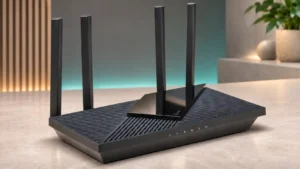
The black design is compact and functional; some like its finish, while others find it visually uninspiring.
ARRIS SURFboard G20No score yet
Ethernet port design
TP-Link Archer AX55No score yet
ARRIS SURFboard G20
1.0
One unit failed to negotiate an Ethernet link automatically, even at lower speeds.