Compare Samsung QN900F 8K vs Samsung QN990F 8K

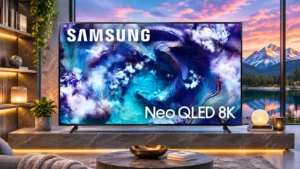
Samsung QN900F 8K

Samsung QN900F 8K

Overall score 4.2 / 5

Based on 13 scored reviews

vs
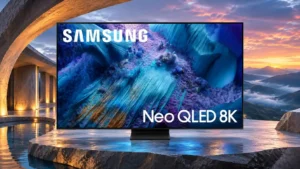
Samsung QN990F 8K

Samsung QN990F 8K

Overall score 3.8 / 5

Based on 16 scored reviews

How we score

Scorata scores summarize analyzed review evidence on a 1–5 scale; they are not laboratory measurements or a simple average of customer star ratings. Feature scores summarize the reviews covering that feature. The overall score averages feature scores within each review, then combines review averages. When both expert and customer evidence are available, those two groups receive equal weight. Products can have different review coverage, so small score gaps do not establish a winner.

Recommendations prioritize important features for the category, with a score of at least 3.5, a gap of at least 0.25 points and at least two supporting reviews per product. Features with widely varying scores or broad connectivity contexts are excluded from recommendations. These safeguards do not establish statistical significance.

Quick verdict

What each product is best for

The review evidence points to a tradeoff: picture quality and motion handling versus bezel size and cable management. Choose according to which strengths matter more to you; the overall score alone does not settle that choice.

Choose Samsung QN900F 8K for picture quality and motion handling.

Choose Samsung QN990F 8K for bezel size and cable management.

Why these recommendations?

Samsung QN900F 8K

Where It Has the Edge

  • picture quality is 4.6 vs 4.1. Bright, colorful pictures and impressive detail define its appeal. HDR consistency, haloing and the value of stepping beyond...
  • motion handling is 3.6 vs 2.3. Motion can look fluid with the right settings, especially at high refresh rates. Default film processing and slower...
  • gaming performance is 4.8 vs 2.3. Low input lag, 4K high-refresh gaming and 8K clarity create a compelling big-screen gaming experience. Slower 60Hz motion...

Samsung QN990F 8K

Where It Has the Edge

  • bezel size is 5.0 vs 3.3. Extremely thin borders make the screen feel expansive and contribute to its sleek flagship appearance.
  • cable management is 5.0 vs 3.6. The separate wireless input box makes a sleek, almost cable-free screen possible. The television still requires power, and...
  • stand quality is 4.5 vs 3.6. The centered metal stand looks premium and supports the large screen securely. Its compact design helps fit into...
Samsung QN900F 8K 4.2 overall score
Samsung QN990F 8K 3.8 overall score

Compare features

Scores are out of 5. Missing scores mean missing review evidence, not a missing feature.

Scored on both products

Performance

Picture quality
Samsung QN900F 8K
4.6

Bright, colorful pictures and impressive detail define its appeal. HDR consistency, haloing and the value of stepping beyond 4K draw more divided assessments.

Samsung QN990F 8K
4.1

The QN990F can look crisp, colorful and impactful, especially with good sources. Color accuracy, motion artifacts and occasional backlight halos prevent an unqualified flagship-level verdict.

Overall image accuracy
Samsung QN900F 8K
4.8

Picture accuracy improves substantially when correctly calibrated, with finely balanced tones and impressive detail. The more vivid presets emphasize spectacle over strict accuracy.

Samsung QN990F 8K
2.0

The HDR picture needs calibration to correct a warm white balance and mapping errors. The tuned result is far better than the default.

Gaming performance
Samsung QN900F 8K
4.8

Low input lag, 4K high-refresh gaming and 8K clarity create a compelling big-screen gaming experience. Slower 60Hz motion and a 60Hz ceiling at 8K are the chief caveats.

Samsung QN990F 8K
2.3

Strong 8K and high-refresh-rate capabilities promise impressive gaming visuals, but wireless latency and occasional severe motion artifacts undermine the experience. Direct HDMI helps, with only one low-lag input available.

White balance accuracy
Samsung QN900F 8K
4.0

Whites and neutral tones are generally well controlled, particularly after calibration. Some out-of-box settings show a slightly warm or otherwise imperfect balance.

Samsung QN990F 8K
2.0

Default white balance tends too warm, especially in lighter grays, and is much better after calibration.

Local dimming performance
Samsung QN900F 8K
4.4

Local dimming usually maintains punchy contrast with little visible backlight distraction. A few assessments find its control less precise than the hardware promises.

Samsung QN990F 8K
2.8

The backlight generally deepens black levels and controls contrast well. Abrupt scene changes and moving bright objects sometimes reveal pumping and slow zone transitions.

Color accuracy
Samsung QN900F 8K
4.3

Many modes produce appealing, reasonably accurate colors, especially Filmmaker Mode. Other measurements detect white-balance and skin-tone errors that may warrant adjustment.

Samsung QN990F 8K
2.8

Uncalibrated white balance and picture tones draw criticism, particularly in SDR and HDR default modes. Careful calibration can make a major improvement, though quick phone calibration is less reliable.

Bass performance
Samsung QN900F 8K
3.2

Bass has some usable punch for television speakers but cannot deliver the deepest cinematic rumbles. A soundbar or subwoofer improves the foundation.

Samsung QN990F 8K
2.0

The integrated audio remains relatively light on deep bass despite generally clear and balanced sound.

Audio passthrough
Samsung QN900F 8K
2.0

Some multi-channel passthrough formats are limited to fewer channels than enthusiasts may expect, especially with non-PC sources.

Samsung QN990F 8K
3.0

Dolby-based formats are well covered, but DTS and universal LPCM 7.1 passthrough are missing or restricted.

On-screen game visibility tools
Samsung QN900F 8K
4.9

Crosshairs, shadow-brightening and minimap magnification provide useful in-game shortcuts, especially for action games.

Samsung QN990F 8K
4.0

Game Bar includes quick-access aids such as a virtual aiming point and minimap zoom, useful for configuring play.

Peak brightness
Samsung QN900F 8K
4.8

The QN900F can reach exceptionally high brightness, helping bold highlights and sunlit scenes retain impact. Some demanding real-world HDR scenes do not exploit its full measured potential.

Samsung QN990F 8K
3.9

Highlights can look dazzling and the screen handles plenty of daylight. Some picture presets are surprisingly dim for an expensive Mini LED flagship, and several alternatives measure brighter.

HDR performance
Samsung QN900F 8K
4.4

HDR movies often look vivid, dynamic and richly saturated. Highlight rendering, blooming and dark-scene tone mapping are not equally convincing in every scene.

Samsung QN990F 8K
3.6

Bright, saturated highlights provide impressive HDR moments. Out-of-box color accuracy, some dark-scene blooming and the lack of Dolby Vision limit fidelity.

Soundstage
Samsung QN900F 8K
4.7

An expansive soundstage can extend beyond the TV's edges and even add a sense of height. It does not always project as far into the room as a dedicated system.

Samsung QN990F 8K
4.0

Audio processing spreads sound surprisingly widely for such a thin panel.

Soundbar clearance
Samsung QN900F 8K
4.2

Two height settings usually leave useful clearance for a soundbar. One setup assessment warns that some models may still sit too tall.

Samsung QN990F 8K
3.5

The central stand leaves ample clearance for many soundbars, but one setup found its height insufficient for taller models.

HDR brightness
Samsung QN900F 8K
4.6

HDR highlights can be spectacularly bright and punchy, especially in vivid material. A more critical assessment finds occasional scenes dimmer than expected despite impressive test-pattern results.

Samsung QN990F 8K
4.0

Highlights can be spectacularly bright, even if some scenes and presets fall below the output expected from a costly flagship.

Art display mode
Samsung QN900F 8K
4.6

Art Mode and the matte display can make the screen resemble framed artwork when it is not showing TV. The visual effect is a genuine lifestyle selling point.

Samsung QN990F 8K
4.0

Art Mode makes the TV more pleasant when nothing is playing by showing artwork or subtly animated scenes.

Daytime viewing performance
Samsung QN900F 8K
4.8

The high light output and matte finish make daytime viewing unusually easy. The coating can still wash out blacks when strong ambient light spreads across the screen.

Samsung QN990F 8K
5.0

The combination of high screen brightness and anti-reflective coating keeps most programs visible even with plenty of light in the room.

Dark-room performance
Samsung QN900F 8K
3.8

Dark-room contrast can be excellent for a Mini LED TV, with inky blacks and vivid highlights. Haloing and occasional buried shadow detail keep it from OLED-style precision.

Samsung QN990F 8K
4.0

Deep Mini LED blacks make controlled-light viewing enjoyable, but visible blooming around highlights and subtitles can spoil difficult shots.

SDR brightness
Samsung QN900F 8K
4.9

SDR brightness is exceptionally strong, so regular channels, menus and sports remain visible with daytime sunlight in the room.

Samsung QN990F 8K
4.7

Standard-range content can be incredibly bright, allowing comfortable daytime viewing. Some sports settings are less luminous but remain adequate.

Noise reduction
Samsung QN900F 8K
3.2

Compression noise is reduced reasonably well, but processing sometimes removes fine texture alongside artifacts. Manual settings may help avoid overprocessed material.

Samsung QN990F 8K
3.0

Low-bitrate video keeps much of its detail, but blocky compression artifacts are only partly smoothed away.

Q-Symphony soundbar integration
Samsung QN900F 8K
4.6

Compatible Samsung soundbars can work with the TV's own speakers through Q-Symphony for a larger, more integrated soundstage.

Samsung QN990F 8K
4.8

Compatible Samsung soundbars can play in tandem with the TV speakers, yielding a broader, clearer, more immersive presentation. This is one of the strongest audio-related advantages.

Contrast ratio
Samsung QN900F 8K
4.4

Its local dimming creates strong LCD contrast, often with impressively deep blacks. Small bright details and ambient light can expose limitations compared with better Mini LED or OLED sets.

Samsung QN990F 8K
4.2

The Mini LED backlight creates satisfying separation between bright highlights and dark backgrounds. Some difficult scenes still expose haloing.

Sound quality
Samsung QN900F 8K
4.2

The built-in audio often sounds fuller and more spacious than expected for a thin TV. Critical listeners still find limited bass weight, projection or volume.

Samsung QN990F 8K
4.1

The built-in speakers sound clearer, fuller and louder than many TV systems, making everyday viewing pleasant without a soundbar. Deep bass and full cinematic impact remain limited.

Picture detail
Samsung QN900F 8K
4.9

Fine textures and edges can look stunningly crisp, particularly with native 8K material. Strong upscaling also makes ordinary 4K sources appear impressively detailed.

Samsung QN990F 8K
5.0

Fine uniforms, sharp outlines and intricate textures look especially impressive with good HD and 4K sources.

Picture mode tuning
Samsung QN900F 8K
4.0

Movie, Standard and Filmmaker presets offer distinct looks, and modest adjustments can tame overly aggressive processing.

Samsung QN990F 8K
4.0

The picture menu offers plenty of adjustment, including ways to improve dim Filmmaker Mode and restrain overly vivid AI output.

Other features

Motion handling
Samsung QN900F 8K
3.6

Motion can look fluid with the right settings, especially at high refresh rates. Default film processing and slower 60Hz transitions generate notable complaints.

Samsung QN990F 8K
2.3

Motion is a weak spot: blur, judder, ghosting and poor edge definition appear in difficult content. Picture controls can alleviate some problems without eliminating them.

Input lag
Samsung QN900F 8K
5.0

Input response is repeatedly praised as quick and competitive, even while upscaling games to the 8K screen. It feels snappy with modern consoles and capable PCs.

Samsung QN990F 8K
1.6

The Wireless One Connect box introduces a conspicuous delay for gaming and mouse movement. A direct Micro HDMI connection substantially improves responsiveness, but there is only one such input.

Ease of use
Samsung QN900F 8K
4.5

The interface and setup are generally easy to use once configured, although deeper picture settings can take practice.

Samsung QN990F 8K
2.7

Tizen can respond quickly, but some find its layers of suggestions and settings unnecessarily complicated. Comfort with smart-TV menus makes a difference.

Content recommendations
Samsung QN900F 8K
4.6

Recommendations learn what household members watch and can offer useful suggestions from the many available apps.

Samsung QN990F 8K
2.0

Tizen presents a large volume of suggested programming, and the crowded rows can make finding a particular app less convenient.

Stand stability
Samsung QN900F 8K
2.5

The narrow stand position can wobble when nudged, so a wide placement may be safer around active households.

Samsung QN990F 8K
5.0

The centered stand supports the television securely while keeping the overall silhouette clean.

Backlight strobing
Samsung QN900F 8K
4.3

Backlight strobing can sharpen moving targets for some gamers, but it dims the image and its effective refresh support is disputed across assessments.

Samsung QN990F 8K
2.0

Black-frame insertion is present, but its restriction to 60Hz makes it less flexible for fast-refresh gaming.

Image realism and naturalness
Samsung QN900F 8K
5.0

Fine 8K pixel density and natural-looking upscaling create strong depth and realism, particularly in detailed nature footage.

Samsung QN990F 8K
2.7

AI-enhanced images can appear vivid but overly processed, particularly with movies. Switching to more restrained picture modes improves naturalness.

Motion clarity
Samsung QN900F 8K
3.5

High-frame-rate action is clear and lively, but 60Hz dark transitions may blur or trail. Fast sports and games look better in some modes than others.

Samsung QN990F 8K
1.5

Slow pixel transitions create visible blur, duplication and occasional false colors behind moving objects, despite the advertised fast refresh formats.

PC text clarity
Samsung QN900F 8K
2.0

The BGR subpixel order and matte finish can make fine PC text less crisp, despite the massive resolution.

Samsung QN990F 8K
4.0

8K density can make desktop text very sharp. The BGR subpixel order and matte surface can still affect fine lettering for sensitive users.

Stand assembly
Samsung QN900F 8K
5.0

The stand components go together quickly and simply, with some feet snapping into place without tools.

Samsung QN990F 8K
3.0

Opinions on installation differ: some find the stand straightforward to attach while others liken the process to assembling a puzzle.

Gaming mode quality
Samsung QN900F 8K
4.7

Game Mode preserves much of the picture's brightness and contrast, although some content shows slightly more blooming or altered tone mapping.

Samsung QN990F 8K
3.0

Game Mode can be impressively bright, but slightly weaker dimming transitions and shadow detail affect some dark games.

Black uniformity
Samsung QN900F 8K
4.0

Dark backgrounds avoid widespread cloudiness or backlight bleed in tested conditions. Individual bright objects can still produce local halos.

Samsung QN990F 8K
2.5

The screen shows convincing dark areas, but blooming around highlights and some unevenness hold uniformity back.

High-refresh-rate gaming
Samsung QN900F 8K
4.9

4K gaming can reach up to 165Hz, giving capable PCs notably fluid movement. The advantage narrows at 60Hz and native 8K remains limited to 60Hz input.

Samsung QN990F 8K
3.4

The TV supports unusually fast gaming formats and variable refresh. Slow pixel transitions, motion duplication and wireless delay can prevent those specifications from translating into clean, responsive gameplay.

Local dimming zone transitions
Samsung QN900F 8K
3.0

Bright objects moving between dimming zones can leave a faint trail. Edges do not usually collapse in brightness, but the transition is not perfectly clean.

Samsung QN990F 8K
1.5

Backlight zones sometimes respond too slowly to moving objects or scene cuts, creating dark leading edges, trailing halos and distracting brightness shifts.

Cable management
Samsung QN900F 8K
3.6

Rear tracks and clips can help keep wires tidy, but the lack of a separate One Connect box leaves more cables at the screen.

Samsung QN990F 8K
5.0

The separate wireless input box makes a sleek, almost cable-free screen possible. The television still requires power, and some soundbar installations bring cables back into the room.

Blooming control
Samsung QN900F 8K
3.9

Blooming is restrained in much everyday content, but small bright objects, subtitles and off-angle scenes can reveal obvious halos. Performance is less consistent than an OLED's.

Samsung QN990F 8K
2.7

Mini LED dimming delivers convincing blacks in many scenes but can show halos around subtitles, bright objects and challenging night sequences. Moving highlights may also reveal distracting backlight transitions.

Low-resolution content handling
Samsung QN900F 8K
4.2

HD streams and even rougher material look surprisingly clean after processing. Standard-definition video still loses detail, and noise removal can occasionally soften fine textures.

Samsung QN990F 8K
3.0

HD and lower-quality videos retain useful detail after processing but can still show macroblocking, softness and color banding on the enormous 8K screen.

Calibration options
Samsung QN900F 8K
4.8

Calibration controls make it possible to refine the already strong picture accuracy. Enthusiasts can get very close to the intended color and grayscale targets.

Samsung QN990F 8K
3.7

The TV offers powerful adjustment routes, and a full calibration can correct much of its inaccurate default picture. Quick smartphone calibration does not always produce dependable results.

Resolution
Samsung QN900F 8K
4.6

Native 8K footage looks strikingly detailed and lifelike, with benefits most apparent on large screens or from close seats. The shortage of native material still limits how often that resolution can shine.

Samsung QN990F 8K
3.6

The 8K panel provides superb fine detail with suitable sources. On ordinary viewing distances and available content, the practical advantage over premium 4K sets is debatable.

Response time
Samsung QN900F 8K
3.0

Response times are respectable for a premium LCD at high refresh rates, though dark transitions and 60Hz motion are slower than OLED.

Samsung QN990F 8K
2.0

Many transitions take multiple frames to complete, so fast movement can leave blur and temporary color doubling.

Screen coating clarity
Samsung QN900F 8K
2.0

The matte finish slightly softens pixel edges and can create a hazy appearance. That compromise is especially noticeable to those buying 8K for absolute clarity.

Samsung QN990F 8K
3.0

The matte layer suppresses reflections remarkably well but can lend fine pixels a slightly hazy appearance.

Stand quality
Samsung QN900F 8K
3.6

Adjustable feet provide welcome placement flexibility, although some dislike their plastic appearance or narrow-position stability.

Samsung QN990F 8K
4.5

The centered metal stand looks premium and supports the large screen securely. Its compact design helps fit into high-end entertainment setups.

Color gamut
Samsung QN900F 8K
4.3

Wide-gamut HDR colors appear vibrant, although coverage falls short of some premium rivals. Results depend on which color space and picture preset are used.

Samsung QN990F 8K
3.4

HDR color coverage is good, but reviewers highlight limitations in brighter saturated tones and competitive alternatives with wider reach.

Motion artifacts
Samsung QN900F 8K
2.3

Aggressive smoothing can produce halos, flicker or smudges around moving subjects. Reducing the default processing helps keep motion natural.

Samsung QN990F 8K
1.3

Certain games and moving edges reveal severe green-purple color fringing or image duplication. The issue is not universal, but it is distracting when triggered.

HDMI port accessibility
Samsung QN900F 8K
2.3

Rear-mounted recessed connections can be frustrating to reach when the TV is close to a wall.

Samsung QN990F 8K
3.0

Most HDMI sockets are conveniently grouped on the separate box. The one low-latency connection sits behind the panel and uses the less familiar Micro HDMI format.

Motion interpolation
Samsung QN900F 8K
2.9

Optional smoothing can make low-frame-rate footage noticeably more fluid. The default strength often introduces halos, artificial movement or other distracting artifacts.

Samsung QN990F 8K
3.7

Interpolation smooths many scenes and can reduce judder. Aggressive AI smoothing can introduce an obvious soap-opera look.

Overall satisfaction
Samsung QN900F 8K
4.4

The QN900F impresses with razor-sharp 8K pictures, glare control and responsive gaming, but its premium price divides opinion. Some find its all-round performance worth paying for, while others prefer top 4K rivals.

Samsung QN990F 8K
3.7

This is a striking flagship with unusually ambitious features, but the enthusiastic reactions are tempered by input lag, picture-processing flaws and premium pricing. Its appeal depends heavily on installation priorities.

Black levels
Samsung QN900F 8K
4.2

Black backgrounds can look nearly OLED-like in favorable scenes. Raised blacks in bright rooms and light bleeding around tiny highlights prevent consistently perfect darkness.

Samsung QN990F 8K
3.5

Local dimming makes dark areas appear deep in controlled light. A bright room can make the matte-coated screen look gray instead of black.

Color volume
Samsung QN900F 8K
4.8

HDR color is often richly saturated even at high brightness, producing a vivid, dimensional picture. More demanding color-volume measurements are not unanimously exceptional.

Samsung QN990F 8K
4.3

HDR colors are often vivid and well saturated, especially in dark scenes. SDR saturation is less consistent, with some bright shades losing richness.

Shadow detail
Samsung QN900F 8K
3.3

Dark scenes retain plenty of depth but can swallow faint stars and shadow details. A small Shadow Detail adjustment helps recover some lost information.

Samsung QN990F 8K
2.8

Fine near-black detail can look excellent, but dark shots and aggressive backlighting sometimes crush information. Certain modes improve visibility at the expense of deep blacks.

Upscaling quality
Samsung QN900F 8K
5.0

Upscaling is one of the QN900F's standout strengths: 4K and HD content gains texture and clarity without much artificial sharpening. Very weak sources remain visibly softer.

Samsung QN990F 8K
4.4

Most 4K material looks exceptionally sharp when expanded to the 8K panel. HD, SD and older material can still reveal softness, banding or processing artifacts.

Viewing angles
Samsung QN900F 8K
3.7

Side seats are acceptable for an LCD, although color changes and halos appear at larger angles. Looking down from above the screen can be especially unflattering.

Samsung QN990F 8K
4.3

Some viewers found colors and contrast strong even from side seats; others saw noticeable fading at moderate angles. Seating position still matters for the best picture.

AI Game Mode optimization
Samsung QN900F 8K
4.5

Automatic game recognition can select relevant picture settings without manual changes. One demonstration switched successfully between sports and shooter presets.

Samsung QN990F 8K
4.0

Automatic genre detection can set up an attractive game picture without laborious manual tweaking.

Free streaming channels
Samsung QN900F 8K
4.5

Free live channels provide useful extra entertainment without another subscription.

Samsung QN990F 8K
5.0

Samsung TV Plus provides a welcome collection of channels without an extra subscription.

Gradient handling
Samsung QN900F 8K
2.5

Gradients are a weak point: smooth color transitions can break into visible bands, particularly in blue skies and pale tones.

Samsung QN990F 8K
2.0

Bright gradients can break into visible bands instead of blending smoothly.

HDMI 2.1 port count
Samsung QN900F 8K
4.5

Four high-capacity HDMI inputs make the QN900F versatile with consoles, PCs and home theater gear.

Samsung QN990F 8K
5.0

Four HDMI 2.1 connections on the wireless box provide flexibility for sources, but only one direct Micro HDMI path avoids wireless lag.

Screen uniformity
Samsung QN900F 8K
2.5

Gray fields may reveal bands, tinting and unevenness, especially across the center or edges. Panel variation could matter for demanding content.

Samsung QN990F 8K
3.0

Some grid structure and central discoloration may show in broad, even-toned images, though ordinary programs often disguise them.

Wall-mount compatibility
Samsung QN900F 8K
4.3

Its slim, flat rear and frame-like front make wall mounting appealing. Access to recessed ports requires forethought.

Samsung QN990F 8K
4.8

The thin chassis and wireless source box are especially well suited to neat wall installations. Only the power connection must reach the display itself.

Gaming dashboard
Samsung QN900F 8K
4.6

The Game Bar conveniently gathers input information and game-specific adjustments, including aiming and minimap tools.

Samsung QN990F 8K
5.0

Game Bar brings refresh information and graphics tools into one place, making advanced gaming controls easy to inspect.

AI scene optimization
Samsung QN900F 8K
3.2

Automatic scene adjustments can be useful after tuning, but overly forceful defaults may distort skin tones, highlights and motion.

Samsung QN990F 8K
3.5

Adaptive picture modes can add welcome brightness and punch, particularly with sports. Films sometimes look exaggerated or artificial, making the option best treated as adjustable rather than always on.

Off-axis color shift
Samsung QN900F 8K
2.3

Colors and contrast hold reasonably well from moderate side angles, but more extreme positions introduce shifts; one assessment highlights severe distortion from above.

Samsung QN990F 8K
2.0

Colors start to fade or wash out when viewed at a moderate angle away from the screen center.

Banding control
Samsung QN900F 8K
2.3

Banding can appear across several colors despite the otherwise rich HDR image. It stands out most in bright blue areas.

Samsung QN990F 8K
2.0

Visible steps in bright gray gradients are an image-quality weakness, especially on demanding transitions.

Reflection handling
Samsung QN900F 8K
4.7

The matte coating suppresses direct mirror-like reflections extraordinarily well. It can spread strong light into a wider haze and reduce apparent contrast.

Samsung QN990F 8K
4.4

Direct reflections are unusually well controlled, with bright lamps often almost disappearing. The diffuse haze caused by scattered room light can still affect contrast.

Variable refresh rate
Samsung QN900F 8K
4.9

Variable refresh rate helps games stay fluid and largely tear-free even when the frame rate changes. It works across a broad range of sources.

Samsung QN990F 8K
5.0

Compatibility with major VRR systems is a gaming strength, helping maintain smoother frame pacing across changing loads.

8K content availability
Samsung QN900F 8K
1.6

Native 8K shows and movies remain difficult to find, making the format a costly bet on future content. Upscaled 4K and HD will provide most of the QN900F's everyday viewing.

Samsung QN990F 8K
1.7

There is little native 8K entertainment to make full use of the panel. A handful of demos and compatible games stand out, but almost everything else must be upscaled.

Glare resistance
Samsung QN900F 8K
4.7

Its glare-free surface is a major reason to consider the TV in a sunny room. Some prefer a glossy screen because the matte layer trades a little clarity and black depth for reflection control.

Samsung QN990F 8K
4.8

The matte Glare Free panel dramatically cuts reflections from windows and lamps. That advantage is substantial in bright spaces, though scattered light can make dark scenes look grayer.

Dialogue clarity
Samsung QN900F 8K
4.3

Voices generally sound clear and well positioned on screen, aided by enhancement features. Some measurements expose a mild treble dip affecting intelligibility.

Samsung QN990F 8K
4.3

Speech is consistently clear and intelligible. Voice enhancement and compatible Q-Symphony speakers can improve it further.

Advertising intrusiveness
Samsung QN900F 8K
2.0

Tizen's persistent promotions are a distraction for viewers who want a cleaner home screen.

Samsung QN990F 8K
2.0

Promotions are integrated throughout Tizen, and targeted ads can be reduced but not removed entirely.

AI artwork generation
Samsung QN900F 8K
4.0

Generative art features offer another way to personalize the screen's look, although practical enthusiasm is less established than for its core art modes.

Samsung QN990F 8K
4.0

Generative art and wallpapers offer creative ways to use the screen between programs. Their appeal is more decorative than essential to picture performance.

Auto low-latency mode
Samsung QN900F 8K
5.0

Automatic low-latency switching removes the need to hunt through settings whenever a supported console starts a game.

Samsung QN990F 8K
5.0

Automatic game detection enables low-latency mode without making players navigate the picture settings first.

Flicker control
Samsung QN900F 8K
2.0

Backlight flicker may bother particularly sensitive viewers even when picture quality otherwise looks excellent.

Samsung QN990F 8K
2.0

The PWM backlight can bother flicker-sensitive viewers, with frequency varying by picture mode and brightness settings.

Maximum volume
Samsung QN900F 8K
4.0

The speakers carry many action scenes convincingly, but maximum loudness is not especially high in every assessment.

Samsung QN990F 8K
4.0

The speakers can play loudly enough to fill a typical room without straining ordinary viewing.

Speaker quality
Samsung QN900F 8K
4.0

Speaker quality ranges from adequate to surprisingly engaging, depending on expectations. The internal system is not a complete replacement for dedicated theater speakers.

Samsung QN990F 8K
4.0

Built-in speakers deliver clear, adequately full sound for everyday use without making a soundbar mandatory.

VRR range
Samsung QN900F 8K
5.0

The wide VRR range and low-frame-rate compensation keep gameplay steadier when performance fluctuates.

Samsung QN990F 8K
5.0

The unusually broad VRR range supports low-frame-rate compensation and reduces tearing when frame rates fluctuate.

Ownership and support

Setup ease
Samsung QN900F 8K
5.0

Hardware and on-screen setup are generally straightforward and quick. The main annoyance is the Samsung account step.

Samsung QN990F 8K
2.0

The component-rich, upright assembly can be cumbersome for a big-screen installation despite a tidy final appearance.

HDR format support
Samsung QN900F 8K
2.5

HDR10+ is available, but the missing Dolby Vision format limits versatility with certain sources and gaming systems.

Samsung QN990F 8K
1.5

HDR10+ is supported, but the absence of Dolby Vision limits playback options for some premium movies and games.

Value for money
Samsung QN900F 8K
2.7

The 8K premium is hard to ignore, particularly with so little native content available. Its huge-screen detail and bright-room performance win admirers, but several high-end 4K TVs compete strongly for less.

Samsung QN990F 8K
1.8

The substantial price is difficult to justify with so little native 8K content and strong 4K rivals. Its value is strongest when cable-free source placement or 8K experimentation is a priority.

4K at 120 Hz support
Samsung QN900F 8K
5.0

Modern consoles can use 4K at 120Hz with responsive Game Mode and VRR. Higher PC rates are supported at 4K as well.

Samsung QN990F 8K
4.5

Modern 4K/120Hz sources are fully supported, giving the TV strong compatibility with current consoles.

Cloud gaming support
Samsung QN900F 8K
4.5

The built-in gaming hub offers an accessible way to use streaming game services without connecting a console.

Samsung QN990F 8K
4.0

Popular cloud-gaming services can run directly on the television without a console, a convenient option for lighter gaming sessions.

DTS support
Samsung QN900F 8K
1.8

DTS audio tracks are unsupported, frustrating for Blu-ray collectors who rely on the format for high-quality sound.

Samsung QN990F 8K
1.5

DTS audio tracks are not supported, an unwelcome limitation for some Blu-ray collections.

Dolby Vision support
Samsung QN900F 8K
1.4

Dolby Vision playback is not available, so viewers invested in that format must use the available HDR alternatives or choose another TV.

Samsung QN990F 8K
1.6

Dolby Vision is absent, limiting support for a major premium HDR format. HDR10+ remains available, but some films and games cannot be viewed in their preferred dynamic HDR format.

4K gaming support
Samsung QN900F 8K
4.8

4K games look sharp and detailed, with support for high frame rates and modern console features. Native 8K input is more limited.

Samsung QN990F 8K
5.0

Support for modern 4K console modes is comprehensive, although wireless transport adds lag and can undermine the practical benefit.

FreeSync support
Samsung QN900F 8K
4.8

FreeSync and HDMI VRR support help compatible consoles and PCs keep tearing under control.

Samsung QN990F 8K
5.0

Support for FreeSync Premium Pro and other VRR formats helps compatible consoles and PCs avoid visible tearing.

Dolby Atmos support
Samsung QN900F 8K
4.0

Dolby Atmos material benefits from the TV's upward-firing speakers and spatial processing. A full theater system can create a stronger overhead effect.

Samsung QN990F 8K
4.0

Atmos support brings a sense of height to the built-in sound and allows compatible wireless soundbar playback, although lossless Atmos still requires a wired path.

Comfort and build

Bezel size
Samsung QN900F 8K
3.3

The visible chamfered frame suits artwork but is more substantial than typical high-end TV bezels. Opinions differ on whether that is stylish or distracting.

Samsung QN990F 8K
5.0

Extremely thin borders make the screen feel expansive and contribute to its sleek flagship appearance.

Design and appearance
Samsung QN900F 8K
4.2

Its brushed-metal, picture-frame styling looks premium and doubles as decorative display furniture. The thicker border and two simple feet are less sleek than Samsung's older flagships.

Samsung QN990F 8K
4.8

The minimalist, near-borderless metal design repeatedly wins praise. Its slim, uniform silhouette can look almost like a floating picture on a stand or wall.

Build quality
Samsung QN900F 8K
4.5

Metal accents help the set feel solid and well finished, with no major assembly defects highlighted.

Samsung QN990F 8K
5.0

The sturdy construction and premium metal stand convey the finish expected of a flagship. Some flex in the rear panel is a minor compromise.

Controls and connectivity

Smart TV platform
Samsung QN900F 8K
4.3

Samsung's Tizen platform has broad apps, gaming shortcuts and thoughtful recommendations. Some find navigation busy or occasionally sluggish, and sign-in requirements frustrate others.

Samsung QN990F 8K
2.7

Tizen is capable and responsive, but its promotional tiles and crowded menus are repeatedly criticized. It rewards users who already know the ecosystem.

Dialogue voice enhancement control
Samsung QN900F 8K
5.0

Voice-boosting tools help speech remain clear when music or background noise competes with it.

Samsung QN990F 8K
4.0

AI-driven dialogue boosting can make speech easier to follow, although the baseline speaker clarity is already good.

Picture settings menu flexibility
Samsung QN900F 8K
3.0

Deep picture menus give enthusiasts substantial control, though finding the right setting can require patience.

Samsung QN990F 8K
4.0

Smaller floating settings panels let users tweak picture controls without covering as much of the program.

Software updates
Samsung QN900F 8K
4.0

The prospect of long-term Tizen updates adds reassurance, although software changes can remain a concern.

Samsung QN990F 8K
5.0

The extended software-update commitment offers welcome longevity and security maintenance for the smart-TV platform.

Operating system speed
Samsung QN900F 8K
3.7

Menus can feel very quick and polished, but intermittent slowdowns have also been observed.

Samsung QN990F 8K
4.5

Tizen responds quickly to commands and launches apps smoothly, although speed does not solve the complaints about its busy layout.

Tone mapping
Samsung QN900F 8K
3.8

Tone mapping can preserve highlights and natural midtones, but aggressive options sacrifice accuracy for extra brightness. Some scenes look darker or more processed than intended.

Samsung QN990F 8K
3.0

Static tone mapping better preserves the intended image, while active mapping boosts brightness at the cost of some accuracy and subtlety.

App selection
Samsung QN900F 8K
4.7

App coverage is extensive, with the main entertainment services easy to find. Regional platform omissions remain possible.

Samsung QN990F 8K
4.0

A broad range of major streaming, music and gaming services is available through Tizen.

App performance
Samsung QN900F 8K
4.5

Navigation and app selection generally feel snappy, avoiding excessive delays between common actions.

Samsung QN990F 8K
5.0

Streaming apps and TV menus generally feel fast and smooth in use.

Smart home integration
Samsung QN900F 8K
4.0

SmartThings and other integrations add appeal to a connected Samsung household with compatible devices.

Samsung QN990F 8K
4.5

SmartThings and related controls add useful connected-home conveniences beyond ordinary streaming.

Menu responsiveness
Samsung QN900F 8K
3.8

The reorganized home screen and quick settings make many tasks easier. Not every option is intuitive, and the picture controls can still feel buried.

Samsung QN990F 8K
4.0

Menu interaction is fast and fluid, even if Tizen presents more options and promotions than some users want.

HDR tone mapping accuracy
Samsung QN900F 8K
4.0

HDR brightness tracking is usually steady, with convincing near-black and highlight information. A few dark midtones remain lower than ideal.

Samsung QN990F 8K
4.0

The HDR tracking curve is notably accurate in the important near-black range, although peak highlights can run slightly brighter than intended.

Tracking and training

Object Tracking Sound
Samsung QN900F 8K
5.0

Audio effects and voices move convincingly with on-screen action, helping the built-in system sound more immersive and precise.

Samsung QN990F 8K
4.3

Sound effects and voices can follow the action across the display, adding convincing height and placement for built-in audio.

Battery and charging

Solar remote charging
Samsung QN900F 8K
4.3

The rechargeable solar remote is convenient and can be topped up by USB-C rather than replacing batteries.

Samsung QN990F 8K
4.0

The slim remote can recharge from ambient light or USB-C. It is handy, although the minimalist button layout may slow some common actions.

Evidence available for one product

Ownership and support

Reliability
Samsung QN900F 8KNo score yet
Samsung QN990F 8K
4.0

The LCD architecture carries low risk of burn-in and several common panel failures, though component failure remains possible over time.

8K codec support
Samsung QN900F 8KNo score yet
Samsung QN990F 8K
2.0

Support for possible future 8K compression standards is uncertain, adding to the format's limited long-term certainty.

AirPlay support
Samsung QN900F 8K
4.5

AirPlay makes sharing compatible device content straightforward.

Samsung QN990F 8KNo score yet
EARC support
Samsung QN900F 8K
4.5

The eARC connection offers a straightforward route to pairing a modern theater soundbar.

Samsung QN990F 8KNo score yet
HDMI 2.1 support
Samsung QN900F 8KNo score yet
Samsung QN990F 8K
5.0

High-bandwidth HDMI connections support demanding resolution and refresh-rate combinations, including 8K and high-refresh 4K.

Large-screen value
Samsung QN900F 8K
3.8

Large screen sizes make the extra fine detail easier to appreciate, but the price still deserves comparison against bigger 4K sets.

Samsung QN990F 8KNo score yet
Tuner support
Samsung QN900F 8K
4.0

The North American tuner adds useful support for modern over-the-air broadcasting where services are offered.

Samsung QN990F 8KNo score yet
Wireless One Connect setup complexity
Samsung QN900F 8KNo score yet
Samsung QN990F 8K
2.5

Some installations are clean and straightforward, while others require managing two boxes and separate power sources. It is not as effortless as the cable-free marketing might suggest.

Other features

Accessibility features
Samsung QN900F 8K
4.0

Resizing menus and adjusting transparency give useful flexibility for people who need clearer or more accessible controls.

Samsung QN990F 8KNo score yet
Account requirements
Samsung QN900F 8K
1.8

Account registration is a nuisance for buyers who want to launch streaming apps immediately without signing in.

Samsung QN990F 8KNo score yet
Ambient Experience
Samsung QN900F 8K
5.0

The matte surface and deep library of ambient visuals help the QN900F serve as decoration between viewing sessions.

Samsung QN990F 8KNo score yet
Art catalog browsing
Samsung QN900F 8KNo score yet
Samsung QN990F 8K
4.0

The art interface offers numerous works to explore, including animated scenes that make the idle screen feel more decorative.

Auto HDR Remastering
Samsung QN900F 8KNo score yet
Samsung QN990F 8K
3.0

The SDR-to-HDR enhancement can make highlights punchier, but the outcome varies by content and often looks more natural when turned off.

Built-in speaker surround immersion
Samsung QN900F 8K
5.0

Object-based audio adds a convincing surround-like spread to films and effects without external speakers. A true surround setup remains a step up.

Samsung QN990F 8KNo score yet
Burn-in resistance
Samsung QN900F 8KNo score yet
Samsung QN990F 8K
5.0

The LCD design eliminates permanent OLED-style image retention, a useful reassurance for static interface use.

Chassis thickness
Samsung QN900F 8KNo score yet
Samsung QN990F 8K
5.0

The ultra-thin, even chassis is a standout styling achievement. It helps the television sit close to a wall without bulky rear-mounted connections.

Color Booster Pro
Samsung QN900F 8KNo score yet
Samsung QN990F 8K
3.0

Color Booster Pro can make colors pop, but the extra saturation sometimes looks excessive.

Device compatibility
Samsung QN900F 8K
4.0

Phone setup works on both iOS and Android, though the connection feels most seamless with Samsung devices.

Samsung QN990F 8KNo score yet
Dirty screen effect
Samsung QN900F 8K
2.0

Dirty-screen marks and vertical bands can be visible on uniform gray backgrounds, making some sports camera pans less clean.

Samsung QN990F 8KNo score yet
Distortion control
Samsung QN900F 8K
4.3

Even demanding bass passages generally avoid major buzzes or crackling, though the lowest frequencies can sound confined.

Samsung QN990F 8KNo score yet
External power dependence
Samsung QN900F 8KNo score yet
Samsung QN990F 8K
2.0

Wireless inputs do not mean a cordless television: both the panel and input box need power. The extra cable and outlet may complicate otherwise minimalist setups.

Filmmaker Mode availability
Samsung QN900F 8KNo score yet
Samsung QN990F 8K
2.0

Filmmaker Mode is available, but its unusually dark picture and reduced shadow detail are disappointing under some room lighting.

HDR highlight detail
Samsung QN900F 8KNo score yet
Samsung QN990F 8K
5.0

Small bright objects can look vivid and lifelike, with punchy light and color preserved in well-mastered HDR content.

HGiG game HDR calibration
Samsung QN900F 8KNo score yet
Samsung QN990F 8K
1.0

A firmware change disrupted HGiG handling, leaving some games with incorrect HDR brightness until corrected.

Image scaling
Samsung QN900F 8K
4.9

The picture processor makes an effective bridge between common 4K material and the screen's much higher pixel count. Fine detail generally stays natural rather than exaggerated.

Samsung QN990F 8KNo score yet
Judder handling
Samsung QN900F 8K
3.8

Judder can be moderated through custom Picture Clarity controls. Some motion-sensitive viewers may still notice occasional uneven pacing.

Samsung QN990F 8KNo score yet
Large-screen immersion
Samsung QN900F 8KNo score yet
Samsung QN990F 8K
5.0

Gaming on the 75-inch screen can feel spectacularly expansive, with native 8K rendering adding fine detail when the source supports it.

Live Translate usefulness
Samsung QN900F 8KNo score yet
Samsung QN990F 8K
4.0

Live caption translation is a welcome convenience for following broadcasts in other languages.

Mac integration
Samsung QN900F 8KNo score yet
Samsung QN990F 8K
2.0

Getting a Mac to output the desired 8K format is frustratingly dependent on its model and available adapters.

Near-black uniformity
Samsung QN900F 8KNo score yet
Samsung QN990F 8K
5.0

The near-black image is especially clean, without noticeable vertical banding.

Network media playback
Samsung QN900F 8KNo score yet
Samsung QN990F 8K
2.0

8K YouTube playback was unreliable in one test, with the screen blanking when the 4320p stream was selected.

Packaging and unboxing
Samsung QN900F 8K
5.0

Unboxing is smooth, and the stand legs snap into place easily without screws.

Samsung QN990F 8KNo score yet
Refresh rate
Samsung QN900F 8K
4.0

A high 4K refresh ceiling adds fluidity for capable gaming PCs, while 8K input is limited to 60Hz.

Samsung QN990F 8KNo score yet
Remote control quality
Samsung QN900F 8K
4.0

The included remotes are practical and easy to handle, although the minimalist controller has relatively few direct buttons.

Samsung QN990F 8KNo score yet
Remote control usability
Samsung QN900F 8KNo score yet
Samsung QN990F 8K
3.7

The small remote is easy to hold and has useful direct-app buttons, though its reduced button count can make rapid changes awkward.

Screen mirroring
Samsung QN900F 8K
4.5

Built-in mirroring helps move content from a phone or laptop onto the big screen without extra adapters.

Samsung QN990F 8KNo score yet
Search quality
Samsung QN900F 8K
4.7

Search and voice-assisted discovery can find programs and related content across the TV's service selection.

Samsung QN990F 8KNo score yet
Stand width
Samsung QN900F 8K
4.3

Narrow and wide mounting positions give more flexibility across different furniture widths.

Samsung QN990F 8KNo score yet
Stutter handling
Samsung QN900F 8KNo score yet
Samsung QN990F 8K
2.0

Some slow camera pans display noticeable stutter, though motion interpolation can reduce the problem.

Swivel stand functionality
Samsung QN900F 8KNo score yet
Samsung QN990F 8K
2.0

The fixed pedestal cannot rotate left or right, which limits adjustment once the television is installed.

Treble clarity
Samsung QN900F 8K
4.5

Upper frequencies usually sound detailed and smooth rather than harsh. Clear treble helps dialogue and layered sound effects stay distinct.

Samsung QN990F 8KNo score yet
USB media playback
Samsung QN900F 8KNo score yet
Samsung QN990F 8K
5.0

Native 8K demonstration footage played from USB looked exceptionally detailed, showing what the panel can do with a suitable file.

Video input versatility
Samsung QN900F 8KNo score yet
Samsung QN990F 8K
2.0

HDMI is well catered for, but desktop connections relying on DisplayPort or Thunderbolt can require awkward adapters.

Vision AI companion usefulness
Samsung QN900F 8K
4.5

Vision AI adds personalized recommendations and picture-related extras, making the interface feel more sophisticated to those who like smart-TV assistance.

Samsung QN990F 8KNo score yet
Wall flushness
Samsung QN900F 8KNo score yet
Samsung QN990F 8K
4.7

The ultra-slim panel mounts near flush to the wall, with no HDMI cable bundle running up its back. It creates an exceptionally clean installation.

Weight and handling
Samsung QN900F 8K
3.0

Larger versions are awkward to lift alone despite improvements in handling; two people make installation safer.

Samsung QN990F 8KNo score yet
Wireless One Connect compatibility
Samsung QN900F 8KNo score yet
Samsung QN990F 8K
3.4

The separate wireless input box can deliver a clean, detailed signal and remove a wall of cables. Its added latency and extra hardware make the implementation polarizing.

Wireless One Connect link stability
Samsung QN900F 8KNo score yet
Samsung QN990F 8K
4.0

A reliable picture was reported when the box stayed within its intended range, including across a room. Obstacles, longer distances and occasional video glitches complicate that success.

Wireless One Connect placement flexibility
Samsung QN900F 8KNo score yet
Samsung QN990F 8K
4.6

The wireless input box lets consoles and streaming devices sit well away from the ultra-slim screen, making minimalist layouts possible. Distance, obstacles and the need for an external power supply still matter.

Performance

AI audio processing
Samsung QN900F 8K
4.0

AI sound processing can expand the perceived soundstage and compensate for room conditions, though boosting spaciousness may reduce bass heft at high volume.

Samsung QN990F 8KNo score yet
Automatic brightness adjustment
Samsung QN900F 8K
5.0

Automatic brightness adaptation works better than in some previous Samsung TVs, adjusting to ambient light without becoming distracting.

Samsung QN990F 8KNo score yet
SDR picture performance
Samsung QN900F 8K
5.0

SDR material can look colorful, lively and accurate in the right picture mode. More aggressive settings favor impact over strict mastering accuracy.

Samsung QN990F 8KNo score yet
Spatial audio quality
Samsung QN900F 8KNo score yet
Samsung QN990F 8K
4.0

The built-in upfiring and tracking effects lend some height and positional realism, even if a separate theater system remains more immersive.

Surround sound virtualization
Samsung QN900F 8KNo score yet
Samsung QN990F 8K
4.0

Virtual surround processing helps add depth and positional direction to the built-in speakers.

Sustained brightness
Samsung QN900F 8K
4.9

Unlike many displays that dim large bright areas aggressively, the QN900F maintains strong brightness across much of the screen. This gives snowy scenes and bright sports broadcasts extra impact.

Samsung QN990F 8KNo score yet

Comfort and build

Size-specific gaming refresh limits
Samsung QN900F 8KNo score yet
Samsung QN990F 8K
2.0

The largest 98-inch version does not offer the same high-refresh gaming ceiling as the smaller models.

Controls and connectivity

SmartThings phone remote control
Samsung QN900F 8K
5.0

SmartThings provides an easy phone-based setup option alongside the included remote.

Samsung QN990F 8KNo score yet
Streaming app support
Samsung QN900F 8K
4.8

Major streaming apps run smoothly and support rich picture and sound formats when available.

Samsung QN990F 8KNo score yet
Voice assistant support
Samsung QN900F 8K
5.0

Hands-free and remote-based voice assistants make it easier to control settings without extensive menu navigation.

Samsung QN990F 8KNo score yet
Voice control accuracy
Samsung QN900F 8K
4.8

Conversational requests are handled confidently, including some unusually detailed setting controls.

Samsung QN990F 8KNo score yet

Reviews Comparing These Products

These are a few of the reviews included in our analysis.

Other Top TVs to Consider

#1 Samsung S90H
4.5

Choose the S90H for bright-room OLED viewing, deep blacks and top-tier gaming without flagship pricing. Skip it if you want Dolby Vision, a glossy screen or the simplest smart-TV software.

Pros: glare resistance, black levels

Cons: Dolby Vision support, color gamut

#2 Roku Pro Series (2025)
4.4

Best for bright Mini-LED picture, excellent built-in audio, easy Roku navigation, and responsive 4K/120 gaming. Skip it if you want ad-free menus, premium motion consistency, or stronger confidence in long-term...

Pros: overall satisfaction, picture quality

Cons: reliability, portability and versatility

#3 TCL QM8L
4.4

Choose the QM8L for a big, brilliantly bright TV with vivid HDR, deep mini-LED blacks, low input lag, and four HDMI 2.1 ports. Skip it if you need OLED-clean motion,...

Pros: picture quality, value for money

Cons: stand quality, judder handling

#4 LG G6
4.4

Choose the G6 for class-leading bright-room OLED picture, rich color, deep blacks and elite gaming. Skip it if you want strong built-in audio, polished launch firmware, no account sign-in, or...

Pros: picture quality, peak brightness

Cons: value for money, sound quality