Scorata scores summarize analyzed review evidence on a 1–5 scale; they are not laboratory measurements or a simple average of customer star ratings. Feature scores summarize the reviews covering that feature. The overall score averages feature scores within each review, then combines review averages. When both expert and customer evidence are available, those two groups receive equal weight. Products can have different review coverage, so small score gaps do not establish a winner.
Recommendations prioritize important features for the category, with a score of at least 3.5, a gap of at least 0.25 points and at least two supporting reviews per product. Features with widely varying scores or broad connectivity contexts are excluded from recommendations. These safeguards do not establish statistical significance.
Quick verdict
What each product is best for
The review evidence points to a tradeoff: PC text clarity and high-refresh-rate gaming versus image processing and HDR tone mapping accuracy. Choose according to which strengths matter more to you; the overall score alone does not settle that choice.
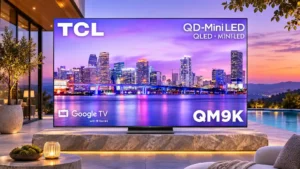
Choose TCL QM9K for PC text clarity and high-refresh-rate gaming.
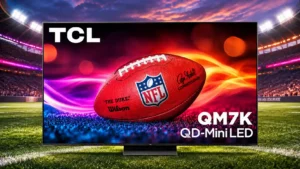
Choose TCL QM7K for image processing and HDR tone mapping accuracy.
Why these recommendations?
TCL QM9K
Where It Has the Edge
PC text clarity is 5.0 vs 2.0. PC text benefits from the regular RGB subpixel layout and high-bandwidth chroma support, producing unusually clean lettering for...
high-refresh-rate gaming is 4.7 vs 3.7. Fast PC modes and console-friendly refresh rates are big strengths, though a reported PC handshake problem and slower...
daytime viewing performance is 4.8 vs 3.9. Daytime viewing is superb thanks to extraordinary SDR brightness and contrast. Positioning matters because direct reflections can still...
TCL QM7K
Where It Has the Edge
image processing is 4.2 vs 2.3. Processing handles compressed streams and most motion competently, though high-end motion refinement remains out of reach.
HDR tone mapping accuracy is 3.7 vs 2.1. HDR generally looks punchy, but luminance tracking can move above and below the intended curve. Picture-mode and calibration...
Weight and handling is 3.8 vs 2.5. Regular sizes are manageable with help, but giant screens require careful lifting, an adequate delivery path, and assistance.
TCL QM9K3.9 overall score
TCL QM7K3.9 overall score
Compare features
Scores are out of 5. Missing scores mean missing review evidence, not a missing feature.
Scored on both products
Performance
Picture quality
TCL QM9K
4.6
Pictures are punchy, detailed and often spectacular, particularly with HDR. Image accuracy and moving objects are less consistently polished than the raw brightness suggests.
TCL QM7K
4.5
The QM7K delivers bright, richly colored pictures with convincing depth for its class. Reflections and occasional picture-processing imperfections are the main caveats.
Soundbar clearance
TCL QM9K
4.9
The raised pedestal setting gives most soundbars enough space without blocking the screen.
TCL QM7K
3.3
Height adjustment helps clear many soundbars, but the sloping stand shape can make placement awkward.
Noise reduction
TCL QM9K
3.0
Low-quality signal cleanup is useful but not foolproof; aggressive AI clarity options can amplify flicker or create strange artifacts.
TCL QM7K
4.4
Compressed streams benefit from effective artifact smoothing, though aggressive cleanup can trade away a little detail.
White balance accuracy
TCL QM9K
3.2
White balance is generally adjustable but can run cool or warm depending on format and luminance. Carefully chosen modes help, yet some HDR deviations remain.
TCL QM7K
4.4
Some units lean too blue or too warm in default HDR and Movie modes; calibration substantially improves white balance. The severity varies by reviewer and preset.
Daytime viewing performance
TCL QM9K
4.8
Daytime viewing is superb thanks to extraordinary SDR brightness and contrast. Positioning matters because direct reflections can still show through.
TCL QM7K
3.9
A high-brightness backlight keeps TV and sports easy to see during the day. Reflections from directly opposite windows remain its Achilles heel.
Peak brightness
TCL QM9K
4.9
Extreme light output is the QM9K's defining strength, with unusually intense highlights and plenty of brightness for bright rooms. Some scenes do not exploit all that measured headroom.
TCL QM7K
4.1
The backlight provides unusually high output for a midrange television, giving bright scenes considerable impact. Actual peaks depend on content, settings, and screen size.
HDR brightness
TCL QM9K
4.8
Small HDR highlights and larger bright scenes have formidable impact, making HDR one of the strongest reasons to buy. Unusual mastering or tone-mapping behavior can reduce that advantage.
TCL QM7K
4.1
HDR highlights can pop strongly against dark backgrounds, and the set beats several cheaper rivals. Some measurements and real scenes fall short of higher-tier models.
Dark-room performance
TCL QM9K
4.4
Deep blacks and effective dimming create cinematic dark-room images, but accuracy-focused viewers may notice blooming, shadow crush and motion imperfections.
TCL QM7K
3.8
Deep black levels make movie nights enjoyable, but visible haloing around subtitles and bright objects stands out more with the lights off.
Picture detail
TCL QM9K
4.8
Fine textures in animation and films remain clearly rendered, helping detailed 4K material look almost three-dimensional.
TCL QM7K
4.2
Picture detail is often a welcome part of the QM7K experience.
Color accuracy
TCL QM9K
4.0
Colors can be extremely accurate in the best settings, especially SDR, but HDR mapping, factory temperature and white balance vary enough to make accuracy a caveat.
TCL QM7K
3.6
Color is vivid and often natural-looking, but several assessments find the default HDR white balance and mapping inaccurate. Calibration or simple tuning can improve it.
Sustained brightness
TCL QM9K
4.6
Large bright areas retain remarkable impact for an LCD, although peak output can decline over longer intervals and depends on the material.
TCL QM7K
4.2
Large bright scenes retain useful luminance, though the TV cannot sustain its highest small-highlight peaks across a full screen.
Contrast ratio
TCL QM9K
4.8
Powerful contrast makes bright objects pop against dark backgrounds. The refinement is not uniform across all HDR scenes, and OLED still offers stronger pixel-level control.
TCL QM7K
4.4
Deep blacks alongside bright elements give dark scenes unusually strong depth for an LCD. It still cannot match the pixel-level contrast precision of OLED.
Sound quality
TCL QM9K
3.8
Built-in audio earns both enthusiastic praise for presence and Atmos effects and criticism for thin bass or muddled dialogue in busy scenes. A soundbar remains an upgrade.
TCL QM7K
3.5
Sound is the most divisive area: some praise richer, clearer Bang & Olufsen tuning, while others describe thin bass, modest loudness, and a need for a soundbar.
Gaming performance
TCL QM9K
4.3
Powerful HDR, low input lag and modern gaming modes make it a strong gaming TV. Motion smearing, occasional tearing or firmware quirks temper its appeal for the most demanding players.
TCL QM7K
4.1
A fast panel, VRR, and sharp HDR make the QM7K a strong all-round gaming screen. Motion trails keep it from being the absolute fastest option.
Picture mode tuning
TCL QM9K
4.3
Filmmaker and custom picture presets offer meaningful improvements, though correct HDR balance can take tinkering.
TCL QM7K
4.2
Movie and Filmmaker settings offer a useful baseline, and detailed picture controls let enthusiasts correct brightness or color quirks.
SDR brightness
TCL QM9K
4.8
Standard-range content is exceptionally luminous even in daylight, with enough headroom to overpower ordinary room light without sacrificing obvious contrast.
TCL QM7K
4.9
Daytime TV is a major strength: the QM7K can get bright enough to combat substantial ambient light. Direct lamps and windows remain distracting.
SDR picture performance
TCL QM9K
4.8
SDR color, contrast and clarity are frequently excellent, especially in Filmmaker Mode, with some warmer factory defaults.
TCL QM7K
4.8
SDR is notably bright and often accurate, particularly with sensible picture modes. Settings may need adjustment to avoid an overly bright gamma.
HDR performance
TCL QM9K
4.2
HDR images can be dazzling, with exceptional highlights and bold contrast. Uneven tone tracking and occasional black crush are the main compromises.
TCL QM7K
4.2
The combination of dark blacks, colorful highlights, and multiple HDR formats makes films and games lively. Out-of-box color accuracy and occasional blooming temper that impact.
Local dimming performance
TCL QM9K
4.5
The dense Mini-LED backlight contains blooming effectively and preserves strong contrast. Rapid zone changes can still introduce visible flicker or occasional halos.
TCL QM7K
4.5
Its mini-LED dimming creates powerful contrast and generally keeps dark backgrounds dark. Assessments differ on how well the zones contain light around small highlights.
Bass performance
TCL QM9K
3.0
Bass output is a divisive area: some large-set listening finds genuine punch, while other tests report little low-frequency weight.
TCL QM7K
3.0
Bass is limited and sometimes hollow even though there is a built-in subwoofer; a few assessments hear more depth than on cheaper TCL models.
Other features
Motion handling
TCL QM9K
3.3
Sports and ordinary TV can look fluid, but rapid pans and challenging gaming motion can reveal blur, judder or tearing.
TCL QM7K
4.0
Fast games and much sports footage look smooth, but demanding transitions can leave trails or altered colors. OLED is still cleaner.
Input lag
TCL QM9K
4.1
Game mode is usually fast and responsive, although measurements differ and leaving the mode off can cause extreme lag. Some OLED competitors remain faster.
TCL QM7K
4.3
Game controls usually feel responsive with impressively low measured lag. A few assessments find latency less competitive than OLED or the preceding generation.
Ease of use
TCL QM9K
4.3
Google TV's straightforward content organization helps day-to-day use, even if initial account setup can take longer than desired.
TCL QM7K
4.1
The Google TV interface and settings menus are approachable, despite some account setup and deep options.
PC text clarity
TCL QM9K
5.0
PC text benefits from the regular RGB subpixel layout and high-bandwidth chroma support, producing unusually clean lettering for a television.
TCL QM7K
2.0
The BGR subpixel arrangement can soften small desktop text even though video and games look fine.
Maximum volume
TCL QM9K
4.5
The internal speakers can fill a room at useful volume without immediately needing external amplification.
TCL QM7K
1.9
Built-in speakers may be too quiet for a noisy room, although other testers find loudness sufficient for normal viewing.
Image processing
TCL QM9K
2.3
The processor produces excellent-looking high-quality video, but enhancement settings sometimes introduce artifacts or handle brightness inconsistently.
TCL QM7K
4.2
Processing handles compressed streams and most motion competently, though high-end motion refinement remains out of reach.
HDMI port accessibility
TCL QM9K
2.0
Side-facing sockets are neatly concealed but sit too far inward to access easily once the television is mounted close to a wall.
TCL QM7K
3.7
Side-facing inputs can be convenient once mounted, though some mounting arrangements make rear access difficult.
Shadow detail
TCL QM9K
2.7
Shadow detail is a significant point of disagreement: some dark scenes retain excellent texture, while others show crushed near-blacks that calibration cannot fully resolve.
TCL QM7K
4.1
Strong contrast keeps many dark-scene textures visible instead of flattening everything into black. Shadow tuning can help in competitive games.
Flicker control
TCL QM9K
2.8
High-frequency backlight flicker should be unobtrusive for most people, although one low-quality video test exposed amplified content flickering.
TCL QM7K
4.1
Very high-frequency backlight dimming makes ordinary flicker essentially invisible under normal use.
Weight and handling
TCL QM9K
2.5
The larger panels are substantial enough to need two people for safe unpacking or wall mounting, even when their construction feels manageable for the size.
TCL QM7K
3.8
Regular sizes are manageable with help, but giant screens require careful lifting, an adequate delivery path, and assistance.
Screen uniformity
TCL QM9K
2.5
Some panels look uniform in dark scenes, but one detailed evaluation found conspicuous edge vignetting and uneven light distribution.
TCL QM7K
3.8
Uniformity is mostly good but not spotless: some screens show dark corners, cloudy areas, or visible banding.
Black uniformity
TCL QM9K
4.5
Near-black and full-black uniformity can be excellent, though comparisons sometimes favor the QM8K's cleaner dark panels.
TCL QM7K
3.2
Black uniformity has useful aspects alongside some practical limitations.
HDMI port count
TCL QM9K
4.5
Four total HDMI connections provide practical room for a pair of consoles and other devices, though their bandwidth capabilities differ.
TCL QM7K
3.2
Four HDMI connections accommodate ordinary entertainment setups, though only two support maximum gaming bandwidth.
Image realism and naturalness
TCL QM9K
3.0
Natural-looking colors are achievable in restrained presets, but the brighter default look and HDR tone errors can move away from creator intent.
TCL QM7K
4.2
Image realism and naturalness is often a welcome part of the QM7K experience.
Color gamut
TCL QM9K
4.7
A wide HDR color range makes animation and brightly lit landscapes especially vivid, though the most extreme hues do not always match reference targets.
TCL QM7K
3.6
Quantum dots produce a wide range of saturated hues, particularly in HDR. Coverage is strong for the price even if it does not fully reach every wider-gamut target.
High-refresh-rate gaming
TCL QM9K
4.7
Fast PC modes and console-friendly refresh rates are big strengths, though a reported PC handshake problem and slower pixel transitions keep performance from being flawless.
TCL QM7K
3.7
With native 144Hz and faster 1080p modes, fast PC games benefit from smooth animation; the panel cannot eliminate every pixel artifact.
Auto low-latency mode
TCL QM9K
5.0
Automatic game switching is convenient because the TV selects its responsive gaming settings when a console starts.
TCL QM7K
4.0
Compatible consoles switch to the responsive gaming configuration automatically, saving manual menu work.
Cable management
TCL QM9K
4.5
Cable channels and clips in the stand help tidy connections and keep the installation organized.
TCL QM7K
3.6
A rear cover and cable clips hide basic connections neatly, although routing space is limited with many devices.
Response time
TCL QM9K
2.6
Response times vary by transition, with slow movement between very dark and bright shades. Gaming remains responsive overall, but the panel is not an OLED-speed performer.
TCL QM7K
3.5
Pixel transitions are quick for an LCD overall, but overshoot and dark-level changes can produce inverse ghosting.
Off-axis color shift
TCL QM9K
2.2
Colors can fade and shift when viewed far off-axis, particularly versus some competitors, even though the WHVA panel improves upon standard VA designs.
TCL QM7K
3.0
Off-axis color shift has useful aspects alongside some practical limitations.
Advertising intrusiveness
TCL QM9K
1.0
Advertising is built into the smart interface and cannot be disabled, a notable drawback for anyone wanting a cleaner home screen.
TCL QM7K
1.8
Homepage promotions and an unavoidable main banner are frustrating, even though an apps-only mode can reduce clutter.
HDMI 2.1 port count
TCL QM9K
3.0
Only two high-bandwidth HDMI connections are confirmed in detailed testing, which limits elaborate console-and-PC setups despite four physical inputs.
TCL QM7K
3.8
Two high-bandwidth inputs serve a typical console setup, but can be restrictive for multiple PCs and consoles. The eARC connection leaves both 2.1 ports free.
Power-on readiness
TCL QM9K
5.0
The TV turns on quickly and is ready to navigate with little noticeable delay.
TCL QM7K
4.2
Power-on readiness is often a welcome part of the QM7K experience.
Stand assembly
TCL QM9K
3.0
The pedestal can be assembled without unusual difficulty, although its interlocking pieces take some care.
TCL QM7K
3.8
Attaching the stand is usually straightforward, although the larger models require careful handling and help.
Low-resolution content handling
TCL QM9K
3.5
Compressed video is smoothed competently, at the cost of a little fine texture. Poorly encoded sources remain more noticeable on very large screens.
TCL QM7K
4.2
Ordinary TV, DVDs, and compressed streams remain watchable, but fine detail from weaker sources is softer than on top processors.
Remote control quality
TCL QM9K
4.6
The backlit metallic-looking remote is a welcome upgrade, particularly in dark rooms, though buttons and battery choices are not ideal for everyone.
TCL QM7K
4.0
The compact remote is praised for backlighting, shortcuts, and clear controls. Some dislike the angular feel or missing playback key.
Packaging and unboxing
TCL QM9K
4.5
Protective packaging allows large models to accept the stand while still supported in foam, reducing the difficulty of a two-person unpacking.
TCL QM7K
3.9
The standard unboxing process is generally manageable with a partner, but removing protective materials or handling very large sizes can be awkward.
Remote layout
TCL QM9K
4.3
Controls are fairly uncluttered with handy app shortcuts, but the unused space could accommodate additional services.
TCL QM7K
3.8
Shortcut buttons and backlighting are useful, but the missing dedicated play/pause key makes basic playback unnecessarily indirect.
Dirty screen effect
TCL QM9K
2.8
Dirty screen effect is restrained in some testing but prominent in another large sample, where streaks remain visible on pale images.
TCL QM7K
2.2
Light, uniform fields can reveal central blotchiness or slightly darker edges, particularly in sports.
Glare resistance
TCL QM9K
2.6
The glossy finish struggles with bright light sources directly opposite the panel, even though it performs well in diffuse daylight.
TCL QM7K
3.1
Ambient glare is usually manageable through brightness, but direct reflections can be striking, especially in darker scenes.
Local dimming zone transitions
TCL QM9K
3.0
Local-dimming transitions generally follow moving highlights quickly, but visible zone flicker can still occur in certain scenes.
TCL QM7K
2.5
Zone transitions are generally serviceable but can darken the leading edge of moving highlights and leave a visible halo.
Screen coating clarity
TCL QM9K
4.5
The clear glossy finish preserves image crispness and saturation, although it sacrifices some direct-glare control.
TCL QM7K
5.0
Screen coating clarity is often a welcome part of the QM7K experience.
Gradient handling
TCL QM9K
3.5
Gradients are usually smooth, but subtle gray bands remain visible and some rivals clean them up more completely.
TCL QM7K
4.0
Most transitions look decent, but some dark grays, reds, and green gradients show banding.
Banding control
TCL QM9K
3.0
Visible banding is mostly restrained, although certain gray gradients reveal uneven steps that smoothing options do not fully eliminate.
TCL QM7K
3.5
Banding appears in some HDR gradients and light uniform fields, although it is often subtle in everyday images.
Color volume
TCL QM9K
4.6
Rich, highly saturated colors remain vibrant even in bright scenes. Some side-by-side comparisons find the palette a little less full or faithful than competing OLED sets.
TCL QM7K
4.2
Bright and dark colors have plenty of richness, and HDR images look especially lively. Some specific hues remain difficult to reproduce at full brightness.
Stand stability
TCL QM9K
3.8
The central stand feels stable in ordinary use, although one assessment cautions that a pedestal design is easier to tip with children nearby.
TCL QM7K
4.2
The center support generally holds the panel securely and occupies little space.
Calibration options
TCL QM9K
4.4
Filmmaker Mode and calibration controls can yield excellent SDR accuracy, but HDR correction is more limited and some errors persist.
TCL QM7K
4.0
Picture and white-balance controls can correct visible HDR inaccuracies; several assessments find meaningful improvements after adjustment.
Gaming mode quality
TCL QM9K
3.8
Game mode preserves impressive image brightness while cutting lag, but normal modes can be much slower and do not suit gaming.
TCL QM7K
4.2
Game Master supplies the low-latency experience while keeping the picture bright and colorful. The best settings can require some tuning.
Motion artifacts
TCL QM9K
2.5
Rapid pans, fast athletes and gaming action can show edge blur, flicker or judder that distract from an otherwise powerful picture.
TCL QM7K
2.2
Motion artifacts is a weakness for this model in demanding conditions.
Large-screen immersion
TCL QM9K
5.0
At 85 or 98 inches, the high-contrast image is particularly immersive without needing an oversized OLED budget.
TCL QM7K
4.7
The very large variants deliver an immersive, cinematic presence that can rival a projection setup with considerably more brightness.
Black levels
TCL QM9K
4.8
Deep blacks are a major Mini-LED achievement here, creating convincing dark scenes without OLED pixels. The darkest details can still be crushed, and isolated highlights may produce halos.
TCL QM7K
4.4
Blacks stay remarkably dark for a mini-LED set, helping night scenes look dramatic. Bright subtitles and tiny highlights may still illuminate surrounding areas.
Gaming dashboard
TCL QM9K
4.5
The on-screen Game Bar provides quick gaming adjustments without interrupting play to navigate deeper menus.
TCL QM7K
4.2
The accessible Game Bar gives useful refresh-rate, VRR, HDR, and on-screen aiming controls for adjusting play.
Stand quality
TCL QM9K
4.4
The compact adjustable pedestal fits narrower furniture and accommodates different screen heights; the larger 98-inch model uses feet instead.
TCL QM7K
4.1
The height-adjustable center stand saves furniture space, but the sloped base divides opinions, especially for soundbar users.
Treble clarity
TCL QM9K
4.0
Treble can sound clear and natural for TV speakers, even when the bass lacks deeper punch.
TCL QM7K
3.7
Treble can sound clear and detailed but is occasionally described as shrill or thin.
Blooming control
TCL QM9K
4.0
Halos are restrained compared with many LCDs but remain visible around subtitles, stars and other isolated lights, especially off-axis.
TCL QM7K
3.8
Many find halo suppression excellent for the price, while others see obvious halos around subtitles, stars, and white text. Dark rooms and off-center seating expose the weakness.
Upscaling quality
TCL QM9K
3.5
Upscaled sources generally remain clear without excessive artificial sharpening, but fine details and lower-quality streams can still be less convincing than premium processing rivals.
TCL QM7K
3.7
Upscaling is competent and sometimes impressively clean, but difficult low-resolution footage can still look soft.
Variable refresh rate
TCL QM9K
4.0
VRR works well on most modern gaming devices, but there are reports of tearing with particular PC settings and high-motion gameplay.
TCL QM7K
4.2
VRR helps keep games smooth as frame rates vary, although motion quality remains dependent on pixel response.
Motion clarity
TCL QM9K
2.9
Fast motion is acceptable for a bright LCD, though dark-to-bright pixel transitions and quick action trails are less crisp than on OLED.
TCL QM7K
2.7
There is decent clarity for a mini-LED, especially at high refresh rates; dark transitions and rapid scenes can produce visible blur trails.
Stutter handling
TCL QM9K
3.0
Slow movie pans can visibly stutter even though most film motion looks good. Interpolation offers an effective workaround for those who prefer smoother motion.
TCL QM7K
2.9
Slow pans can stutter because of the fast pixel response; motion interpolation helps, though some people may not notice the issue.
Judder handling
TCL QM9K
3.3
Properly configured 24p movies look judder-free; some 25p signals and challenging pans still show periodic jitter.
TCL QM7K
3.5
The TV usually handles film cadence well, sometimes requiring settings changes or frame-rate matching. Unusual 25p-over-60p feeds remain less clean.
HDR highlight detail
TCL QM9K
3.8
Fine HDR highlight textures can survive extreme brightness well, although some tone settings overblow intense areas.
TCL QM7K
3.9
The QM7K can preserve fine details in luminous clouds, snow, and other highlights, although some tests find clipping or weaker separation in demanding scenes.
Reflection handling
TCL QM9K
2.9
Reflections are a real tradeoff. Massive brightness compensates for general daylight, while direct lamps and windows can remain distracting on the glossy screen.
TCL QM7K
3.0
The screen cuts down diffuse reflections better than direct lights. Bright windows and lamps may appear clearly, sometimes with colored streaking.
Viewing angles
TCL QM9K
3.9
The WHVA panel fares well against conventional VA LCDs, yet opinions differ on how much color and contrast shift off-center. Front-and-center seats remain best.
TCL QM7K
3.8
This is strongest from directly in front. Some see respectable side viewing for a VA-type panel, while others report quick contrast and color loss.
Dialogue clarity
TCL QM9K
3.8
Voices are often crisp and clear, but deep dialogue can become indistinct and complex mixes may mask speech.
TCL QM7K
3.8
Voices are often understandable and natural, though complex action soundtracks can occasionally muddy dialogue.
Motion interpolation
TCL QM9K
3.9
Motion interpolation can tame judder and stutter without necessarily adding much lag, but settings require adjustment and results can be inconsistent.
TCL QM7K
3.9
Smoothing can make lower-frame-rate material more fluid, though aggressive settings risk visible processing mistakes.
Overall satisfaction
TCL QM9K
4.2
The QM9K is widely admired for flagship-level light output and strong all-around features, though the value case and a handful of processing flaws split opinions.
TCL QM7K
4.2
Most assessments find this an impressive midrange television with standout contrast and gaming features. Satisfaction depends on tolerating LCD limitations and catching a worthwhile discount.
Burn-in resistance
TCL QM9K
5.0
The LCD panel avoids permanent burn-in, a reassuring trait for users worried about static images and long sessions.
TCL QM7K
5.0
Its LCD panel avoids the permanent burn-in risk associated with OLED, benefiting static-image use.
Ownership and support
1080p at 288 Hz gaming support
TCL QM9K
4.5
A reduced-resolution high-refresh mode caters to twitchier PC games, trading 4K sharpness for exceptionally fast frame updates.
TCL QM7K
2.2
Higher refresh-rate modes are an appealing PC gaming extra on supported sizes, but reaching 288Hz requires lowering resolution to 1080p.
HDMI 2.1 support
TCL QM9K
5.0
High-bandwidth HDMI enables excellent console and PC modes. The practical limitation is how many full-speed inputs are available.
TCL QM7K
3.2
High-bandwidth inputs enable smooth 4K gaming with fast refresh rates and VRR.
4K at 144 Hz support
TCL QM9K
3.0
High-bandwidth inputs enable 4K at 144Hz gaming, but at least one PC tester could not make the mode work reliably with their graphics hardware.
TCL QM7K
4.2
Two HDMI 2.1 inputs allow smooth 4K/144 gaming from capable PCs, with some limitations if several high-bandwidth devices are connected.
Value for money
TCL QM9K
3.0
At a substantial discount the QM9K is a tempting flagship, but the much cheaper QM8K frequently looks similar in everyday content. The price gap determines the recommendation.
TCL QM7K
4.2
The QM7K is praised for bringing high-end-looking mini-LED performance to a lower price tier, especially on sale. The cheaper QM6K and newer QM7L can complicate the choice.
4K gaming support
TCL QM9K
5.0
4K games can look detailed and vividly colored with responsive control, especially on current-generation consoles.
TCL QM7K
4.5
4K gaming combines detailed visuals and responsive inputs with impressive HDR colors and contrast.
Large-screen value
TCL QM9K
4.5
Large 85- and 98-inch sizes can be compelling compared with giant OLEDs, especially when the QM9K is sold at a steep clearance price.
TCL QM7K
4.2
Large diagonals offer considerable picture quality for the spend, particularly when discounted relative to premium competitors.
4K at 120 Hz support
TCL QM9K
5.0
4K at 120Hz console play looks sharp and responsive, making full-resolution high-frame-rate games satisfying.
TCL QM7K
4.8
Modern consoles run smoothly at 4K/120 when connected to a high-bandwidth HDMI input.
EARC support
TCL QM9K
5.0
eARC supports high-quality audio to an external sound system and sits separately from the two full-bandwidth gaming inputs.
TCL QM7K
4.8
The separate eARC port can send high-quality sound to a receiver or soundbar without sacrificing a premium gaming input.
Setup ease
TCL QM9K
4.3
Physical installation is manageable with assistance, while Google TV and Gemini setup can require more prompts and updates than expected.
TCL QM7K
4.4
Normal sizes assemble and configure without much trouble, while initial updates and giant-screen handling can take more effort.
Controls and connectivity
Privacy controls
TCL QM9K
4.5
A physical microphone switch and optional AI features provide meaningful control, although always-listening hardware may still make privacy-conscious buyers uncomfortable.
TCL QM7K
2.2
A physical microphone-off switch provides a practical option if you do not want hands-free listening enabled.
Picture settings menu flexibility
TCL QM9K
5.0
Customizable quick settings let enthusiasts reach preferred picture adjustments rapidly without scrolling through deep menus.
TCL QM7K
3.2
Picture settings menu flexibility has useful aspects alongside some practical limitations.
HDR tone mapping accuracy
TCL QM9K
2.1
HDR tracking can raise highlights too much, crush shadows and deviate from intended brightness. This is one of the biggest concerns for film purists.
TCL QM7K
3.7
HDR generally looks punchy, but luminance tracking can move above and below the intended curve. Picture-mode and calibration choices make a meaningful difference.
Voice control accuracy
TCL QM9K
3.5
Conversational voice requests often work naturally, but complicated instructions can yield incorrect answers or fail altogether.
TCL QM7K
5.0
Basic voice searches and commands work reliably in testing.
Voice assistant support
TCL QM9K
4.0
Hands-free voice search can answer questions and control connected devices, though not every command works as expected.
TCL QM7K
4.4
Hands-free Google Assistant is helpful for finding content, controlling the TV, and interacting with smart home devices.
Operating system speed
TCL QM9K
4.5
Menus and apps usually feel quick, though isolated freezes and setup delays keep the software from feeling completely seamless.
TCL QM7K
4.2
Menu and app navigation often feels notably snappy for the price, though a reported software experience was much slower.
Menu responsiveness
TCL QM9K
3.9
Most navigation is responsive, and picture settings are easy to reach, but occasional freezes and long initial configuration can frustrate.
TCL QM7K
4.1
The TV generally responds quickly to commands and settings changes, making daily navigation easy.
Comfort and build
Size options
TCL QM9K
3.0
The four offered sizes cover large living rooms well, but the absence of smaller options limits installation flexibility.
TCL QM7K
4.5
A broad range of screen sizes makes it possible to scale the experience from ordinary living rooms to theater-sized walls.
Design and appearance
TCL QM9K
4.5
The premium screen-forward appearance and metal accents earn broad praise. A few find the stand and finishing details less luxurious than the flagship price suggests.
TCL QM7K
3.5
Thin borders and understated styling give this affordable set a more premium appearance than its plastic construction suggests.
Build quality
TCL QM9K
4.5
Construction feels sturdy and carefully assembled despite substantial use of plastic, with little flex or looseness noted.
TCL QM7K
3.9
Construction is mostly plastic: some consider it sturdy and attractive, while others find flex and a flimsy feel.
Bezel size
TCL QM9K
4.9
Thin, nearly invisible bezels create an immersive edge-to-edge picture that looks more premium than a typical LCD TV.
TCL QM7K
4.4
Narrow bezels maximize the image and help the screen look modern.
Evidence available for one product
Ownership and support
Reliability
TCL QM9K
2.9
The LCD design avoids permanent OLED burn-in, but unresolved software glitches and one reported electrical buzz raise quality-control questions.
TCL QM7KNo score yet
1080p at 240 Hz gaming support
TCL QM9KNo score yet
TCL QM7K
2.2
The smaller model offers a fast 1080p gaming mode, but this higher frame-rate setting sacrifices 4K detail.
Casting support
TCL QM9K
4.5
Casting support makes sharing from compatible phones and tablets convenient, including Apple's AirPlay and Google's Cast ecosystem.
TCL QM7KNo score yet
Cloud gaming support
TCL QM9K
4.0
Google TV includes several cloud-gaming apps, adding options beyond connected consoles, though app availability is not universal.
TCL QM7KNo score yet
Dolby Atmos support
TCL QM9K
4.5
Atmos effects can extend above and beside the screen surprisingly well for built-in speakers. Full external surround remains more immersive.
TCL QM7KNo score yet
Dolby Vision support
TCL QM9K
5.0
Dolby Vision material can look deep and striking, revealing textures and atmosphere. Its accuracy depends on mode and processing choices.
TCL QM7KNo score yet
FreeSync support
TCL QM9KNo score yet
TCL QM7K
3.5
FreeSync Premium Pro provides valuable variable-refresh support for compatible gaming hardware.
HDR format support
TCL QM9KNo score yet
TCL QM7K
4.2
Dolby Vision and HDR10+ broaden compatibility with streaming and movie sources that use different HDR standards.
Tuner support
TCL QM9K
4.5
The integrated over-the-air tuner operated properly in a real-world trial, making antenna reception a useful option.
TCL QM7KNo score yet
Other features
1440p input compatibility
TCL QM9KNo score yet
TCL QM7K
4.8
Compatible console and PC sources can use 1440p at high refresh rates for a flexible performance option.
Account requirements
TCL QM9KNo score yet
TCL QM7K
2.4
Google account sign-in is a nuisance for privacy-minded buyers who want full smart features.
AI artwork generation
TCL QM9K
4.5
Generated artwork can create a personal ambient canvas, though it is more of a novelty than a core picture-quality advantage.
TCL QM7KNo score yet
AI scene optimization
TCL QM9K
2.0
Extra AI clarity enhancements can create strobe-like artifacts on lower-quality films; leaving those settings off produces a cleaner result.
TCL QM7KNo score yet
Backlight strobing
TCL QM9K
4.0
Backlight strobing supports both 60Hz and 120Hz, providing a useful motion-clarity option at two common refresh rates.
TCL QM7KNo score yet
Broadcast TV guide functionality
TCL QM9KNo score yet
TCL QM7K
4.2
Broadcast TV guide functionality is often a welcome part of the QM7K experience.
Built-in speaker surround immersion
TCL QM9K
3.5
Height effects and directionality are unusually convincing from the TV itself, but very busy scenes can merge different sounds.
TCL QM7KNo score yet
Built-in subwoofer
TCL QM9KNo score yet
TCL QM7K
4.2
The integrated subwoofer adds some punch for ordinary viewing, but deep movie bass remains limited.
Chassis thickness
TCL QM9KNo score yet
TCL QM7K
4.2
A relatively slim enclosure keeps the large TV from feeling bulky, particularly when wall-mounted.
Content recommendations
TCL QM9K
4.4
Content discovery is flexible, with platform-based recommendations and smart searches. Context can change depending on whether an app or the TV home screen is active.
TCL QM7KNo score yet
Distortion control
TCL QM9K
5.0
The speakers remain clear during loud music and busy effects without obvious distortion in the favorable listening assessment.
TCL QM7KNo score yet
Dolby Vision gaming quality
TCL QM9KNo score yet
TCL QM7K
4.2
Dolby Vision gaming quality is often a welcome part of the QM7K experience.
G-SYNC compatibility
TCL QM9K
2.5
G-SYNC-style VRR has a specific problem at a locked 60Hz desktop setting on certain older NVIDIA cards; higher-refresh connections perform normally.
TCL QM7KNo score yet
Game Mode interpolation
TCL QM9K
5.0
Low-lag interpolation is especially useful for smoothing game motion without paying the usual large responsiveness penalty.
TCL QM7KNo score yet
Gemini AI assistant
TCL QM9K
4.0
Gemini makes searching and follow-up questions feel more conversational, but complicated commands can produce misleading or incomplete answers. Its convenience does not outweigh privacy concerns for everyone.
TCL QM7KNo score yet
Near-black uniformity
TCL QM9KNo score yet
TCL QM7K
5.0
Near-black uniformity is often a welcome part of the QM7K experience.
Refresh rate
TCL QM9K
5.0
The high native refresh rate supports smooth sports and fast PC play, although display response and mode compatibility matter as much as the headline number.
TCL QM7KNo score yet
Remote control usability
TCL QM9KNo score yet
TCL QM7K
4.2
Backlit, clearly laid-out controls make day-to-day use approachable, though the feel and playback actions divide opinion.
Room presence automation
TCL QM9K
4.3
Presence detection can wake an ambient display and shut it down when the room empties, but sensitivity and accidental activations can require adjustment.
TCL QM7KNo score yet
Search quality
TCL QM9K
4.2
Gemini is helpful for conversational recommendations and follow-up questions, but it sometimes misunderstands device-specific requests and complex tasks.
TCL QM7KNo score yet
Stand width
TCL QM9KNo score yet
TCL QM7K
4.2
A compact central base suits narrower consoles better than wide-spaced feet, subject to size and soundbar placement.
VRR range
TCL QM9K
4.0
Low-frame-rate compensation helps preserve tear-free play when frame rates drop, making VRR useful across a broad range.
TCL QM7KNo score yet
Wall-mount compatibility
TCL QM9KNo score yet
TCL QM7K
3.7
The set looks tidy on a wall, with side-facing connectors that can help keep cables out of sight.
Wireless speaker expansion
TCL QM9K
4.8
FlexConnect offers an appealing route to room-calibrated wireless surround with compatible speakers, without requiring conventional fixed speaker placement.
TCL QM7KNo score yet
Controls and connectivity
App performance
TCL QM9KNo score yet
TCL QM7K
5.0
Most app evaluations describe smooth playback and navigation, but one reported sluggish and unreliable native streaming behavior.
App selection
TCL QM9K
5.0
A wide range of popular streaming and game-streaming services is available without needing an extra box.
TCL QM7KNo score yet
Smart home integration
TCL QM9K
4.5
The TV can work with connected smart-home devices, giving its Google TV interface a useful role beyond streaming.
TCL QM7KNo score yet
Smart TV platform
TCL QM9K
4.8
Google TV is capable, convenient and content-rich, with the newer Gemini experience. Ads and occasional bugs make the interface less universally appealing.
TCL QM7KNo score yet
Smart TV platform
TCL QM9KNo score yet
TCL QM7K
4.0
Smart TV platform is often a welcome part of the QM7K experience.
Software updates
TCL QM9K
2.0
Software responsiveness is good much of the time, but at least one extended test found frustrating issues that remained unresolved after waiting for updates.
TCL QM7KNo score yet
Tone mapping
TCL QM9K
2.8
The set can push highlights well beyond intended levels and darken shadow regions, even while looking exciting. Some picture modes improve the balance without fully fixing it.
TCL QM7KNo score yet
Performance
Art display mode
TCL QM9K
4.5
Artwork, photos and information can take over the screen when not watching TV, making the large display more useful between sessions.
TCL QM7KNo score yet
Audio passthrough
TCL QM9K
4.8
Broad audio-format passthrough helps connect receivers and soundbars without significant compatibility anxiety.
TCL QM7KNo score yet
Audio settings
TCL QM9K
5.0
The Beosonic audio control allows tonal adjustments, helping tame bright sound without complicated equalizer work.
TCL QM7KNo score yet
Automatic brightness adjustment
TCL QM9K
5.0
Ambient-light adaptation keeps the picture comfortable across changing daylight and dimmer evenings, although manual control is still useful.
TCL QM7KNo score yet
Dolby Vision picture quality
TCL QM9KNo score yet
TCL QM7K
4.2
Dolby Vision picture quality is often a welcome part of the QM7K experience.
Operating noise
TCL QM9K
1.0
One large sample exhibited an intrusive constant buzz, audible during quiet viewing regardless of picture settings; other assessments did not report this problem.
TCL QM7KNo score yet
Overall image accuracy
TCL QM9K
3.0
The image can look attractive before calibration, but imperfect temperature and brightness tracking hold it short of consistently faithful reproduction.
TCL QM7KNo score yet
Soundstage
TCL QM9KNo score yet
TCL QM7K
4.0
Stereo placement is reasonably defined, though the speakers cannot create the width of a separate sound system.
Choose the S90H for bright-room OLED viewing, deep blacks and top-tier gaming without flagship pricing. Skip it if you want Dolby Vision, a glossy screen or the simplest smart-TV software.
Best for bright Mini-LED picture, excellent built-in audio, easy Roku navigation, and responsive 4K/120 gaming. Skip it if you want ad-free menus, premium motion consistency, or stronger confidence in long-term...
Choose the QM8L for a big, brilliantly bright TV with vivid HDR, deep mini-LED blacks, low input lag, and four HDMI 2.1 ports. Skip it if you need OLED-clean motion,...
Choose the G6 for class-leading bright-room OLED picture, rich color, deep blacks and elite gaming. Skip it if you want strong built-in audio, polished launch firmware, no account sign-in, or...