Scorata scores summarize analyzed review evidence on a 1–5 scale; they are not laboratory measurements or a simple average of customer star ratings. Feature scores summarize the reviews covering that feature. The overall score averages feature scores within each review, then combines review averages. When both expert and customer evidence are available, those two groups receive equal weight. Products can have different review coverage, so small score gaps do not establish a winner.
Recommendations prioritize important features for the category, with a score of at least 3.5, a gap of at least 0.25 points and at least two supporting reviews per product. Features with widely varying scores or broad connectivity contexts are excluded from recommendations. These safeguards do not establish statistical significance.
Quick verdict
What each product is best for
The review evidence points to a tradeoff: color gamut and sound quality versus remote layout and gaming performance. Choose according to which strengths matter more to you; the overall score alone does not settle that choice.
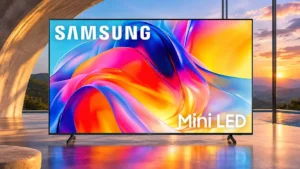
Choose Samsung M70H for color gamut and sound quality.
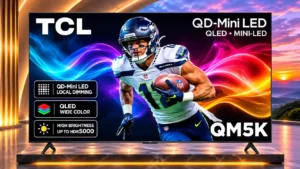
Choose TCL QM5K for remote layout and gaming performance.
Why these recommendations?
Samsung M70H
Where It Has the Edge
color gamut is 4.0 vs 3.0. Color is one of the more liked traits, especially compared with very basic Samsung models, but demanding HDR...
sound quality is 3.5 vs 2.6. Built-in speakers are good enough for many owners and provide clear dialogue, though thin bass and limited power...
streaming app support is 5.0 vs 4.4. Major streaming services are readily available without an external streaming stick.
TCL QM5K
Where It Has the Edge
remote layout is 4.2 vs 1.0. Backlit, simplified buttons make the remote easier to navigate, particularly in a dark room.
gaming performance is 4.1 vs 2.7. Exceptionally low input lag and useful gaming controls make this a lively budget gaming TV, with native 4K...
shadow detail is 3.8 vs 2.5. Darker scenes generally retain useful texture, though certain picture modes and low-end gamma behavior can obscure fine shadows.
Samsung M70H2.6 overall score
TCL QM5K3.6 overall score
Compare features
Scores are out of 5. Missing scores mean missing review evidence, not a missing feature.
Scored on both products
Performance
Picture quality
Samsung M70H
3.6
The image impresses some everyday owners with clear details and punchy colors, yet controlled testing exposes washed-out blacks and weak brightness.
TCL QM5K
4.3
Mini LED contrast and crisp detail give the QM5K an appealing picture for the money, although factory settings can look too bright and somewhat washed out.
Local dimming performance
Samsung M70H
1.1
The set lacks hardware local dimming, so it cannot selectively deepen dark areas or boost bright highlights the way stronger Mini LED TVs can.
TCL QM5K
3.7
Mini LED local dimming improves black depth considerably, but precision is mediocre around fine bright objects and moving highlights.
Noise reduction
Samsung M70H
1.0
Low-quality streamed and cable video retains blocky artifacts rather than being cleaned up effectively.
TCL QM5K
2.8
Low-bitrate noise is reduced somewhat, at the cost of fine detail; heavily compressed video remains a compromise.
SDR picture performance
Samsung M70H
2.0
The SDR picture is serviceable with gentle indoor lighting but cannot overcome strong direct glare.
TCL QM5K
3.7
Standard-definition-range viewing is a relative strength, offering solid brightness and pleasing contrast despite occasional overly bright factory settings.
Audio passthrough
Samsung M70H
3.0
eARC can carry high-quality sound, but some uncompressed multichannel formats are limited to 5.1 in normal operation.
TCL QM5K
4.5
eARC passes the major high-quality audio formats to a compatible receiver or soundbar, offering flexibility beyond the TV's speakers.
HDR brightness
Samsung M70H
1.3
HDR highlights lack punch, and the set has too little brightness to show luminous effects convincingly.
TCL QM5K
2.8
Everyday HDR scenes are watchable, while sparkling highlights and intensely bright scenes lack the impact of stronger Mini LED sets.
Gaming performance
Samsung M70H
2.7
Games respond quickly, but motion blur and the native 60Hz cap make the experience less impressive for serious players.
TCL QM5K
4.1
Exceptionally low input lag and useful gaming controls make this a lively budget gaming TV, with native 4K speed and Game Master HDR brightness as limits.
Contrast ratio
Samsung M70H
3.0
Native VA contrast can appear pleasing, yet the lack of local dimming leaves a washed-out picture in demanding dark scenes.
TCL QM5K
4.2
Contrast is a genuine step above basic LED televisions, lending dark scenes more depth; complicated images expose some backlight compromises.
Daytime viewing performance
Samsung M70H
2.7
Strong sunlight and reflections often overpower the picture, though one owner finds the television bright enough for daytime use.
TCL QM5K
3.9
SDR content holds up reasonably well in daytime conditions if a window or lamp is not reflected directly in the screen.
White balance accuracy
Samsung M70H
3.0
HDR white balance is mostly good despite a slight cool tint and errors in dark detail.
TCL QM5K
2.0
A reddish-blue white-balance bias and overly cool HDR color temperature make professional or careful home calibration worthwhile.
HDR performance
Samsung M70H
1.6
Vibrant colors can look pleasant, yet weak brightness and absent local dimming keep HDR contrast from feeling transformative.
TCL QM5K
2.5
Dolby Vision and HDR10+ compatibility is useful, but limited highlight brightness keeps HDR from looking truly dramatic.
Sound quality
Samsung M70H
3.5
Built-in speakers are good enough for many owners and provide clear dialogue, though thin bass and limited power disappoint others.
TCL QM5K
2.6
Built-in speakers range from below average to acceptable depending on screen size, with limited bass and less impact on movie soundtracks.
Dark-room performance
Samsung M70H
2.8
Some viewers find black levels surprisingly pleasing in a dark room; others find gray blacks and weak contrast disappointing, especially in movies.
TCL QM5K
3.5
Strong black levels are appealing after dark, but halos, movie cadence flaws, and limited HDR highlights undermine more demanding viewing.
Picture mode tuning
Samsung M70H
3.7
Movie and Filmmaker are solid options for a restrained picture, while Dynamic can appear punchy but overblown.
TCL QM5K
4.3
Adjustable picture and motion controls provide flexibility, including a useful way to reduce unwanted smoothing.
Color accuracy
Samsung M70H
3.3
Out-of-box color is mixed: some find natural skin tones and pleasing hues, while others see a magenta cast. Calibration can improve accuracy considerably.
TCL QM5K
3.9
Natural skin tones and pleasing colors are strengths in several hands-on evaluations, but factory settings can be too cool or uneven on some samples.
Picture detail
Samsung M70H
5.0
4K material can show crisp faces and fine details, making everyday high-definition content visually satisfying.
TCL QM5K
4.5
Fine image texture can look excellent, even if sharpening is a little aggressive and the lowest-quality sources lose definition.
Bass performance
Samsung M70H
2.2
Bass is a recurring weakness, leaving explosions and low rumbles thin. Some owners find it acceptable for everyday TV, but it is no substitute for a subwoofer.
TCL QM5K
2.3
Lower frequencies generally lack weight and definition; larger variants can fare a little better but still lack convincing depth.
Peak brightness
Samsung M70H
2.3
Lab measurements and several evaluations find brightness insufficient for glare and HDR, although one owner finds the screen strikingly bright.
TCL QM5K
2.2
Ordinary scenes can be adequately bright, but the set does not have the headroom for consistently punchy highlights and can look washed out when pushed too far.
Overall image accuracy
Samsung M70H
3.0
HDR white balance is reasonably good, though cool tones and shadow errors keep factory accuracy from being ideal.
TCL QM5K
3.0
Factory calibration is uneven, especially in white balance, but a careful adjustment produces a much more accurate HDR picture.
Other features
Motion handling
Samsung M70H
2.2
Motion is a contentious area: controlled assessments report substantial blur, while a few viewers find sports and games acceptable.
TCL QM5K
3.9
Results depend heavily on content and settings: one comparison praised factory smoothness, while other tests found blur, judder, and uneven interpolation.
Input lag
Samsung M70H
5.0
Low input lag is one of the clearest gaming strengths, even though the 60Hz panel still limits overall responsiveness.
TCL QM5K
4.9
Controller inputs register very quickly in Game Master, making responsiveness one of the QM5K's standout strengths.
Ease of use
Samsung M70H
3.3
Phone-based setup and built-in apps simplify basic tasks, but Tizen menus can feel confusing and sluggish.
TCL QM5K
4.2
Backlit controls, sensible remote buttons, and an approachable smart-TV interface make daily operation straightforward.
Cable management
Samsung M70H
1.0
The back lacks built-in routing for HDMI and power cords, leaving cable tidiness to the installation.
TCL QM5K
4.5
Basic clips behind the panel provide a neat, convenient place to secure loose cables.
HDMI port accessibility
Samsung M70H
1.0
Rear-facing, rotated HDMI connections can be awkward near a wall and may require specialized angled adapters.
TCL QM5K
4.4
Side-facing HDMI connections are easy to reach, even with the screen installed on a wall.
Remote layout
Samsung M70H
1.0
The missing microphone/voice-command button frustrates people who expect quick voice search directly from the handset.
TCL QM5K
4.2
Backlit, simplified buttons make the remote easier to navigate, particularly in a dark room.
Overall satisfaction
Samsung M70H
2.7
Satisfaction is polarized: some owners are delighted with affordable, colorful 4K viewing, while performance-focused evaluations strongly advise alternatives.
TCL QM5K
5.0
The owner is very happy with the 50-inch replacement, particularly its impressive picture and discount price.
Motion clarity
Samsung M70H
1.0
Fine detail becomes hard to follow during movement because moving objects look visibly smeared.
TCL QM5K
3.3
Moderate motion is reasonably clear, yet dark transitions and quick-moving edges leave visible blur or smearing.
Gaming mode quality
Samsung M70H
4.0
Game Mode keeps ghosting tolerable for some players, especially outside very dark, fast-moving scenes.
TCL QM5K
1.7
Game Master gives fast response, but HDR brightness falls markedly when enabled, making highlights look flatter.
Motion artifacts
Samsung M70H
1.0
Motion interpolation introduces inconsistent frame pacing, and slow transitions can create odd in-between colors.
TCL QM5K
3.2
Most moving edges avoid serious artifacts, but trails and unintended color fringes can appear in fast scenes.
Stand width
Samsung M70H
2.0
The feet cannot be moved inward, which reduces compatibility with narrower cabinets.
TCL QM5K
4.0
Adjustable foot positions on applicable larger sizes help fit the TV onto narrower furniture.
High-refresh-rate gaming
Samsung M70H
1.5
The native 60Hz panel cannot deliver genuine 120fps clarity, and DLG cannot make up for that hardware limit.
TCL QM5K
3.4
The 55-inch and larger versions support up to 144Hz with lower-resolution signals; the 50-inch version lacks that option.
Remote control quality
Samsung M70H
2.5
Remote impressions range from a pleasant basic handset to a frustrating defective unit with wrong-button responses.
TCL QM5K
4.1
The remote is straightforward and pleasant to handle, with practical shortcuts and an uncomplicated layout.
Image processing
Samsung M70H
1.0
Lower-resolution video can remain soft, and weak compression cleanup leaves lower-quality streams looking rough.
TCL QM5K
2.5
The TV can render impressive fine detail, but sharpening may look exaggerated and processing becomes less persuasive with poor sources.
VRR range
Samsung M70H
1.0
The refresh window is too narrow for low-frame-rate compensation and mainly helps near 60fps.
TCL QM5K
2.5
The 4K VRR window is narrow and cannot use low-framerate compensation below its floor. Lower resolutions work across a more useful range.
Stutter handling
Samsung M70H
4.0
Slow pixel response reduces visible stutter in most scenes, with occasional issues during very slow pans.
TCL QM5K
2.6
Slow camera pans can stutter, although one assessment considered the effect relatively mild with basic settings.
Shadow detail
Samsung M70H
2.5
Some near-black textures get crushed or lifted; the result is usable but not reliably faithful.
TCL QM5K
3.8
Darker scenes generally retain useful texture, though certain picture modes and low-end gamma behavior can obscure fine shadows.
Black levels
Samsung M70H
3.0
Opinions diverge sharply: some owners like the black depth in a dark room, while controlled testing finds raised, gray-looking blacks.
TCL QM5K
4.3
Dark areas can look impressively deep for a budget TV. The backlight still has trouble around small bright objects and some letterbox bars.
Dirty screen effect
Samsung M70H
2.0
The center stays relatively clean, but darker edges and uneven gray fields can intrude on regular programs.
TCL QM5K
3.2
Center-screen uniformity is generally good for sports, although the sides of some samples show uneven patches or blotches.
Response time
Samsung M70H
1.0
Slow, uneven pixel transitions leave moving objects blurry and hard to distinguish.
TCL QM5K
2.2
Dark-to-bright pixel transitions are sluggish enough to create trails, especially in shadowy games.
Off-axis color shift
Samsung M70H
1.5
Colors fade and can shift toward red as viewers move off center, reducing the appeal of side seats.
TCL QM5K
2.6
Colors lose saturation and may shift red from the sides; some larger samples fare noticeably better.
HDR highlight detail
Samsung M70H
1.0
Specular highlights stay flat and fail to stand out from the surrounding image.
TCL QM5K
2.0
Fine highlight information can clip, while peak highlights lack the visual separation found on more capable HDR sets.
Color gamut
Samsung M70H
4.0
Color is one of the more liked traits, especially compared with very basic Samsung models, but demanding HDR shades are not fully reproduced.
TCL QM5K
3.0
Color coverage is serviceable rather than expansive, with saturated greens and reds showing limitations in demanding material.
Variable refresh rate
Samsung M70H
3.5
VRR can prevent tearing near 60fps, though its narrow operating range limits its value when frame rates fall.
TCL QM5K
4.2
VRR reduces screen tearing, especially at 1080p and 1440p, but the narrow 4K range limits how well it handles drops in frame rate.
Judder handling
Samsung M70H
3.0
Judder handling depends heavily on source: native 24p content can be smooth, while 60Hz film signals may judder; other testing finds strong 1080i film compensation.
TCL QM5K
2.3
Film-rate content is a weak point, with visible 24p judder despite options to modify the look of motion.
Refresh rate
Samsung M70H
1.8
A native 60Hz panel is fine for ordinary shows but cannot deliver true 120Hz motion from modern consoles or PCs.
TCL QM5K
2.5
The native 4K ceiling is 60Hz. Larger models can trade resolution for up to 144Hz, but that does not make this a native high-refresh 4K display.
Blooming control
Samsung M70H
3.0
Without independent dimming zones, bright objects avoid obvious halos but dark scenes lose overall contrast instead.
TCL QM5K
2.4
Expect visible halos around subtitles, stars, and small highlights against black. The effect can become more noticeable from an angled seat.
Treble clarity
Samsung M70H
2.0
High-frequency sound lacks crisp detail and can seem closed-in.
TCL QM5K
2.6
Treble ranges from notably good on the 65-inch sample to lacking in detail on several other sizes.
Glare resistance
Samsung M70H
1.4
The glossy coating offers little protection from bright windows and lamps, frequently making reflections distracting.
TCL QM5K
2.0
There is enough SDR brightness for ambient light, but direct reflections remain intrusive and can spread across the image.
Maximum volume
Samsung M70H
3.0
One evaluation finds the speakers too quiet and compressed at full volume, while another considers loudness sufficient for an ordinary room.
TCL QM5K
3.6
Some screen sizes play fairly loudly, but the overall volume headroom is not consistently impressive.
Calibration options
Samsung M70H
5.0
Calibration is relatively easy and can produce very accurate colors, although a little shadow crush remains.
TCL QM5K
4.4
Adjustments can substantially improve white balance, color temperature, and accuracy, making this set rewarding to tune.
Image realism and naturalness
Samsung M70H
4.0
Natural-looking skin tones make people on screen appear believable in well-mastered SDR material.
TCL QM5K
4.6
Natural colors and lifelike images are recurring strengths, even if some factory scenes look overly bright or washed out.
Screen uniformity
Samsung M70H
2.0
Darker edges and vertical near-black bands make solid colors and very dark scenes look uneven.
TCL QM5K
2.6
Local dimming keeps darker areas fairly even, but patchy sides and occasional blotches can show up, particularly on gray test images.
Black uniformity
Samsung M70H
4.0
Dark areas are generally even with little obvious flashlighting, though the entire black floor is raised.
TCL QM5K
3.5
Mini LED dimming produces convincing dark areas and mostly even near-black shades, but raw backlight uniformity is poorer with dimming disabled.
Distortion control
Samsung M70H
2.0
At high volume, compression becomes noticeable and reduces audio quality.
TCL QM5K
2.5
The 55- and 65-inch samples showed a slight buzz on bass-heavy music, preventing completely clean playback.
PC text clarity
Samsung M70H
2.0
The BGR subpixel pattern may make small text less sharp when the TV is used as a computer monitor.
TCL QM5K
2.5
Full chroma support helps, but the BGR subpixel arrangement can reduce text clarity when used as a desktop monitor.
Reflection handling
Samsung M70H
1.5
Bright lamps and windows remain clearly visible in the glossy display, making placement important.
TCL QM5K
2.0
The glossy panel does little to diffuse direct lamps and windows, making placement important in bright rooms.
Upscaling quality
Samsung M70H
3.3
Upconversion is mixed: HD edges look excellent in one assessment, while others notice softness with older or low-resolution sources.
TCL QM5K
3.8
HD images generally hold together well, but DVD-quality or very low-resolution video remains soft, with fine details and edges degrading.
HDMI port count
Samsung M70H
2.5
Three HDMI inputs cover basic gear, but a soundbar can occupy one of them and limit room for gaming devices.
TCL QM5K
2.9
Three HDMI inputs are enough for some setups but fewer than the four found on many competing televisions.
Viewing angles
Samsung M70H
2.5
Opinions vary, but the recurring complaint is that colors wash out from the sides, reducing picture consistency for groups.
TCL QM5K
2.7
The picture looks best from near center; the 65- and 75-inch Consumer Reports samples fared better off-axis than its 50- and 55-inch samples.
Low-resolution content handling
Samsung M70H
2.5
Old or compressed video is watchable, but blockiness and softness often remain visible.
TCL QM5K
2.7
Compression smoothing is only fair. Heavily compressed streams and older broadcasts reveal soft textures and residual artifacts.
Color volume
Samsung M70H
3.3
Vibrant colors impress some owners, but laboratory results find washed-out bright and dark saturated tones.
TCL QM5K
3.2
Color has reasonable substance in darker scenes, yet strong reds, greens, and brighter saturated tones are not its specialty.
Gradient handling
Samsung M70H
3.0
Gradients look only adequate, with visible banding in dark tones and especially limited red transitions.
TCL QM5K
3.1
Shaded areas can look smooth on some tested sizes, but HDR gradients may show visible banding, especially in greens.
Account requirements
Samsung M70H
3.0
A free Samsung account is required to download apps, adding a setup step before full smart-TV use.
TCL QM5K
3.0
Full Google TV setup comes with account and connectivity expectations; the more private basic setup gives up key smart features.
Advertising intrusiveness
Samsung M70H
2.0
Home-screen advertising cannot be fully switched off, although targeted ads can be disabled.
TCL QM5K
2.0
Google TV includes ads. Disabling personalized targeting does not remove them, and the ad-free basic mode sacrifices many smart functions.
Banding control
Samsung M70H
2.0
Darker color transitions show visible banding, especially in red shades with limited separation.
TCL QM5K
2.0
Bright green transitions and certain HDR gradients can show distracting steps, although some test content appeared smoother.
Burn-in resistance
Samsung M70H
5.0
The LCD panel is expected to resist permanent image retention, making static on-screen elements relatively low risk.
TCL QM5K
5.0
The LCD panel is effectively immune to permanent OLED-style burn-in, making varied and static content less concerning.
Motion interpolation
Samsung M70H
2.5
Automatic smoothing helps one owner, but controlled testing reports judder, uneven cadence and no worthwhile improvement.
TCL QM5K
2.5
Adjustable smoothing can make some 24fps material look fluid, but consistency is poor and certain settings create obvious jerks.
Stand assembly
Samsung M70H
5.0
Both feet click into position without fuss, making assembly quick and simple.
TCL QM5K
5.0
Two feet attach easily with basic screws and an ordinary screwdriver.
Ownership and support
Reliability
Samsung M70H
2.0
Permanent burn-in risk is low, but a failed backlight LED may affect a sizable part of the image rather than a small zone.
TCL QM5K
4.5
Its full-array backlight and LCD construction are judged low risk for common panel failures, though long-term results are necessarily prospective.
Dolby Vision support
Samsung M70H
2.0
The absence of Dolby Vision reduces compatibility with some HDR sources and modern console features.
TCL QM5K
4.5
Dolby Vision adds a broadly useful streaming and gaming format option, although it does not overcome the panel's modest HDR brightness.
Value for money
Samsung M70H
2.9
Value depends on the deal: inexpensive 4K streaming and strong color appeal to some, while similarly priced rivals can offer far better HDR and motion.
TCL QM5K
4.5
Its appealing Mini LED contrast, low-lag play, and Google TV features make the QM5K a convincing bargain when deeply discounted.
EARC support
Samsung M70H
5.0
eARC is a useful way to connect a soundbar or receiver and transfer high-quality audio from external devices.
TCL QM5K
4.5
eARC supports uncompressed multichannel audio to compatible external audio gear, making a separate sound system easy to incorporate.
Setup ease
Samsung M70H
4.5
Snap-in feet and SmartThings QR-code pairing make initial setup straightforward, particularly when using a phone.
TCL QM5K
4.0
Stand attachment is straightforward and Google TV configuration is manageable once the needed account details are available.
4K at 120 Hz support
Samsung M70H
1.0
The M70H cannot display native 4K at 120Hz. Its 60Hz panel misses the high-frame-rate modes offered by modern consoles.
TCL QM5K
1.1
No QM5K size displays 4K at 120Hz; this is a key limitation for high-end console and PC setups.
Controls and connectivity
Menu responsiveness
Samsung M70H
2.0
Menu transitions and button presses can feel sluggish, with app and page loading slower than on higher-end TVs.
TCL QM5K
3.4
Menus remain manageable despite occasional sluggish reactions; the experience is not consistently instant.
Operating system speed
Samsung M70H
2.0
The entry-level Tizen hardware causes noticeable lag compared with more powerful Samsung models.
TCL QM5K
3.4
Google TV is usable but shows a small amount of lag while moving around the interface.
HDR tone mapping accuracy
Samsung M70H
4.0
Most midtones are tracked well with a gentle rolloff near peak brightness, although blacks remain raised.
TCL QM5K
4.7
Brightness tracking follows intended HDR levels very closely, one of the QM5K's clearest technical strengths.
Streaming app support
Samsung M70H
5.0
Major streaming services are readily available without an external streaming stick.
TCL QM5K
4.4
A well-stocked Google TV catalog covers mainstream shows, movies, and live-streaming apps without requiring an external box.
Tone mapping
Samsung M70H
4.0
Midtones are mostly handled accurately, with a soft rolloff preserving some gradation in highlights.
TCL QM5K
4.5
Brightness curves are followed closely through most midtones, although very bright masters still run into the TV's limited output.
App selection
Samsung M70H
4.6
The Tizen app catalog covers major streaming platforms, free TV channels and games. Available services may differ by region.
TCL QM5K
4.8
Google TV provides broad access to major streaming services and downloadable apps, a clear convenience on an inexpensive TV.
Comfort and build
Design and appearance
Samsung M70H
3.5
The front has a neat, plain appearance with slim borders, while the rear looks utilitarian rather than premium.
TCL QM5K
4.3
The QM5K looks surprisingly polished for its price, with a textured back and simple feet despite its plastic construction.
Build quality
Samsung M70H
3.0
The basic plastic housing feels cheap to some, while another owner finds it reassuringly solid for the entry-level price.
TCL QM5K
3.5
Assembly is mostly plastic and feels fairly inexpensive, but examined units had no major structural defects.
Size options
Samsung M70H
4.0
Sizes from 43 to 85 inches provide choices for small rooms and larger walls, although game features vary by size.
TCL QM5K
4.1
There is a useful range of screen sizes, but the 50-inch version lacks Game Accelerator and larger sizes may add audio advantages.
Evidence available for one product
Ownership and support
4K gaming support
Samsung M70HNo score yet
TCL QM5K
2.8
Native 4K gaming works at up to 60Hz, but players must lower resolution for faster refresh on supported sizes.
AirPlay support
Samsung M70H
5.0
Built-in AirPlay makes it convenient to share video or mirror Apple devices without buying an Apple TV box.
TCL QM5KNo score yet
Cloud gaming support
Samsung M70H
4.0
Gaming Hub makes supported cloud services accessible without a console, although services vary by country.
TCL QM5KNo score yet
DTS support
Samsung M70H
1.0
DTS audio formats are unsupported, which can complicate Blu-ray playback and external surround setups.
TCL QM5KNo score yet
HDMI 2.1 support
Samsung M70H
1.0
Without full HDMI 2.1 bandwidth, the set cannot take advantage of 4K high-refresh signals from current consoles.
TCL QM5KNo score yet
HDR10+ support
Samsung M70HNo score yet
TCL QM5K
4.5
HDR10+ broadens compatibility with dynamic-HDR material, a welcome capability at this price.
HDR format support
Samsung M70HNo score yet
TCL QM5K
4.5
Support for both major dynamic HDR formats makes the QM5K flexible across streaming services and compatible sources.
Large-screen value
Samsung M70H
5.0
An affordable 85-inch option makes big-screen Samsung ownership easier to consider.
TCL QM5KNo score yet
Other features
1440p input compatibility
Samsung M70HNo score yet
TCL QM5K
4.7
Supported larger models can use 1440p at up to 144Hz, a helpful compromise between sharpness and smoother play.
Accessibility features
Samsung M70H
4.0
Closed captions are useful when conversation or household noise makes dialogue hard to hear.
TCL QM5KNo score yet
AI scene optimization
Samsung M70HNo score yet
TCL QM5K
4.5
The automatic Intelligent picture mode can produce an appealing image without extensive manual adjustments.
AI Soccer Mode
Samsung M70H
1.0
Soccer Mode mainly boosts saturation and can make the picture look exaggerated rather than improving the match.
TCL QM5KNo score yet
Backlight strobing
Samsung M70H
1.0
Black-frame insertion produces distracting doubled images, so it is of little use for improving motion clarity.
TCL QM5KNo score yet
Built-in subwoofer
Samsung M70HNo score yet
TCL QM5K
4.0
A rear-mounted subwoofer on certain larger variants is a welcome inclusion, although its presence does not guarantee powerful bass or fine control.
Device compatibility
Samsung M70H
4.0
SmartThings support allows a mobile phone to take over TV controls without depending solely on the physical remote.
TCL QM5KNo score yet
Dialogue clarity
Samsung M70H
4.0
Voices are generally clear and intelligible, though sometimes boxy in tone.
TCL QM5KNo score yet
DLG 120Hz mode
Samsung M70H
2.0
The advertised DLG option is confined to larger sizes and trades away image sharpness; frame-dropping concerns make it a poor substitute for a true 120Hz panel.
TCL QM5KNo score yet
Energy efficiency
Samsung M70H
4.0
The automatic sleep timer can shut the television off when no longer needed, helping limit unnecessary power use.
TCL QM5KNo score yet
Flicker control
Samsung M70HNo score yet
TCL QM5K
1.5
Moving highlights can trigger obvious local-dimming flicker against dark areas, which may be distracting in action scenes.
Free streaming channels
Samsung M70H
4.3
Samsung TV Plus adds an appreciated selection of no-subscription channels, supported by commercials.
TCL QM5KNo score yet
Included accessories
Samsung M70H
4.0
The box includes the expected stand, remote, batteries, paperwork and power cable, making the package convenient to unpack.
TCL QM5KNo score yet
Large-screen immersion
Samsung M70H
4.0
The 65-inch model provides a generously sized picture from a sofa, even if image performance does not match its scale.
TCL QM5KNo score yet
Local dimming zone transitions
Samsung M70HNo score yet
TCL QM5K
1.9
Backlight zones respond too slowly to moving bright objects and can briefly flicker or trail.
Mac integration
Samsung M70H
5.0
A Mac can mirror directly through AirPlay, making the TV a convenient second display for simple sharing.
TCL QM5KNo score yet
Mini LED marketing clarity
Samsung M70H
1.5
The Mini LED name sets expectations the screen cannot meet because its dimming is software-based rather than independent zone control.
TCL QM5KNo score yet
Packaging and unboxing
Samsung M70H
5.0
Packaging is praised as protective and neatly presented, with everything needed to begin setup.
TCL QM5KNo score yet
Remote control usability
Samsung M70H
1.6
The basic remote works for navigation but lacks a voice button, pushing voice commands onto a phone app or alternate remote.
TCL QM5KNo score yet
Remote responsiveness
Samsung M70H
1.0
One remote reportedly executed the wrong commands, making basic navigation irritating.
TCL QM5KNo score yet
Resolution
Samsung M70H
5.0
4K UHD makes people and program details appear sharp in everyday viewing.
TCL QM5KNo score yet
Screen mirroring
Samsung M70H
5.0
AirPlay mirroring works with an iMac and iPhone without an external streaming box.
TCL QM5KNo score yet
Speaker quality
Samsung M70H
4.0
The onboard speakers are surprisingly satisfying to one owner, especially considering the low TV price.
TCL QM5KNo score yet
Stand stability
Samsung M70H
4.0
The pair of blade-style feet supports the screen adequately.
TCL QM5KNo score yet
Storage capacity
Samsung M70H
4.0
App storage is regarded as sufficient for regular Samsung apps, even if the wider hardware feels entry level.
TCL QM5KNo score yet
Wall-mount compatibility
Samsung M70H
3.5
The screen can be wall mounted, but rear-facing sockets may require specialized adapters to sit close to a wall.
TCL QM5KNo score yet
Controls and connectivity
App performance
Samsung M70H
4.0
Popular apps such as YouTube can start playback easily, but the broader interface may take time to load.
TCL QM5KNo score yet
Picture settings menu flexibility
Samsung M70H
2.0
Some motion adjustments are buried in expert settings, and not every blur-reduction control is available.
TCL QM5KNo score yet
Privacy controls
Samsung M70HNo score yet
TCL QM5K
2.5
Personalized advertising can be disabled, but that does not remove on-screen ads or all associated tradeoffs.
SmartThings phone remote control
Samsung M70H
5.0
The SmartThings app offers easy volume, navigation and setup controls from a smartphone, compensating for the basic physical remote.
TCL QM5KNo score yet
Smart TV platform
Samsung M70H
3.8
Tizen has broad built-in streaming and cloud-gaming services, but interface confusion and lag can diminish the convenience.
TCL QM5KNo score yet
Smart TV platform
Samsung M70HNo score yet
TCL QM5K
4.4
Google TV is easy to navigate and rich in apps, though its menus may lag and its home screen includes advertising.
Software updates
Samsung M70H
2.0
One viewer considers extended software updates an unimportant selling point, especially when older televisions can continue functioning well.
TCL QM5KNo score yet
Voice assistant support
Samsung M70H
1.7
Voice features are available through the phone app, but the supplied remote lacks a convenient microphone button.
TCL QM5KNo score yet
Wi-Fi performance
Samsung M70H
5.0
Wi-Fi stays strong at a substantial distance from the router in one owner’s setup.
TCL QM5KNo score yet
Performance
Audio/video sync
Samsung M70HNo score yet
TCL QM5K
1.8
Some owners reported severe audio delay through ARC or optical connections, although the issue appears setup-dependent.
Audio settings
Samsung M70HNo score yet
TCL QM5K
2.8
Sound modes and virtual surround options are plentiful, but the lack of a dedicated subwoofer level control is frustrating.
Automatic brightness adjustment
Samsung M70HNo score yet
TCL QM5K
2.8
Dynamic brightness can change picture output unexpectedly; turning it off is suggested for users seeking predictable manual settings.
Display technology
Samsung M70H
1.0
The entry-level LCD hardware falls far short of the advanced, independently controlled Mini LED performance the branding may suggest.
TCL QM5KNo score yet
Optical audio output
Samsung M70H
1.0
The lack of optical output on the cited specification makes HDMI eARC or another connection necessary for external sound.
TCL QM5KNo score yet
Soundbar clearance
Samsung M70HNo score yet
TCL QM5K
4.8
The tested 75-inch stand leaves generous clearance beneath the panel for most soundbars.
Comfort and build
Bezel size
Samsung M70H
4.0
Thin bezels along the top and sides give the otherwise simple chassis a reasonably modern front.
TCL QM5KNo score yet
Size-specific gaming refresh limits
Samsung M70HNo score yet
TCL QM5K
2.3
The 50-inch model stays at 60Hz at every resolution, whereas 55-inch and larger models can reach 144Hz at 1080p or 1440p.
Battery and charging
Solar remote charging
Samsung M70H
2.0
The bundled remote does not have the solar charging found on some more expensive Samsung handsets.
TCL QM5KNo score yet
Reviews Comparing These Products
These are a few of the reviews included in our analysis.
Choose the S90H for bright-room OLED viewing, deep blacks and top-tier gaming without flagship pricing. Skip it if you want Dolby Vision, a glossy screen or the simplest smart-TV software.
Best for bright Mini-LED picture, excellent built-in audio, easy Roku navigation, and responsive 4K/120 gaming. Skip it if you want ad-free menus, premium motion consistency, or stronger confidence in long-term...
Choose the QM8L for a big, brilliantly bright TV with vivid HDR, deep mini-LED blacks, low input lag, and four HDMI 2.1 ports. Skip it if you need OLED-clean motion,...
Choose the G6 for class-leading bright-room OLED picture, rich color, deep blacks and elite gaming. Skip it if you want strong built-in audio, polished launch firmware, no account sign-in, or...