Ownership and support
4K gaming support
Samsung U8000H
3.0
Modern consoles can run 4K games at 60Hz, but higher frame-rate play requires dropping to 1080p on supported sizes.
Samsung M70HNo score yet
Dolby Atmos support
Samsung U8000H
1.5
The built-in audio system does not deliver Dolby Atmos, reducing appeal for an immersive sound setup.
Samsung M70HNo score yet
EARC support
Samsung U8000HNo score yet
Samsung M70H
5.0
eARC is a useful way to connect a soundbar or receiver and transfer high-quality audio from external devices.
HDR10+ support
Samsung U8000H
3.5
HDR10+ compatibility is useful on paper, yet the panel lacks the luminance and contrast to take full advantage of the format.
Samsung M70HNo score yet
HDR format support
Samsung U8000H
2.3
The TV accepts common HDR material, but a missing Dolby Vision option and limited panel contrast reduce its usefulness.
Samsung M70HNo score yet
Large-screen value
Samsung U8000HNo score yet
Samsung M70H
5.0
An affordable 85-inch option makes big-screen Samsung ownership easier to consider.
Setup ease
Samsung U8000HNo score yet
Samsung M70H
4.5
Snap-in feet and SmartThings QR-code pairing make initial setup straightforward, particularly when using a phone.
Tuner support
Samsung U8000H
1.8
An ATSC 1.0-only tuner misses newer over-the-air 4K broadcasts and is not helped by the smart-first channel menus.
Samsung M70HNo score yet
Other features
1440p input compatibility
Samsung U8000H
1.0
The 50-inch version cannot accept 1440p/120Hz input, restricting mid-resolution high-refresh gaming.
Samsung M70HNo score yet
Accessibility features
Samsung U8000HNo score yet
Samsung M70H
4.0
Closed captions are useful when conversation or household noise makes dialogue hard to hear.
AI Soccer Mode
Samsung U8000HNo score yet
Samsung M70H
1.0
Soccer Mode mainly boosts saturation and can make the picture look exaggerated rather than improving the match.
Antenna reception
Samsung U8000H
2.5
Over-the-air channels are accessible, but burying them in smart-TV menus makes everyday tuning more awkward than necessary.
Samsung M70HNo score yet
Auto low-latency mode
Samsung U8000H
4.0
Automatic low-latency switching is a useful console convenience despite the television’s modest gaming hardware.
Samsung M70HNo score yet
Device compatibility
Samsung U8000HNo score yet
Samsung M70H
4.0
SmartThings support allows a mobile phone to take over TV controls without depending solely on the physical remote.
Distortion control
Samsung U8000HNo score yet
Samsung M70H
2.0
At high volume, compression becomes noticeable and reduces audio quality.
DLG 120Hz mode
Samsung U8000HNo score yet
Samsung M70H
2.0
The advertised DLG option is confined to larger sizes and trades away image sharpness; frame-dropping concerns make it a poor substitute for a true 120Hz panel.
Energy efficiency
Samsung U8000HNo score yet
Samsung M70H
4.0
The automatic sleep timer can shut the television off when no longer needed, helping limit unnecessary power use.
Flicker control
Samsung U8000H
1.5
Backlight flicker can bother sensitive viewers, and activating Picture Clarity makes the effect more apparent.
Samsung M70HNo score yet
Game Mode interpolation
Samsung U8000H
2.5
The optional higher-speed gaming mode sacrifices sharpness rather than providing true 4K/120Hz performance.
Samsung M70HNo score yet
Gaming mode quality
Samsung U8000HNo score yet
Samsung M70H
4.0
Game Mode keeps ghosting tolerable for some players, especially outside very dark, fast-moving scenes.
Included accessories
Samsung U8000HNo score yet
Samsung M70H
4.0
The box includes the expected stand, remote, batteries, paperwork and power cable, making the package convenient to unpack.
Input accessibility
Samsung U8000H
1.8
A remote without a direct source key forces users into menus whenever they want to change connected devices.
Samsung M70HNo score yet
Large-screen immersion
Samsung U8000HNo score yet
Samsung M70H
4.0
The 65-inch model provides a generously sized picture from a sofa, even if image performance does not match its scale.
Mac integration
Samsung U8000HNo score yet
Samsung M70H
5.0
A Mac can mirror directly through AirPlay, making the TV a convenient second display for simple sharing.
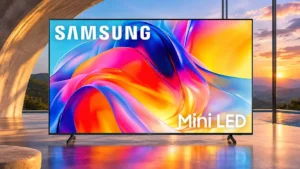
Mini LED marketing clarity
Samsung U8000HNo score yet
Samsung M70H
1.5
The Mini LED name sets expectations the screen cannot meet because its dimming is software-based rather than independent zone control.
Model naming clarity
Samsung U8000H
2.5
The simulated 120Hz terminology can be confusing because the screen is still only 60Hz at native 4K resolution.
Samsung M70HNo score yet
Off-axis color shift
Samsung U8000HNo score yet
Samsung M70H
1.5
Colors fade and can shift toward red as viewers move off center, reducing the appeal of side seats.
Packaging and unboxing
Samsung U8000HNo score yet
Samsung M70H
5.0
Packaging is praised as protective and neatly presented, with everything needed to begin setup.
Remote responsiveness
Samsung U8000HNo score yet
Samsung M70H
1.0
One remote reportedly executed the wrong commands, making basic navigation irritating.
Screen mirroring
Samsung U8000HNo score yet
Samsung M70H
5.0
AirPlay mirroring works with an iMac and iPhone without an external streaming box.
SDR/HDR mode switching
Samsung U8000H
1.5
The built-in smart system makes it awkward to force SDR output after HDR content, unlike a dedicated external streamer.
Samsung M70HNo score yet
Speaker quality
Samsung U8000HNo score yet
Samsung M70H
4.0
The onboard speakers are surprisingly satisfying to one owner, especially considering the low TV price.
Stand assembly
Samsung U8000HNo score yet
Samsung M70H
5.0
Both feet click into position without fuss, making assembly quick and simple.
Treble clarity
Samsung U8000HNo score yet
Samsung M70H
2.0
High-frequency sound lacks crisp detail and can seem closed-in.
Video input versatility
Samsung U8000H
2.0
The input selection meets routine needs but lacks high-bandwidth modes and more advanced connectivity.
Samsung M70HNo score yet
Performance
Display technology
Samsung U8000HNo score yet
Samsung M70H
1.0
The entry-level LCD hardware falls far short of the advanced, independently controlled Mini LED performance the branding may suggest.
Soundstage
Samsung U8000H
2.0
The built-in stereo speakers create a fairly narrow presentation without convincing spaciousness.
Samsung M70HNo score yet
Controls and connectivity
Picture settings menu flexibility
Samsung U8000HNo score yet
Samsung M70H
2.0
Some motion adjustments are buried in expert settings, and not every blur-reduction control is available.
Smart home integration
Samsung U8000H
4.0
SmartThings adds useful connected-home control for compatible Samsung and smart-home products.
Samsung M70HNo score yet
SmartThings phone remote control
Samsung U8000HNo score yet
Samsung M70H
5.0
The SmartThings app offers easy volume, navigation and setup controls from a smartphone, compensating for the basic physical remote.
Smart TV platform
Samsung U8000H
3.3
Tizen’s app breadth and polished everyday streaming appeal, though sluggish moments, intrusive ads and smart-first menus frustrate some users.
Samsung M70HNo score yet
Smart TV platform
Samsung U8000HNo score yet
Samsung M70H
3.8
Tizen has broad built-in streaming and cloud-gaming services, but interface confusion and lag can diminish the convenience.
Streaming app support
Samsung U8000HNo score yet
Samsung M70H
5.0
Major streaming services are readily available without an external streaming stick.
Wi-Fi performance
Samsung U8000HNo score yet
Samsung M70H
5.0
Wi-Fi stays strong at a substantial distance from the router in one owner’s setup.
Battery and charging
Solar remote charging
Samsung U8000HNo score yet
Samsung M70H
2.0
The bundled remote does not have the solar charging found on some more expensive Samsung handsets.