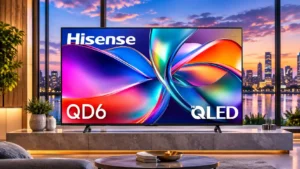
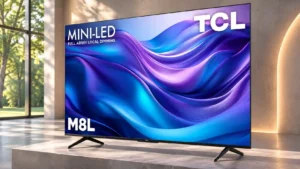
Compare TCL M8LF vs Hisense QD6QF

TCL M8LF

TCL M8LF

Overall score 4.1 / 5

Based on 3 scored reviews

vs
Hisense QD6QF

Hisense QD6QF

Overall score 3.0 / 5

Based on 8 scored reviews

How we score

Scorata scores summarize analyzed review evidence on a 1–5 scale; they are not laboratory measurements or a simple average of customer star ratings. Feature scores summarize the reviews covering that feature. The overall score averages feature scores within each review, then combines review averages. When both expert and customer evidence are available, those two groups receive equal weight. Products can have different review coverage, so small score gaps do not establish a winner.

Recommendations prioritize important features for the category, with a score of at least 3.5, a gap of at least 0.25 points and at least two supporting reviews per product. Features with widely varying scores or broad connectivity contexts are excluded from recommendations. These safeguards do not establish statistical significance.

Quick verdict

What each product is best for

The available evidence supports the recommendation below, but does not establish an overall winner. Check the remaining features against your priorities.

Choose TCL M8LF for input lag and refresh rate.

There is not enough comparable review evidence to recommend Hisense QD6QF over the other product.

Why these recommendations?

TCL M8LF

Where It Has the Edge

  • input lag is 4.5 vs 4.0. Controls respond with very little delay, making the TV feel snappy for play. Low input lag is one...
  • refresh rate is 4.5 vs 2.0. The high native refresh rate and an even faster lower-resolution mode offer flexible gaming options. Actual motion sharpness...
  • gaming performance is 4.0 vs 2.7. Very low input delay, high refresh rates and modern console support are major strengths. Slow pixel response and...

Hisense QD6QF

Where It Has the Edge

No clear scored advantage over the other product.

TCL M8LF 4.1 overall score
Hisense QD6QF 3.0 overall score

Compare features

Scores are out of 5. Missing scores mean missing review evidence, not a missing feature.

Scored on both products

Performance

Picture quality
TCL M8LF
3.7

The expansive 4K picture can look rich and vibrant, but dim HDR highlights, inconsistent uniformity and blurry fast action hold it back.

Hisense QD6QF
3.4

Crisp detail and natural SDR colors make everyday viewing pleasant, but the overall image lacks the brightness and contrast expected from stronger TVs.

Noise reduction
TCL M8LF
4.0

Compression blocking is reduced effectively, at the cost of a little texture detail.

Hisense QD6QF
1.0

The TV does little to smooth macroblocking or posterization in low-quality streams.

Local dimming performance
TCL M8LF
3.5

Local dimming adds useful black depth, but limited dimming precision allows halos around subtitles and other small bright details.

Hisense QD6QF
1.0

Without local dimming, bright objects illuminate darker screen areas and sap contrast.

Peak brightness
TCL M8LF
3.3

The picture can appear punchy in casual viewing, but SDR output struggles with direct sunlight and bright surroundings.

Hisense QD6QF
1.0

HDR peaks are quite dim, and bright lamps or sunlit details never achieve convincing sparkle.

HDR brightness
TCL M8LF
3.2

HDR highlights can look punchy at first glance, yet demanding scenes often appear dim and lack sparkle. Shoppers seeking impactful HDR should be cautious.

Hisense QD6QF
1.0

The screen cannot get bright enough to give HDR highlights the vivid impact of better models.

Sound quality
TCL M8LF
4.5

Atmos and DTS-based processing are described as producing an immersive audio presentation.

Hisense QD6QF
2.4

Sound quality changes by size: the 65-inch model is decent, while several other sizes have thin, below-average audio.

HDR performance
TCL M8LF
3.0

Some HDR content looks vivid and colorful, but peak highlights and fine bright details lack the impact of stronger TVs.

Hisense QD6QF
1.4

HDR compatibility is better than the actual HDR experience: highlights rarely pop, and dark scenes lack convincing depth.

Gaming performance
TCL M8LF
4.0

Very low input delay, high refresh rates and modern console support are major strengths. Slow pixel response and motion trails keep gaming quality from matching the impressive specifications.

Hisense QD6QF
2.7

Game Mode feels responsive at 4K/60Hz, but blur, limited refresh, and odd 120Hz compatibility prevent strong overall gaming performance.

Contrast ratio
TCL M8LF
4.0

Local dimming gives this budget set decent picture depth and dark-scene contrast, though it remains short of higher-end TVs or OLED contrast.

Hisense QD6QF
2.7

Contrast is usable for basic viewing but loses depth when bright and dark material share the frame, particularly without local dimming.

Dark-room performance
TCL M8LF
3.5

Deep blacks in simple scenes make dim-room viewing fairly enjoyable, though visible halos reduce the polish of more demanding dark material.

Hisense QD6QF
2.3

Dark-room viewing is tolerable for casual shows but gray-looking blacks and restrained highlights spoil the cinematic effect.

Color accuracy
TCL M8LF
4.5

Colors are accurate in the default picture mode, with only relatively small mapping errors.

Hisense QD6QF
4.7

SDR colors are a highlight, with natural-looking skin tones and strong out-of-box accuracy; HDR color mapping is less consistent.

Daytime viewing performance
TCL M8LF
2.0

Moderate ambient light is manageable, but direct sun washes out the experience. Closing the blinds is advisable for daytime use.

Hisense QD6QF
2.0

Daylight performance is limited: a bright room can overpower the screen.

Overall image accuracy
TCL M8LF
4.0

Color mapping is generally convincing straight out of the box; blue shades are a small exception.

Hisense QD6QF
4.0

Factory SDR calibration is impressively accurate, while HDR requires more compromise.

White balance accuracy
TCL M8LF
4.0

Grayscale tracking is good overall, with a few small issues in the brighter grays.

Hisense QD6QF
4.0

White balance is good in SDR but some HDR shades and midtones show deviations.

Other features

Motion handling
TCL M8LF
2.0

Fast action has visible blur trails, with shadowy details looking particularly smeared. This is a significant obstacle for motion-sensitive viewers.

Hisense QD6QF
3.2

Motion is acceptable for relaxed viewing, but slow pixel transitions leave noticeable blur in fast scenes.

Input lag
TCL M8LF
4.5

Controls respond with very little delay, making the TV feel snappy for play. Low input lag is one of its clearest gaming advantages.

Hisense QD6QF
4.0

Controls feel snappy in the usual 4K Game Mode, but a special 1440p/120Hz setup feels unexpectedly sluggish.

Ease of use
TCL M8LF
4.5

It is easy to settle into movies or streaming without constant picture adjustments or menu hunting.

Hisense QD6QF
4.0

Basic controls are approachable thanks to the uncomplicated remote and integrated streaming interface.

High-refresh-rate gaming
TCL M8LF
4.0

A native 144Hz mode and higher-speed reduced-resolution option appeal to players seeking rapid updates, though blur can persist during fast action.

Hisense QD6QF
1.0

A commonly expected 1080p/120Hz mode fails on the configuration, despite support for 1440p/120Hz.

Low-resolution content handling
TCL M8LF
4.5

DVD-resolution sources upscale cleanly without obvious artifacts, making old material surprisingly watchable.

Hisense QD6QF
2.0

Compressed streams can retain blocking and posterization that the processor struggles to hide.

Refresh rate
TCL M8LF
4.5

The high native refresh rate and an even faster lower-resolution mode offer flexible gaming options. Actual motion sharpness remains limited by slow pixel transitions.

Hisense QD6QF
2.0

The 43- through 85-inch models top out at 4K/60Hz, falling short of premium gaming displays.

Variable refresh rate
TCL M8LF
4.5

VRR helps prevent tearing and improves compatibility with modern gaming hardware.

Hisense QD6QF
2.0

VRR is present but less effective at 4K, where low frame rates still cause tearing.

Overall satisfaction
TCL M8LF
4.3

Plentiful features and an immersive large-screen experience make this TV attractive at its price. Uneven panel quality and blurred motion keep it from being a standout all-rounder.

Hisense QD6QF
2.0

A basic option that can make sense at a large discount, but paying more for a capable local-dimming TV often delivers a much better picture.

Blooming control
TCL M8LF
2.0

Bright objects and subtitles on dark backgrounds create noticeable halos due to limited dimming precision.

Hisense QD6QF
4.0

There is little haloing because there are no local dimming zones, though the whole background is washed out instead.

Gradient handling
TCL M8LF
2.5

Color gradients show visible banding, particularly in HDR material with demanding shades.

Hisense QD6QF
4.0

Gradual shades appear smooth, without obvious color banding across a normal picture.

HDMI port count
TCL M8LF
4.5

Four HDMI connectors accommodate consoles, streamers and soundbars without frequent cable swaps.

Hisense QD6QF
3.0

HDMI counts differ by size, so check whether three or four ports accommodate your devices and soundbar.

Screen uniformity
TCL M8LF
1.5

Uneven screen uniformity is one of the M8LF’s more visible picture-quality weaknesses.

Hisense QD6QF
3.0

Black backgrounds may look fairly even, but darker patches can appear and vary by unit.

HDR highlight detail
TCL M8LF
3.5

Gradual tone roll-off keeps highlight gradations visible, but limits how bright the smallest details appear.

Hisense QD6QF
2.2

Very bright highlights can lose detail, although gradual roll-off sometimes preserves finer texture at the expense of punch.

Black levels
TCL M8LF
3.8

Simple dark scenes have fairly deep blacks, a strength for this price class. Fine highlights can create halos, and the set cannot deliver perfect OLED-style blacks.

Hisense QD6QF
2.6

Black levels are serviceable in simpler scenes but turn gray and washed out when brighter objects appear nearby.

Color volume
TCL M8LF
3.3

Colors can look lively in everyday viewing, but bright saturated shades, especially HDR blues, lack intensity.

Hisense QD6QF
2.0

Both bright and dark saturated colors struggle, limiting the sense of richness in HDR and SDR.

Shadow detail
TCL M8LF
2.5

Near-black information can be crushed slightly, and the dark floor may lift in challenging HDR content.

Hisense QD6QF
3.6

Gradations in dark areas can be smooth and detailed, but raised blacks leave many shadows looking washed out.

Gaming mode quality
TCL M8LF
3.3

Dedicated gaming controls are convenient, but Game Master mode cannot make dim HDR highlights look impactful. Its features are more impressive than its HDR results.

Hisense QD6QF
4.0

Switching on Game Mode leaves picture quality intact while reducing control delay.

Black uniformity
TCL M8LF
4.5

Mostly uniform dark fields avoid major flashlighting, although cloudiness can appear with local dimming off and halos become more evident with it on.

Hisense QD6QF
4.0

Black backgrounds are mostly even, with only small warm patches near the bottom edge on some panels.

Calibration options
TCL M8LF
4.5

The TV is straightforward to calibrate, and the adjusted picture looks close to ideal despite lingering blue errors.

Hisense QD6QF
4.0

Calibration can deliver nearly perfect SDR accuracy, although HDR controls cannot fully correct everything.

Color gamut
TCL M8LF
2.5

Limited wide-color coverage leaves some saturated reds and greens weak, with outdoor greenery looking noticeably dull.

Hisense QD6QF
3.0

Quantum dots expand color beyond plain LCDs, but wide-color and especially bright red coverage remain relatively limited.

Glare resistance
TCL M8LF
2.5

Some ambient light is acceptable, but stronger glare and sunlight make the image difficult to enjoy.

Hisense QD6QF
2.0

Direct glare is a nuisance; avoiding light sources opposite the screen improves the experience.

Large-screen immersion
TCL M8LF
4.5

The 65-inch picture creates a convincingly immersive experience for movies and games.

Hisense QD6QF
4.0

Large-size variants can fill a big room affordably, but their picture quality is still entry-level.

Motion clarity
TCL M8LF
2.0

Moving objects leave noticeable trails, especially against dark backgrounds. Fast sequences are not nearly as crisp as the refresh-rate specification suggests.

Hisense QD6QF
2.4

Fast action and dark-scene motion can look smeared; assessments range from good-with-blur to distinctly poor.

Upscaling quality
TCL M8LF
4.5

Low-resolution material looks clear and free of major processing artifacts.

Hisense QD6QF
4.6

HD-to-4K scaling gives edges a clean, low-jaggie look, although some fine text remains soft.

Response time
TCL M8LF
1.5

Slow pixel transitions cause pronounced blur and occasional edge artifacts around moving objects.

Hisense QD6QF
1.5

Pixel transitions are slow enough to blur moving objects, especially in dark games.

Ownership and support

4K at 120 Hz support
TCL M8LF
5.0

Full compatibility with current PlayStation 4K/120Hz modes makes the TV well equipped for newer console signals.

Hisense QD6QF
1.0

The common models cannot deliver 4K at 120Hz, so owners seeking that console feature need another screen.

4K gaming support
TCL M8LF
4.5

Current console 4K modes are well supported, and the large display can make games feel immersive. The high-speed signal capabilities do not eliminate motion blur.

Hisense QD6QF
3.0

4K games look respectable in the low-lag preset, but the screens cannot run them at 120Hz.

Value for money
TCL M8LF
4.8

A feature-packed mini-LED TV at a low price, particularly when discounted, earns consistent praise. The attractive price comes with real compromises in brightness and motion clarity.

Hisense QD6QF
3.5

Low pricing and generous size choices are attractive, but cheaper backlight and gaming capabilities undermine value for discerning viewers.

Controls and connectivity

Menu responsiveness
TCL M8LF
4.0

Reaching streaming apps is quick enough to keep everyday navigation uncomplicated.

Hisense QD6QF
2.0

Fire TV may feel less responsive than a premium smart TV or a dedicated streaming box.

App selection
TCL M8LF
2.5

Fire TV looks polished but its selection of streaming apps is somewhat limited, which may matter if you rely on less-common services.

Hisense QD6QF
4.0

Fire TV offers access to a broad catalog of familiar streaming services.

HDR tone mapping accuracy
TCL M8LF
4.5

HDR midtones follow the intended brightness curve remarkably well, even though the panel cannot reach spectacular peaks.

Hisense QD6QF
3.0

HDR tone tracking follows intended brightness fairly well until the panel reaches its limited peak.

Tone mapping
TCL M8LF
4.0

Gradual HDR roll-off helps keep fine highlight transitions smooth rather than cutting them off abruptly.

Hisense QD6QF
3.0

Most midtones follow the intended curve, with compromise near black and near peak white.

Smart TV platform
TCL M8LF
4.3

Built-in Fire TV has a polished presentation and makes everyday streaming convenient. Its interface is easy to appreciate, even if the app catalog is narrower than some alternatives.

Hisense QD6QF
4.0

Fire TV combines a familiar app-based interface with voice search, though responsiveness may feel modest.

Evidence available for one product

Other features

1440p input compatibility
TCL M8LFNo score yet
Hisense QD6QF
2.5

1440p/120Hz input is accepted, but its high lag makes that capability less useful than it initially appears.

Auto low-latency mode
TCL M8LF
4.5

Automatic game-mode switching removes the hassle of manually selecting the lowest-delay picture settings.

Hisense QD6QFNo score yet
Banding control
TCL M8LF
2.0

Banding occurs across numerous shades and becomes more distracting in HDR where color coverage is limited.

Hisense QD6QFNo score yet
Distortion control
TCL M8LFNo score yet
Hisense QD6QF
2.0

Bass-heavy audio can produce a slight buzz on some sizes, reducing the polish of music playback.

Gaming dashboard
TCL M8LF
4.0

Game Bar and its related controls are presented as helpful tools for adjusting a fast-paced gaming experience.

Hisense QD6QFNo score yet
HDMI 2.1 port count
TCL M8LF
4.0

Two high-bandwidth HDMI 2.1 inputs provide useful flexibility for connecting modern gaming devices.

Hisense QD6QFNo score yet
Image processing
TCL M8LF
4.0

Weak source material cleans up nicely, although compression cleanup can soften some fine details.

Hisense QD6QFNo score yet
Image scaling
TCL M8LFNo score yet
Hisense QD6QF
3.0

Scaled sources are mostly readable, but text can look a little soft.

Judder handling
TCL M8LF
5.0

Film and other common sources play with little or no judder, apart from a minor issue with some 25p signals.

Hisense QD6QFNo score yet
Local dimming zone transitions
TCL M8LFNo score yet
Hisense QD6QF
4.0

No dimming-zone changes mean no distracting transitions or flickers, but also no localized contrast benefits.

Maximum volume
TCL M8LFNo score yet
Hisense QD6QF
3.5

Maximum speaker loudness is adequate on most checked sizes, though the 55-inch version is notably restricted.

Motion interpolation
TCL M8LF
5.0

Motion interpolation smooths lower-frame-rate footage impressively, even in complex scenes.

Hisense QD6QFNo score yet
PC text clarity
TCL M8LF
4.0

Proper chroma reproduction keeps text clear across supported PC signal modes.

Hisense QD6QFNo score yet
Reflection handling
TCL M8LFNo score yet
Hisense QD6QF
2.0

The glossy surface can mirror nearby lamps or windows, so placement matters.

Remote control usability
TCL M8LFNo score yet
Hisense QD6QF
4.0

The voice remote works without precise aiming, making basic navigation convenient.

Remote layout
TCL M8LFNo score yet
Hisense QD6QF
4.0

A simple remote with few buttons keeps everyday navigation straightforward.

Resolution
TCL M8LF
4.5

4K imagery appears detailed on the large screen and is appealing for games and video.

Hisense QD6QFNo score yet
Stutter handling
TCL M8LF
4.5

Frame interpolation runs smoothly and consistently, helping tame stutter in slower-frame-rate video.

Hisense QD6QFNo score yet
Treble clarity
TCL M8LFNo score yet
Hisense QD6QF
3.0

Treble varies by size; smaller units can sound thin and indistinct, while larger ones perform better.

Viewing angles
TCL M8LFNo score yet
Hisense QD6QF
2.0

Picture quality fades from off-center seats, with narrower angles on some smaller variants and modestly better results on larger ones.

VRR range
TCL M8LFNo score yet
Hisense QD6QF
2.0

The narrow 4K VRR range allows tearing below about 48fps rather than smoothing the full experience.

Wall-mount compatibility
TCL M8LF
4.0

The straightforward styling looks tidy whether the TV is on its stand or mounted on a wall.

Hisense QD6QFNo score yet

Performance

Bass performance
TCL M8LFNo score yet
Hisense QD6QF
2.3

Bass is generally light or poorly defined, especially on smaller sizes, and never a strong point.

Display technology
TCL M8LFNo score yet
Hisense QD6QF
3.0

QLED color gives a modest advantage over basic LCD technology but does not bring OLED-like blacks or mini-LED contrast.

Picture detail
TCL M8LFNo score yet
Hisense QD6QF
4.6

Fine image detail looks excellent on HD and 4K sources, an especially appealing trait at this price.

Picture mode tuning
TCL M8LFNo score yet
Hisense QD6QF
3.0

Dynamic mode can produce punchier color than Movie mode, which restricts saturation.

SDR brightness
TCL M8LFNo score yet
Hisense QD6QF
2.0

SDR output is bright enough with curtains drawn but disappointing in a sun-filled living room.

SDR picture performance
TCL M8LFNo score yet
Hisense QD6QF
4.0

Ordinary SDR content looks competent and detailed, even though the screen is less impressive with HDR.

Soundbar clearance
TCL M8LFNo score yet
Hisense QD6QF
3.0

A soundbar can improve limited speaker performance, but check clearance before choosing a stand setup.

Controls and connectivity

Bluetooth audio support
TCL M8LF
4.5

Wireless headphone connectivity is convenient for private TV listening.

Hisense QD6QFNo score yet
Streaming app support
TCL M8LF
4.5

Launching streaming services from the built-in Fire TV interface feels quick and straightforward.

Hisense QD6QFNo score yet
Voice assistant support
TCL M8LFNo score yet
Hisense QD6QF
4.0

Alexa-capable voice search is a handy way to find content without a separate streaming stick.

Comfort and build

Design and appearance
TCL M8LF
4.5

A clean exterior helps the TV look attractive without feeling overly bulky for its size.

Hisense QD6QFNo score yet
Size-specific gaming refresh limits
TCL M8LFNo score yet
Hisense QD6QF
1.8

The 100-inch QD6QF has different refresh and connectivity specifications, so smaller-model performance claims should not be applied to it.

Size options
TCL M8LFNo score yet
Hisense QD6QF
4.0

The wide range of sizes, including a useful 43-inch model, gives buyers flexibility; the 100-inch model is distinct.

Ownership and support

Dolby Atmos support
TCL M8LF
4.5

Dolby Atmos processing is praised as adding an immersive sound experience to the picture.

Hisense QD6QFNo score yet
Dolby Vision support
TCL M8LFNo score yet
Hisense QD6QF
4.0

Dolby Vision support improves format compatibility, even though the screen cannot fully realize the visual payoff.

DTS support
TCL M8LF
4.5

DTS Virtual:X is singled out as part of an immersive built-in audio presentation.

Hisense QD6QFNo score yet
HDMI 2.1 support
TCL M8LF
4.5

HDMI 2.1 bandwidth makes the M8LF practical for current-generation gaming hardware and high-refresh 4K signals.

Hisense QD6QFNo score yet
HDR10+ support
TCL M8LFNo score yet
Hisense QD6QF
4.0

HDR10+ playback is supported alongside Dolby Vision, a useful advantage over some rivals.

HDR format support
TCL M8LFNo score yet
Hisense QD6QF
4.0

The set accepts the main HDR formats through apps and external players, although displaying impactful HDR is another matter.

Headphone support
TCL M8LF
4.5

Bluetooth headphones can be paired easily for private viewing sessions.

Hisense QD6QFNo score yet
Large-screen value
TCL M8LFNo score yet
Hisense QD6QF
4.0

Large screens come at accessible prices, though making imperfect streams bigger can reveal flaws.

Other Top TVs to Consider

#1 Samsung S90H
4.5

Choose the S90H for bright-room OLED viewing, deep blacks and top-tier gaming without flagship pricing. Skip it if you want Dolby Vision, a glossy screen or the simplest smart-TV software.

Pros: glare resistance, black levels

Cons: Dolby Vision support, color gamut

#2 Roku Pro Series (2025)
4.4

Best for bright Mini-LED picture, excellent built-in audio, easy Roku navigation, and responsive 4K/120 gaming. Skip it if you want ad-free menus, premium motion consistency, or stronger confidence in long-term...

Pros: overall satisfaction, picture quality

Cons: reliability, portability and versatility

#3 TCL QM8L
4.4

Choose the QM8L for a big, brilliantly bright TV with vivid HDR, deep mini-LED blacks, low input lag, and four HDMI 2.1 ports. Skip it if you need OLED-clean motion,...

Pros: picture quality, value for money

Cons: stand quality, judder handling

#4 LG G6
4.4

Choose the G6 for class-leading bright-room OLED picture, rich color, deep blacks and elite gaming. Skip it if you want strong built-in audio, polished launch firmware, no account sign-in, or...

Pros: picture quality, peak brightness

Cons: value for money, sound quality