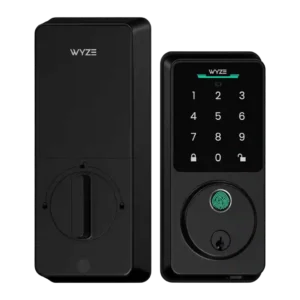
Overall: 4.4/5
User access management receives strong praise for being intuitive and fast.
Pros: Fingerprint, Value and Price
Cons: Smart-home integration (Alexa, Google, Siri, HomeKit, Matter, Thread)

Overall: 4.4/5
User access management receives strong praise for being intuitive and fast.
Pros: Fingerprint, Value and Price
Cons: Smart-home integration (Alexa, Google, Siri, HomeKit, Matter, Thread)
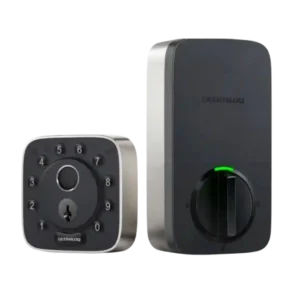
Overall: 4.2/5
User access management was praised for scheduled codes, admin/normal/temporary roles, and flexible control over who can enter and when.
Pros: Fingerprint, Installation and Setup
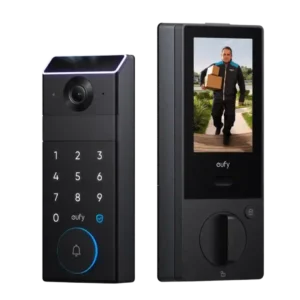
Overall: 4.2/5
User access management was praised for making family access easy and supporting different time slots.
Pros: Palm vein recognition, Camera and doorbell performance
Cons: Door compatibility (deadbolt fit)
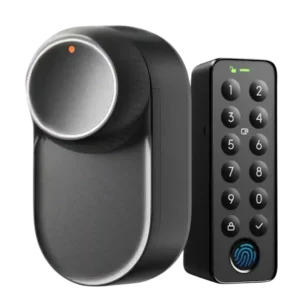
Overall: 4.2/5
User access management was praised for detailed controls, temporary access, and adjustable authorizations, with one reviewer wanting finer scheduling.
Pros: Installation and Setup, Industrial design
Cons: Hub requirement, Auto-lock
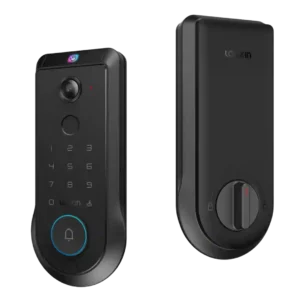
Overall: 4.3/5
User access management is useful for families, but one review criticized the lack of partial access controls for regular users.
Pros: Palm vein recognition, Battery
Cons: Feature additions via updates, Geofencing
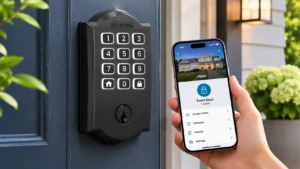
Overall: 4.2/5
Multiple scheduled and temporary codes make access management flexible, but some testers found that changing users required being near the lock.
Pros: Installation and Setup, Keypad
Cons: Smart-home integration (Alexa, Google, Siri, HomeKit, Matter, Thread), Door-sense
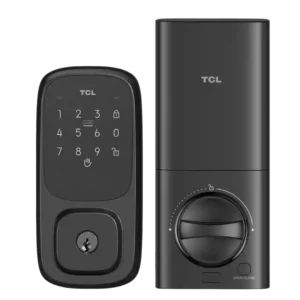
Overall: 3.9/5
User access management is mixed: the lock supports multiple and temporary users, but Smart Life makes member setup feel clunky or confusing for some.
Pros: Palm vein recognition, Installation and Setup
Cons: App, Smart-home integration (Alexa, Google, Siri, HomeKit, Matter, Thread)