Best 2025 Smart Locks for Hub requirement

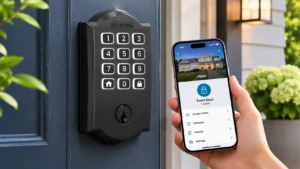
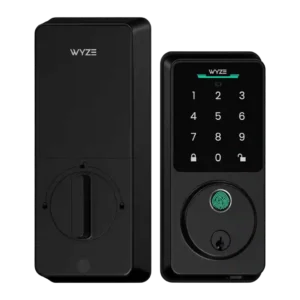
#1 Wyze Auto-Lock Bolt v2 Smart Lock
5.0

Overall: 4.4/5

Reviewers praise the lack of a hub requirement because Wi-Fi removes the need for helper devices and puts the lock closer to pricier competitors.

Pros: Fingerprint, Value and Price

Cons: Smart-home integration (Alexa, Google, Siri, HomeKit, Matter, Thread)
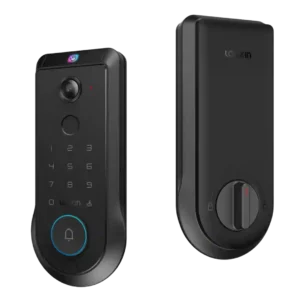
#2 Lockin Veno Pro Smart Deadbolt Lock
5.0

Overall: 4.3/5

Hub requirement is a strength for local AI and recording features, with one reviewer noting no hub or subscription is needed.

Pros: Palm vein recognition, Battery

Cons: Feature additions via updates, Geofencing

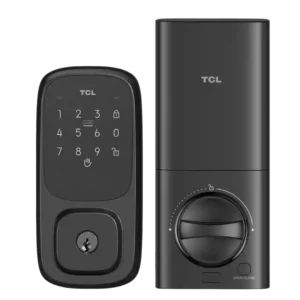
#3 TCL D1 Pro Smart Lock
4.8

Overall: 3.9/5

The no-hub design is a positive point, with built-in Wi-Fi removing the need for an external hub.

Pros: Palm vein recognition, Installation and Setup

Cons: App, Smart-home integration (Alexa, Google, Siri, HomeKit, Matter, Thread)
#4 Schlage Arrive Smart Lock
4.7

Overall: 4.2/5

Built-in Wi-Fi avoids the expense and clutter of a separate bridge or hub.

Pros: Installation and Setup, Keypad

Cons: Smart-home integration (Alexa, Google, Siri, HomeKit, Matter, Thread), Door-sense

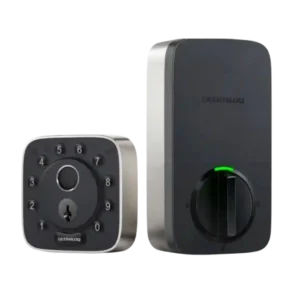
#5 ULTRALOQ Bolt Fingerprint Smart Lock
3.3

Overall: 4.2/5

Hub requirements depended on the version and workflow: built-in Wi-Fi avoided a separate bridge for one reviewer, while the Matter model drew criticism for bridge needs.

Pros: Fingerprint, Installation and Setup

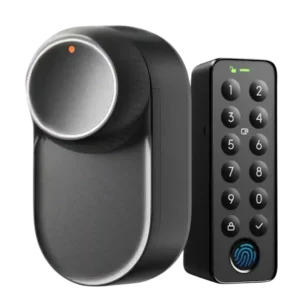
#6 SwitchBot Lock Ultra
3.1

Overall: 4.2/5

Hub requirement was a common tradeoff: hubs unlock Matter, remote access, and integrations, but several reviewers treated that dependency as a limitation.

Pros: Installation and Setup, Industrial design

Cons: Hub requirement, Auto-lock

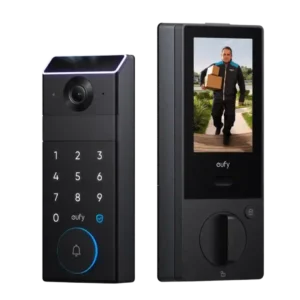
#7 eufy FamiLock S3 Max Smart Lock
2.7

Overall: 4.2/5

HomeBase dependence was a downside when reviewers wanted facial recognition or the most advanced alerts.

Pros: Palm vein recognition, Camera and doorbell performance

Cons: Door compatibility (deadbolt fit)