Best for onboard profile storage
Thrustmaster eSwap X2 H.E.
5.0 feature score
Highest scored product for this feature based on supporting review evidence.

Highest scored product for this feature based on supporting review evidence.
Balances feature score, supporting reviews, and overall product strength.
Has the broadest review evidence for this feature.
Strongest overall product among items with scored evidence for this feature.
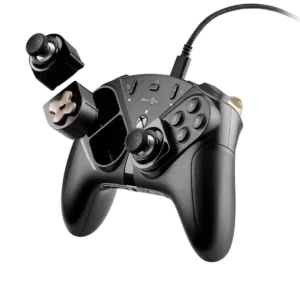
Two personalized profiles can be stored on the controller and switched with dedicated controls, making different game setups easy to keep ready.
Pros: durability, button quality
Cons: ease of setup, firmware update support
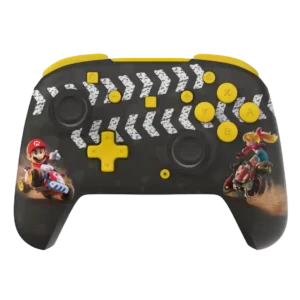
The Advanced model can reliably store genre-specific profiles, making its software tuning useful beyond one session.
Pros: analog stick precision, analog stick smoothness
Cons: Switch wake support, Amiibo/NFC support

Onboard profile storage was praised for saving profiles and advanced mappings to the controller.
Pros: hand fatigue over long sessions, macro support
Cons: compatibility with Xbox, compatibility with PlayStation
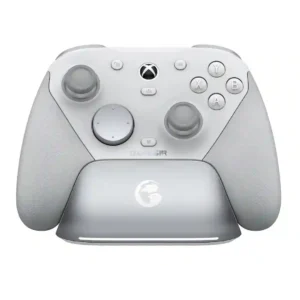
Four onboard profiles are repeatedly praised because they let players keep different mappings and sensitivity setups ready for different games. Switching profiles from the controller is quick and convenient.
Pros: ease of setup, mobile compatibility
Cons: compatibility with PlayStation, button label visibility
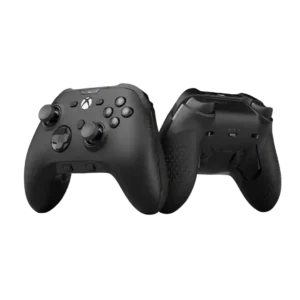
Onboard profile storage was viewed positively, with reviewers liking quick profile cycling and per-game setups.
Pros: grip texture, analog stick smoothness
Cons: compatibility with Nintendo Switch, platformer control precision

Five onboard profiles are useful for storing different game setups, but profile switching and identification are not equally convenient in every environment, especially on Xbox.
Pros: face button travel, trigger responsiveness
Cons: Start and Select button design, button label visibility
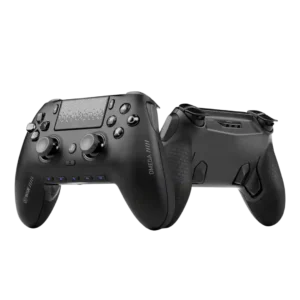
Onboard profiles are useful for switching between games and keeping settings on the controller. PC-focused reviewers especially liked saving macros or configurations without background software.
Pros: input lag, consistency across sessions
Cons: charging dock support, 2.4GHz dongle performance
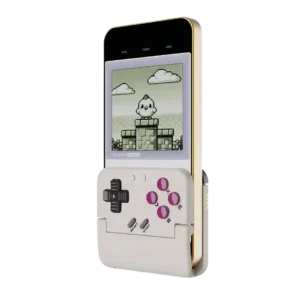
Profile storage is lightly covered through the companion app’s saved layouts. It is useful for tinkerers, but not a major reason reviewers recommended the controller.
Pros: travel friendliness, portability
Cons: brand software support, consistency across sessions
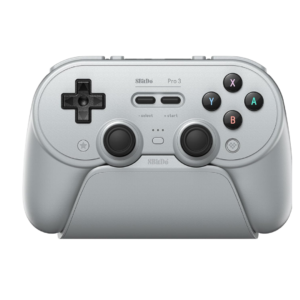
Multiple onboard profiles make it practical to keep separate layouts for games and platforms. Profile assignment and persistence can be confusing or unreliable in the software.
Pros: Hall effect stick performance, analog stick smoothness
Cons: cloud gaming compatibility, audio jack quality

There are no onboard profiles for switching between game-specific configurations, which limits the controller's pro-level flexibility.
Pros: ergonomics, hand fatigue over long sessions
Cons: compatibility with PlayStation, microphone passthrough quality