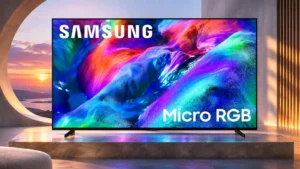
Compare Samsung S90H vs Samsung R85H

Samsung S90H

Samsung S90H

Overall score 4.5 / 5

Based on 29 scored reviews

vs
Samsung R85H

Samsung R85H

Overall score 3.8 / 5

Based on 12 scored reviews

How we score

Scorata scores summarize analyzed review evidence on a 1–5 scale; they are not laboratory measurements or a simple average of customer star ratings. Feature scores summarize the reviews covering that feature. The overall score averages feature scores within each review, then combines review averages. When both expert and customer evidence are available, those two groups receive equal weight. Products can have different review coverage, so small score gaps do not establish a winner.

Recommendations prioritize important features for the category, with a score of at least 3.5, a gap of at least 0.25 points and at least two supporting reviews per product. Features with widely varying scores or broad connectivity contexts are excluded from recommendations. These safeguards do not establish statistical significance.

Quick verdict

What each product is best for

The review evidence points to a tradeoff: picture quality and motion handling versus color gamut. Choose according to which strengths matter more to you; the overall score alone does not settle that choice.

Choose Samsung S90H for picture quality and motion handling.

Choose Samsung R85H for color gamut.

Why these recommendations?

Samsung S90H

Where It Has the Edge

  • picture quality is 4.9 vs 4.2. Picture quality is a major strength, with deep OLED contrast, rich color and crisp detail repeatedly standing out....
  • motion handling is 4.8 vs 4.1. Motion is strong once settings are dialed in, with clean fast action and few artifacts. Default or automatic...
  • motion clarity is 5.0 vs 2.0. Fast gaming and sports motion stays clear, helped by OLED response and high refresh rates.

Samsung R85H

Where It Has the Edge

  • color gamut is 4.5 vs 2.3. Micro RGB's broad color range is the most consistently admired innovation, especially in vivid reds, greens and blues.
Samsung S90H 4.5 overall score
Samsung R85H 3.8 overall score

Compare features

Scores are out of 5. Missing scores mean missing review evidence, not a missing feature.

Scored on both products

Performance

Picture quality
Samsung S90H
4.9

Picture quality is a major strength, with deep OLED contrast, rich color and crisp detail repeatedly standing out. The matte screen and some default modes can soften or exaggerate the image, but the core panel performance remains highly regarded.

Samsung R85H
4.2

Bright color and good processing create an appealing image, but color spill, blooming and off-axis issues keep it from consistent flagship quality.

White balance accuracy
Samsung S90H
5.0

White balance is strong in accurate modes, with only small residual errors. Default Standard settings can skew much cooler than the mastering target.

Samsung R85H
2.5

Factory SDR grays can appear too blue, but calibration can remove the unwanted cool tint.

Noise reduction
Samsung S90H
4.0

Noise handling is restrained rather than aggressive, reducing source flaws without wiping out film grain or fine texture.

Samsung R85H
1.8

The TV does relatively little to remove compression artifacts from heavily encoded streaming or cable sources.

Sound quality
Samsung S90H
4.8

Built-in sound is better than expected for such a slim OLED, especially in Amplify mode. It still cannot match a dedicated soundbar for scale and low-end weight.

Samsung R85H
3.5

Opinions range from surprisingly punchy to decidedly thin; dialogue is serviceable, but external audio makes movies more satisfying.

Color accuracy
Samsung S90H
4.9

Color can look highly natural and accurate in the better picture modes, especially Filmmaker Mode. Standard and AI-heavy modes can push skin tones or whites too cool or warm.

Samsung R85H
3.9

Factory colors are appealing but can lean cool in SDR; careful calibration delivers more neutral and faithful color.

Bass performance
Samsung S90H
3.0

Bass has some useful weight, but deep low frequencies remain limited and a soundbar adds substantially more impact.

Samsung R85H
2.0

The stock speakers lack deep low-end weight, making an external audio system worthwhile for cinematic impact.

Contrast ratio
Samsung S90H
5.0

OLED contrast is a standout, pairing near-perfect blacks with bright highlights for a deep, dimensional image in movies and games.

Samsung R85H
4.0

LCD contrast is generally convincing in darker scenes, but per-zone control cannot reproduce the absolute separation of OLED pixels.

Gaming performance
Samsung S90H
4.9

Gaming performance is a standout, combining 165Hz support, VRR, low lag and excellent OLED contrast across consoles and PCs.

Samsung R85H
4.0

The R85H excels in HDMI compatibility and low input lag, but reactions diverge on ghosting and fast-action clarity.

Daytime viewing performance
Samsung S90H
5.0

Bright-room performance is unusually strong for OLED because reflections are suppressed and brightness remains useful even with windows or overhead lights present.

Samsung R85H
4.1

Strong SDR light output works well with daytime television and sports, provided direct window reflections are controlled.

Overall image accuracy
Samsung S90H
4.8

Accuracy is strongest in Filmmaker-style settings, where skin tones, grayscale and source intent look convincing. More aggressive presets can trade that fidelity for extra brightness and punch.

Samsung R85H
4.0

The screen can look excellent after calibration, with neutral whites and much better color balance than its factory settings.

HDR performance
Samsung S90H
5.0

HDR is consistently praised for impactful highlights, deep blacks and rich color. The strongest results come from better picture modes rather than the most aggressive defaults.

Samsung R85H
4.3

Saturated colors, convincing contrast and good HDR tracking make many scenes impressive, with caveats around small highlights and light bleed.

HDR brightness
Samsung S90H
4.2

HDR brightness is strong enough to make highlights pop and handle lit rooms well, though it trails the S95H and can vary by screen size.

Samsung R85H
3.6

HDR highlights look punchy in many scenes, but competing premium LCDs can reach substantially higher brightness.

Peak brightness
Samsung S90H
4.0

Peak brightness is strong for a midrange OLED and gives HDR highlights real impact, though results vary by size and it remains below Samsung’s flagship models.

Samsung R85H
3.4

Daytime output is adequate to strong, but HDR peak brightness disappoints several testers compared with similarly priced LCDs.

Soundstage
Samsung S90H
5.0

Amplify mode opens the presentation noticeably, creating a wider and more involving soundstage than the default setting.

Samsung R85H
4.5

Dolby Atmos positioning gives some effects a convincing directional location on screen.

Sustained brightness
Samsung S90H
4.0

Full-screen brightness falls as OLED protection engages, but the sustained result is still described as competitive for the class.

Samsung R85H
4.5

Larger bright scenes retain much of their impact rather than immediately dimming down.

Display technology
Samsung S90H
4.0

OLED remains central to the S90H’s appeal, delivering self-emissive blacks, strong contrast and fast gaming response. The move away from QD-OLED in some sizes is the main tradeoff.

Samsung R85H
4.0

RGB LED backlighting broadens the LCD color palette, but does not eliminate traditional compromises in black depth or zone control.

Other features

Motion handling
Samsung S90H
4.8

Motion is strong once settings are dialed in, with clean fast action and few artifacts. Default or automatic smoothing can be less natural.

Samsung R85H
4.1

Fast action looks clean in some hands-on viewing, while instrumented testing finds motion blur and slower transitions.

Input lag
Samsung S90H
5.0

Input lag around the 9ms range at 4K/60Hz is repeatedly described as exceptionally responsive for gaming.

Samsung R85H
5.0

Very low latency makes button presses feel immediate, even though optional motion enhancement can introduce its own delay.

Motion clarity
Samsung S90H
5.0

Fast gaming and sports motion stays clear, helped by OLED response and high refresh rates.

Samsung R85H
2.0

Pixel response leaves visible trailing on fast movement, making high-refresh content less sharp than the numbers imply.

PC text clarity
Samsung S90H
2.0

Text rendering on tandem-panel sizes has drawn complaints about reduced sharpness, a concern most relevant to close-up PC or monitor use.

Samsung R85H
5.0

Proper 4:4:4 chroma keeps desktop text crisp at supported resolutions and refresh rates.

Reflection handling
Samsung S90H
5.0

Reflection control is exceptional: direct and indirect light is heavily diffused, making the screen unusually usable in bright rooms.

Samsung R85H
2.3

Lamps and windows remain visible in the glossy screen, a disadvantage against anti-reflective premium rivals.

Response time
Samsung S90H
5.0

Pixel response is extremely fast, giving fast-paced games an immediate, clean feel with little blur.

Samsung R85H
2.4

Fast-moving objects can leave long blur trails, particularly at 60Hz; 120Hz helps somewhat without entirely fixing it.

Search quality
Samsung S90H
2.0

Search is uneven: AI-enhanced search can find content, but the lack of a straightforward app-store search can make simple tasks frustrating.

Samsung R85H
4.5

The home screen makes it easy to find content without complicated menus.

Viewing angles
Samsung S90H
5.0

Off-axis viewing is excellent, with color and contrast holding up well across wide seating positions.

Samsung R85H
2.5

Color, contrast and brightness often deteriorate off-axis, sometimes with a red tint; a minority of viewing impressions are considerably more positive.

Color volume
Samsung S90H
2.0

WOLED versions lose some high-brightness color intensity compared with QD-OLED, most noticeably in demanding wide-gamut HDR material.

Samsung R85H
4.3

Highly saturated material has striking depth and punch, though lighter scenes can look washed out and not every show uses the full palette.

Color gamut
Samsung S90H
2.3

The S90H covers mainstream DCI-P3 material very well, but WOLED samples show narrower BT.2020 coverage and less extreme color punch than QD-OLED alternatives.

Samsung R85H
4.5

Micro RGB's broad color range is the most consistently admired innovation, especially in vivid reds, greens and blues.

Glare resistance
Samsung S90H
4.7

The matte Glare Free coating is one of the S90H’s defining strengths, dramatically reducing glare. The tradeoff is slightly raised blacks or reduced perceived crispness in some conditions.

Samsung R85H
2.6

Direct reflections are a recurring issue with the glossy surface, despite one much more favorable assessment of glare control.

Blooming control
Samsung S90H
5.0

Bright objects stay clean against dark backgrounds, with OLED’s pixel-level control eliminating the blooming seen on many backlit TVs.

Samsung R85H
3.0

Bright objects and subtitles can produce halos, particularly on dark backgrounds, although some viewers find the effect modest.

Motion interpolation
Samsung S90H
2.5

Interpolation is useful when kept moderate, but stronger or automatic settings can introduce obvious soap-opera effect and unnatural motion.

Samsung R85H
4.5

Low levels of smoothing can reduce stutter in pans without much inconsistency.

Calibration options
Samsung S90H
4.0

Phone-assisted Smart Calibration is convenient for quick tuning, though it is not a substitute for a full professional calibration.

Samsung R85H
2.5

Professional calibration is awkward because RGB backlight interactions alter test colors, but a careful setup can substantially improve accuracy.

Gaming mode quality
Samsung S90H
5.0

Game Mode stays highly responsive and preserves strong picture quality, making it suitable for competitive and cinematic games alike.

Samsung R85H
3.5

AI gaming settings can be convenient but are taste-dependent, and additional motion processing may add delay.

Stutter handling
Samsung S90H
2.5

OLED stutter can appear in some motion settings and slow pans, though several impressions describe it as subtle rather than broadly distracting.

Samsung R85H
4.0

Relatively modest motion stutter is generally easy to live with, even during slow camera pans.

Wall-mount compatibility
Samsung S90H
2.0

The thin panel looks wall-mount friendly, but the thicker rear electronics section can leave a visible gap at the edges.

Samsung R85H
3.5

Wall installation is possible, although the slightly deeper chassis projects farther from the wall than slimmer alternatives.

High-refresh-rate gaming
Samsung S90H
5.0

High-frame-rate gaming is a core strength, especially on PC where the panel can run up to 165Hz.

Samsung R85H
3.7

4K/144Hz and VRR are strong technical benefits, but enthusiasts may prefer rivals with sharper response and lower processing delay.

Overall satisfaction
Samsung S90H
4.9

Overall sentiment is strongly positive: the S90H is repeatedly described as a well-rounded OLED with standout gaming and bright-room performance despite a handful of platform and format compromises.

Samsung R85H
3.6

Vibrant color and broad capabilities inspire enthusiastic recommendations, but equally firm critiques focus on cross-talk, weak value and uneven performance.

Black levels
Samsung S90H
4.8

Black levels are excellent in dark rooms and create the depth expected from OLED. Strong ambient light can lift blacks slightly because of the matte anti-glare treatment.

Samsung R85H
3.6

Contrast is strong by LCD standards, but zone-based dimming can elevate blacks or erase small dark details; OLED remains cleaner.

Dirty screen effect
Samsung S90H
5.0

Test patterns showed no distracting dirty-screen effect, vertical banding or vignetting on the evaluated sample.

Samsung R85H
4.0

Screen uniformity is respectable through the center, which helps sports, although some edge darkening can be seen.

Low-resolution content handling
Samsung S90H
5.0

Older and lower-resolution sources hold up surprisingly well, with processing that preserves texture while avoiding heavy-handed cleanup.

Samsung R85H
4.0

DVDs and other older material are easier to watch after upscaling, without becoming truly native 4K.

Screen uniformity
Samsung S90H
5.0

Uniformity is very clean for an OLED, with no meaningful hot spots or distracting near-black inconsistencies reported on tested samples.

Samsung R85H
4.0

Gray-screen consistency is good overall, without an especially noticeable dirty-screen appearance.

Upscaling quality
Samsung S90H
5.0

Upscaling is one of the S90H’s clearest strengths, making HD and even DVD material look cleaner and more detailed without excessive artificial sharpening.

Samsung R85H
4.2

Standard-definition and HD material can look clear and lively, but heavy compression is much harder for the processor to fix.

Stand quality
Samsung S90H
3.7

The stand is functional and can be sturdy once assembled, but its plastic cover, feel and assembly quality draw mixed reactions.

Samsung R85H
4.4

Adjustable stand positions and uncomplicated assembly make placement flexible, while its visual design stays restrained.

Dialogue clarity
Samsung S90H
5.0

Dialogue stays clear and naturally placed in most scenes, with voice-enhancement processing available when room noise competes.

Samsung R85H
4.4

AI voice enhancements make speech easier to hear, even if opinions on the speakers' overall sound remain divided.

Advertising intrusiveness
Samsung S90H
2.0

Ad behavior is inconsistent across impressions: one interface showed no top banner, while others criticized Samsung TV Plus autoplay and persistent promotional content.

Samsung R85H
2.5

Sponsored recommendations are still present in Tizen, which may bother people who want an uncluttered home screen.

Banding control
Samsung S90H
5.0

Banding is kept to a minimum in both test material and real content, helping color transitions look smooth.

Samsung R85H
4.5

Smooth HDR gradients help avoid obvious transitions between nearby shades.

Gaming dashboard
Samsung S90H
5.0

Samsung’s Game Bar is particularly useful, putting refresh, HDR, genre and aiming controls within quick reach during play.

Samsung R85H
4.5

Game Bar offers live game information and quick access to relevant adjustments.

Refresh rate
Samsung S90H
5.0

The 165Hz ceiling is a major gaming upgrade for capable PCs and is repeatedly praised as a premium feature.

Samsung R85H
4.5

A flexible high-refresh ceiling supports 4K gaming at 144Hz and faster 1080p modes, although response clarity still varies.

Remote control quality
Samsung S90H
4.0

The solar/USB-C remote is light and convenient, but minimalist controls are not universally loved.

Samsung R85H
4.5

The SolarCell remote feels solid, comfortable and easy to navigate, with straightforward access to streaming shortcuts.

Shadow detail
Samsung S90H
3.0

Shadow detail is the main dark-scene weakness: some presets bury information near black, although picture controls can recover part of it.

Samsung R85H
2.6

Aggressive dimming can darken subtle near-black elements, and OLED often preserves intricate shadow textures better.

Image processing
Samsung S90H
4.4

Samsung’s processor is capable and often excellent at detail, upscaling and cleanup, but some AI modes can over-brighten or cool the image and are better disabled for accuracy.

Samsung R85H
4.2

Processing is generally good with clean sources and HDR, although smoothing and compressed-stream cleanup are weaker areas.

Variable refresh rate
Samsung S90H
5.0

VRR is viewed as a strong gaming feature, smoothing frame-rate changes across supported consoles and PCs.

Samsung R85H
4.9

Broad VRR support across PC and console ecosystems makes tearing less apparent even when frame rates fluctuate.

Distortion control
Samsung S90H
2.0

Low frequencies can introduce a little distortion when pushed, particularly as the built-in speakers approach their bass limits.

Samsung R85H
2.0

Boxy midrange and sometimes harsh treble reduce the refinement of the built-in audio.

G-SYNC compatibility
Samsung S90H
5.0

Official G-SYNC compatibility broadens the S90H’s appeal to Nvidia PC gamers and complements its 165Hz panel.

Samsung R85H
5.0

Certified G-SYNC support expands the TV's compatibility with gaming PCs and minimizes tearing during frame-rate changes.

Gradient handling
Samsung S90H
5.0

Gradients are handled cleanly with little visible banding, including difficult skies, dark scenes and streamed material.

Samsung R85H
5.0

HDR transitions between close colors are exceptionally smooth, with little noticeable banding.

HDMI 2.1 port count
Samsung S90H
5.0

All four HDMI ports are full-bandwidth HDMI 2.1, a strong advantage for multi-device gaming setups.

Samsung R85H
5.0

Four full-capability HDMI 2.1 connections are particularly useful for households juggling consoles, PCs and external audio.

HDMI port count
Samsung S90H
5.0

Four HDMI inputs give the S90H enough wired flexibility for multiple consoles, players and audio gear.

Samsung R85H
5.0

Four inputs make it easier to leave multiple gaming and home-theater devices connected at once.

Stand width
Samsung S90H
5.0

Closely spaced feet make the S90H easier to place on narrower furniture than many large OLED rivals.

Samsung R85H
5.0

Wide and narrow foot placements help the R85H fit different entertainment cabinets.

Controls and connectivity

App selection
Samsung S90H
3.0

Major apps are broadly covered, though regional gaps such as iPlayer at review time keep the selection from being flawless.

Samsung R85H
5.0

The platform offers broad access to popular streaming apps, avoiding some of the gaps experienced on competing systems.

Smart home integration
Samsung S90H
5.0

SmartThings integration is useful for connected-home control and works especially smoothly inside Samsung’s ecosystem.

Samsung R85H
4.5

SmartThings connects the TV to compatible home devices, adding convenient household controls.

Streaming app support
Samsung S90H
3.5

Core streaming services are well supported and run smoothly, with only isolated regional omissions noted.

Samsung R85H
4.0

Mainstream streaming apps are available through Tizen, keeping normal watching convenient.

Voice control accuracy
Samsung S90H
2.0

Voice control handles basic requests but can be inconsistent, particularly when asked to launch specific content in a named service.

Samsung R85H
2.5

Basic navigation remains smooth, but conversational AI commands may be slow and require repeating.

Operating system speed
Samsung S90H
5.0

The updated Tizen interface feels quick, with fast app launches and fluid navigation through major sections.

Samsung R85H
4.8

Tizen is consistently praised for smooth app switching and navigation, even when advanced AI voice responses take longer.

Menu responsiveness
Samsung S90H
5.0

Menus and settings generally respond quickly, making inputs, apps and gaming controls easy to reach.

Samsung R85H
5.0

Everyday UI interactions feel quick and snappy, especially compared with older Tizen implementations.

Tone mapping
Samsung S90H
4.0

Tone mapping generally preserves bright highlights and dark detail well. Active mapping can add useful brightness or shadow visibility, though stronger settings may sacrifice some fine highlight detail.

Samsung R85H
4.0

HDR roll-off balances highlight visibility and image brightness, though slight crushing can remain.

Ownership and support

Setup ease
Samsung S90H
3.0

Physical assembly and SmartThings-assisted setup can be very easy, but mandatory-account and permission screens make the software setup more frustrating for some.

Samsung R85H
5.0

Stand assembly is unusually straightforward, allowing the TV to be ready for picture setup quickly with help lifting the panel.

Value for money
Samsung S90H
4.4

Value is generally strong when the S90H is discounted, especially relative to the S95H, but cheaper S85H/S90F and LG alternatives can be more compelling if glare control is not essential.

Samsung R85H
2.5

Value is highly contested: premium OLEDs and brighter Mini LED alternatives can cost the same or less, while discounts or an R95H comparison improve the case.

Cloud gaming support
Samsung S90H
5.0

Gaming Hub is a strong smart-platform feature, bringing Xbox, GeForce Now, Luna and controller support directly to the TV.

Samsung R85H
4.3

Samsung Gaming Hub offers a convenient route to games without a dedicated console, though some extra services can require fees.

4K gaming support
Samsung S90H
5.0

The S90H is positioned as a high-end 4K gaming display, with enough bandwidth and refresh capability for modern consoles and powerful PCs.

Samsung R85H
5.0

Major consoles can deliver high-resolution, high-frame-rate gameplay through the R85H's HDMI inputs.

Casting support
Samsung S90H
5.0

Casting is easy from phones and computers, with support that covers both Apple and Miracast-style workflows.

Samsung R85H
5.0

Phone-to-TV casting is described as easy, complementing the TV's native app ecosystem.

FreeSync support
Samsung S90H
5.0

FreeSync support is a clear plus for AMD-based gaming, helping deliver stable, tear-reduced play at variable frame rates.

Samsung R85H
5.0

AMD FreeSync works across the supported refresh range and helps keep variable-frame-rate gaming free of tearing.

HDMI 2.1 support
Samsung S90H
5.0

Full-bandwidth HDMI 2.1 connectivity is a strong point, supporting modern high-refresh gaming features without forcing buyers to choose a single premium port.

Samsung R85H
5.0

Modern full-bandwidth HDMI connections support the R85H's strongest high-refresh gaming capabilities.

Comfort and build

Design and appearance
Samsung S90H
4.9

The slim, understated OLED design is widely liked and keeps attention on the screen rather than decorative framing.

Samsung R85H
4.6

Minimal styling, thin borders and a practical stand give the R85H a premium but understated appearance.

Bezel size
Samsung S90H
5.0

Bezels are thin enough to disappear during viewing, reinforcing the clean all-screen look.

Samsung R85H
4.8

Very slim borders and restrained branding give the large panel an immersive, upscale appearance.

Evidence available for one product

Ownership and support

Reliability
Samsung S90HNo score yet
Samsung R85H
4.5

A month of use showed no visible clouding or backlight bleeding, but this short experience cannot establish long-term durability.

4K at 120 Hz support
Samsung S90HNo score yet
Samsung R85H
5.0

PS5 and Xbox 4K/120Hz output is fully supported, giving console owners modern gaming compatibility without compromises in signal format.

4K at 144 Hz support
Samsung S90HNo score yet
Samsung R85H
5.0

The TV accepts 4K at 144Hz for suitably equipped PCs; high refresh-rate support is a genuine strength even if pixel response limits clarity.

AirPlay support
Samsung S90H
5.0

AirPlay works as part of the TV’s straightforward casting options, making Apple-device sharing quick and easy.

Samsung R85HNo score yet
Dolby Atmos support
Samsung S90H
5.0

Dolby Atmos playback contributes to a surprisingly capable built-in audio presentation and works with the TV’s wider Samsung audio ecosystem.

Samsung R85HNo score yet
Dolby Vision support
Samsung S90H
2.2

Samsung’s lack of Dolby Vision is the most repeated format complaint. Some reviewers consider it minor, especially for console gaming, while others see it as a reason to prefer LG or Sony.

Samsung R85HNo score yet
DTS support
Samsung S90H
2.0

The lack of DTS is a drawback for disc-based home theater, forcing DTS material to fall back to PCM.

Samsung R85HNo score yet
EARC support
Samsung S90H
5.0

The eARC connection makes it straightforward to send high-quality audio to a soundbar or receiver.

Samsung R85HNo score yet
HDR format support
Samsung S90H
2.0

The S90H handles HDR10-family content well, but the continued absence of Dolby Vision remains a meaningful format limitation for some movie viewers.

Samsung R85HNo score yet
Tuner support
Samsung S90H
2.0

The tuner is functional for standard broadcasts but lacks ATSC 3.0/NextGen TV, a notable omission at this price.

Samsung R85HNo score yet

Other features

Ease of use
Samsung S90HNo score yet
Samsung R85H
4.8

The redesigned Tizen home screen and straightforward navigation make everyday operation less cumbersome.

Account requirements
Samsung S90H
1.5

Using built-in streaming apps requires a Samsung account, and the associated permissions/setup flow can feel intrusive or tedious.

Samsung R85HNo score yet
AI scene optimization
Samsung S90HNo score yet
Samsung R85H
4.7

Automatic picture adjustments are convenient and can look excellent, while more conversational AI features feel less polished.

AI Soccer Mode
Samsung S90HNo score yet
Samsung R85H
4.8

Soccer-specific tuning makes action appear smoother and more detailed, with sound adjustments that can emphasize commentary or stadium ambience.

Ambient Experience
Samsung S90H
2.0

Ambient and Daily Board features are clever but can become annoying when they wake or surface information more often than wanted.

Samsung R85HNo score yet
Auto low-latency mode
Samsung S90HNo score yet
Samsung R85H
5.0

Automatic Game Mode activation ensures low input lag without switching picture modes manually.

Backlight strobing
Samsung S90HNo score yet
Samsung R85H
4.0

Optional black-frame insertion can improve the appearance of movement for viewers who prefer a crisper presentation.

Black uniformity
Samsung S90HNo score yet
Samsung R85H
3.0

Dark scenes generally look even, but black areas can appear raised or washed out around brighter objects.

Burn-in resistance
Samsung S90HNo score yet
Samsung R85H
4.3

Its LCD backlight avoids the OLED-specific static-image concerns that worry gaming and news viewers.

Cable management
Samsung S90H
2.0

Cable management is a minor weakness, with reviewers wishing for more built-in routing and cleanup options.

Samsung R85HNo score yet
Color crosstalk
Samsung S90HNo score yet
Samsung R85H
1.8

Nearby saturated objects can tint whites or neighboring highlights, an unusual and sometimes distracting RGB-backlight artifact.

Content recommendations
Samsung S90H
4.0

Personalized suggestions can work surprisingly well after some use, although recommendation features are not central to the TV’s appeal.

Samsung R85HNo score yet
Flicker control
Samsung S90HNo score yet
Samsung R85H
2.5

Pulse-width backlight dimming can cause perceptible flicker for susceptible viewers in certain picture modes.

Game Motion Plus
Samsung S90HNo score yet
Samsung R85H
1.8

Extra motion processing introduces noticeable latency for gaming, making it a poor fit when prompt controls matter.

HDR highlight detail
Samsung S90HNo score yet
Samsung R85H
2.8

Tiny bright points can be subdued by dimming, and some bright tones lose fine detail.

Judder handling
Samsung S90H
3.0

Judder can show up at default settings, but modest custom adjustments clear it up without forcing an overly smoothed look.

Samsung R85HNo score yet
Maximum volume
Samsung S90H
2.0

The speakers can lose composure when pushed hard, so demanding scenes at high volume expose the limits of the slim chassis.

Samsung R85HNo score yet
Motion artifacts
Samsung S90HNo score yet
Samsung R85H
2.9

Some fast games leave ghost trails, especially at lower frame rates, while other hands-on impressions report little perceptible ghosting.

Panel type
Samsung S90H
2.5

The OLED panel delivers excellent fundamentals, but panel configuration matters: WOLED versions give up some color volume versus QD-OLED variants while retaining strong brightness and contrast.

Samsung R85HNo score yet
Portability and versatility
Samsung S90H
5.0

Slim construction, relatively low weight and smaller size options make the S90H flexible for bedrooms, desks and secondary gaming setups.

Samsung R85HNo score yet
Remote control usability
Samsung S90HNo score yet
Samsung R85H
4.5

The SolarCell remote is comfortable to hold and puts common streaming and assistant functions within easy reach.

Remote layout
Samsung S90H
2.0

The compact layout omits useful dedicated controls such as an input button, pushing more actions into onscreen menus.

Samsung R85HNo score yet
Screen coating clarity
Samsung S90HNo score yet
Samsung R85H
2.5

The glossy coating preserves a vivid picture but can add rainbow-like smearing around reflected lights.

Screen mirroring
Samsung S90H
5.0

Screen mirroring through AirPlay or Miracast is described as quick and easy to use.

Samsung R85HNo score yet
Speaker quality
Samsung S90HNo score yet
Samsung R85H
2.0

The built-in speakers fail to deliver the richness suggested by the extensive audio feature list.

Stand stability
Samsung S90H
5.0

Once installed, the feet hold the TV securely and provide a stable base.

Samsung R85HNo score yet
VRR range
Samsung S90HNo score yet
Samsung R85H
4.5

Variable refresh works across the refresh range, with low-frame-rate compensation helping when game performance drops.

Performance

AI audio processing
Samsung S90HNo score yet
Samsung R85H
4.8

Automated voice enhancement is useful for hard-to-hear dialogue, although it cannot entirely make up for the basic speakers.

Art display mode
Samsung S90HNo score yet
Samsung R85H
4.0

Samsung Art Store gives the screen an optional decorative role when shows and movies are not playing.

Dark-room performance
Samsung S90H
5.0

In evening and dark-room viewing, the OLED panel delivers the deep blacks, contrast and depth that home-cinema buyers expect.

Samsung R85HNo score yet
Local dimming performance
Samsung S90HNo score yet
Samsung R85H
3.2

Zone control is improved over some older Samsung LCDs, but limited precision can create halos, color spill and lost details.

Picture-in-picture availability
Samsung S90HNo score yet
Samsung R85H
4.0

Multi View is viewed as a useful way to bring more than one source onto the screen.

Picture detail
Samsung S90HNo score yet
Samsung R85H
3.0

Clean 4K sources look sharp, yet low-bitrate streams and aggressive smoothing can lose textures and small details.

Picture mode tuning
Samsung S90HNo score yet
Samsung R85H
4.5

Presets can emphasize vivid saturation, and automatic picture tuning makes it easy to find an appealing look.

Soundbar clearance
Samsung S90HNo score yet
Samsung R85H
5.0

Adjustable stand height makes it practical to fit a soundbar beneath the TV without obscuring the screen.

Controls and connectivity

App performance
Samsung S90H
5.0

Apps open quickly and the interface shows less lag than older Samsung software.

Samsung R85HNo score yet
HDR tone mapping accuracy
Samsung S90HNo score yet
Samsung R85H
4.0

HDR luminance tracking generally follows the intended curve well, retaining a sensible balance between light output and fine highlight detail.

Privacy controls
Samsung S90H
5.0

Local, privacy-focused AI processing drew praise, and privacy choices are accessible in the interface.

Samsung R85HNo score yet
Smart TV platform
Samsung S90H
4.5

Tizen is faster and better organized than prior versions, but opinions split over clutter, ads and Samsung-centric behavior.

Samsung R85HNo score yet
Smart TV platform
Samsung S90HNo score yet
Samsung R85H
4.4

One UI Tizen is generally responsive, well organized and rich in features, although newer conversational AI functions occasionally feel unfinished.

Software updates
Samsung S90HNo score yet
Samsung R85H
4.0

Tizen promises extended updates and one firmware release reportedly improved backlight behavior.

Wi-Fi performance
Samsung S90HNo score yet
Samsung R85H
4.5

Wi-Fi 6E connectivity is praised as a fast wireless option for online viewing and connected devices.

Comfort and build

Build quality
Samsung S90H
4.2

The panel and chassis generally feel solid and premium, though some stand assembly experiences feel flimsier than the TV itself.

Samsung R85HNo score yet
Power cord design
Samsung S90H
4.0

The small power connector is well suited to cleaner, lower-profile wall installations.

Samsung R85HNo score yet
Size options
Samsung S90H
5.0

A broad 42- to 83-inch range gives the series options for desks, bedrooms and large living rooms, though panel behavior can differ by size.

Samsung R85HNo score yet

Battery and charging

Solar remote charging
Samsung S90HNo score yet
Samsung R85H
4.5

A rear solar panel and USB-C top-up option make the remote convenient to keep charged.

Other Top TVs to Consider

#2 Roku Pro Series (2025)
4.4

Best for bright Mini-LED picture, excellent built-in audio, easy Roku navigation, and responsive 4K/120 gaming. Skip it if you want ad-free menus, premium motion consistency, or stronger confidence in long-term...

Pros: overall satisfaction, picture quality

Cons: reliability, portability and versatility

#3 TCL QM8L

4.4

Choose the QM8L for a big, brilliantly bright TV with vivid HDR, deep mini-LED blacks, low input lag, and four HDMI 2.1 ports. Skip it if you need OLED-clean motion,...

Pros: picture quality, value for money

Cons: stand quality, judder handling

#4 LG G6

4.4

Choose the G6 for class-leading bright-room OLED picture, rich color, deep blacks and elite gaming. Skip it if you want strong built-in audio, polished launch firmware, no account sign-in, or...

Pros: picture quality, peak brightness

Cons: value for money, sound quality

#5 Sony Bravia 9 II
4.3

Best for exceptional bright-room HDR, accurate color, strong processing and unusually capable built-in sound. Skip it if you prioritize OLED-perfect blacks, four HDMI 2.1 ports, high-refresh PC gaming or maximum...

Pros: overall satisfaction, overall image accuracy

Cons: value for money, bass performance