Scorata scores summarize analyzed review evidence on a 1–5 scale; they are not laboratory measurements or a simple average of customer star ratings. Feature scores summarize the reviews covering that feature. The overall score averages feature scores within each review, then combines review averages. When both expert and customer evidence are available, those two groups receive equal weight. Products can have different review coverage, so small score gaps do not establish a winner.
Recommendations prioritize important features for the category, with a score of at least 3.5, a gap of at least 0.25 points and at least two supporting reviews per product. Features with widely varying scores or broad connectivity contexts are excluded from recommendations. These safeguards do not establish statistical significance.
Quick verdict
What each product is best for
The review evidence points to a tradeoff: HDR10+ support and HDMI 2.1 port count versus white balance accuracy and build quality. Choose according to which strengths matter more to you; the overall score alone does not settle that choice.
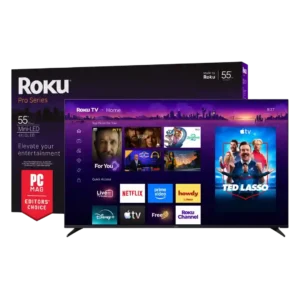
Choose TCL QM7L for HDR10+ support and HDMI 2.1 port count.
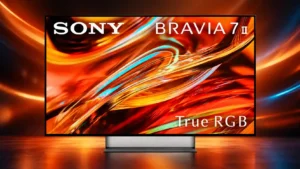
Choose Sony Bravia 7 II for white balance accuracy and build quality.
Why these recommendations?
TCL QM7L
Where It Has the Edge
HDR10+ support is 4.8 vs 2.0. HDR10+ content produces bright, striking specular highlights and complements the TV's equally strong Dolby Vision support.
HDMI 2.1 port count is 4.1 vs 1.9. Most configurations are described as having two full-bandwidth gaming ports plus separate eARC, which is sufficient for many...
gaming dashboard is 5.0 vs 4.5. TCL's Game Bar is consistently praised for fast access to VRR, frame-rate data, presets, crosshairs, shadow controls, and...
Sony Bravia 7 II
Where It Has the Edge
white balance accuracy is 5.0 vs 3.1. White balance is notably stable, even when the panel is driven to high brightness.
build quality is 4.2 vs 3.7. The chassis and metal stand feel solid and secure, although the TV is bulkier and deeper than many...
shadow detail is 4.5 vs 4.0. The TV usually preserves subtle near-black texture without lifting the whole image, a major reason dark films look...
TCL QM7L3.9 overall score
Sony Bravia 7 II4.2 overall score
Compare features
Scores are out of 5. Missing scores mean missing review evidence, not a missing feature.
Scored on both products
Performance
Picture quality
TCL QM7L
4.2
The QM7L usually produces vivid, premium-looking images with strong detail and depth. Its default picture can also appear washed out and unattractive, making careful mode selection important.
Sony Bravia 7 II
4.7
Picture quality is the core attraction: vivid but controlled color, deep blacks, sharp detail and strong processing create a refined, dimensional image. A few critics prefer OLED or rival RGB models in tougher scenes.
White balance accuracy
TCL QM7L
3.1
White balance is acceptable but inconsistent, with cool or blue-leaning defaults appearing repeatedly. The bias is usually described as correctable through picture controls.
Sony Bravia 7 II
5.0
White balance is notably stable, even when the panel is driven to high brightness.
Color accuracy
TCL QM7L
3.4
Color can look rich, lifelike, and accurate in the better presets, but blue, red, green, and magenta biases appear in different modes. Default settings can also look pale and washed out.
Sony Bravia 7 II
4.5
Color is the defining strength: it is usually rich, natural and highly accurate without looking cartoonish. A minority of tests found oversaturated reds, warm white balance or skin-tone errors in some modes.
Overall image accuracy
TCL QM7L
3.5
Filmmaker Mode and other presets can look natural and accurate, but several units showed cool, magenta, or washed-out tendencies before adjustment. Out-of-box accuracy ranges from very good to disappointing depending on settings and perspective.
Sony Bravia 7 II
4.5
The TV can be exceptionally faithful to creative intent, with several tests calling its tuning reference-like. Accuracy depends on mode, and some factory presets show red or white-balance errors.
Sustained brightness
TCL QM7L
3.7
Full-screen and accurate-mode brightness can remain strong, but output may drop quickly after the brightest short-window peaks.
Sony Bravia 7 II
4.5
Full-screen brightness is strong for the class, though the 7 II gives up substantial sustained output to the Bravia 9 II.
HDR performance
TCL QM7L
4.2
HDR is usually bright, colorful, and detailed, with impactful highlights and broad format support. Clipping, overbrightening, blooming, and unstable brightness remain possible drawbacks.
Sony Bravia 7 II
5.0
HDR is a major strength, combining strong highlight detail, controlled blacks and excellent tone mapping without simply over-brightening dark scenes.
Local dimming performance
TCL QM7L
4.2
Halo control and numerous dimming zones usually keep highlights tight and blacks deep. Dark rooms and off-axis seats can shift the result from excellent control to obvious fog and leakage.
Sony Bravia 7 II
4.9
Local dimming is exceptionally well controlled for an LCD, balancing deep blacks with bright highlights without obvious brightness pumping in most real content.
Daytime viewing performance
TCL QM7L
4.5
The QM7L is usually an excellent bright-room TV thanks to high full-screen output and vivid color. Direct sunlight can still wash out darker detail in some environments.
Sony Bravia 7 II
3.8
The panel has enough brightness for sports and general daytime viewing, but direct windows and lamps can create distracting reflections. Bright rooms are its most context-dependent use case.
Display technology
TCL QM7L
4.1
SQD Mini-LED usually delivers brighter, richer color and impressive black levels for the price. A dissenting take argues the technology falls well short of its marketing and offers little meaningful advancement.
Sony Bravia 7 II
4.6
True RGB is treated as a meaningful step forward for LCD, especially for color volume and backlight control. It narrows several OLED advantages without eliminating every LCD limitation.
Dark-room performance
TCL QM7L
3.3
Deep blacks and controlled halos can look excellent from a centered seat. Fog, blooming, and weaker micro-contrast can still make OLED a safer choice for demanding nighttime viewing.
Sony Bravia 7 II
3.6
In a controlled room the TV can look cinematic, detailed and impressively close to OLED in many scenes. A few critical tests found some very dark material difficult to read without raising brightness and exposing other artifacts.
Contrast ratio
TCL QM7L
3.9
Contrast is generally strong for a midrange Mini-LED, creating punchy images and convincing depth. It still trails OLED and premium Mini-LED sets, and can look merely average in difficult scenes.
Sony Bravia 7 II
4.2
Contrast is generally strong, with bright highlights set against deep blacks, but OLED still produces cleaner absolute blacks and stronger pinpoint contrast in the toughest scenes.
Sound quality
TCL QM7L
3.6
Built-in sound is generally clear, balanced, and better than average, with enough detail for everyday use. A soundbar remains worthwhile, especially for stronger bass and a larger presentation.
Sony Bravia 7 II
3.9
Built-in sound is above average in several tests, with good clarity, bass and useful volume. Other tests find it contained, shouty or not worthy of the picture, so a soundbar remains sensible for movies.
Gaming performance
TCL QM7L
4.1
Feature support, low lag, and vivid HDR make gaming a major strength for many users. Slow pixel response can also produce enough blur and smearing to make fast games unpleasant.
Sony Bravia 7 II
4.2
Gaming is fast, colorful and responsive for consoles, particularly PS5. Enthusiast PC gamers may be less satisfied by 120Hz, two HDMI 2.1 ports and slower pixel transitions.
HDR brightness
TCL QM7L
4.2
Highlights have plenty of intensity and often preserve detail rather than clipping. The QM8L is visibly brighter side by side, while the QM7L's highest output may not remain stable.
Sony Bravia 7 II
4.3
HDR is bright and impactful enough to make highlights pop and colors stay vivid. Measurements vary by mode and source, and several rivals can go brighter.
Bass performance
TCL QM7L
3.8
Rear woofers add more weight than typical thin-TV speakers, but bass remains modest and cannot replace a soundbar or subwoofer.
Sony Bravia 7 II
3.8
Built-in bass is stronger than typical TV audio and can add convincing punch, but some listening tests found it hollow, thick or lacking control in demanding scenes.
Peak brightness
TCL QM7L
4.5
Brightness is a defining strength, with measured peaks around 2,400 to 3,300 nits and plenty of output for bright rooms. The highest peaks may be brief rather than consistently sustained.
Sony Bravia 7 II
4.5
Peak output is strong enough for impactful HDR and bright-room use, though measured results vary substantially by mode and some competing RGB sets are brighter.
Other features
Motion handling
TCL QM7L
3.8
Film, sports, and games often look smooth with sensible settings, yet motion is highly inconsistent. Some fast scenes stay clean and responsive, while others show severe smearing and ghosting.
Sony Bravia 7 II
4.4
Motion is usually smooth, composed and artifact-free, continuing a traditional Sony strength. A few critical tests found less of an advantage over rivals than expected.
Input lag
TCL QM7L
4.8
Measured input lag is excellent, dropping to roughly 7 ms at 4K/120Hz and making controls feel immediate.
Sony Bravia 7 II
4.8
Input response is consistently fast, with measured lag around the low-10ms range at 60Hz and an even snappier feel at 120Hz.
Advertising intrusiveness
TCL QM7L
4.5
Google TV includes many recommendations but was described as organized and not excessively ad-heavy.
Sony Bravia 7 II
2.0
Google TV’s home screen is not ad-free, and large promotional banners can be distracting.
HDMI 2.1 port count
TCL QM7L
4.1
Most configurations are described as having two full-bandwidth gaming ports plus separate eARC, which is sufficient for many setups. Conflicting port descriptions make the exact high-bandwidth count worth confirming.
Sony Bravia 7 II
1.9
Only two of the four HDMI inputs are full-bandwidth HDMI 2.1, and one doubles as eARC. This is the most repeated hardware complaint, especially for multi-console setups.
Low-resolution content handling
TCL QM7L
5.0
Lower-resolution material benefits from strong upscaling, though the cleanest results still require a reasonably good input signal.
Sony Bravia 7 II
3.0
Sony can make DVDs and weak sources look impressively clean, but not every source benefits; some tests found older video overprocessed or artificial.
Stutter handling
TCL QM7L
3.0
Minor sputter and stutter appear in some low-frame-rate scenes, though higher-speed content often remains acceptable.
Sony Bravia 7 II
5.0
120fps VRR gaming showed no noticeable micro-stutter in hands-on play.
Wall-mount compatibility
TCL QM7L
4.0
The VESA mounting position sits lower than usual but remains practical and leaves room for the speaker system.
Sony Bravia 7 II
2.2
The relatively thick chassis is a poor fit for buyers who want a flush, ultra-slim wall installation.
Glare resistance
TCL QM7L
3.9
Strong brightness often overpowers room light, and the coating can work very well. Direct sunlight and dark scenes remain problematic in less favorable rooms.
Sony Bravia 7 II
2.4
Glare control is a recurring weakness because the 7 II lacks the flagship’s anti-reflective coating. Some owners may find the semi-gloss screen acceptable, but direct light can be distracting.
Refresh rate
TCL QM7L
4.5
The fast native refresh rate handles sports and games well, helping high-speed content stay clear.
Sony Bravia 7 II
3.1
A native 120Hz panel is ideal for current consoles, but it looks conservative beside PC-focused rivals offering 144Hz, 165Hz or higher.
Stand quality
TCL QM7L
3.2
The center stand can feel sturdy and easy to use, but some units feel flimsy, cheap, or annoying to assemble.
Sony Bravia 7 II
4.5
The central Mirage Stand is sturdy, attractive and unusually practical, with its floating illusion earning repeated praise.
Motion clarity
TCL QM7L
2.4
Fast content can remain clean, but blur, ghosting, smearing, and interpolation artifacts appear often enough to make motion clarity a major uncertainty.
Sony Bravia 7 II
3.6
Fast motion can look clean and well defined in films and sports, but gaming tests exposed blur from relatively slow pixel transitions.
Reflection handling
TCL QM7L
3.9
The glossy screen divides opinion: some found its anti-reflective treatment highly effective, while another saw significant reflections even in low light.
Sony Bravia 7 II
2.9
Reflection handling is the clearest environmental weakness. The semi-gloss screen can show mirror-like windows and lamps, although some hands-on tests found it improved enough for ordinary rooms.
Dirty screen effect
TCL QM7L
4.0
Dirty-screen artifacts are usually minor or invisible during normal content, but some panels show noticeable uneven areas during uniform-screen checks.
Sony Bravia 7 II
3.0
Fast gaming scenes can occasionally look muddied by a dirty-screen-like effect, but it does not appear constantly.
High-refresh-rate gaming
TCL QM7L
5.0
PC players can reach 4K/144Hz or 1080p/288Hz, providing unusually flexible high-refresh options for a television.
Sony Bravia 7 II
4.0
The TV is well suited to 120Hz console gaming, but its ceiling is less ambitious than newer 144Hz-and-higher competitors.
Viewing angles
TCL QM7L
3.1
Off-axis performance is inconsistent and usually only average for a VA-based Mini-LED. Color and brightness commonly fade at wider angles, though some seating positions hold up well.
Sony Bravia 7 II
4.0
Off-axis performance is much better than conventional VA-based Mini-LED in many tests, preserving color surprisingly well. Other tests still see contrast loss, washout or extra blooming from the side.
Color gamut
TCL QM7L
4.0
Measured BT.2020 results ranged from about 79% to nearly 98%, which most considered excellent for the class. One critic strongly objected to the gap between measured coverage and TCL's 100% marketing claim.
Sony Bravia 7 II
4.8
The TV reaches an unusually wide gamut for an LCD and keeps saturated colors strong in HDR. Its measured coverage is repeatedly competitive with premium OLED and RGB rivals.
Stand width
TCL QM7L
4.2
A centered pedestal fits narrower furniture better than widely spaced feet, although one long base still required substantial console depth.
Sony Bravia 7 II
5.0
The central pedestal lets the TV fit on narrower furniture more easily than widely spaced feet.
Color volume
TCL QM7L
4.1
SQD color delivers strong saturation and separation without routinely looking overdone. A minority view found the improvement familiar rather than revolutionary and criticized the claimed advantage.
Sony Bravia 7 II
4.9
True RGB delivers exceptional color volume, preserving vivid reds, greens and blues even at high brightness instead of washing them toward white.
Dialogue clarity
TCL QM7L
5.0
Dialogue remains clear and easy to follow without frequent volume adjustments.
Sony Bravia 7 II
4.3
Speech is usually crisp and easy to follow, and Sony’s dialogue tools can help further. Some tests found male voices a little thick or the overall tonal balance less natural than expected.
Response time
TCL QM7L
2.8
Pixel response ranges from very good for Mini-LED to extremely slow in fast games. Buyers sensitive to trailing or smearing should treat this as a major concern.
Sony Bravia 7 II
2.0
Pixel transitions in Game Mode can be slow enough to create visible motion blur in fast titles, despite otherwise low input lag.
Screen uniformity
TCL QM7L
4.1
Most panels looked impressively clean with few smudges or blotches. A couple of samples showed darker patches or noticeable unevenness, suggesting some unit variation.
Sony Bravia 7 II
4.8
Uniformity is consistently strong, with clean dark fields and little cloudiness across the panel.
Black levels
TCL QM7L
4.0
Most experiences describe deep blacks and dark letterbox bars with OLED-like impact for an LED TV. Others saw weaker micro-contrast or severe leakage in difficult scenes.
Sony Bravia 7 II
4.6
Head-on black levels are often described as deep, inky and unusually OLED-like for an LCD. OLED still retains the edge in the hardest dark scenes, and a few tests noted slightly raised or tinted near-blacks.
Account requirements
TCL QM7L
2.0
Google TV setup requires substantial terms and data prompts, and some mandatory agreements cannot be skipped even in a basic setup.
Sony Bravia 7 II
2.5
Google TV setup can require a Google account, and one installation hit enough sign-in friction to require manual email and password entry.
Gaming dashboard
TCL QM7L
5.0
TCL's Game Bar is consistently praised for fast access to VRR, frame-rate data, presets, crosshairs, shadow controls, and other gaming tools.
Sony Bravia 7 II
4.5
The dedicated gaming bar makes it easy to reach game-specific settings without digging through the full TV menus.
Panel type
TCL QM7L
3.0
The HVA Mini-LED panel offers decent straight-on performance, but its off-axis limitations keep it from feeling fully premium.
Sony Bravia 7 II
3.5
The LCD foundation delivers impressive brightness and near-OLED blacks, but it still cannot fully match self-emissive OLED for absolute black, off-axis consistency and pinpoint contrast.
Variable refresh rate
TCL QM7L
5.0
VRR works effectively across consoles and prevents visible tearing during supported gameplay.
Sony Bravia 7 II
4.5
VRR works reliably across console and PC use, with HDMI VRR and G-SYNC helping smooth frame-rate changes.
Remote control quality
TCL QM7L
4.4
The backlit remote is comfortable, practical, and more premium than many competitors include, though the cheaper finish trails TCL's higher-end models.
Sony Bravia 7 II
3.9
Remote impressions vary by package: some units get a premium backlit rechargeable design, while standard remotes can feel light, cheap or frustratingly unlit.
Remote layout
TCL QM7L
3.7
Core controls are generally easy to reach, but the odd mute-button placement and menu-based brightness adjustment create minor frustration.
Sony Bravia 7 II
4.1
The remotes are generally easy to understand with useful direct-access buttons, though button placement and reduced controls do not please everyone.
Shadow detail
TCL QM7L
4.0
Dark scenes preserve useful texture and fine detail, though the balance between inky blacks and shadow visibility can vary by content and mode.
Sony Bravia 7 II
4.5
The TV usually preserves subtle near-black texture without lifting the whole image, a major reason dark films look detailed and cinematic. One critical test found some very dark scenes too difficult to read.
Cable management
TCL QM7L
4.5
The stand cover helps conceal the power cord and keeps the rear setup tidier.
Sony Bravia 7 II
4.9
The Mirage Stand’s cable-hiding trick is a consistent design highlight, making power and HDMI leads nearly disappear from the front.
Blooming control
TCL QM7L
4.1
Blooming is often minimal from a centered seat during real movies and games. Pitch-black rooms, subtitles, and wide angles can still expose severe halos on some content.
Sony Bravia 7 II
4.4
Blooming control is one of the TV’s standout strengths, with halos often barely visible in normal head-on viewing. Blooming becomes easier to see off-axis, around subtitles or in stress-test patterns.
Banding control
TCL QM7L
4.2
Debanding and posterization control are usually excellent, though visible banding can appear in some demo backgrounds.
Sony Bravia 7 II
4.4
True RGB and Sony’s processing usually produce exceptionally smooth gradients with little visible color banding. One test found distracting light banding from direct reflections, so lighting conditions can still expose artifacts.
Stand stability
TCL QM7L
5.0
The center pedestal feels sturdy once assembled.
Sony Bravia 7 II
4.8
The heavy metal base feels secure and rock-solid once assembled.
Calibration options
TCL QM7L
3.9
The QM7L offers many presets and picture controls, making it easy to tailor SDR, HDR, Dolby Vision, and gaming. Default accuracy varies enough that some owners may need significant adjustment.
Sony Bravia 7 II
3.7
Sony provides useful picture modes and calibrated presets, but the lack of a full color-management system frustrates enthusiasts. Some settings are also less intuitive than they should be.
Upscaling quality
TCL QM7L
4.3
Upscaling has improved into a genuine TCL strength and can look close to higher-tier models. Results still depend heavily on the quality and bitrate of the original signal.
Sony Bravia 7 II
4.1
Upscaling is generally a Sony strength and can rescue low-resolution or compressed sources impressively. A few tests found Reality Creation too aggressive on weaker material.
Judder handling
TCL QM7L
4.2
Judder controls work well at restrained settings, improving 24-frame-per-second material while preserving a natural film look.
Sony Bravia 7 II
4.0
Film motion is mostly judder-free, and the small amount that can appear is easy to reduce with a modest MotionFlow adjustment.
Gaming mode quality
TCL QM7L
5.0
Game presets retain bright color and strong contrast while leaving many picture controls available for customization.
Sony Bravia 7 II
4.9
Game Mode keeps brightness high while minimizing latency, and PlayStation-specific automation makes the experience especially seamless.
Motion interpolation
TCL QM7L
3.6
Low settings can smooth film without an obvious soap-opera look, but stronger processing introduces artifacts, excessive smoothness, or a darker image.
Sony Bravia 7 II
3.5
Sony’s interpolation can look exceptionally polished when tuned well, but the default processing can also introduce glitches or brief blur in difficult scenes.
Search quality
TCL QM7L
4.5
Gemini voice search works well and improves on the older Google Assistant experience.
Sony Bravia 7 II
4.4
Gemini’s conversational search is a useful upgrade, allowing natural-language discovery by topic, mood or follow-up request.
Content recommendations
TCL QM7L
4.3
Google TV and Gemini make it easy to resume shows, discover content, and request personalized suggestions, though the AI can feel intrusive to some.
Sony Bravia 7 II
4.3
Google TV and Gemini provide useful, personalized recommendations, with conversational discovery making it easier to find something to watch.
Image processing
TCL QM7L
4.7
Processing is a major improvement, adding restrained detail, effective upscaling, and solid motion control. It approaches premium competitors without fully matching the best Sony processing.
Sony Bravia 7 II
4.6
Sony’s processing remains a major advantage for detail, motion, scaling and tonal control. A small number of critical tests found some enhancements ineffective or overaggressive.
Auto low-latency mode
TCL QM7L
4.5
ALLM contributes to quick, responsive gaming without requiring manual mode changes.
Sony Bravia 7 II
4.5
ALLM is a useful part of the gaming package, automatically helping consoles get a low-latency presentation without manual mode switching.
Gradient handling
TCL QM7L
5.0
Transitions from dark to bright look smooth and clean, without obvious stepping.
Sony Bravia 7 II
5.0
Gradients are exceptionally smooth in most content, with difficult skies and color transitions showing very little banding.
Resolution
TCL QM7L
5.0
Native 4K material looks noticeably sharper, more detailed, and better defined than lower-resolution content.
Sony Bravia 7 II
5.0
4K material looks crisp and highly detailed, with games and movies gaining convincing depth and texture.
Ownership and support
4K at 144 Hz support
TCL QM7L
5.0
The QM7L supports 4K/144Hz for PC gaming, and the feature is repeatedly praised as a strong value at this tier.
Sony Bravia 7 II
2.0
The TV tops out at 120Hz at 4K, leaving PC gamers without the 144Hz-and-higher options available on several rivals.
FreeSync support
TCL QM7L
5.0
FreeSync Premium Pro is part of a gaming package described as checking nearly every important box.
Sony Bravia 7 II
2.0
FreeSync is missing, which is a drawback for gamers who specifically rely on AMD’s branded VRR implementation.
HDR format support
TCL QM7L
5.0
Dolby Vision, HDR10, HDR10+, and HLG provide unusually complete HDR compatibility for this price tier.
Sony Bravia 7 II
2.0
The format lineup is strong but incomplete because HDR10+ is missing, an omission that feels harder to justify at this price.
HDR10+ support
TCL QM7L
4.8
HDR10+ content produces bright, striking specular highlights and complements the TV's equally strong Dolby Vision support.
Sony Bravia 7 II
2.0
HDR10+ is absent, and several sources call that omission disappointing on a premium-priced TV.
Setup ease
TCL QM7L
4.4
Most two-person installations are quick and straightforward, including stand assembly and Google TV setup. The pedestal and repeated setup prompts can still feel needlessly awkward.
Sony Bravia 7 II
2.8
Basic setup is manageable, but stand assembly and account sign-in can add friction compared with simpler snap-in designs.
Value for money
TCL QM7L
4.5
The QM7L is usually a standout value, delivering bright HDR, rich color, and premium features below flagship pricing. Its value falls sharply for buyers who encounter severe motion or blooming problems.
Sony Bravia 7 II
3.6
Value depends heavily on sale price and what it is compared against. It looks compelling beside the far pricier Bravia 9 II, but OLED and cheaper RGB rivals make full retail pricing harder to defend.
Chromecast support
TCL QM7L
5.0
Built-in Chromecast makes Android and cross-platform casting straightforward.
Sony Bravia 7 II
4.5
Built-in Chromecast adds convenient everyday casting to an already strong Google TV streaming experience.
4K at 120 Hz support
TCL QM7L
5.0
4K/120Hz gaming combines low measured lag with Dolby Vision support on compatible consoles.
Sony Bravia 7 II
4.6
4K/120Hz works well for current consoles and is repeatedly praised as enough for PS5 and Xbox gaming. The limitation is that only two HDMI inputs can carry the full signal.
Dolby Atmos support
TCL QM7L
4.3
Dolby Atmos support makes it easy to expand beyond the built-in speakers, although the TV lacks upward-firing drivers for a full spatial effect on its own.
Sony Bravia 7 II
4.5
Dolby Atmos content benefits from the built-in speaker system’s power and spaciousness, making the format worthwhile even before adding external audio.
4K gaming support
TCL QM7L
5.0
Modern consoles receive smooth 4K playback, broad HDR compatibility, and responsive controls.
Sony Bravia 7 II
5.0
PS5 games look excellent in 4K, with rich color, crisp detail and responsive play.
Casting support
TCL QM7L
5.0
Casting from phones and tablets is simple and reliable.
Sony Bravia 7 II
5.0
Casting worked reliably in hands-on use and avoided glitches seen on at least one competing RGB TV.
Controls and connectivity
Privacy controls
TCL QM7L
2.5
Many tracking and location options can be declined, but the volume of prompts and Gemini's broader presence may bother privacy-conscious buyers.
Sony Bravia 7 II
4.0
A physical microphone switch provides a useful hardware privacy control for users who do not want the TV listening for voice commands.
Software updates
TCL QM7L
2.0
Automatic firmware updates may change features unexpectedly, so cautious owners may prefer to research each update before installing it.
Sony Bravia 7 II
3.5
A firmware-related lip-sync issue was reported, but confidence was expressed that Sony would address it quickly.
App performance
TCL QM7L
4.5
Apps and interface features ran smoothly without major glitches during extended use.
Sony Bravia 7 II
3.3
Apps are generally usable and smooth, but occasional loading delays and stutters keep performance from feeling consistently premium.
Operating system speed
TCL QM7L
4.7
Menus and apps feel snappy and responsive, with no major slowdowns reported during normal use.
Sony Bravia 7 II
3.7
Google TV is generally smooth and polished once running, but occasional app stutters and slow cold starts keep it from feeling uniformly fast.
Menu responsiveness
TCL QM7L
4.8
Quick settings, picture controls, and inputs are easy to reach without interrupting content for long.
Sony Bravia 7 II
4.3
Quick Settings and My Cinema make common adjustments easy to reach, although deeper picture controls can feel layered or confusing.
Smart TV platform
TCL QM7L
5.0
Google TV is a consistent strength, with an organized interface, broad content access, and useful settings integration.
Sony Bravia 7 II
4.5
Google TV is broadly praised for app coverage, discoverability and familiar navigation. Ads and occasional performance hiccups are the main drawbacks.
App selection
TCL QM7L
5.0
Google TV provides nearly every major streaming app along with multiple free and live-TV options.
Sony Bravia 7 II
4.9
Google TV offers an exceptionally broad app catalog, with the major streaming services and plenty of downloadable options covered.
Tone mapping
TCL QM7L
5.0
Tone mapping generally preserves bright detail while maintaining contrast, and game-mode controls allow substantial customization between dynamic mapping and HGIG.
Sony Bravia 7 II
4.9
Sony’s tone mapping is repeatedly praised for preserving highlight and shadow detail while respecting the intended overall brightness of the scene.
Streaming app support
TCL QM7L
5.0
Major streaming services are widely available, making external players optional for most households.
Sony Bravia 7 II
5.0
Mainstream streaming coverage is excellent, with no meaningful gaps called out across the major services.
Voice assistant support
TCL QM7L
4.5
Gemini adds conversational search, news briefs, artwork, and direct picture or sound adjustments by voice.
Sony Bravia 7 II
4.5
Gemini adds a capable conversational assistant layer to Google TV, especially for finding content and answering follow-up requests.
Comfort and build
Build quality
TCL QM7L
3.7
The television itself is lightweight and presentable, but stand materials can feel thin or cheap. Overall construction is acceptable rather than luxurious.
Sony Bravia 7 II
4.2
The chassis and metal stand feel solid and secure, although the TV is bulkier and deeper than many premium alternatives.
Size options
TCL QM7L
5.0
Five mainstream sizes from 55 to 98 inches make the QM7L unusually flexible for bedrooms, living rooms, and large home theaters.
Sony Bravia 7 II
4.8
The unusually broad 50- to 98-inch range is a major advantage, especially for buyers who want premium RGB performance in smaller rooms.
Design and appearance
TCL QM7L
4.6
The thin frame, minimal bezels, glossy screen, and centered pedestal give the QM7L a clean, premium look that exceeds its price positioning.
Sony Bravia 7 II
4.7
The floating Mirage Stand and restrained front design make the TV look distinctive and premium, even though the chassis itself is thicker than an OLED.
Bezel size
TCL QM7L
4.5
Slim or minimal bezels keep attention on the image and help the set look modern.
Sony Bravia 7 II
4.5
The slim bezels reinforce the floating, screen-first look and help the set appear sleeker from the front.
Evidence available for one product
Ownership and support
AirPlay support
TCL QM7L
5.0
AirPlay 2 provides easy wireless playback from Apple devices.
Sony Bravia 7 IINo score yet
Dolby Vision support
TCL QM7L
4.3
Dolby Vision presets offer flexible choices for bright and dark rooms and usually look excellent. Contrast can drop sharply when local dimming is not configured correctly.
Sony Bravia 7 IINo score yet
DTS support
TCL QM7LNo score yet
Sony Bravia 7 II
4.5
DTS:X playback is handled well by the integrated audio system and contributes to a broader, more cinematic presentation.
EARC support
TCL QM7L
5.0
The separate eARC connection preserves both high-bandwidth gaming inputs, a layout repeatedly praised for console-and-soundbar setups.
Sony Bravia 7 IINo score yet
HDMI 2.1 support
TCL QM7L
5.0
The high-bandwidth HDMI connections deliver the fast 4K signals needed for modern gaming.
Sony Bravia 7 IINo score yet
Headphone support
TCL QM7LNo score yet
Sony Bravia 7 II
4.5
Bluetooth headphones are a convenient option for private listening and work well for late-night viewing.
Tuner support
TCL QM7L
2.0
The lack of ATSC 3.0 is a notable drawback for antenna users who want NextGen TV broadcasts.
Sony Bravia 7 IINo score yet
Warranty
TCL QM7LNo score yet
Sony Bravia 7 II
5.0
The optional Pro package’s three-year on-site replacement coverage adds meaningful peace of mind over the standard one-year warranty.
Performance
Audio/video sync
TCL QM7LNo score yet
Sony Bravia 7 II
2.5
A firmware update was reported to introduce lip-sync issues, although the problem was not experienced consistently and was expected to be fixable in software.
Soundstage
TCL QM7LNo score yet
Sony Bravia 7 II
4.0
The TV can create a surprisingly wide, spacious stage, but some setups still make the sound feel tied to or behind the screen.
Controls and connectivity
Bluetooth audio support
TCL QM7LNo score yet
Sony Bravia 7 II
4.5
Bluetooth headphone use is a genuinely useful option for private late-night viewing.
Bluetooth connectivity
TCL QM7LNo score yet
Sony Bravia 7 II
4.5
Bluetooth pairing worked smoothly with wireless headphones and proved useful for private listening.
Review contexts may differ, so use caution when interpreting the score gap.
Smart home integration
TCL QM7LNo score yet
Sony Bravia 7 II
4.0
Google Home integration gives the TV useful control and visibility within a broader smart-home setup.
Voice control accuracy
TCL QM7L
4.8
Voice commands are recognized quickly and usually trigger the requested changes almost instantly.
Sony Bravia 7 IINo score yet
Wi-Fi performance
TCL QM7L
2.5
Wi-Fi 5 works for normal streaming but feels dated beside newer Wi-Fi 6 and 6E televisions.
Sony Bravia 7 IINo score yet
Other features
Color crosstalk
TCL QM7LNo score yet
Sony Bravia 7 II
3.7
Sony’s True RGB implementation usually keeps adjacent colors clean with little contamination, though a few demanding scenes and settings can still trigger color bleeding or shifts.
Distortion control
TCL QM7LNo score yet
Sony Bravia 7 II
4.5
The speakers stay impressively clean at high volume most of the time, though extreme bass can introduce a small amount of crackle.
Energy efficiency
TCL QM7LNo score yet
Sony Bravia 7 II
5.0
The native RGB backlight is praised for delivering very high brightness with unusually efficient light production and lower power waste.
G-SYNC compatibility
TCL QM7LNo score yet
Sony Bravia 7 II
4.5
G-SYNC support broadens PC gaming compatibility and gives Nvidia users a useful variable-refresh option.
HDMI port count
TCL QM7L
5.0
Four HDMI inputs provide enough flexibility for consoles, media players, and audio equipment.
Sony Bravia 7 IINo score yet
Maximum volume
TCL QM7LNo score yet
Sony Bravia 7 II
4.8
The speakers can play surprisingly loud for a TV without immediately falling apart, making them usable in more than just a small room.
Overall satisfaction
TCL QM7LNo score yet
Sony Bravia 7 II
4.4
The broad consensus is highly positive because the TV combines premium color, processing and black control at a lower cost than Sony’s flagship. The main dissent centers on reflections, HDMI limits and whether OLED or cheaper rivals offer better value.
Portability and versatility
TCL QM7LNo score yet
Sony Bravia 7 II
2.5
The set is relatively thick and heavy for a premium TV, so it is less graceful to move or integrate than slimmer OLED models.
Screen mirroring
TCL QM7L
5.0
Phone and tablet content can be shared to the TV with minimal setup.
Choose the S90H for bright-room OLED viewing, deep blacks and top-tier gaming without flagship pricing. Skip it if you want Dolby Vision, a glossy screen or the simplest smart-TV software.
Best for bright Mini-LED picture, excellent built-in audio, easy Roku navigation, and responsive 4K/120 gaming. Skip it if you want ad-free menus, premium motion consistency, or stronger confidence in long-term...
Choose the QM8L for a big, brilliantly bright TV with vivid HDR, deep mini-LED blacks, low input lag, and four HDMI 2.1 ports. Skip it if you need OLED-clean motion,...
Choose the G6 for class-leading bright-room OLED picture, rich color, deep blacks and elite gaming. Skip it if you want strong built-in audio, polished launch firmware, no account sign-in, or...