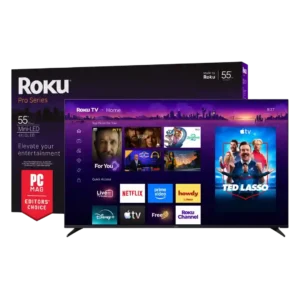
Compare TCL QM7L vs Samsung S90H

TCL QM7L

TCL QM7L

Overall score 3.9 / 5

Based on 10 scored reviews

vs
Samsung S90H

Samsung S90H

Overall score 4.5 / 5

Based on 29 scored reviews

How we score

Scorata scores summarize analyzed review evidence on a 1–5 scale; they are not laboratory measurements or a simple average of customer star ratings. Feature scores summarize the reviews covering that feature. The overall score averages feature scores within each review, then combines review averages. When both expert and customer evidence are available, those two groups receive equal weight. Products can have different review coverage, so small score gaps do not establish a winner.

Recommendations prioritize important features for the category, with a score of at least 3.5, a gap of at least 0.25 points and at least two supporting reviews per product. Features with widely varying scores or broad connectivity contexts are excluded from recommendations. These safeguards do not establish statistical significance.

Quick verdict

What each product is best for

The review evidence points to a tradeoff: motion interpolation and tone mapping versus viewing angles and sound quality. Choose according to which strengths matter more to you; the overall score alone does not settle that choice.

Choose TCL QM7L for motion interpolation and tone mapping.

Choose Samsung S90H for viewing angles and sound quality.

Why these recommendations?

TCL QM7L

Where It Has the Edge

  • motion interpolation is 3.6 vs 2.5. Low settings can smooth film without an obvious soap-opera look, but stronger processing introduces artifacts, excessive smoothness, or...
  • tone mapping is 5.0 vs 4.0. Tone mapping generally preserves bright detail while maintaining contrast, and game-mode controls allow substantial customization between dynamic mapping...
  • bass performance is 3.8 vs 3.0. Rear woofers add more weight than typical thin-TV speakers, but bass remains modest and cannot replace a soundbar...

Samsung S90H

Where It Has the Edge

  • viewing angles is 5.0 vs 3.1. Off-axis viewing is excellent, with color and contrast holding up well across wide seating positions.
  • sound quality is 4.8 vs 3.6. Built-in sound is better than expected for such a slim OLED, especially in Amplify mode. It still cannot...
  • upscaling quality is 5.0 vs 4.3. Upscaling is one of the S90H’s clearest strengths, making HD and even DVD material look cleaner and more...
TCL QM7L 3.9 overall score
Samsung S90H 4.5 overall score

Compare features

Scores are out of 5. Missing scores mean missing review evidence, not a missing feature.

Scored on both products

Performance

Picture quality
TCL QM7L
4.2

The QM7L usually produces vivid, premium-looking images with strong detail and depth. Its default picture can also appear washed out and unattractive, making careful mode selection important.

Samsung S90H
4.9

Picture quality is a major strength, with deep OLED contrast, rich color and crisp detail repeatedly standing out. The matte screen and some default modes can soften or exaggerate the image, but the core panel performance remains highly regarded.

White balance accuracy
TCL QM7L
3.1

White balance is acceptable but inconsistent, with cool or blue-leaning defaults appearing repeatedly. The bias is usually described as correctable through picture controls.

Samsung S90H
5.0

White balance is strong in accurate modes, with only small residual errors. Default Standard settings can skew much cooler than the mastering target.

Dark-room performance
TCL QM7L
3.3

Deep blacks and controlled halos can look excellent from a centered seat. Fog, blooming, and weaker micro-contrast can still make OLED a safer choice for demanding nighttime viewing.

Samsung S90H
5.0

In evening and dark-room viewing, the OLED panel delivers the deep blacks, contrast and depth that home-cinema buyers expect.

Color accuracy
TCL QM7L
3.4

Color can look rich, lifelike, and accurate in the better presets, but blue, red, green, and magenta biases appear in different modes. Default settings can also look pale and washed out.

Samsung S90H
4.9

Color can look highly natural and accurate in the better picture modes, especially Filmmaker Mode. Standard and AI-heavy modes can push skin tones or whites too cool or warm.

Overall image accuracy
TCL QM7L
3.5

Filmmaker Mode and other presets can look natural and accurate, but several units showed cool, magenta, or washed-out tendencies before adjustment. Out-of-box accuracy ranges from very good to disappointing depending on settings and perspective.

Samsung S90H
4.8

Accuracy is strongest in Filmmaker-style settings, where skin tones, grayscale and source intent look convincing. More aggressive presets can trade that fidelity for extra brightness and punch.

Sound quality
TCL QM7L
3.6

Built-in sound is generally clear, balanced, and better than average, with enough detail for everyday use. A soundbar remains worthwhile, especially for stronger bass and a larger presentation.

Samsung S90H
4.8

Built-in sound is better than expected for such a slim OLED, especially in Amplify mode. It still cannot match a dedicated soundbar for scale and low-end weight.

Contrast ratio
TCL QM7L
3.9

Contrast is generally strong for a midrange Mini-LED, creating punchy images and convincing depth. It still trails OLED and premium Mini-LED sets, and can look merely average in difficult scenes.

Samsung S90H
5.0

OLED contrast is a standout, pairing near-perfect blacks with bright highlights for a deep, dimensional image in movies and games.

Gaming performance
TCL QM7L
4.1

Feature support, low lag, and vivid HDR make gaming a major strength for many users. Slow pixel response can also produce enough blur and smearing to make fast games unpleasant.

Samsung S90H
4.9

Gaming performance is a standout, combining 165Hz support, VRR, low lag and excellent OLED contrast across consoles and PCs.

HDR performance
TCL QM7L
4.2

HDR is usually bright, colorful, and detailed, with impactful highlights and broad format support. Clipping, overbrightening, blooming, and unstable brightness remain possible drawbacks.

Samsung S90H
5.0

HDR is consistently praised for impactful highlights, deep blacks and rich color. The strongest results come from better picture modes rather than the most aggressive defaults.

Bass performance
TCL QM7L
3.8

Rear woofers add more weight than typical thin-TV speakers, but bass remains modest and cannot replace a soundbar or subwoofer.

Samsung S90H
3.0

Bass has some useful weight, but deep low frequencies remain limited and a soundbar adds substantially more impact.

Daytime viewing performance
TCL QM7L
4.5

The QM7L is usually an excellent bright-room TV thanks to high full-screen output and vivid color. Direct sunlight can still wash out darker detail in some environments.

Samsung S90H
5.0

Bright-room performance is unusually strong for OLED because reflections are suppressed and brightness remains useful even with windows or overhead lights present.

Peak brightness
TCL QM7L
4.5

Brightness is a defining strength, with measured peaks around 2,400 to 3,300 nits and plenty of output for bright rooms. The highest peaks may be brief rather than consistently sustained.

Samsung S90H
4.0

Peak brightness is strong for a midrange OLED and gives HDR highlights real impact, though results vary by size and it remains below Samsung’s flagship models.

Sustained brightness
TCL QM7L
3.7

Full-screen and accurate-mode brightness can remain strong, but output may drop quickly after the brightest short-window peaks.

Samsung S90H
4.0

Full-screen brightness falls as OLED protection engages, but the sustained result is still described as competitive for the class.

Display technology
TCL QM7L
4.1

SQD Mini-LED usually delivers brighter, richer color and impressive black levels for the price. A dissenting take argues the technology falls well short of its marketing and offers little meaningful advancement.

Samsung S90H
4.0

OLED remains central to the S90H’s appeal, delivering self-emissive blacks, strong contrast and fast gaming response. The move away from QD-OLED in some sizes is the main tradeoff.

HDR brightness
TCL QM7L
4.2

Highlights have plenty of intensity and often preserve detail rather than clipping. The QM8L is visibly brighter side by side, while the QM7L's highest output may not remain stable.

Samsung S90H
4.2

HDR brightness is strong enough to make highlights pop and handle lit rooms well, though it trails the S95H and can vary by screen size.

Other features

Motion handling
TCL QM7L
3.8

Film, sports, and games often look smooth with sensible settings, yet motion is highly inconsistent. Some fast scenes stay clean and responsive, while others show severe smearing and ghosting.

Samsung S90H
4.8

Motion is strong once settings are dialed in, with clean fast action and few artifacts. Default or automatic smoothing can be less natural.

Input lag
TCL QM7L
4.8

Measured input lag is excellent, dropping to roughly 7 ms at 4K/120Hz and making controls feel immediate.

Samsung S90H
5.0

Input lag around the 9ms range at 4K/60Hz is repeatedly described as exceptionally responsive for gaming.

Motion clarity
TCL QM7L
2.4

Fast content can remain clean, but blur, ghosting, smearing, and interpolation artifacts appear often enough to make motion clarity a major uncertainty.

Samsung S90H
5.0

Fast gaming and sports motion stays clear, helped by OLED response and high refresh rates.

Advertising intrusiveness
TCL QM7L
4.5

Google TV includes many recommendations but was described as organized and not excessively ad-heavy.

Samsung S90H
2.0

Ad behavior is inconsistent across impressions: one interface showed no top banner, while others criticized Samsung TV Plus autoplay and persistent promotional content.

Cable management
TCL QM7L
4.5

The stand cover helps conceal the power cord and keeps the rear setup tidier.

Samsung S90H
2.0

Cable management is a minor weakness, with reviewers wishing for more built-in routing and cleanup options.

Search quality
TCL QM7L
4.5

Gemini voice search works well and improves on the older Google Assistant experience.

Samsung S90H
2.0

Search is uneven: AI-enhanced search can find content, but the lack of a straightforward app-store search can make simple tasks frustrating.

Response time
TCL QM7L
2.8

Pixel response ranges from very good for Mini-LED to extremely slow in fast games. Buyers sensitive to trailing or smearing should treat this as a major concern.

Samsung S90H
5.0

Pixel response is extremely fast, giving fast-paced games an immediate, clean feel with little blur.

Color volume
TCL QM7L
4.1

SQD color delivers strong saturation and separation without routinely looking overdone. A minority view found the improvement familiar rather than revolutionary and criticized the claimed advantage.

Samsung S90H
2.0

WOLED versions lose some high-brightness color intensity compared with QD-OLED, most noticeably in demanding wide-gamut HDR material.

Wall-mount compatibility
TCL QM7L
4.0

The VESA mounting position sits lower than usual but remains practical and leaves room for the speaker system.

Samsung S90H
2.0

The thin panel looks wall-mount friendly, but the thicker rear electronics section can leave a visible gap at the edges.

Viewing angles
TCL QM7L
3.1

Off-axis performance is inconsistent and usually only average for a VA-based Mini-LED. Color and brightness commonly fade at wider angles, though some seating positions hold up well.

Samsung S90H
5.0

Off-axis viewing is excellent, with color and contrast holding up well across wide seating positions.

Color gamut
TCL QM7L
4.0

Measured BT.2020 results ranged from about 79% to nearly 98%, which most considered excellent for the class. One critic strongly objected to the gap between measured coverage and TCL's 100% marketing claim.

Samsung S90H
2.3

The S90H covers mainstream DCI-P3 material very well, but WOLED samples show narrower BT.2020 coverage and less extreme color punch than QD-OLED alternatives.

Remote layout
TCL QM7L
3.7

Core controls are generally easy to reach, but the odd mute-button placement and menu-based brightness adjustment create minor frustration.

Samsung S90H
2.0

The compact layout omits useful dedicated controls such as an input button, pushing more actions into onscreen menus.

Judder handling
TCL QM7L
4.2

Judder controls work well at restrained settings, improving 24-frame-per-second material while preserving a natural film look.

Samsung S90H
3.0

Judder can show up at default settings, but modest custom adjustments clear it up without forcing an overly smoothed look.

Motion interpolation
TCL QM7L
3.6

Low settings can smooth film without an obvious soap-opera look, but stronger processing introduces artifacts, excessive smoothness, or a darker image.

Samsung S90H
2.5

Interpolation is useful when kept moderate, but stronger or automatic settings can introduce obvious soap-opera effect and unnatural motion.

Reflection handling
TCL QM7L
3.9

The glossy screen divides opinion: some found its anti-reflective treatment highly effective, while another saw significant reflections even in low light.

Samsung S90H
5.0

Reflection control is exceptional: direct and indirect light is heavily diffused, making the screen unusually usable in bright rooms.

Dirty screen effect
TCL QM7L
4.0

Dirty-screen artifacts are usually minor or invisible during normal content, but some panels show noticeable uneven areas during uniform-screen checks.

Samsung S90H
5.0

Test patterns showed no distracting dirty-screen effect, vertical banding or vignetting on the evaluated sample.

Shadow detail
TCL QM7L
4.0

Dark scenes preserve useful texture and fine detail, though the balance between inky blacks and shadow visibility can vary by content and mode.

Samsung S90H
3.0

Shadow detail is the main dark-scene weakness: some presets bury information near black, although picture controls can recover part of it.

HDMI 2.1 port count
TCL QM7L
4.1

Most configurations are described as having two full-bandwidth gaming ports plus separate eARC, which is sufficient for many setups. Conflicting port descriptions make the exact high-bandwidth count worth confirming.

Samsung S90H
5.0

All four HDMI ports are full-bandwidth HDMI 2.1, a strong advantage for multi-device gaming setups.

Screen uniformity
TCL QM7L
4.1

Most panels looked impressively clean with few smudges or blotches. A couple of samples showed darker patches or noticeable unevenness, suggesting some unit variation.

Samsung S90H
5.0

Uniformity is very clean for an OLED, with no meaningful hot spots or distracting near-black inconsistencies reported on tested samples.

Blooming control
TCL QM7L
4.1

Blooming is often minimal from a centered seat during real movies and games. Pitch-black rooms, subtitles, and wide angles can still expose severe halos on some content.

Samsung S90H
5.0

Bright objects stay clean against dark backgrounds, with OLED’s pixel-level control eliminating the blooming seen on many backlit TVs.

Glare resistance
TCL QM7L
3.9

Strong brightness often overpowers room light, and the coating can work very well. Direct sunlight and dark scenes remain problematic in less favorable rooms.

Samsung S90H
4.7

The matte Glare Free coating is one of the S90H’s defining strengths, dramatically reducing glare. The tradeoff is slightly raised blacks or reduced perceived crispness in some conditions.

Banding control
TCL QM7L
4.2

Debanding and posterization control are usually excellent, though visible banding can appear in some demo backgrounds.

Samsung S90H
5.0

Banding is kept to a minimum in both test material and real content, helping color transitions look smooth.

Stand width
TCL QM7L
4.2

A centered pedestal fits narrower furniture better than widely spaced feet, although one long base still required substantial console depth.

Samsung S90H
5.0

Closely spaced feet make the S90H easier to place on narrower furniture than many large OLED rivals.

Black levels
TCL QM7L
4.0

Most experiences describe deep blacks and dark letterbox bars with OLED-like impact for an LED TV. Others saw weaker micro-contrast or severe leakage in difficult scenes.

Samsung S90H
4.8

Black levels are excellent in dark rooms and create the depth expected from OLED. Strong ambient light can lift blacks slightly because of the matte anti-glare treatment.

Upscaling quality
TCL QM7L
4.3

Upscaling has improved into a genuine TCL strength and can look close to higher-tier models. Results still depend heavily on the quality and bitrate of the original signal.

Samsung S90H
5.0

Upscaling is one of the S90H’s clearest strengths, making HD and even DVD material look cleaner and more detailed without excessive artificial sharpening.

Account requirements
TCL QM7L
2.0

Google TV setup requires substantial terms and data prompts, and some mandatory agreements cannot be skipped even in a basic setup.

Samsung S90H
1.5

Using built-in streaming apps requires a Samsung account, and the associated permissions/setup flow can feel intrusive or tedious.

Panel type
TCL QM7L
3.0

The HVA Mini-LED panel offers decent straight-on performance, but its off-axis limitations keep it from feeling fully premium.

Samsung S90H
2.5

The OLED panel delivers excellent fundamentals, but panel configuration matters: WOLED versions give up some color volume versus QD-OLED variants while retaining strong brightness and contrast.

Refresh rate
TCL QM7L
4.5

The fast native refresh rate handles sports and games well, helping high-speed content stay clear.

Samsung S90H
5.0

The 165Hz ceiling is a major gaming upgrade for capable PCs and is repeatedly praised as a premium feature.

Stutter handling
TCL QM7L
3.0

Minor sputter and stutter appear in some low-frame-rate scenes, though higher-speed content often remains acceptable.

Samsung S90H
2.5

OLED stutter can appear in some motion settings and slow pans, though several impressions describe it as subtle rather than broadly distracting.

Stand quality
TCL QM7L
3.2

The center stand can feel sturdy and easy to use, but some units feel flimsy, cheap, or annoying to assemble.

Samsung S90H
3.7

The stand is functional and can be sturdy once assembled, but its plastic cover, feel and assembly quality draw mixed reactions.

Remote control quality
TCL QM7L
4.4

The backlit remote is comfortable, practical, and more premium than many competitors include, though the cheaper finish trails TCL's higher-end models.

Samsung S90H
4.0

The solar/USB-C remote is light and convenient, but minimalist controls are not universally loved.

Content recommendations
TCL QM7L
4.3

Google TV and Gemini make it easy to resume shows, discover content, and request personalized suggestions, though the AI can feel intrusive to some.

Samsung S90H
4.0

Personalized suggestions can work surprisingly well after some use, although recommendation features are not central to the TV’s appeal.

Image processing
TCL QM7L
4.7

Processing is a major improvement, adding restrained detail, effective upscaling, and solid motion control. It approaches premium competitors without fully matching the best Sony processing.

Samsung S90H
4.4

Samsung’s processor is capable and often excellent at detail, upscaling and cleanup, but some AI modes can over-brighten or cool the image and are better disabled for accuracy.

Calibration options
TCL QM7L
3.9

The QM7L offers many presets and picture controls, making it easy to tailor SDR, HDR, Dolby Vision, and gaming. Default accuracy varies enough that some owners may need significant adjustment.

Samsung S90H
4.0

Phone-assisted Smart Calibration is convenient for quick tuning, though it is not a substitute for a full professional calibration.

Dialogue clarity
TCL QM7L
5.0

Dialogue remains clear and easy to follow without frequent volume adjustments.

Samsung S90H
5.0

Dialogue stays clear and naturally placed in most scenes, with voice-enhancement processing available when room noise competes.

Gaming dashboard
TCL QM7L
5.0

TCL's Game Bar is consistently praised for fast access to VRR, frame-rate data, presets, crosshairs, shadow controls, and other gaming tools.

Samsung S90H
5.0

Samsung’s Game Bar is particularly useful, putting refresh, HDR, genre and aiming controls within quick reach during play.

Gaming mode quality
TCL QM7L
5.0

Game presets retain bright color and strong contrast while leaving many picture controls available for customization.

Samsung S90H
5.0

Game Mode stays highly responsive and preserves strong picture quality, making it suitable for competitive and cinematic games alike.

Gradient handling
TCL QM7L
5.0

Transitions from dark to bright look smooth and clean, without obvious stepping.

Samsung S90H
5.0

Gradients are handled cleanly with little visible banding, including difficult skies, dark scenes and streamed material.

HDMI port count
TCL QM7L
5.0

Four HDMI inputs provide enough flexibility for consoles, media players, and audio equipment.

Samsung S90H
5.0

Four HDMI inputs give the S90H enough wired flexibility for multiple consoles, players and audio gear.

High-refresh-rate gaming
TCL QM7L
5.0

PC players can reach 4K/144Hz or 1080p/288Hz, providing unusually flexible high-refresh options for a television.

Samsung S90H
5.0

High-frame-rate gaming is a core strength, especially on PC where the panel can run up to 165Hz.

Low-resolution content handling
TCL QM7L
5.0

Lower-resolution material benefits from strong upscaling, though the cleanest results still require a reasonably good input signal.

Samsung S90H
5.0

Older and lower-resolution sources hold up surprisingly well, with processing that preserves texture while avoiding heavy-handed cleanup.

Screen mirroring
TCL QM7L
5.0

Phone and tablet content can be shared to the TV with minimal setup.

Samsung S90H
5.0

Screen mirroring through AirPlay or Miracast is described as quick and easy to use.

Stand stability
TCL QM7L
5.0

The center pedestal feels sturdy once assembled.

Samsung S90H
5.0

Once installed, the feet hold the TV securely and provide a stable base.

Variable refresh rate
TCL QM7L
5.0

VRR works effectively across consoles and prevents visible tearing during supported gameplay.

Samsung S90H
5.0

VRR is viewed as a strong gaming feature, smoothing frame-rate changes across supported consoles and PCs.

Ownership and support

HDR format support
TCL QM7L
5.0

Dolby Vision, HDR10, HDR10+, and HLG provide unusually complete HDR compatibility for this price tier.

Samsung S90H
2.0

The S90H handles HDR10-family content well, but the continued absence of Dolby Vision remains a meaningful format limitation for some movie viewers.

Dolby Vision support
TCL QM7L
4.3

Dolby Vision presets offer flexible choices for bright and dark rooms and usually look excellent. Contrast can drop sharply when local dimming is not configured correctly.

Samsung S90H
2.2

Samsung’s lack of Dolby Vision is the most repeated format complaint. Some reviewers consider it minor, especially for console gaming, while others see it as a reason to prefer LG or Sony.

Setup ease
TCL QM7L
4.4

Most two-person installations are quick and straightforward, including stand assembly and Google TV setup. The pedestal and repeated setup prompts can still feel needlessly awkward.

Samsung S90H
3.0

Physical assembly and SmartThings-assisted setup can be very easy, but mandatory-account and permission screens make the software setup more frustrating for some.

Dolby Atmos support
TCL QM7L
4.3

Dolby Atmos support makes it easy to expand beyond the built-in speakers, although the TV lacks upward-firing drivers for a full spatial effect on its own.

Samsung S90H
5.0

Dolby Atmos playback contributes to a surprisingly capable built-in audio presentation and works with the TV’s wider Samsung audio ecosystem.

Value for money
TCL QM7L
4.5

The QM7L is usually a standout value, delivering bright HDR, rich color, and premium features below flagship pricing. Its value falls sharply for buyers who encounter severe motion or blooming problems.

Samsung S90H
4.4

Value is generally strong when the S90H is discounted, especially relative to the S95H, but cheaper S85H/S90F and LG alternatives can be more compelling if glare control is not essential.

4K gaming support
TCL QM7L
5.0

Modern consoles receive smooth 4K playback, broad HDR compatibility, and responsive controls.

Samsung S90H
5.0

The S90H is positioned as a high-end 4K gaming display, with enough bandwidth and refresh capability for modern consoles and powerful PCs.

AirPlay support
TCL QM7L
5.0

AirPlay 2 provides easy wireless playback from Apple devices.

Samsung S90H
5.0

AirPlay works as part of the TV’s straightforward casting options, making Apple-device sharing quick and easy.

Casting support
TCL QM7L
5.0

Casting from phones and tablets is simple and reliable.

Samsung S90H
5.0

Casting is easy from phones and computers, with support that covers both Apple and Miracast-style workflows.

EARC support
TCL QM7L
5.0

The separate eARC connection preserves both high-bandwidth gaming inputs, a layout repeatedly praised for console-and-soundbar setups.

Samsung S90H
5.0

The eARC connection makes it straightforward to send high-quality audio to a soundbar or receiver.

FreeSync support
TCL QM7L
5.0

FreeSync Premium Pro is part of a gaming package described as checking nearly every important box.

Samsung S90H
5.0

FreeSync support is a clear plus for AMD-based gaming, helping deliver stable, tear-reduced play at variable frame rates.

HDMI 2.1 support
TCL QM7L
5.0

The high-bandwidth HDMI connections deliver the fast 4K signals needed for modern gaming.

Samsung S90H
5.0

Full-bandwidth HDMI 2.1 connectivity is a strong point, supporting modern high-refresh gaming features without forcing buyers to choose a single premium port.

Tuner support
TCL QM7L
2.0

The lack of ATSC 3.0 is a notable drawback for antenna users who want NextGen TV broadcasts.

Samsung S90H
2.0

The tuner is functional for standard broadcasts but lacks ATSC 3.0/NextGen TV, a notable omission at this price.

Controls and connectivity

Voice control accuracy
TCL QM7L
4.8

Voice commands are recognized quickly and usually trigger the requested changes almost instantly.

Samsung S90H
2.0

Voice control handles basic requests but can be inconsistent, particularly when asked to launch specific content in a named service.

Privacy controls
TCL QM7L
2.5

Many tracking and location options can be declined, but the volume of prompts and Gemini's broader presence may bother privacy-conscious buyers.

Samsung S90H
5.0

Local, privacy-focused AI processing drew praise, and privacy choices are accessible in the interface.

App selection
TCL QM7L
5.0

Google TV provides nearly every major streaming app along with multiple free and live-TV options.

Samsung S90H
3.0

Major apps are broadly covered, though regional gaps such as iPlayer at review time keep the selection from being flawless.

Streaming app support
TCL QM7L
5.0

Major streaming services are widely available, making external players optional for most households.

Samsung S90H
3.5

Core streaming services are well supported and run smoothly, with only isolated regional omissions noted.

Tone mapping
TCL QM7L
5.0

Tone mapping generally preserves bright detail while maintaining contrast, and game-mode controls allow substantial customization between dynamic mapping and HGIG.

Samsung S90H
4.0

Tone mapping generally preserves bright highlights and dark detail well. Active mapping can add useful brightness or shadow visibility, though stronger settings may sacrifice some fine highlight detail.

App performance
TCL QM7L
4.5

Apps and interface features ran smoothly without major glitches during extended use.

Samsung S90H
5.0

Apps open quickly and the interface shows less lag than older Samsung software.

Smart TV platform
TCL QM7L
5.0

Google TV is a consistent strength, with an organized interface, broad content access, and useful settings integration.

Samsung S90H
4.5

Tizen is faster and better organized than prior versions, but opinions split over clutter, ads and Samsung-centric behavior.

Operating system speed
TCL QM7L
4.7

Menus and apps feel snappy and responsive, with no major slowdowns reported during normal use.

Samsung S90H
5.0

The updated Tizen interface feels quick, with fast app launches and fluid navigation through major sections.

Menu responsiveness
TCL QM7L
4.8

Quick settings, picture controls, and inputs are easy to reach without interrupting content for long.

Samsung S90H
5.0

Menus and settings generally respond quickly, making inputs, apps and gaming controls easy to reach.

Comfort and build

Build quality
TCL QM7L
3.7

The television itself is lightweight and presentable, but stand materials can feel thin or cheap. Overall construction is acceptable rather than luxurious.

Samsung S90H
4.2

The panel and chassis generally feel solid and premium, though some stand assembly experiences feel flimsier than the TV itself.

Bezel size
TCL QM7L
4.5

Slim or minimal bezels keep attention on the image and help the set look modern.

Samsung S90H
5.0

Bezels are thin enough to disappear during viewing, reinforcing the clean all-screen look.

Design and appearance
TCL QM7L
4.6

The thin frame, minimal bezels, glossy screen, and centered pedestal give the QM7L a clean, premium look that exceeds its price positioning.

Samsung S90H
4.9

The slim, understated OLED design is widely liked and keeps attention on the screen rather than decorative framing.

Size options
TCL QM7L
5.0

Five mainstream sizes from 55 to 98 inches make the QM7L unusually flexible for bedrooms, living rooms, and large home theaters.

Samsung S90H
5.0

A broad 42- to 83-inch range gives the series options for desks, bedrooms and large living rooms, though panel behavior can differ by size.

Evidence available for one product

Ownership and support

4K at 120 Hz support
TCL QM7L
5.0

4K/120Hz gaming combines low measured lag with Dolby Vision support on compatible consoles.

Samsung S90HNo score yet
4K at 144 Hz support
TCL QM7L
5.0

The QM7L supports 4K/144Hz for PC gaming, and the feature is repeatedly praised as a strong value at this tier.

Samsung S90HNo score yet
Chromecast support
TCL QM7L
5.0

Built-in Chromecast makes Android and cross-platform casting straightforward.

Samsung S90HNo score yet
Cloud gaming support
TCL QM7LNo score yet
Samsung S90H
5.0

Gaming Hub is a strong smart-platform feature, bringing Xbox, GeForce Now, Luna and controller support directly to the TV.

DTS support
TCL QM7LNo score yet
Samsung S90H
2.0

The lack of DTS is a drawback for disc-based home theater, forcing DTS material to fall back to PCM.

HDR10+ support
TCL QM7L
4.8

HDR10+ content produces bright, striking specular highlights and complements the TV's equally strong Dolby Vision support.

Samsung S90HNo score yet

Other features

Ambient Experience
TCL QM7LNo score yet
Samsung S90H
2.0

Ambient and Daily Board features are clever but can become annoying when they wake or surface information more often than wanted.

Auto low-latency mode
TCL QM7L
4.5

ALLM contributes to quick, responsive gaming without requiring manual mode changes.

Samsung S90HNo score yet
Distortion control
TCL QM7LNo score yet
Samsung S90H
2.0

Low frequencies can introduce a little distortion when pushed, particularly as the built-in speakers approach their bass limits.

G-SYNC compatibility
TCL QM7LNo score yet
Samsung S90H
5.0

Official G-SYNC compatibility broadens the S90H’s appeal to Nvidia PC gamers and complements its 165Hz panel.

Maximum volume
TCL QM7LNo score yet
Samsung S90H
2.0

The speakers can lose composure when pushed hard, so demanding scenes at high volume expose the limits of the slim chassis.

Overall satisfaction
TCL QM7LNo score yet
Samsung S90H
4.9

Overall sentiment is strongly positive: the S90H is repeatedly described as a well-rounded OLED with standout gaming and bright-room performance despite a handful of platform and format compromises.

PC text clarity
TCL QM7LNo score yet
Samsung S90H
2.0

Text rendering on tandem-panel sizes has drawn complaints about reduced sharpness, a concern most relevant to close-up PC or monitor use.

Portability and versatility
TCL QM7LNo score yet
Samsung S90H
5.0

Slim construction, relatively low weight and smaller size options make the S90H flexible for bedrooms, desks and secondary gaming setups.

Resolution
TCL QM7L
5.0

Native 4K material looks noticeably sharper, more detailed, and better defined than lower-resolution content.

Samsung S90HNo score yet

Performance

Local dimming performance
TCL QM7L
4.2

Halo control and numerous dimming zones usually keep highlights tight and blacks deep. Dark rooms and off-axis seats can shift the result from excellent control to obvious fog and leakage.

Samsung S90HNo score yet
Noise reduction
TCL QM7LNo score yet
Samsung S90H
4.0

Noise handling is restrained rather than aggressive, reducing source flaws without wiping out film grain or fine texture.

Soundstage
TCL QM7LNo score yet
Samsung S90H
5.0

Amplify mode opens the presentation noticeably, creating a wider and more involving soundstage than the default setting.

Comfort and build

Power cord design
TCL QM7LNo score yet
Samsung S90H
4.0

The small power connector is well suited to cleaner, lower-profile wall installations.

Controls and connectivity

Smart home integration
TCL QM7LNo score yet
Samsung S90H
5.0

SmartThings integration is useful for connected-home control and works especially smoothly inside Samsung’s ecosystem.

Software updates
TCL QM7L
2.0

Automatic firmware updates may change features unexpectedly, so cautious owners may prefer to research each update before installing it.

Samsung S90HNo score yet
Voice assistant support
TCL QM7L
4.5

Gemini adds conversational search, news briefs, artwork, and direct picture or sound adjustments by voice.

Samsung S90HNo score yet
Wi-Fi performance
TCL QM7L
2.5

Wi-Fi 5 works for normal streaming but feels dated beside newer Wi-Fi 6 and 6E televisions.

Samsung S90HNo score yet

Other Top TVs to Consider

#2 Roku Pro Series (2025)
4.4

Best for bright Mini-LED picture, excellent built-in audio, easy Roku navigation, and responsive 4K/120 gaming. Skip it if you want ad-free menus, premium motion consistency, or stronger confidence in long-term...

Pros: overall satisfaction, picture quality

Cons: reliability, portability and versatility

#3 TCL QM8L

4.4

Choose the QM8L for a big, brilliantly bright TV with vivid HDR, deep mini-LED blacks, low input lag, and four HDMI 2.1 ports. Skip it if you need OLED-clean motion,...

Pros: picture quality, value for money

Cons: stand quality, judder handling

#4 LG G6

4.4

Choose the G6 for class-leading bright-room OLED picture, rich color, deep blacks and elite gaming. Skip it if you want strong built-in audio, polished launch firmware, no account sign-in, or...

Pros: picture quality, peak brightness

Cons: value for money, sound quality

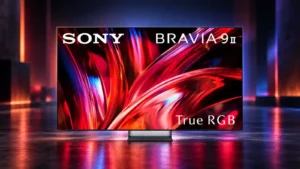
#5 Sony Bravia 9 II
4.3

Best for exceptional bright-room HDR, accurate color, strong processing and unusually capable built-in sound. Skip it if you prioritize OLED-perfect blacks, four HDMI 2.1 ports, high-refresh PC gaming or maximum...

Pros: overall satisfaction, overall image accuracy

Cons: value for money, bass performance


