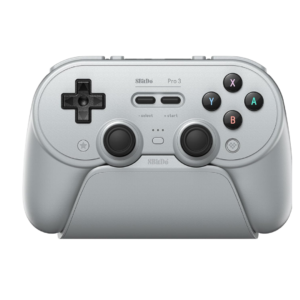
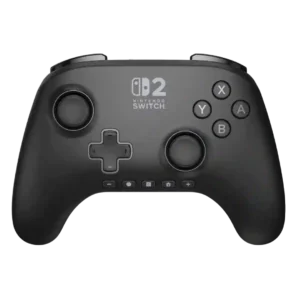
8BitDo Pro 3
Where It Has the Edge
- trigger smoothness is 3.8 vs 1.0. The analog triggers generally move smoothly with even spring resistance and a clean range. Some reviewers consider the...

Scorata scores summarize analyzed review evidence on a 1–5 scale; they are not laboratory measurements or a simple average of customer star ratings. Feature scores summarize the reviews covering that feature. The overall score averages feature scores within each review, then combines review averages. When both expert and customer evidence are available, those two groups receive equal weight. Products can have different review coverage, so small score gaps do not establish a winner.
Recommendations prioritize important features for the category, with a score of at least 3.5, a gap of at least 0.25 points and at least two supporting reviews per product. Features with widely varying scores or broad connectivity contexts are excluded from recommendations. These safeguards do not establish statistical significance.
Quick verdict
The review evidence points to a tradeoff: trigger smoothness versus delivery condition and button quality. Choose according to which strengths matter more to you; the overall score alone does not settle that choice.
Choose 8BitDo Pro 3 for trigger smoothness.
Choose PowerA Advantage Wireless for delivery condition and button quality.
Scores are out of 5. Missing scores mean missing review evidence, not a missing feature.
Most users report roughly a full day of intermittent play, commonly around 12–25 hours depending on mode and settings. The charging dock makes the merely good runtime feel less burdensome.
Most testing lands close to the advertised 30-hour range and many customers call battery life excellent. A smaller group reports noticeably shorter runtime or fast drain.
A few buyers received used, damaged, or incomplete packages despite ordering new units. These complaints concern fulfillment rather than the controller's normal performance.
Customers who mentioned arrival condition reported the controller or packaging arriving perfectly and in good shape.
The analog triggers provide adjustable range and useful control for games that need graduated input. The short overall travel can make fine racing adjustments feel more demanding for some players.
One Switch 1 customer was specifically disappointed that the controller lacks analog triggers, making it unsuitable for the use they had in mind.
Retro games are the controller's natural strength, thanks to its D-pad-first layout, turbo support, and classic shape. It remains modern enough to handle newer games without feeling like a specialty pad.
One expert explicitly advises against it for retro platformers because the D-pad shape and feel make precise inputs difficult.
The analog triggers generally move smoothly with even spring resistance and a clean range. Some reviewers consider the full travel too short for delicate analog control.
Trigger feel draws sharp criticism where discussed, including shallow, spongy action and an early sticking trigger.
Analog triggers work for racing games and can be switched back from the short digital mode. Their relatively short travel and the controller's stick layout may limit fine throttle and steering control.
A customer who bought it for NASCAR motion steering found that the game did not recognize the controller’s motion controls, undermining that racing use case.
Wired and 2.4GHz response is generally adequate for normal play, while Bluetooth and DInput can be noticeably slower in certain modes. Measurements and experiences vary enough to discourage latency-sensitive buyers.
One detailed customer report found no noticeable lag during wireless play.
Both analog and microswitch modes respond quickly, and the short mode gives immediate actuation for shooters and Switch games. A few users report missed inputs or awkward initial feel.
One expert found the triggers spongy and unsatisfying, reducing confidence in their actuation.
Wireless response is good enough for most games over 2.4GHz, but Bluetooth and DInput can add noticeable delay. Competitive players are more likely to notice the difference.
A detailed customer report found wireless play responsive with no noticeable lag.
Bumper inputs register quickly and feel distinct from the extra shoulder buttons. A few users need more force than expected, but responsiveness is usually dependable.
The shoulder buttons respond crisply, with a click and resistance that one reviewer found especially satisfying.
Standard rumble adds useful feedback and can be adjusted, but it lacks refined HD haptics. Some Switch users find it harsh or excessively strong, while others consider it perfectly adequate.
Customers who mention vibration are disappointed that it is absent, even when they otherwise like the controller.
The sticks are widely described as accurate and responsive, with adjustable dead zones and good centering. Their precision is sometimes undermined by slippery caps or mode-specific latency.
Stick tracking is one of the controller’s strongest traits, with reviewers repeatedly describing movement as precise, responsive, and accurate.
The stock stick tops are a recurring weakness for some players because they feel small, slick, and difficult to hold during rapid aiming. Others find the rubber texture acceptable, making this strongly preference-dependent.
Thumbstick grip is highly polarizing. Some reviewers love the extra texture and control, while others describe the raised bumps as abrasive, painful, or blister-inducing.
The included USB-C cable looks coordinated and feels adequate, but some users consider it too short for comfortable wired play. It is better suited to charging or nearby desktop setups.
The included 10-foot USB-C cable is consistently viewed as generous, giving enough reach to keep playing while charging.
Platformers and 2D games benefit from the prominent D-pad and crisp directional changes. Unwanted diagonal reports mean demanding players should test their unit carefully.
Platforming felt natural and accurate in testing, with no meaningful loss of control precision versus the official alternative.
The prominent D-pad, trigger locks, and remappable controls suit many fighting games and arcade titles. Players who struggle with its firmer diagonals or clicky action may prefer another pad.
One reviewer found the controller accurate and responsive enough for fighting games requiring quick inputs and combos.
Core play is simple, but modes, profiles, button layouts, macros, and platform differences take time to understand. The physical selector helps, yet the full feature set can overwhelm new users.
The unusual bottom-row system buttons take adjustment. Some reviewers adapt after a while, while others continue looking down or fighting muscle memory.
Wireless play is usually stable across normal room distances, particularly with the 2.4GHz receiver. Random disconnects and platform-specific driver issues appear in a minority of reports.
Wireless performance is usually stable and problem-free, but a few owners report inconsistent reconnection or repeated re-syncing.
The main bumpers are generally praised for a cushioned, quiet, satisfying press. Their membrane feel contrasts with the sharper microswitch action of the adjacent programmable buttons.
Shoulder buttons earned praise for their satisfying tactile feel and well-judged resistance.
The package is generous, with a matching dock, USB-C dongle, cable, spare magnetic buttons, removal tool, and ball-top caps. The arcade-style caps are fun but niche, and their storage is poorly solved.
A reviewer specifically liked the matching charging cable included with a newer themed model.
Switch and Switch 2 support is generally strong, with working gyro, flexible connection choices, and convenient dock use. Wake behavior, rumble quality, NFC, and mode-specific features vary by firmware and connection method.
Compatibility is generally good across Switch generations, though one Switch 1 user reported incomplete recognition and nonworking motion features in a game.
Stick movement is one of the clearest strengths, with a smooth glide and very little friction across the range. Even critical reviews generally liked the mechanical smoothness.
The sticks are widely praised for fluid, smooth movement. Several reviewers call them a clear step up from Joy-Cons or older PowerA sticks.
Most users can play for hours without meaningful fatigue thanks to the rounded grips and balanced weight. Large hands, intense vibration, or awkward reach to the top buttons can reduce comfort.
Long-session comfort is split: one reviewer could play without cramping, while another found the abrasive stick texture uncomfortable over time.
Trigger stops, precise sticks, and extra buttons provide useful competitive tools. The 250Hz polling ceiling, slippery caps, and occasional latency concerns keep it below dedicated esports controllers.
Custom bindings and rear inputs give the controller a more performance-oriented setup that one reviewer felt could support competitive play.
For everyday single-player, couch, and mixed-genre gaming, the controller is easy to live with and highly versatile. Its competitive limitations matter far less in casual use.
One critical expert still considered it serviceable for casual play or as a spare, even while disliking several control and comfort choices.
The controller has enough heft to feel substantial without becoming tiring, and the weight is generally distributed evenly. Users who prefer very light pads may still notice its density.
The lightweight feel is usually appreciated for comfort, and one reviewer preferred the added weight of the wireless version. A few users associate very low weight with weaker durability.
The textured rear shell usually keeps the controller secure without abrasive rubber. Complaints about slipperiness mostly concern the thumbstick tops rather than the handles.
Grip is usually considered secure and comfortable, but there are dissenting views: one reviewer disliked the rear texture and another customer said the controller had too little grip.
The shell plastic usually feels pleasant, sturdy, and suitably premium for the price. Reports of brittle removable buttons create a notable exception.
Material impressions are mostly positive, including praise for premium finishes and smooth surfaces, but one expert strongly criticized the plastics as cheap.
TMR sensing avoids the contact wear associated with traditional potentiometer sticks and is expected to resist drift well. This is a major long-term appeal, though it does not protect against every mechanical failure.
Hall Effect technology earns strong confidence and many users report no drift, but several customers still experienced severe drift immediately or within a few months.
The controller is broadly liked for comfort, customization, retro control, and its excellent dock. Loud buttons, software friction, D-pad inconsistency, and scattered durability failures keep the praise from being universal.
Most owners are positive and many recommend the controller, but satisfaction is tempered by recurring wake-support complaints, awkward button placement, missing rumble, and some serious early failures.
The raised tactile D-pad earns strong praise for its crisp, solid feedback and retro-game focus. Its clickiness, firmness, and sound are personal tastes, and some prefer the softer Pro 2 style.
D-pad feel ranges from spongy and poor to soft, responsive, and excellent, so this is one of the more reviewer-dependent control traits.
A few reviewers encountered phantom presses or inconsistent readings after otherwise normal use. These reports are uncommon but concerning because they interrupt games unpredictably.
One customer reports repeated glitches and intermittent connection loss, making performance feel inconsistent over time.
The weight, textured shell, precise controls, and matching dock give the controller a convincingly premium presentation. Small rattles, loud buttons, or brittle parts can break that impression.
Premium feel is disputed: several reviewers call the controller sleek or premium, while one expert says the construction feels cheap and hollow.
The precise sticks, trigger locks, and extra buttons can work well in shooters, especially for casual play. Slippery thumbstick tops and the modest polling rate make it less convincing for highly competitive FPS use.
One expert specifically advises against using it for shooters because the control feel and D-pad precision did not inspire confidence.
Gyro works accurately on supported Switch and Steam Input configurations and compares well with first-party motion controls. Access to it depends heavily on connection mode and platform setup.
Pointer-style motion aiming tested accurately enough for gameplay, giving the gyro implementation a positive result.
Many users find the D-pad precise, stable, and excellent for deliberate cardinal inputs. Others report frequent unwanted diagonals, making accuracy the most sharply divided aspect of the controller.
D-pad accuracy is mixed: one expert found precise inputs difficult, while another customer preferred it to Joy-Cons for Tetris.
The magnetic stick system is praised for smooth, drift-resistant control, although the Pro 3's actual stick modules are TMR rather than Hall effect. Hall effect technology is used in the triggers.
Hall Effect sticks are a major selling point, repeatedly praised for smoothness, responsiveness, precision, and the promise of better longevity.
Motion controls are accurate and responsive when the correct Switch or Steam Input mode is available. Some connection methods disable them, so platform setup matters.
Motion controls usually perform accurately and smoothly, though one Switch 1 customer could not get them recognized in the game they bought the controller for.
Firmware updates have added or improved features such as Switch 2 wake behavior and compatibility. Updating can still be unreliable, and some users needed troubleshooting before the controller was recognized.
A Switch 1 customer reported being unable to update the controller through the console, which was a significant limitation for that setup.
Switch 2 wake support improved through shake-to-wake firmware, but experiences vary by firmware and setup. Earlier reviews and some users still report unreliable or inconvenient wake behavior.
This is the clearest recurring weakness: many reviewers and customers confirm the controller cannot wake the Switch 2 from sleep, and several call it a deal-breaker.
At roughly $60–$70, the controller delivers an unusually complete mix of premium hardware, dock, and customization. Buyers focused on 1000Hz polling or proven durability may find stronger value elsewhere.
Value is praised by most reviewers, especially versus Nintendo’s official controller. The main dissent is that $69.99 feels too close to first-party pricing given the missing features and cheaper-feeling build.
Basic PC and Switch setup is usually quick, especially with the physical mode switch and docked dongle. Advanced profiles, Android, Apple, Linux, and firmware workflows can become confusing.
Pairing is easy for most users and often works quickly, but a few owners found the initial process unintuitive or required a cable/dock method they disliked.
Compared with the Pro 2, the dock, 2.4GHz support, TMR sticks, extra buttons, and trigger locks are meaningful upgrades. Losing the removable battery and changing the D-pad make the upgrade less automatic for every owner.
Upgrade value depends on the comparison: some reviewers see meaningful refinements over older PowerA pads, while others think the wireless model costs too much for what changed.
Connections are usually fast and dependable on PC and Switch, especially through the docked dongle. A smaller group reports random disconnections, driver duplication, or confusing mode behavior.
Most reviewers report fast, trouble-free pairing and reliable operation. A few owners, however, describe repeated re-syncing or occasional connection drops.
Most controls feel tactile and solid, but the face buttons are polarizing because they are loud and sometimes feel hollow or inconsistent. Mushy Start and Select buttons are another recurring weak point.
Buttons are usually described as responsive, smooth, and satisfying, with only isolated criticism of the overall layout rather than their basic operation.
Face buttons respond quickly and are easy to hit during action-heavy games. Their responsiveness is stronger than their sound and material consistency.
Face buttons are consistently praised for quick, responsive input and satisfying tactile feedback.
Rear buttons are useful for sprinting, skills, emulator shortcuts, and other actions that would otherwise require leaving the sticks. They are one of the controller's strongest modern additions.
The rear controls are generally seen as genuinely useful for faster inputs and quick access, especially when remapped for demanding games.
The face buttons provide a decent amount of travel with a firm bottom-out. The action is clear and tactile rather than soft, though it contributes to the controller's audible character.
Customers who commented on the flatter, low-profile ABXY buttons liked the feel, though their reduced profile is a noticeable design choice.
Swappable magnetic face buttons, replaceable stick caps, four extra inputs, profiles, macros, sensitivity, trigger, and vibration controls create unusually broad customization. Platform and software restrictions prevent every option from working everywhere.
Programmable rear controls give players meaningful input customization without requiring a complex setup.
Four additional inputs provide useful shortcuts without requiring a full pro-controller price. The rear pair are well liked, while L4/R4 reach and assignment restrictions draw more criticism.
Programmable rear controls are useful and easy for many users, but at least one customer reports being unable to program the extra button at all.
Buttons can be reassigned through onboard shortcuts, Steam Input, or Ultimate Software profiles. The flexibility is strong, although certain modes and extra-button combinations impose frustrating limits.
Rear-button remapping is quick and useful for many reviewers, but several customers are frustrated that A/B swapping or broader system remapping is unavailable.
The rear buttons generally sit where fingers naturally rest and can be used without changing grip. Placement of the additional top L4/R4 buttons is more divisive, especially for shorter fingers.
Rear-button placement is usually considered natural and easy to reach, though one customer found the unused buttons got in the way.
The face buttons are noticeably loud and clacky, a trait some users enjoy for its crisp feedback and many others find distracting. Quiet-room and shared-couch players are the most likely to object.
Clickiness divides opinion. Some like the tactile sound, but others find it excessive enough to distract, while a newer colorway was noticeably quieter.
Medium and smaller hands often find the shape immediately comfortable, while some large-handed users feel the body is narrow or the sticks too close together. Reach to L4/R4 varies noticeably by hand size.
The controller fits larger hands well and feels close to familiar Xbox-style sizing, while another customer notes it is slightly smaller than Nintendo’s Pro Controller.
Comfort is a major strength: the rounded grips, moderate weight, and retro shape suit long sessions for many players. Larger hands and users who dislike symmetrical sticks are more likely to feel cramped.
Comfort is one of the strongest areas, with frequent praise for the full-size shape, low weight, and long-session feel. A few users dislike the abrasive thumbstick texture.
The retro-inspired color schemes and matching dock are widely admired, especially the GameCube, PlayStation, and Game Boy themes. The controller looks distinctive without sacrificing modern functionality.
Visual design is a standout strength. Black, Mario, Pokémon, Kirby, and other themed finishes draw frequent praise for color, artwork, and presentation.
Long-term feedback is the controller's biggest warning sign: some face buttons crack, triggers break, caps snap, or charging fails unusually early. Many units remain solid, but the repeated failures are difficult to dismiss.
Durability is the biggest long-term uncertainty. Some units feel sturdy, but multiple customers report early stick failure, drift, or complete failure within weeks or months.
Start and Select preserve the soft retro feel, but many users find them mushy, cramped together, or awkwardly centered. They stand out as less immediate than the surrounding controls.
The Plus/Minus placement is the most consistent design complaint. Their small, identical bottom-row position disrupts muscle memory and makes quick presses harder.
The controller usually feels dense, sturdy, and more refined than its predecessor, with a reassuring weight in hand. A minority report rattles, cracked removable buttons, or early failures that weaken confidence.
Build impressions vary sharply: many owners call it solid or high quality, while one expert found it cheap and hollow and a few failures raise durability concerns.
The rounded grips and retro-modern shape feel natural to many users and support long sessions well. The symmetrical layout and narrower body remain preference-dependent.
The full-size shape is generally comfortable and familiar, although one owner notes the Switch 2-style shape feels less rounded than the prior generation.
The dock-mounted 2.4GHz receiver makes PC and Switch use quick and convenient, with fast reconnection when the controller is lifted from the stand. Some mode and platform limitations keep it from being universally seamless.
The controller has no 3.5mm headset jack, a frequently noted omission for wired-headset users. This is especially inconvenient on Switch, where Bluetooth audio can add its own compromises.
The TMR modules are consistently praised for smoothness, precision, low power use, and drift resistance. Their benefits are partly wasted when the small stock caps feel slippery.
Wired play is dependable and useful when the battery is low or minimal latency is preferred. It also exposes certain modes unavailable through the dongle, though cable length can be limiting.
Axis inversion and controller-level remapping add useful flexibility for players who need alternate control behavior. Accessibility is not a major focus, but the available adjustments are welcome.
Stick tension feels controlled and returns cleanly to center, though preferences vary between users accustomed to softer or firmer first-party pads. A few found the small caps or tension less confidence-inspiring.
GeForce Now use can be problematic because saved button layouts may not be respected on some Mac setups. Cloud-gaming support is therefore less dependable than direct PC or Switch play.
PC is one of the controller's best platforms, particularly through wired or 2.4GHz XInput. Steam Input, Linux, Bluetooth layouts, and driver behavior can require extra setup or compromise advanced features.
The PlayStation-style layout does not translate into native PlayStation console support. Buyers needing a PS4 or PS5 controller must choose another model.
The controller can mimic an Xbox button layout on PC, but it does not natively work with Xbox consoles. That distinction is easy to miss because of the swappable ABXY arrangement.
The controller’s lack of HD Rumble or other haptic feedback is repeatedly treated as a meaningful missing feature, especially versus Nintendo’s official pad.
One customer says the controller does not work for Mario Party, making it a poor choice for that specific use.
Android, iOS, iPad, Mac, and Apple TV can work, but button layouts and analog-trigger behavior vary by mode. Apple and Android users report more configuration friction than PC or Switch owners.
Multiple onboard profiles make it practical to keep separate layouts for games and platforms. Profile assignment and persistence can be confusing or unreliable in the software.
The rear paddles feel useful and unobtrusive, with a placement that many users can ignore when unneeded. They are less premium than replaceable metal paddles and cannot always be disabled or assigned freely.
The 250Hz ceiling is acceptable for ordinary play but disappointing for a controller carrying a Pro label. Cheaper and similarly priced rivals offer 1000Hz modes.
The controller can travel across PC, handhelds, Switch, and mobile devices, reducing the need to pack multiple pads. Its full dock-and-accessory setup is less compact than a simple travel controller.
Broad platform support makes it a useful single controller for travel, particularly with handheld PCs and mobile devices. Carrying the dock, dongle, loose caps, and adapters adds bulk.
The physical trigger locks create a convincing click-style action with little wasted travel. They are widely praised, though occasional looseness or partial movement keeps them from feeling perfect.
USB-C handles wired play, charging, and the dock connection cleanly, and the color-matched cable is a thoughtful touch. The USB-C dongle may require an adapter on devices limited to USB-A.
Amiibo support is a clear omission. Reviewers who care about NFC functionality point to the official controller instead.
Support experiences are mixed, with some users receiving limited troubleshooting or being directed toward paid replacement parts. Unanswered messages and weak help with early failures are the main complaints.
Macros are especially popular for automation, turbo tasks, and Pokémon shiny hunting, and they work well once configured. Software bugs and unintuitive editing make setup harder than the feature deserves.
The internal battery is a clear step backward from the Pro 2's removable pack and AA option. The dock reduces day-to-day inconvenience, but long-term replacement remains a concern.
The weighted dock is a standout feature, combining charging, display, accessory storage, and a pass-through home for the 2.4GHz dongle. It makes the controller consistently convenient to grab and use.
Charging is described as quick enough to keep the controller ready between sessions. The dock encourages frequent top-ups, so charging time rarely becomes a practical complaint.
Bluetooth works well for straightforward Switch and mobile pairing, but it is generally less consistent and more mode-dependent than the 2.4GHz connection. Several users encountered layout, trigger, or latency compromises on non-Switch devices.
Linux users criticize the lack of full software support and feel the brand prioritizes Windows configuration. The hardware can still function, but advanced setup is less accessible outside supported platforms.
Ultimate Software V2 offers deep control over profiles, macros, dead zones, triggers, and vibration. Its rough interface, bugs, connection problems, and confusing workflow are among the most consistent complaints.
The C button’s placement was praised for keeping it accessible without making accidental presses too easy.
Controller-based headset volume adjustment is considered a useful convenience for GameChat users.
The bottom-row layout can cause accidental screenshot presses when users reach for nearby system buttons.
Dead zones, stick curves, trigger ranges, macros, profiles, and vibration can be adjusted in detail. The breadth is excellent, but the interface and platform limitations make it less polished than the hardware.

Best for precise TMR sticks, fast trigger stops, low-latency 2.4GHz play, and deep tuning. Skip it if you want a cheaper all-rounder, softer buttons for long sessions, or painless console-only...
Pros: overall satisfaction, button quality
Cons: d-pad accuracy, charging dock support

Best for a comfortable, affordable Xbox/PC pad with precise Hall sticks, a PlayStation-style layout, and useful rear buttons. Skip it if wireless play, deep software tuning, or consistently top-tier D-pad...
Pros: overall satisfaction, value for money
Cons: wired performance, vibration quality
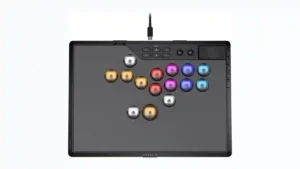
Choose it if you want a premium, tournament-ready leverless controller with excellent 2.4GHz wireless, deep actuation tuning, and sturdy construction. Skip it if loud, tall buttons, a heavy chassis, or...
Pros: overall satisfaction, button quality
Cons: control placement, button noise

Choose the GameSir Cyclone 2 if you want a low-cost PC/Switch/mobile controller with precise sticks, deep customization, and a dock. Skip it if Xbox/PS5 support, premium buttons, or flawless dock/battery...
Pros: value for money, charging dock support
Cons: d-pad feel, compatibility with Xbox