

LG B6 OLED 2026
Where It Has the Edge
- app selection is 4.8 vs 4.5. The built-in platform covers mainstream streaming, catch-up services and more specialized media apps.

Scorata scores summarize analyzed review evidence on a 1–5 scale; they are not laboratory measurements or a simple average of customer star ratings. Feature scores summarize the reviews covering that feature. The overall score averages feature scores within each review, then combines review averages. When both expert and customer evidence are available, those two groups receive equal weight. Products can have different review coverage, so small score gaps do not establish a winner.
Recommendations prioritize important features for the category, with a score of at least 3.5, a gap of at least 0.25 points and at least two supporting reviews per product. Features with widely varying scores or broad connectivity contexts are excluded from recommendations. These safeguards do not establish statistical significance.
Quick verdict
The review evidence points to a tradeoff: app selection versus shadow detail and stand quality. Choose according to which strengths matter more to you; the overall score alone does not settle that choice.
Choose LG B6 OLED 2026 for app selection.
Choose LG B5 OLED for shadow detail and stand quality.
Scores are out of 5. Missing scores mean missing review evidence, not a missing feature.
Rich colors, clean details and deep OLED contrast make the B6 attractive for films and games. Some tests expose green tint and darker-scene inconsistencies.
Rich OLED contrast, crisp detail and realistic color make the image look considerably more premium than its entry-level position suggests. Bright rooms expose its shortcomings.
AI Picture Pro adapts to ambient conditions and program type, producing pleasing results without manual intervention.
An energy-saving setting can dim the picture more than some viewers prefer.
The B6 can present realistic detail and strong SDR color, but a green cast, overbrightening and occasional near-black faults compromise consistency.
Color temperature and film-mode presentation are close to reference from the outset, so major calibration work is rarely necessary.
Natural-looking skin and excellent measured SDR color impress some testers, but green-tinted greys and faces repeatedly undermine confidence.
Natural skin tones, vivid movie colors and excellent out-of-box calibration are recurring strengths. A few comparisons favor newer or more expensive models, but the B5 remains impressive.
Speech enhancement improves intelligibility at the cost of natural tone and balance in some material.
AI Sound Pro can widen the sound and lift dialogue, but it cannot fully solve the lack of deep bass.
Small bright objects and highlights gain impact over the predecessor, but the B6 falls well behind the C6 in demanding HDR scenes.
HDR highlights have worthwhile punch in a dim room, but bright scenes and competing OLEDs reveal the panel’s limited headroom.
Peak highlights are brighter than on the B5, giving HDR more punch. The C6 and other newer alternatives can still be substantially brighter.
The B5 produces respectable small highlights but trails brighter OLED and Mini LED alternatives, especially in large bright scenes.
Controlled lighting shows off strong OLED contrast and color, although raised blacks appeared in one demanding test.
Movie nights and gaming sessions with the lights lowered are where the B5 shines, pairing deep blacks with strong color and shadow detail.
Hair, skin and textures generally look crisp without excessive sharpening. The C6 can look slightly more defined in difficult material.
Fine textures, hair and skin detail look sharp without losing their natural appearance. Premium models can reveal slightly more nuance.
Stereo separation remains close to the screen; AI processing can widen it a little but does not provide convincing cinematic space.
Virtual audio processing broadens the presentation somewhat, yet the two-channel speakers still sound constrained compared with a separate system.
Self-lit pixels produce vivid contrast and distinct light-against-dark separation, though some tests found crushed shadow detail or raised blacks.
Pixel-level light control creates effectively infinite contrast, keeping tiny highlights distinct against nearly black backgrounds.
Filmmaker and Cinema Home offer useful choices for films, and AI adjustments can help. Default modes can look overprocessed and correction of green tint is limited.
Brighter picture presets can help fight daylight glare, but they may sacrifice faithful color presentation.
Grainy SDR material stays generally natural, with little distracting picture noise.
Compression blocks and other low-bitrate artifacts are cleaned up well while much of the original fine detail remains intact.
Built-in audio offers intelligible dialogue and some detail, but thin bass and limited spatial reach call for a soundbar.
The built-in speakers are serviceable for daily shows and dialogue but rarely match the screen’s cinematic picture. A soundbar is the common upgrade suggestion.
Dolby Vision films and games look vivid with bright highlights and impressive shadow contrast. Heavy glare or inaccurate colors can reduce the effect.
HDR movies and games look colorful with deep contrast and respectable highlights. The brightest material lacks the impact of higher-tier OLEDs.
Deep bass lacks force, leaving movie engines, music and explosions flatter than the OLED picture suggests.
Bass is the weakest part of the onboard sound, leaving explosions and engines without satisfying weight. A soundbar or subwoofer adds the impact the picture deserves.
Extra brightness helps with daylight viewing, but mirror-like reflections may still overwhelm the picture. Brighter presets can help somewhat.
Daytime viewing is conditional on room light and content brightness, with dark film scenes especially susceptible to glare.
Smooth action, responsive controls and a comprehensive feature set make gaming a standout strength.
Games respond quickly and move smoothly, with strong image quality and a nearly complete current-generation console feature set. The 120Hz ceiling chiefly limits demanding PC setups.
Fullscreen HDR gains over the B5 are smaller than the brighter peaks suggest, with some modes falling behind.
Large bright scenes remain a weakness compared with pricier OLED sets, although the B5 still performs well in controlled lighting.
Fast play and sports generally remain clean and smooth, especially after choosing suitable motion settings.
Rapid gameplay and sports look crisp, while carefully selected smoothing settings help film pans. Some low-frame-rate material can still stutter.
Measured lag around 8.9ms in boost mode and immediate-feeling inputs keep fast games responsive.
Exceptionally low gaming latency is a standout advantage, making fast actions feel immediate. Getting the best response may require Game Optimizer or its Boost setting.
One close inspection found uneven near-black areas that took on a grey, raised appearance.
Pure black scenes remain uniformly dark with no backlight glow around highlights.
Limited color controls make the occasional green cast harder to correct fully.
The B5 is already accurate and is straightforward to fine-tune for viewers seeking a closer-to-reference image.
One owner found the B6 notably louder than a previous, more basic television.
The speakers provide enough volume for casual listening but lack scale and exhibit compression when pushed hard.
The slim panel looks neat mounted on a wall, and mounting avoids the polarizing two-legged stand.
Wall-mounting is possible, but the low VESA position and rear-facing ports call for careful planning.
Shadow detail is often well defined, but one tester saw blocked-out background objects and another lost detail while adjusting blacks.
Dark scenes retain convincing depth and subtle gradations, although some very dark material can lose detail in the most accurate picture modes.
Basic plastic feet look cheaper than the previous B5’s metal hardware. One unboxing also found stand screws awkward to align.
The metal feet look reassuringly substantial and hold the screen well. Their wide placement needs room on the furniture below.
The Magic Remote’s pointer and shortcuts divide opinion: some love the fast selection, while others prefer buttons or dislike pointer drift.
The revised motion-pointer remote is less prone to accidental cursor activation for some users.
Color coverage remains respectable, yet one test measured less coverage than the older B5 and the C6 offers a wider gamut.
The B5 covers a very broad HDR color range and retains convincing saturation, helping vibrant animation and movie scenes stand out.
A demanding dark-scene test revealed visible flicker around black opening titles.
The screen avoids conventional PWM flicker but a slight brightness dip may still bother sensitive viewers.
The included feet held securely in one detailed test, though another tester preferred wall mounting to trust the two-legged arrangement.
The feet keep the screen steady with minimal wobble, and non-slip pads add confidence on furniture.
The Magic Remote offers helpful shortcuts, but its shiny plastic body feels dated beside premium competitors.
The motion-pointer Magic Remote attracts praise for its compact design and convenient navigation. Others dislike the reduced buttons and missing quick controls.
DVD and other lower-resolution material generally stays watchable, with decent texture and grain control but some softness and limited final sharpness.
Older broadcasts and low-quality streams remain watchable after processing, although standard-definition sources still look softer than HD or 4K.
Complex and loud sound effects can create audible distortion, especially with processing enabled.
Ordinary listening is acceptable, but audio can compress or distort at maximum output.
TruMotion’s Cinematic Movement reduces panning judder without an overwhelming effect, while stronger settings suit fast sports.
Optional processing smooths sports and some film movement, but slower pans may still show stutter and artifacts.
Large homepage banners and promotional content in LG apps can distract from the app selection.
Ads and recommendations can crowd the home screen, though some promotional banners can be disabled.
The TV offers a large collection of ready-to-play channels alongside subscription apps.
LG Channels offers a useful collection of free content alongside subscription services.
HDR accents can glisten with color and detail, though brighter OLED alternatives add more punch.
Small HDR highlights retain pleasing sparkle and detail, though the TV rolls off brightness early when material is mastered very brightly.
The B6 earns enthusiasm for an affordable OLED with striking picture and gaming, balanced against meaningful quality and price caveats.
The picture and gaming performance draw warm endorsements, with the strongest enthusiasm coming from those who bought at a discount.
Wide-spaced feet can require a much larger TV cabinet than the screen’s slim appearance suggests.
The widely spaced feet create a stable platform but may require a broad cabinet.
The B6 usually delivers the deep black levels expected from OLED. One detailed test, however, found greyish raised blacks in particular dark scenes.
Individual OLED pixels produce truly deep, inky blacks, giving dark films and games striking depth without washed-out shadows.
Game Optimizer collects useful settings and latency tweaks without complex menu navigation.
Game Optimizer makes it straightforward to see performance information and adjust input lag, picture modes and shadow visibility.
HD streams and online videos become sharper and more colorful, though processed low-resolution content still cannot match native 4K.
Lower-resolution streams and DVDs gain sharper, cleaner textures without excessive artificial sharpening. The results remain short of true 4K detail and some pricier TVs process content better.
Reflections are a major weakness in several tests, particularly near lights and windows. One workshop demo was more forgiving.
The glossy panel reflects lamps and windows noticeably, particularly during darker scenes. Careful room positioning and dimmer lighting improve the experience.
Speech is usually clear enough for daily television. Special speech modes can raise clarity further but sometimes damage tonal balance.
Speech stays clear and intelligible for most TV and film viewing, with AI Sound Pro helping separate voices from background effects.
Strong room lighting reflects off the glossy panel and can wash out black depth, limiting the B6’s bright-room usefulness.
Direct light can appear as intrusive reflections that flatten dark scenes, making sunny rooms a poor match for the panel.
Bold blues, reds and oranges look vivid and engaging, especially in Dolby Vision. Newer RGB displays can show still more saturation.
Dark saturated colors look rich, though brighter HDR colors cannot match the brightness and intensity of premium OLED sets.
A programmable favorite key helps, yet awkward shortcut placement and absent direct controls annoy some owners.
A slimmer remote is attractive, but omitted mute, input and number buttons make some frequent tasks less convenient.
Automatic picture adjustments can unobtrusively improve viewing, though some AI enhancements seem unnecessary or overdone.
Picture and sound processing can adapt to content, adding convenience without extensive manual tweaking.
Game Optimizer improves latency and gives straightforward access to relevant settings, making modern games feel smoother.
Game Optimizer keeps lag low and picture quality strong without the HDR contouring drawbacks observed on some related models.
Four full-speed HDMI 2.1 inputs are unusually generous at this price and allow multiple modern consoles or other devices.
Four full-bandwidth HDMI 2.1 inputs make room for several consoles and other high-speed sources without constant cable swapping.
Movie pans are smoother with Cinematic Movement, and the Natural setting helps sports. Poor default choices can make motion look unnatural.
Cinema settings remove much 24p judder effectively; unusual sources or black-frame insertion can limit the result.
The 83-inch version provides cinema-like scale that can feel more involving than a smaller, brighter flagship.
The bigger B5 sizes create a dramatic sense of scale for films and games.
Games and fast sports maintain detailed, readable motion with minimal visible artifacts.
Fast-moving scenes are unusually crisp thanks to rapid pixel response and 120Hz refresh, especially during gameplay.
Fast OLED pixel transitions keep rapid movements crisp, giving games an immediate, blur-free feel.
Near-instantaneous OLED transitions help preserve crisp motion and make button inputs feel direct.
Searching the TV guide with AI can quickly explain unfamiliar controls or settings.
AI-powered search makes finding programs and other content less cumbersome.
Support for both major VRR ecosystems helps minimize tearing and smooths variable frame rates.
VRR support keeps changing frame rates visually smooth by reducing screen tearing.
Several comparisons praise 144Hz with VRR as a bonus for PC gaming, while console play remains centered on 120Hz.
The B5 is limited to 120Hz rather than the 144Hz available on select step-up OLED televisions.
The B6 can be excellent value on sale, especially in B6E form. At similar prices, the older B5 or brighter C6 can be the smarter purchase.
The B5 earns high marks as an accessible way into OLED, especially at discounted prices. Its appeal falls when similarly priced B4, C4 or C5 sets are available.
Third-party Bluetooth controller pairing is a useful extra for game-streaming services.
webOS offers access to cloud-gaming apps, making it useful for playing without a local console.
Phone-based setup can be fast, but one tester had substantial ThinQ login issues and another struggled with stand hardware.
Software setup is straightforward by phone or remote, though peeling protective film and installation details may take patience.
Dolby Atmos compatibility is welcome, but the small speakers create only restrained height and surround effects.
Atmos capability is helpful on paper, but one test unit repeatedly lost sound with some Atmos material.
Native 4K/120Hz gaming is a major strength for consoles, though the step-up C6 offers an even higher PC refresh ceiling.
The 120Hz 4K capability makes full use of current consoles and delivers fluid motion, though it lacks the 144Hz headroom some PCs can exploit.
Reorganized menus make common controls faster to reach. The B6 can feel less snappy than the C6.
Navigation and app switching are usually smooth and quick, although performance is not always flagship-fast.
Some testers found webOS 26 fast and stable; another noticed it occasionally lagging under heavier software.
The interface works reasonably well, although some app navigation feels slower than expected.
The built-in platform covers mainstream streaming, catch-up services and more specialized media apps.
Popular streaming apps and additional cloud-gaming services are readily available on webOS.
webOS 26 offers broad apps and navigable menus, with a few complaints about advertising, interface design or sluggishness.
webOS offers useful Quick Cards, settings menus and personalization, with a broad app ecosystem. The interface occasionally draws complaints about ads and navigation friction.
The panel feels relatively solid and attractively slim, but the plastic finish and stand seem less premium than C-series hardware.
The metal-backed, slim design generally feels well assembled. A few testers encountered pixel defects or a vulnerable thin panel.
The nearly bezel-free front makes the image the focal point, giving this entry-level set an expensive appearance.
Slim bezels keep attention on the image and give the set a tidy, modern appearance.
A narrow bezel and slim OLED profile keep attention on the picture. The faux-marble back and plastic accents divide opinion.
A slim profile, narrow bezels and marble-textured rear give this entry-level set an upscale look, though the panel can be delicate.
The 83-inch option is especially appealing for viewers who value size and immersion over the brighter premium models.
A broad selection from compact screens to very large sizes helps fit different rooms and budgets.
Most testers find webOS menus intuitive, although AI features and the pointer can feel cumbersome until familiar.
The TV works with 1440p signals from current game consoles and can deliver high refresh rates at supported resolutions.
AI assistance can answer TV questions, yet some added concierge features feel more optional than essential.
Compatible consoles prompt automatic switching to the fast gaming picture mode.
Black-frame insertion helps reduce persistence blur, but it is restricted to 60Hz and can interfere with judder handling.
Most gradients are clean, with only isolated darker shades or greens exhibiting noticeable bands.
Bright objects remain sharply separated from dark backgrounds without the haloing found on many backlit TVs.
Static game interfaces or news tickers carry a lasting burn-in risk; varied content is less likely to cause trouble.
Clips attached to the feet help keep power and video wires organized behind the set.
Personalized profiles and AI suggestions help organize viewing, but the lack of a universal Continue Watching row disappoints some users.
Automatic detection lets the remote control connected streaming hardware smoothly.
Supported Xbox games look detailed and colorful in Dolby Vision, with strong contrast despite modest HDR brightness.
Standby ambient functions consume extra power, making the power-saving tradeoff worth considering.
Subtle tonal changes usually look smooth and natural, although a little banding appears in some dark grays and bright greens.
CEC can automatically switch inputs and coordinate soundbar power and volume, reducing remote juggling.
Rear-facing sockets are awkward to reach against a wall, especially when the eARC connection is needed for a soundbar.
The 120Hz refresh rate is excellent for consoles but less future-proof for high-end PCs targeting 144Hz or above.
Processing improves ordinary streams, although the optional sharpening mode can make details look artificial.
Natural skin texture and refined small details make film images look convincing rather than artificially sharpened.
Fast scenes show little ghosting or unwanted transition colors in normal viewing.
Very dark gray images may show noticeable vertical bands even though ordinary scenes look much cleaner.
Desktop text is generally legible but can show color fringing because the WOLED subpixel layout differs from standard RGB.
The 120Hz panel gives PC games crisp, responsive movement.
Normal gray and bright scenes look even with few distracting patches, though very dark near-black tests reveal bands.
The rear-firing speakers are usable for casual TV but can sound tinny and lack body.
The feet secure to the panel with a straightforward slide-and-screw arrangement.
The fast OLED pixels can make low-frame-rate camera pans look choppy, even when motion interpolation is enabled.
USB recording is possible, but single-tuner operation restricts simultaneous live viewing.
HDMI, audio and network connections cover most home setups, though USB-C DisplayPort would have added flexibility.
Wide seating arrangements work well, with strong contrast maintained off-axis. Subtle green shifts can emerge at more extreme angles.
Adaptive refresh remains effective over a wide frame-rate range, including low-frame-rate compensation.
The slim, lightweight construction looks elegant and can make installation easier, but the thin panel needs careful handling.
Overall longevity looks promising for varied viewing, but OLED aging, static-image burn-in and possible pixel issues deserve consideration.
Apple users can cast videos and share content conveniently without an additional device.
A gaming settings quirk can require temporarily disabling Dolby Vision to change input-delay settings.
Dolby Vision adds impressive punch to movies and games and offers an HDR advantage over Samsung’s equivalent entry OLED.
The lack of DTS support can be frustrating for disc owners who rely on the TV to handle or pass through that audio format.
Some source labels unexpectedly reverted to PC mode, forcing repeated settings adjustments.
HDR10+ is missing, but the omission is considered relatively minor given support for other popular HDR formats.
Dolby Vision, HDR10 and HLG give broad movie compatibility; HDR10+ remains absent.
Streaming apps load smoothly overall, although the response is not always as immediate as top-end OLED models.
A startup option can return to the last input instead of always presenting the home screen.
The B5 follows HDR brightness targets accurately and rolls off highlights gracefully rather than blowing out detail.
Convenient quick controls allow key picture and sound adjustments without abandoning the current program.
Alexa, HomeKit and the home dashboard allow useful integration with other household devices.
LG promises multiple years of operating-system updates, extending the usefulness of the smart TV interface.
Popular international services and regional catch-up apps are available and generally run well.
Careful HDR tracking preserves the intent of most scenes and protects bright highlight detail.
Wi-Fi 5 connectivity feels dated compared with more modern wireless support.
A rotating painting gallery makes the display appealing as background artwork in a living room.
External audio routing offers useful options, but testing found intermittent Dolby Atmos sound dropouts on one unit.
AI Sound Pro and speech enhancement provide useful choices, although fewer sound presets and some artificial processing disappoint.
Large bright images can visibly dim under OLED brightness limiting, reducing impact compared with brighter models.
Dolby Vision films look colorful and cinematic, especially after a few picture-setting adjustments.
Compatible LG soundbars can play alongside the TV speakers for a fuller sound.
Each pixel controls its own light, eliminating the distracting zone transitions common to LED televisions.
SDR shows and sports are adequate with moderate lighting, but large bright scenes and sunny rooms reveal limited brightness.
The feet raise the screen enough for most conventional soundbars to fit below without blocking the picture.
White balance and overall color temperature are impressively close to accurate, with only minor visible errors.
These are a few of the reviews included in our analysis.
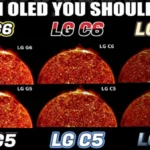
The 2025 LG B5 is one of the most affordable OLED TVs available. But how does it compare to its successor, the all-new LG B6? Here's...
A great OLED TV, but not the upgrade I was looking for
The LG B6 had a lot to live up to, as the B5 was one of my top OLED TVs of 2025. Putting them side by side didn't go as I expected…

Choose the S90H for bright-room OLED viewing, deep blacks and top-tier gaming without flagship pricing. Skip it if you want Dolby Vision, a glossy screen or the simplest smart-TV software.
Pros: glare resistance, black levels
Cons: Dolby Vision support, color gamut
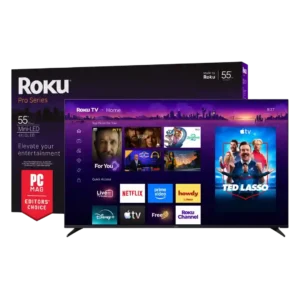
Best for bright Mini-LED picture, excellent built-in audio, easy Roku navigation, and responsive 4K/120 gaming. Skip it if you want ad-free menus, premium motion consistency, or stronger confidence in long-term...
Pros: overall satisfaction, picture quality
Cons: reliability, portability and versatility

Choose the QM8L for a big, brilliantly bright TV with vivid HDR, deep mini-LED blacks, low input lag, and four HDMI 2.1 ports. Skip it if you need OLED-clean motion,...
Pros: picture quality, value for money
Cons: stand quality, judder handling

Choose the G6 for class-leading bright-room OLED picture, rich color, deep blacks and elite gaming. Skip it if you want strong built-in audio, polished launch firmware, no account sign-in, or...
Pros: picture quality, peak brightness
Cons: value for money, sound quality