
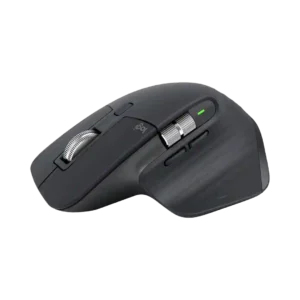
Turtle Beach Kone II
Where It Has the Edge
- polling rate is 3.5 vs 1.9. Polling-rate feedback was mixed: one review liked the easy adjustment up to 1000Hz, while another found 1000Hz less...

Scorata scores summarize analyzed review evidence on a 1–5 scale; they are not laboratory measurements or a simple average of customer star ratings. Feature scores summarize the reviews covering that feature. The overall score averages feature scores within each review, then combines review averages. When both expert and customer evidence are available, those two groups receive equal weight. Products can have different review coverage, so small score gaps do not establish a winner.
Recommendations prioritize important features for the category, with a score of at least 3.5, a gap of at least 0.25 points and at least two supporting reviews per product. Features with widely varying scores or broad connectivity contexts are excluded from recommendations. These safeguards do not establish statistical significance.
Quick verdict
The review evidence points to a tradeoff: polling rate versus cross-platform compatibility and click noise. Choose according to which strengths matter more to you; the overall score alone does not settle that choice.
Choose Turtle Beach Kone II for polling rate.
Choose Logitech MX Master 3S for cross-platform compatibility and click noise.
Scores are out of 5. Missing scores mean missing review evidence, not a missing feature.
Battery life evidence was very strong in the Air review, which exceeded the quoted 130-hour 2.4GHz mark in testing.
1 supporting review · Limited evidence
Browse product reviews for Turtle Beach Kone IIBattery endurance is a major strength, with many reviewers getting weeks to roughly two months between charges and finding Logitech’s long-life claim believable in real use.
15 supporting reviews
Browse product reviews for Logitech MX Master 3SCharging convenience was acceptable to the reviewer because plugging in during breaks was not treated as a major burden.
1 supporting review · Limited evidence
Browse product reviews for Turtle Beach Kone IIThe front USB-C port lets the mouse keep working while it charges, a practical detail reviewers repeatedly appreciate.
4 supporting reviews
Browse product reviews for Logitech MX Master 3SSwitch durability was supported by a positive judgment that the optical switches are built to survive many gaming sessions.
1 supporting review · Limited evidence
Browse product reviews for Turtle Beach Kone IILong-term switch durability is a concern because multiple reports describe flaky clicking or a button failing after extended use.
2 supporting reviews
Browse product reviews for Logitech MX Master 3SLong-term durability was supported by the positive assessment that the switches are built to survive many sessions.
1 supporting review · Limited evidence
Browse product reviews for Turtle Beach Kone IILong-term durability is mixed: several owners say the mouse holds up for years, while others report coating wear, rattling scroll wheels, or click problems after extended use.
6 supporting reviews · Mixed evidence
Browse product reviews for Logitech MX Master 3SMaterials quality was mixed: one review liked the lightweight sturdy matte plastic, while another thought it had a regular hard-plastic feel.
2 supporting reviews
Browse product reviews for Turtle Beach Kone IIMaterials receive strong praise for feeling refined and substantial, particularly the metal scroll wheels and soft-touch contact surfaces.
8 supporting reviews
Browse product reviews for Logitech MX Master 3SPalm grip comfort was strong for larger hands, though one reviewer with big hands found fingertip and claw more comfortable than full palm.
6 supporting reviews
Browse product reviews for Turtle Beach Kone IIPalm grip is the mouse’s natural fit and is usually very comfortable, though users may need to adjust hand position to keep both support and button reach.
3 supporting reviews · Mixed evidence
Browse product reviews for Logitech MX Master 3SBuild quality was generally positive, with reviewers calling the mouse sturdy, solid, and free of weak spots.
4 supporting reviews
Browse product reviews for Turtle Beach Kone IIBuild quality is generally excellent, with reviewers calling the body solid, well engineered, and durable. The main caveats come from coating wear and isolated switch or wheel failures.
15 supporting reviews
Browse product reviews for Logitech MX Master 3SErgonomics were the product's broadest strength, repeatedly described as comfortable, glove-like, and well shaped for larger hands.
11 supporting reviews
Browse product reviews for Turtle Beach Kone IIThe sculpted right-handed shape receives unusually strong praise for wrist position, palm support, and everyday comfort. It is one of the product’s clearest strengths.
28 supporting reviews
Browse product reviews for Logitech MX Master 3SLong-session comfort was generally strong for large-hand users and everyday work, though one medium-hand reviewer felt fatigue after a while.
4 supporting reviews
Browse product reviews for Turtle Beach Kone IIComfort over long work sessions is a standout strength for many users, with several reporting reduced strain or all-day ease. The main exceptions are people sensitive to the mouse’s size or weight.
23 supporting reviews · Mixed evidence
Browse product reviews for Logitech MX Master 3SShape comfort was the dominant theme: reviewers loved the large ergonomic shape for the right hands, while warning that its size is not universal.
11 supporting reviews
Browse product reviews for Turtle Beach Kone IIThe tall, sculpted shape fits many medium-to-large hands extremely well and is frequently described as natural or glove-like. Smaller hands are the common exception.
18 supporting reviews
Browse product reviews for Logitech MX Master 3SOnboard profile handling was described as straightforward in the software, supporting a positive score for onboard memory/profile use.
1 supporting review · Limited evidence
Browse product reviews for Turtle Beach Kone IIThe lack of onboard memory is a serious weakness for power users because custom profiles depend on Logi Options+ being available and running on each machine.
3 supporting reviews
Browse product reviews for Logitech MX Master 3SWireless latency was viewed favorably thanks to low-latency 2.4GHz use and the absence of latency delays called out by reviewers.
2 supporting reviews
Browse product reviews for Turtle Beach Kone IILatency is usually fine for desk work, but some reviewers notice or warn about lag, interference, or the limits of the low polling rate compared with gaming mice.
7 supporting reviews · Mixed evidence
Browse product reviews for Logitech MX Master 3SCross-platform compatibility was mixed: Xbox plug-and-play was a plus, but lack of macOS and non-Windows support limited the PC software experience.
3 supporting reviews
Browse product reviews for Turtle Beach Kone IIThe mouse works well across major desktop and mobile operating systems, which is especially useful for mixed-device work setups.
3 supporting reviews
Browse product reviews for Logitech MX Master 3SPolling-rate feedback was mixed: one review liked the easy adjustment up to 1000Hz, while another found 1000Hz less compelling for very high-refresh displays.
2 supporting reviews
Browse product reviews for Turtle Beach Kone IIThe 125Hz polling rate is one of the most repeated technical criticisms. It is adequate for office work, but reviewers see it as dated for high-refresh displays and fast gaming.
5 supporting reviews
Browse product reviews for Logitech MX Master 3SGrip texture was mixed: some liked the sticky texture or included tape, while others found the surface slippery or the tape too hard.
6 supporting reviews
Browse product reviews for Turtle Beach Kone IIThe rubberized texture is widely liked for feeling soft, secure, and grippy, although a few long-term users dislike how the coating ages or turns tacky.
8 supporting reviews · Mixed evidence
Browse product reviews for Logitech MX Master 3SPremium feel was mixed: one review liked the robust build and RGB additions, while another found the design somewhat tacky despite comfort.
2 supporting reviews
Browse product reviews for Turtle Beach Kone IIThe mouse is consistently described as substantial and premium, thanks to its metal wheels, solid construction, soft-touch surfaces, and overall finish.
10 supporting reviews
Browse product reviews for Logitech MX Master 3SGlide smoothness was consistently positive, with reviewers describing smooth travel, effortless movement, and low friction from the PTFE feet.
6 supporting reviews
Browse product reviews for Turtle Beach Kone IIGlide is generally smooth for office work, but heavier weight and mediocre feet draw criticism from reviewers comparing it with fast gaming mice.
6 supporting reviews · Mixed evidence
Browse product reviews for Logitech MX Master 3SSwitch feel was mostly praised as crisp, tactile, and satisfying, though one comparison found the Kone II slightly mushier and hollower than a related model.
7 supporting reviews
Browse product reviews for Turtle Beach Kone IISwitch feel divides opinion: many appreciate the softer, quiet tactile action, while others miss the firmer feedback of older or gaming-focused mice.
13 supporting reviews · Mixed evidence
Browse product reviews for Logitech MX Master 3SHandedness options were a clear weakness because reviewers noted the mouse is not ambidextrous and is unsuitable for left-handed mouse users.
2 supporting reviews
Browse product reviews for Turtle Beach Kone IIThe lack of a left-handed version is one of the clearest limitations. Its sculpted body and thumb controls effectively exclude left-handed users.
14 supporting reviews
Browse product reviews for Logitech MX Master 3SWeight distribution was positively described on the Kone II Air, where the weight was said to hit a sweet spot in actual use.
1 supporting review · Limited evidence
Browse product reviews for Turtle Beach Kone IIThe mouse’s weight distribution is praised for supporting a stable, planted feel during long desk sessions.
1 supporting review · Limited evidence
Browse product reviews for Logitech MX Master 3SConnection stability was positive overall, led by praise that the wireless connection never failed; one reviewer only lightly qualified a tracking concern as possibly subjective.
2 supporting reviews
Browse product reviews for Turtle Beach Kone IIWireless stability is mostly good, especially with Logi Bolt, but not spotless. A minority of testers report Bluetooth hiccups, interference, stutters, or imperfect tracking.
6 supporting reviews · Mixed evidence
Browse product reviews for Logitech MX Master 3SProfile switching was useful in the reviews that discussed it, especially for setting up different games or work profiles.
2 supporting reviews
Browse product reviews for Turtle Beach Kone IIAutomatic profile changes can work smoothly within Logitech’s ecosystem, reducing manual switching when moving between paired devices or setups.
1 supporting review · Limited evidence
Browse product reviews for Logitech MX Master 3SThe scroll wheel earned praise for tactile feedback, tilt, versatility, and stability, but some reviewers disliked the lack of dual-mode or smooth scrolling on the wired model.
7 supporting reviews
Browse product reviews for Turtle Beach Kone IIThe MagSpeed wheel is one of the most celebrated parts of the mouse, especially for fast document navigation and smooth mode switching. A few long-term reports of looseness or rattling keep it from being flawless.
20 supporting reviews
Browse product reviews for Logitech MX Master 3SPortability was weak because reviewers emphasized the Kone II's large, heavy body and unsuitability for laptop-style use.
3 supporting reviews
Browse product reviews for Turtle Beach Kone IIPortability is only middling because the mouse is large and bulky, though some users still carry it daily. Compact alternatives are easier to travel with.
3 supporting reviews · Mixed evidence
Browse product reviews for Logitech MX Master 3SThe 26K DPI range was treated as high-end and useful for users who want very high sensitivity, even if most reviewers did not need the maximum.
4 supporting reviews
Browse product reviews for Turtle Beach Kone IIThe 8,000-DPI ceiling is more than enough for productivity and helps on high-resolution or multi-monitor setups, though many users never need the upper range.
10 supporting reviews
Browse product reviews for Logitech MX Master 3SWeight divided reviewers: some found the wired version light for its size, while others felt the Kone II line was too big and heavy for competitive use.
7 supporting reviews · Mixed evidence
Browse product reviews for Turtle Beach Kone IIWeight is divisive: some users enjoy the solid, premium heft, while others find 141g tiring or too heavy for frequent lifting and fast movements.
14 supporting reviews · Mixed evidence
Browse product reviews for Logitech MX Master 3SThe 2.4GHz connection was praised for higher performance, lower latency, and a much higher polling rate than Bluetooth.
1 supporting review · Limited evidence
Browse product reviews for Turtle Beach Kone IILogi Bolt is praised for providing a stable, low-latency connection and is often preferred over Bluetooth when reliability matters most.
2 supporting reviews
Browse product reviews for Logitech MX Master 3SThe main left and right clicks were well received for uniform feel, snappy action, and excellent responsiveness.
3 supporting reviews
Browse product reviews for Turtle Beach Kone IIThe main buttons are widely praised for combining very low noise with useful tactile feedback, making them especially pleasant for office work.
8 supporting reviews
Browse product reviews for Logitech MX Master 3SMotion consistency was strong in the supportive reviews, with no tracking issues, glitches, or smoothing reported.
2 supporting reviews
Browse product reviews for Turtle Beach Kone IIMotion is generally smooth and consistent in precision work, although wireless interference can still affect isolated setups.
1 supporting review · Limited evidence
Browse product reviews for Logitech MX Master 3SSurface compatibility was praised in the reviews that tested it, including smooth movement on cloth, hard surfaces, and multiple household surfaces.
2 supporting reviews
Browse product reviews for Turtle Beach Kone IIDarkfield tracking is a clear win, with reviewers repeatedly confirming reliable use on glass and other surfaces that trip up ordinary mice.
5 supporting reviews
Browse product reviews for Logitech MX Master 3SMacro support was praised for game and productivity use, with several reviewers highlighting easy macro setup or useful extra mapped actions.
6 supporting reviews
Browse product reviews for Turtle Beach Kone IIMacro capability is limited compared with dedicated gaming mice, and users who rely heavily on mouse-based macros may find the available controls insufficient.
1 supporting review · Limited evidence
Browse product reviews for Logitech MX Master 3SValue was mostly positive at the wired price, with many reviewers calling it worthwhile or a steal, though some wanted a lower price or saw stronger alternatives.
12 supporting reviews
Browse product reviews for Turtle Beach Kone IIMost reviewers think the premium is justified for serious productivity use, especially when discounted. Budget users and people who only need basic pointing and scrolling are less likely to see the value.
17 supporting reviews · Mixed evidence
Browse product reviews for Logitech MX Master 3SButton responsiveness was one of the strongest areas, with repeated praise for fast, balanced, and reliable actuation in games and general use.
8 supporting reviews
Browse product reviews for Turtle Beach Kone IIButton response is generally good when new, but long-term reports of missed clicks and switch failures create a notable reliability concern.
4 supporting reviews · Mixed evidence
Browse product reviews for Logitech MX Master 3SBluetooth support was seen as a useful power-efficient option, but with the caveat that performance is lower than 2.4GHz.
1 supporting review · Limited evidence
Browse product reviews for Turtle Beach Kone IIBluetooth is easy and reliable for most reviewers, though a few users report occasional connection trouble and prefer the Bolt receiver when stability matters most.
3 supporting reviews · Mixed evidence
Browse product reviews for Logitech MX Master 3SSoftware stability and maturity were mixed: PCMag praised the revamp, while TrustedReviews found the experience intuitive only up to a point.
2 supporting reviews · Mixed evidence
Browse product reviews for Turtle Beach Kone IIOptions+ stability is inconsistent across reviewers: several find it dependable, while others report unresponsiveness or settings temporarily reverting.
5 supporting reviews · Mixed evidence
Browse product reviews for Logitech MX Master 3SSoftware usability was usually praised for clean, intuitive customization, though one reviewer found parts of the UI wasteful and less intuitive.
9 supporting reviews
Browse product reviews for Turtle Beach Kone IIOptions+ is generally easy to understand and configure, making deep customization accessible without feeling overly technical.
2 supporting reviews
Browse product reviews for Logitech MX Master 3SButton customization was one of the most consistently praised features, with reviewers emphasizing Easy-Shift, broad remapping, and extensive command options.
11 supporting reviews
Browse product reviews for Turtle Beach Kone IIDeep button remapping is a major strength, especially because controls can change by application and be tailored to creative or office workflows.
9 supporting reviews
Browse product reviews for Logitech MX Master 3SProgrammable buttons were a major strength, with reviewers valuing the extra inputs, Easy-Shift layering, and seven-button expandability.
7 supporting reviews
Browse product reviews for Turtle Beach Kone IIThe programmable controls are repeatedly praised for turning common shortcuts and app commands into faster, more efficient mouse actions.
5 supporting reviews
Browse product reviews for Logitech MX Master 3SClick noise was mixed, with one reviewer calling the sound hollow and another noting the optical switches are on the louder side.
2 supporting reviews
Browse product reviews for Turtle Beach Kone IIQuiet Clicks are one of the most universally praised upgrades, making the mouse far less distracting in offices, calls, recording setups, and late-night work.
29 supporting reviews
Browse product reviews for Logitech MX Master 3SWireless performance on the Kone II Air was praised, especially over the 2.4GHz mode where perceived performance stayed consistent.
2 supporting reviews
Browse product reviews for Turtle Beach Kone IIWireless performance is good for most office use, but a few testers encountered stutters or interference that feel out of place on a premium mouse.
3 supporting reviews · Mixed evidence
Browse product reviews for Logitech MX Master 3SSensor performance was widely praised as top-tier, responsive, and dependable, though one reviewer reported a slight tracking quirk.
11 supporting reviews
Browse product reviews for Turtle Beach Kone IIThe Darkfield sensor is repeatedly praised for smooth, accurate performance and unusually broad surface support.
9 supporting reviews
Browse product reviews for Logitech MX Master 3SReviewers generally found tracking accurate and responsive, with one clear dissent noting a small precision quirk during tiny aim corrections.
5 supporting reviews · Mixed evidence
Browse product reviews for Turtle Beach Kone IITracking is usually described as smooth and highly precise across normal productivity work and high-resolution displays. A small number of wireless-interference reports create some inconsistency.
9 supporting reviews · Mixed evidence
Browse product reviews for Logitech MX Master 3SNo review summary available for this feature. Missing evidence does not mean the feature is absent.
Browse product reviews for Turtle Beach Kone IIReliability is mixed over the long term: many users report years of dependable use, while others encounter wireless glitches, software resets, or button failures.
5 supporting reviews · Mixed evidence
Browse product reviews for Logitech MX Master 3SNo review summary available for this feature. Missing evidence does not mean the feature is absent.
Browse product reviews for Turtle Beach Kone IIBluetooth makes dongle-free use practical, and at least one Mac-focused reviewer found the lack of a receiver unproblematic because pairing remained easy and broad.
1 supporting review · Limited evidence
Browse product reviews for Logitech MX Master 3SNo review summary available for this feature. Missing evidence does not mean the feature is absent.
Browse product reviews for Turtle Beach Kone IIOne long-term owner reported unwanted double-clicks and missed single clicks, a serious concern for precision work.
1 supporting review · Limited evidence
Browse product reviews for Logitech MX Master 3SNo review summary available for this feature. Missing evidence does not mean the feature is absent.
Browse product reviews for Turtle Beach Kone IIThe sculpted body and thumb rest provide excellent support for the hand and wrist during prolonged desk use.
4 supporting reviews
Browse product reviews for Logitech MX Master 3SNo review summary available for this feature. Missing evidence does not mean the feature is absent.
Browse product reviews for Turtle Beach Kone IIThree-device support is consistently treated as a major productivity advantage for users juggling desktops, laptops, tablets, or work and personal machines.
8 supporting reviews
Browse product reviews for Logitech MX Master 3SNo review summary available for this feature. Missing evidence does not mean the feature is absent.
Browse product reviews for Turtle Beach Kone IIBasic pointing and scrolling work well without special software, so the mouse remains usable even before customization is installed.
3 supporting reviews
Browse product reviews for Logitech MX Master 3SNo review summary available for this feature. Missing evidence does not mean the feature is absent.
Browse product reviews for Turtle Beach Kone IISome mechanical issues appear repairable with inexpensive parts, which is a modest positive for owners willing to service the mouse.
1 supporting review · Limited evidence
Browse product reviews for Logitech MX Master 3SNo review summary available for this feature. Missing evidence does not mean the feature is absent.
Browse product reviews for Turtle Beach Kone IIPairing and configuration are generally straightforward, whether using Bluetooth, Bolt, or Options+.
5 supporting reviews
Browse product reviews for Logitech MX Master 3SNo review summary available for this feature. Missing evidence does not mean the feature is absent.
Browse product reviews for Turtle Beach Kone IIOne account was sharply negative after a scroll-wheel problem reportedly was not covered to the user’s satisfaction.
1 supporting review · Limited evidence
Browse product reviews for Logitech MX Master 3SNo review summary available for this feature. Missing evidence does not mean the feature is absent.
Browse product reviews for Turtle Beach Kone IIThe design looks professional and refined to many reviewers, but opinions are mixed on the conservative colors and how visibly pale finishes collect dirt.
9 supporting reviews · Mixed evidence
Browse product reviews for Logitech MX Master 3SClaw grip comfort was generally positive, with reviewers saying claw use worked well or felt excellent despite the large shell.
6 supporting reviews
Browse product reviews for Turtle Beach Kone IINo review summary available for this feature. Missing evidence does not mean the feature is absent.
Browse product reviews for Logitech MX Master 3SFingertip grip comfort was mixed to negative, with some comfort for hybrid users but stronger concerns that the big rear flare and weight hurt fingertip use.
4 supporting reviews
Browse product reviews for Turtle Beach Kone IINo review summary available for this feature. Missing evidence does not mean the feature is absent.
Browse product reviews for Logitech MX Master 3SNo review summary available for this feature. Missing evidence does not mean the feature is absent.
Browse product reviews for Turtle Beach Kone IIReviewers repeatedly praise how secure and comfortable the mouse feels in hand, helped by the thumb rest and rubberized contact areas.
8 supporting reviews
Browse product reviews for Logitech MX Master 3SNo review summary available for this feature. Missing evidence does not mean the feature is absent.
Browse product reviews for Turtle Beach Kone IIFit depends heavily on hand size. Medium-to-large hands tend to love the shape, while smaller-handed users often find the mouse too large or harder to reach comfortably.
6 supporting reviews · Mixed evidence
Browse product reviews for Logitech MX Master 3SNo review summary available for this feature. Missing evidence does not mean the feature is absent.
Browse product reviews for Turtle Beach Kone IIThe large body is a poor fit for some smaller hands and travel-focused users, even though it suits the mouse’s supportive desk-first design.
3 supporting reviews
Browse product reviews for Logitech MX Master 3SNo review summary available for this feature. Missing evidence does not mean the feature is absent.
Browse product reviews for Turtle Beach Kone IIThe control count is generally seen as generous for productivity, offering enough programmable inputs for power users without overwhelming the layout.
2 supporting reviews
Browse product reviews for Logitech MX Master 3SNo review summary available for this feature. Missing evidence does not mean the feature is absent.
Browse product reviews for Turtle Beach Kone IIMost controls fall naturally under the fingers and thumb, but the hidden thumb-rest button and underside device-switch button can require an awkward reach.
9 supporting reviews · Mixed evidence
Browse product reviews for Logitech MX Master 3SNo review summary available for this feature. Missing evidence does not mean the feature is absent.
Browse product reviews for Turtle Beach Kone IIMost reviewers like the substantial, responsive feel of the controls, although some dislike the softer main-switch feel and isolated failures hurt confidence.
3 supporting reviews · Mixed evidence
Browse product reviews for Logitech MX Master 3SNo review summary available for this feature. Missing evidence does not mean the feature is absent.
Browse product reviews for Turtle Beach Kone IIFine sensitivity adjustment is a useful strength for matching the mouse to different displays, workloads, and personal pointer-speed preferences.
4 supporting reviews
Browse product reviews for Logitech MX Master 3SNo review summary available for this feature. Missing evidence does not mean the feature is absent.
Browse product reviews for Turtle Beach Kone IIGesture controls can be powerful once configured, but they are more useful to workflow-heavy users than to people who prefer simple mouse behavior.
3 supporting reviews · Mixed evidence
Browse product reviews for Logitech MX Master 3SSide button quality was usually praised for reachable placement and easy actuation, although one reviewer warned their position can invite accidental presses.
7 supporting reviews
Browse product reviews for Turtle Beach Kone IINo review summary available for this feature. Missing evidence does not mean the feature is absent.
Browse product reviews for Logitech MX Master 3SNo review summary available for this feature. Missing evidence does not mean the feature is absent.
Browse product reviews for Turtle Beach Kone IILogi Options+ is generally praised as polished, powerful, and useful for tailoring the mouse to real workflows. The strongest feedback highlights app-specific control rather than basic pointer settings.
6 supporting reviews
Browse product reviews for Logitech MX Master 3STilt gesture controls were praised as fresh, useful, and easy to flick, giving the mouse extra functions beyond a standard wheel.
6 supporting reviews
Browse product reviews for Turtle Beach Kone IINo review summary available for this feature. Missing evidence does not mean the feature is absent.
Browse product reviews for Logitech MX Master 3SCable feedback was mostly positive, especially for the strong anti-fray and low-drag flex cable, with one minor complaint about fuzzy braiding.
4 supporting reviews
Browse product reviews for Turtle Beach Kone IINo review summary available for this feature. Missing evidence does not mean the feature is absent.
Browse product reviews for Logitech MX Master 3SNo review summary available for this feature. Missing evidence does not mean the feature is absent.
Browse product reviews for Turtle Beach Kone IIThe included charging cable is a weak point in one detailed assessment, where its thin, non-braided construction felt cheap beside the premium mouse.
1 supporting review · Limited evidence
Browse product reviews for Logitech MX Master 3SNo review summary available for this feature. Missing evidence does not mean the feature is absent.
Browse product reviews for Turtle Beach Kone IILong-term click consistency is a concern because one owner reported missed single clicks, unintended double-clicks, and unreliable dragging.
1 supporting review · Limited evidence
Browse product reviews for Logitech MX Master 3SClick latency was viewed positively, with reviewers describing fast actuation, highly responsive clicks, and freedom from latency delays.
3 supporting reviews
Browse product reviews for Turtle Beach Kone IINo review summary available for this feature. Missing evidence does not mean the feature is absent.
Browse product reviews for Logitech MX Master 3SNo review summary available for this feature. Missing evidence does not mean the feature is absent.
Browse product reviews for Turtle Beach Kone IIThe soft-touch coating feels good when new, but long-term feedback is consistently wary of staining, grime, discoloration, and surface wear. Lighter colors draw the most criticism.
10 supporting reviews
Browse product reviews for Logitech MX Master 3SNo review summary available for this feature. Missing evidence does not mean the feature is absent.
Browse product reviews for Turtle Beach Kone IICursor movement is praised for staying smooth and precise during everyday productivity tasks.
1 supporting review · Limited evidence
Browse product reviews for Logitech MX Master 3SNo review summary available for this feature. Missing evidence does not mean the feature is absent.
Browse product reviews for Turtle Beach Kone IISwitching among computers is usually fast and convenient, particularly for multi-device desks. The underside button placement is the main usability complaint.
7 supporting reviews
Browse product reviews for Logitech MX Master 3SNo review summary available for this feature. Missing evidence does not mean the feature is absent.
Browse product reviews for Turtle Beach Kone IILogi Flow and integration with other Logitech devices are strong productivity features, especially for moving the pointer and clipboard across multiple computers.
4 supporting reviews
Browse product reviews for Logitech MX Master 3SNo review summary available for this feature. Missing evidence does not mean the feature is absent.
Browse product reviews for Turtle Beach Kone IIThe feet are adequate for desk work but draw criticism from reviewers accustomed to lighter gaming mice with faster, smoother skates.
2 supporting reviews
Browse product reviews for Logitech MX Master 3SFPS suitability was mixed: general shooter use was fine, but several reviewers warned it is not ideal for high-speed or high-level competitive FPS play.
8 supporting reviews
Browse product reviews for Turtle Beach Kone IINo review summary available for this feature. Missing evidence does not mean the feature is absent.
Browse product reviews for Logitech MX Master 3SNo review summary available for this feature. Missing evidence does not mean the feature is absent.
Browse product reviews for Turtle Beach Kone IIFree-spin mode is a major productivity benefit, letting users tear through long documents or timelines with far less effort than a conventional wheel.
6 supporting reviews
Browse product reviews for Logitech MX Master 3SNo review summary available for this feature. Missing evidence does not mean the feature is absent.
Browse product reviews for Turtle Beach Kone IIThe MX Master 3S can handle casual games, but reviewers consistently discourage it for competitive play because of its weight, 125Hz polling, and productivity-first design.
15 supporting reviews
Browse product reviews for Logitech MX Master 3SNo review summary available for this feature. Missing evidence does not mean the feature is absent.
Browse product reviews for Turtle Beach Kone IIThe thumb wheel is one of the most loved productivity features, particularly for spreadsheets, editing timelines, large canvases, and browser or app navigation.
12 supporting reviews
Browse product reviews for Logitech MX Master 3SNo review summary available for this feature. Missing evidence does not mean the feature is absent.
Browse product reviews for Turtle Beach Kone IIMac support is excellent, with reviewers praising both reliable operation and useful app or gesture customization.
4 supporting reviews
Browse product reviews for Logitech MX Master 3SMMO suitability was very positive because the extra buttons, Easy-Shift commands, and comfortable long-session shape fit MMO-style play well.
3 supporting reviews
Browse product reviews for Turtle Beach Kone IINo review summary available for this feature. Missing evidence does not mean the feature is absent.
Browse product reviews for Logitech MX Master 3SMOBA suitability was supported by one gaming-performance review that included a shooter-MOBA and found the mouse fast, responsive, and issue-free.
1 supporting review · Limited evidence
Browse product reviews for Turtle Beach Kone IINo review summary available for this feature. Missing evidence does not mean the feature is absent.
Browse product reviews for Logitech MX Master 3SNo review summary available for this feature. Missing evidence does not mean the feature is absent.
Browse product reviews for Turtle Beach Kone IIThe low polling rate can create perceptible lag compared with high-refresh gaming mice, even though office use is usually acceptable.
1 supporting review · Limited evidence
Browse product reviews for Logitech MX Master 3SNo review summary available for this feature. Missing evidence does not mean the feature is absent.
Browse product reviews for Turtle Beach Kone IIApp-specific profiles are a major customization strength, letting the same controls behave differently across editing, office, browser, and creative software.
1 supporting review · Limited evidence
Browse product reviews for Logitech MX Master 3SNo review summary available for this feature. Missing evidence does not mean the feature is absent.
Browse product reviews for Turtle Beach Kone IIThe Bolt receiver is viewed as a strong connection option, especially for stable low-latency use in busy wireless environments.
2 supporting reviews
Browse product reviews for Logitech MX Master 3SNo review summary available for this feature. Missing evidence does not mean the feature is absent.
Browse product reviews for Turtle Beach Kone IIRepairing a failed click switch can require disassembly, soldering, and tools that many owners will not have, making self-repair inconvenient.
1 supporting review · Limited evidence
Browse product reviews for Logitech MX Master 3SRGB feedback was mostly positive for vivid lighting, zones, gradients, and customization, with a few caveats about muddled or choppy lighting.
9 supporting reviews
Browse product reviews for Turtle Beach Kone IINo review summary available for this feature. Missing evidence does not mean the feature is absent.
Browse product reviews for Logitech MX Master 3SNo review summary available for this feature. Missing evidence does not mean the feature is absent.
Browse product reviews for Turtle Beach Kone IIThe main wheel earns strong marks for moving cleanly between precise notched scrolling and rapid free-spin behavior.
6 supporting reviews · Mixed evidence
Browse product reviews for Logitech MX Master 3SNo review summary available for this feature. Missing evidence does not mean the feature is absent.
Browse product reviews for Turtle Beach Kone IIWheel resistance is generally well judged, with praise for controlled tactile scrolling. Some reviewers find the thumb wheel heavier or differently tensioned than they prefer.
5 supporting reviews · Mixed evidence
Browse product reviews for Logitech MX Master 3SNo review summary available for this feature. Missing evidence does not mean the feature is absent.
Browse product reviews for Turtle Beach Kone IIWake behavior is mostly fine, but one test found that resuming from full sleep occasionally needed an extra click or two.
1 supporting review · Limited evidence
Browse product reviews for Logitech MX Master 3SNo review summary available for this feature. Missing evidence does not mean the feature is absent.
Browse product reviews for Turtle Beach Kone IIReviewers who mention sustainability respond positively to recycled materials, reduced disposable-battery use, and Logitech’s environmental positioning.
2 supporting reviews
Browse product reviews for Logitech MX Master 3SNo review summary available for this feature. Missing evidence does not mean the feature is absent.
Browse product reviews for Turtle Beach Kone IIUSB-C charging is consistently appreciated for modern convenience and the sensible front-facing port placement.
5 supporting reviews
Browse product reviews for Logitech MX Master 3SNo review summary available for this feature. Missing evidence does not mean the feature is absent.
Browse product reviews for Turtle Beach Kone IIThe missing receiver-storage slot is a recurring travel annoyance because the small Bolt dongle is easy to misplace.
2 supporting reviews
Browse product reviews for Logitech MX Master 3SNo review summary available for this feature. Missing evidence does not mean the feature is absent.
Browse product reviews for Turtle Beach Kone IIWindows compatibility is strong, including full Options+ support and smooth multi-device workflows.
1 supporting review · Limited evidence
Browse product reviews for Logitech MX Master 3SNo review summary available for this feature. Missing evidence does not mean the feature is absent.
Browse product reviews for Turtle Beach Kone IIThe USB-C port charges the mouse but does not provide true wired input. Reviewers who want a cable fallback or zero-interference mode see that as a clear limitation.
4 supporting reviews
Browse product reviews for Logitech MX Master 3SNo review summary available for this feature. Missing evidence does not mean the feature is absent.
Browse product reviews for Turtle Beach Kone IIFast charging earns near-universal praise because a very short top-up can restore hours of use, making a depleted battery a minor inconvenience.
18 supporting reviews
Browse product reviews for Logitech MX Master 3SNo review summary available for this feature. Missing evidence does not mean the feature is absent.
Browse product reviews for Turtle Beach Kone IIThe built-in rechargeable battery holds up well in long-term use and avoids the hassle of disposable cells.
1 supporting review · Limited evidence
Browse product reviews for Logitech MX Master 3SNo review summary available for this feature. Missing evidence does not mean the feature is absent.
Browse product reviews for Turtle Beach Kone IIThe sealed, non-user-replaceable battery raises longevity concerns for buyers who want an easily serviceable mouse.
1 supporting review · Limited evidence
Browse product reviews for Logitech MX Master 3SNo review summary available for this feature. Missing evidence does not mean the feature is absent.
Browse product reviews for Turtle Beach Kone IIThis is where the MX Master 3S earns its reputation: reviewers repeatedly describe it as an exceptional work mouse that speeds up editing, spreadsheets, coding, and everyday desk workflows.
27 supporting reviews
Browse product reviews for Logitech MX Master 3S