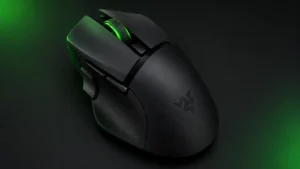
Compare Logitech G502 X Lightspeed vs Razer Basilisk V3 X HyperSpeed

Logitech G502 X Lightspeed

Logitech G502 X Lightspeed

Overall score 4.2 / 5

Based on 10 scored reviews

vs
Razer Basilisk V3 X HyperSpeed

Razer Basilisk V3 X HyperSpeed

Overall score 4.2 / 5

Based on 15 scored reviews

How we score

Scorata scores summarize analyzed review evidence on a 1–5 scale; they are not laboratory measurements or a simple average of customer star ratings. Feature scores summarize the reviews covering that feature. The overall score averages feature scores within each review, then combines review averages. When both expert and customer evidence are available, those two groups receive equal weight. Products can have different review coverage, so small score gaps do not establish a winner.

Recommendations prioritize important features for the category, with a score of at least 3.5, a gap of at least 0.25 points and at least two supporting reviews per product. Features with widely varying scores or broad connectivity contexts are excluded from recommendations. These safeguards do not establish statistical significance.

Quick verdict

What each product is best for

The review evidence points to a tradeoff: onboard memory and MMO gaming suitability versus side button quality and value for money. Choose according to which strengths matter more to you; the overall score alone does not settle that choice.

Choose Logitech G502 X Lightspeed for onboard memory and MMO gaming suitability.

Choose Razer Basilisk V3 X HyperSpeed for side button quality and value for money.

Why these recommendations?

Logitech G502 X Lightspeed

Where It Has the Edge

  • onboard memory is 4.8 vs 1.8. Onboard memory was considered useful for tournaments, LAN parties, and moving settings between computers.
  • MMO gaming suitability is 4.9 vs 4.3. MMO gaming suitability was a clear strength because reviewers repeatedly praised the many programmable buttons for MMO-style skill...
  • connection stability is 5.0 vs 4.6. Connection stability was strong, with reviewers reporting no dropped connections and no issues in their testing.

Razer Basilisk V3 X HyperSpeed

Where It Has the Edge

  • side button quality is 4.9 vs 3.1. The extra thumb controls are appreciated for shortcuts, although reach depends on hand position.
  • value for money is 4.6 vs 3.3. Comfort, responsive wireless and extensive controls make the price appealing despite missing premium extras.
  • software usability is 4.4 vs 3.4. Synapse makes remapping and profile setup straightforward for some, but the extra app requirements annoy others.
Logitech G502 X Lightspeed 4.2 overall score
Razer Basilisk V3 X HyperSpeed 4.2 overall score

Compare features

Scores are out of 5. Missing scores mean missing review evidence, not a missing feature.

Scored on both products

Battery and charging

Battery life
Logitech G502 X Lightspeed
4.8

Battery life was one of the strongest consensus positives, repeatedly matching or exceeding expectations and allowing long use between charges.

Razer Basilisk V3 X HyperSpeed
4.0

AA runtime can be excellent, especially on Bluetooth, but some users report substantially faster drain than expected.

Charging convenience
Logitech G502 X Lightspeed
4.8

Charging convenience was praised for USB-C, PowerPlay-style charging support, and not needing to think much about recharging.

Razer Basilisk V3 X HyperSpeed
3.4

Quick battery swaps eliminate charging downtime, but owners who prefer plugging in find the lack of recharging inconvenient.

Other features

Cross-platform compatibility
Logitech G502 X Lightspeed
1.5

Cross-platform compatibility had a notable Mac issue, with one reviewer unable to get a MacBook Air M1 to detect the mouse.

Razer Basilisk V3 X HyperSpeed
5.0

Bluetooth pairing worked well with a MacBook and Steam Deck, although customization options vary by system.

Onboard memory
Logitech G502 X Lightspeed
4.8

Onboard memory was considered useful for tournaments, LAN parties, and moving settings between computers.

Razer Basilisk V3 X HyperSpeed
1.8

Onboard profile storage is limited, and transferring customized settings between devices can be frustrating.

Premium feel
Logitech G502 X Lightspeed
2.5

Premium feel had limited negative evidence, with one reviewer expecting more from a premium-priced mouse.

Razer Basilisk V3 X HyperSpeed
4.8

The solid shell feels well made rather than cheap, even beside an older premium mouse.

Surface compatibility
Logitech G502 X Lightspeed
3.9

Surface compatibility was adequate to good, with reviewers saying it worked alright on desks and felt better or incredible on mousepads.

Razer Basilisk V3 X HyperSpeed
5.0

The feet glide effectively across ordinary mousepads and desks.

Polling rate
Logitech G502 X Lightspeed
3.5

The 1000Hz polling rate was considered usable for most players, but one reviewer said it is beginning to trail newer high-polling competitors.

Razer Basilisk V3 X HyperSpeed
4.5

A 1,000 Hz polling setting is recommended for smooth movement without skipping.

DPI range
Logitech G502 X Lightspeed
4.1

DPI control was viewed as flexible and easy to tune, though one reviewer noted the full 25K-style range is more than most users would ever maximize.

Razer Basilisk V3 X HyperSpeed
5.0

The 18,000 DPI ceiling is more than enough for typical gaming sensitivity preferences.

Scroll wheel quality
Logitech G502 X Lightspeed
3.5

Scroll wheel quality was sharply mixed: free-scroll and dual-mode behavior were praised, while ratcheted feel, sound, and cheap-feeling actuation drew repeated complaints.

Razer Basilisk V3 X HyperSpeed
4.3

The notched wheel generally feels solid and scrolls smoothly, though some owners report wheel trouble.

MMO gaming suitability
Logitech G502 X Lightspeed
4.9

MMO gaming suitability was a clear strength because reviewers repeatedly praised the many programmable buttons for MMO-style skill assignments.

Razer Basilisk V3 X HyperSpeed
4.3

The additional programmable thumb buttons offer useful MMO shortcuts without a large dedicated keypad.

Left and right click quality
Logitech G502 X Lightspeed
4.2

Main left and right click quality was generally positive, with rapid clicking and spring-tension precision outweighing the slightly heavier press.

Razer Basilisk V3 X HyperSpeed
4.7

Main clicks are crisp, satisfying and consistent, with several users preferring the feel to older models.

RGB features
Logitech G502 X Lightspeed
3.5

RGB opinions were limited and mixed: the base Lightspeed skips RGB, which one reviewer did not mind for weight and battery, while the Plus lighting looked good but was often covered.

Razer Basilisk V3 X HyperSpeed
4.1

Wheel-only RGB is customizable and often considered attractive, although some prefer a less fully illuminated wheel.

Portability
Logitech G502 X Lightspeed
4.3

Portability was helped by the dongle storage compartment, which reviewers liked for transport and avoiding lost receivers.

Razer Basilisk V3 X HyperSpeed
4.8

Dual wireless modes, no charging cable and internal receiver storage make it easy to carry between computers.

Connection stability
Logitech G502 X Lightspeed
5.0

Connection stability was strong, with reviewers reporting no dropped connections and no issues in their testing.

Razer Basilisk V3 X HyperSpeed
4.6

Several testers found the connection stable without hitching, though some owners report occasional dropouts.

Switch feel
Logitech G502 X Lightspeed
4.3

Switch feel was mostly positive for crispness, bounce, and fast actuation, but one reviewer found the feel hard to distinguish and another wanted a clickier, more tactile press.

Razer Basilisk V3 X HyperSpeed
4.7

Mechanical switches have a satisfying, tactile click that some prefer to older optical switches.

Weight
Logitech G502 X Lightspeed
3.3

Weight drew mixed reactions: some reviewers liked the heft or found it reasonable, while others called it too heavy for ultralight or FPS-focused preferences.

Razer Basilisk V3 X HyperSpeed
2.9

At roughly 110–115 grams with an AA cell, it feels substantial and stable to some but cumbersome to players accustomed to ultralight mice.

Ecosystem integration
Logitech G502 X Lightspeed
4.2

Ecosystem integration was positive, especially one-receiver pairing, Logitech-device syncing, and reduced cable or USB clutter.

Razer Basilisk V3 X HyperSpeed
4.5

Compatible Razer receivers, synchronized lighting and cross-device shortcuts are useful for an existing Razer setup.

Glide smoothness
Logitech G502 X Lightspeed
4.4

Glide smoothness was generally positive across desks and mousepads, although one reviewer found the stock skates merely fine compared with premium skates.

Razer Basilisk V3 X HyperSpeed
4.2

Skates generally glide smoothly, though one tester found the added resistance made the mouse feel heavier.

Wireless latency
Logitech G502 X Lightspeed
5.0

Wireless latency was a clear strength, with reviewers reporting no spikes, no lag, and no practical difference from wired use.

Razer Basilisk V3 X HyperSpeed
4.8

HyperSpeed delivers low perceived delay and responsive cursor movement; Bluetooth is better reserved for less demanding tasks.

2.4GHz connectivity
Logitech G502 X Lightspeed
4.9

2.4GHz connectivity was rated highly where discussed, with reviewers describing the Lightspeed connection as solid, fast, and wired-like.

Razer Basilisk V3 X HyperSpeed
4.8

The 2.4 GHz receiver delivers smooth, responsive tracking for games and precise work.

Grip texture
Logitech G502 X Lightspeed
4.4

Grip texture was received positively, with textured sides, grippy lines, and rubberized/coated areas helping hand control.

Razer Basilisk V3 X HyperSpeed
4.6

Textured plastic and rubberized sides help the mouse stay secure in the hand.

FPS gaming suitability
Logitech G502 X Lightspeed
3.7

FPS suitability was polarized: reviewers praised accuracy, latency, and control, but some said weight and crowded buttons make it weaker for esports or FPS specialists.

Razer Basilisk V3 X HyperSpeed
3.8

Accurate tracking and low delay work well for shooters, but the substantial weight makes rapid flicks less effortless.

Click latency
Logitech G502 X Lightspeed
5.0

Click latency was praised, with reviewers describing instant click registration and excellent click-and-movement latency.

Razer Basilisk V3 X HyperSpeed
5.0

Click delay is remarkably low, helping actions register quickly.

MOBA gaming suitability
Logitech G502 X Lightspeed
4.5

MOBA gaming suitability had limited positive evidence, with one reviewer saying MOBA players should not have trouble.

Razer Basilisk V3 X HyperSpeed
4.5

Accessible side buttons and customizable commands make MOBA controls convenient.

Motion consistency
Logitech G502 X Lightspeed
5.0

Motion consistency scored strongly because reviewers reported no jitter, no phantom movement, and no acceleration-related issues.

Razer Basilisk V3 X HyperSpeed
5.0

Motion translates consistently without unexpected jitter.

Profile switching
Logitech G502 X Lightspeed
5.0

Profile switching was praised as easy when moving between onboard and software profiles.

Razer Basilisk V3 X HyperSpeed
5.0

Per-game profiles and visual DPI feedback make it easier to manage different control setups.

Controls and connectivity

Side button quality
Logitech G502 X Lightspeed
3.1

Side button quality was mixed: reviewers liked the improved/swappable sniper-style button, but several struggled with reach or accidental fat-fingering.

Razer Basilisk V3 X HyperSpeed
4.9

The extra thumb controls are appreciated for shortcuts, although reach depends on hand position.

Software usability
Logitech G502 X Lightspeed
3.4

Software usability was mixed: G Hub enables useful tuning, profiles, macros, and battery estimates, but reviewers also found it bad, buried, unavailable, or limiting.

Razer Basilisk V3 X HyperSpeed
4.4

Synapse makes remapping and profile setup straightforward for some, but the extra app requirements annoy others.

Button customization
Logitech G502 X Lightspeed
4.4

Button customization was strong across reviews thanks to removable, swappable, remappable, and software-assignable controls.

Razer Basilisk V3 X HyperSpeed
4.8

Remapping buttons and assigning secondary actions makes it easy to tailor controls to different games and tasks.

Programmable buttons
Logitech G502 X Lightspeed
4.5

Programmable buttons were one of the clearest strengths for control, MMO use, and keyboard relief, though one reviewer felt the 13-button setup was excessive.

Razer Basilisk V3 X HyperSpeed
4.7

Nine programmable controls and a secondary Hypershift layer offer considerable command flexibility.

Button responsiveness
Logitech G502 X Lightspeed
4.9

Button responsiveness was a major positive, with reliable registration, light actuation, fast optical behavior, and precise control.

Razer Basilisk V3 X HyperSpeed
5.0

Clicks respond quickly and provide clear tactile feedback.

Ownership and support

Value for money
Logitech G502 X Lightspeed
3.3

Value for money was mixed: reviewers liked the feature load and sale pricing, but several called it pricey, worse at MSRP, or not worth $140.

Razer Basilisk V3 X HyperSpeed
4.6

Comfort, responsive wireless and extensive controls make the price appealing despite missing premium extras.

Macro support
Logitech G502 X Lightspeed
4.8

Macro support was praised in the reviews that tested it, especially for program-specific macros and drag-and-drop command assignment.

Razer Basilisk V3 X HyperSpeed
4.8

Macros and secondary commands expand the available shortcuts for gaming and work.

Performance

Click noise
Logitech G502 X Lightspeed
3.3

Click noise was mixed, with one reviewer criticizing cheap, echoey clicks and another praising the click sound.

Razer Basilisk V3 X HyperSpeed
4.4

Mechanical clicks are satisfyingly distinct and often considered pleasant, but they are not silent.

Sensor performance
Logitech G502 X Lightspeed
5.0

Sensor performance was a consistent strength, with reviewers citing strong Logitech sensors, no jitter or acceleration, 1:1 tracking, and efficient Hero 25K behavior.

Razer Basilisk V3 X HyperSpeed
4.7

The 18K sensor performs convincingly in games despite not being Razer’s highest-end option.

Wireless performance
Logitech G502 X Lightspeed
5.0

Wireless performance was praised as instant, lag-free, and convincing enough to feel wired-like in use.

Razer Basilisk V3 X HyperSpeed
5.0

Wireless operation is responsive and versatile, with receiver mode especially effective for gaming.

Comfort and build

Long-session comfort
Logitech G502 X Lightspeed
5.0

Long-session comfort was strongly positive in the one review that explicitly covered extended use without fatigue or discomfort.

Razer Basilisk V3 X HyperSpeed
3.9

The supportive shape suits extended use, although some users experience pinky or ring-finger discomfort after longer sessions.

Materials quality
Logitech G502 X Lightspeed
3.7

Materials quality was mixed, with praise for soft-touch and matte finishes balanced by complaints about glossy grease pickup and plastic feel.

Razer Basilisk V3 X HyperSpeed
4.5

Textured plastic and rubber contact points feel grippy rather than cheap.

Switch durability
Logitech G502 X Lightspeed
4.4

Switch durability was viewed favorably because the hybrid/optical design was expected to reduce double-click wear and mechanical wear over time.

Razer Basilisk V3 X HyperSpeed
3.8

The switches are improved over the original X HyperSpeed, although optical alternatives offer greater expected longevity.

Build quality
Logitech G502 X Lightspeed
4.0

Build quality was split: some reviewers called it robust or sturdy, while others criticized loose buttons or a plasticky feel.

Razer Basilisk V3 X HyperSpeed
4.5

The shell is generally solid and rattle-free, though one owner felt the removable cover shift while gaming.

Durability over time
Logitech G502 X Lightspeed
5.0

Durability over time had limited but positive evidence from drop testing that found no damage or issues.

Razer Basilisk V3 X HyperSpeed
4.5

A rigid shell and consistent button tension inspire confidence in everyday durability, though long-term lifespan is uncertain.

Palm grip comfort
Logitech G502 X Lightspeed
4.4

Palm grip comfort was generally strong, with reviewers calling it comfortable or ideal, but reach issues appeared for certain hand sizes.

Razer Basilisk V3 X HyperSpeed
4.8

The curved shell and thumb rest support a relaxed palm grip during longer sessions.

Shape comfort
Logitech G502 X Lightspeed
4.5

Shape comfort was broadly positive, especially for larger hands and thumb support, though a few reviewers noted shape, reach, or weight caveats.

Razer Basilisk V3 X HyperSpeed
4.8

The sculpted form is widely liked for its natural feel, although fit varies with hand size.

Claw grip comfort
Logitech G502 X Lightspeed
4.5

Claw grip comfort had limited but positive evidence, with one reviewer saying claw grip felt good.

Razer Basilisk V3 X HyperSpeed
4.8

A relaxed claw grip benefits from the supportive shape and textured sides.

Ergonomic design
Logitech G502 X Lightspeed
4.9

Ergonomic design was praised for comfort, long-use fit, and no hand fatigue in the reviews that focused on it.

Razer Basilisk V3 X HyperSpeed
4.7

The contoured right-handed design and thumb rest make it a comfortable all-round mouse.

Tracking and training

Accuracy and tracking precision
Logitech G502 X Lightspeed
4.9

Reviewers praised precise tracking for aiming and movement, describing exact hand tracking, pin-point aim control, and accurate movement at both fast and slow speeds.

Razer Basilisk V3 X HyperSpeed
4.7

Tracking is accurate enough for precise target acquisition and small corrections, with little jitter or skipping.

Evidence available for one product

Other features

Ease of use
Logitech G502 X LightspeedNo score yet
Razer Basilisk V3 X HyperSpeed
4.5

Simple battery access, connection selection and setup make everyday operation approachable.

Acceleration control
Logitech G502 X Lightspeed
5.0

Acceleration control was praised where tested, with multiple reviewers emphasizing zero acceleration, smoothing, or filtering issues.

Razer Basilisk V3 X HyperSpeedNo score yet
Balance and weight distribution
Logitech G502 X LightspeedNo score yet
Razer Basilisk V3 X HyperSpeed
5.0

The solid body can feel well balanced rather than excessively heavy in a relaxed grip.

Built-in RGB lighting
Logitech G502 X LightspeedNo score yet
Razer Basilisk V3 X HyperSpeed
4.1

The illuminated scroll wheel adds a customizable accent, although the fully glowing wheel is not to everyone’s taste.

Cable flexibility
Logitech G502 X Lightspeed
3.9

Cable flexibility was acceptable rather than standout, with one reviewer finding it soft and supple and another praising cable texture.

Razer Basilisk V3 X HyperSpeedNo score yet
Click-and-drag usability
Logitech G502 X LightspeedNo score yet
Razer Basilisk V3 X HyperSpeed
4.5

The supportive shape and tracking help control dragging windows and similar desktop actions.

Click consistency
Logitech G502 X LightspeedNo score yet
Razer Basilisk V3 X HyperSpeed
5.0

Mechanical clicks feel consistent during repeated inputs.

Cloud settings backup
Logitech G502 X LightspeedNo score yet
Razer Basilisk V3 X HyperSpeed
4.5

Synapse can restore settings across computers where the software is installed.

Coating quality
Logitech G502 X LightspeedNo score yet
Razer Basilisk V3 X HyperSpeed
4.6

The textured matte finish provides grip and avoids some of the oily feel of smoother plastics.

Connectivity versatility
Logitech G502 X LightspeedNo score yet
Razer Basilisk V3 X HyperSpeed
4.7

Bluetooth and low-latency receiver modes provide flexibility for gaming, travel and desktop work.

Console compatibility
Logitech G502 X LightspeedNo score yet
Razer Basilisk V3 X HyperSpeed
2.5

Console connectivity is possible via Bluetooth but compatibility is not guaranteed.

Cursor control
Logitech G502 X LightspeedNo score yet
Razer Basilisk V3 X HyperSpeed
5.0

Cursor movement is precise and predictable for targeting and detailed adjustments.

Dedicated DPI switch
Logitech G502 X LightspeedNo score yet
Razer Basilisk V3 X HyperSpeed
4.8

The DPI switch makes it easy to change sensitivity during games, with on-screen feedback helping users recover their preferred setting.

Device compatibility
Logitech G502 X LightspeedNo score yet
Razer Basilisk V3 X HyperSpeed
5.0

Bluetooth paired successfully with a MacBook and Steam Deck, adding useful device flexibility.

Device switching
Logitech G502 X LightspeedNo score yet
Razer Basilisk V3 X HyperSpeed
4.8

A bottom switch makes moving between Bluetooth and the USB receiver straightforward.

Environmental sustainability
Logitech G502 X LightspeedNo score yet
Razer Basilisk V3 X HyperSpeed
4.0

The recycled cardboard packaging is a welcome touch.

Feet quality
Logitech G502 X LightspeedNo score yet
Razer Basilisk V3 X HyperSpeed
4.2

The feet provide a generally smooth glide, although one tester preferred the lower resistance of the original model.

Fingerprint and smudge resistance
Logitech G502 X LightspeedNo score yet
Razer Basilisk V3 X HyperSpeed
4.5

The slightly rough plastic texture reduces the greasy feel associated with smoother shells.

Free-spin scrolling
Logitech G502 X LightspeedNo score yet
Razer Basilisk V3 X HyperSpeed
2.0

The wheel lacks the free-spin mode available on premium Basilisk models, a drawback for rapid document scrolling.

Gaming suitability
Logitech G502 X LightspeedNo score yet
Razer Basilisk V3 X HyperSpeed
4.6

The mouse is a capable all-round gaming option with accurate tracking and numerous commands, but is not ideal for weight-sensitive esports players.

Handedness options
Logitech G502 X LightspeedNo score yet
Razer Basilisk V3 X HyperSpeed
2.0

The sculpted design is intended for right-handed use and does not accommodate left-handed grips well.

MacOS compatibility
Logitech G502 X LightspeedNo score yet
Razer Basilisk V3 X HyperSpeed
3.8

The mouse works as a basic Bluetooth or receiver-connected device on macOS, but Synapse customization is limited to Windows.

Middle click quality
Logitech G502 X LightspeedNo score yet
Razer Basilisk V3 X HyperSpeed
4.8

Middle clicks feel dependable and avoid the inconsistency one tester experienced on an older Basilisk.

Motion latency
Logitech G502 X LightspeedNo score yet
Razer Basilisk V3 X HyperSpeed
5.0

Sensor motion delay is low enough for snappy, accurate movements.

Overall satisfaction
Logitech G502 X LightspeedNo score yet
Razer Basilisk V3 X HyperSpeed
4.6

The mouse earns favorable overall impressions for comfort, performance and useful controls, despite weight and power tradeoffs.

Packaging quality and presentation
Logitech G502 X LightspeedNo score yet
Razer Basilisk V3 X HyperSpeed
4.0

The black-and-silver presentation is attractive, with simple packaging and documentation.

Power efficiency
Logitech G502 X LightspeedNo score yet
Razer Basilisk V3 X HyperSpeed
4.4

Bluetooth, reduced polling and idle lighting controls help stretch battery runtime.

Profile management
Logitech G502 X LightspeedNo score yet
Razer Basilisk V3 X HyperSpeed
5.0

Game-linked profiles make different control layouts easy to organize and launch.

Receiver quality
Logitech G502 X LightspeedNo score yet
Razer Basilisk V3 X HyperSpeed
4.5

Compatible HyperSpeed receivers can be shared with other supported Razer peripherals, which is helpful if a dongle is lost.

Responsiveness
Logitech G502 X LightspeedNo score yet
Razer Basilisk V3 X HyperSpeed
4.8

Receiver-mode movements and clicks respond promptly without perceptible lag in most testing.

Scroll precision
Logitech G502 X LightspeedNo score yet
Razer Basilisk V3 X HyperSpeed
5.0

The wheel offers smooth and precise scrolling control.

Scroll wheel grip texture
Logitech G502 X LightspeedNo score yet
Razer Basilisk V3 X HyperSpeed
4.5

The rubber wheel texture helps users flick through pages easily.

Scroll wheel precision
Logitech G502 X LightspeedNo score yet
Razer Basilisk V3 X HyperSpeed
5.0

Wheel movement offers precise control for scrolling and weapon switching.

Scroll wheel usefulness in games
Logitech G502 X LightspeedNo score yet
Razer Basilisk V3 X HyperSpeed
5.0

Smooth, precise wheel operation helps when switching weapons or zooming in games.

Sensitivity clutch usefulness
Logitech G502 X LightspeedNo score yet
Razer Basilisk V3 X HyperSpeed
3.5

The added sniper control is useful for secondary commands, although some users find it difficult to reach quickly.

Sleep mode
Logitech G502 X LightspeedNo score yet
Razer Basilisk V3 X HyperSpeed
4.3

Configurable idle power and lighting settings help avoid wasting battery while away from the desk.

Switch quality
Logitech G502 X LightspeedNo score yet
Razer Basilisk V3 X HyperSpeed
4.7

The mechanical switches feel crisp and satisfying, even though some shoppers may prefer optical technology.

USB receiver storage
Logitech G502 X LightspeedNo score yet
Razer Basilisk V3 X HyperSpeed
4.7

The dongle can be stored inside the mouse, reducing the chance of losing it in a bag.

Weight tuning
Logitech G502 X LightspeedNo score yet
Razer Basilisk V3 X HyperSpeed
4.0

A lighter battery or AAA adapter can trim some weight for users who find the stock setup heavy.

Wired connectivity
Logitech G502 X LightspeedNo score yet
Razer Basilisk V3 X HyperSpeed
2.0

There is no wired fallback when the battery runs out; wireless operation is the only option.

Wrist and forearm strain relief
Logitech G502 X LightspeedNo score yet
Razer Basilisk V3 X HyperSpeed
4.8

The thumb rest and supportive contour help reduce hand strain during extended work or gaming.

Ownership and support

Reliability
Logitech G502 X LightspeedNo score yet
Razer Basilisk V3 X HyperSpeed
4.3

Most hands-on experiences are dependable, although occasional connection issues and a loose-feeling cover are reported.

Hand support
Logitech G502 X LightspeedNo score yet
Razer Basilisk V3 X HyperSpeed
4.3

A broad thumb rest supports the hand, but larger hands can find pinky support insufficient.

Multi-device support
Logitech G502 X LightspeedNo score yet
Razer Basilisk V3 X HyperSpeed
4.8

Two connection modes make switching between a laptop and desktop practical.

Plug-and-play support
Logitech G502 X LightspeedNo score yet
Razer Basilisk V3 X HyperSpeed
4.8

Receiver detection is straightforward and basic operation requires little setup.

Setup ease
Logitech G502 X LightspeedNo score yet
Razer Basilisk V3 X HyperSpeed
4.6

Battery installation and receiver or Bluetooth setup are generally simple, including easy access under the magnetic cover.

Tilt wheel support
Logitech G502 X LightspeedNo score yet
Razer Basilisk V3 X HyperSpeed
2.3

Left and right wheel tilt inputs are missing, reducing available shortcuts compared with higher-tier models.

Upgrade value
Logitech G502 X LightspeedNo score yet
Razer Basilisk V3 X HyperSpeed
4.5

The original X HyperSpeed gains better construction, switch ratings and an additional thumb button, though the upgrade is not dramatic for everyone.

Comfort and build

Aesthetic design
Logitech G502 X LightspeedNo score yet
Razer Basilisk V3 X HyperSpeed
4.2

The sculpted shell and illuminated wheel look modern; opinions differ on how much of the wheel should glow.

Chassis height comfort
Logitech G502 X LightspeedNo score yet
Razer Basilisk V3 X HyperSpeed
3.0

The taller shell can take some adjustment for owners coming from lower-profile mice.

Fingertip grip comfort
Logitech G502 X Lightspeed
4.5

Fingertip grip comfort had limited but positive evidence, with one reviewer saying fingertip grip felt good.

Razer Basilisk V3 X HyperSpeedNo score yet
Grip comfort
Logitech G502 X LightspeedNo score yet
Razer Basilisk V3 X HyperSpeed
4.7

The textured sides and sculpted rest provide a secure, comfortable grip for many users.

Hand size compatibility
Logitech G502 X LightspeedNo score yet
Razer Basilisk V3 X HyperSpeed
3.6

Many hands fit comfortably, but both small and large hands may encounter reach or width issues depending on grip.

Size
Logitech G502 X LightspeedNo score yet
Razer Basilisk V3 X HyperSpeed
3.2

The substantial sculpted shell feels appropriately sized to some users, though others find it too narrow or too bulky.

Controls and connectivity

Bluetooth support
Logitech G502 X LightspeedNo score yet
Razer Basilisk V3 X HyperSpeed
4.4

Bluetooth adds useful laptop and travel flexibility, although its slower response makes it less appealing for competitive gaming.

Button count
Logitech G502 X LightspeedNo score yet
Razer Basilisk V3 X HyperSpeed
4.7

The nine controls are generous for a general gaming mouse, particularly when using secondary assignments.

Button placement
Logitech G502 X LightspeedNo score yet
Razer Basilisk V3 X HyperSpeed
4.4

Thumb controls are generally easy to reach, although the forward sniper button can be awkward for some hands.

Button quality
Logitech G502 X LightspeedNo score yet
Razer Basilisk V3 X HyperSpeed
5.0

Buttons feel solid and responsive, with less rattling than the original X HyperSpeed.

Companion software dependence
Logitech G502 X LightspeedNo score yet
Razer Basilisk V3 X HyperSpeed
2.3

Extra commands require Synapse, and customization can involve additional apps or platform restrictions.

DPI customization
Logitech G502 X LightspeedNo score yet
Razer Basilisk V3 X HyperSpeed
4.6

Customizable sensitivity stages and on-screen feedback make adjusting DPI practical.

Multi-device wireless pairing
Logitech G502 X LightspeedNo score yet
Razer Basilisk V3 X HyperSpeed
4.5

Compatible HyperSpeed devices can share a receiver, reducing the need for separate dongles.

Polling rate customization
Logitech G502 X LightspeedNo score yet
Razer Basilisk V3 X HyperSpeed
4.5

Adjustable polling lets owners prioritize smooth gaming response or battery conservation.

Simultaneous button input
Logitech G502 X LightspeedNo score yet
Razer Basilisk V3 X HyperSpeed
4.5

Holding Hypershift while pressing another control provides a useful second command layer.

Software and driver support
Logitech G502 X LightspeedNo score yet
Razer Basilisk V3 X HyperSpeed
2.3

Windows customization is extensive, but Mac users cannot use Synapse for this model and extra app installation can be frustrating.

Software quality
Logitech G502 X LightspeedNo score yet
Razer Basilisk V3 X HyperSpeed
4.4

Synapse offers extensive control mapping, profiles and lighting settings, though the need for additional apps can detract from the experience.

Software stability
Logitech G502 X Lightspeed
1.5

Software stability had a clear negative data point when one reviewer reassigned a button and the game profile went haywire.

Razer Basilisk V3 X HyperSpeedNo score yet
Tilt gesture controls
Logitech G502 X Lightspeed
4.0

Tilt gesture controls had limited but positive evidence as extra left-right scroll-wheel actions and keybind functionality.

Razer Basilisk V3 X HyperSpeedNo score yet

Performance

Gaming performance
Logitech G502 X LightspeedNo score yet
Razer Basilisk V3 X HyperSpeed
4.6

The sensor, low-latency connection and configurable controls deliver capable gaming performance, despite the weight disadvantage.

Productivity performance
Logitech G502 X LightspeedNo score yet
Razer Basilisk V3 X HyperSpeed
4.8

Comfort, macros and accessible controls help with routine desktop work as well as games.

Scroll wheel noise
Logitech G502 X LightspeedNo score yet
Razer Basilisk V3 X HyperSpeed
5.0

The scroll wheel is quieter than the wired Basilisk V3.

Battery and charging

Magnetic battery cover security
Logitech G502 X LightspeedNo score yet
Razer Basilisk V3 X HyperSpeed
3.5

The magnetic cover is easy to remove and can fit securely without rattling, but one owner felt it lift during play.

Rechargeable battery
Logitech G502 X LightspeedNo score yet
Razer Basilisk V3 X HyperSpeed
2.3

The absence of built-in recharging is inconvenient for some users, even though rechargeable AA cells are an option.

Replaceable battery support
Logitech G502 X LightspeedNo score yet
Razer Basilisk V3 X HyperSpeed
4.0

The replaceable AA cell offers quick swaps and lets users choose rechargeable cells, but requires keeping replacements handy.

Other Top Gaming Mice to Consider

#1 ASUS ROG Harpe II Ace
4.6

Choose the ROG Harpe II Ace for ultralight FPS play, precise tracking, smooth glide, and web-based tuning. Skip it if you need palm-grip support, MMO buttons, onboard profiles, or long...

Pros: glide smoothness, weight

Cons: handedness options

#2 Razer Basilisk V3
4.5

Excellent tracking, comfortable right-handed ergonomics and a versatile scroll wheel make the Basilisk V3 a strong gaming and productivity mouse. Its substantial weight, fixed cable and sometimes over-sensitive automatic scrolling...

Pros: scroll wheel quality, RGB features

Cons: weight, handedness options

#3 McHose L7 Pro
4.5

The L7 Pro delivers remarkably light handling, precise aiming and a grippy shell at a budget price. Stock skates are less impressive, and conflicting click-latency measurements warrant caution for latency-sensitive...

Pros: value for money, weight

Cons: wired connectivity

#4 Razer Viper V4 Pro
4.4

Best for ultra-light, competition-focused speed, precise tracking, stable wireless, and long battery life. Skip it if you need quieter clicks, left-handed support, Bluetooth, more buttons, or better value for casual...

Pros: value for money, weight

Cons: click noise, RGB features