Scorata scores summarize analyzed review evidence on a 1–5 scale; they are not laboratory measurements or a simple average of customer star ratings. Feature scores summarize the reviews covering that feature. The overall score averages feature scores within each review, then combines review averages. When both expert and customer evidence are available, those two groups receive equal weight. Products can have different review coverage, so small score gaps do not establish a winner.
Recommendations prioritize important features for the category, with a score of at least 3.5, a gap of at least 0.25 points and at least two supporting reviews per product. Features with widely varying scores or broad connectivity contexts are excluded from recommendations. These safeguards do not establish statistical significance.
Quick verdict
What each product is best for
The review evidence points to a tradeoff: ergonomics and switch options versus rapid trigger support and analog input support. Choose according to which strengths matter more to you; the overall score alone does not settle that choice.
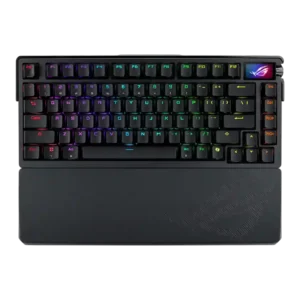
Choose ASUS ROG Azoth Extreme for ergonomics and switch options.
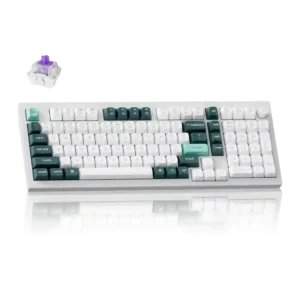
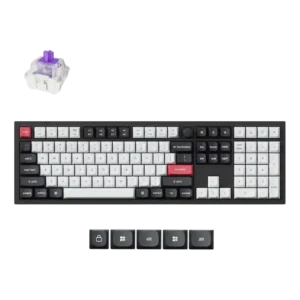
Choose Keychron Q5 HE for rapid trigger support and analog input support.
Why these recommendations?
ASUS ROG Azoth Extreme
Where It Has the Edge
ergonomics is 4.3 vs 3.4. Ergonomics were praised for wrist-rest comfort, softer typing options, and comfortable key spacing, though not every ergonomic element...
switch options is 4.1 vs 2.2. Switch options were viewed positively because reviewers noted NX Snow, NX Storm, and mechanical switch choice, though evidence...
latency is 4.8 vs 4.4. Latency evidence was strongly positive, with reviewers reporting no noticeable lag, near-zero latency, and improved reaction feel.
Keychron Q5 HE
Where It Has the Edge
rapid trigger support is 4.7 vs 2.0. Rapid trigger support was consistently praised as useful for fast inputs, quick reset, and competitive gaming responsiveness.
analog input support is 4.5 vs 2.0. Analog input support was viewed as a strong gaming feature, with reviewers highlighting joystick-like behavior, gamepad emulation, and...
software quality is 4.4 vs 2.1. Software quality was mostly praised for power, web-based convenience, and ease of use, with one review noting confusing...
ASUS ROG Azoth Extreme4.1 overall score
Keychron Q5 HE4.5 overall score
Compare features
Scores are out of 5. Missing scores mean missing review evidence, not a missing feature.
Scored on both products
Comfort and build
Ergonomics
ASUS ROG Azoth Extreme
4.3
Ergonomics were praised for wrist-rest comfort, softer typing options, and comfortable key spacing, though not every ergonomic element was universally loved.
Keychron Q5 HE
3.4
Ergonomics were mixed: reviewers liked the angle or typing posture in some cases, but others criticized the high profile and lack of feet or included wrist rest.
Size and form factor
ASUS ROG Azoth Extreme
4.0
The size and form factor were generally positive for users wanting a compact 75% keyboard with enough dedicated keys, though the heavy build limits mobility.
Keychron Q5 HE
4.7
Size and form factor were broadly praised for combining a number pad and useful keys in a practical 96% layout, though the board remains large and heavy.
Durability
ASUS ROG Azoth Extreme
4.7
Durability evidence was positive, with reviewers pointing to premium heft, durable feel, and sturdy magnetic feet.
Keychron Q5 HE
4.9
Durability impressions were positive, with reviewers connecting the heavy aluminum build to long-term stability and durability.
Typing comfort
ASUS ROG Azoth Extreme
4.8
Typing comfort was a major strength, with reviewers calling it excellent for work, comfortable, and satisfying over extended use.
Keychron Q5 HE
4.9
Typing comfort was praised for low fatigue, productivity gains, and faster-feeling typing once actuation was tuned.
Design aesthetics
ASUS ROG Azoth Extreme
4.6
Design aesthetics were praised for premium machining, distinctive metal styling, and a striking look, with only minor taste-based caveats.
Keychron Q5 HE
4.7
Design aesthetics were widely praised, with reviewers calling the board clean, lovely, stunning, beautiful, and more refined than many gaming keyboards.
Build quality
ASUS ROG Azoth Extreme
4.8
Build quality received the broadest praise, with reviewers repeatedly calling the Azoth Extreme premium, tank-like, solid, and among the best-built gaming keyboards.
Keychron Q5 HE
4.9
Build quality was one of the strongest points, with reviewers repeatedly calling the keyboard sturdy, premium, solid, and exceptionally well built.
Materials quality
ASUS ROG Azoth Extreme
4.9
Materials quality was consistently praised, especially the aluminum body, carbon fiber plate, and premium-feeling construction.
Keychron Q5 HE
4.8
Materials quality was praised for the machined aluminum or metal body and the premium feel that comes from it.
Battery and charging
Battery life
ASUS ROG Azoth Extreme
4.6
Battery life was praised as excellent, pretty good, incredible, or long-lasting, even when reviewers noted display and RGB settings affect endurance.
Keychron Q5 HE
3.0
Battery life received mixed evidence: it was usable in testing, but one reviewer said it pales beside other Keychron keyboards.
Ownership and support
Rapid trigger support
ASUS ROG Azoth Extreme
2.0
Rapid trigger support was the repeated weakness, with reviewers noting the lack of rapid trigger or Hall-effect-style competitive features.
Keychron Q5 HE
4.7
Rapid trigger support was consistently praised as useful for fast inputs, quick reset, and competitive gaming responsiveness.
Analog input support
ASUS ROG Azoth Extreme
2.0
Analog input support was weak because reviewers pointed to missing analog or Hall-effect functionality as a drawback against speed-focused keyboards.
Keychron Q5 HE
4.5
Analog input support was viewed as a strong gaming feature, with reviewers highlighting joystick-like behavior, gamepad emulation, and pressure-sensitive controls.
Value for money
ASUS ROG Azoth Extreme
2.8
Value for money was the central tradeoff: reviewers loved the keyboard's quality but repeatedly questioned or criticized its $500-class price.
Keychron Q5 HE
4.1
Value for money was mixed: reviewers praised the premium package, but several also criticized the high price against cheaper or faster competitors.
Controls and connectivity
Software quality
ASUS ROG Azoth Extreme
2.1
Software quality was a repeated concern; Armoury Crate was described as slow, frustrating, poorly laid out, or a least-favorite peripheral app.
Keychron Q5 HE
4.4
Software quality was mostly praised for power, web-based convenience, and ease of use, with one review noting confusing programming and another noting a small bug.
Hot-swappable switches
ASUS ROG Azoth Extreme
4.1
Hot-swappable switches were viewed as useful and convenient, though one reviewer felt the feature is less valuable at such a high prebuilt price.
Keychron Q5 HE
4.8
One supplied review praised hot-swappable switch flexibility, though most Q5 HE-specific switch discussion focused on limited magnetic switch options.
Macro customization
ASUS ROG Azoth Extreme
4.0
Macro customization had limited but positive evidence, with one reviewer noting many macro possibilities.
Keychron Q5 HE
4.6
Macro customization was praised for multi-action keys, comprehensive macro recording, and useful one-key command combinations.
RGB customization
ASUS ROG Azoth Extreme
4.0
RGB customization had limited opinionated support, but the available evidence praised adjustable lighting effects through the software and hardware controls.
Keychron Q5 HE
4.5
RGB customization was praised in the context of full RGB control and customization through the software.
Media controls
ASUS ROG Azoth Extreme
4.1
Media controls were generally liked for tactile or improved knob control, though one reviewer wanted a more tactile feel.
Keychron Q5 HE
4.5
Media controls were praised through positive comments about the rotary wheel, dedicated controls, and customizable knob behavior.
Customization options
ASUS ROG Azoth Extreme
4.5
Customization options were a defining strength, led by the adjustable gasket, hot-swap design, OLED options, and broad software controls.
Keychron Q5 HE
4.8
Customization options were a major strength, with reviewers praising actuation tuning, RGB control, macros, layers, and broad remapping.
Other features
Switch options
ASUS ROG Azoth Extreme
4.1
Switch options were viewed positively because reviewers noted NX Snow, NX Storm, and mechanical switch choice, though evidence centered on available feel preferences rather than deep testing of every option.
Keychron Q5 HE
2.2
Switch choice was one of the clearest weaknesses: reviewers repeatedly said the magnetic switch ecosystem is limited or proprietary.
Compatibility
ASUS ROG Azoth Extreme
3.1
Compatibility was mixed: aftermarket switch and keycap flexibility was appreciated, but north-facing switches created Cherry-profile and enthusiast-keycap caveats.
Keychron Q5 HE
4.7
Compatibility was praised for working across Mac and Windows, with reviewers noting Mac-friendly behavior and OS support.
Keycap quality
ASUS ROG Azoth Extreme
3.4
Keycap quality was mixed: reviewers liked PBT durability and shine-through capability, but several disliked the font, texture, or north-facing RGB tradeoff.
Keychron Q5 HE
4.7
Keycap quality was praised for PBT construction, durability, premium feel, and good overall execution.
Extra gaming features
ASUS ROG Azoth Extreme
4.0
Extra gaming features were mixed-positive: reviewers liked the OLED, KPS, polling booster, and novelty features, but often questioned practical need.
Keychron Q5 HE
4.9
Extra gaming features were praised as plentiful and useful, especially quad actuation, Rapid Trigger, Snap Tap-style behavior, and analog-style controls.
RGB lighting quality
ASUS ROG Azoth Extreme
3.6
RGB lighting quality was mixed: some liked vivid shine-through, while others found the lighting dull, lackluster, or aesthetically too blacked-out.
Keychron Q5 HE
4.5
RGB lighting quality was viewed positively where reviewers discussed it, especially for brightness, underglow, and general lighting appeal.
Wrist rest quality
ASUS ROG Azoth Extreme
3.8
Wrist rest quality was mixed: reviewers liked its comfort, heft, and fit, but criticized wear and the lack of magnetic attachment.
Keychron Q5 HE
4.5
Wrist rest evidence was positive where reviewers discussed the separate palm rest, describing it as premium-feeling and welcome.
Latency
ASUS ROG Azoth Extreme
4.8
Latency evidence was strongly positive, with reviewers reporting no noticeable lag, near-zero latency, and improved reaction feel.
Keychron Q5 HE
4.4
Latency impressions were positive overall, with reviewers reporting no noticeable input lag, while still acknowledging some competitors measure faster.
Stabilizer quality
ASUS ROG Azoth Extreme
4.5
Stabilizer quality was mostly strong, with praise for tuned, smooth, low-rattle stabilizers and one minor backspace rattle caveat.
Keychron Q5 HE
4.9
Stabilizer quality was praised where discussed, with reviewers calling the stock stabilizers excellent, lubed, or brilliant.
Acoustics
ASUS ROG Azoth Extreme
4.5
Acoustics were praised across most reviews for refined, clean, thocky, or enthusiast-level sound, though one reviewer preferred the Q3 Max tone.
Keychron Q5 HE
4.9
Acoustics were a standout strength, with reviewers repeatedly praising the keyboard's sound as excellent, pleasing, thocky, and free of rattle or ping.
Portability
ASUS ROG Azoth Extreme
2.5
Portability was weak because removable feet looked easy to lose and the overall package was treated as heavy and stationary.
Keychron Q5 HE
2.2
Portability was a clear weakness because reviewers repeatedly emphasized the keyboard's heavy, desk-bound build.
Switch feel
ASUS ROG Azoth Extreme
4.9
Reviewers consistently praised the NX Snow switch feel as smooth, lubed, and enjoyable, with only preference-based caveats around linear versus tactile or clicky choices.
Keychron Q5 HE
4.6
Reviewers mostly praised the Hall Effect switch feel as smooth, pre-lubed, responsive, and pleasant, though one review noted it lacks the tactile feel of traditional switches.
Key responsiveness
ASUS ROG Azoth Extreme
4.6
Responsiveness was praised through fast response, quicker actuation, and improved reaction time in games.
Keychron Q5 HE
4.8
Key responsiveness was a major strength, with reviewers describing the switches as incredibly responsive, precise, and free of noticeable lag in use.
Layout options
ASUS ROG Azoth Extreme
4.5
Layout options were viewed positively, especially the 75% layout and improved function-row spacing.
Keychron Q5 HE
4.7
Layout options were praised because the 96% layout preserves productivity keys while remaining more compact than a full-size board.
Key stability
ASUS ROG Azoth Extreme
4.6
Key stability was praised for reduced wobble, commendable stability, and strong stabilization across the board.
Keychron Q5 HE
4.8
Key stability was praised thanks to the double-rail switch design, with reviewers noting reduced wobble and near-zero stem movement.
Polling rate
ASUS ROG Azoth Extreme
3.5
Polling rate was mixed: reviewers appreciated 8,000Hz as premium or useful for competitive users, but several said they could not feel a meaningful difference.
Keychron Q5 HE
3.7
Polling rate was treated as adequate rather than elite: reviewers said 1,000Hz is fine for most gamers but noted rivals with higher polling rates.
Connectivity
ASUS ROG Azoth Extreme
4.8
Connectivity was praised for tri-mode support, seamless wireless setup, Bluetooth flexibility, and USB-port-saving receiver options.
Keychron Q5 HE
4.7
Connectivity was praised for Bluetooth, 2.4GHz, wired use, easy setup, and multi-device wireless options.
Actuation consistency
ASUS ROG Azoth Extreme
4.7
Actuation consistency was praised for quick, consistent actuation and direct keystrokes from the NX Snow setup.
Keychron Q5 HE
4.6
Adjustable actuation was praised for stability, precision, and false-press control, although one reviewer saw a slight gaming disadvantage versus faster rivals.
Desk space efficiency
ASUS ROG Azoth Extreme
4.5
Desk space efficiency was supported by the 75% layout balancing compactness with practical functionality.
Keychron Q5 HE
4.6
Desk space efficiency was viewed positively because the compact full-size layout saves width and gives more mouse-side room.
Frame rigidity
ASUS ROG Azoth Extreme
5.0
Frame rigidity was rated very highly because reviewers emphasized the aluminum frame, lack of flex, and tank-like solidity.
Keychron Q5 HE
4.9
Frame rigidity was strongly praised, with reviewers pointing to a solid metal body, sturdy construction, and zero flex.
Typing feel
ASUS ROG Azoth Extreme
4.9
Typing feel was one of the strongest themes, with reviewers repeatedly calling the board excellent, premium, satisfying, and unusually good for daily typing.
Keychron Q5 HE
4.8
Typing feel drew strong praise across reviews, with comments emphasizing bounce, smoothness, quietness, and productivity-friendly comfort.
Performance
Backlight brightness
ASUS ROG Azoth Extreme
3.2
Backlight brightness was a common caveat, with reviewers saying the RGB was not the brightest, lackluster, or too dim at maximum.
Keychron Q5 HE
4.5
Backlight brightness received positive evidence from a reviewer who described the lighting as bright with excellent underglow.
Noise level
ASUS ROG Azoth Extreme
4.5
Noise level was favorable, with reviewers describing the sound as muted or quiet while still satisfying.
Keychron Q5 HE
4.6
Noise level was generally praised as office-friendly, quiet, or not invasive while still sounding pleasant.
Wireless performance
ASUS ROG Azoth Extreme
4.7
Wireless performance was consistently strong, with reviewers reporting stable, flawless, or very consistent wireless behavior.
Keychron Q5 HE
4.8
Wireless performance was praised as lag-free or effectively free of noticeable input lag in reviewer testing.
Gaming performance
ASUS ROG Azoth Extreme
4.7
Gaming performance was praised overall, especially with smooth switches and responsive feel, though one reviewer framed it as a better all-rounder than a pure gaming specialist.
Keychron Q5 HE
4.6
Gaming performance was widely positive, especially for shooters and fast-paced play, though one reviewer said it is not the absolute best gaming performer.
Sound dampening
ASUS ROG Azoth Extreme
4.7
Sound dampening was strongly praised for reducing ping, hollow reverberation, and case resonance through foam and silicone layers.
Keychron Q5 HE
4.7
Sound dampening was viewed positively, with reviewers linking foam, gasket design, and dampening layers to bounce, reduced ping, and a softer typing experience.
Evidence available for one product
Ownership and support
Reliability
ASUS ROG Azoth Extreme
5.0
Reliability had limited but strong evidence, with one reviewer reporting no stability issues or perceivable latency.
Keychron Q5 HENo score yet
Ease of switch replacement
ASUS ROG Azoth Extreme
4.5
Ease of switch replacement was positive because reviewers found access or switching straightforward and appreciated included tools.
Keychron Q5 HENo score yet
Other features
Cable quality
ASUS ROG Azoth ExtremeNo score yet
Keychron Q5 HE
5.0
Cable quality was praised in the unboxing evidence as premium.
Key spacing
ASUS ROG Azoth Extreme
5.0
Key spacing had limited evidence but was praised as part of a very comfortable typing experience.
Keychron Q5 HENo score yet
Passthrough features
ASUS ROG Azoth Extreme
3.0
Passthrough features had limited support and were only mildly positive because one reviewer called the USB passthrough dongle adapter slightly bulky.
Keychron Q5 HENo score yet
Volume control
ASUS ROG Azoth Extreme
4.2
Volume control was positive but not deeply tested; reviewers liked the knob's practical volume function while noting some tactility caveats.
Keychron Q5 HENo score yet
Performance
Legend visibility
ASUS ROG Azoth Extreme
4.0
Legend visibility was acceptable rather than exceptional, with one reviewer saying the lighting was just enough to see the legends clearly.
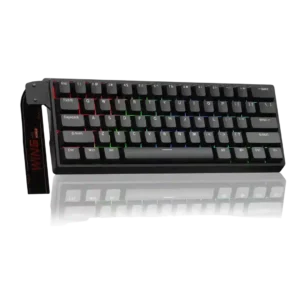
Choose it if competitive gaming speed, Rapid Trigger, and deep per-key customization matter more than extras. Skip it if you need wireless, dedicated arrows/media keys, adjustable height, or a lower-cost...
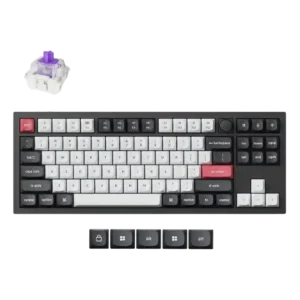
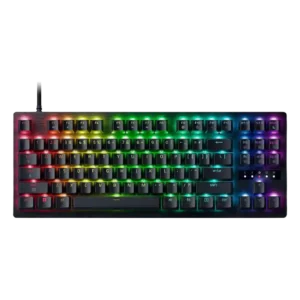
Good if you want a premium, quiet TKL Hall Effect keyboard for typing and gaming. Skip it if price, portability, 8,000Hz polling, or broad switch choice matters most.
Good if you want a premium full-size Hall Effect keyboard with smooth switches, quiet sound, and deep customization. Skip it if you need a portable, budget-friendly board or broad switch...