
Compare Wooting 60HE+ vs Keychron K10 HE

Wooting 60HE+

Wooting 60HE+

Overall score 4.4 / 5

Based on 15 scored reviews

vs
Keychron K10 HE

Keychron K10 HE

Overall score 4.3 / 5

Based on 8 scored reviews

How we score

Scorata scores summarize analyzed review evidence on a 1–5 scale; they are not laboratory measurements or a simple average of customer star ratings. Feature scores summarize the reviews covering that feature. The overall score averages feature scores within each review, then combines review averages. When both expert and customer evidence are available, those two groups receive equal weight. Products can have different review coverage, so small score gaps do not establish a winner.

Recommendations prioritize important features for the category, with a score of at least 3.5, a gap of at least 0.25 points and at least two supporting reviews per product. Features with widely varying scores or broad connectivity contexts are excluded from recommendations. These safeguards do not establish statistical significance.

Quick verdict

What each product is best for

The review evidence points to a tradeoff: legend visibility and software quality versus ergonomics and wireless performance. Choose according to which strengths matter more to you; the overall score alone does not settle that choice.

Choose Wooting 60HE+ for legend visibility and software quality.

Choose Keychron K10 HE for ergonomics and wireless performance.

Why these recommendations?

Wooting 60HE+

Where It Has the Edge

  • legend visibility is 5.0 vs 3.6. Shine-through legends remain clear from different angles and in low light, making the board easy to read during...
  • software quality is 4.9 vs 3.8. Wootility is one of the most consistently praised parts of the product: fast, intuitive, browser-accessible, cross-platform, and largely...
  • noise level is 5.0 vs 4.4. Typing volume is low for a gaming keyboard and generally office-friendly. Reviewers repeatedly describe it as discreet, quiet,...

Keychron K10 HE

Where It Has the Edge

  • ergonomics is 4.2 vs 2.6. Ergonomics were received positively through comfortable typing angle, adjustable height, and comfort-in-hand comments.
  • wireless performance is 5.0 vs 2.0. Wireless performance was praised as effectively wired-feeling, with reviewers saying wireless was indistinguishable from wired use.
  • key stability is 4.5 vs 3.3. Key stability was praised through clean, stable keypresses and a nicely weighted spacebar.
Wooting 60HE+ 4.4 overall score
Keychron K10 HE 4.3 overall score

Compare features

Scores are out of 5. Missing scores mean missing review evidence, not a missing feature.

Scored on both products

Comfort and build

Ergonomics
Wooting 60HE+
2.6
Keychron K10 HE
4.2
Details and evidence for ergonomics

Wooting 60HE+

Ergonomics are a recurring weakness because the board has a fixed incline and no included wrist rest. The stock angle works for some people, but long sessions can cause fatigue and several reviewers want height adjustment.

5 supporting reviews

Browse product reviews for Wooting 60HE+

Keychron K10 HE

Ergonomics were received positively through comfortable typing angle, adjustable height, and comfort-in-hand comments.

3 supporting reviews

Browse product reviews for Keychron K10 HE
Materials quality
Wooting 60HE+
3.9
Keychron K10 HE
4.7
Details and evidence for materials quality

Wooting 60HE+

Materials depend heavily on configuration. Aluminum builds feel premium, while the stock ABS case is sturdy but can seem less luxurious than similarly priced competitors.

9 supporting reviews

Browse product reviews for Wooting 60HE+

Keychron K10 HE

Materials quality was praised for aluminum, PBT, real rosewood or wood accents, and metal framing.

4 supporting reviews

Browse product reviews for Keychron K10 HE
Typing comfort
Wooting 60HE+
4.0
Keychron K10 HE
4.5
Details and evidence for typing comfort

Wooting 60HE+

Comfort varies by setup: the switches can work well for everyday typing, but the upright fixed angle may tire some users. After adaptation, at least one reviewer found the compact board very comfortable for office work.

4 supporting reviews · Mixed evidence

Browse product reviews for Wooting 60HE+

Keychron K10 HE

Typing comfort was praised for comfortable work use, a very good in-hand feel, and smooth typing comfort.

3 supporting reviews

Browse product reviews for Keychron K10 HE
Design aesthetics
Wooting 60HE+
4.3
Keychron K10 HE
4.7
Details and evidence for design aesthetics

Wooting 60HE+

Looks are subjective: custom aluminum colorways and RGB can feel gorgeous and premium, while the stock black plastic board strikes some reviewers as generic. The detachable strap adds personality but is not universally liked.

7 supporting reviews

Browse product reviews for Wooting 60HE+

Keychron K10 HE

Design aesthetics were widely praised for retro wood accents, refinement, rosewood styling, and a premium-looking full-size presentation.

7 supporting reviews

Browse product reviews for Keychron K10 HE
Durability
Wooting 60HE+
4.4
Keychron K10 HE
4.5
Details and evidence for durability

Wooting 60HE+

The chassis feels durable, and the contactless Hall Effect design plus four-year warranty inspire confidence in long service life. Long-term failure data is limited, so the strongest durability claims remain prospective.

4 supporting reviews

Browse product reviews for Wooting 60HE+

Keychron K10 HE

Durability was positively judged where the aluminum frame and PBT keycaps were described as feeling durable.

1 supporting review · Limited evidence

Browse product reviews for Keychron K10 HE
Size and form factor
Wooting 60HE+
4.2
Keychron K10 HE
4.2
Details and evidence for size and form factor

Wooting 60HE+

The 60% footprint is ideal for gamers who want maximum mouse room, but it can frustrate users who rely on dedicated editing, navigation, or function keys. One reviewer specifically preferred waiting for the 80% model.

10 supporting reviews

Browse product reviews for Wooting 60HE+

Keychron K10 HE

Size and form factor were mostly positive for number-pad and full-layout usefulness, though one review also noted the large footprint.

4 supporting reviews

Browse product reviews for Keychron K10 HE
Build quality
Wooting 60HE+
4.6
Keychron K10 HE
4.6
Details and evidence for build quality

Wooting 60HE+

Build quality is generally strong: the prebuilt plastic chassis feels sturdy and flex-resistant, while the aluminum custom case feels genuinely premium. A few reviewers still think plastic is underwhelming at this price.

9 supporting reviews

Browse product reviews for Wooting 60HE+

Keychron K10 HE

Build quality drew broad praise for weight, durable-feeling materials, substantial construction, and an excellent overall build.

6 supporting reviews

Browse product reviews for Keychron K10 HE

Performance

Wireless performance
Wooting 60HE+
2.0
Keychron K10 HE
5.0
Details and evidence for wireless performance

Wooting 60HE+

There is no wireless mode, and that absence is one of the most repeated complaints. Reviewers particularly miss Bluetooth because the compact keyboard would otherwise be easy to travel with.

5 supporting reviews

Browse product reviews for Wooting 60HE+

Keychron K10 HE

Wireless performance was praised as effectively wired-feeling, with reviewers saying wireless was indistinguishable from wired use.

2 supporting reviews

Browse product reviews for Keychron K10 HE
Legend visibility
Wooting 60HE+
5.0
Keychron K10 HE
3.6
Details and evidence for legend visibility

Wooting 60HE+

Shine-through legends remain clear from different angles and in low light, making the board easy to read during late-night use. Reviewers also expect the doubleshot legends to wear well.

4 supporting reviews

Browse product reviews for Wooting 60HE+

Keychron K10 HE

Legend visibility was mixed: one reviewer found the text much more legible, while others wanted shine-through legends for dark use.

3 supporting reviews

Browse product reviews for Keychron K10 HE
Noise level
Wooting 60HE+
5.0
Keychron K10 HE
4.4
Details and evidence for noise level

Wooting 60HE+

Typing volume is low for a gaming keyboard and generally office-friendly. Reviewers repeatedly describe it as discreet, quiet, and unlikely to bother nearby people.

4 supporting reviews

Browse product reviews for Wooting 60HE+

Keychron K10 HE

Noise level was received positively, with reviewers describing the keyboard as tighter, quieter, and smooth rather than loud.

2 supporting reviews

Browse product reviews for Keychron K10 HE
Backlight brightness
Wooting 60HE+
4.8
Keychron K10 HE
4.5
Details and evidence for backlight brightness

Wooting 60HE+

The backlight is consistently described as very bright and easy to see, even in daylight or poor room lighting. Brightness is a standout part of the RGB presentation.

6 supporting reviews

Browse product reviews for Wooting 60HE+

Keychron K10 HE

Backlight brightness was praised in one review because the RGB remained visible even under bright lighting.

1 supporting review · Limited evidence

Browse product reviews for Keychron K10 HE
Gaming performance
Wooting 60HE+
4.9
Keychron K10 HE
4.8
Details and evidence for gaming performance

Wooting 60HE+

Gaming performance is the dominant strength: reviewers repeatedly praise faster movement, low-latency inputs, Rapid Trigger, and per-key actuation control. The gains are most meaningful for competitive players, but reviewers also stress that the keyboard will not replace practice or skill.

14 supporting reviews

Browse product reviews for Wooting 60HE+

Keychron K10 HE

Gaming performance was a major strength, with reviewers describing fluid accuracy, great results, competitive advantages, and excellent in-game feel.

5 supporting reviews

Browse product reviews for Keychron K10 HE
Sound dampening
Wooting 60HE+
4.9
Keychron K10 HE
4.8
Details and evidence for sound dampening

Wooting 60HE+

Foam, silicone, and other internal dampening work well, keeping keypresses quiet and satisfying with little ping or rattle. This tuning is a major reason the board sounds better than many gaming keyboards.

5 supporting reviews

Browse product reviews for Wooting 60HE+

Keychron K10 HE

Sound dampening was praised through thocky sound and acoustic foam comments that made typing more satisfying.

2 supporting reviews

Browse product reviews for Keychron K10 HE

Other features

Desk space efficiency
Wooting 60HE+
5.0
Keychron K10 HE
2.0
Details and evidence for desk space efficiency

Wooting 60HE+

The tiny footprint is a consistent win, freeing substantial room for large mouse movements and oversized mousepads. Competitive gamers especially appreciate how little desk space it consumes.

8 supporting reviews

Browse product reviews for Wooting 60HE+

Keychron K10 HE

Desk space efficiency was a weakness in the full-size design, with one reviewer saying the large layout is not ideal for small desks.

1 supporting review · Limited evidence

Browse product reviews for Keychron K10 HE
Portability
Wooting 60HE+
4.5
Keychron K10 HE
2.0
Details and evidence for portability

Wooting 60HE+

The compact footprint, low weight, and carry strap make the board easy to transport, though one reviewer considers it heavy for a 60% model. Overall it is well suited to tournaments, offices, and travel.

5 supporting reviews

Browse product reviews for Wooting 60HE+

Keychron K10 HE

Portability was a drawback because the full-size board was described as heavier and less portable than the K8 HE.

1 supporting review · Limited evidence

Browse product reviews for Keychron K10 HE
Connectivity
Wooting 60HE+
2.3
Keychron K10 HE
4.5
Details and evidence for connectivity

Wooting 60HE+

Connectivity is simple but restrictive: the board is wired-only. Reviewers who prefer cable-free setups see that as a meaningful drawback.

2 supporting reviews

Browse product reviews for Wooting 60HE+

Keychron K10 HE

Connectivity was praised for easy switching between wireless modes and devices.

1 supporting review · Limited evidence

Browse product reviews for Keychron K10 HE
Key stability
Wooting 60HE+
3.3
Keychron K10 HE
4.5
Details and evidence for key stability

Wooting 60HE+

Stability is generally acceptable, but some Lekker switches show noticeable side-to-side wobble and one reviewer found minor movement on larger unstabilized keys. Most say it is not distracting during normal play or typing.

3 supporting reviews

Browse product reviews for Wooting 60HE+

Keychron K10 HE

Key stability was praised through clean, stable keypresses and a nicely weighted spacebar.

2 supporting reviews

Browse product reviews for Keychron K10 HE
Switch options
Wooting 60HE+
3.1
Keychron K10 HE
2.0
Details and evidence for switch options

Wooting 60HE+

The magnetic-switch ecosystem is the main limitation: standard 3- or 5-pin mechanical switches are not supported, and tactile or clicky choices are scarce. Hot-swapping compatible magnetic alternatives still leaves room to tune feel and sound.

7 supporting reviews · Mixed evidence

Browse product reviews for Wooting 60HE+

Keychron K10 HE

Switch options were limited in one review because the compatible switches were described as proprietary and only available from Keychron.

1 supporting review · Limited evidence

Browse product reviews for Keychron K10 HE
Polling rate
Wooting 60HE+
3.5
Keychron K10 HE
4.5
Details and evidence for polling rate

Wooting 60HE+

The 1000 Hz polling rate looks modest beside newer 8K boards, but reviewers say the keyboard still feels exceptionally fast. Only the most demanding competitive or rhythm-game players are likely to care about the ceiling.

2 supporting reviews

Browse product reviews for Wooting 60HE+

Keychron K10 HE

Polling rate was tied to good responsiveness, with reviewers praising the 1000 Hz behavior for gaming and wireless-like-wired feel.

3 supporting reviews

Browse product reviews for Keychron K10 HE
Onboard memory
Wooting 60HE+
5.0
Keychron K10 HE
4.2
Details and evidence for onboard memory

Wooting 60HE+

Onboard memory keeps profiles and settings on the keyboard itself, so configurations follow the board to another computer without background software. Reviewers see this as a major convenience.

4 supporting reviews

Browse product reviews for Wooting 60HE+

Keychron K10 HE

Onboard memory was praised because stored layouts made multi-platform use feel more intentional.

1 supporting review · Limited evidence

Browse product reviews for Keychron K10 HE
Wrist rest quality
Wooting 60HE+
3.3
Keychron K10 HE
4.0
Details and evidence for wrist rest quality

Wooting 60HE+

The optional Wooting rest is praised as smooth, washable, and pleasant, but the keyboard does not include one. Reviewers who type for long periods say the lack of a rest can contribute to fatigue.

2 supporting reviews · Mixed evidence

Browse product reviews for Wooting 60HE+

Keychron K10 HE

Wrist rest quality was positively received because the separate rest felt soft and pretty good.

1 supporting review · Limited evidence

Browse product reviews for Keychron K10 HE
Profile management
Wooting 60HE+
4.9
Keychron K10 HE
4.2
Details and evidence for profile management

Wooting 60HE+

Profiles are easy to create, switch, download, and tailor for different games or work. Per-app settings and onboard storage make it practical to carry tuned configurations between systems.

6 supporting reviews

Browse product reviews for Wooting 60HE+

Keychron K10 HE

Profile management was praised through the ability to store two layouts onboard for multi-platform use.

1 supporting review · Limited evidence

Browse product reviews for Keychron K10 HE
Keycap quality
Wooting 60HE+
4.6
Keychron K10 HE
4.1
Details and evidence for keycap quality

Wooting 60HE+

The doubleshot PBT keycaps are widely praised for their texture, thickness, grip, and durable matte finish. They feel premium enough for long gaming and typing sessions.

7 supporting reviews

Browse product reviews for Wooting 60HE+

Keychron K10 HE

Keycap quality was mostly positive for grippy, solid PBT caps and oil resistance, though one reviewer needed time to adjust to the rounded surface.

3 supporting reviews

Browse product reviews for Keychron K10 HE
Key spacing
Wooting 60HE+
4.5
Keychron K10 HE
4.0
Details and evidence for key spacing

Wooting 60HE+

Spacing is well judged for such a compact board, giving fingers enough separation without wasting space. The only caution is that highly sensitive actuation can make accidental grazes more consequential.

1 supporting review · Limited evidence

Browse product reviews for Wooting 60HE+

Keychron K10 HE

Key spacing was positively noted because the full-size layout let the function row be spaced evenly.

1 supporting review · Limited evidence

Browse product reviews for Keychron K10 HE
Per-key lighting control
Wooting 60HE+
5.0
Keychron K10 HE
4.5
Details and evidence for per-key lighting control

Wooting 60HE+

Per-key RGB control is easy to access and useful for both aesthetics and function. Several reviewers use it to highlight game controls, layers, and active profiles.

7 supporting reviews

Browse product reviews for Wooting 60HE+

Keychron K10 HE

Per-key lighting control was praised where the reviewer specifically liked per-key RGB control.

1 supporting review · Limited evidence

Browse product reviews for Keychron K10 HE
Volume control
Wooting 60HE+
2.0
Keychron K10 HE
2.5
Details and evidence for volume control

Wooting 60HE+

A dedicated volume roller is absent. Anyone who wants quick hardware volume adjustment will need to remap a shortcut or use another device.

1 supporting review · Limited evidence

Browse product reviews for Wooting 60HE+

Keychron K10 HE

Volume control was a drawback for one reviewer who expected to miss the hardware volume control from another keyboard.

1 supporting review · Limited evidence

Browse product reviews for Keychron K10 HE
Layout options
Wooting 60HE+
3.9
Keychron K10 HE
4.4
Details and evidence for layout options

Wooting 60HE+

The 60% layout removes dedicated arrows, function keys, and navigation controls, but Wootility layers and remapping can restore much of that functionality. Some users love the efficiency; others still find the adjustment annoying for productivity.

6 supporting reviews · Mixed evidence

Browse product reviews for Wooting 60HE+

Keychron K10 HE

Layout options were praised by users who needed a number pad and found the full-size layout useful for work tasks.

2 supporting reviews

Browse product reviews for Keychron K10 HE
Stabilizer quality
Wooting 60HE+
4.2
Keychron K10 HE
4.6
Details and evidence for stabilizer quality

Wooting 60HE+

Stabilizers are mostly well tuned and often arrive pre-lubed, with several reviewers praising controlled large-key sound. A few units show spacebar rattle or hollowness, so consistency is not perfect.

6 supporting reviews

Browse product reviews for Wooting 60HE+

Keychron K10 HE

Stabilizer quality was praised for quieter sound, improved large-key stability, and great stabilizer feel.

3 supporting reviews

Browse product reviews for Keychron K10 HE
Acoustics
Wooting 60HE+
4.2
Keychron K10 HE
4.6
Details and evidence for acoustics

Wooting 60HE+

The board usually sounds muted, mellow, and well damped rather than sharp or rattly. Several reviewers love the sound, but enthusiasts note that better-sounding custom keyboards exist and the stock spacebar can stand out.

10 supporting reviews

Browse product reviews for Wooting 60HE+

Keychron K10 HE

Reviewers repeatedly liked the K10 HE’s sound, describing it as amazing, creamy, thocky, quieter, and nice.

7 supporting reviews

Browse product reviews for Keychron K10 HE
RGB lighting quality
Wooting 60HE+
4.6
Keychron K10 HE
4.2
Details and evidence for RGB lighting quality

Wooting 60HE+

RGB is usually bright, vibrant, evenly diffused, and attractive, especially through the PBT legends. One reviewer found the colors less crisp and another noticed a slight red tint in white, so lighting quality is not unanimously perfect.

8 supporting reviews

Browse product reviews for Wooting 60HE+

Keychron K10 HE

RGB lighting quality was mostly praised for attractive, subtle, or visible lighting, with one caveat that legends do not shine through.

4 supporting reviews

Browse product reviews for Keychron K10 HE
Extra gaming features
Wooting 60HE+
5.0
Keychron K10 HE
4.7
Details and evidence for extra gaming features

Wooting 60HE+

Beyond Rapid Trigger, features such as Dynamic Keystroke, Mod Tap, Toggle Key, Tachyon mode, and SOCD-style controls add substantial competitive flexibility. Reviewers see these as genuinely useful rather than mere extras.

6 supporting reviews

Browse product reviews for Wooting 60HE+

Keychron K10 HE

Extra gaming features were praised for movement precision, competitive advantage, and a fully loaded feature set.

3 supporting reviews

Browse product reviews for Keychron K10 HE
Cable quality
Wooting 60HE+
4.3
Keychron K10 HE
4.0
Details and evidence for cable quality

Wooting 60HE+

The included braided cable generally feels high quality, and its distinctive yellow-and-black look is easy to identify on a crowded desk. Some aftermarket cables may not preserve full performance.

7 supporting reviews

Browse product reviews for Wooting 60HE+

Keychron K10 HE

Cable quality received a positive first impression for its angled USB connector.

1 supporting review · Limited evidence

Browse product reviews for Keychron K10 HE
Compatibility
Wooting 60HE+
4.8
Keychron K10 HE
4.5
Details and evidence for compatibility

Wooting 60HE+

Compatibility is strong in several areas, including major operating systems, consoles through rollover settings, and universal 60% cases. A cable-related stability caveat shows that not every accessory combination is equally flexible.

8 supporting reviews

Browse product reviews for Wooting 60HE+

Keychron K10 HE

Compatibility was praised in a broad multi-device context, with the reviewer saying the keyboard does it all at a reasonable price.

1 supporting review · Limited evidence

Browse product reviews for Keychron K10 HE
Actuation consistency
Wooting 60HE+
5.0
Keychron K10 HE
4.8
Details and evidence for actuation consistency

Wooting 60HE+

Adjustable Hall Effect actuation produces highly repeatable inputs, from conflict-free multi-key presses to consistent superglides and counter-strafing. Reviewers found per-key tuning especially useful for balancing speed with accuracy.

5 supporting reviews

Browse product reviews for Wooting 60HE+

Keychron K10 HE

Actuation consistency was praised through comments about outstanding consistency and magnetic switches that feel linear and stable.

2 supporting reviews

Browse product reviews for Keychron K10 HE
Frame rigidity
Wooting 60HE+
5.0
Keychron K10 HE
4.8
Details and evidence for frame rigidity

Wooting 60HE+

The chassis is impressively rigid, with reviewers reporting no meaningful deck flex, creaking, or structural give. The aluminum configuration is especially solid.

2 supporting reviews

Browse product reviews for Wooting 60HE+

Keychron K10 HE

Frame rigidity was praised in one review because the board did not twist much and felt very nice.

1 supporting review · Limited evidence

Browse product reviews for Keychron K10 HE
Typing feel
Wooting 60HE+
4.6
Keychron K10 HE
4.5
Details and evidence for typing feel

Wooting 60HE+

Typing is smoother and more satisfying than many gaming keyboards, with soft bottom-out and well-lubed linear switches. Some users initially find the feel mushy or overly sensitive, but several report warming to it after an adjustment period.

10 supporting reviews

Browse product reviews for Wooting 60HE+

Keychron K10 HE

Typing feel was broadly positive for smoothness, satisfying sound, and premium feel, with one caveat about reduced tactile satisfaction.

8 supporting reviews

Browse product reviews for Keychron K10 HE
Latency
Wooting 60HE+
5.0
Keychron K10 HE
4.9
Details and evidence for latency

Wooting 60HE+

Latency is a major strength, with reviewers measuring or perceiving near-instant response and class-leading performance. Tachyon mode can trim response further, while the 1000 Hz polling ceiling rarely hurts real-world play.

10 supporting reviews

Browse product reviews for Wooting 60HE+

Keychron K10 HE

Latency impressions were highly positive, with reviewers calling response time blazingly fast and the keyboard very responsive.

2 supporting reviews

Browse product reviews for Keychron K10 HE
Key responsiveness
Wooting 60HE+
5.0
Keychron K10 HE
5.0
Details and evidence for key responsiveness

Wooting 60HE+

Inputs feel extremely immediate, with reviewers repeatedly describing movements and abilities as snappy or nearly delay-free. Very aggressive actuation settings can become too sensitive and cause accidental presses until tuned.

10 supporting reviews

Browse product reviews for Wooting 60HE+

Keychron K10 HE

Key responsiveness was one of the clearest strengths, with reviewers praising instant response, fast behavior, and very light registration.

5 supporting reviews

Browse product reviews for Keychron K10 HE
Switch feel
Wooting 60HE+
4.7
Keychron K10 HE
4.7
Details and evidence for switch feel

Wooting 60HE+

Lekker switches are widely praised for exceptionally smooth, light linear travel, especially in gaming. A few reviewers prefer other boards for sound or tactile feedback, but the stock feel is still rated well above mainstream gaming keyboards.

10 supporting reviews

Browse product reviews for Wooting 60HE+

Keychron K10 HE

Switch feel was broadly praised as butter smooth, responsive, linear, and among the best reviewers had used, with one review noting a less tactile feel.

6 supporting reviews

Browse product reviews for Keychron K10 HE

Controls and connectivity

Media controls
Wooting 60HE+
2.0
Keychron K10 HE
4.0
Details and evidence for media controls

Wooting 60HE+

There are no dedicated multimedia keys on the 60% board. Users must rely on layers or remapping instead of physical media controls.

1 supporting review · Limited evidence

Browse product reviews for Wooting 60HE+

Keychron K10 HE

Media controls received a positive feature mention through the function shortcuts used to control media.

1 supporting review · Limited evidence

Browse product reviews for Keychron K10 HE
Macro customization
Wooting 60HE+
4.8
Keychron K10 HE
3.5
Details and evidence for macro customization

Wooting 60HE+

Macro support is flexible through Wootomation and related software tools, letting users assign macros without dedicated macro keys. The software approach is seen as straightforward and useful for productivity.

2 supporting reviews

Browse product reviews for Wooting 60HE+

Keychron K10 HE

Macro customization was mixed, with one reviewer wanting better macro tools and another praising multi-input key behavior.

2 supporting reviews · Mixed evidence

Browse product reviews for Keychron K10 HE
Software quality
Wooting 60HE+
4.9
Keychron K10 HE
3.8
Details and evidence for software quality

Wooting 60HE+

Wootility is one of the most consistently praised parts of the product: fast, intuitive, browser-accessible, cross-platform, and largely free of bloat. Reviewers especially like how easily it exposes advanced Hall Effect controls.

13 supporting reviews

Browse product reviews for Wooting 60HE+

Keychron K10 HE

Software quality was split: reviewers liked clean, easy web configuration, but some wanted offline access and deeper macro tools.

4 supporting reviews

Browse product reviews for Keychron K10 HE
RGB customization
Wooting 60HE+
4.7
Keychron K10 HE
4.3
Details and evidence for RGB customization

Wooting 60HE+

Lighting can be changed extensively through Wootility, including presets, effects, colors, and per-key control. Most reviewers love the flexibility, although one found effect layering more limited than rival software.

9 supporting reviews

Browse product reviews for Wooting 60HE+

Keychron K10 HE

RGB customization was positively received for many options and a broad color selector, though rainbow-style effects were too much for one reviewer.

2 supporting reviews

Browse product reviews for Keychron K10 HE
Hot-swappable switches
Wooting 60HE+
4.6
Keychron K10 HE
4.8
Details and evidence for hot-swappable switches

Wooting 60HE+

Switches can be replaced without soldering, which makes experimentation and maintenance easy. The catch is that the PCB is limited to compatible Hall Effect switches rather than the full mechanical-switch ecosystem.

7 supporting reviews

Browse product reviews for Wooting 60HE+

Keychron K10 HE

Hot-swappable switch support was praised as seamless with compatible magnetic switches.

1 supporting review · Limited evidence

Browse product reviews for Keychron K10 HE
Customization options
Wooting 60HE+
4.9
Keychron K10 HE
4.7
Details and evidence for customization options

Wooting 60HE+

Customization is a defining strength, spanning per-key actuation, remapping, profiles, RGB, cases, plates, keycaps, and compatible magnetic switches. Reviewers consistently describe the board as unusually mod-friendly for a performance gaming keyboard.

14 supporting reviews

Browse product reviews for Wooting 60HE+

Keychron K10 HE

Customization was one of the strongest themes, with reviewers praising personal actuation tuning, broad control, and key behavior flexibility.

5 supporting reviews

Browse product reviews for Keychron K10 HE

Ownership and support

Value for money
Wooting 60HE+
3.3
Keychron K10 HE
4.3
Details and evidence for value for money

Wooting 60HE+

Value depends heavily on who is buying it. Competitive gamers often say the performance, software, warranty, and customization justify the premium, while casual users and keyboard enthusiasts can find cheaper alternatives with better sound, materials, or wireless features.

11 supporting reviews

Browse product reviews for Wooting 60HE+

Keychron K10 HE

Value for money was generally positive, with multiple reviewers calling the price fair, strong, or worth it, though one considered it somewhat excessive.

5 supporting reviews

Browse product reviews for Keychron K10 HE
Rapid trigger support
Wooting 60HE+
5.0
Keychron K10 HE
4.8
Details and evidence for rapid trigger support

Wooting 60HE+

Rapid Trigger is one of the keyboard’s clearest competitive advantages, making repeated movement inputs reset faster and feel much snappier. Reviewers consistently found it useful in shooters and other reaction-heavy games.

9 supporting reviews

Browse product reviews for Wooting 60HE+

Keychron K10 HE

Rapid trigger support was praised as useful for fast repeated inputs, gaming, and responsive competitive play.

3 supporting reviews

Browse product reviews for Keychron K10 HE
Analog input support
Wooting 60HE+
4.7
Keychron K10 HE
4.5
Details and evidence for analog input support

Wooting 60HE+

Analog key travel works well for progressive throttle, braking, steering, and variable movement. It adds unusual versatility, though one reviewer notes that learning to control partial key travel takes practice.

5 supporting reviews

Browse product reviews for Wooting 60HE+

Keychron K10 HE

Analog-style input support was viewed positively for racing, simulator control, gameplay realism, and broader input behavior than normal on/off switches.

5 supporting reviews

Browse product reviews for Keychron K10 HE
Ease of switch replacement
Wooting 60HE+
5.0
Keychron K10 HE
4.8
Details and evidence for ease of switch replacement

Wooting 60HE+

Replacing switches is straightforward because no soldering or desoldering is required. Reviewers describe removal and replacement as quick, though compatible switch types remain limited.

2 supporting reviews

Browse product reviews for Wooting 60HE+

Keychron K10 HE

Switch replacement was praised as seamless when using compatible magnetic switches.

1 supporting review · Limited evidence

Browse product reviews for Keychron K10 HE

Evidence available for one product

Battery and charging

Battery life
Wooting 60HE+No score yet
Keychron K10 HE
3.2
Details and evidence for battery life

Wooting 60HE+

No review summary available for this feature. Missing evidence does not mean the feature is absent.

Browse product reviews for Wooting 60HE+

Keychron K10 HE

Battery life was mixed because one reviewer liked fast charging but said heavy RGB use required recharging every few days.

1 supporting review · Limited evidence

Browse product reviews for Keychron K10 HE

Ownership and support

Reliability
Wooting 60HE+
4.5
Keychron K10 HENo score yet
Details and evidence for reliability

Wooting 60HE+

The limited reliability feedback is positive: one reviewer reports the software behaving consistently without odd failures or startup problems. There is not enough long-term ownership data here to make a broader durability claim.

1 supporting review · Limited evidence

Browse product reviews for Wooting 60HE+

Keychron K10 HE

No review summary available for this feature. Missing evidence does not mean the feature is absent.

Browse product reviews for Keychron K10 HE
Warranty and support
Wooting 60HE+
4.5
Keychron K10 HENo score yet
Details and evidence for warranty and support

Wooting 60HE+

The four-year warranty makes the premium price easier to accept and gives buyers more confidence in long-term ownership.

2 supporting reviews

Browse product reviews for Wooting 60HE+

Keychron K10 HE

No review summary available for this feature. Missing evidence does not mean the feature is absent.

Browse product reviews for Keychron K10 HE

Other features

Overall satisfaction
Wooting 60HE+
4.9
Keychron K10 HENo score yet
Details and evidence for overall satisfaction

Wooting 60HE+

Overall sentiment is overwhelmingly positive, with reviewers repeatedly calling it one of the best gaming keyboards available. Most reservations concern price, wired-only operation, ergonomics, and whether the 60% layout fits the buyer’s workflow.

15 supporting reviews

Browse product reviews for Wooting 60HE+

Keychron K10 HE

No review summary available for this feature. Missing evidence does not mean the feature is absent.

Browse product reviews for Keychron K10 HE
Unboxing experience
Wooting 60HE+
4.8
Keychron K10 HENo score yet
Details and evidence for unboxing experience

Wooting 60HE+

Packaging and presentation are consistently praised as thoughtful and enjoyable, with personalized touches that make opening the board feel more premium than a typical gaming keyboard.

4 supporting reviews

Browse product reviews for Wooting 60HE+

Keychron K10 HE

No review summary available for this feature. Missing evidence does not mean the feature is absent.

Browse product reviews for Keychron K10 HE

Other Top Gaming Keyboards to Consider

#1 Keychron Q5 HE
4.5

Good if you want a premium 96% Hall Effect keyboard for work and gaming with excellent build, sound, and customization. Skip it if you need cheaper esports-first speed, 8,000Hz polling,...

Pros: cable quality, typing comfort

Cons: portability, switch options

#3 Keychron Q3 HE

4.4

Good if you want a premium, quiet TKL Hall Effect keyboard for typing and gaming. Skip it if price, portability, 8,000Hz polling, or broad switch choice matters most.

Pros: build quality, extra gaming features

Cons: switch options, hot-swappable switches

#4 Keychron Q6 HE

4.4

Good if you want a premium full-size Hall Effect keyboard with smooth switches, quiet sound, and deep customization. Skip it if you need a portable, budget-friendly board or broad switch...

Pros: key stability, frame rigidity

Cons: portability, switch options

#5 Razer Huntsman V3 TKL
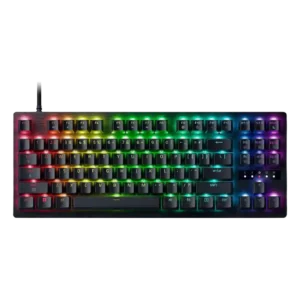
4.4

Good if you want esports speed, analog tuning, and deep customization. Skip it if typing comfort, quiet office use, or included extras matter more.

Pros: polling rate, RGB customization

Cons: key stability, typing comfort


