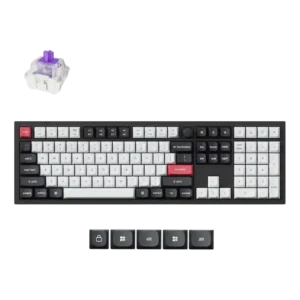
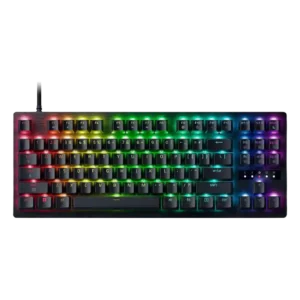
Scorata scores summarize analyzed review evidence on a 1–5 scale; they are not laboratory measurements or a simple average of customer star ratings. Feature scores summarize the reviews covering that feature. The overall score averages feature scores within each review, then combines review averages. When both expert and customer evidence are available, those two groups receive equal weight. Products can have different review coverage, so small score gaps do not establish a winner.
Recommendations prioritize important features for the category, with a score of at least 3.5, a gap of at least 0.25 points and at least two supporting reviews per product. Features with widely varying scores or broad connectivity contexts are excluded from recommendations. These safeguards do not establish statistical significance.
Quick verdict
What each product is best for
The review evidence points to a tradeoff: ease of switch replacement and hot-swappable switches versus ergonomics and wireless performance. Choose according to which strengths matter more to you; the overall score alone does not settle that choice.
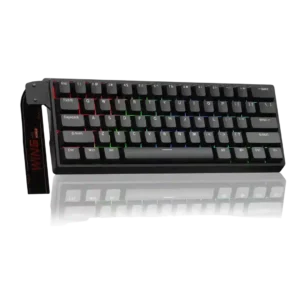
Choose Wooting 60HE+ for ease of switch replacement and hot-swappable switches.
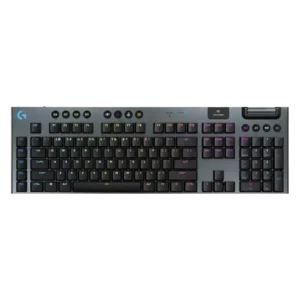
Choose Logitech G915 X Lightspeed for ergonomics and wireless performance.
Why these recommendations?
Wooting 60HE+
Where It Has the Edge
ease of switch replacement is 5.0 vs 1.8. Replacing switches is straightforward because no soldering or desoldering is required. Reviewers describe removal and replacement as quick,...
hot-swappable switches is 4.6 vs 1.8. Switches can be replaced without soldering, which makes experimentation and maintenance easy. The catch is that the PCB...
rapid trigger support is 5.0 vs 2.7. Rapid Trigger is one of the keyboard’s clearest competitive advantages, making repeated movement inputs reset faster and feel...
Logitech G915 X Lightspeed
Where It Has the Edge
ergonomics is 3.7 vs 2.6. Ergonomics were mixed: low-profile typing and adjustable feet helped some reviewers, while shallow tilt or sensitivity frustrated others.
wireless performance is 4.7 vs 2.0. Wireless performance was one of the strongest positives, with reviewers repeatedly describing Lightspeed as low-latency, stable, and close...
connectivity is 4.5 vs 2.3. Connectivity was widely praised for tri-mode flexibility and easy switching, with the main caveat being limited multi-device Bluetooth...
Wooting 60HE+4.4 overall score
Logitech G915 X Lightspeed4.1 overall score
Compare features
Scores are out of 5. Missing scores mean missing review evidence, not a missing feature.
Scored on both products
Comfort and build
Ergonomics
Wooting 60HE+
2.6
Ergonomics are a recurring weakness because the board has a fixed incline and no included wrist rest. The stock angle works for some people, but long sessions can cause fatigue and several reviewers want height adjustment.
Logitech G915 X Lightspeed
3.7
Ergonomics were mixed: low-profile typing and adjustable feet helped some reviewers, while shallow tilt or sensitivity frustrated others.
Materials quality
Wooting 60HE+
3.9
Materials depend heavily on configuration. Aluminum builds feel premium, while the stock ABS case is sturdy but can seem less luxurious than similarly priced competitors.
Logitech G915 X Lightspeed
4.3
Materials quality was mostly praised for aluminum, PBT, and premium finishes, though one reviewer felt the light body still seemed plasticky.
Design aesthetics
Wooting 60HE+
4.3
Looks are subjective: custom aluminum colorways and RGB can feel gorgeous and premium, while the stock black plastic board strikes some reviewers as generic. The detachable strap adds personality but is not universally liked.
Logitech G915 X Lightspeed
4.6
Design aesthetics were consistently praised for a sleek, premium, low-profile look that fit both gaming and professional desks.
Build quality
Wooting 60HE+
4.6
Build quality is generally strong: the prebuilt plastic chassis feels sturdy and flex-resistant, while the aluminum custom case feels genuinely premium. A few reviewers still think plastic is underwhelming at this price.
Logitech G915 X Lightspeed
4.3
Build quality was generally praised for a sturdy, premium body, though a few reviewers felt it was only mediocre or less premium than rivals.
Durability
Wooting 60HE+
4.4
The chassis feels durable, and the contactless Hall Effect design plus four-year warranty inspire confidence in long service life. Long-term failure data is limited, so the strongest durability claims remain prospective.
Logitech G915 X Lightspeed
4.6
Durability evidence focused on improved PBT keycaps and stronger long-term wear resistance, with reviewers expecting better resistance to shine and damage.
Typing comfort
Wooting 60HE+
4.0
Comfort varies by setup: the switches can work well for everyday typing, but the upright fixed angle may tire some users. After adaptation, at least one reviewer found the compact board very comfortable for office work.
Logitech G915 X Lightspeed
4.2
Typing comfort was generally positive for low-profile use and long sessions, but cramped layout, shallow angle, and enthusiast feel concerns created mixed opinions.
Size and form factor
Wooting 60HE+
4.2
The 60% footprint is ideal for gamers who want maximum mouse room, but it can frustrate users who rely on dedicated editing, navigation, or function keys. One reviewer specifically preferred waiting for the 80% model.
Logitech G915 X Lightspeed
4.1
Size and form factor were praised for slimness and compact TKL efficiency, but some reviewers still found layouts cramped or moderately sized.
Ownership and support
Reliability
Wooting 60HE+
4.5
The limited reliability feedback is positive: one reviewer reports the software behaving consistently without odd failures or startup problems. There is not enough long-term ownership data here to make a broader durability claim.
Logitech G915 X Lightspeed
4.1
Reliability evidence was generally positive for spill survival and issue-free use, though wake-from-sleep sluggishness was a minor frustration.
Ease of switch replacement
Wooting 60HE+
5.0
Replacing switches is straightforward because no soldering or desoldering is required. Reviewers describe removal and replacement as quick, though compatible switch types remain limited.
Logitech G915 X Lightspeed
1.8
Ease of switch replacement was a clear weakness because reviewers repeatedly criticized soldered, non-hot-swappable switches.
Rapid trigger support
Wooting 60HE+
5.0
Rapid Trigger is one of the keyboard’s clearest competitive advantages, making repeated movement inputs reset faster and feel much snappier. Reviewers consistently found it useful in shooters and other reaction-heavy games.
Logitech G915 X Lightspeed
2.7
Rapid trigger support was a weakness because reviewers noted the G915 X lacks rapid trigger while competitors offer it.
Analog input support
Wooting 60HE+
4.7
Analog key travel works well for progressive throttle, braking, steering, and variable movement. It adds unusual versatility, though one reviewer notes that learning to control partial key travel takes practice.
Logitech G915 X Lightspeed
2.5
Analog input support was a weakness because reviewers noted competing boards offered analog functionality while the G915 X did not.
Value for money
Wooting 60HE+
3.3
Value depends heavily on who is buying it. Competitive gamers often say the performance, software, warranty, and customization justify the premium, while casual users and keyboard enthusiasts can find cheaper alternatives with better sound, materials, or wireless features.
Logitech G915 X Lightspeed
3.5
Value for money was the most divided area: some reviewers said the feature set justified the price, while others found it overpriced against rivals.
Controls and connectivity
Hot-swappable switches
Wooting 60HE+
4.6
Switches can be replaced without soldering, which makes experimentation and maintenance easy. The catch is that the PCB is limited to compatible Hall Effect switches rather than the full mechanical-switch ecosystem.
Logitech G915 X Lightspeed
1.8
Hot-swappable switch support was consistently criticized because the switches are soldered and cannot be easily replaced.
Media controls
Wooting 60HE+
2.0
There are no dedicated multimedia keys on the 60% board. Users must rely on layers or remapping instead of physical media controls.
Logitech G915 X Lightspeed
4.2
Media controls were usually praised, especially the dedicated top controls, though some reviewers found them wasteful or less tactile than main switches.
Software quality
Wooting 60HE+
4.9
Wootility is one of the most consistently praised parts of the product: fast, intuitive, browser-accessible, cross-platform, and largely free of bloat. Reviewers especially like how easily it exposes advanced Hall Effect controls.
Logitech G915 X Lightspeed
3.6
Software quality was highly mixed: some reviewers liked G Hub's interface and power, while others called it awful, convoluted, unintuitive, or limited.
RGB customization
Wooting 60HE+
4.7
Lighting can be changed extensively through Wootility, including presets, effects, colors, and per-key control. Most reviewers love the flexibility, although one found effect layering more limited than rival software.
Logitech G915 X Lightspeed
4.2
RGB customization was strong overall, with many lighting effects and per-key options, but some reviewers found G Hub lighting tools limited or underwhelming.
Customization options
Wooting 60HE+
4.9
Customization is a defining strength, spanning per-key actuation, remapping, profiles, RGB, cases, plates, keycaps, and compatible magnetic switches. Reviewers consistently describe the board as unusually mod-friendly for a performance gaming keyboard.
Logitech G915 X Lightspeed
4.6
Customization options were a major strength thanks to remapping layers, G-Shift, Keycontrol, lighting controls, and broad key assignment options.
Macro customization
Wooting 60HE+
4.8
Macro support is flexible through Wootomation and related software tools, letting users assign macros without dedicated macro keys. The software approach is seen as straightforward and useful for productivity.
Logitech G915 X Lightspeed
4.6
Macro customization was a major strength, especially on the full-size model with G keys, app-specific macros, and deep assignment layers.
Performance
Sound dampening
Wooting 60HE+
4.9
Foam, silicone, and other internal dampening work well, keeping keypresses quiet and satisfying with little ping or rattle. This tuning is a major reason the board sounds better than many gaming keyboards.
Logitech G915 X Lightspeed
2.2
Sound dampening was a weakness in the limited evidence, with one reviewer saying Logitech lacked the foam and tuning used by more enthusiast boards.
Wireless performance
Wooting 60HE+
2.0
There is no wireless mode, and that absence is one of the most repeated complaints. Reviewers particularly miss Bluetooth because the compact keyboard would otherwise be easy to travel with.
Logitech G915 X Lightspeed
4.7
Wireless performance was one of the strongest positives, with reviewers repeatedly describing Lightspeed as low-latency, stable, and close to wired.
Noise level
Wooting 60HE+
5.0
Typing volume is low for a gaming keyboard and generally office-friendly. Reviewers repeatedly describe it as discreet, quiet, and unlikely to bother nearby people.
Logitech G915 X Lightspeed
3.4
Noise level was mixed: some found tactile switches muted or mic-friendly, while others called the board clicky, loud, or mushy-sounding.
Legend visibility
Wooting 60HE+
5.0
Shine-through legends remain clear from different angles and in low light, making the board easy to read during late-night use. Reviewers also expect the doubleshot legends to wear well.
Logitech G915 X Lightspeed
3.6
Legend visibility was mixed: some reviewers found the legends legible and durable, while others said visibility suffers when RGB is off or uneven.
Gaming performance
Wooting 60HE+
4.9
Gaming performance is the dominant strength: reviewers repeatedly praise faster movement, low-latency inputs, Rapid Trigger, and per-key actuation control. The gains are most meaningful for competitive players, but reviewers also stress that the keyboard will not replace practice or skill.
Logitech G915 X Lightspeed
4.6
Gaming performance was broadly positive, with reviewers describing the keyboard as responsive, capable, and suitable even for competitive play, despite some rival-performance caveats.
Backlight brightness
Wooting 60HE+
4.8
The backlight is consistently described as very bright and easy to see, even in daylight or poor room lighting. Brightness is a standout part of the RGB presentation.
Logitech G915 X Lightspeed
4.6
Backlighting brightness was praised as bright and useful, especially with per-key lighting, though it directly affected battery expectations.
Other features
Volume control
Wooting 60HE+
2.0
A dedicated volume roller is absent. Anyone who wants quick hardware volume adjustment will need to remap a shortcut or use another device.
Logitech G915 X Lightspeed
4.4
Volume control was consistently praised for the large smooth roller, its responsiveness, and its daily convenience.
Connectivity
Wooting 60HE+
2.3
Connectivity is simple but restrictive: the board is wired-only. Reviewers who prefer cable-free setups see that as a meaningful drawback.
Logitech G915 X Lightspeed
4.5
Connectivity was widely praised for tri-mode flexibility and easy switching, with the main caveat being limited multi-device Bluetooth support.
Onboard memory
Wooting 60HE+
5.0
Onboard memory keeps profiles and settings on the keyboard itself, so configurations follow the board to another computer without background software. Reviewers see this as a major convenience.
Logitech G915 X Lightspeed
3.3
Onboard memory was mixed: one reviewer valued portable saved profiles, while another found onboard support too limited for complex macros.
Compatibility
Wooting 60HE+
4.8
Compatibility is strong in several areas, including major operating systems, consoles through rollover settings, and universal 60% cases. A cable-related stability caveat shows that not every accessory combination is equally flexible.
Logitech G915 X Lightspeed
3.4
Compatibility was mixed: reviewers liked Windows, macOS, Bluetooth, and USB use, but called out missing Bolt/Unifying support, Linux gaps, and limited Bluetooth switching.
Desk space efficiency
Wooting 60HE+
5.0
The tiny footprint is a consistent win, freeing substantial room for large mouse movements and oversized mousepads. Competitive gamers especially appreciate how little desk space it consumes.
Logitech G915 X Lightspeed
3.8
Desk space efficiency depended on layout: TKL models were praised for saving space, while the full-size model was criticized for taking more room.
Key stability
Wooting 60HE+
3.3
Stability is generally acceptable, but some Lekker switches show noticeable side-to-side wobble and one reviewer found minor movement on larger unstabilized keys. Most say it is not distracting during normal play or typing.
Logitech G915 X Lightspeed
4.5
Key stability improved over prior models, with reviewers noting reduced wobble, stable keys, and less rattling.
Switch options
Wooting 60HE+
3.1
The magnetic-switch ecosystem is the main limitation: standard 3- or 5-pin mechanical switches are not supported, and tactile or clicky choices are scarce. Hot-swapping compatible magnetic alternatives still leaves room to tune feel and sound.
Logitech G915 X Lightspeed
4.1
Switch options were appreciated for offering tactile, linear, and clicky choices, though buyers must choose before purchase.
Acoustics
Wooting 60HE+
4.2
The board usually sounds muted, mellow, and well damped rather than sharp or rattly. Several reviewers love the sound, but enthusiasts note that better-sounding custom keyboards exist and the stock spacebar can stand out.
Logitech G915 X Lightspeed
3.3
Reviewers were split on acoustics: tactile/clicky sounds were sometimes satisfying or improved, but rattling, ping, and membrane-like notes bothered enthusiasts.
Key spacing
Wooting 60HE+
4.5
Spacing is well judged for such a compact board, giving fingers enough separation without wasting space. The only caution is that highly sensitive actuation can make accidental grazes more consequential.
Logitech G915 X Lightspeed
3.7
Key spacing was mixed: roomy spacing helped typing for some, while the left-side G keys and cramped TKL layout caused awkwardness for others.
Actuation consistency
Wooting 60HE+
5.0
Adjustable Hall Effect actuation produces highly repeatable inputs, from conflict-free multi-key presses to consistent superglides and counter-strafing. Reviewers found per-key tuning especially useful for balancing speed with accuracy.
Logitech G915 X Lightspeed
4.3
Actuation consistency received limited but positive evidence, with the linear switches described as smooth and consistent.
Key responsiveness
Wooting 60HE+
5.0
Inputs feel extremely immediate, with reviewers repeatedly describing movements and abilities as snappy or nearly delay-free. Very aggressive actuation settings can become too sensitive and cause accidental presses until tuned.
Logitech G915 X Lightspeed
4.3
Key responsiveness was generally praised for shallow actuation and snappy inputs, though one negative reviewer found the tactile switch actuation unclear.
Stabilizer quality
Wooting 60HE+
4.2
Stabilizers are mostly well tuned and often arrive pre-lubed, with several reviewers praising controlled large-key sound. A few units show spacebar rattle or hollowness, so consistency is not perfect.
Logitech G915 X Lightspeed
4.8
Stabilizer quality received limited but strong praise, with the space bar described as solid no matter where it was pressed.
Portability
Wooting 60HE+
4.5
The compact footprint, low weight, and carry strap make the board easy to transport, though one reviewer considers it heavy for a 60% model. Overall it is well suited to tournaments, offices, and travel.
Logitech G915 X Lightspeed
3.9
Portability was better on TKL models, which reviewers said could travel easily, while full-size and fragile-feeling concerns reduced enthusiasm.
Switch feel
Wooting 60HE+
4.7
Lekker switches are widely praised for exceptionally smooth, light linear travel, especially in gaming. A few reviewers prefer other boards for sound or tactile feedback, but the stock feel is still rated well above mainstream gaming keyboards.
Logitech G915 X Lightspeed
4.1
Switch feel was mixed but leaned positive: many liked the tactile, smooth, or balanced feel, while detractors found the switches mushy or resistant.
Extra gaming features
Wooting 60HE+
5.0
Beyond Rapid Trigger, features such as Dynamic Keystroke, Mod Tap, Toggle Key, Tachyon mode, and SOCD-style controls add substantial competitive flexibility. Reviewers see these as genuinely useful rather than mere extras.
Logitech G915 X Lightspeed
4.5
Extra gaming features received limited but positive evidence, especially for configurable Game Mode and key blocking.
Layout options
Wooting 60HE+
3.9
The 60% layout removes dedicated arrows, function keys, and navigation controls, but Wootility layers and remapping can restore much of that functionality. Some users love the efficiency; others still find the adjustment annoying for productivity.
Logitech G915 X Lightspeed
4.4
Layout options received limited positive evidence, with the full-size layout described as sensible and complete.
Profile management
Wooting 60HE+
4.9
Profiles are easy to create, switch, download, and tailor for different games or work. Per-app settings and onboard storage make it practical to carry tuned configurations between systems.
Logitech G915 X Lightspeed
4.5
Profile management was generally useful for app and game-specific setups, but some dependence on G Hub remained a limitation.
Per-key lighting control
Wooting 60HE+
5.0
Per-key RGB control is easy to access and useful for both aesthetics and function. Several reviewers use it to highlight game controls, layers, and active profiles.
Logitech G915 X Lightspeed
4.6
Per-key lighting control was well supported, with reviewers praising individual key lighting and detailed color control through G Hub.
Frame rigidity
Wooting 60HE+
5.0
The chassis is impressively rigid, with reviewers reporting no meaningful deck flex, creaking, or structural give. The aluminum configuration is especially solid.
Logitech G915 X Lightspeed
4.6
Frame rigidity was one of the strongest areas, with reviewers repeatedly reporting little to no flex and a rigid aluminum-reinforced frame.
Typing feel
Wooting 60HE+
4.6
Typing is smoother and more satisfying than many gaming keyboards, with soft bottom-out and well-lubed linear switches. Some users initially find the feel mushy or overly sensitive, but several report warming to it after an adjustment period.
Logitech G915 X Lightspeed
4.2
Typing feel was often praised as satisfying and tactile, though one negative reviewer found it poor and mushy.
Keycap quality
Wooting 60HE+
4.6
The doubleshot PBT keycaps are widely praised for their texture, thickness, grip, and durable matte finish. They feel premium enough for long gaming and typing sessions.
Logitech G915 X Lightspeed
4.4
Keycap quality was mostly praised for PBT texture, durability, and resistance to shine, though some reviewers still found the feel cheap or scratchy.
RGB lighting quality
Wooting 60HE+
4.6
RGB is usually bright, vibrant, evenly diffused, and attractive, especially through the PBT legends. One reviewer found the colors less crisp and another noticed a slight red tint in white, so lighting quality is not unanimously perfect.
Logitech G915 X Lightspeed
4.3
RGB lighting quality was mostly praised for brightness and evenness, though uneven legend illumination and reliance on RGB for visibility were drawbacks.
Latency
Wooting 60HE+
5.0
Latency is a major strength, with reviewers measuring or perceiving near-instant response and class-leading performance. Tachyon mode can trim response further, while the 1000 Hz polling ceiling rarely hurts real-world play.
Logitech G915 X Lightspeed
4.7
Latency was consistently praised in Lightspeed or wired use, with reviewers reporting no noticeable lag and very low input delay.
Polling rate
Wooting 60HE+
3.5
The 1000 Hz polling rate looks modest beside newer 8K boards, but reviewers say the keyboard still feels exceptionally fast. Only the most demanding competitive or rhythm-game players are likely to care about the ceiling.
Logitech G915 X Lightspeed
3.3
Polling rate was mixed: one reviewer found 1,000 Hz steady and suitable, while another criticized it as capped versus newer high-end boards.
Wrist rest quality
Wooting 60HE+
3.3
The optional Wooting rest is praised as smooth, washable, and pleasant, but the keyboard does not include one. Reviewers who type for long periods say the lack of a rest can contribute to fatigue.
Logitech G915 X Lightspeed
3.1
Wrist rest feedback was mixed because the low profile reduced the need for one, but multiple reviewers disliked that no palm or wrist support was included.
Cable quality
Wooting 60HE+
4.3
The included braided cable generally feels high quality, and its distinctive yellow-and-black look is easy to identify on a crowded desk. Some aftermarket cables may not preserve full performance.
Logitech G915 X Lightspeed
4.2
Cable feedback was mostly positive for length, USB-C charging, and acceptable quality, with one reviewer noting the loss of the old braided cable.
Evidence available for one product
Battery and charging
Battery life
Wooting 60HE+No score yet
Logitech G915 X Lightspeed
4.4
Battery life was one of the strongest recurring positives, usually described as solid to excellent depending on RGB brightness.
Other features
Overall satisfaction
Wooting 60HE+
4.9
Overall sentiment is overwhelmingly positive, with reviewers repeatedly calling it one of the best gaming keyboards available. Most reservations concern price, wired-only operation, ergonomics, and whether the 60% layout fits the buyer’s workflow.
Logitech G915 X LightspeedNo score yet
Unboxing experience
Wooting 60HE+
4.8
Packaging and presentation are consistently praised as thoughtful and enjoyable, with personalized touches that make opening the board feel more premium than a typical gaming keyboard.
Logitech G915 X LightspeedNo score yet
Ownership and support
Warranty and support
Wooting 60HE+
4.5
The four-year warranty makes the premium price easier to accept and gives buyers more confidence in long-term ownership.
Good if you want a premium 96% Hall Effect keyboard for work and gaming with excellent build, sound, and customization. Skip it if you need cheaper esports-first speed, 8,000Hz polling,...
Good if you want a premium, quiet TKL Hall Effect keyboard for typing and gaming. Skip it if price, portability, 8,000Hz polling, or broad switch choice matters most.
Good if you want a premium full-size Hall Effect keyboard with smooth switches, quiet sound, and deep customization. Skip it if you need a portable, budget-friendly board or broad switch...