Compare Samsung QN80H vs Samsung QN990F 8K

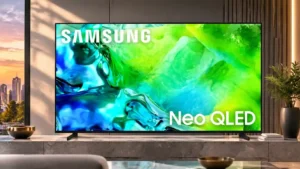
Samsung QN80H

Samsung QN80H

Overall score 3.8 / 5

Based on 15 scored reviews

vs
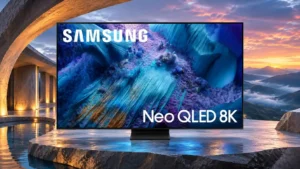
Samsung QN990F 8K

Samsung QN990F 8K

Overall score 3.8 / 5

Based on 16 scored reviews

How we score

Scorata scores summarize analyzed review evidence on a 1–5 scale; they are not laboratory measurements or a simple average of customer star ratings. Feature scores summarize the reviews covering that feature. The overall score averages feature scores within each review, then combines review averages. When both expert and customer evidence are available, those two groups receive equal weight. Products can have different review coverage, so small score gaps do not establish a winner.

Recommendations prioritize important features for the category, with a score of at least 3.5, a gap of at least 0.25 points and at least two supporting reviews per product. Features with widely varying scores or broad connectivity contexts are excluded from recommendations. These safeguards do not establish statistical significance.

Quick verdict

What each product is best for

The review evidence points to a tradeoff: picture quality and gaming performance versus viewing angles and stand quality. Choose according to which strengths matter more to you; the overall score alone does not settle that choice.

Choose Samsung QN80H for picture quality and gaming performance.

Choose Samsung QN990F 8K for viewing angles and stand quality.

Why these recommendations?

Samsung QN80H

Where It Has the Edge

  • picture quality is 4.5 vs 4.1. Rich color, good everyday contrast and sharp images make a strong impression, but viewing angle, glare and motion...
  • gaming performance is 4.8 vs 2.3. Gaming is an overall strength thanks to low lag, four capable HDMI inputs on larger sizes, and rich...
  • color accuracy is 4.6 vs 2.8. More restrained presets reproduce skin tones and colors convincingly; Dynamic or Vivid settings can push them too far.

Samsung QN990F 8K

Where It Has the Edge

  • viewing angles is 4.3 vs 2.0. Some viewers found colors and contrast strong even from side seats; others saw noticeable fading at moderate angles....
  • stand quality is 4.5 vs 3.5. The centered metal stand looks premium and supports the large screen securely. Its compact design helps fit into...
  • cable management is 5.0 vs 4.3. The separate wireless input box makes a sleek, almost cable-free screen possible. The television still requires power, and...
Samsung QN80H 3.8 overall score
Samsung QN990F 8K 3.8 overall score

Compare features

Scores are out of 5. Missing scores mean missing review evidence, not a missing feature.

Scored on both products

Performance

Picture quality
Samsung QN80H
4.5

Rich color, good everyday contrast and sharp images make a strong impression, but viewing angle, glare and motion flaws prevent a clean sweep.

Samsung QN990F 8K
4.1

The QN990F can look crisp, colorful and impactful, especially with good sources. Color accuracy, motion artifacts and occasional backlight halos prevent an unqualified flagship-level verdict.

Overall image accuracy
Samsung QN80H
5.0

Accurate presets and calibration give natural-looking colors, although brightness tracking and cooler tones leave some room for refinement.

Samsung QN990F 8K
2.0

The HDR picture needs calibration to correct a warm white balance and mapping errors. The tuned result is far better than the default.

Gaming performance
Samsung QN80H
4.8

Gaming is an overall strength thanks to low lag, four capable HDMI inputs on larger sizes, and rich visuals. Fast-motion blur is the important counterpoint.

Samsung QN990F 8K
2.3

Strong 8K and high-refresh-rate capabilities promise impressive gaming visuals, but wireless latency and occasional severe motion artifacts undermine the experience. Direct HDMI helps, with only one low-lag input available.

Color accuracy
Samsung QN80H
4.6

More restrained presets reproduce skin tones and colors convincingly; Dynamic or Vivid settings can push them too far.

Samsung QN990F 8K
2.8

Uncalibrated white balance and picture tones draw criticism, particularly in SDR and HDR default modes. Careful calibration can make a major improvement, though quick phone calibration is less reliable.

Local dimming performance
Samsung QN80H
4.3

The backlight generally lifts contrast and deepens dark areas effectively, but precision falls short of the best competing Mini LED sets.

Samsung QN990F 8K
2.8

The backlight generally deepens black levels and controls contrast well. Abrupt scene changes and moving bright objects sometimes reveal pumping and slow zone transitions.

Daytime viewing performance
Samsung QN80H
4.0

The bright Mini LED panel handles typical daylight well, but glossy reflections can become a problem when a window or lamp faces the screen.

Samsung QN990F 8K
5.0

The combination of high screen brightness and anti-reflective coating keeps most programs visible even with plenty of light in the room.

Noise reduction
Samsung QN80H
4.0

Clean HD upscaling earns praise, but low-quality streaming compression and posterization are not always smoothed effectively.

Samsung QN990F 8K
3.0

Low-bitrate video keeps much of its detail, but blocky compression artifacts are only partly smoothed away.

Soundstage
Samsung QN80H
3.0

Processing expands the apparent width somewhat, but the sound still stays firmly in front of the viewer.

Samsung QN990F 8K
4.0

Audio processing spreads sound surprisingly widely for such a thin panel.

Soundbar clearance
Samsung QN80H
4.3

Adjustable foot heights make it easier to slide a soundbar beneath the screen without blocking the picture.

Samsung QN990F 8K
3.5

The central stand leaves ample clearance for many soundbars, but one setup found its height insufficient for taller models.

Dark-room performance
Samsung QN80H
3.2

Dark-room movies can look convincing with the right preset, but halos, clouding and imperfect blacks keep it short of a premium home-theater screen.

Samsung QN990F 8K
4.0

Deep Mini LED blacks make controlled-light viewing enjoyable, but visible blooming around highlights and subtitles can spoil difficult shots.

Bass performance
Samsung QN80H
1.3

The built-in speakers are consistently short on deep bass, leaving action soundtracks and cinematic effects thinner than a soundbar can deliver.

Samsung QN990F 8K
2.0

The integrated audio remains relatively light on deep bass despite generally clear and balanced sound.

HDR performance
Samsung QN80H
4.3

Regular HDR streaming looks colorful and engaging, while ambitious disc masters and deep-black scenes expose the panel's limitations.

Samsung QN990F 8K
3.6

Bright, saturated highlights provide impressive HDR moments. Out-of-box color accuracy, some dark-scene blooming and the lack of Dolby Vision limit fidelity.

White balance accuracy
Samsung QN80H
2.7

White balance is accurate in the best presets or after calibration, but some units show a noticeable cool or blue tint out of the box.

Samsung QN990F 8K
2.0

Default white balance tends too warm, especially in lighter grays, and is much better after calibration.

Sound quality
Samsung QN80H
3.5

Built-in sound is clear and sufficient for everyday TV, but thin bass and limited cinema-scale immersion make a soundbar desirable.

Samsung QN990F 8K
4.1

The built-in speakers sound clearer, fuller and louder than many TV systems, making everyday viewing pleasant without a soundbar. Deep bass and full cinematic impact remain limited.

Surround sound virtualization
Samsung QN80H
3.5

Virtual audio broadens and steers effects across the screen but cannot substitute for genuine surround speakers.

Samsung QN990F 8K
4.0

Virtual surround processing helps add depth and positional direction to the built-in speakers.

Peak brightness
Samsung QN80H
4.3

The screen is bright enough for most living rooms, though demanding HDR highlights are less striking than on brighter flagship and rival sets.

Samsung QN990F 8K
3.9

Highlights can look dazzling and the screen handles plenty of daylight. Some picture presets are surprisingly dim for an expensive Mini LED flagship, and several alternatives measure brighter.

Picture detail
Samsung QN80H
4.7

Fine textures and facial features are rendered crisply, with particularly good results from quality HD and 4K sources.

Samsung QN990F 8K
5.0

Fine uniforms, sharp outlines and intricate textures look especially impressive with good HD and 4K sources.

Picture mode tuning
Samsung QN80H
4.3

Standard, Movie and Filmmaker modes offer genuinely useful choices; Dynamic can become unnaturally vivid, while custom motion settings matter.

Samsung QN990F 8K
4.0

The picture menu offers plenty of adjustment, including ways to improve dim Filmmaker Mode and restrain overly vivid AI output.

Contrast ratio
Samsung QN80H
4.4

Local dimming creates pleasing depth in many films and games, although black-level limitations reduce the effect in difficult dark scenes.

Samsung QN990F 8K
4.2

The Mini LED backlight creates satisfying separation between bright highlights and dark backgrounds. Some difficult scenes still expose haloing.

Q-Symphony soundbar integration
Samsung QN80H
4.6

Compatible Samsung soundbars can play alongside the TV speakers for a larger, more coherent sound presentation.

Samsung QN990F 8K
4.8

Compatible Samsung soundbars can play in tandem with the TV speakers, yielding a broader, clearer, more immersive presentation. This is one of the strongest audio-related advantages.

HDR brightness
Samsung QN80H
4.1

HDR highlights generally have satisfying impact, although small bright details and especially demanding scenes reveal a lower brightness ceiling than stronger rivals.

Samsung QN990F 8K
4.0

Highlights can be spectacularly bright, even if some scenes and presets fall below the output expected from a costly flagship.

Spatial audio quality
Samsung QN80H
4.0

Object Tracking Sound Lite provides useful lateral movement for effects, though not convincing height or all-around immersion.

Samsung QN990F 8K
4.0

The built-in upfiring and tracking effects lend some height and positional realism, even if a separate theater system remains more immersive.

Other features

Motion handling
Samsung QN80H
3.8

Opinions diverge: sports and game footage can look smooth with careful settings, but lab testing finds slow transitions and visible blur.

Samsung QN990F 8K
2.3

Motion is a weak spot: blur, judder, ghosting and poor edge definition appear in difficult content. Picture controls can alleviate some problems without eliminating them.

Input lag
Samsung QN80H
4.8

Game Mode is pleasingly responsive at around the low-teens milliseconds in measured examples; processing-heavy modes can be much slower.

Samsung QN990F 8K
1.6

The Wireless One Connect box introduces a conspicuous delay for gaming and mouse movement. A direct Micro HDMI connection substantially improves responsiveness, but there is only one such input.

Gradient handling
Samsung QN80H
5.0

Smooth HDR color transitions are a strength, with little visible banding outside a few bright green areas.

Samsung QN990F 8K
2.0

Bright gradients can break into visible bands instead of blending smoothly.

Stand stability
Samsung QN80H
2.0

The feet hold the panel well when spread apart but can wobble more in the narrow configuration.

Samsung QN990F 8K
5.0

The centered stand supports the television securely while keeping the overall silhouette clean.

Black uniformity
Samsung QN80H
5.0

Black backgrounds are generally very even when viewed straight on, with little flashlighting or patchiness in the strongest results.

Samsung QN990F 8K
2.5

The screen shows convincing dark areas, but blooming around highlights and some unevenness hold uniformity back.

Viewing angles
Samsung QN80H
2.0

Sitting near the center is important; colors and black depth deteriorate as viewers move to the sides.

Samsung QN990F 8K
4.3

Some viewers found colors and contrast strong even from side seats; others saw noticeable fading at moderate angles. Seating position still matters for the best picture.

Auto HDR Remastering
Samsung QN80H
5.0

SDR-to-HDR remastering gives ordinary programs extra life, making fine textures and light effects easier to see without requiring native HDR content.

Samsung QN990F 8K
3.0

The SDR-to-HDR enhancement can make highlights punchier, but the outcome varies by content and often looks more natural when turned off.

HDR highlight detail
Samsung QN80H
3.0

Common HDR scenes retain useful bright detail, but tiny specular highlights and very high-mastered material can clip or lack punch.

Samsung QN990F 8K
5.0

Small bright objects can look vivid and lifelike, with punchy light and color preserved in well-mastered HDR content.

Stand assembly
Samsung QN80H
5.0

Simple feet push into place quickly, making assembly unusually easy without extensive tools or adjustments.

Samsung QN990F 8K
3.0

Opinions on installation differ: some find the stand straightforward to attach while others liken the process to assembling a puzzle.

Glare resistance
Samsung QN80H
2.9

Daylight visibility can be good thanks to the bright panel, but the glossy surface is not especially effective against direct window reflections.

Samsung QN990F 8K
4.8

The matte Glare Free panel dramatically cuts reflections from windows and lamps. That advantage is substantial in bright spaces, though scattered light can make dark scenes look grayer.

Shadow detail
Samsung QN80H
4.5

Dark scenes often preserve texture and visibility rather than crushing everything into black, though this can come at the expense of black depth.

Samsung QN990F 8K
2.8

Fine near-black detail can look excellent, but dark shots and aggressive backlighting sometimes crush information. Certain modes improve visibility at the expense of deep blacks.

Reflection handling
Samsung QN80H
2.8

Direct reflections are the panel's most persistent weakness, with bright windows remaining visible even when the screen itself is luminous.

Samsung QN990F 8K
4.4

Direct reflections are unusually well controlled, with bright lamps often almost disappearing. The diffuse haze caused by scattered room light can still affect contrast.

Wall flushness
Samsung QN80H
3.0

The set is fairly substantial front to back, so a flat wall installation may stand out slightly rather than sitting perfectly flush.

Samsung QN990F 8K
4.7

The ultra-slim panel mounts near flush to the wall, with no HDMI cable bundle running up its back. It creates an exceptionally clean installation.

Banding control
Samsung QN80H
3.5

HDR gradients are largely smooth, but brighter green shades and some demanding scenes can show visible bands.

Samsung QN990F 8K
2.0

Visible steps in bright gray gradients are an image-quality weakness, especially on demanding transitions.

Local dimming zone transitions
Samsung QN80H
3.0

Moving highlights do not noticeably flicker, but the dimming system can lag fast motion and darken the leading edge.

Samsung QN990F 8K
1.5

Backlight zones sometimes respond too slowly to moving objects or scene cuts, creating dark leading edges, trailing halos and distracting brightness shifts.

Calibration options
Samsung QN80H
5.0

The TV is straightforward to calibrate and can achieve excellent SDR and HDR accuracy with suitable settings.

Samsung QN990F 8K
3.7

The TV offers powerful adjustment routes, and a full calibration can correct much of its inaccurate default picture. Quick smartphone calibration does not always produce dependable results.

Overall satisfaction
Samsung QN80H
4.8

A bright and capable Samsung all-rounder, particularly for gaming and everyday TV, rather than an uncompromised picture-quality champion.

Samsung QN990F 8K
3.7

This is a striking flagship with unusually ambitious features, but the enthusiastic reactions are tempered by input lag, picture-processing flaws and premium pricing. Its appeal depends heavily on installation priorities.

Content recommendations
Samsung QN80H
3.0

The interface offers plenty to watch without overwhelming the home screen, but its personalization can feel generic.

Samsung QN990F 8K
2.0

Tizen presents a large volume of suggested programming, and the crowded rows can make finding a particular app less convenient.

Gaming mode quality
Samsung QN80H
4.0

Game Mode offers pleasing brightness and responsive play, although tiny HDR highlights can lack the impact of stronger TVs.

Samsung QN990F 8K
3.0

Game Mode can be impressively bright, but slightly weaker dimming transitions and shadow detail affect some dark games.

HDMI port accessibility
Samsung QN80H
2.0

Recessed rear connectors can be awkward to reach once the TV is mounted tightly against a wall.

Samsung QN990F 8K
3.0

Most HDMI sockets are conveniently grouped on the separate box. The one low-latency connection sits behind the panel and uses the less familiar Micro HDMI format.

Off-axis color shift
Samsung QN80H
1.0

Colors lose saturation and blacks lighten quickly when the screen is viewed far from the center.

Samsung QN990F 8K
2.0

Colors start to fade or wash out when viewed at a moderate angle away from the screen center.

PC text clarity
Samsung QN80H
5.0

Proper chroma 4:4:4 support keeps fine computer text legible across supported signal formats.

Samsung QN990F 8K
4.0

8K density can make desktop text very sharp. The BGR subpixel order and matte surface can still affect fine lettering for sensitive users.

Stand quality
Samsung QN80H
3.5

Adjustable plastic feet are practical and versatile, even if they do not feel particularly luxurious.

Samsung QN990F 8K
4.5

The centered metal stand looks premium and supports the large screen securely. Its compact design helps fit into high-end entertainment setups.

Screen uniformity
Samsung QN80H
2.3

Dark-screen uniformity is generally good, while gray backgrounds can expose darker edges or patchy color on some units.

Samsung QN990F 8K
3.0

Some grid structure and central discoloration may show in broad, even-toned images, though ordinary programs often disguise them.

Blooming control
Samsung QN80H
3.4

The Mini LED backlight often keeps halos discreet, yet bright subtitles and objects can still produce glow, especially in a dark room or off-axis.

Samsung QN990F 8K
2.7

Mini LED dimming delivers convincing blacks in many scenes but can show halos around subtitles, bright objects and challenging night sequences. Moving highlights may also reveal distracting backlight transitions.

Cable management
Samsung QN80H
4.3

Rear grooves and stand clips help route power and HDMI cables neatly out of sight.

Samsung QN990F 8K
5.0

The separate wireless input box makes a sleek, almost cable-free screen possible. The television still requires power, and some soundbar installations bring cables back into the room.

Free streaming channels
Samsung QN80H
4.3

Samsung TV Plus offers an appealing variety of free live and on-demand content without another paid subscription.

Samsung QN990F 8K
5.0

Samsung TV Plus provides a welcome collection of channels without an extra subscription.

Stutter handling
Samsung QN80H
2.7

Slow pans can show visible stutter, especially without carefully chosen smoothing settings.

Samsung QN990F 8K
2.0

Some slow camera pans display noticeable stutter, though motion interpolation can reduce the problem.

Color gamut
Samsung QN80H
4.0

Mainstream HDR colors are handled well, although the wider BT.2020 range is limited compared with premium RGB Mini LED rivals.

Samsung QN990F 8K
3.4

HDR color coverage is good, but reviewers highlight limitations in brighter saturated tones and competitive alternatives with wider reach.

AI scene optimization
Samsung QN80H
4.0

Automatic picture features can save manual adjustments, though the broader AI interface is not universally compelling.

Samsung QN990F 8K
3.5

Adaptive picture modes can add welcome brightness and punch, particularly with sports. Films sometimes look exaggerated or artificial, making the option best treated as adjustable rather than always on.

Low-resolution content handling
Samsung QN80H
3.5

Upscaling older sources works well, and useful zoom controls help with small-format programs; poor compressed streams may still show artifacts.

Samsung QN990F 8K
3.0

HD and lower-quality videos retain useful detail after processing but can still show macroblocking, softness and color banding on the enormous 8K screen.

Motion clarity
Samsung QN80H
2.0

Fast movement can become noticeably blurred, especially at 60Hz and in dark scenes, despite the high-refresh input specifications.

Samsung QN990F 8K
1.5

Slow pixel transitions create visible blur, duplication and occasional false colors behind moving objects, despite the advertised fast refresh formats.

Motion interpolation
Samsung QN80H
3.2

Custom motion adjustments can smooth camera pans, while automatic interpolation sometimes adds jitter, noise or the soap-opera effect.

Samsung QN990F 8K
3.7

Interpolation smooths many scenes and can reduce judder. Aggressive AI smoothing can introduce an obvious soap-opera look.

Color volume
Samsung QN80H
4.6

Bold, vivid color is one of the QN80H's biggest attractions, especially on sports pitches and animation. Very bright scenes can wash out some subtler shades.

Samsung QN990F 8K
4.3

HDR colors are often vivid and well saturated, especially in dark scenes. SDR saturation is less consistent, with some bright shades losing richness.

Remote control usability
Samsung QN80H
4.0

The minimalist remote simplifies navigation, though some buttons are small and the slim shape can be easy to misplace.

Samsung QN990F 8K
3.7

The small remote is easy to hold and has useful direct-app buttons, though its reduced button count can make rapid changes awkward.

Upscaling quality
Samsung QN80H
4.7

HD material is typically upgraded into a sharp 4K presentation, though low-bitrate streaming can reveal artifacts and softened detail.

Samsung QN990F 8K
4.4

Most 4K material looks exceptionally sharp when expanded to the 8K panel. HD, SD and older material can still reveal softness, banding or processing artifacts.

Dialogue clarity
Samsung QN80H
4.6

Voices are easy to understand through the built-in speakers, with extra AI and Amplify tools available for commentary and conversation.

Samsung QN990F 8K
4.3

Speech is consistently clear and intelligible. Voice enhancement and compatible Q-Symphony speakers can improve it further.

Wall-mount compatibility
Samsung QN80H
5.0

Its relatively restrained design and flat rear make mounting straightforward, although rear connections become harder to reach close to a wall.

Samsung QN990F 8K
4.8

The thin chassis and wireless source box are especially well suited to neat wall installations. Only the power connection must reach the display itself.

Image realism and naturalness
Samsung QN80H
2.5

Filmmaker and Standard modes look more believable than heavily boosted Dynamic settings, which can distort complexions and overcook colors.

Samsung QN990F 8K
2.7

AI-enhanced images can appear vivid but overly processed, particularly with movies. Switching to more restrained picture modes improves naturalness.

High-refresh-rate gaming
Samsung QN80H
3.5

High refresh and variable refresh make the larger models attractive to console and PC players; the 50-inch variant is less capable.

Samsung QN990F 8K
3.4

The TV supports unusually fast gaming formats and variable refresh. Slow pixel transitions, motion duplication and wireless delay can prevent those specifications from translating into clean, responsive gameplay.

Black levels
Samsung QN80H
3.4

Black depth is a mixed point: local dimming helps produce dark, even scenes, but some dark films reveal grayish or purplish blacks.

Samsung QN990F 8K
3.5

Local dimming makes dark areas appear deep in controlled light. A bright room can make the matte-coated screen look gray instead of black.

Advertising intrusiveness
Samsung QN80H
2.0

Ads remain part of the home interface; targeted promotions can be disabled, but advertising cannot be removed altogether.

Samsung QN990F 8K
2.0

Promotions are integrated throughout Tizen, and targeted ads can be reduced but not removed entirely.

Backlight strobing
Samsung QN80H
2.0

Optional LED Clear Motion is difficult to recommend: it noticeably darkens the image and can introduce double-image artifacts.

Samsung QN990F 8K
2.0

Black-frame insertion is present, but its restriction to 60Hz makes it less flexible for fast-refresh gaming.

Burn-in resistance
Samsung QN80H
5.0

Its LCD-based Mini LED display avoids permanent OLED-style burn-in, reassuring households that leave logos or game interfaces on-screen.

Samsung QN990F 8K
5.0

The LCD design eliminates permanent OLED-style image retention, a useful reassurance for static interface use.

Gaming dashboard
Samsung QN80H
5.0

Game Bar places useful adjustments such as aim-point overlays, map zoom and picture presets within quick reach.

Samsung QN990F 8K
5.0

Game Bar brings refresh information and graphics tools into one place, making advanced gaming controls easy to inspect.

HDMI 2.1 port count
Samsung QN80H
5.0

Four full-bandwidth HDMI inputs on supported sizes make it easy to connect several modern consoles and a gaming PC without swapping cables.

Samsung QN990F 8K
5.0

Four HDMI 2.1 connections on the wireless box provide flexibility for sources, but only one direct Micro HDMI path avoids wireless lag.

Maximum volume
Samsung QN80H
4.0

The speakers get reasonably loud without much compression, but sheer loudness does not compensate for their limited low-end output.

Samsung QN990F 8K
4.0

The speakers can play loudly enough to fill a typical room without straining ordinary viewing.

Response time
Samsung QN80H
2.0

Pixel transitions are slow in darker scenes, leaving blurred trails especially around 60Hz motion.

Samsung QN990F 8K
2.0

Many transitions take multiple frames to complete, so fast movement can leave blur and temporary color doubling.

Variable refresh rate
Samsung QN80H
5.0

VRR works effectively across compatible refresh rates and helps keep games smooth and free of tearing.

Samsung QN990F 8K
5.0

Compatibility with major VRR systems is a gaming strength, helping maintain smoother frame pacing across changing loads.

VRR range
Samsung QN80H
5.0

Variable refresh support continues to prevent tearing even when frame rates drop, aided by low-framerate compensation.

Samsung QN990F 8K
5.0

The unusually broad VRR range supports low-frame-rate compensation and reduces tearing when frame rates fluctuate.

Ownership and support

Reliability
Samsung QN80H
4.0

The LCD design offers low predicted risks of common panel faults and avoids burn-in, although long-run failure resistance remains a projection.

Samsung QN990F 8K
4.0

The LCD architecture carries low risk of burn-in and several common panel failures, though component failure remains possible over time.

Setup ease
Samsung QN80H
5.0

SmartThings guidance and uncomplicated push-in stand feet make the initial setup notably simple.

Samsung QN990F 8K
2.0

The component-rich, upright assembly can be cumbersome for a big-screen installation despite a tidy final appearance.

Value for money
Samsung QN80H
3.7

The equipment and picture are compelling at discount prices, but several rivals and the older discounted QN90F can deliver more performance per dollar.

Samsung QN990F 8K
1.8

The substantial price is difficult to justify with so little native 8K content and strong 4K rivals. Its value is strongest when cable-free source placement or 8K experimentation is a priority.

Cloud gaming support
Samsung QN80H
5.0

Gaming Hub gathers console-free services in one place, a useful convenience for anyone with sufficiently fast internet.

Samsung QN990F 8K
4.0

Popular cloud-gaming services can run directly on the television without a console, a convenient option for lighter gaming sessions.

Dolby Vision support
Samsung QN80H
2.2

Missing Dolby Vision is a recurring limitation, particularly for viewers with compatible streaming subscriptions and 4K Blu-rays.

Samsung QN990F 8K
1.6

Dolby Vision is absent, limiting support for a major premium HDR format. HDR10+ remains available, but some films and games cannot be viewed in their preferred dynamic HDR format.

DTS support
Samsung QN80H
1.0

The lack of DTS playback support is an unwelcome restriction for physical-media soundtracks that use the format.

Samsung QN990F 8K
1.5

DTS audio tracks are not supported, an unwelcome limitation for some Blu-ray collections.

FreeSync support
Samsung QN80H
4.5

FreeSync helps keep supported games free from tearing as frame rates change, although the 50-inch UK variant is missing some advanced features.

Samsung QN990F 8K
5.0

Support for FreeSync Premium Pro and other VRR formats helps compatible consoles and PCs avoid visible tearing.

4K at 120 Hz support
Samsung QN80H
4.7

PlayStation 5 and modern Xbox gaming at 4K/120Hz works well on capable sizes, with the 50-inch version carrying important refresh-rate limitations.

Samsung QN990F 8K
4.5

Modern 4K/120Hz sources are fully supported, giving the TV strong compatibility with current consoles.

4K gaming support
Samsung QN80H
5.0

Modern games look vibrant and detailed at 4K, with responsive controls and strong connectivity. The image can blur during fast transitions despite the high refresh options.

Samsung QN990F 8K
5.0

Support for modern 4K console modes is comprehensive, although wireless transport adds lag and can undermine the practical benefit.

HDMI 2.1 support
Samsung QN80H
5.0

High-bandwidth HDMI connections are a strong asset for multiple gaming devices, especially on the larger models with four capable ports.

Samsung QN990F 8K
5.0

High-bandwidth HDMI connections support demanding resolution and refresh-rate combinations, including 8K and high-refresh 4K.

Controls and connectivity

HDR tone mapping accuracy
Samsung QN80H
2.5

Tone mapping can preserve good detail in mainstream streaming, but HGIG overbrightens and very demanding 4,000-nit material can lose highlight information.

Samsung QN990F 8K
4.0

The HDR tracking curve is notably accurate in the important near-black range, although peak highlights can run slightly brighter than intended.

App selection
Samsung QN80H
5.0

A broad range of mainstream streaming services and built-in apps makes external streaming hardware unnecessary for many households.

Samsung QN990F 8K
4.0

A broad range of major streaming, music and gaming services is available through Tizen.

Operating system speed
Samsung QN80H
5.0

The current Tizen interface feels quick, with applications launching readily and little sustained lag.

Samsung QN990F 8K
4.5

Tizen responds quickly to commands and launches apps smoothly, although speed does not solve the complaints about its busy layout.

Smart home integration
Samsung QN80H
4.0

SmartThings can connect the screen with compatible home devices, bringing device control into the TV interface.

Samsung QN990F 8K
4.5

SmartThings and related controls add useful connected-home conveniences beyond ordinary streaming.

Menu responsiveness
Samsung QN80H
4.3

Tizen is generally fast and smooth, with occasional back-navigation delays or pauses during heavier interface activity.

Samsung QN990F 8K
4.0

Menu interaction is fast and fluid, even if Tizen presents more options and promotions than some users want.

Software updates
Samsung QN80H
5.0

Seven years of promised Tizen updates is an attractive commitment for keeping the TV current beyond the initial purchase.

Samsung QN990F 8K
5.0

The extended software-update commitment offers welcome longevity and security maintenance for the smart-TV platform.

Battery and charging

Solar remote charging
Samsung QN80H
2.7

Remote charging is a point of conflicting descriptions: one model assessment notes a solar-rechargeable unit, while others criticize a battery-powered replacement.

Samsung QN990F 8K
4.0

The slim remote can recharge from ambient light or USB-C. It is handy, although the minimalist button layout may slow some common actions.

Comfort and build

Size-specific gaming refresh limits
Samsung QN80H
1.5

The 50-inch version tested in the UK lacks the high-refresh and PC VRR features of larger versions, so size matters for gaming buyers.

Samsung QN990F 8K
2.0

The largest 98-inch version does not offer the same high-refresh gaming ceiling as the smaller models.

Build quality
Samsung QN80H
4.7

The chassis feels sturdy and neatly finished despite extensive plastic construction, with few obvious fit-and-finish complaints.

Samsung QN990F 8K
5.0

The sturdy construction and premium metal stand convey the finish expected of a flagship. Some flex in the rear panel is a minor compromise.

Design and appearance
Samsung QN80H
5.0

A slim-looking profile and restrained borders give this Samsung an upscale living-room appearance.

Samsung QN990F 8K
4.8

The minimalist, near-borderless metal design repeatedly wins praise. Its slim, uniform silhouette can look almost like a floating picture on a stand or wall.

Bezel size
Samsung QN80H
5.0

Thin borders keep attention on the image and give the panel a clean, screen-forward appearance.

Samsung QN990F 8K
5.0

Extremely thin borders make the screen feel expansive and contribute to its sleek flagship appearance.

Evidence available for one product

Other features

Ease of use
Samsung QN80HNo score yet
Samsung QN990F 8K
2.7

Tizen can respond quickly, but some find its layers of suggestions and settings unnecessarily complicated. Comfort with smart-TV menus makes a difference.

8K content availability
Samsung QN80HNo score yet
Samsung QN990F 8K
1.7

There is little native 8K entertainment to make full use of the panel. A handful of demos and compatible games stand out, but almost everything else must be upscaled.

1440p input compatibility
Samsung QN80H
5.0

Common PC and console signals work well, including 1440p at 120Hz on supported consoles.

Samsung QN990F 8KNo score yet
Account requirements
Samsung QN80H
2.0

Setting up a Samsung account is an unwelcome extra step for using downloadable smart-TV apps.

Samsung QN990F 8KNo score yet
AI artwork generation
Samsung QN80HNo score yet
Samsung QN990F 8K
4.0

Generative art and wallpapers offer creative ways to use the screen between programs. Their appeal is more decorative than essential to picture performance.

AI Game Mode optimization
Samsung QN80HNo score yet
Samsung QN990F 8K
4.0

Automatic genre detection can set up an attractive game picture without laborious manual tweaking.

AI Soccer Mode
Samsung QN80H
4.0

Football optimization makes the pitch and uniforms pop and brings commentary forward, but its extra sharpening and saturation can look artificial.

Samsung QN990F 8KNo score yet
Ambient Experience
Samsung QN80H
4.5

Decorative wallpapers and screen savers are appealing ways to keep the screen looking pleasant between programs.

Samsung QN990F 8KNo score yet
Art catalog browsing
Samsung QN80HNo score yet
Samsung QN990F 8K
4.0

The art interface offers numerous works to explore, including animated scenes that make the idle screen feel more decorative.

Artwork library selection
Samsung QN80H
5.0

Samsung's Art Store stands out for its unusually extensive selection compared with competing TV art galleries.

Samsung QN990F 8KNo score yet
Auto low-latency mode
Samsung QN80HNo score yet
Samsung QN990F 8K
5.0

Automatic game detection enables low-latency mode without making players navigate the picture settings first.

Built-in speaker surround immersion
Samsung QN80H
2.0

Atmos processing opens up the presentation somewhat, but the speakers do not convincingly surround the listener.

Samsung QN990F 8KNo score yet
Chassis thickness
Samsung QN80HNo score yet
Samsung QN990F 8K
5.0

The ultra-thin, even chassis is a standout styling achievement. It helps the television sit close to a wall without bulky rear-mounted connections.

Color Booster Pro
Samsung QN80HNo score yet
Samsung QN990F 8K
3.0

Color Booster Pro can make colors pop, but the extra saturation sometimes looks excessive.

Dirty screen effect
Samsung QN80H
2.5

The center of the picture tends to stay clean, but darker edges and occasional magenta-tinted blotches can be visible on uniform backgrounds.

Samsung QN990F 8KNo score yet
Distortion control
Samsung QN80H
2.0

Low-frequency sound can become strained or distorted, reinforcing the case for separate audio equipment.

Samsung QN990F 8KNo score yet
External power dependence
Samsung QN80HNo score yet
Samsung QN990F 8K
2.0

Wireless inputs do not mean a cordless television: both the panel and input box need power. The extra cable and outlet may complicate otherwise minimalist setups.

Filmmaker Mode availability
Samsung QN80HNo score yet
Samsung QN990F 8K
2.0

Filmmaker Mode is available, but its unusually dark picture and reduced shadow detail are disappointing under some room lighting.

Flicker control
Samsung QN80HNo score yet
Samsung QN990F 8K
2.0

The PWM backlight can bother flicker-sensitive viewers, with frequency varying by picture mode and brightness settings.

G-SYNC compatibility
Samsung QN80H
5.0

Supported larger sizes work with compatible PC variable-refresh setups, reducing tearing; this support should not be assumed for the 50-inch version.

Samsung QN990F 8KNo score yet
Game Motion Plus
Samsung QN80H
2.0

Additional game-motion smoothing comes with a substantial latency penalty, making it a poor fit for twitch-sensitive games.

Samsung QN990F 8KNo score yet
HGiG game HDR calibration
Samsung QN80HNo score yet
Samsung QN990F 8K
1.0

A firmware change disrupted HGiG handling, leaving some games with incorrect HDR brightness until corrected.

Judder handling
Samsung QN80H
4.0

Most sources play with little judder, and careful custom settings smooth pans, though aggressive or automatic processing can introduce artifacts.

Samsung QN990F 8KNo score yet
Large-screen immersion
Samsung QN80HNo score yet
Samsung QN990F 8K
5.0

Gaming on the 75-inch screen can feel spectacularly expansive, with native 8K rendering adding fine detail when the source supports it.

Live Translate usefulness
Samsung QN80HNo score yet
Samsung QN990F 8K
4.0

Live caption translation is a welcome convenience for following broadcasts in other languages.

Mac integration
Samsung QN80HNo score yet
Samsung QN990F 8K
2.0

Getting a Mac to output the desired 8K format is frustratingly dependent on its model and available adapters.

Motion artifacts
Samsung QN80HNo score yet
Samsung QN990F 8K
1.3

Certain games and moving edges reveal severe green-purple color fringing or image duplication. The issue is not universal, but it is distracting when triggered.

Near-black uniformity
Samsung QN80HNo score yet
Samsung QN990F 8K
5.0

The near-black image is especially clean, without noticeable vertical banding.

Network media playback
Samsung QN80HNo score yet
Samsung QN990F 8K
2.0

8K YouTube playback was unreliable in one test, with the screen blanking when the 4320p stream was selected.

Remote control quality
Samsung QN80H
2.5

The remote is straightforward but not universally premium, and different descriptions disagree about the presence of a solar-charging panel.

Samsung QN990F 8KNo score yet
Remote layout
Samsung QN80H
2.5

A pared-back control layout reduces clutter but sacrifices convenient button sizes and some direct shortcuts.

Samsung QN990F 8KNo score yet
Resolution
Samsung QN80HNo score yet
Samsung QN990F 8K
3.6

The 8K panel provides superb fine detail with suitable sources. On ordinary viewing distances and available content, the practical advantage over premium 4K sets is debatable.

Screen coating clarity
Samsung QN80HNo score yet
Samsung QN990F 8K
3.0

The matte layer suppresses reflections remarkably well but can lend fine pixels a slightly hazy appearance.

Speaker quality
Samsung QN80HNo score yet
Samsung QN990F 8K
4.0

Built-in speakers deliver clear, adequately full sound for everyday use without making a soundbar mandatory.

Stand width
Samsung QN80H
4.7

Wide and narrow placements accommodate different media cabinets, making the stand more flexible than a fixed-width design.

Samsung QN990F 8KNo score yet
Storage capacity
Samsung QN80H
2.0

The interface offers many apps, but the modest internal storage leaves less headroom for adding lots of them.

Samsung QN990F 8KNo score yet
Swivel stand functionality
Samsung QN80HNo score yet
Samsung QN990F 8K
2.0

The fixed pedestal cannot rotate left or right, which limits adjustment once the television is installed.

TV recording capabilities
Samsung QN80H
4.0

The ability to schedule a recording to an attached hard drive adds convenience to broadcast viewing.

Samsung QN990F 8KNo score yet
Unexpected power-on behavior
Samsung QN80H
1.0

One owner's set reportedly powered itself back on unexpectedly, making voice activation and standby behavior worth monitoring.

Samsung QN990F 8KNo score yet
USB media playback
Samsung QN80HNo score yet
Samsung QN990F 8K
5.0

Native 8K demonstration footage played from USB looked exceptionally detailed, showing what the panel can do with a suitable file.

Video input versatility
Samsung QN80HNo score yet
Samsung QN990F 8K
2.0

HDMI is well catered for, but desktop connections relying on DisplayPort or Thunderbolt can require awkward adapters.

Vision AI companion usefulness
Samsung QN80H
2.0

The AI companion adds another destination on the home screen, but its extra panel can feel unnecessary rather than helpful.

Samsung QN990F 8KNo score yet
Wireless One Connect compatibility
Samsung QN80HNo score yet
Samsung QN990F 8K
3.4

The separate wireless input box can deliver a clean, detailed signal and remove a wall of cables. Its added latency and extra hardware make the implementation polarizing.

Wireless One Connect link stability
Samsung QN80HNo score yet
Samsung QN990F 8K
4.0

A reliable picture was reported when the box stayed within its intended range, including across a room. Obstacles, longer distances and occasional video glitches complicate that success.

Wireless One Connect placement flexibility
Samsung QN80HNo score yet
Samsung QN990F 8K
4.6

The wireless input box lets consoles and streaming devices sit well away from the ultra-slim screen, making minimalist layouts possible. Distance, obstacles and the need for an external power supply still matter.

Ownership and support

4K at 144 Hz support
Samsung QN80H
5.0

The larger versions can accept 4K at up to 144Hz, making their HDMI connections unusually flexible for gaming. The 50-inch version has a notably more limited refresh-rate panel.

Samsung QN990F 8KNo score yet
8K codec support
Samsung QN80HNo score yet
Samsung QN990F 8K
2.0

Support for possible future 8K compression standards is uncertain, adding to the format's limited long-term certainty.

1080p at 240 Hz gaming support
Samsung QN80H
4.0

A reduced-resolution 240Hz mode gives compatible PC gamers a higher-refresh option. It does not work at 1440p or 4K, and available capabilities differ by screen size.

Samsung QN990F 8KNo score yet
Dolby Atmos support
Samsung QN80HNo score yet
Samsung QN990F 8K
4.0

Atmos support brings a sense of height to the built-in sound and allows compatible wireless soundbar playback, although lossless Atmos still requires a wired path.

HDR format support
Samsung QN80HNo score yet
Samsung QN990F 8K
1.5

HDR10+ is supported, but the absence of Dolby Vision limits playback options for some premium movies and games.

Wireless One Connect setup complexity
Samsung QN80HNo score yet
Samsung QN990F 8K
2.5

Some installations are clean and straightforward, while others require managing two boxes and separate power sources. It is not as effortless as the cable-free marketing might suggest.

Performance

AI audio processing
Samsung QN80H
5.0

AI Football Mode makes spoken commentary particularly easy to follow, while adjustable sound tools can prioritize voices and effects.

Samsung QN990F 8KNo score yet
Art display mode
Samsung QN80HNo score yet
Samsung QN990F 8K
4.0

Art Mode makes the TV more pleasant when nothing is playing by showing artwork or subtly animated scenes.

Audio passthrough
Samsung QN80HNo score yet
Samsung QN990F 8K
3.0

Dolby-based formats are well covered, but DTS and universal LPCM 7.1 passthrough are missing or restricted.

Audio settings
Samsung QN80H
5.0

The Amplify mode improves clarity and apparent loudness, and further equalizer controls offer some flexibility even if they cannot create deep bass.

Samsung QN990F 8KNo score yet
Automatic brightness adjustment
Samsung QN80H
2.0

Ambient-light dimming can undermine carefully chosen picture settings, so leaving it off may produce a more consistent image.

Samsung QN990F 8KNo score yet
On-screen game visibility tools
Samsung QN80HNo score yet
Samsung QN990F 8K
4.0

Game Bar includes quick-access aids such as a virtual aiming point and minimap zoom, useful for configuring play.

SDR brightness
Samsung QN80HNo score yet
Samsung QN990F 8K
4.7

Standard-range content can be incredibly bright, allowing comfortable daytime viewing. Some sports settings are less luminous but remain adequate.

SDR picture performance
Samsung QN80H
4.1

Ordinary TV looks bright, colorful and pleasingly natural in suitable modes; factory settings can lean cool or overly blue.

Samsung QN990F 8KNo score yet

Controls and connectivity

App performance
Samsung QN80HNo score yet
Samsung QN990F 8K
5.0

Streaming apps and TV menus generally feel fast and smooth in use.

Dialogue voice enhancement control
Samsung QN80HNo score yet
Samsung QN990F 8K
4.0

AI-driven dialogue boosting can make speech easier to follow, although the baseline speaker clarity is already good.

Picture settings menu flexibility
Samsung QN80HNo score yet
Samsung QN990F 8K
4.0

Smaller floating settings panels let users tweak picture controls without covering as much of the program.

Smart TV platform
Samsung QN80H
4.9

Samsung's current Tizen system is quick, feature-rich and generally intuitive, though the AI and recommendation areas are less universally useful.

Samsung QN990F 8KNo score yet
Smart TV platform
Samsung QN80HNo score yet
Samsung QN990F 8K
2.7

Tizen is capable and responsive, but its promotional tiles and crowded menus are repeatedly criticized. It rewards users who already know the ecosystem.

Software privacy
Samsung QN80H
5.0

Local processing for the AI assistant earns approval because it reduces the need to send every interaction to an external assistant.

Samsung QN990F 8KNo score yet
Tone mapping
Samsung QN80HNo score yet
Samsung QN990F 8K
3.0

Static tone mapping better preserves the intended image, while active mapping boosts brightness at the cost of some accuracy and subtlety.

Voice assistant support
Samsung QN80H
4.0

Hands-free voice controls make routine TV operation convenient in principle, but recognition quality is inconsistent.

Samsung QN990F 8KNo score yet
Voice control accuracy
Samsung QN80H
1.0

Bixby can misunderstand ordinary voice commands and sometimes requires shouting, weakening its hands-free appeal.

Samsung QN990F 8KNo score yet

Tracking and training

Object Tracking Sound
Samsung QN80HNo score yet
Samsung QN990F 8K
4.3

Sound effects and voices can follow the action across the display, adding convincing height and placement for built-in audio.

Comfort and build

Size options
Samsung QN80H
5.0

A wide choice of mainstream and oversized screen sizes helps this range fit different rooms, with notably large options available.

Samsung QN990F 8KNo score yet

Other Top TVs to Consider

#1 Samsung S90H
4.5

Choose the S90H for bright-room OLED viewing, deep blacks and top-tier gaming without flagship pricing. Skip it if you want Dolby Vision, a glossy screen or the simplest smart-TV software.

Pros: glare resistance, black levels

Cons: Dolby Vision support, color gamut

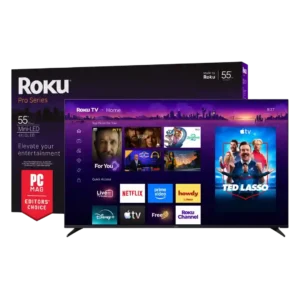
#2 Roku Pro Series (2025)
4.4

Best for bright Mini-LED picture, excellent built-in audio, easy Roku navigation, and responsive 4K/120 gaming. Skip it if you want ad-free menus, premium motion consistency, or stronger confidence in long-term...

Pros: overall satisfaction, picture quality

Cons: reliability, portability and versatility

#3 TCL QM8L
4.4

Choose the QM8L for a big, brilliantly bright TV with vivid HDR, deep mini-LED blacks, low input lag, and four HDMI 2.1 ports. Skip it if you need OLED-clean motion,...

Pros: picture quality, value for money

Cons: stand quality, judder handling

#4 LG G6
4.4

Choose the G6 for class-leading bright-room OLED picture, rich color, deep blacks and elite gaming. Skip it if you want strong built-in audio, polished launch firmware, no account sign-in, or...

Pros: picture quality, peak brightness

Cons: value for money, sound quality